
Charitable bill payment, seen four ways
Payyro lets donors pay a family’s overdue bill to whoever sent it.We audited it, shipped its first version and redesigned it for four roles.

- 4
- roles Customer, Vendor, Donor, Super Admin, around one request
- Shipped
- first release on Webflow and Wized, before the redesign
- 400+
- screens designed for Payyro
Project summary
Payyro is a crowdfunding platform for household bills. A family, or the company they owe, posts a Help Request for a real bill; donors fund it. We started with a UX audit of the existing product, built and released its first version on Webflow and Wized, then did a complete UX and UI redesign for four roles, the public website , a refined brand and one design system behind all of it.
How the work ran
- Start
- A UX audit of the existing product: its roles, structure and flows.
- First release
- The first version built and released on Webflow and Wized.
- Redesign
- Personas, role flows, wireframes and the full UI for four roles, the public website, brand refinement and a design system.
- Now
- The client approved the redesign, and we are building the second version in Next.js, React, Node.js and Supabase.
What moves through Payyro
One chain, from a bill to a paid vendor:
-
The bill
- Vendor invoice
- Category
- Amount
-
The request
- Story and video
- Eligibility proof
- Customer approval
-
Verification
- Documents checked
- Published
- Or rejected
-
Giving
- Browse and filter
- As a guest or signed in
- Anonymous gifts
-
Funding
- Raised so far
- Still needed
- Fully funded
-
Payout
- Payout queue
- Paid by hand
- Marked as paid
- Plain and Thorough
- Short guided steps for a stressed applicant, and still every document the check needs.
- Private and Trusted
- Donors see a first name, a story and a verified mark; bills and documents stay with Payyro.
- Shared and Separate
- One request and one status underneath; each role sees its own part and its own next step.
A donor’s decision, top to bottom
- Found
- A donor is about to pay a stranger’s bill. Unsure who is asking, who gets the money or how far the request is from done, most people close the tab.
- Decided
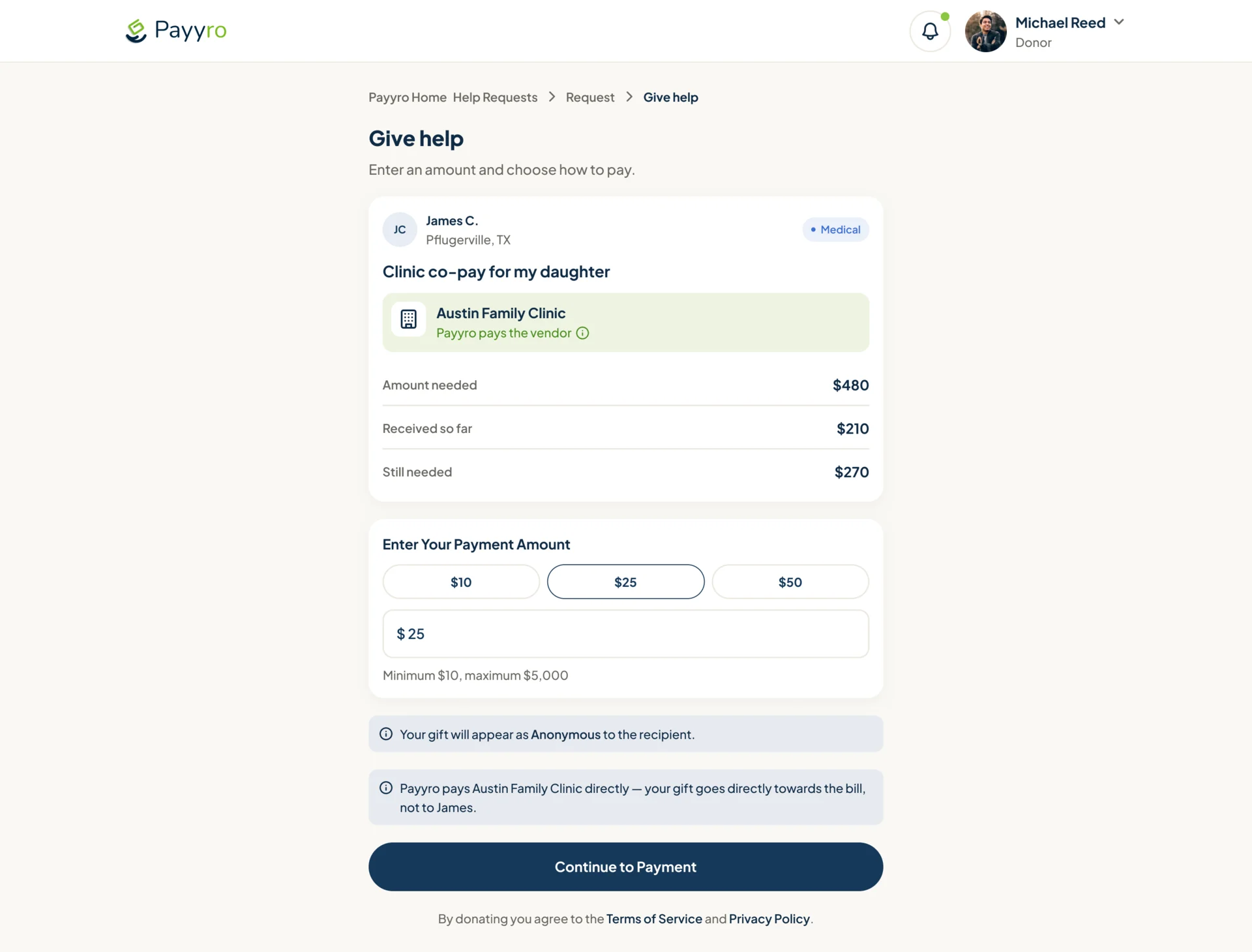
- One column in the order a donor’s questions come: who and what for, whom Payyro pays, how much is still missing, the amount, then how the gift will appear and where it goes.
- For the user
- The donor knows the money reaches the clinic, not a personal account, before choosing an amount.
-
Who asks, and who is paid
A first name and town, the bill in plain words, and the clinic Payyro pays.
-
How far along
Needed, received so far, still needed.
-
The amount
Three quick amounts or any sum, with the limits under it.
-
Where the gift goes
Shown as Anonymous, paid to the clinic rather than to James, then one action.
How the work progressed
Personas and role flows first, then wireframes, the full UI and its system, the website at four widths, and a handoff with the rules written beside the screens.
-
Discovery
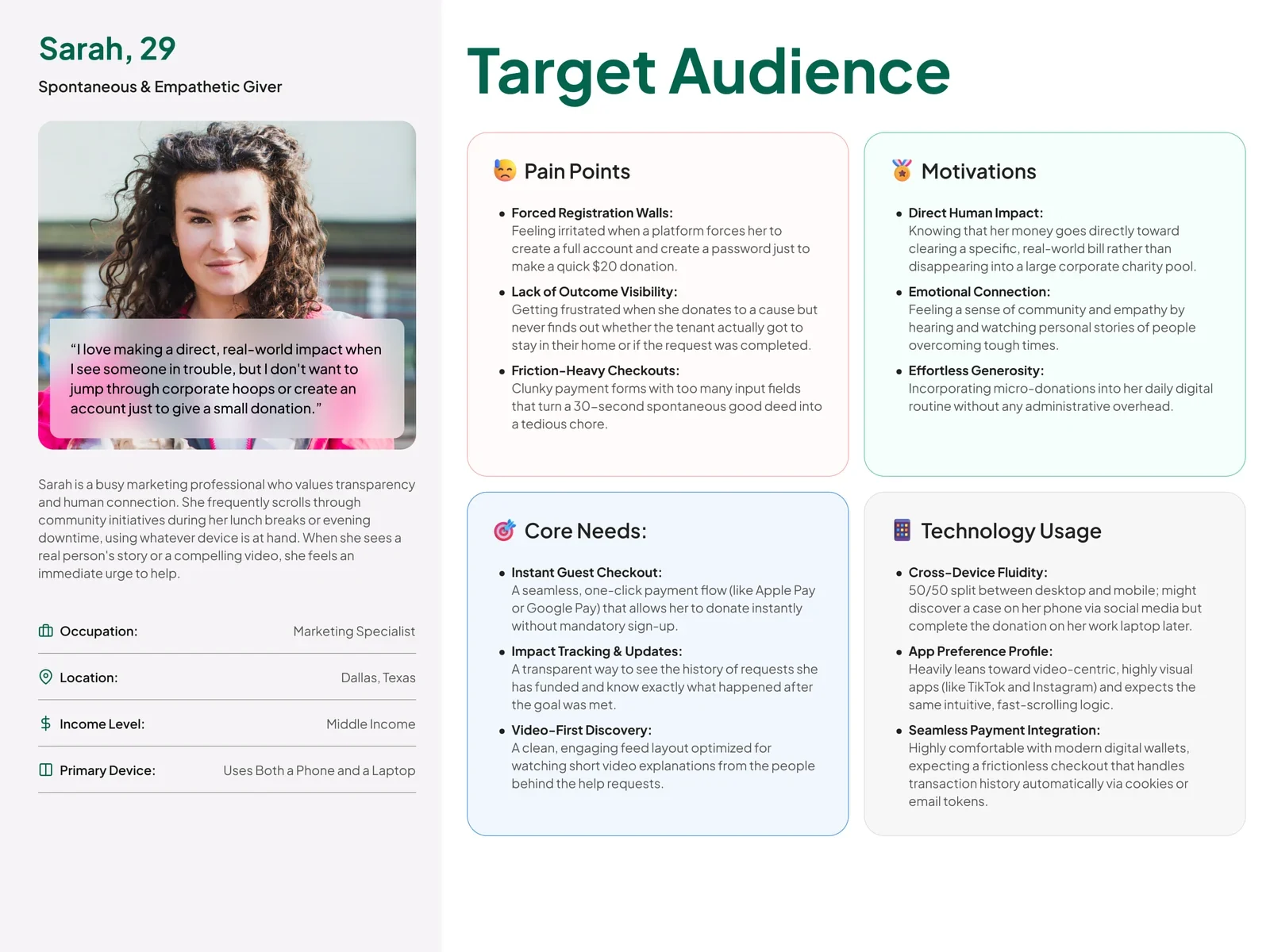
Who the four roles are, what each needs from a request, and on which device
Artifact An audit of the existing product and a persona for each role
-
User Flow
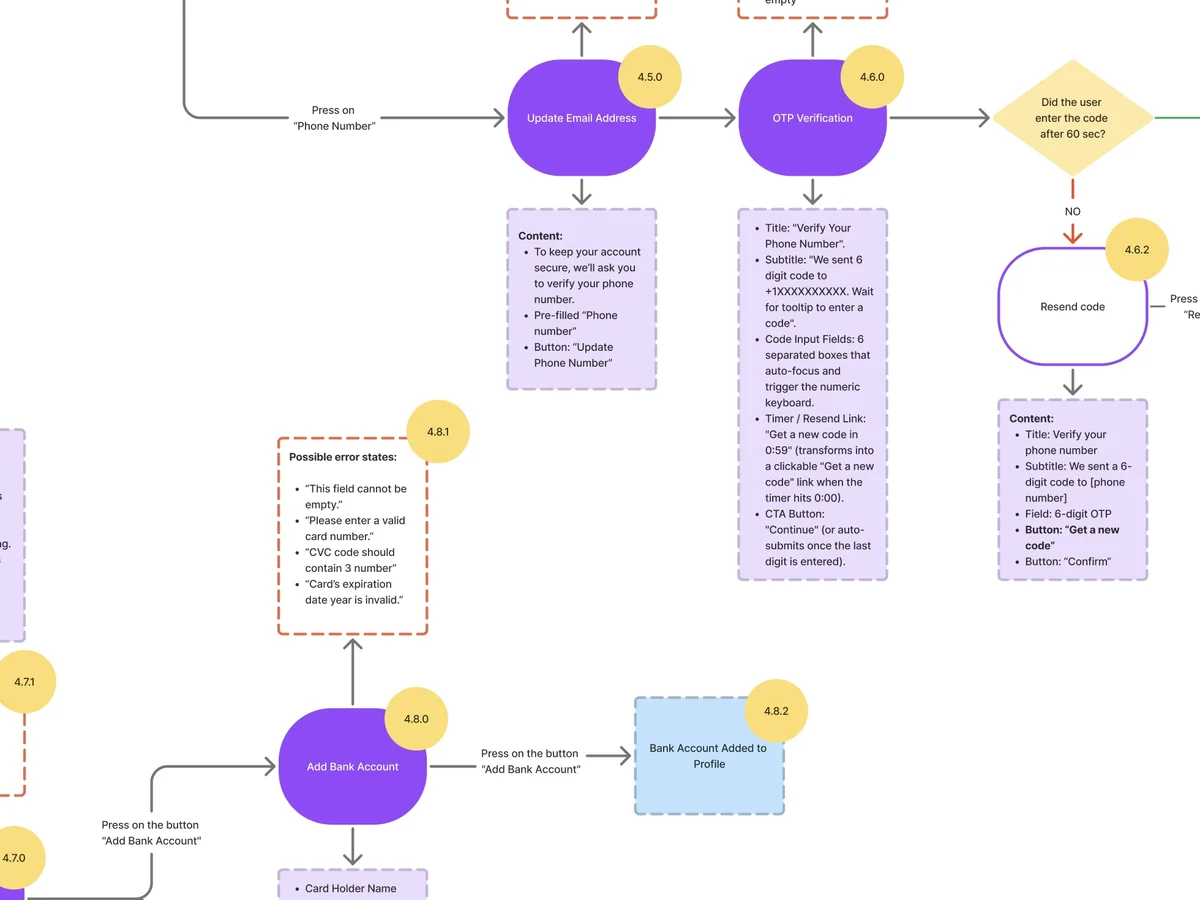
Every path for each role, and the point where one role hands a request to the next
Artifact Role user flows with their states and error branches
-
Wireframes
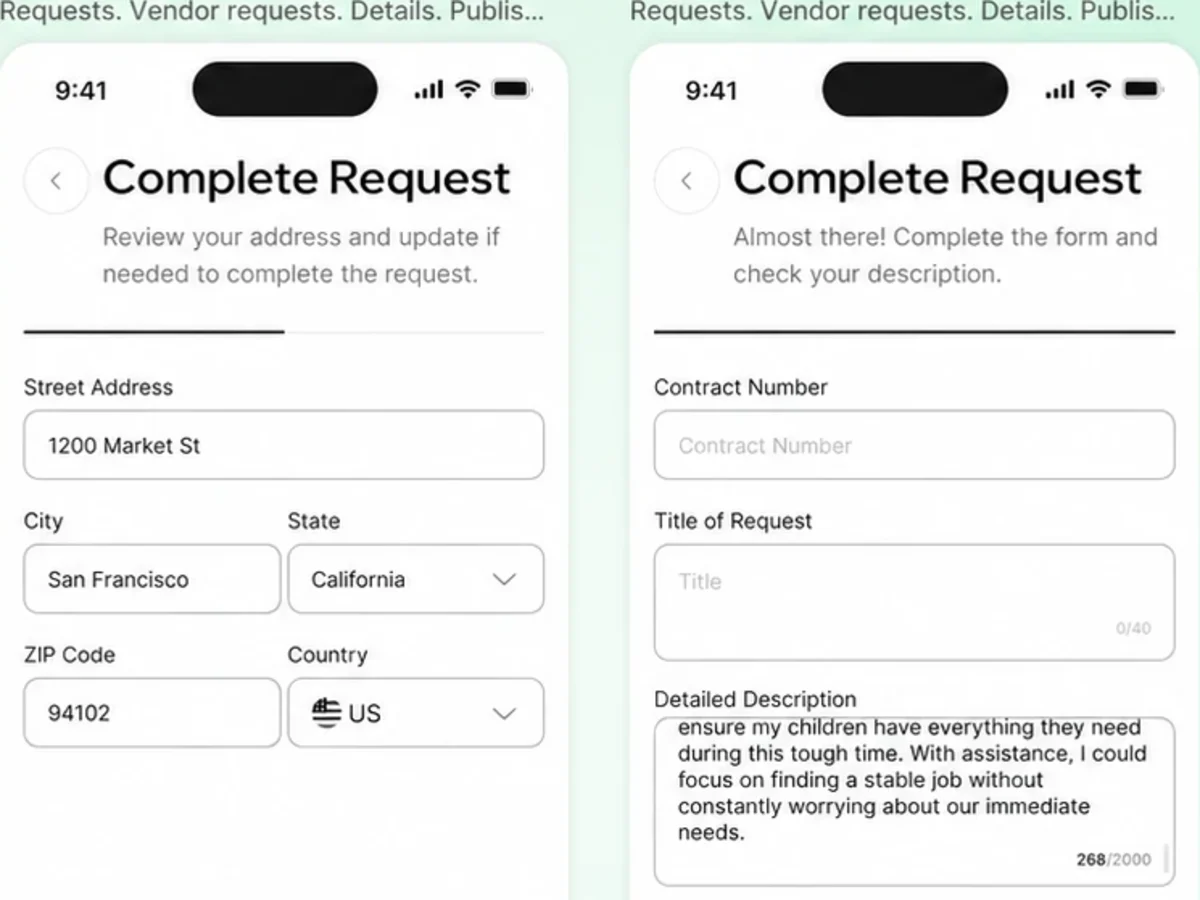
What each step asks for, settled before any visual decisions
Artifact Black-and-white wireframes of the request flows
-
UI & Design System
How four roles look like one product, and how a status reads the same everywhere
Artifact Final screens for all four roles, a UI kit and design system, and a refined brand
-
Adaptives
How the public website holds from a wide desktop down to a small phone
Artifact Website layouts at 1440, 1024, 768 and 375, with motion
-
Delivery
What engineering needs beyond the screens: the rules, the states and the edge cases
Artifact Interactive prototypes, dev notes on every flow, and a documented website
Three roles, three key paths
- Found
- Each role comes to the same request from a different side, and a path designed for one would stall the others.
- Decided
- Each role’s key path was mapped as its own flow, with the step where the request passes to the next role made explicit.
-
Customer: applying in five steps
Basic details, the bill, proof of eligibility, a story and an optional video, then a clear pending state.
Open the full map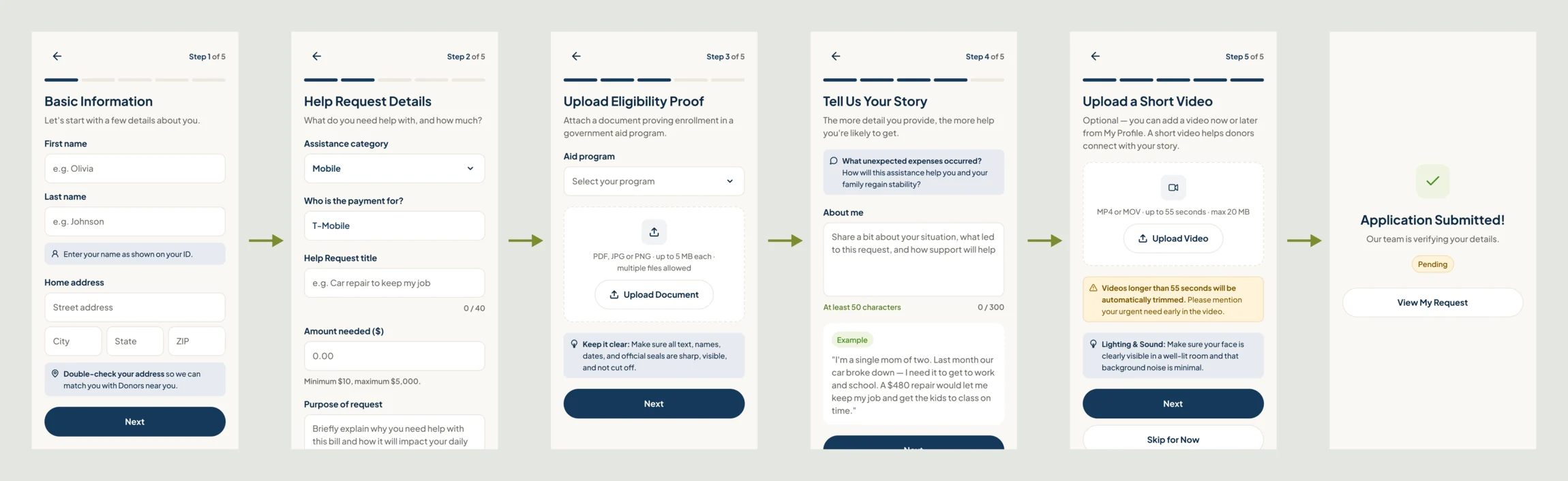
-
Vendor: a request on a customer’s behalf
Who the bill is for, the bill itself, then review; the customer approves before anything goes live.
Open the full map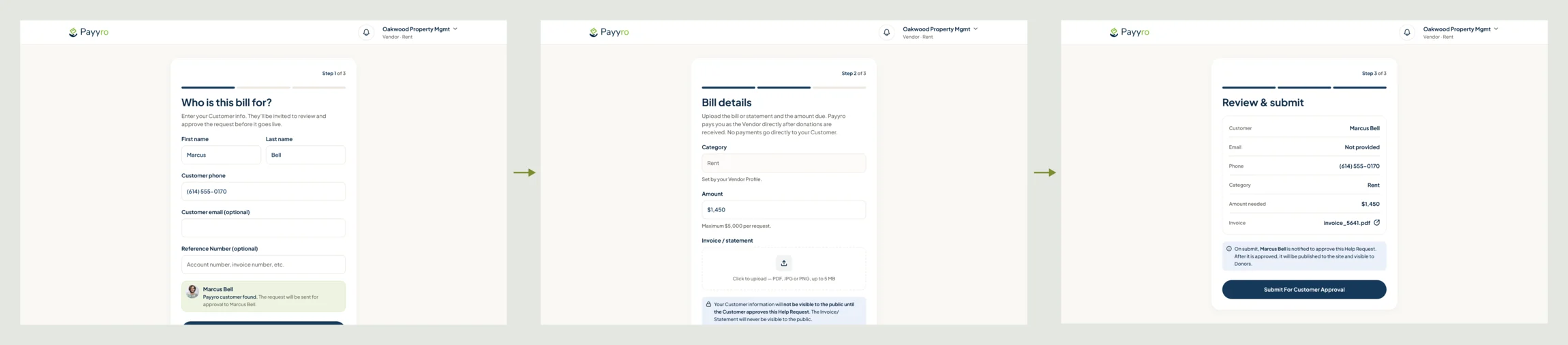
-
Super Admin: paying the vendor
A funded request waits in the payout queue; the admin pays from the invoice and marks it paid.
Open the full map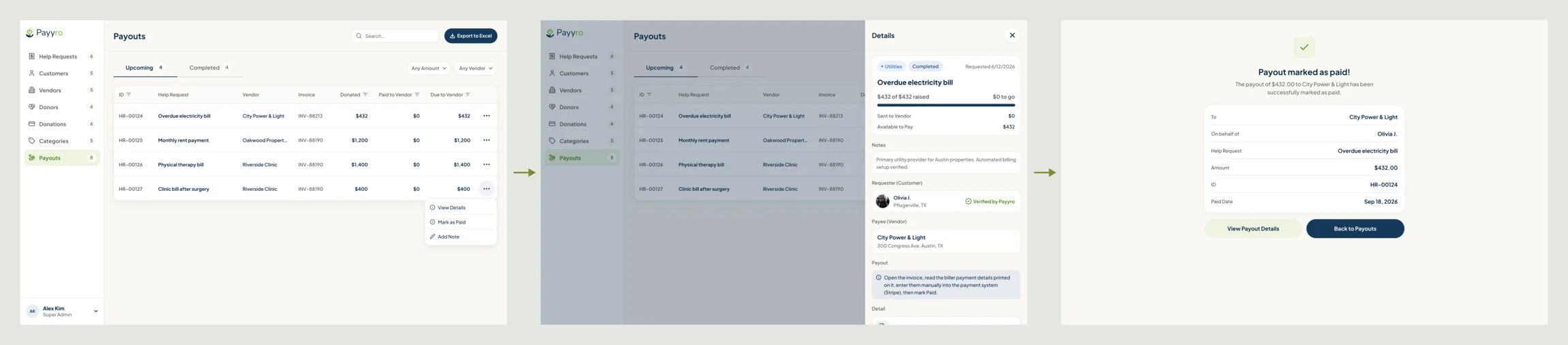
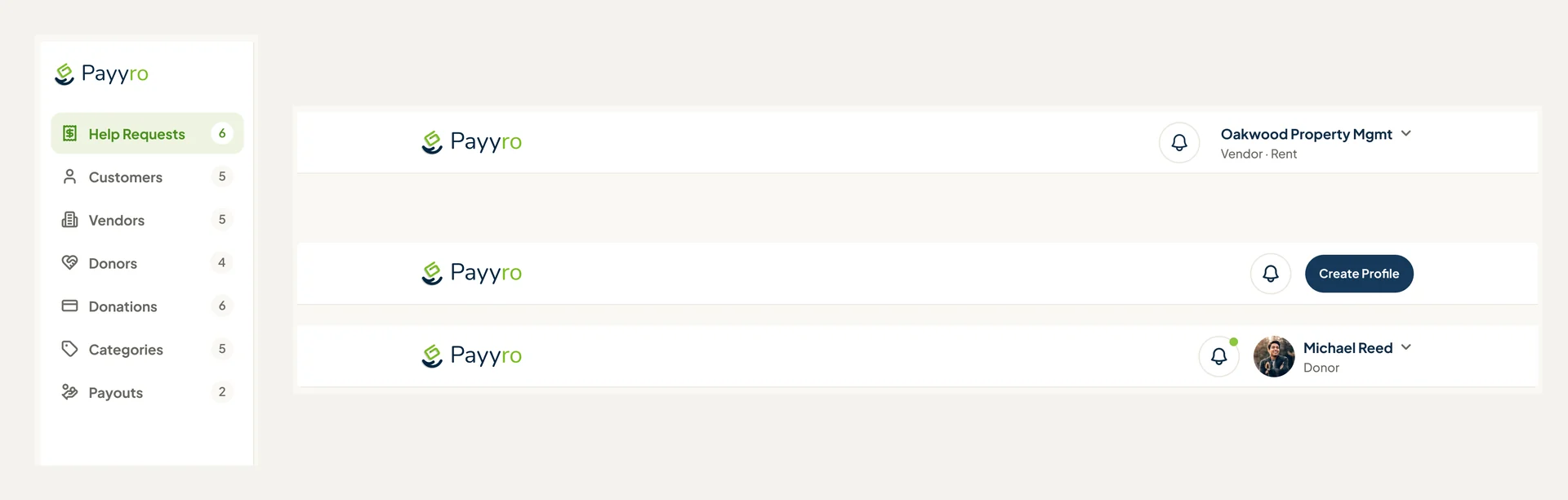
Six jobs across four roles
The Customer first, then the Vendor, the Donor and the Super Admin. Names, bills and figures on these screens are example data.
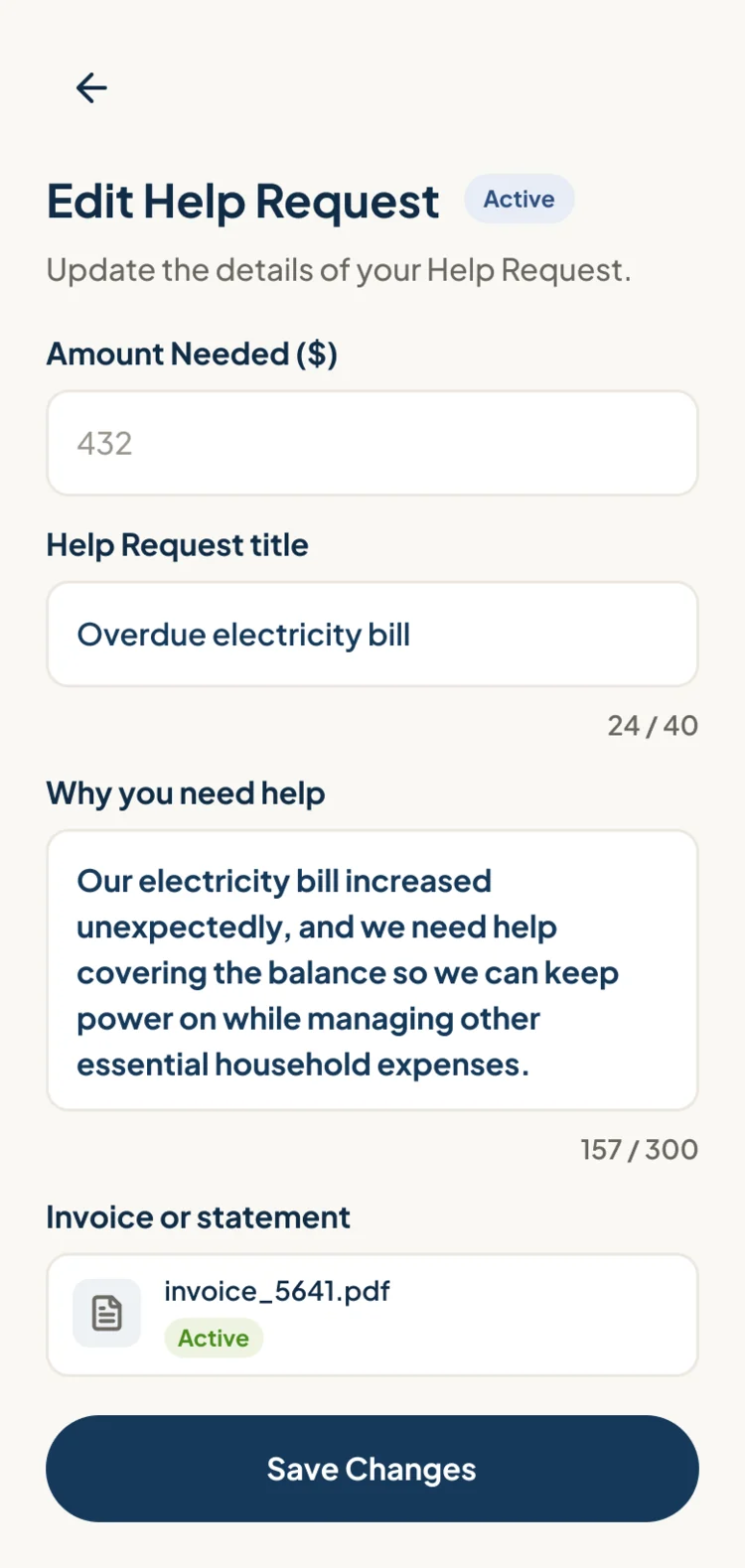
A request the customer can follow
- Found
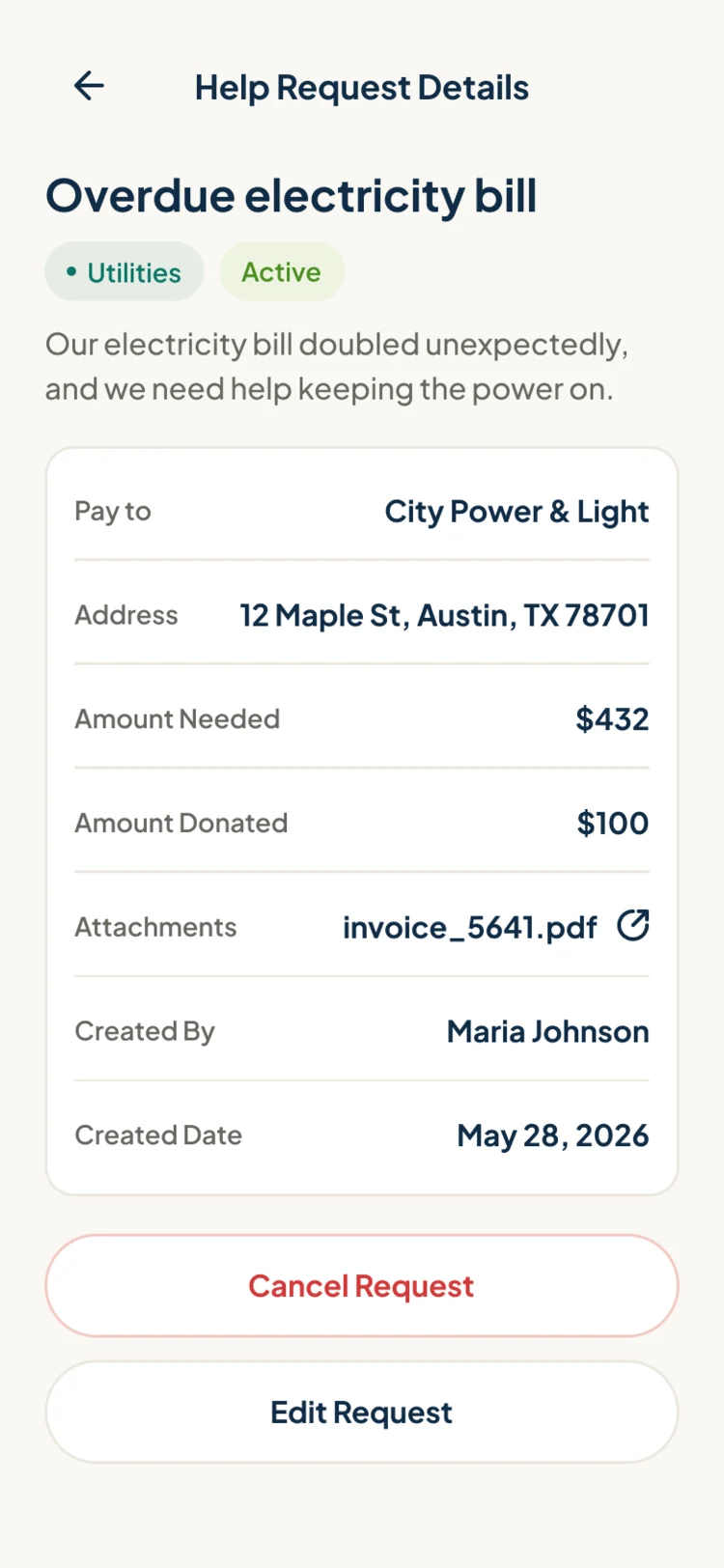
- Someone waiting for help with a bill wants one thing: to know where the request stands and what is theirs to do next.
- Decided
- Requests in three tabs, Pending, Active and Completed, each card with its status, funding and next step; inside, who is paid, what was donated, and what can still be changed.
Many requests on a vendor’s desk
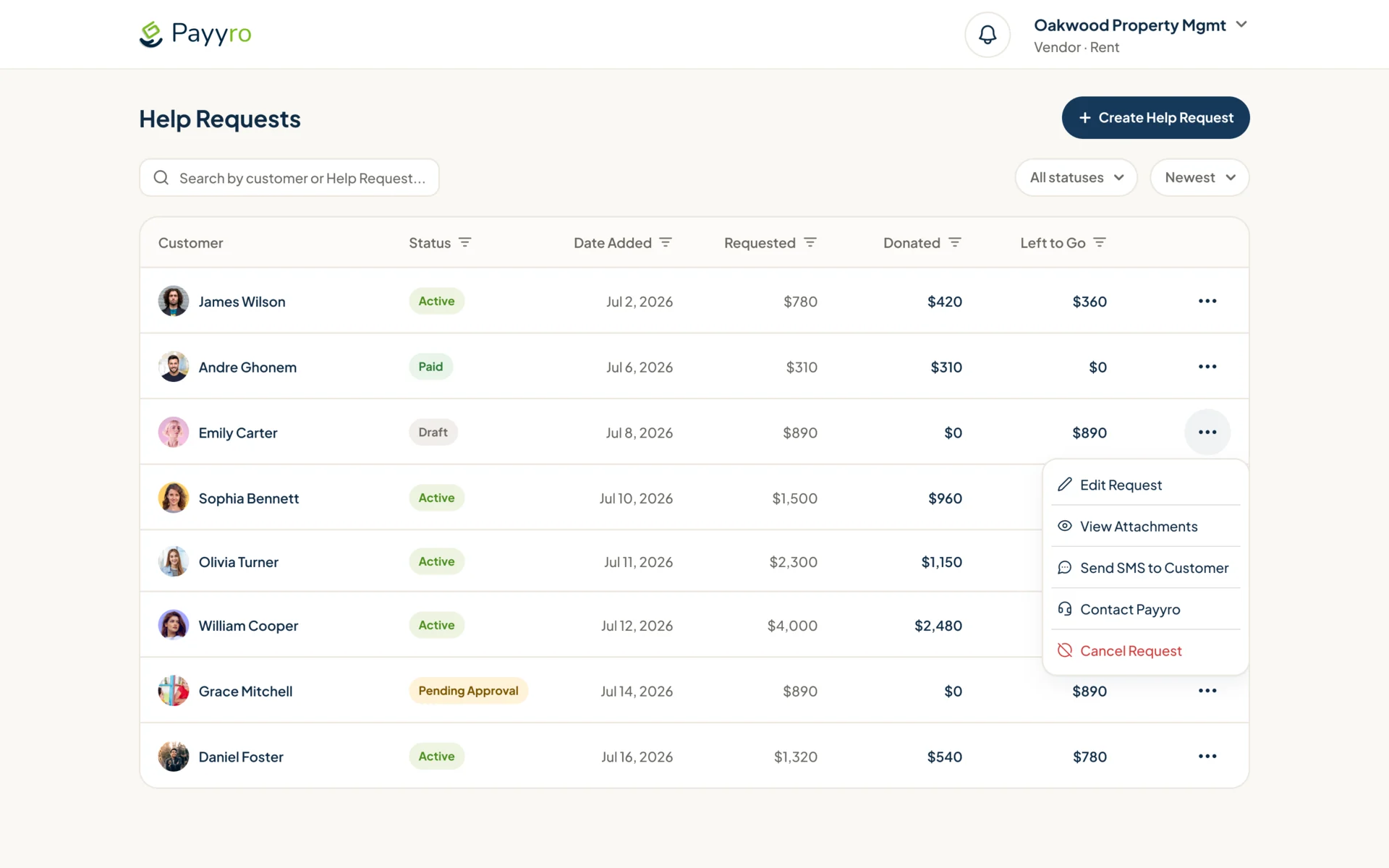
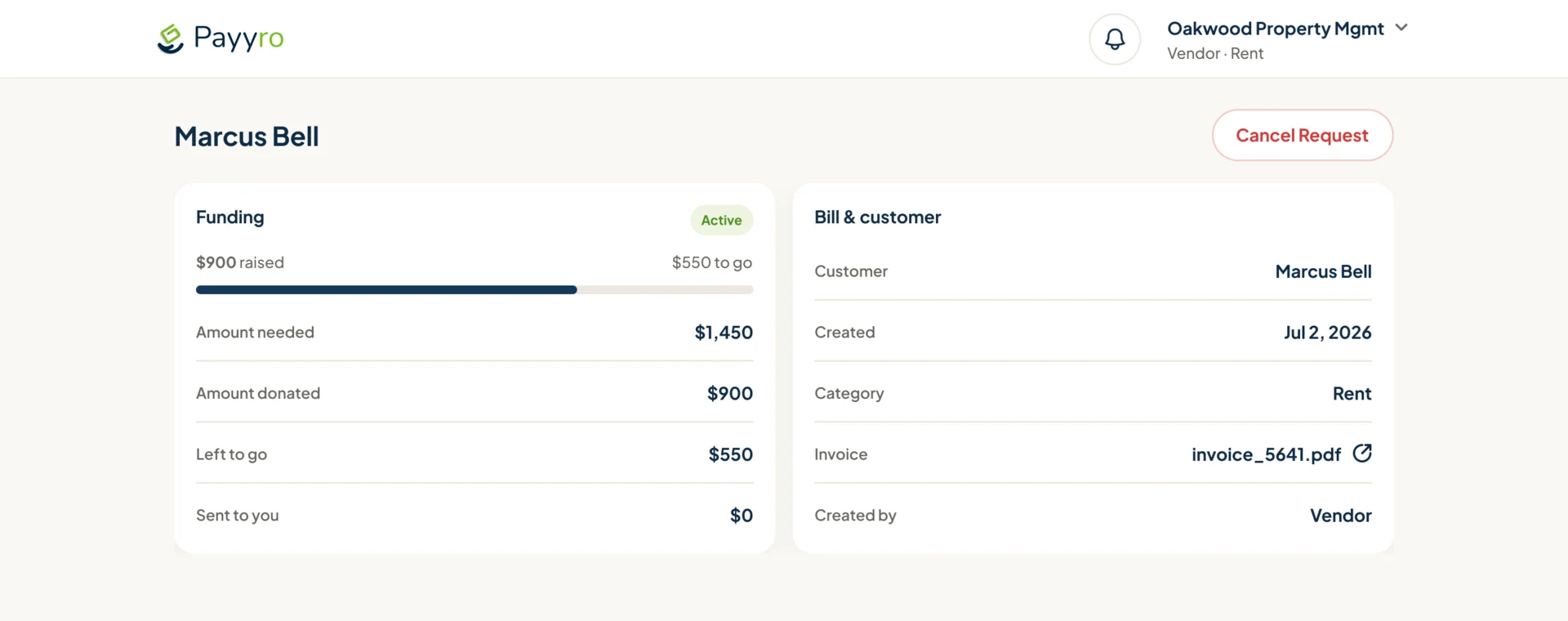
- Found
- A landlord or a clinic may carry dozens of overdue accounts, and a request lost among them is money nobody collects.
- Decided
- Every request in one table with its status, amount requested, donated and left to go, search and a status filter, and a row menu for the rest; each request opens to its funding and the bill behind it.
Nothing goes live without the customer
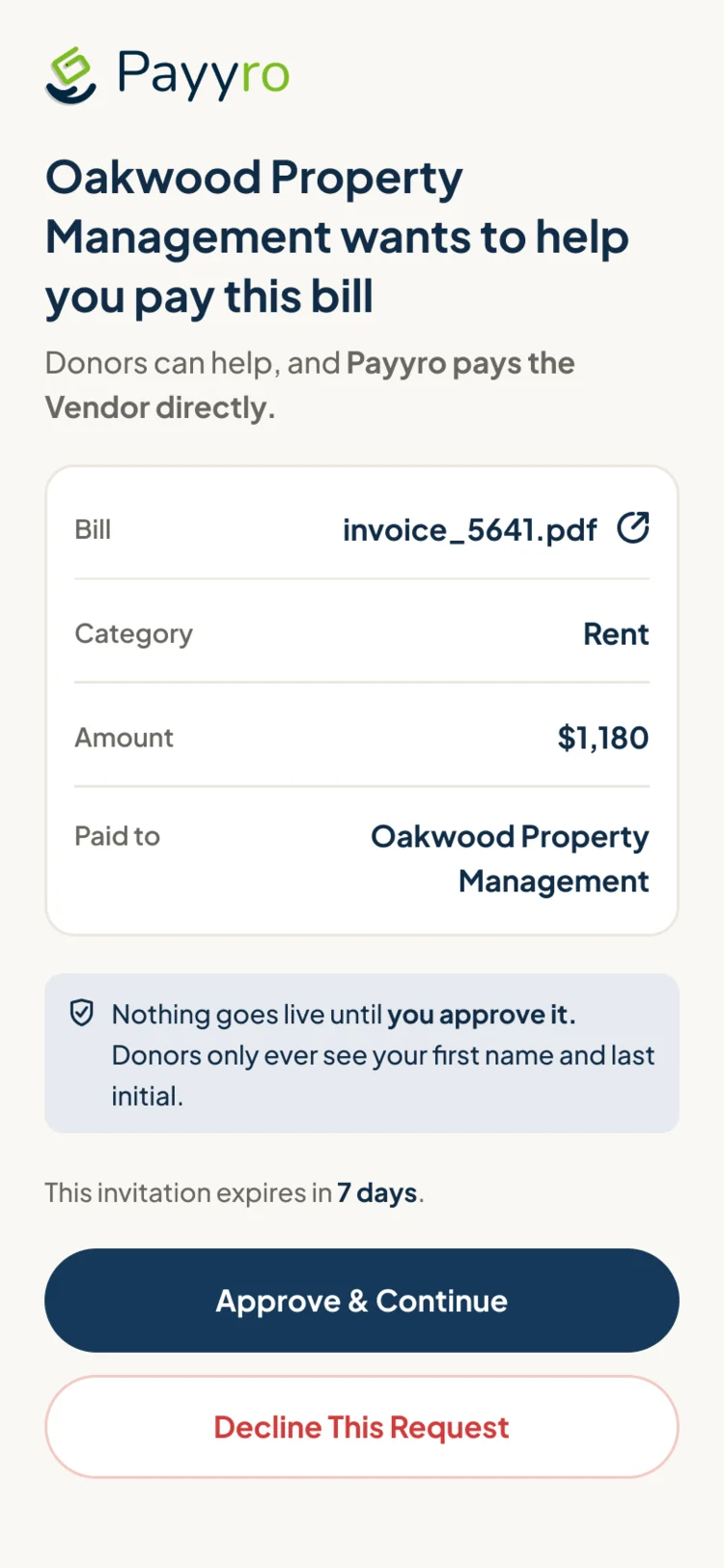
- Found
- A vendor can post a bill for someone, but the request carries that person’s name and circumstances.
- Decided
- The customer receives an invitation showing the bill, the amount and who is paid, and approves or declines it; on a vendor’s request the amount and the invoice stay locked.
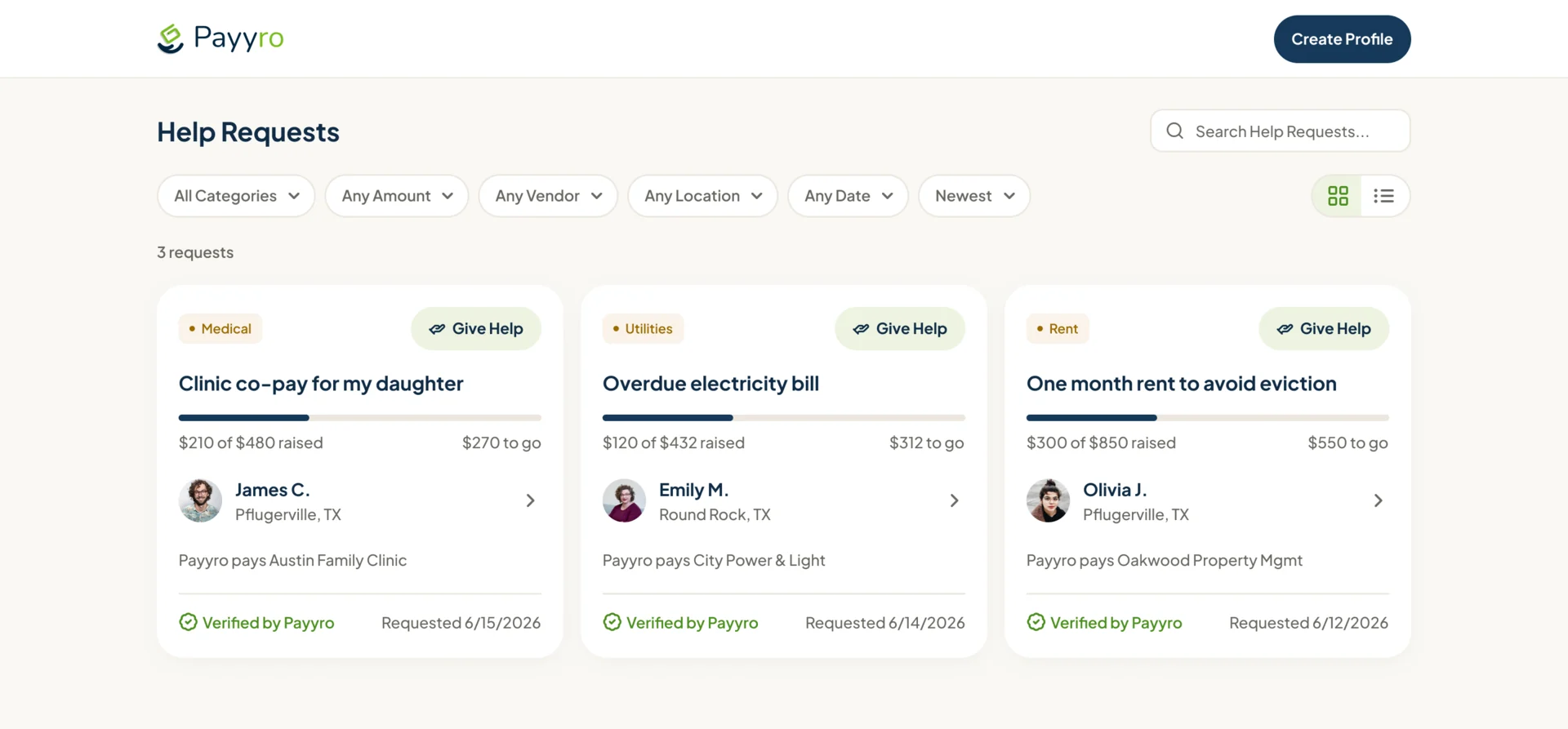
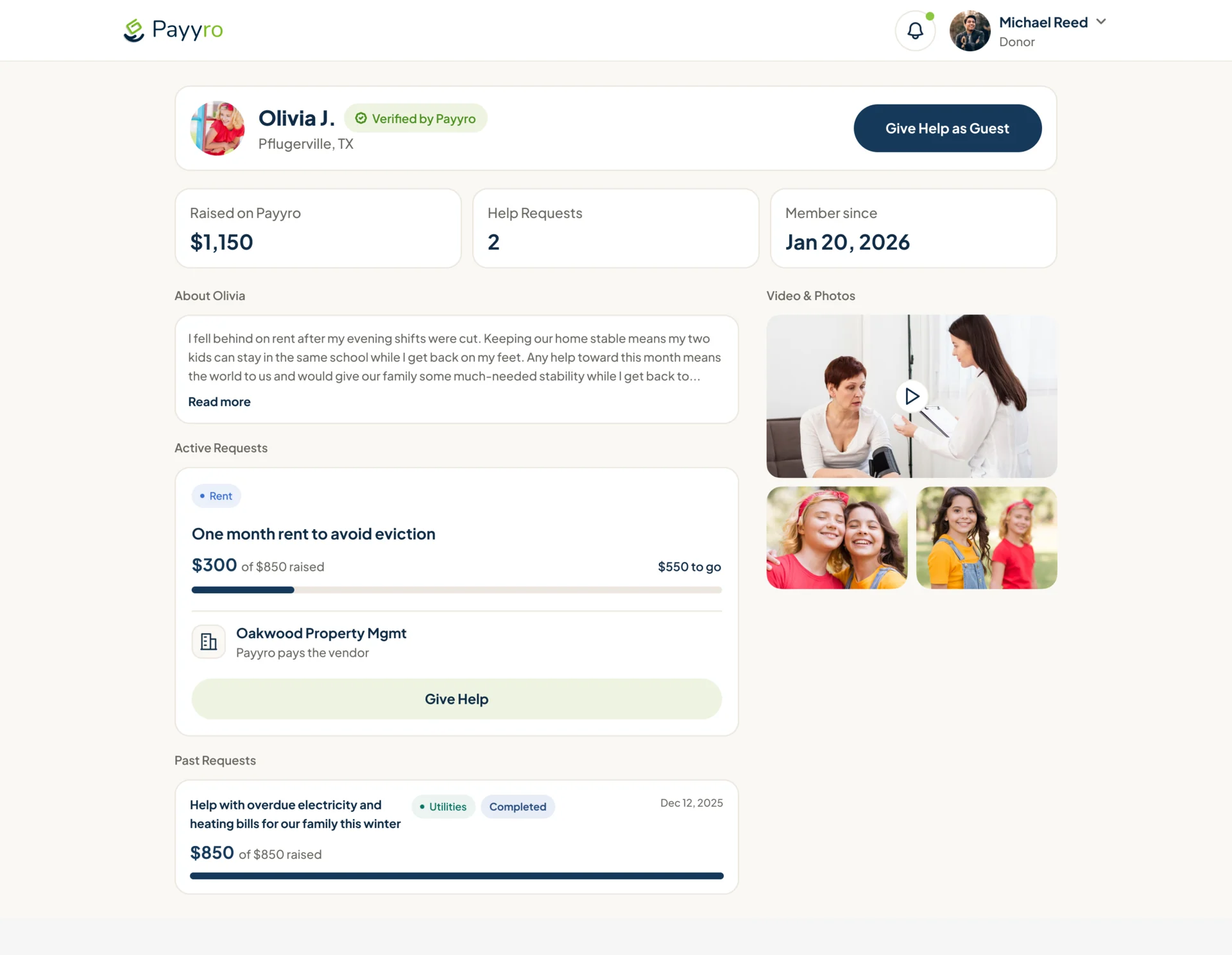
Strangers worth trusting
- Found
- Donors are asked to fund someone they will never meet; without evidence they don’t give, and with too much of it the family loses its privacy.
- Decided
- Requests to browse without an account, filtered by category, amount, vendor, place and date, each with a first name and initial, a Verified by Payyro mark and the vendor Payyro pays; a profile adds the story and a video.
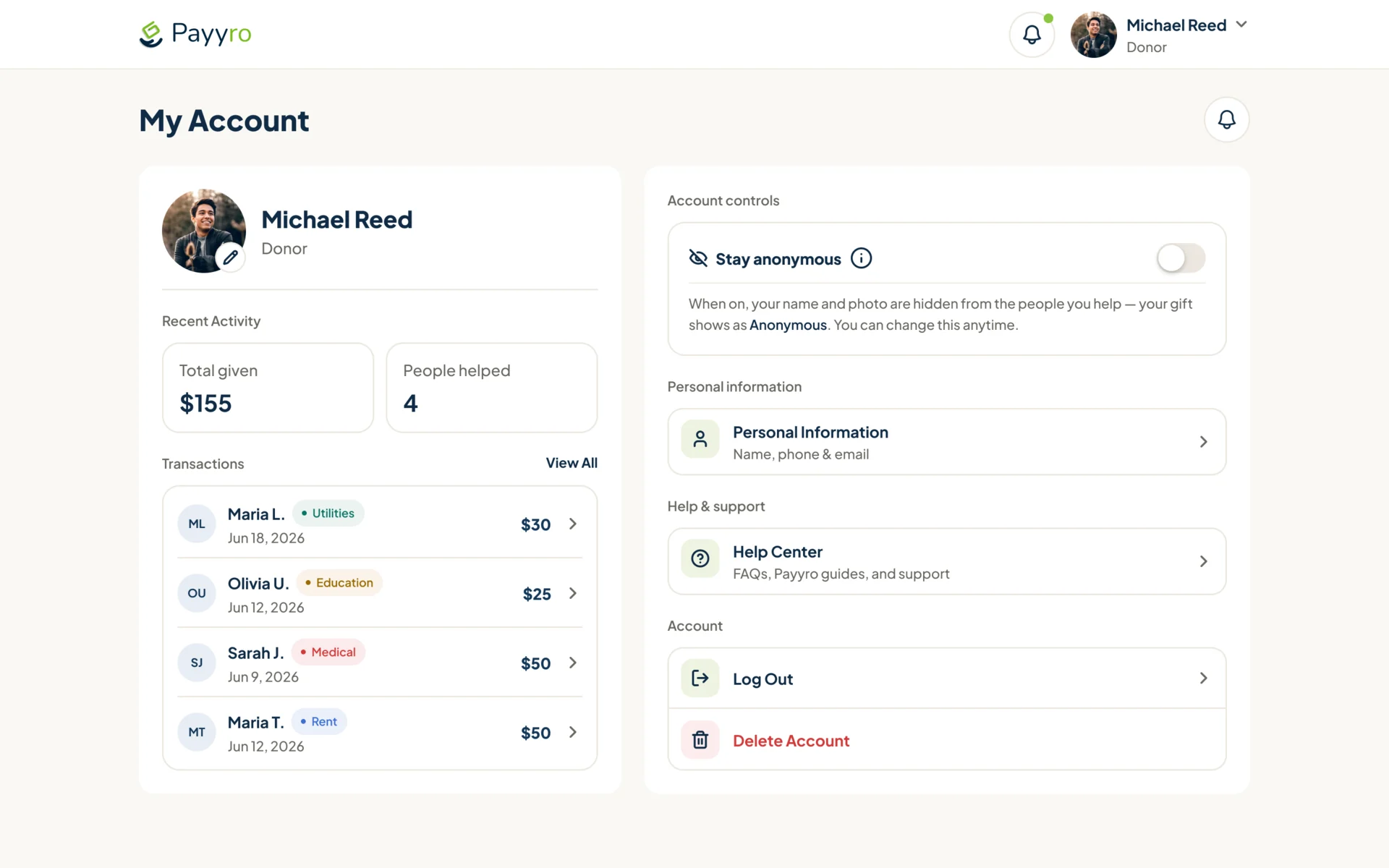
A donor’s own giving
- Found
- A donor who can’t see past gifts, or can’t give quietly, tends to give once.
- Decided
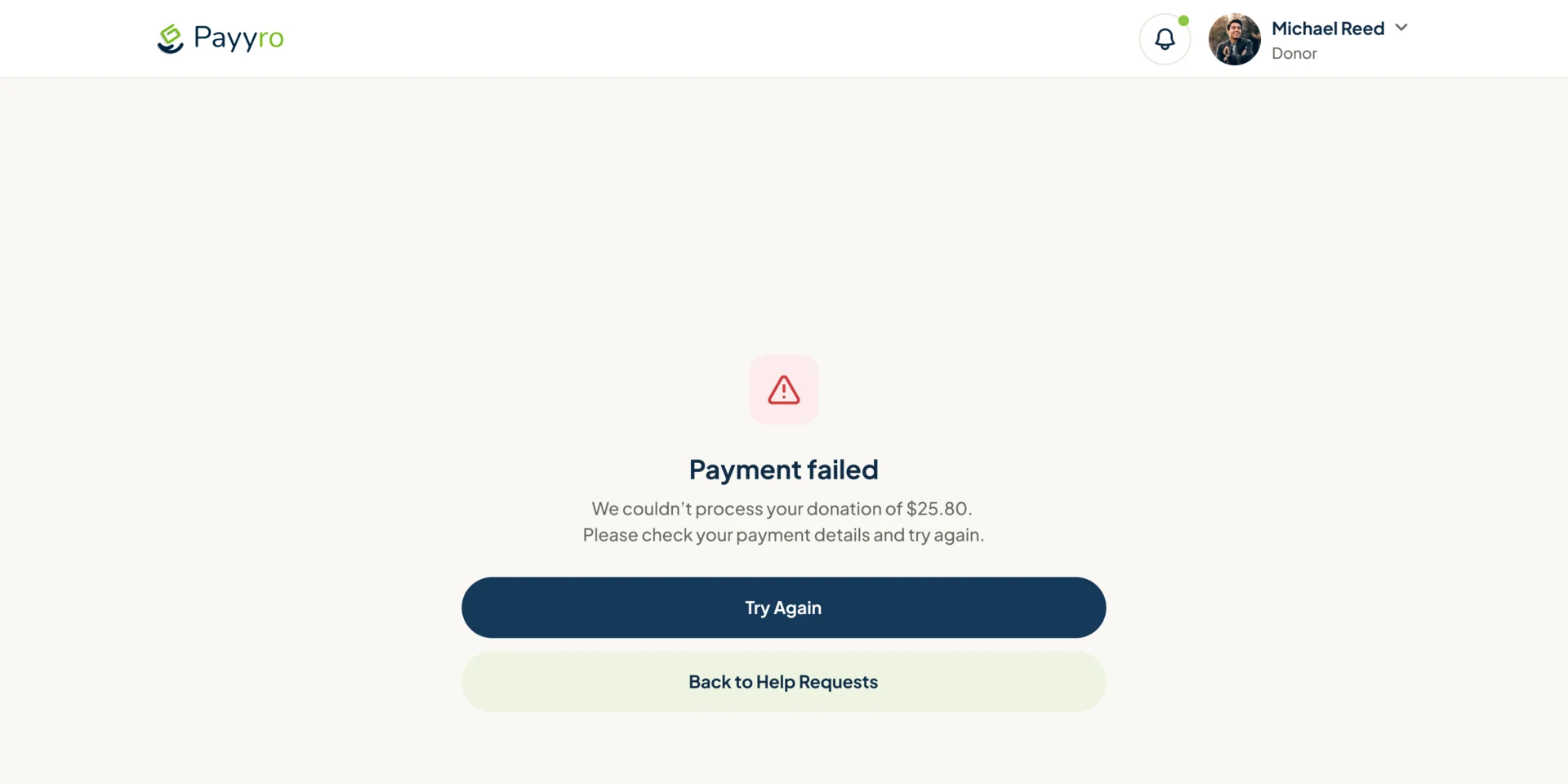
- An account with what was given and to whom and a switch to stay anonymous; a failed payment says what happened and offers a retry.
Checked before anyone sees it
- Found
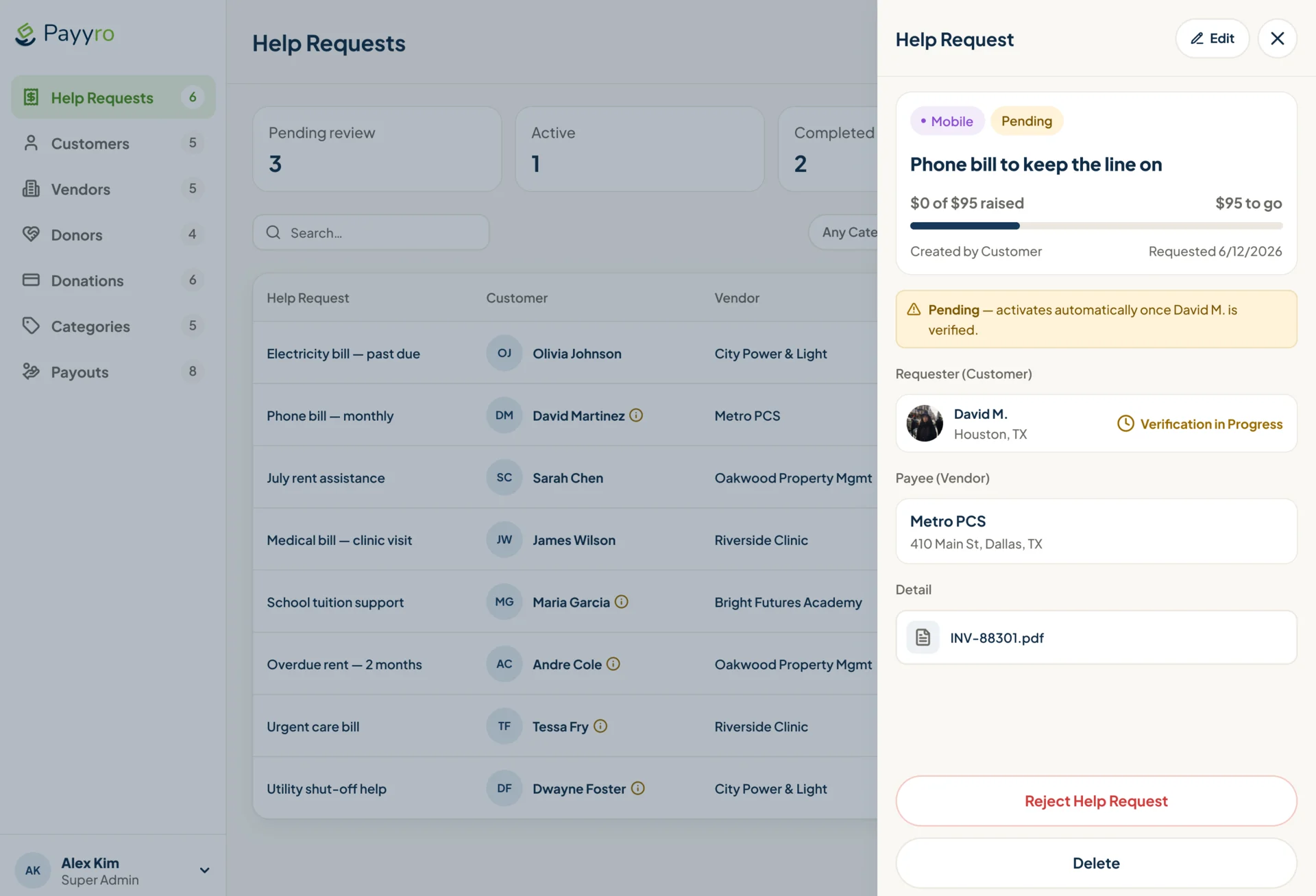
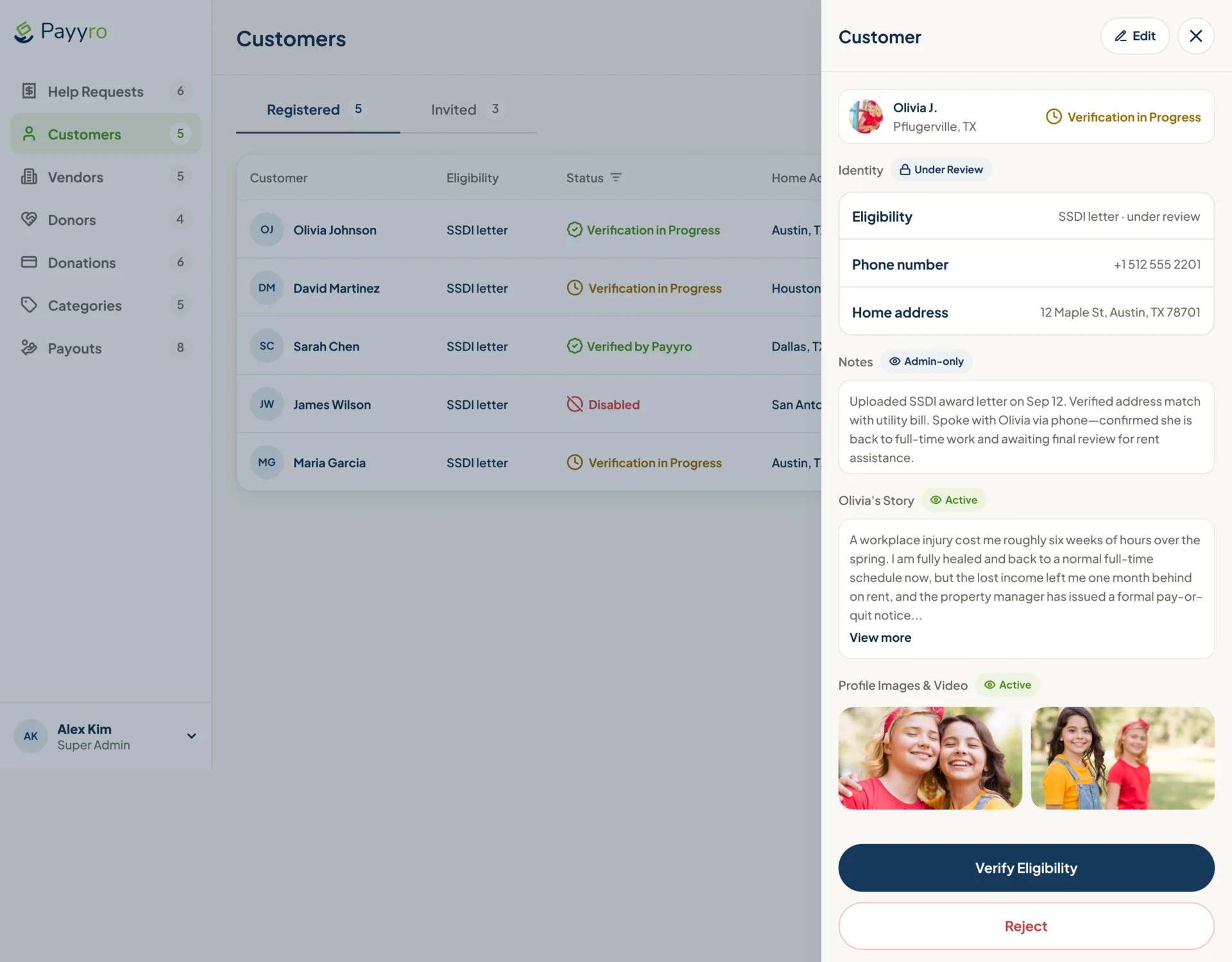
- Every request carries a real person’s documents and a real bill, and one unchecked request going public costs trust across the platform.
- Decided
- Help Requests and Customers as tables, with counts in the sidebar; each opens in a panel with the request, the requester and the payee, admin-only notes, the eligibility documents, and verify or reject.
One design system for four roles
- Found
- Four roles on phones and desktops would drift into four products, each with its own idea of a request and a status.
- Decided
- One UI kit: universal components, a desktop set, a mobile set and the website’s own, so a request card or a status badge means the same thing everywhere.
One request, two cards
A request as a donor browses it on a desktop, and as its customer follows it on a phone.
-
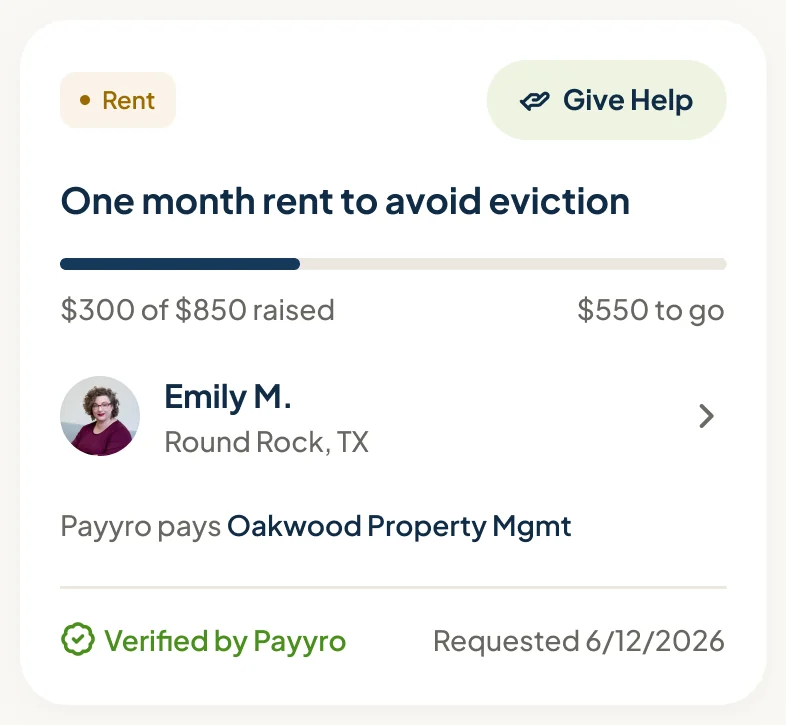
Donor, desktop: Category, funding, the requester and the vendor Payyro pays. -
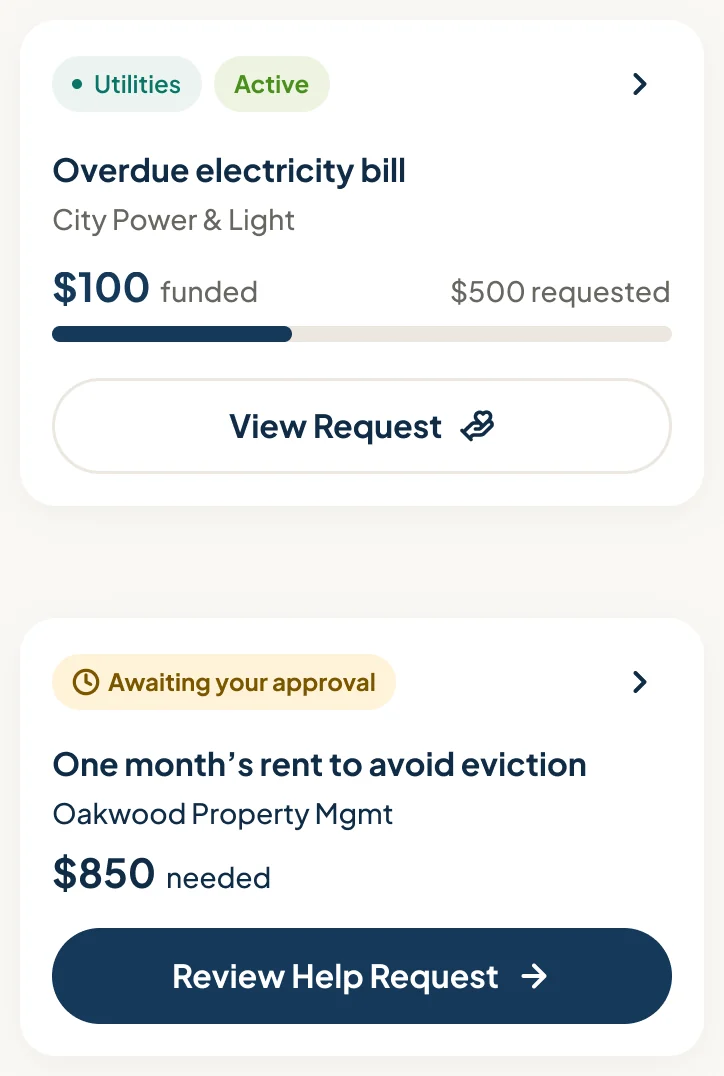
Customer, phone: Status, funding and the next action: view, or review and approve.
Every status, one badge
Draft to Paid in three sizes, with the category badges beside them.
-
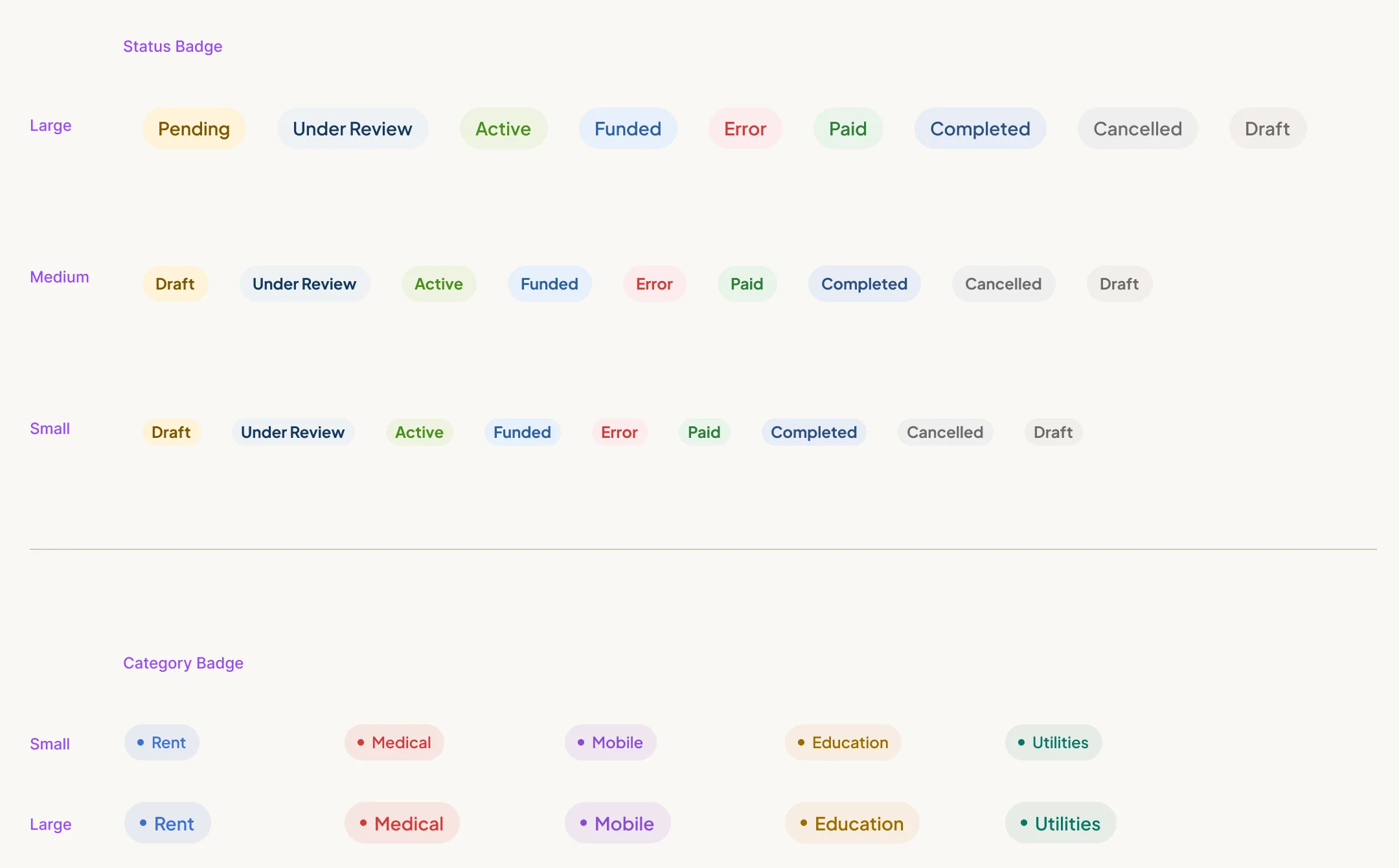
Status and category badges
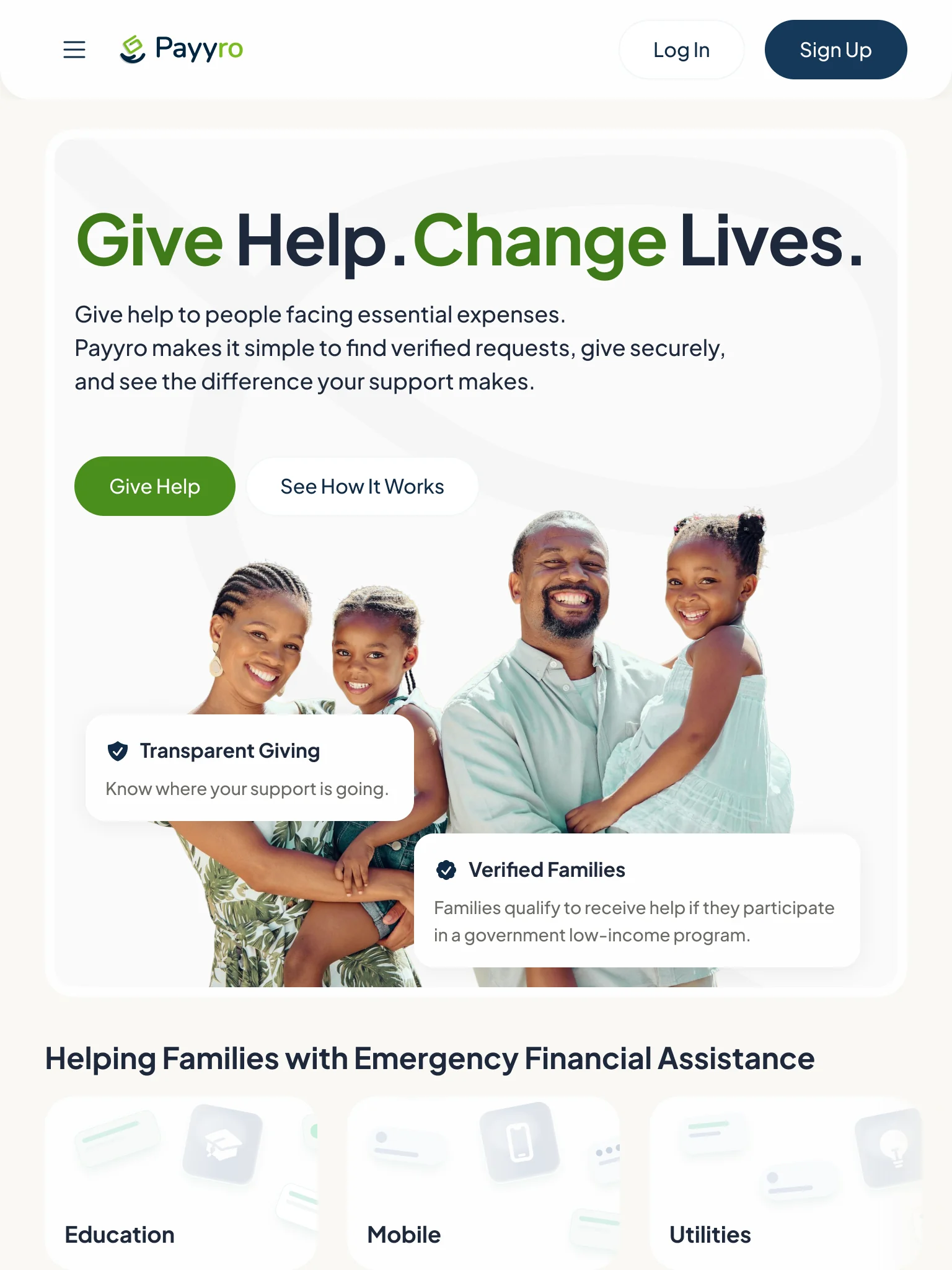
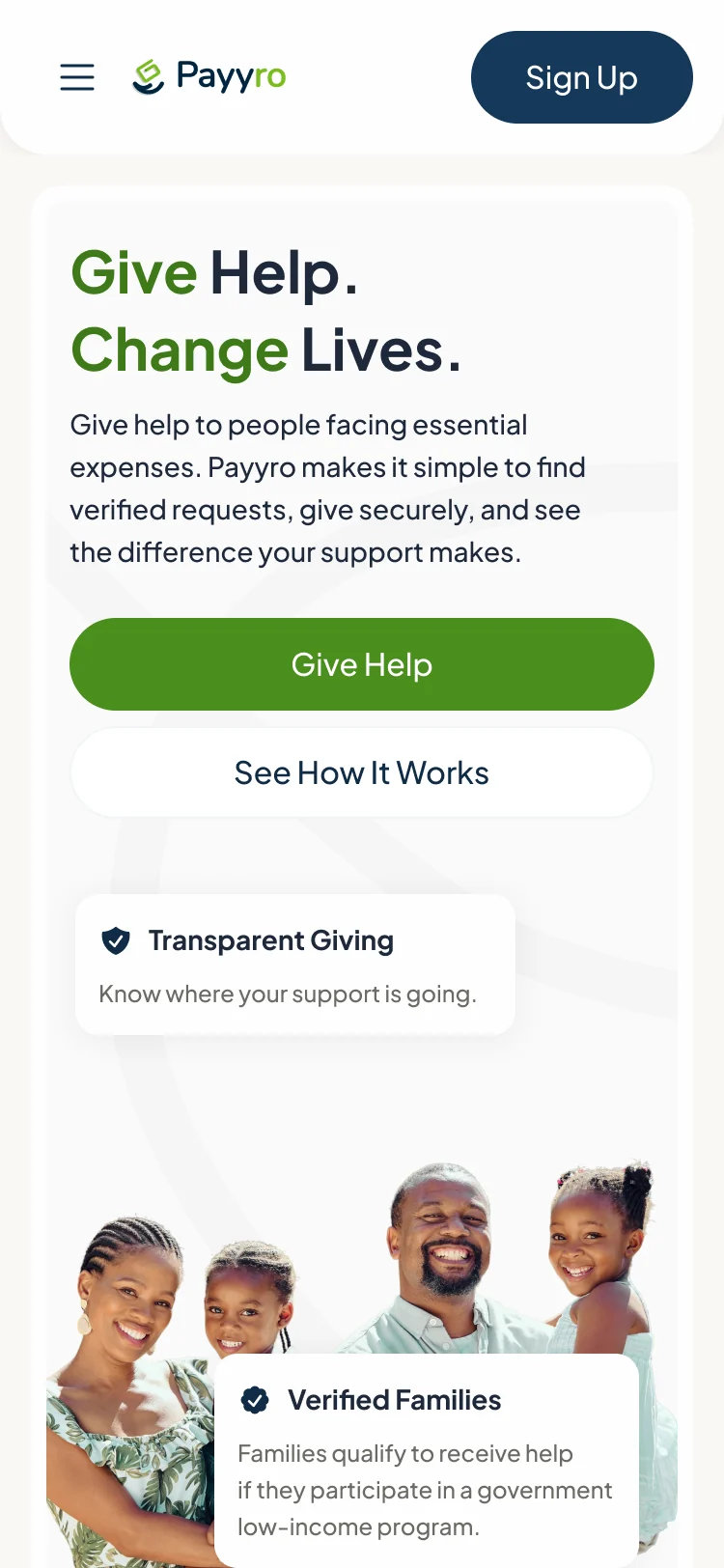
The public website, from desktop to phone
- Kept
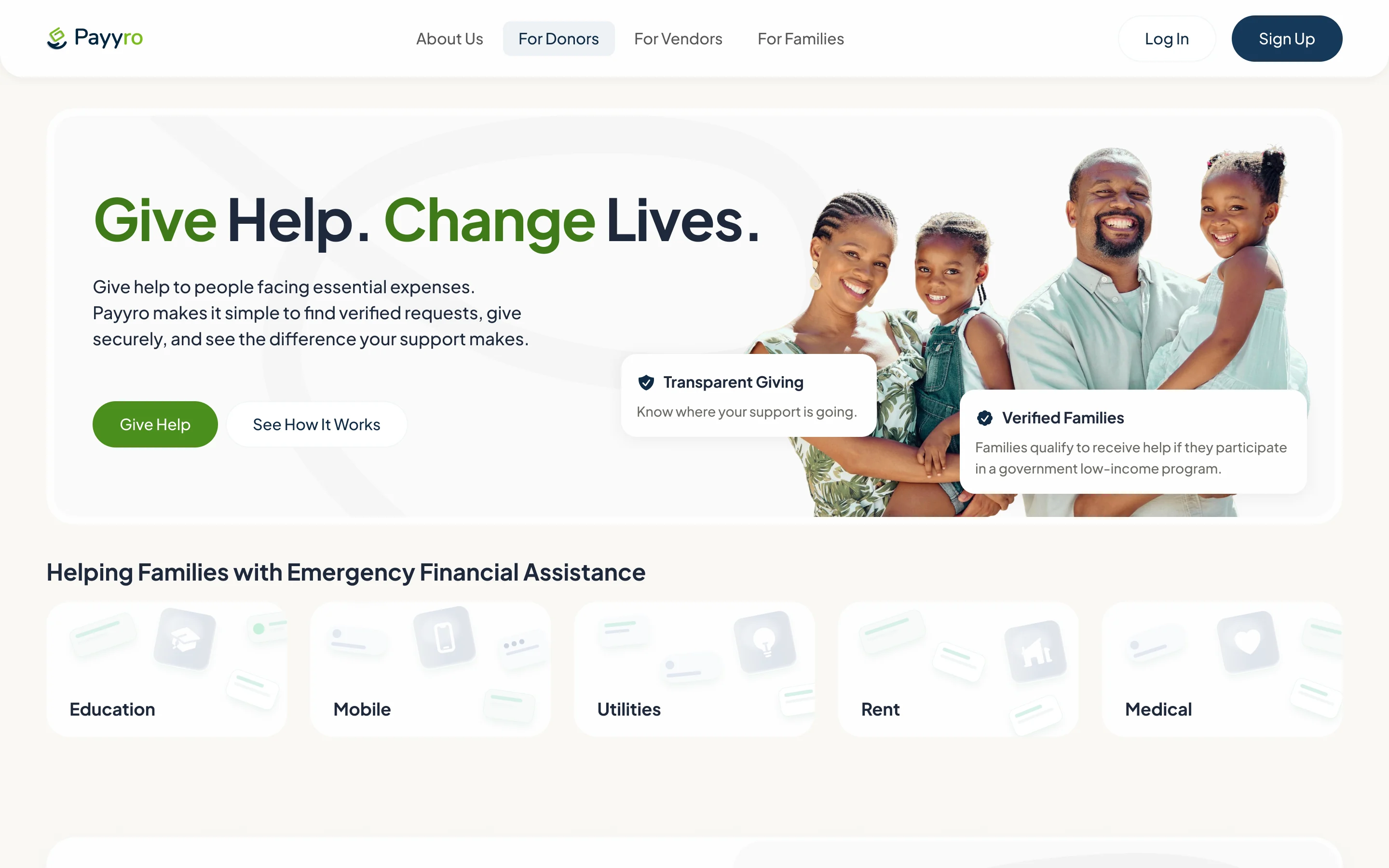
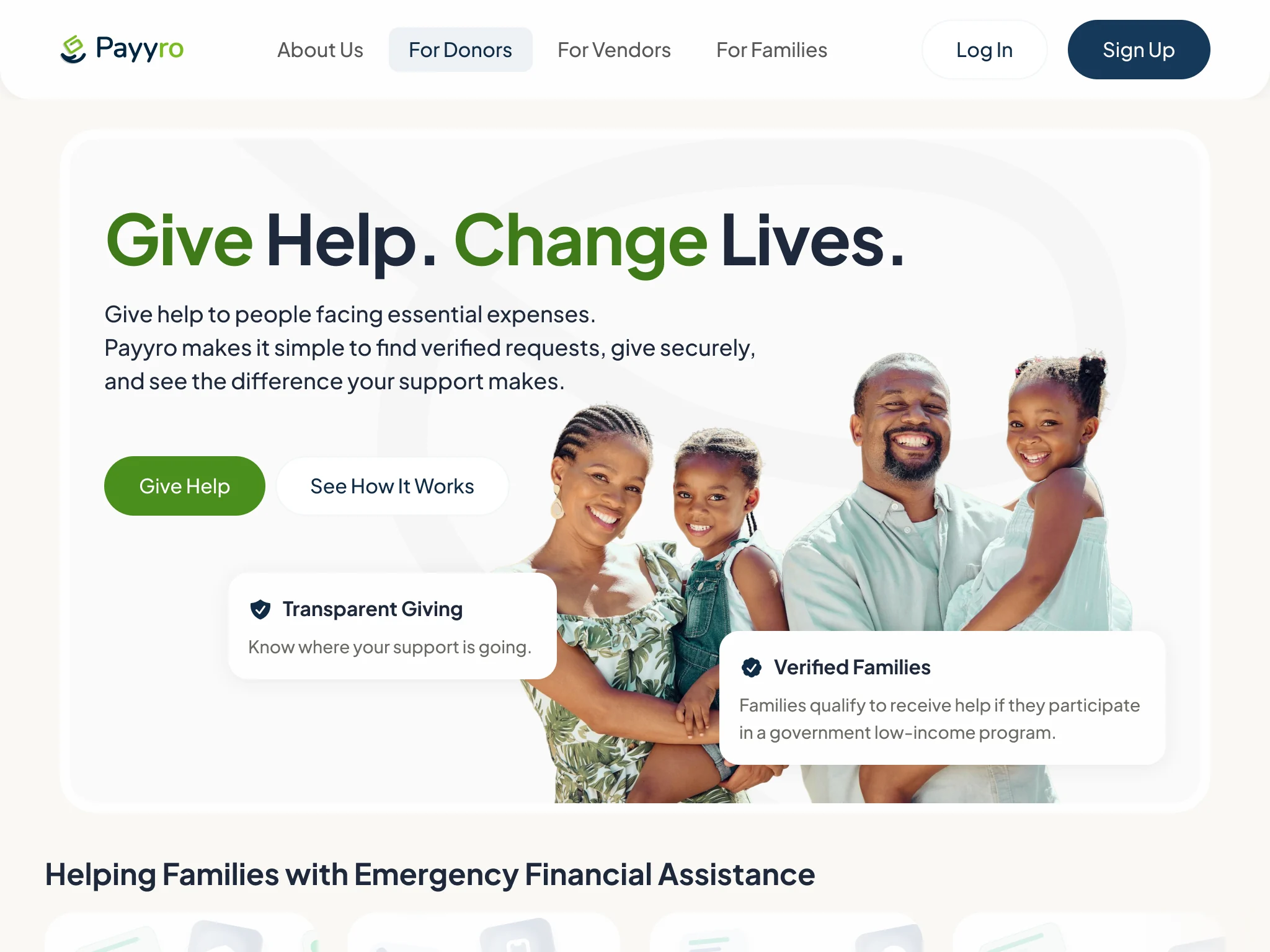
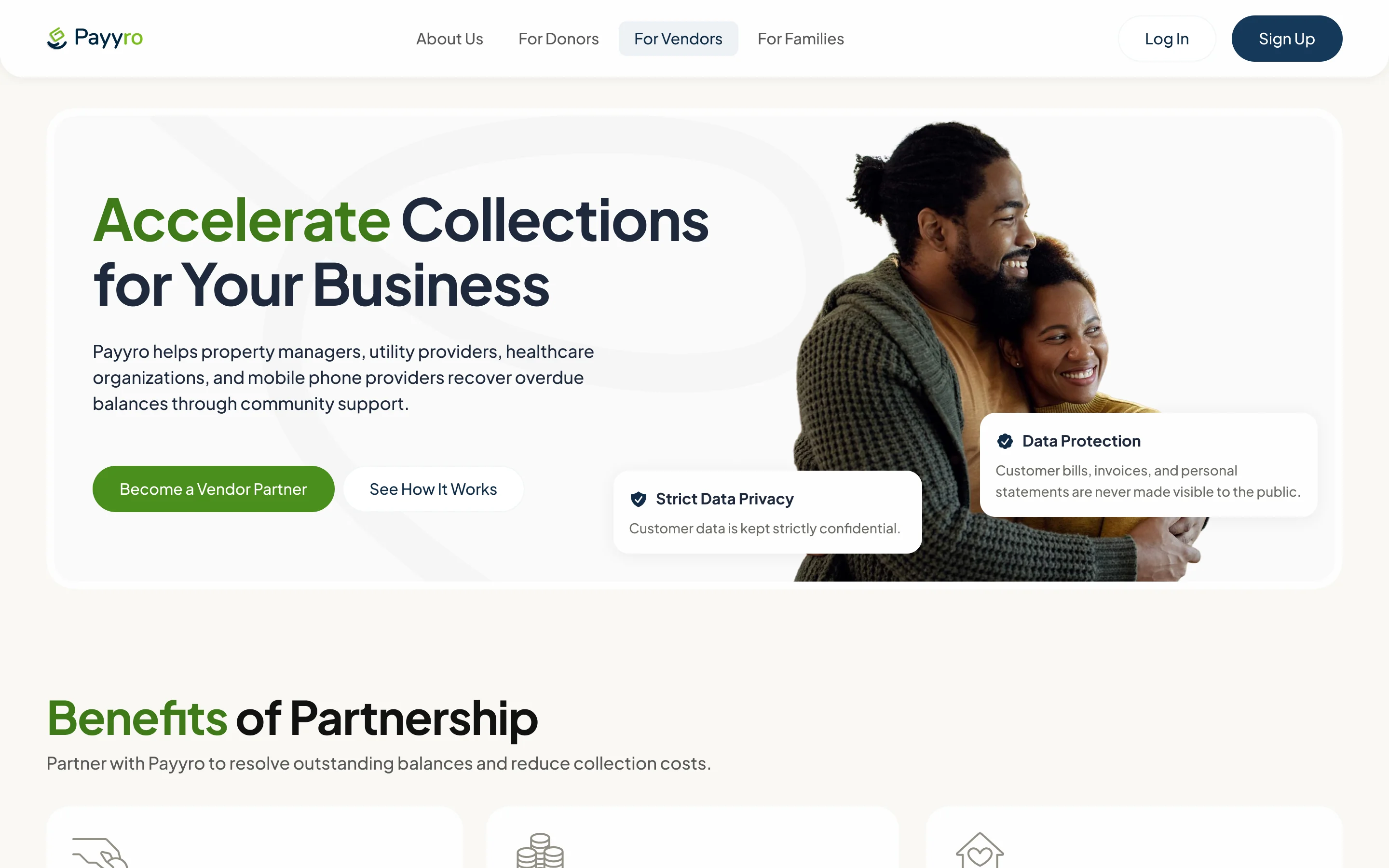
- The promise first, then Give Help and See How It Works, and the two proof cards: transparent giving and verified families.
- Changed
- The navigation folds into a menu on a portrait tablet, and on a phone the page drops into one column, the cards under the actions.
A website that explains the model
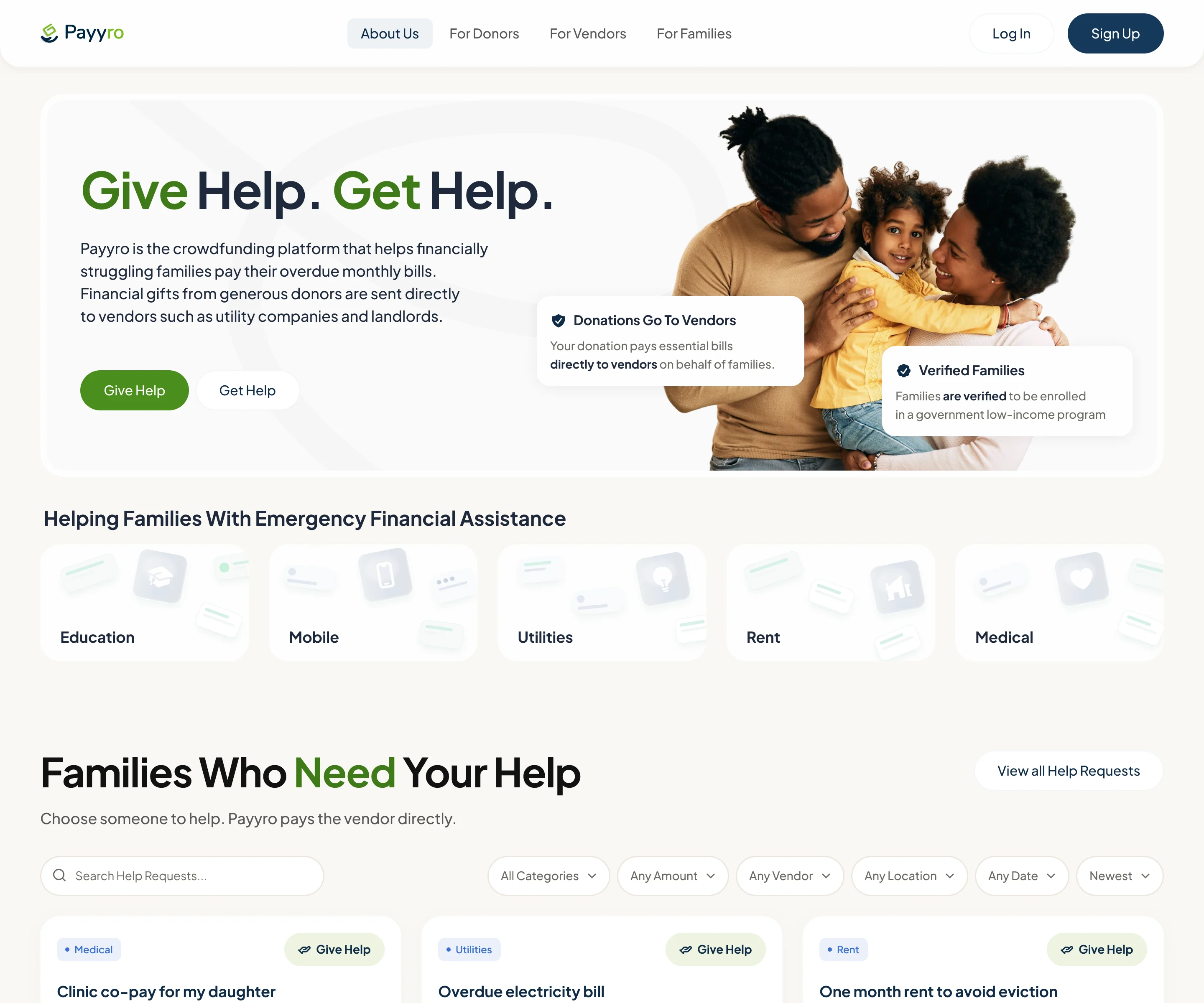
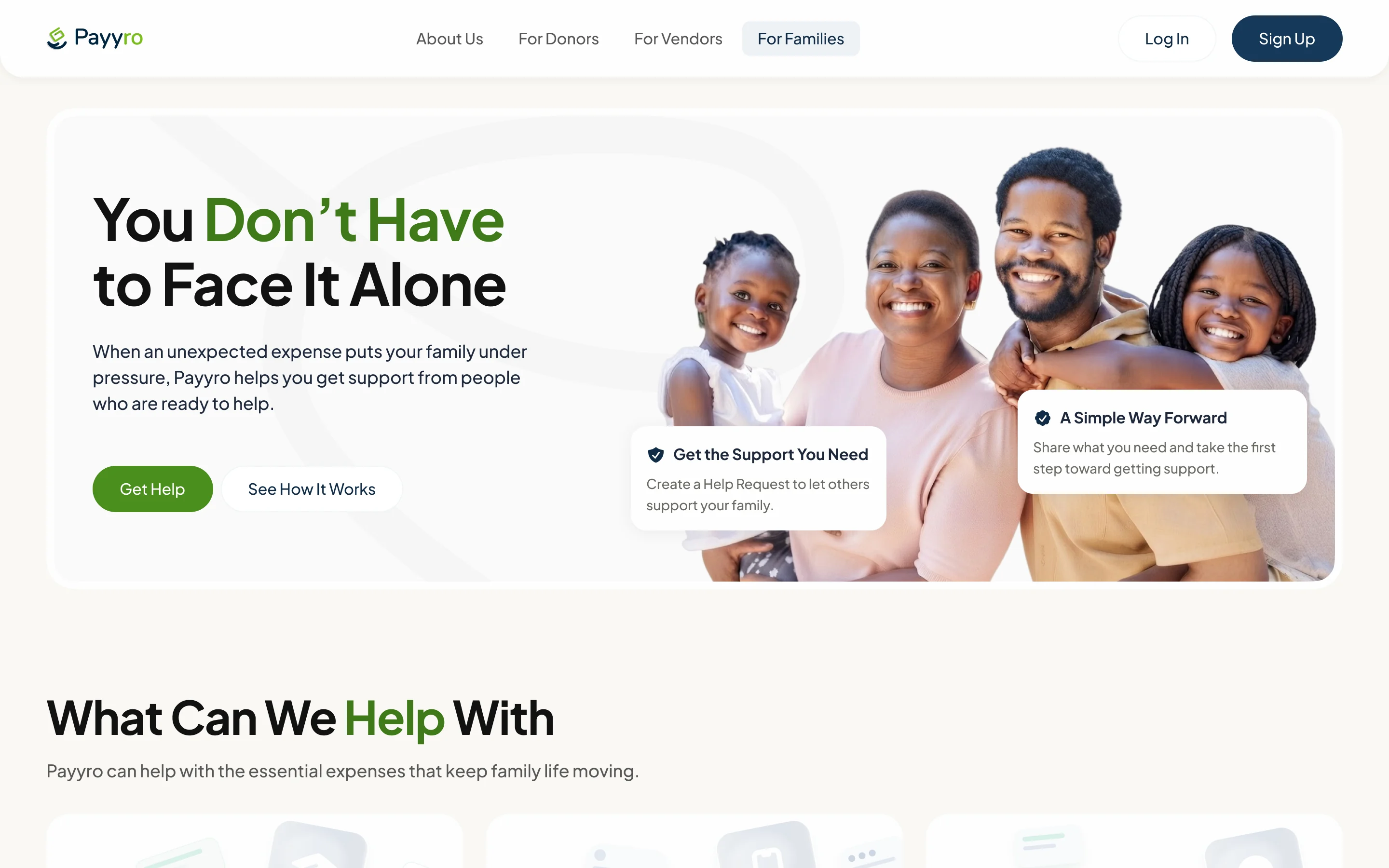
- Found
- A platform that pays bills on strangers’ behalf needs explaining before anyone signs up, and families, donors and vendors each ask a different first question.
- Decided
- An About page for the whole model and a page for each audience, each opening with that audience’s reason to join, built from the same design system as the product.
-
Brand refinement
Colours, visual style and the logo, refined rather than redrawn.
-
Motion
Interactions and animation for the website.
-
Four widths
Every page at 1440, 1024, 768 and 375.
-
Website documentation
Behaviour notes for building the site.
What engineering received
One client file, organised by role, with the rules written next to the screens they govern.
- Interactive prototypes
- The main flows for each role, clickable end to end.
- Dev notes and edge states
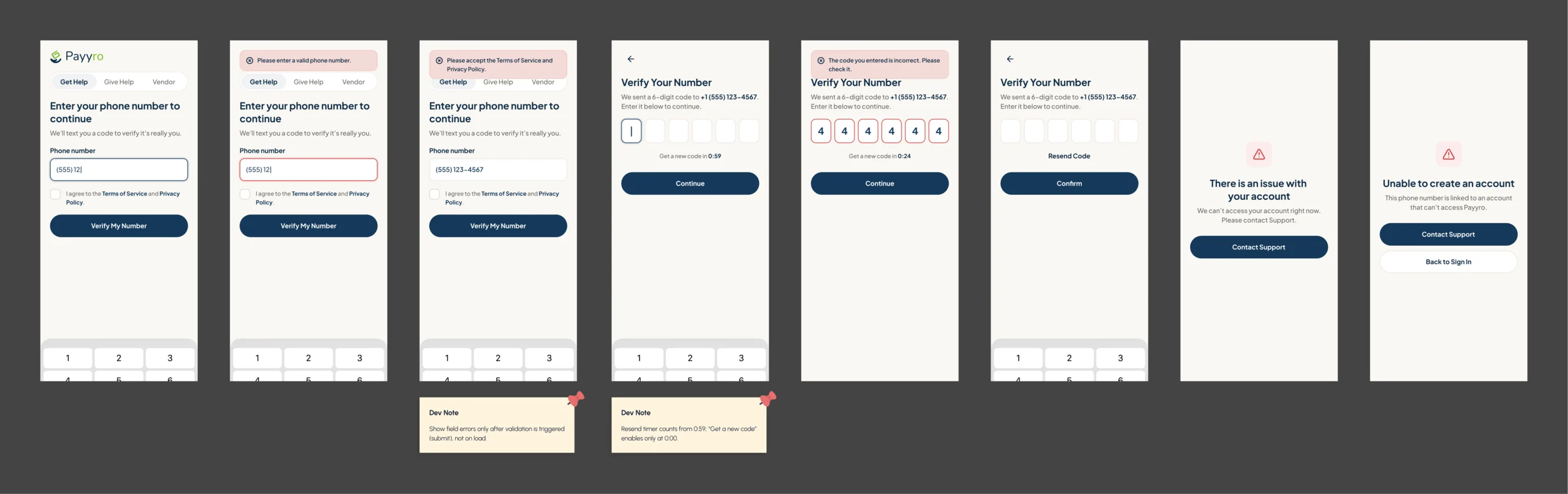
- Validation, empty, pending, blocked and error states, each with its rule beside the screen.
- Design system
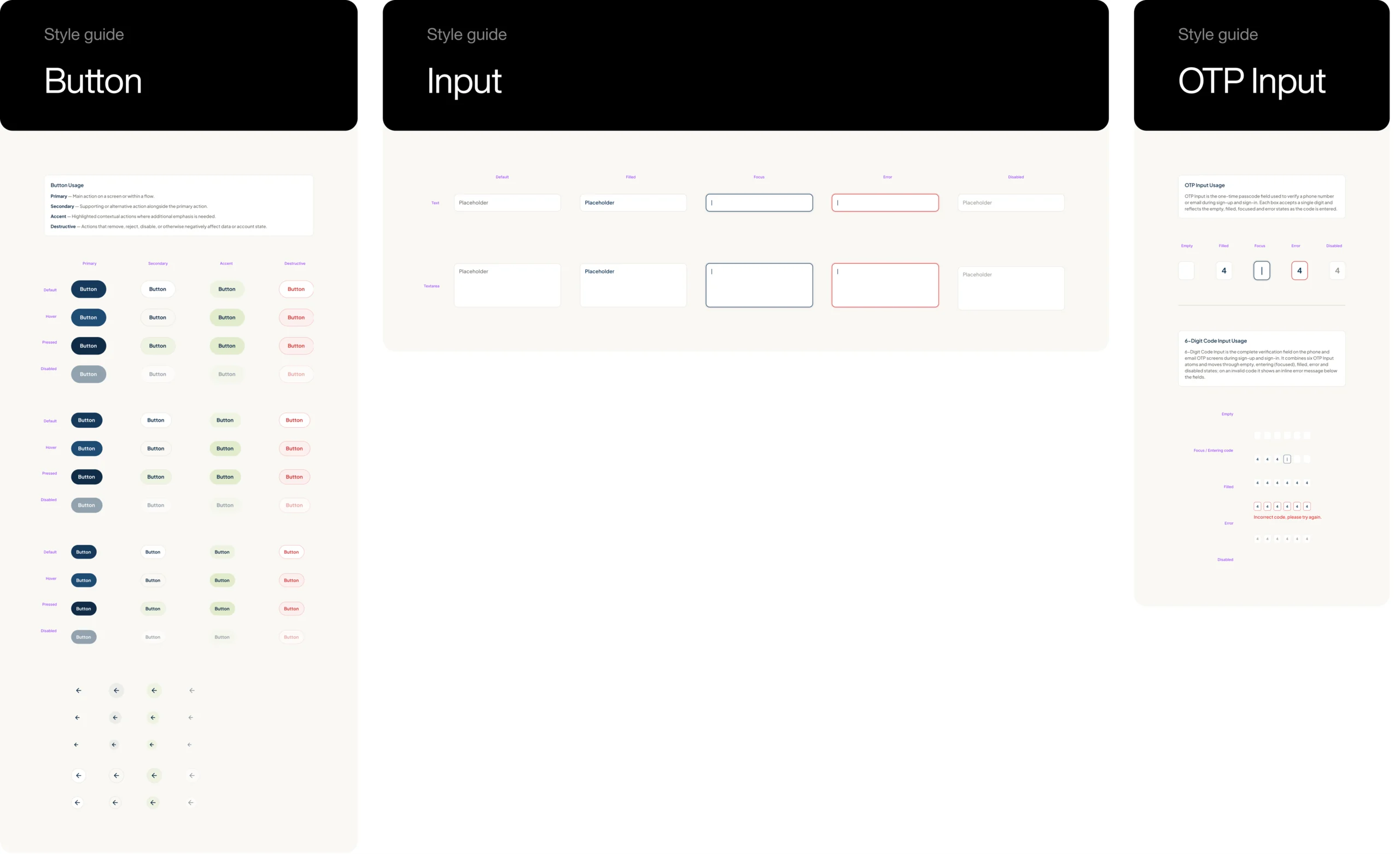
- Universal, desktop, mobile and website components, with usage notes.
- Website documentation
- Responsive behaviour and motion for every page.
Flows in the handoff
- Customer: applying in five steps and following a request
- Vendor: requests on a customer’s behalf
- Donor: giving help and their own giving
- Super Admin: checking requests and paying the vendor
- Design system: universal, desktop, mobile and website components
- Website at four widths, with its animations
- Website documentation: responsive behaviour and motion
Where the product is now
Payyro went from an audit of its existing product to a first release on Webflow and Wized, then to a complete redesign: four role-specific experiences around one request, a public website for families, donors and vendors at four widths, a refined brand and one design system, handed over with prototypes and dev notes on every flow.
The client approved the redesign, and its second version is being built in Next.js, React, Node.js and Supabase.
- screens designed
- 400+
- roles, each with its own screens
- 4
- website widths, from 1440 to 375
- 4
- first release, on Webflow and Wized
- Shipped

Do all your roles read a status the same way?
In Payyro, a Customer, a Vendor, a Donor and a Super Admin act on one request, and the vendor is paid by hand only once it is fully funded. One status has to mean the same thing in four views. Show us where your roles meet, and we’ll find where they’d read the same record differently.
More work like this
Three more products with several roles, money decisions, or one system to keep consistent.
-

Chrome extension · Real Estate
LenderPal
Fitted a loan officer’s property, cost and rate checks into a Chrome extension, with an Admin product behind it.
- 150+ Screens designed
- 4 Experts on the pod
-
Sales training · Desktop web platform
Combat Sales
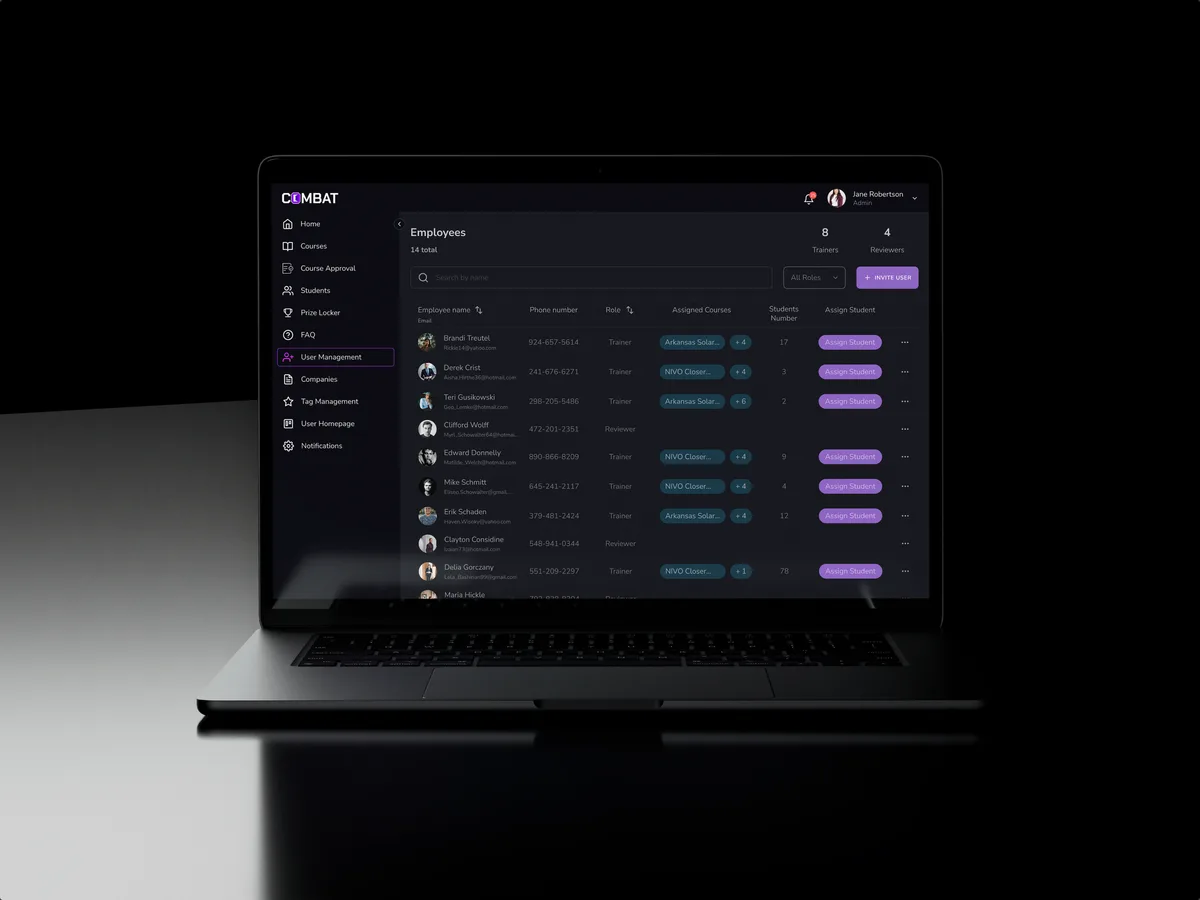
Reworked a sales-training platform for five roles, in the look its users already knew.
- 80+ Final desktop screens and interaction states
- 5 Roles in one platform
-

EdTech · SaaS
Moka
Designed an AI study assistant for students and the web tools their instructors, curriculum teams and schools run it from.
- 200+ Screens designed
- 4 Experts on the team