
Enterprise AI agent builder, permissions in sight
Nexus is Larridin’s agentic AI product for company teams.We designed its Agent Builder, Computer Use and Nexus Vault, embedded in Larridin’s team.
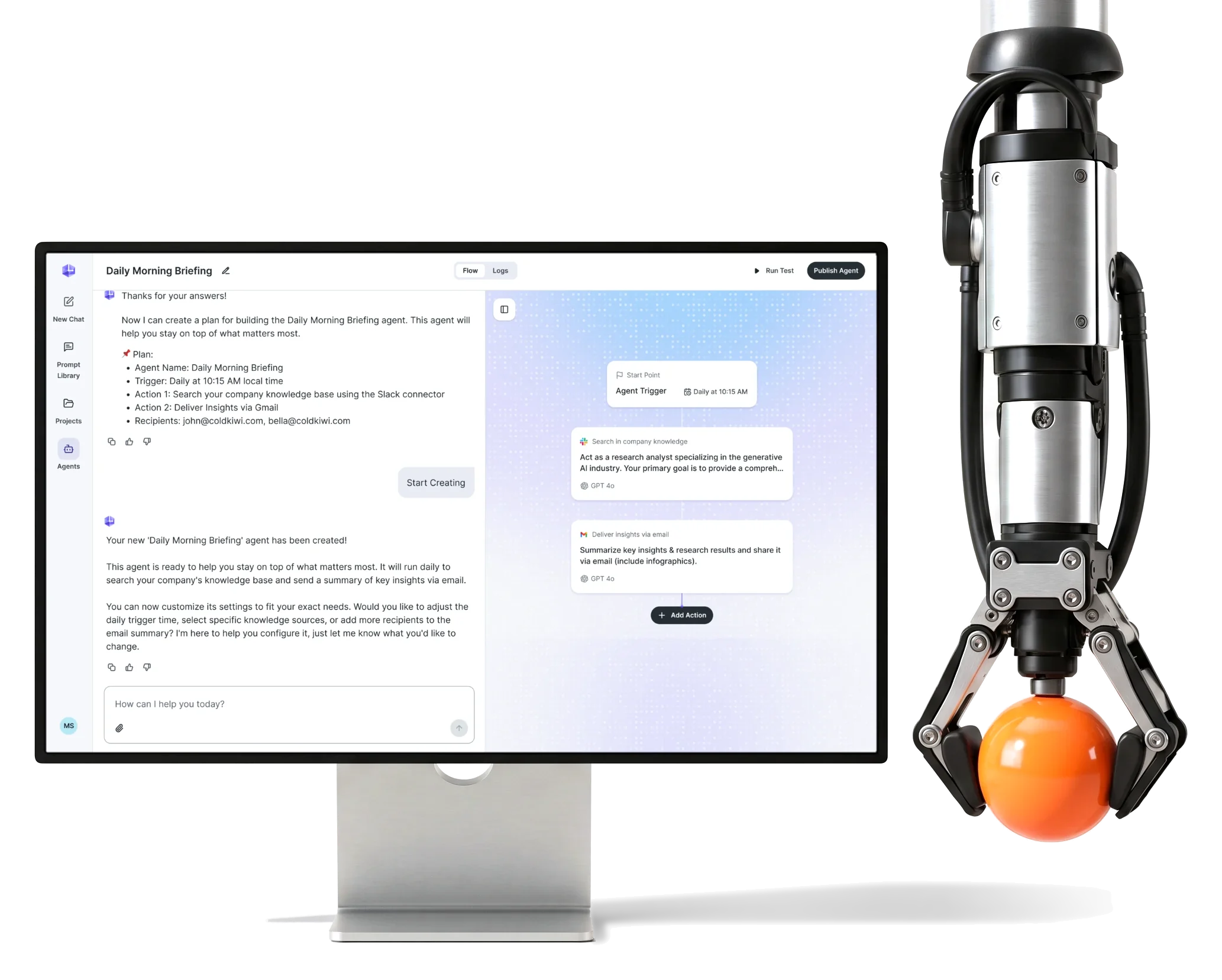
- 200+
- screens for the Nexus scope on desktop web
- 3
- product areas Agent Builder, Computer Use and Nexus Vault
- 3
- person team embedded in Larridin’s product team
Project summary
Nexus is Larridin’s agentic AI product for people at large companies, built around one idea: describe a job, and an agent runs it on a schedule across the company’s apps. We joined Larridin’s product team as embedded AI product designers and designed the Agent Builder, Computer Use and Nexus Vault for desktop web, with a design system and UI kit for the new agent patterns.
How the engagement ran
- Team
- A three-person ANODA design team inside Larridin’s product team
- Scope
- Agent Builder, Computer Use and Nexus Vault on desktop web, with access requests and browser-task controls
- Delivered
- User flows, wireframes, screen maps, a clickable prototype, a design system and UI kit, developer handoff
- Not ours
- Development, AI models, infrastructure and deployment
What an agent goes through in Nexus
One chain, from picking an agent to handing it a login:
-
Library
- Templates
- Popular in the company
- My agents
-
Builder
- Conversation
- Manual editing
- Test run
-
Trigger
- Schedule
- Repeats
- Manual start
-
Actions
- Prompt and model
- Connectors
- Order
-
Runs
- History
- Status
- Back into chat
-
Browser tasks
- Plan
- Live activity
- Take over
-
Vault
- Personal details
- Credentials
- Cards
- Conversation and Precision
- Chat to set it up; a visible flow and plain fields to fix the details.
- Autonomy and Oversight
- The agent works alone; people see each step and can stop it or step in.
- Speed and Consent
- Access asked for inside the task, item by item, not in a settings maze first.
One agent, read at a glance
- Found
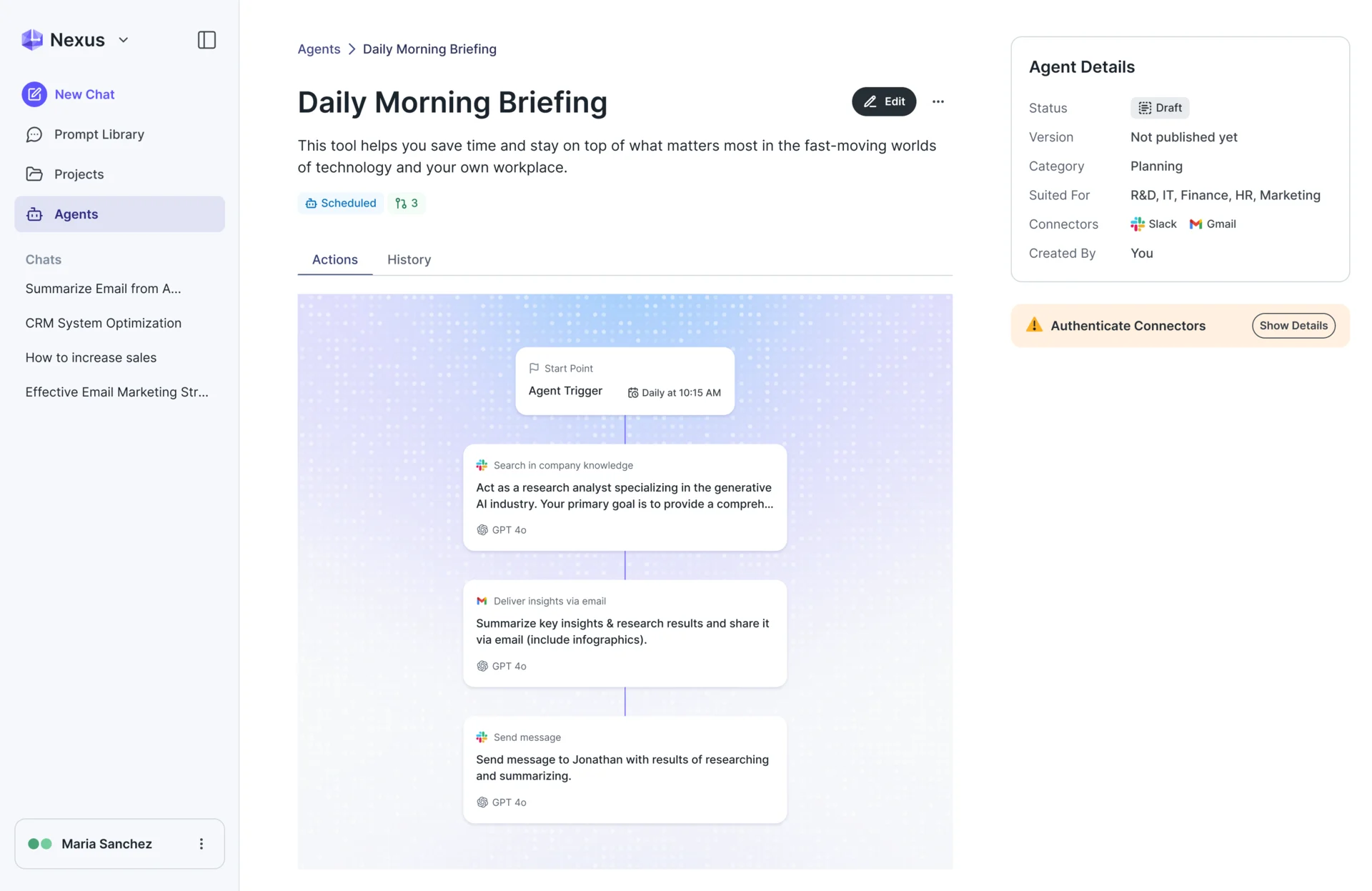
- An agent is a trigger, a chain of actions, a status and a set of connected apps, and a page that lists them as equal fields doesn’t show what the agent does, or why it won’t run.
- Decided
- The agent page reads in the order of a run: what the agent is and how it starts, its flow from the start point through each action, then its details and a warning when a connector still needs signing in.
- For the user
- Whoever opens the agent, the person who built it or a colleague checking it, sees what it does and what blocks it without opening the editor.
-
What it is
Name, purpose and how it runs, with its status, team and connectors beside.
-
How it starts, what’s missing
The trigger at the top of the flow, and a warning while a connector waits for sign-in.
-
What it does, in order
Each action with its app and model, in the order it runs.
How the work progressed
Flows first, then structure in grey, then the interface and the system under it, and a handoff for each feature, all inside Larridin’s team.
-
User Flow
How an agent gets from a sentence to a scheduled run, and where a person must confirm or grant access
Artifact User flows and screen maps for the builder, browser tasks and the Vault
-
Wireframes
Where the conversation ends and the editor takes over, and how a browser task shows what it’s doing
Artifact Wireframes of the builder, the agent page and the task view
-
UI
How the agent patterns fit the product people already used for chat
Artifact Desktop screens and states, and a design system and UI kit for the Nexus scope
-
Delivery
What engineering needed to build each flow without guessing
Artifact A clickable prototype and developer handoff
Three ways to hand work to an agent
- Found
- People come to agents from different places: from scratch, from a chat that just gave a good answer, or with a one-off job for a website, and a single way in would push two of them down the wrong path.
- Decided
- Each way in got its own path to the same agent: a guided conversation, a builder panel opened beside the chat, and a Computer Use switch in the message box.
-
From a blank page
Describe the agent or pick a template; the assistant then asks what it needs, starting with the trigger.
Open the full map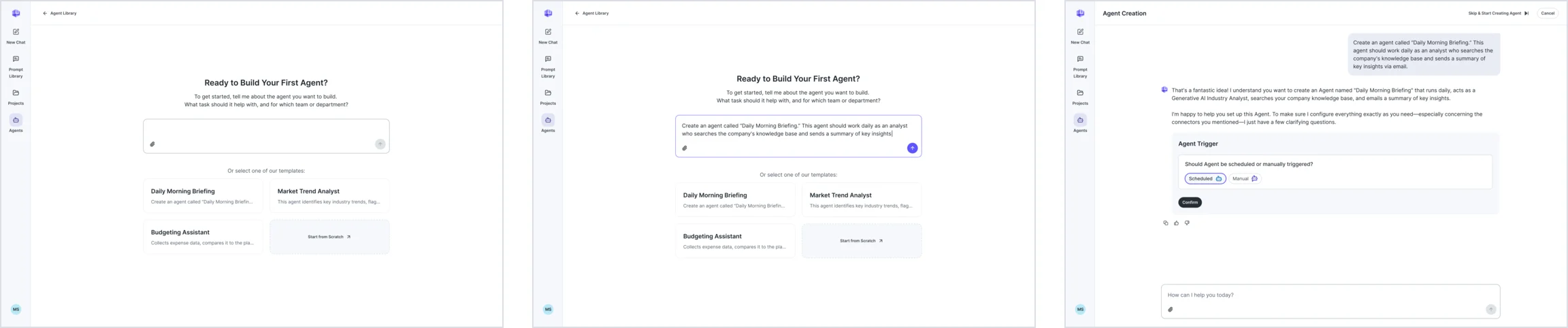
-
From a chat that worked
The Agents button opens a builder beside the conversation, so a good answer becomes an agent that runs again.
Open the full map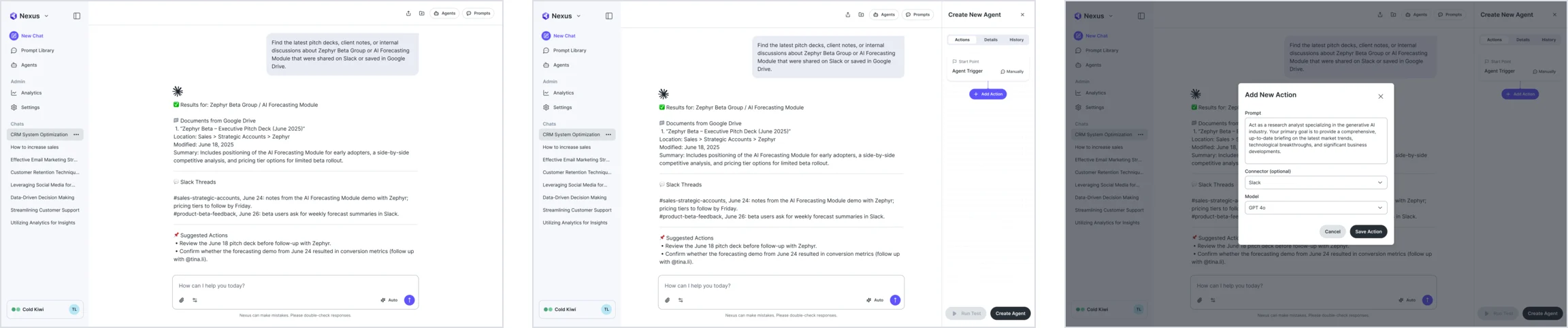
-
A job in the browser
Switch on Computer Use in the message box and describe the job; the assistant restates the plan and says where it will pause.
Open the full map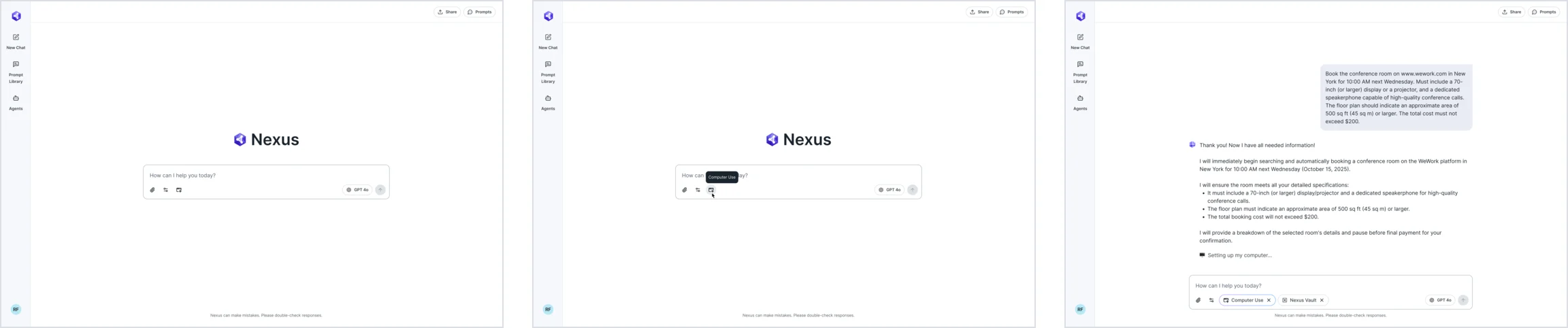
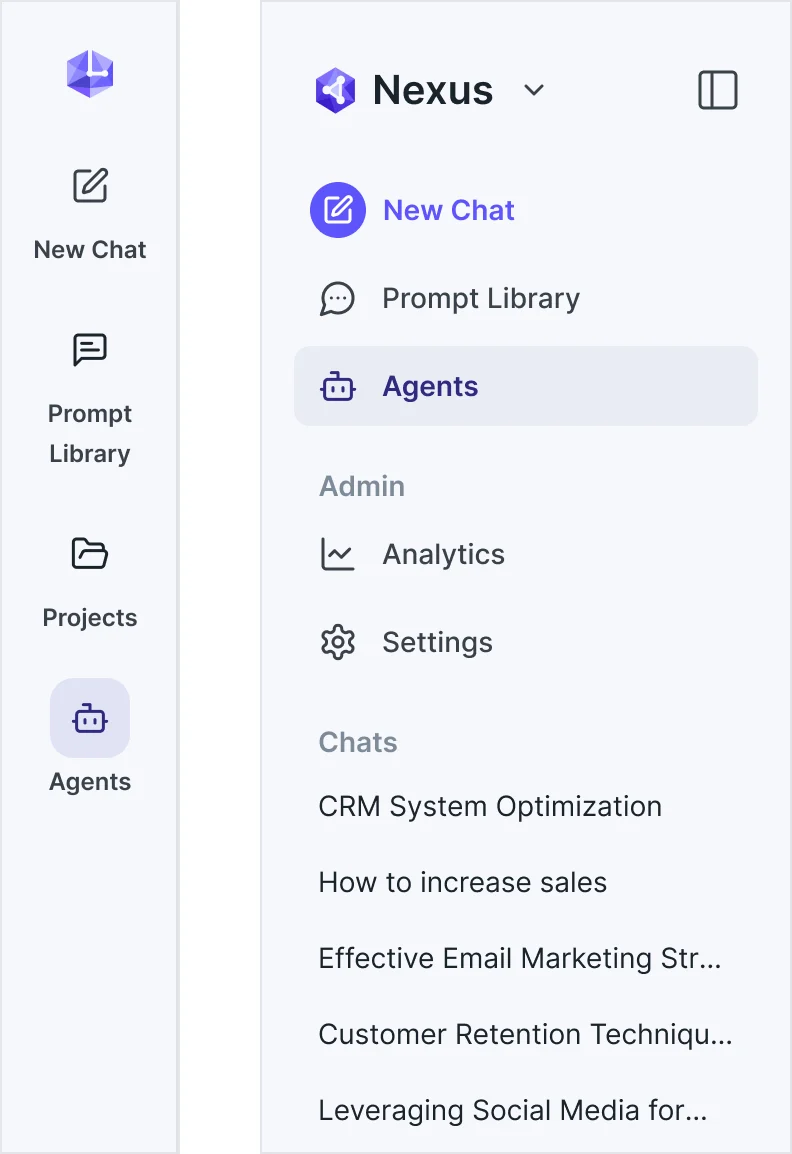
Six jobs, from the first sentence to the password
The builder first, then the agents a team shares, then jobs in the browser and the data they may use. Every name, date, address and card on these screens is example data.
An agent set up by answering questions
- Found
- A blank form with a trigger, a prompt, a model and connectors asks people to think like the system before they know what the agent should do.
- Decided
- The assistant turns the request into a short interview: one card per decision, answers picked from chips or typed, each finished step marked done, and a way to skip straight to the manual builder.
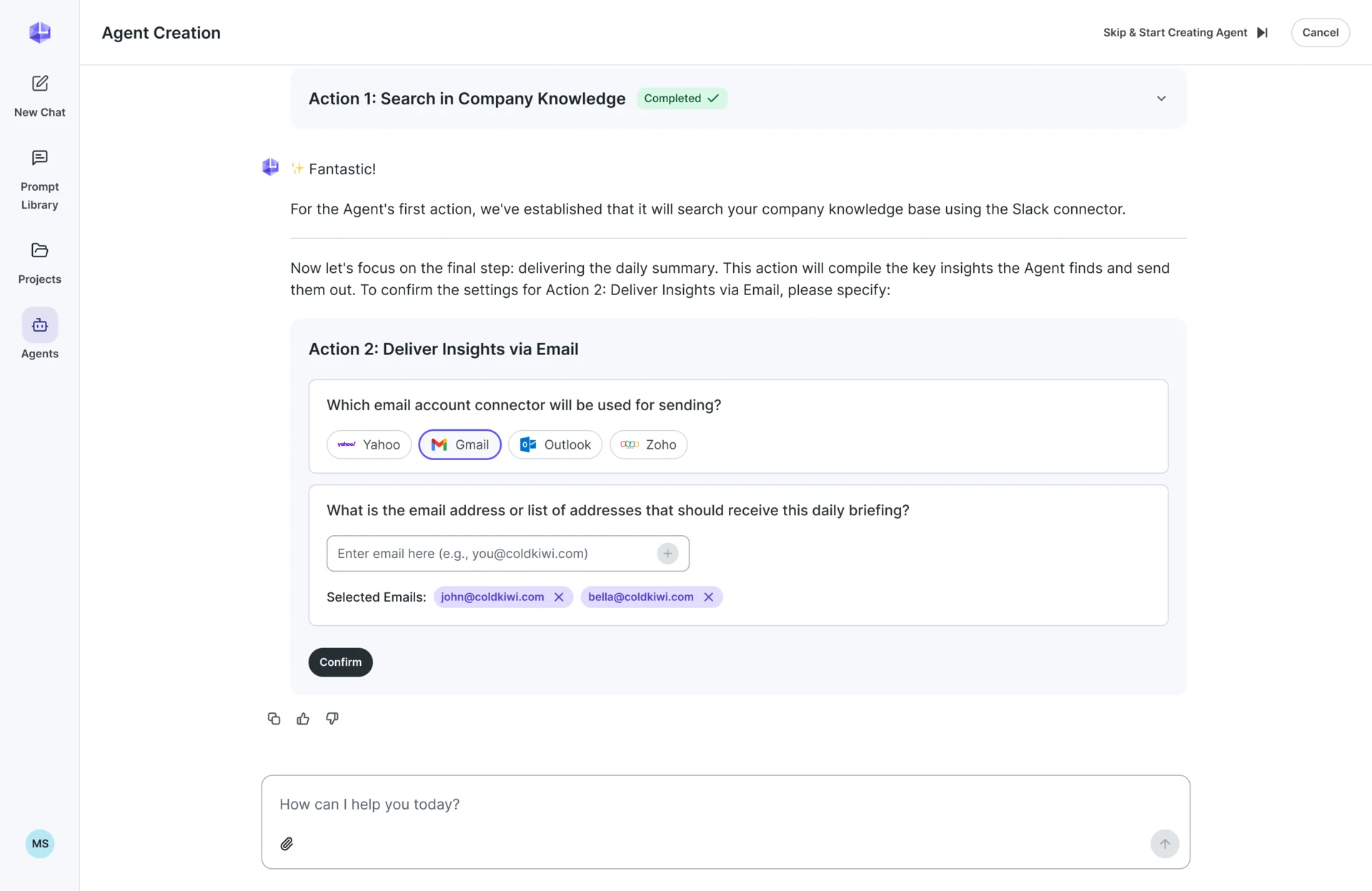
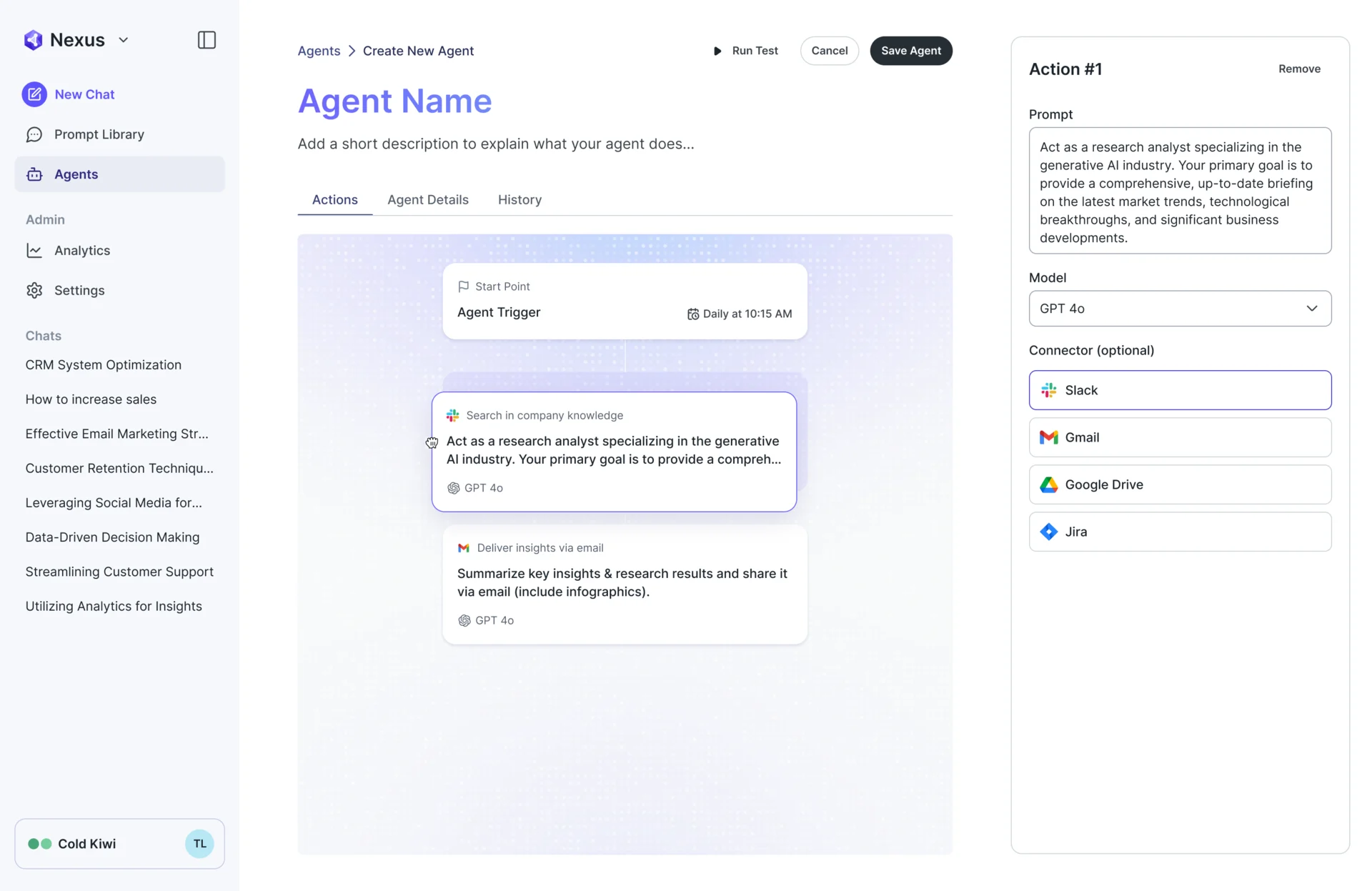
A trigger people can read back
- Found
- “Daily” means little without a start date, a time and a rule for repeats, and schedule syntax is not something a team lead should have to write.
- Decided
- A start-point panel: scheduled or started by hand, a date, a time and repeats in plain words, echoed on the flow as “Daily at 10:15 AM”.
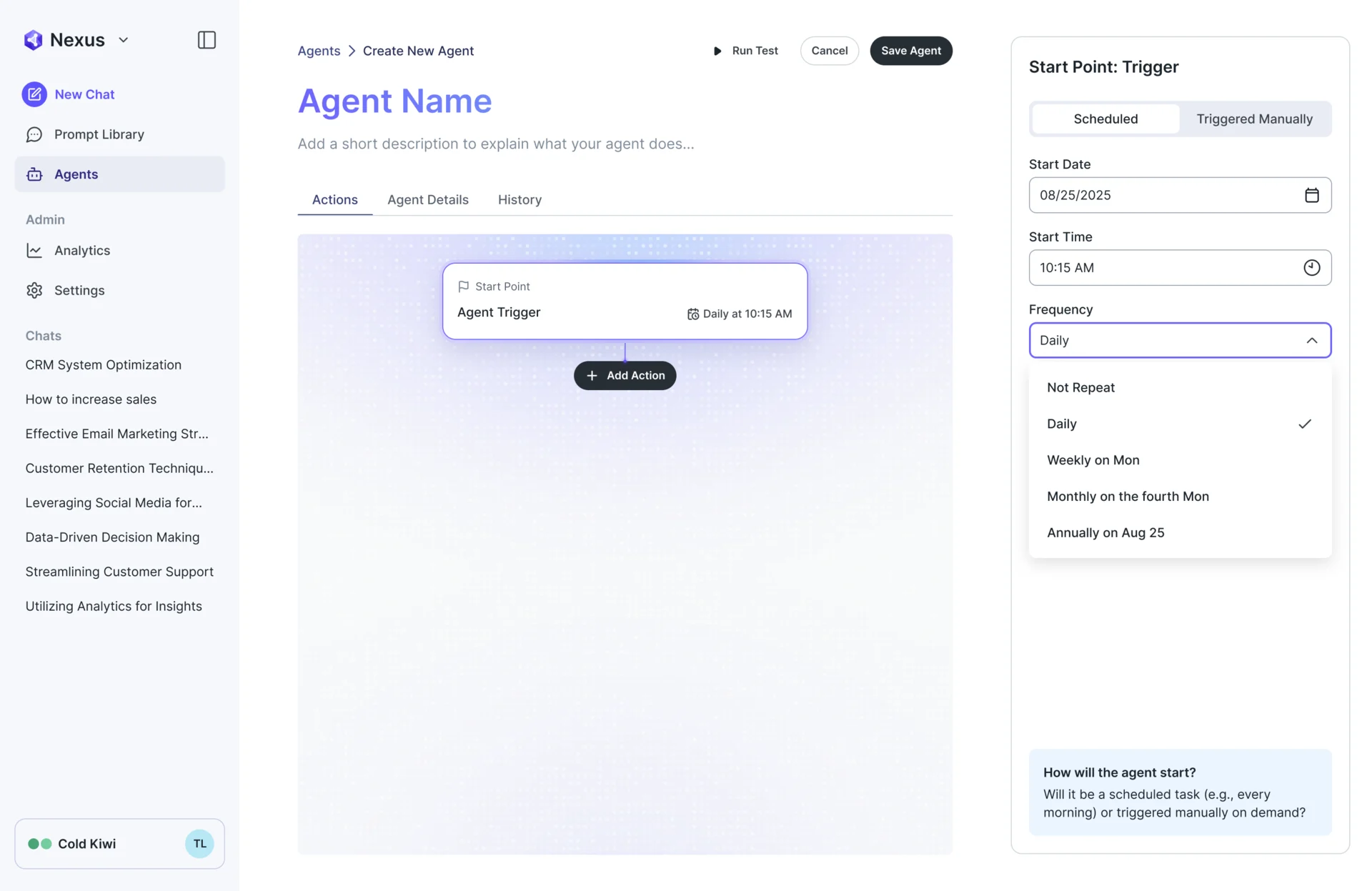
Actions in the order they run
- Found
- An agent’s steps depend on each other, and a list of settings hides which step feeds the next.
- Decided
- Each action is a card on a flow under the start point; its prompt, model and connector sit in a side panel, and the cards change order by dragging.
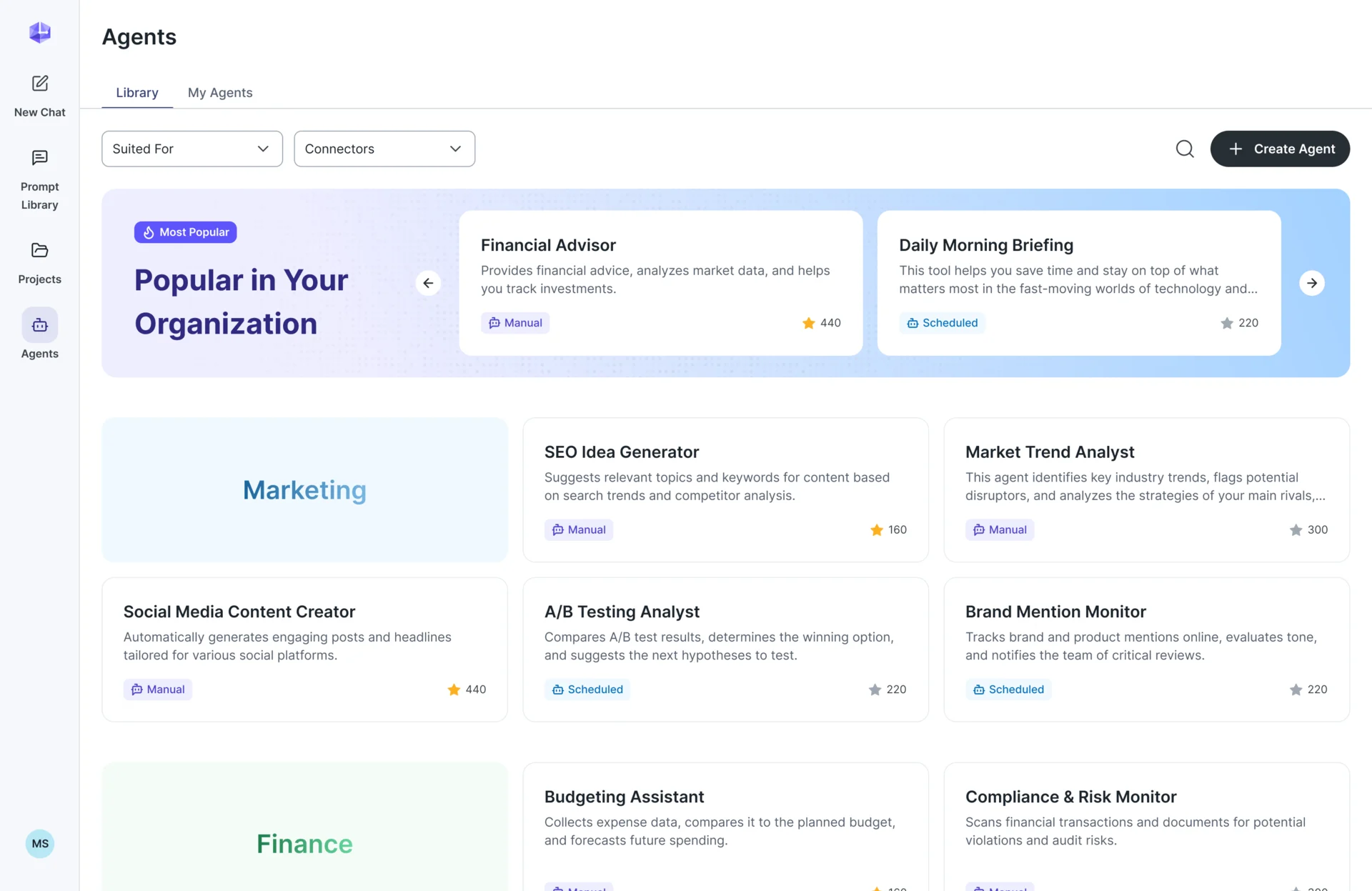
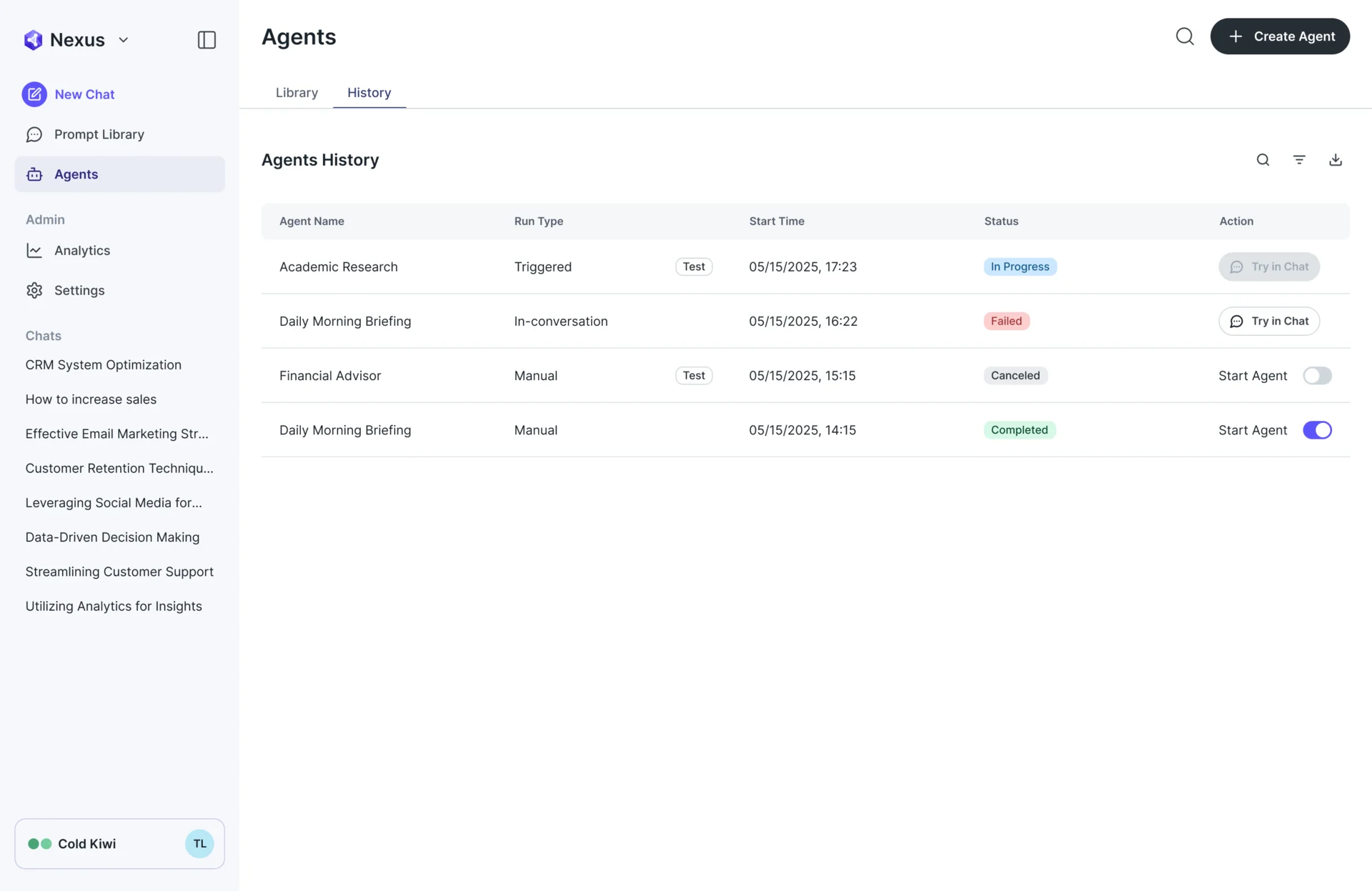
Agents a team can find and run again
- Found
- A useful agent built by one person stays invisible to the next, who builds the same thing again, and a failed run leaves no trace.
- Decided
- A library that leads with the organisation’s most popular agents, filters by team and connector, and marks each agent as scheduled or manual; a history tab lists every run with its status and a way back into chat.
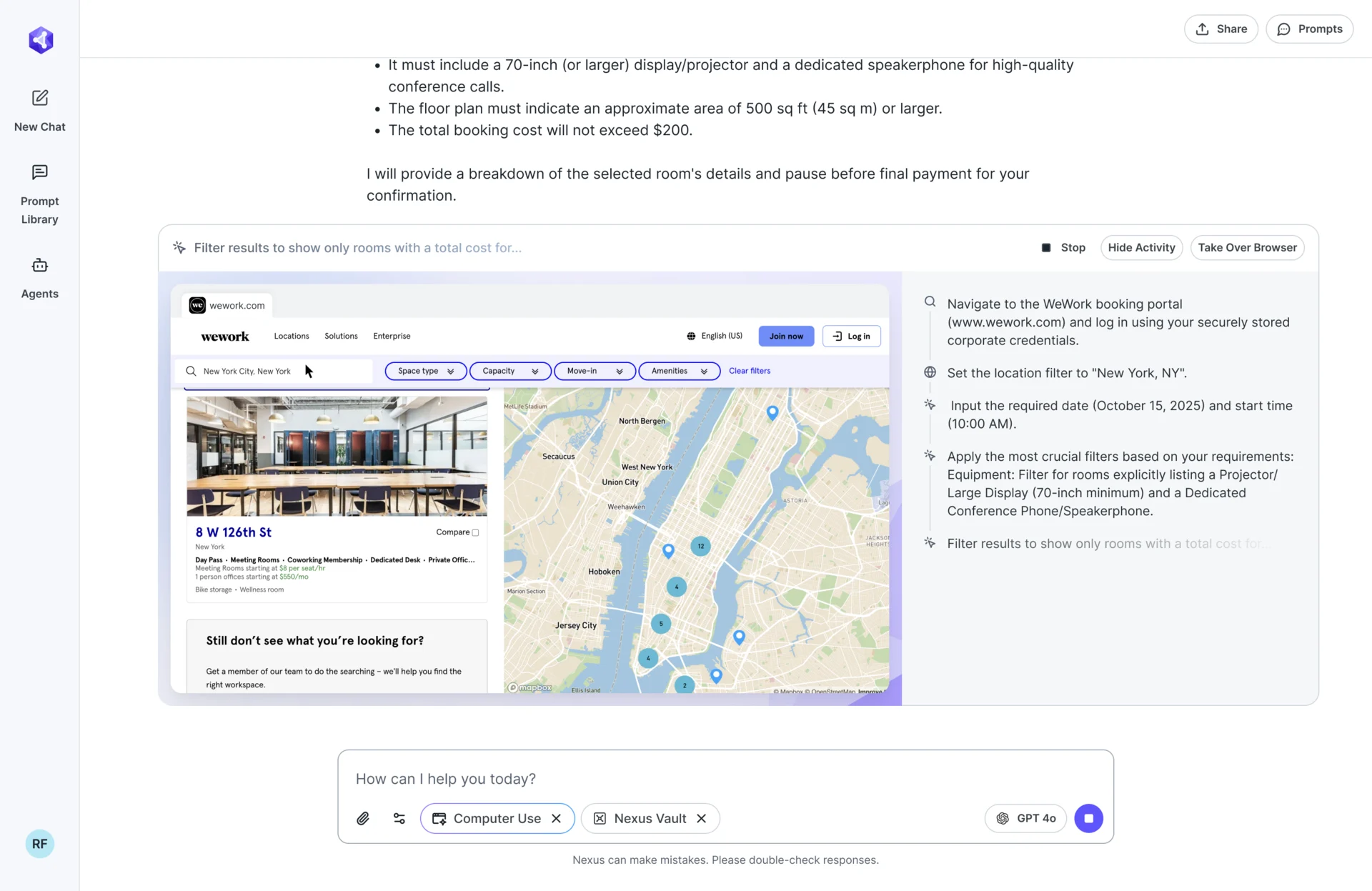
A browser job you can watch
- Found
- An agent working through a website out of sight is exactly the black box a company won’t trust with a booking or a payment.
- Decided
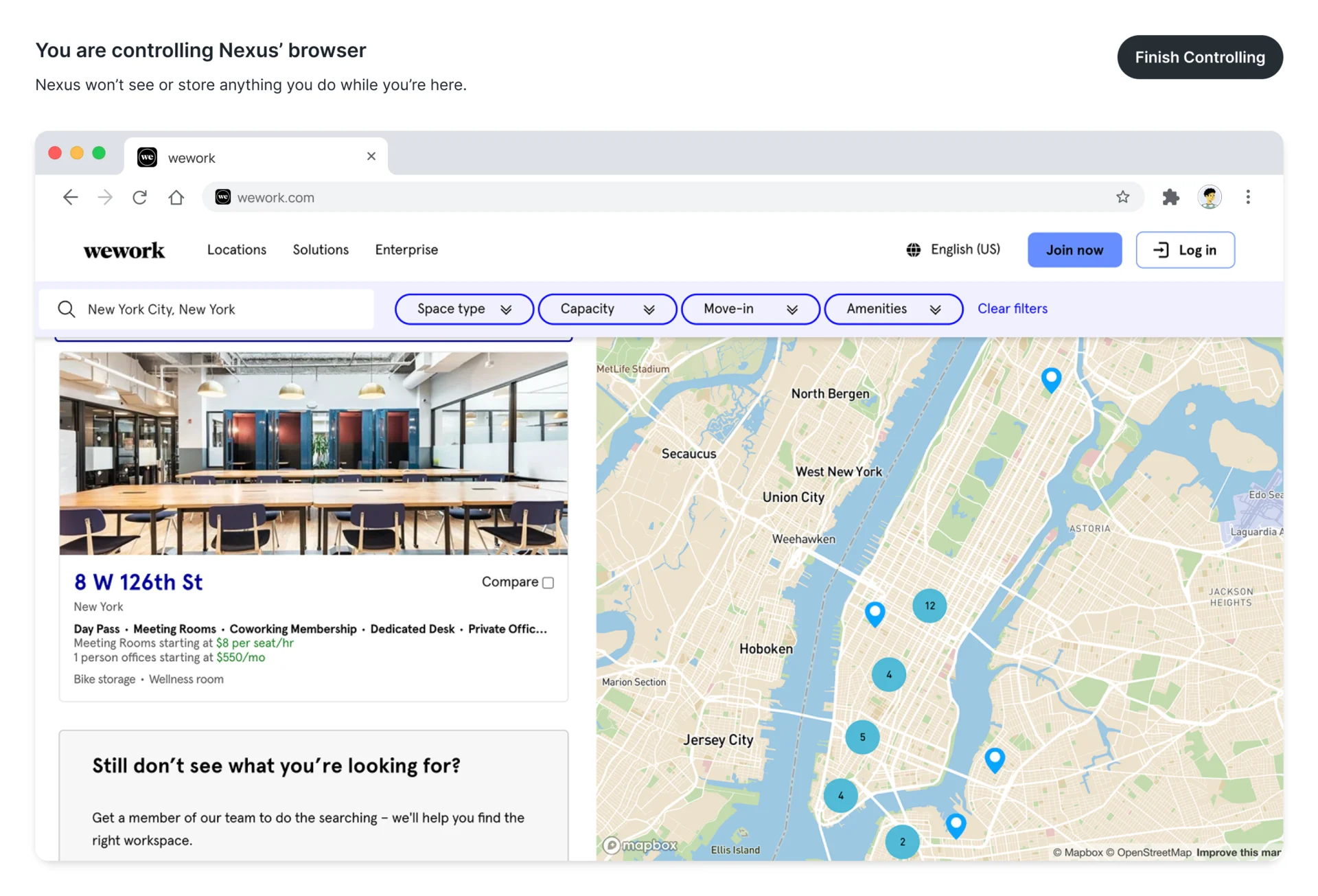
- The job runs in a live browser view inside the chat, with the agent’s steps listed beside it and Stop, Hide activity and Take over browser always at hand; before it starts, the agent says where it will pause for approval.
A vault instead of pasted passwords
- Found
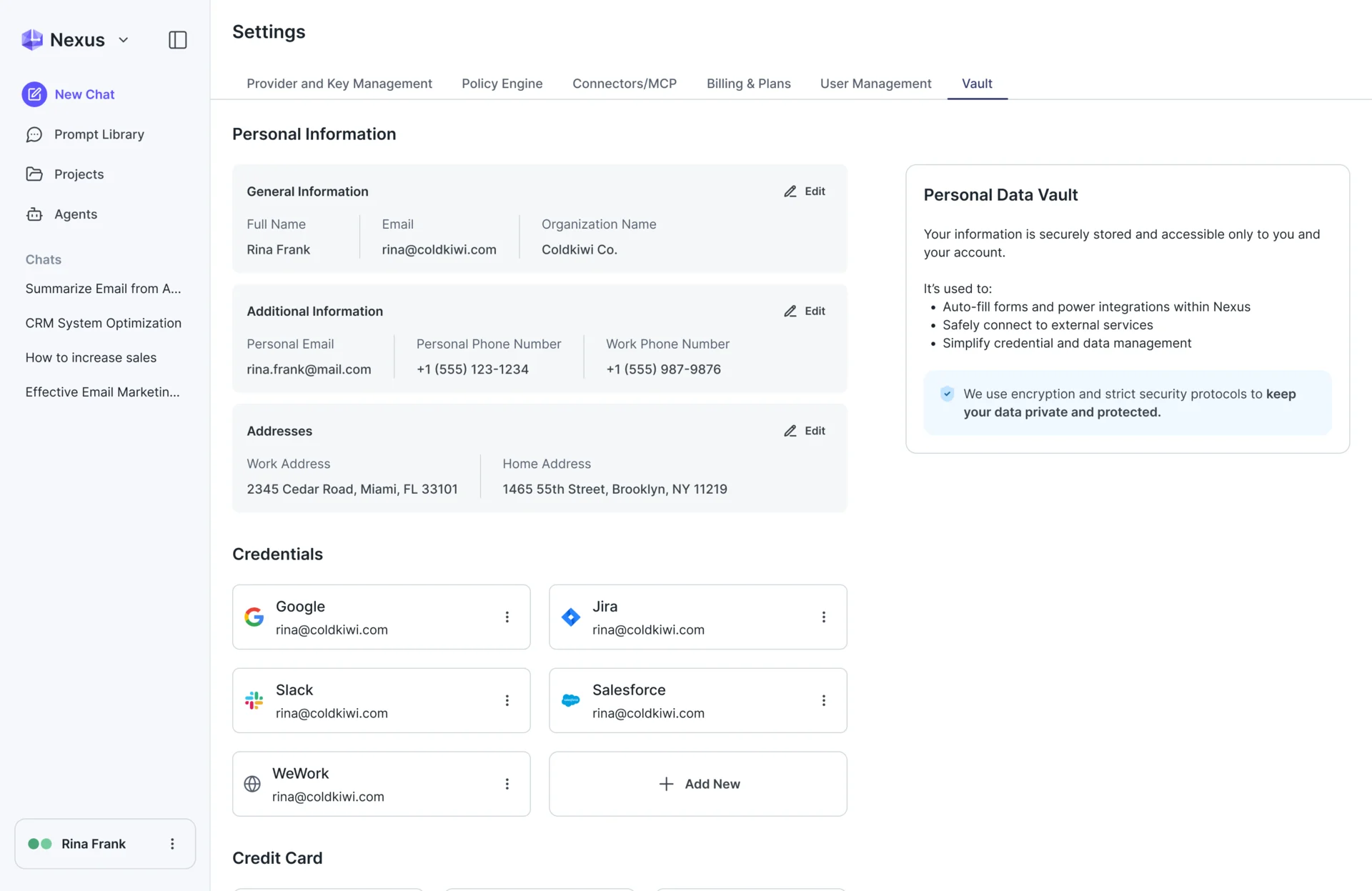
- Browser jobs need names, logins and card details, and typing them into a chat puts them where they don’t belong.
- Decided
- Nexus Vault keeps personal details, credentials and cards on one settings page, and a task gets only the items the person connects to it.
Agent patterns in the product’s own language
- Found
- Agents brought patterns the product didn’t have yet: flows, run states and access requests. Drawn anew for each feature, they would have made three products.
- Decided
- The Nexus patterns became components on the product’s existing foundations, reused wherever they appear: one flow card, one status badge, one consent sheet.
One consent sheet for everything an agent may touch
Apps an agent connects to and Vault items a browser job may use are asked for the same way: what, why, a check per item, then one confirm.
-
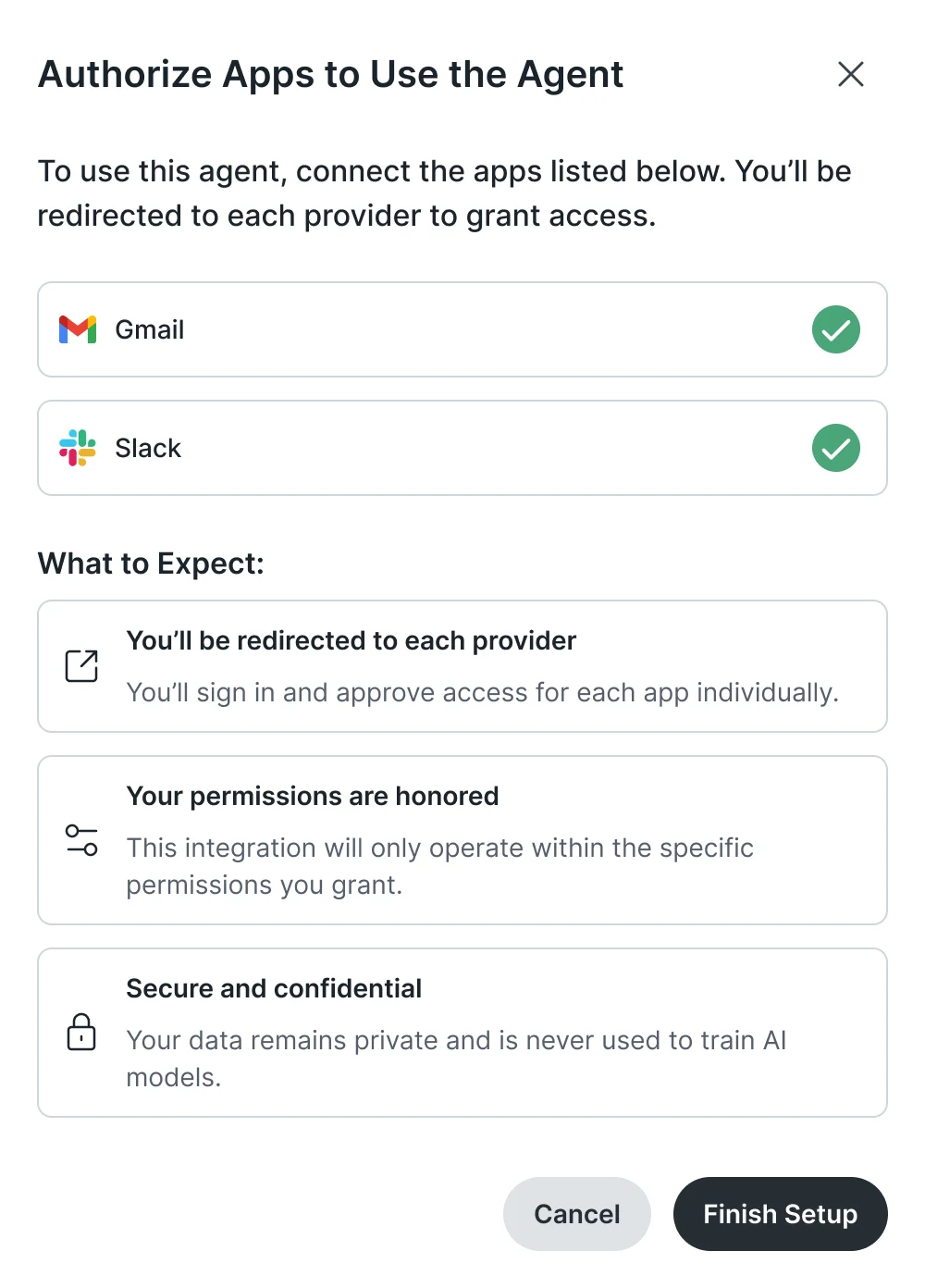
Agent Builder: Apps the agent needs, each signed in separately. -
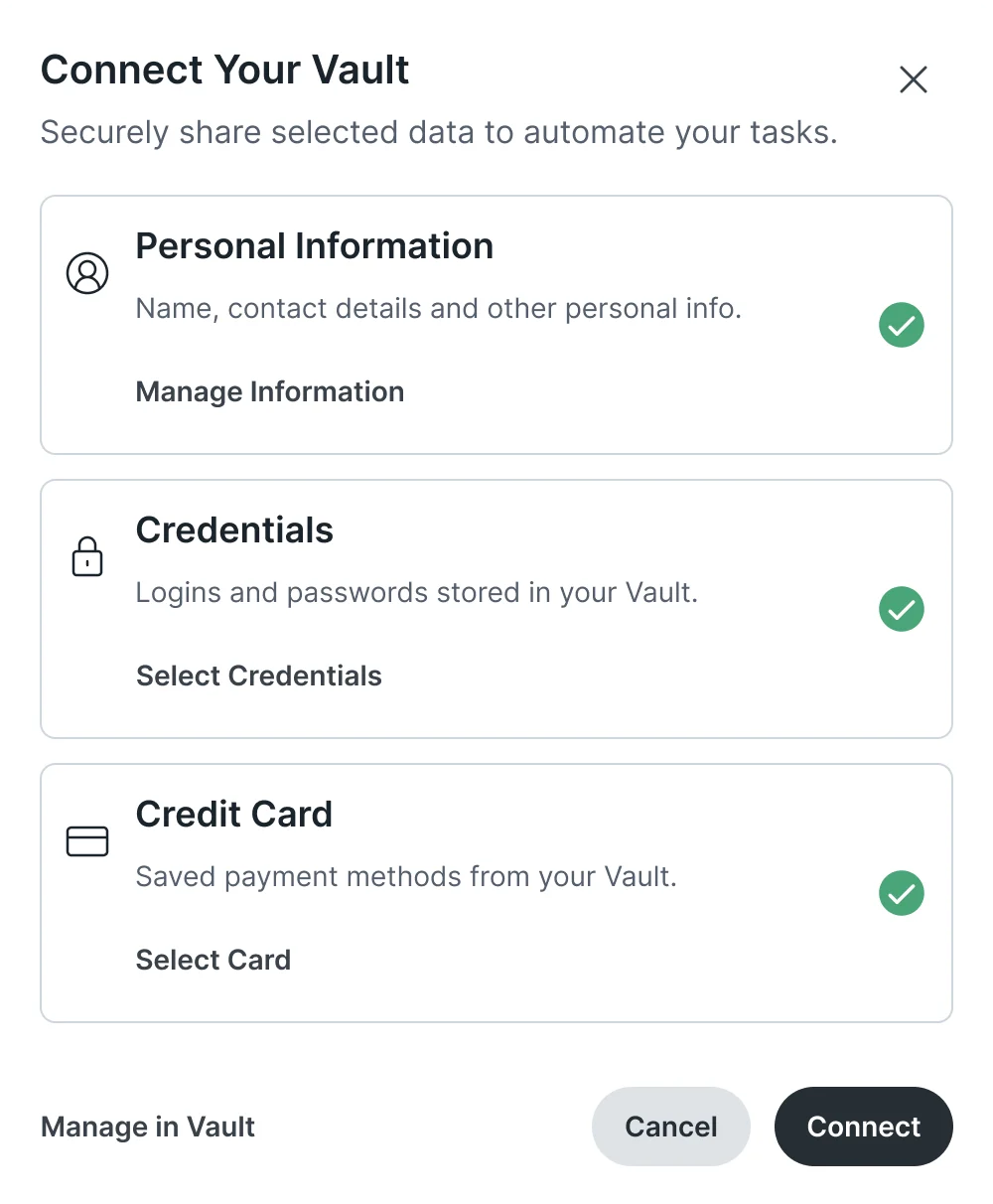
Computer Use: Vault items shared with one task.
An action card, from hover to its new place
The card that holds each step: hovered, with its drag handle, lifted, and over its new place with a slot opening for it.
-
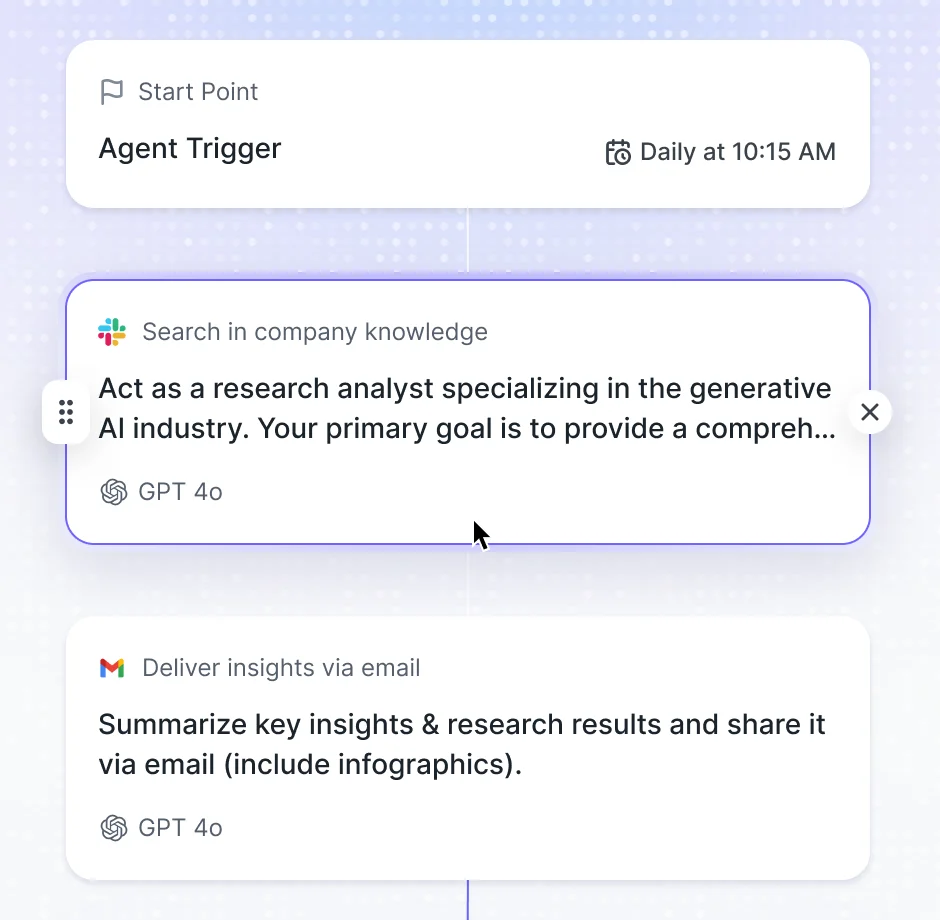
Hovered -
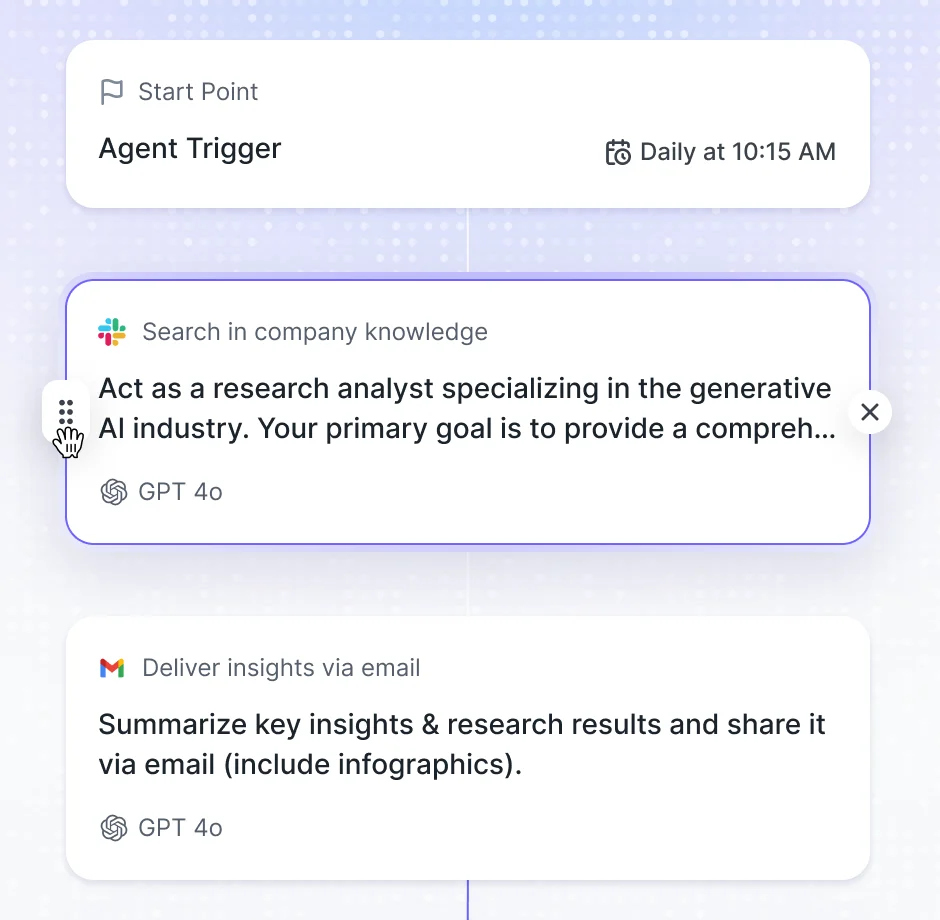
Handle -
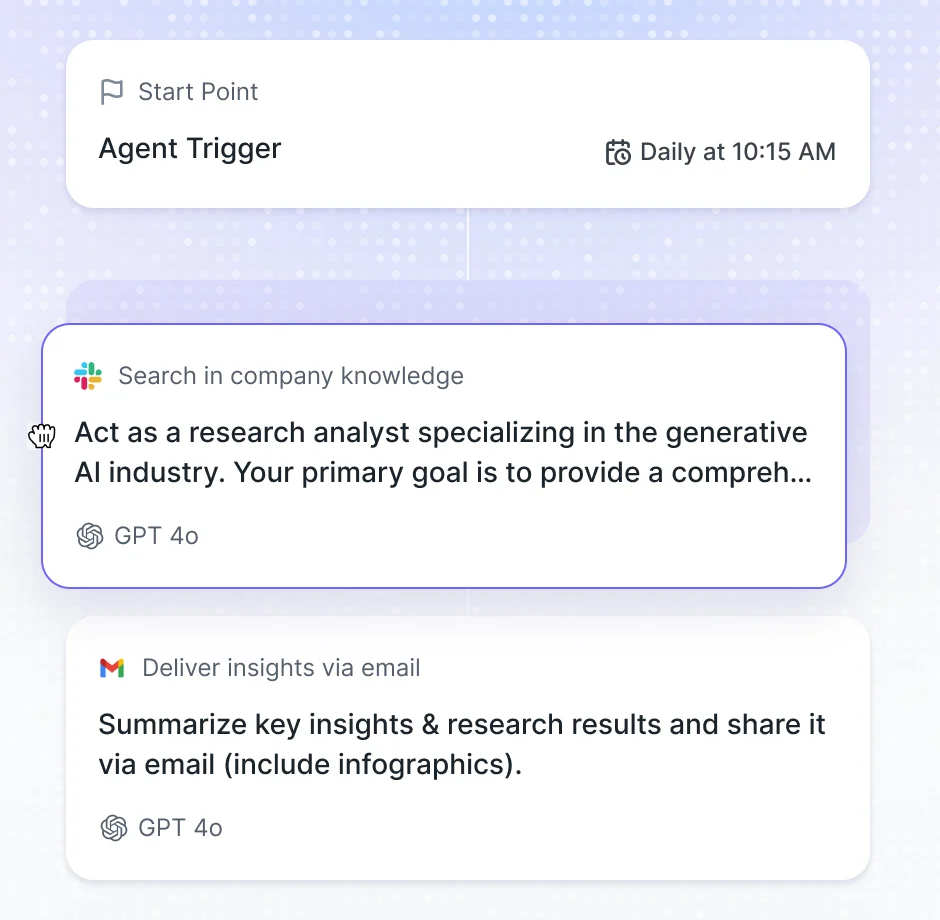
Lifted -
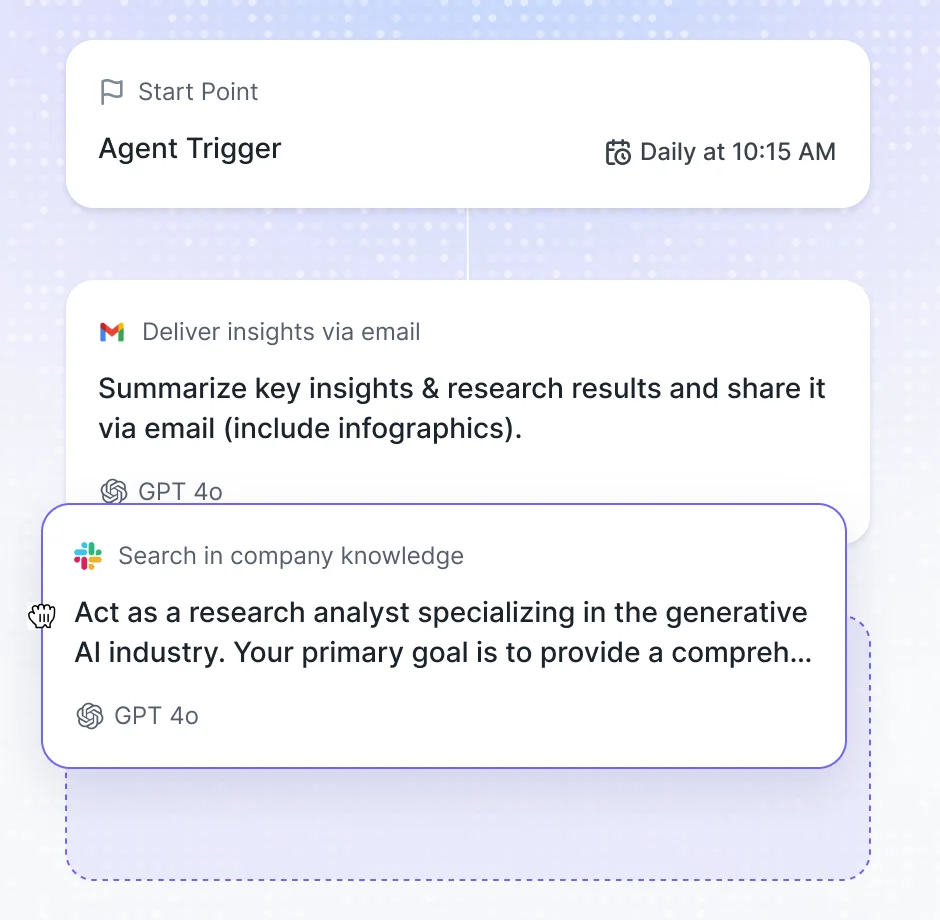
Over its new place
Where the product ended up
Nexus got a complete design for its agentic scope: agents set up in conversation or by hand, triggers and actions on a visible flow, a shared library and run history, browser jobs people can watch, stop or take over, and a Vault that shares data item by item.
It came with user flows, wireframes, screen maps, a clickable prototype, a design system and UI kit, and developer handoff. Engineering wasn’t ours, and this page shows the design, not what shipped.
- screens
- 200+
- product areas: Agent Builder, Computer Use, Nexus Vault
- 3
- roles: people who run agents, admins and reviewers
- 3
- person team, embedded in Larridin’s product team
- 3
In the client's words
The design work gave the agent-building experience a clearer structure. We appreciated the way agent configuration, actions and permissions were brought into a set of screens that could be reviewed before implementation.

Afraid a chat-built agent hides the settings that matter?
In Nexus, we designed agents that start as a conversation and end as a flow people can read back: the trigger, every action in order, each app it may touch, all editable by hand. Bring us your agent builder, and we’ll show where the chat should stop and the controls take over.
More work like this
Three more products where AI, dense data or many roles had to stay clear.
-
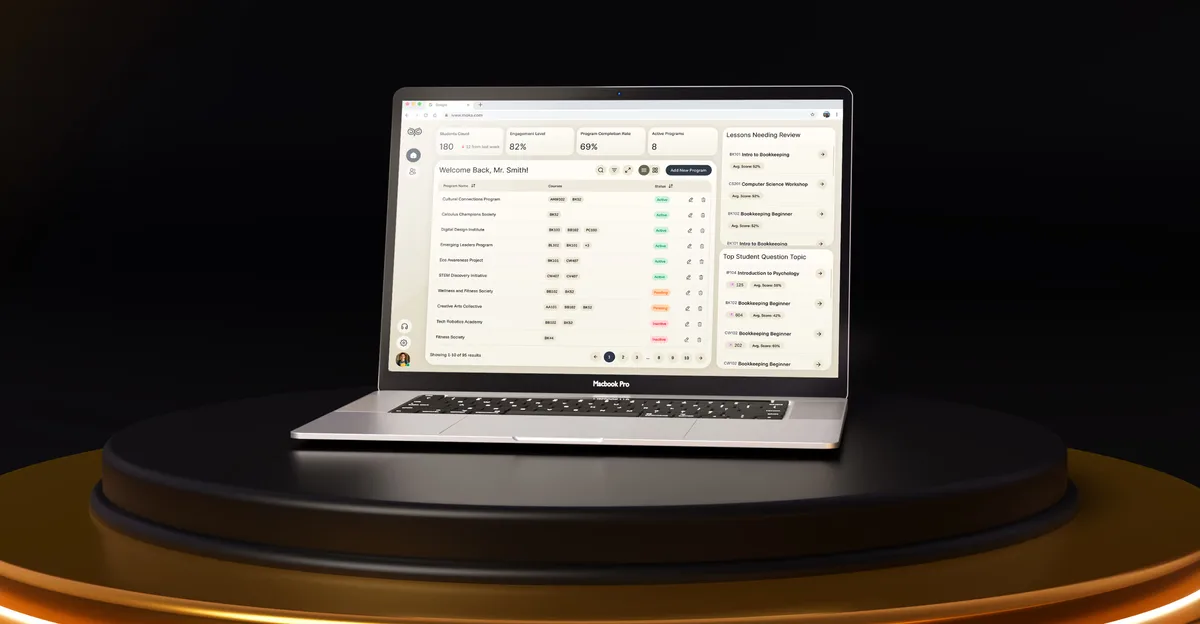
EdTech · SaaS
Moka
Designed an AI study assistant for students and the web tools their instructors, curriculum teams and schools run it from.
- 200+ Screens designed
- 4 Experts on the team
-
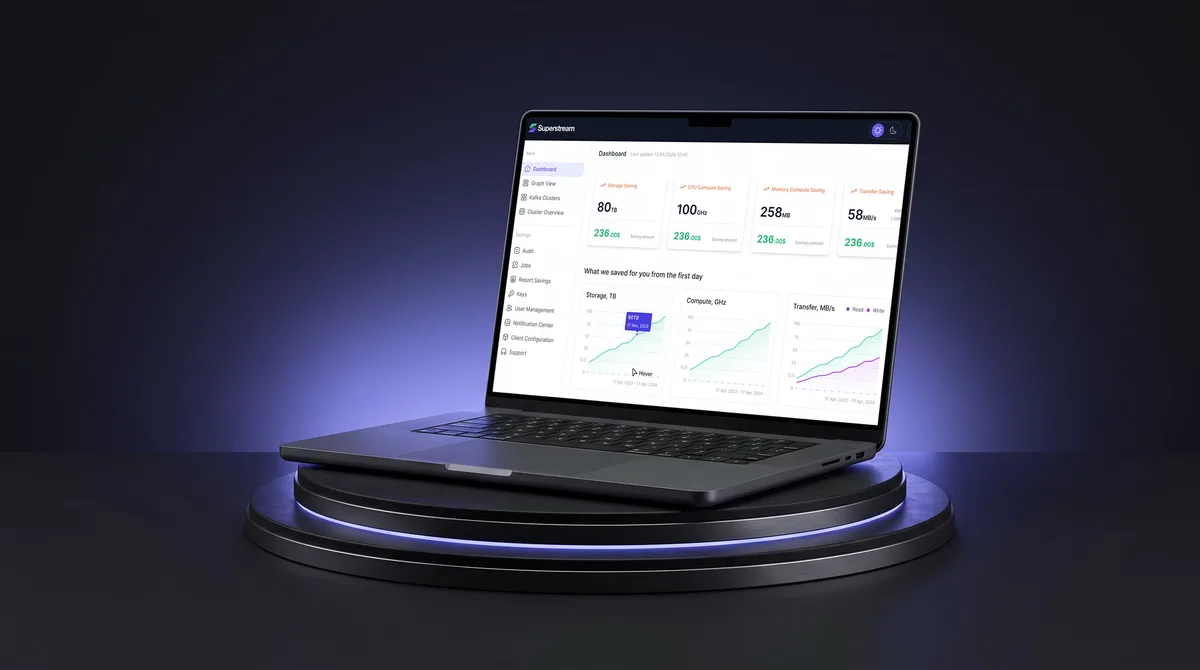
AI Hi-Tech · SaaS
Superstream
Turned a Kafka management platform’s dense technical data into one calm, consistent interface for DevOps teams.
- 3000+ Screens designed
- 1500h+ Design hours
-

Chrome extension · Real Estate
LenderPal
Fitted a loan officer’s property, cost and rate checks into a Chrome extension, with an Admin product behind it.
- 150+ Screens designed
- 4 Experts on the pod