
Lending Chrome extension, every check in one tab
LenderPal gives loan officers every mortgage check without leaving the page they work in.We designed its Chrome extension, Admin product and LenderPal AI.

- 150+
- screens across the extension, the Admin product and LenderPal AI
- 4
- people one team from research to handoff
Project summary
LenderPal by SOA Labs is a decision-support product for mortgage professionals: loan officers, processors, underwriters and branch managers. We designed the Chrome extension , the Admin product and LenderPal AI as one system, from research to a clickable prototype and handoff. Development stayed with the client, and the client came back for two more engagements.
What a loan officer checks before quoting
One chain, from an address to a document:
-
Property
- Owner
- Value
- Liens and equity
-
Comps
- Map
- Radius
- Price per ft²
-
Costs
- Fees
- Rates
- Insurance
-
Calculation
- Payment
- Amortization
-
Answers
- LenderPal AI
- History
-
Admin
- Users
- Revenue
- Advertising
- Depth and Space
- Dense property and loan data in a window the size of a paperback.
- Data and Doubt
- Third-party data shown with its gaps, not as if it were always complete.
- Tools and Chat
- Structured tools and an AI conversation, each kept to the job it does best.
One address, the whole property on one screen
- Found
- Owner, value, debt, taxes and sale history came from different sources and sat in different tabs, so a first look at a property took several searches.
- Decided
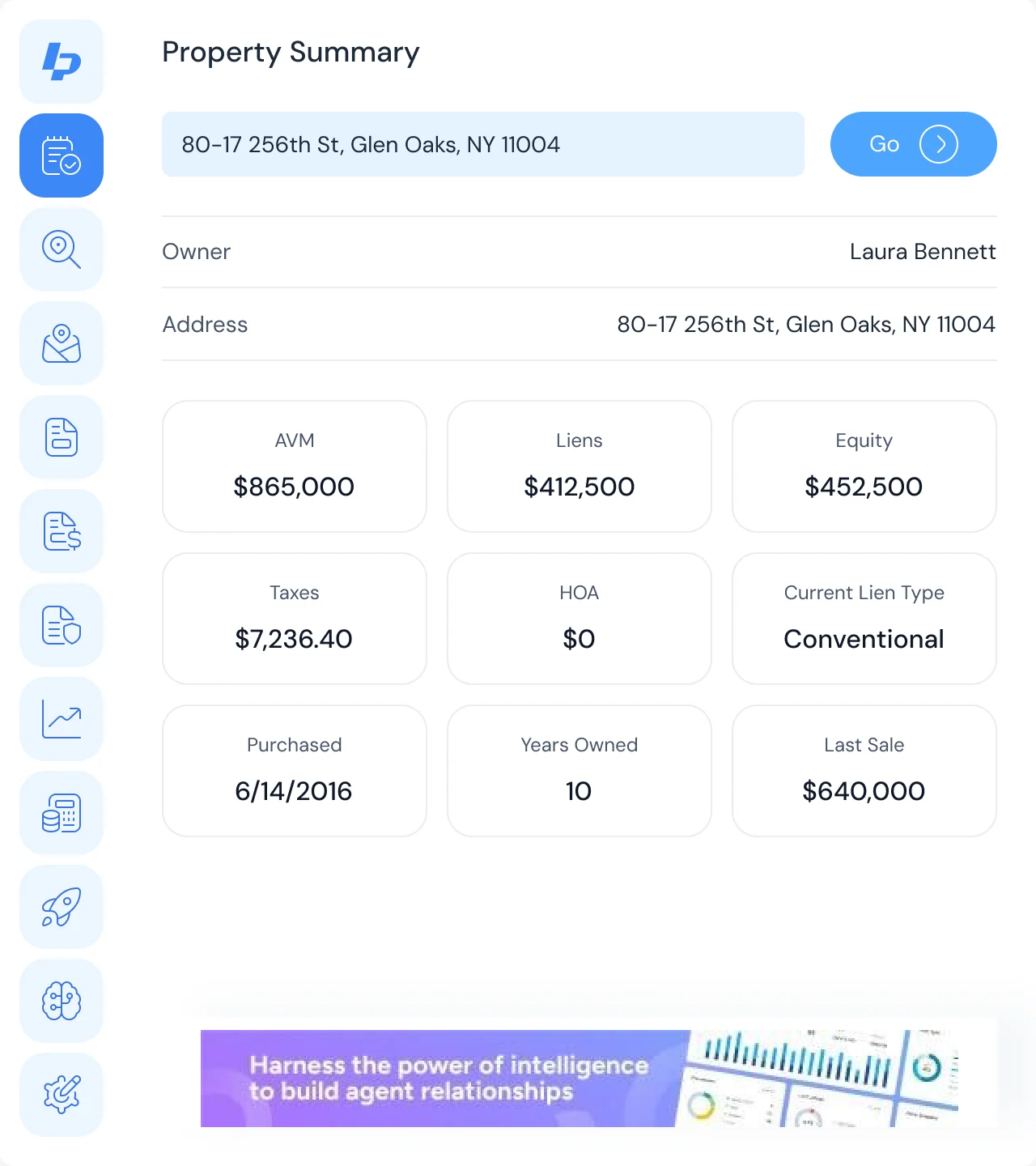
- A summary that opens on the address: who owns it, then value against debt, then taxes and the loan, then the sale history, each figure on its own card with room for a missing one.
- For the user
- A loan officer sees the equity and the lien before opening a single detail tab.
-
Which property
The address search, prefilled from the page.
-
Whose
The owner and the full address.
-
What it’s worth
Automated value, liens and equity side by side.
-
What it costs
Taxes, HOA and the current lien type.
-
Its history
When it was bought, how long it’s been owned, the last sale.
How the work progressed
250h+ of work: research and structure first, then the extension, Admin and AI in one system, handed off as a prototype.
-
Discovery
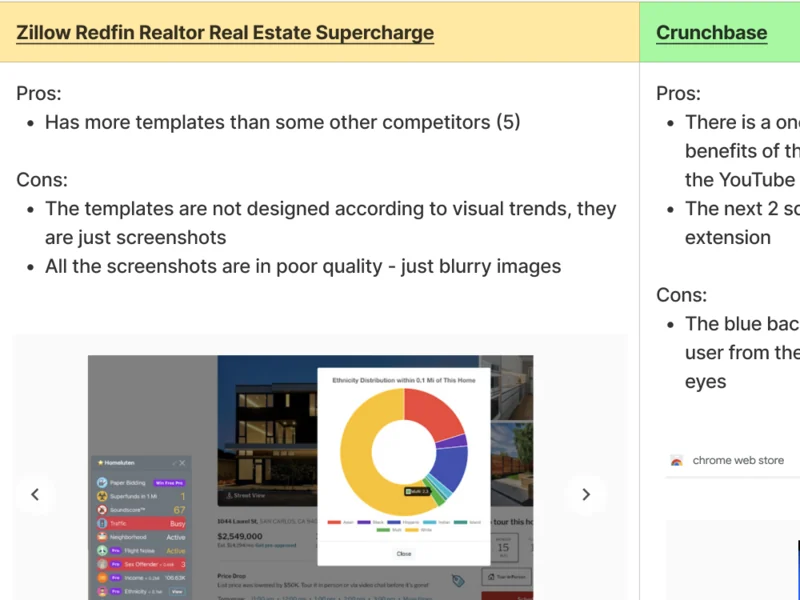
How browser extensions, property-data products and AI assistants handle onboarding, navigation and dense data
Artifact Competitor research
-
User Flow
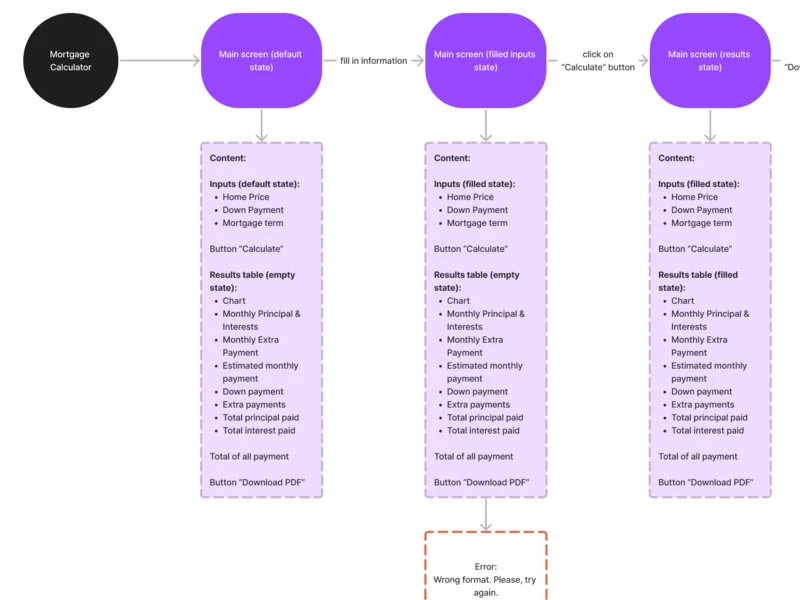
Every tool’s path, from an address to a result, with its empty, error and loading states
Artifact Information architecture and user flows for the extension, Admin and AI
-
Wireframes
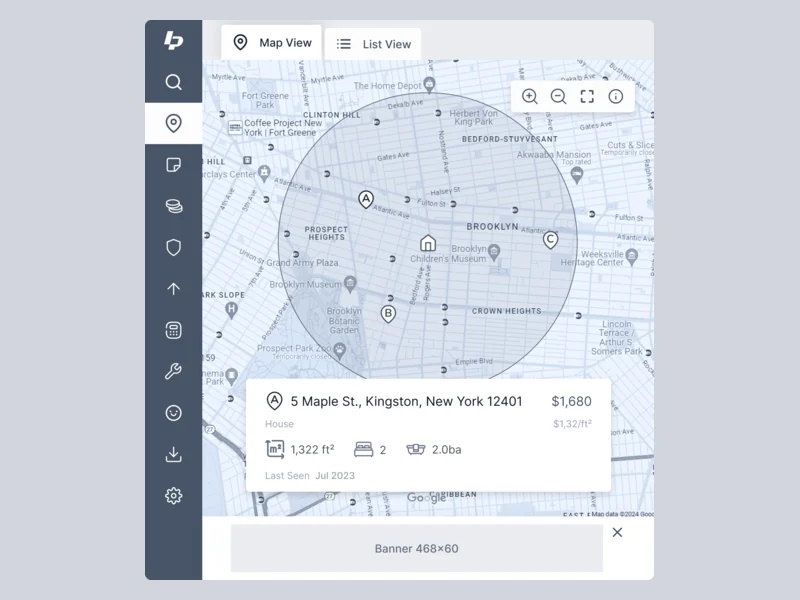
What fits in the extension window before any styling
Artifact Wireframes across the extension, Admin and AI
-
UI & Design System
One look for three surfaces, chosen from several visual directions
Artifact Moodboards, visual directions and the product design system
-
Delivery
What engineering needs to build it without guessing
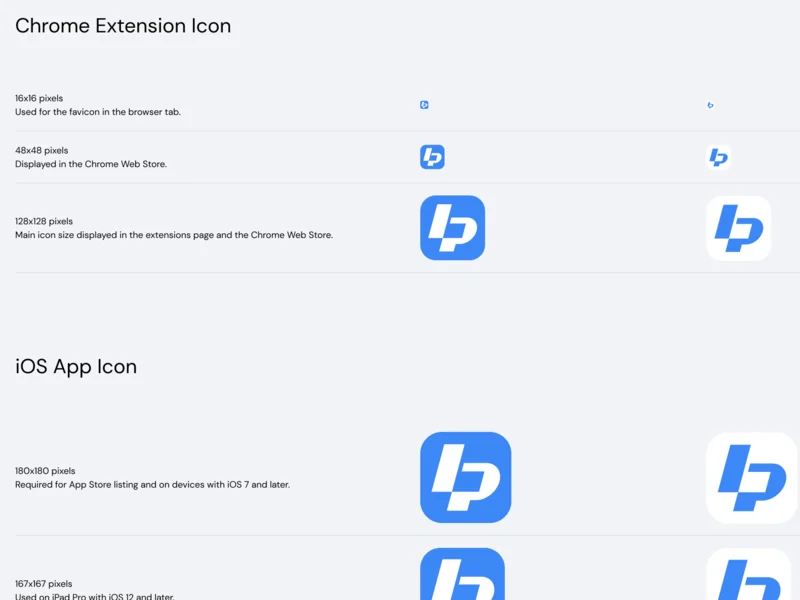
Artifact Clickable prototype, screen map, extension icons and a Zeplin handoff
A dozen tools, one rail
- Found
- Each tool had its own flow and its own states, and a loan officer jumps between them while on the same property.
- Decided
- Every flow was mapped end to end, then hung off one icon rail: the property stays loaded while the tools change.
-
-
Mortgage calculator
From the default state to results, the PDF download and errors.
Open the full map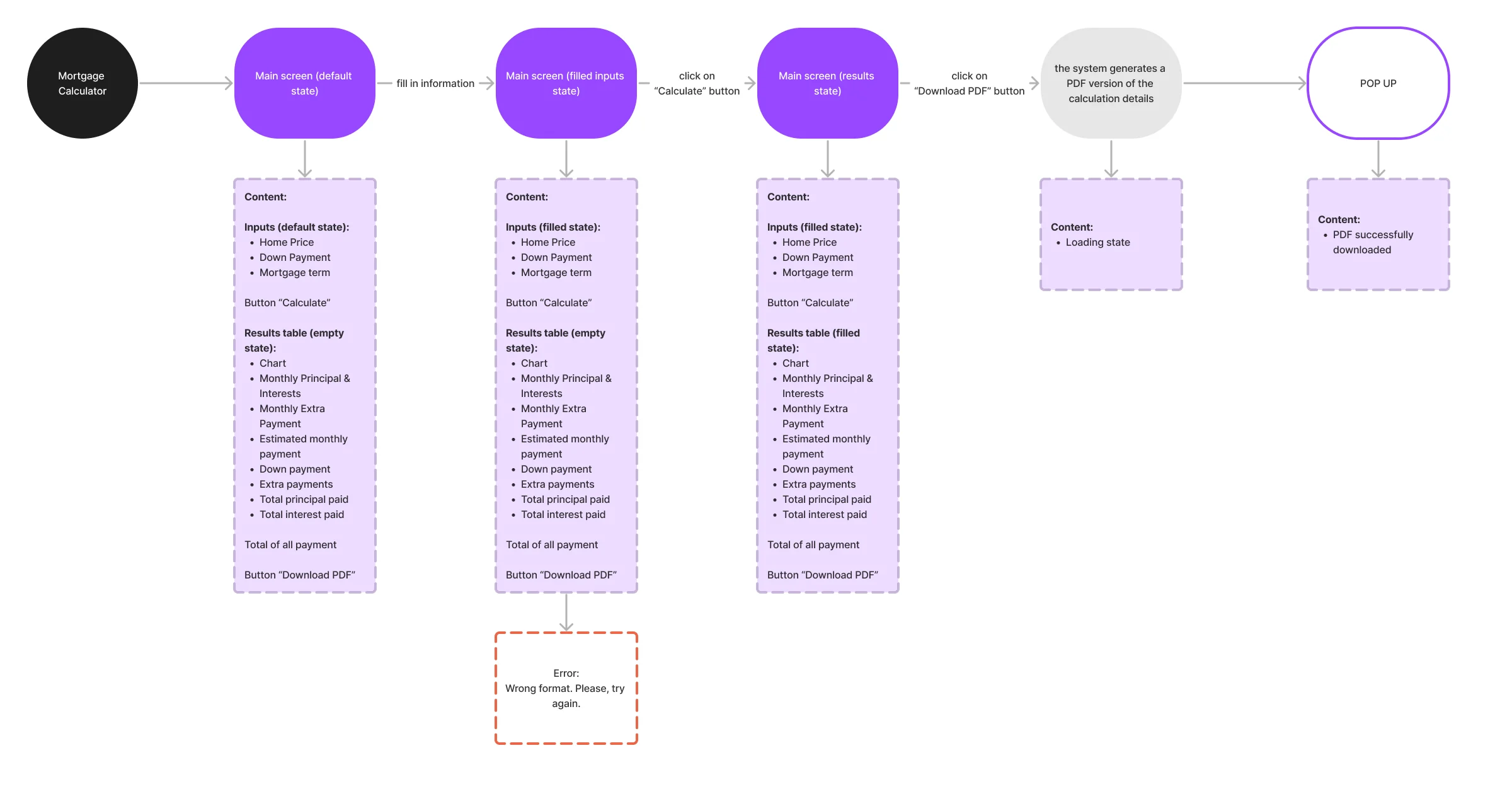
-
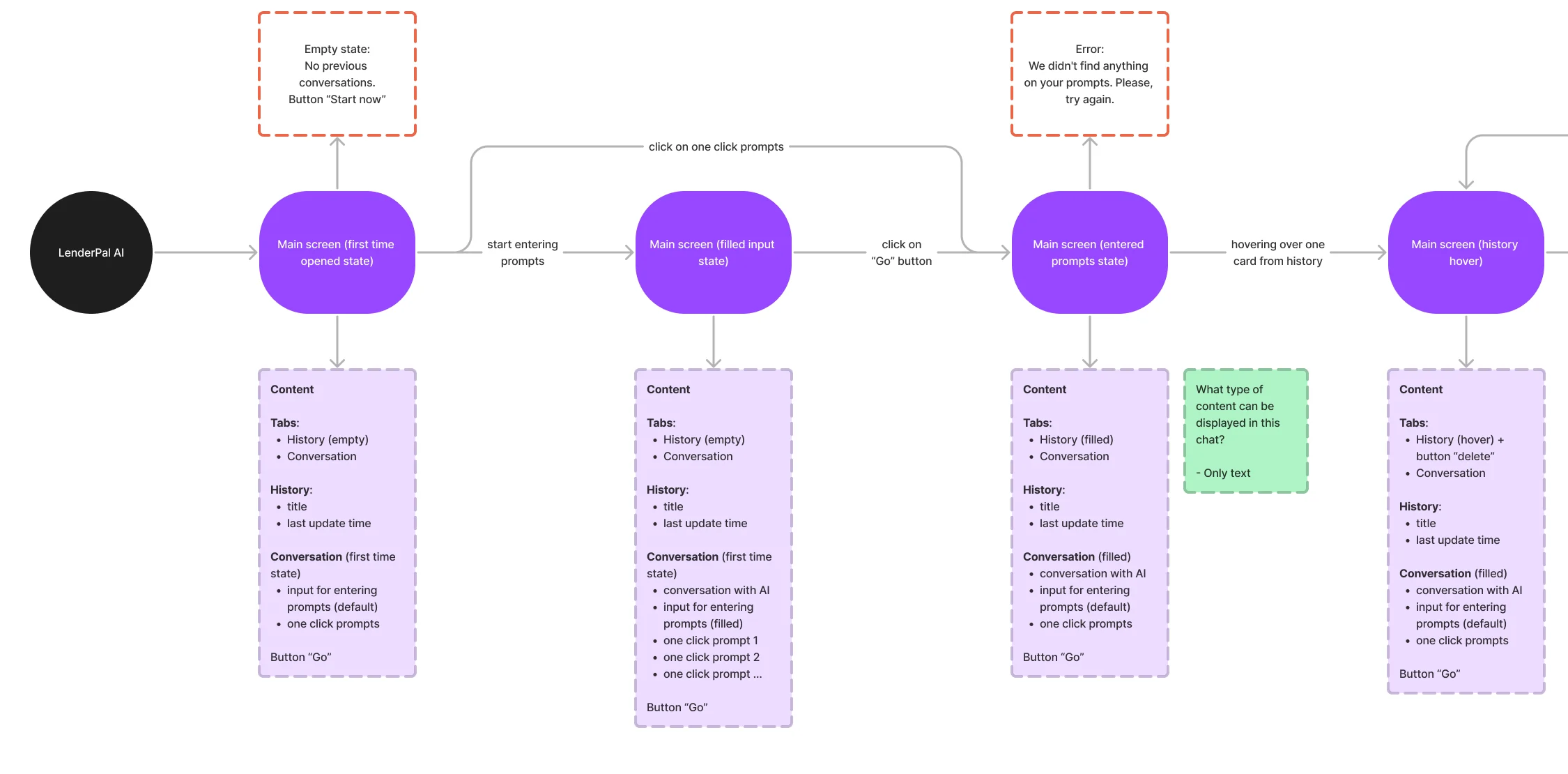

Eight jobs, from sign-up to an AI answer
The extension first, in the order a loan officer meets it. Then the Admin product and LenderPal AI.
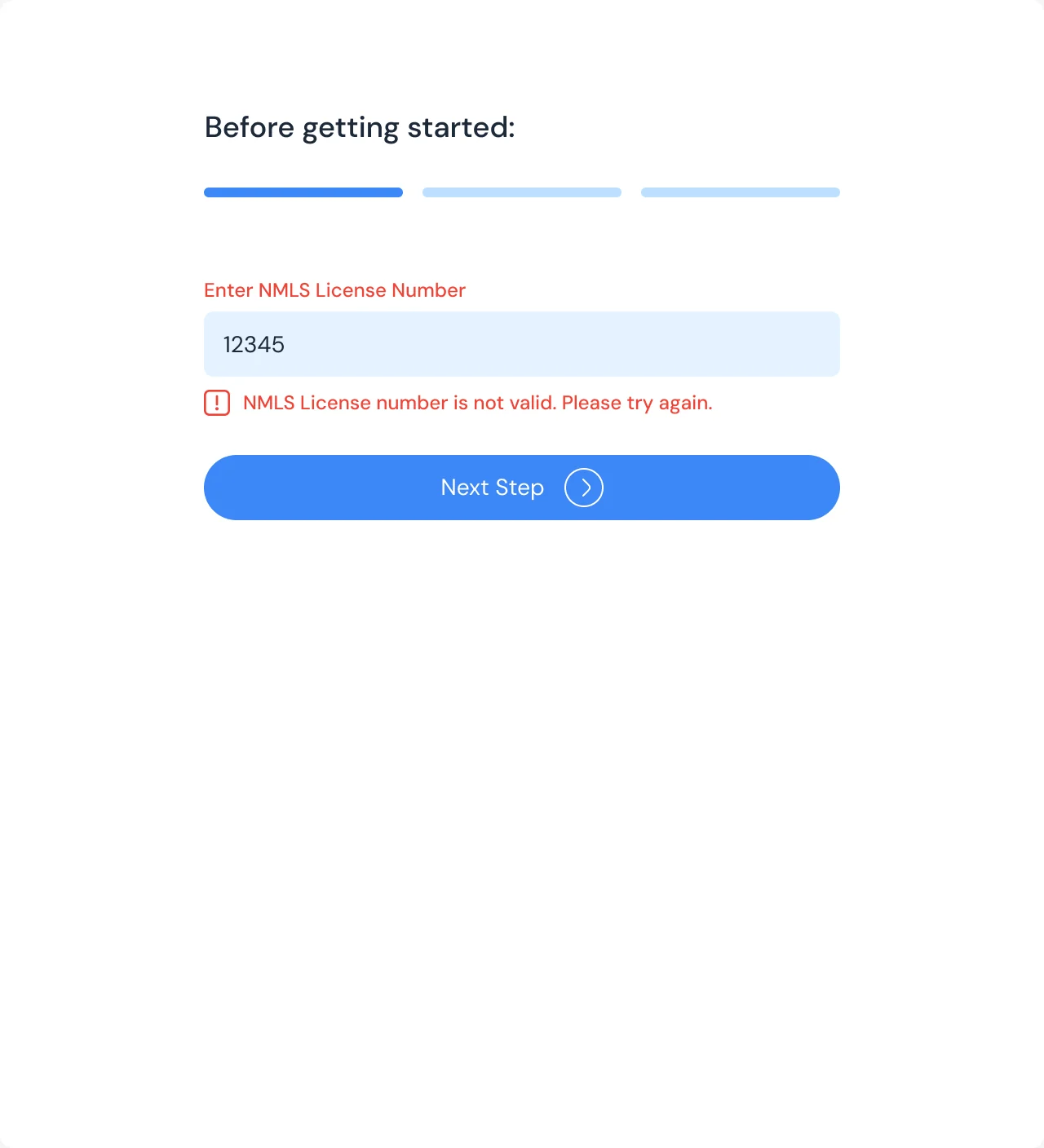
Onboarding a professional
- Found
- LenderPal is for licensed mortgage professionals, and a long sign-up form loses them before they see a single property.
- Decided
- Social sign-in, then three short steps: the NMLS licence number, the role and the address, each checked where it’s typed.

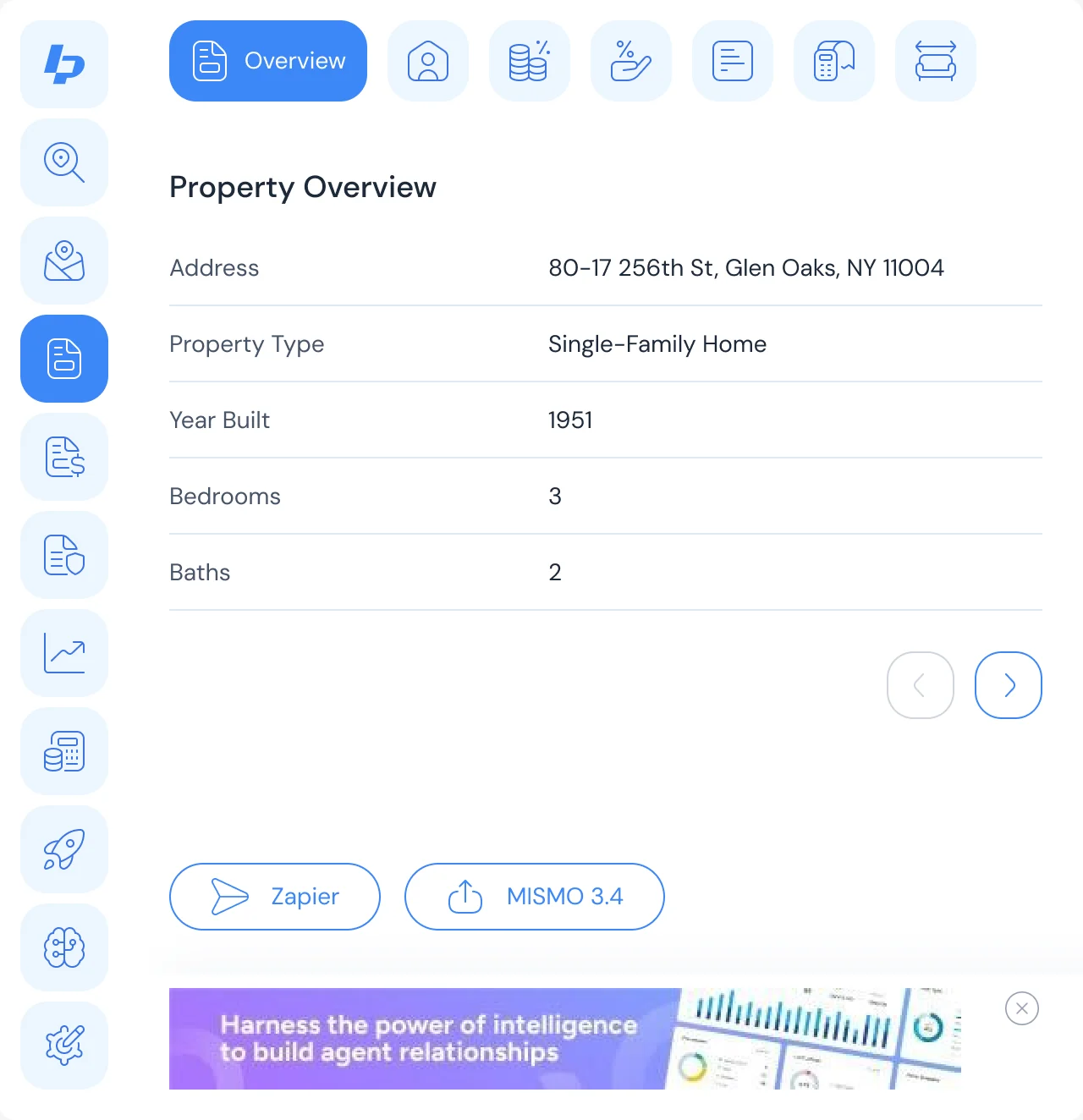
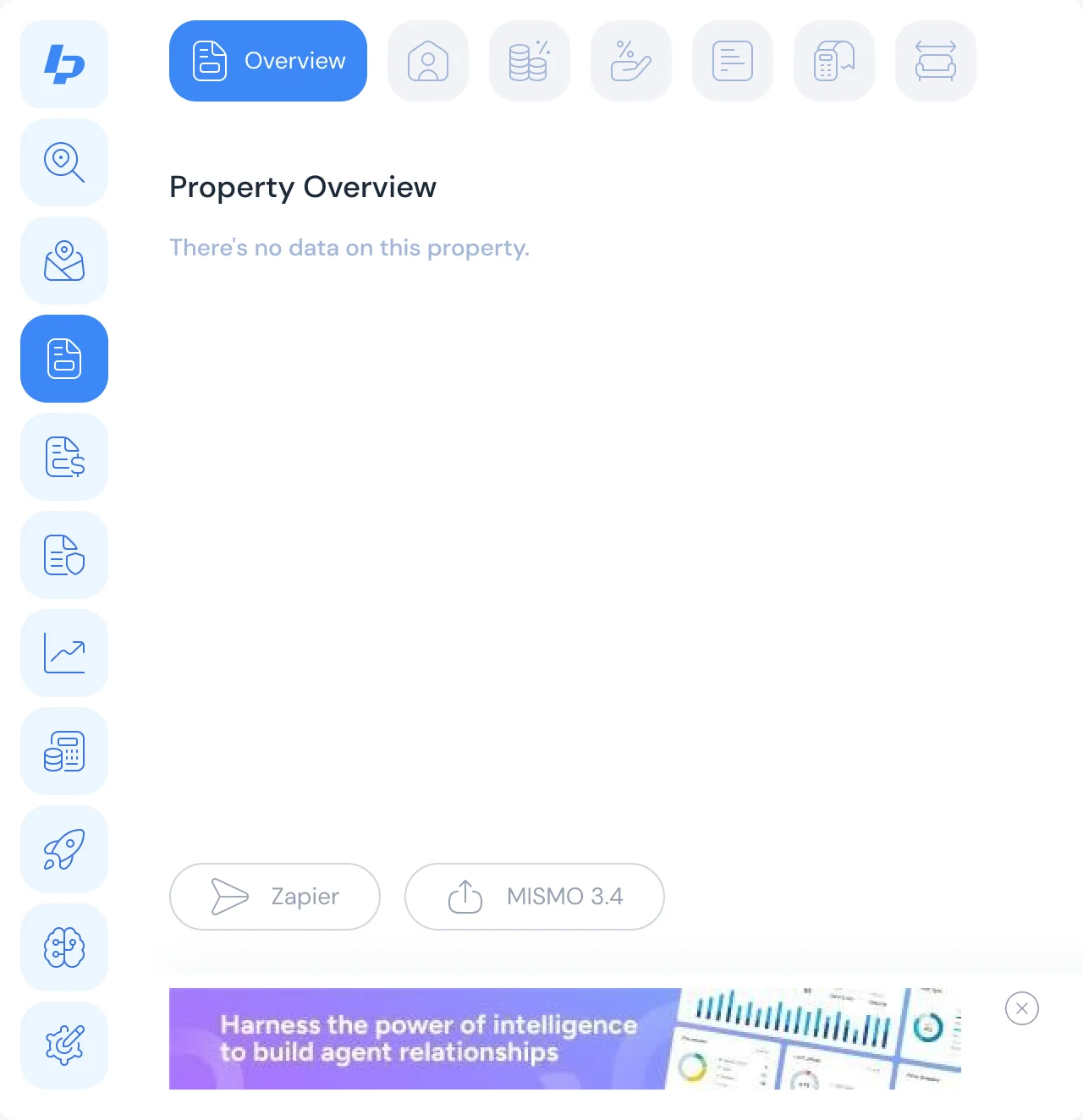
The property, and what’s missing
- Found
- Property records are often incomplete, and an empty field can’t pass for a zero.
- Decided
- Profile tabs for the details, a clear state when there is no data, and one-click export of the loan file.
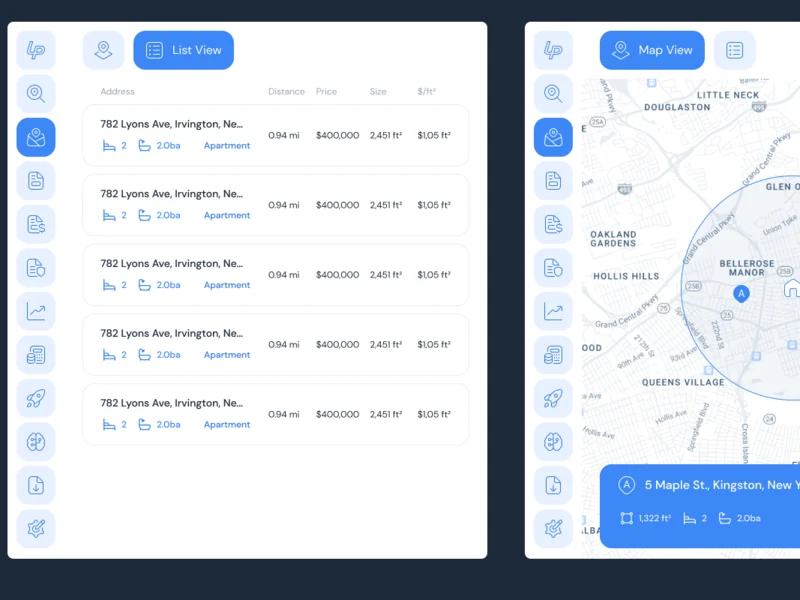
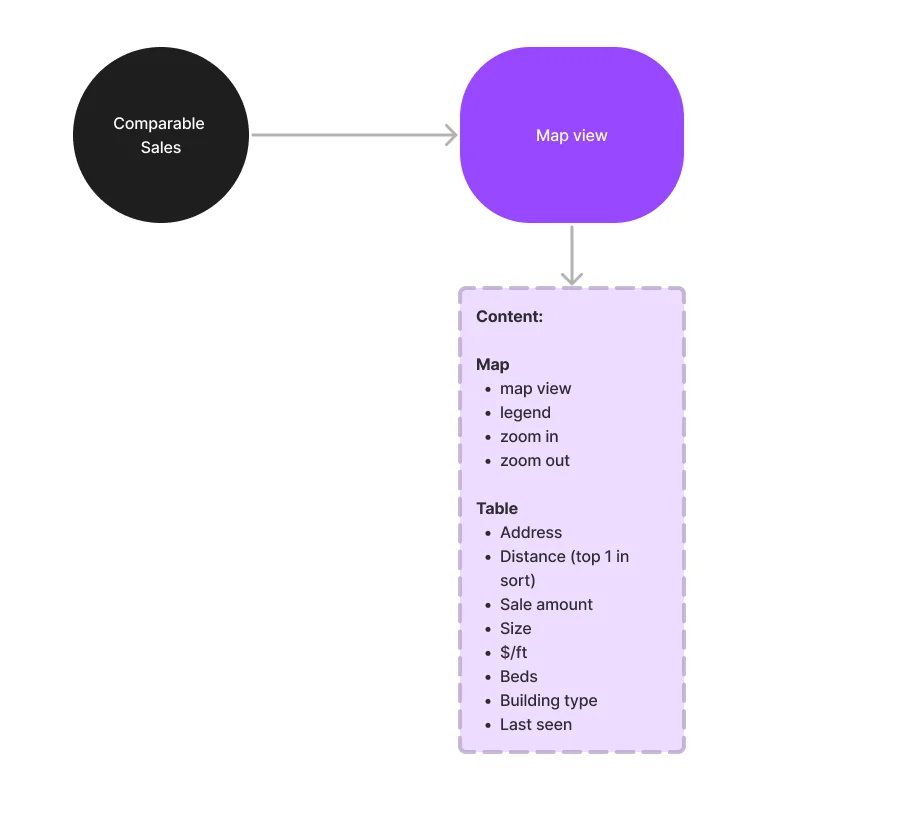
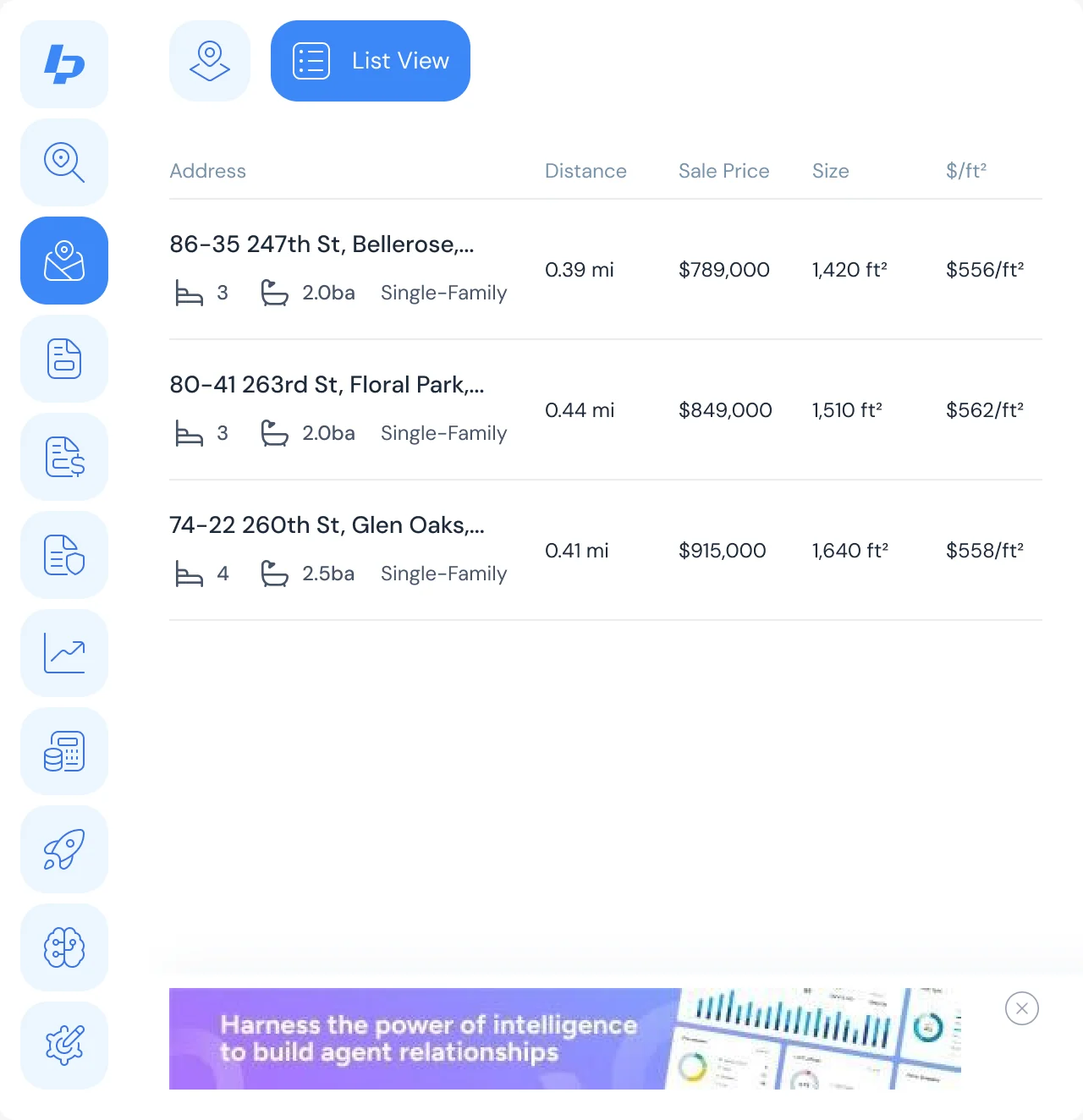
Comparable sales in the radius
- Found
- A value means little without nearby sales, and a map of pins alone doesn’t say which comp is which.
- Decided
- A map with the subject and each comp lettered by price level, a legend on demand, and a list view with price, size and price per square foot.
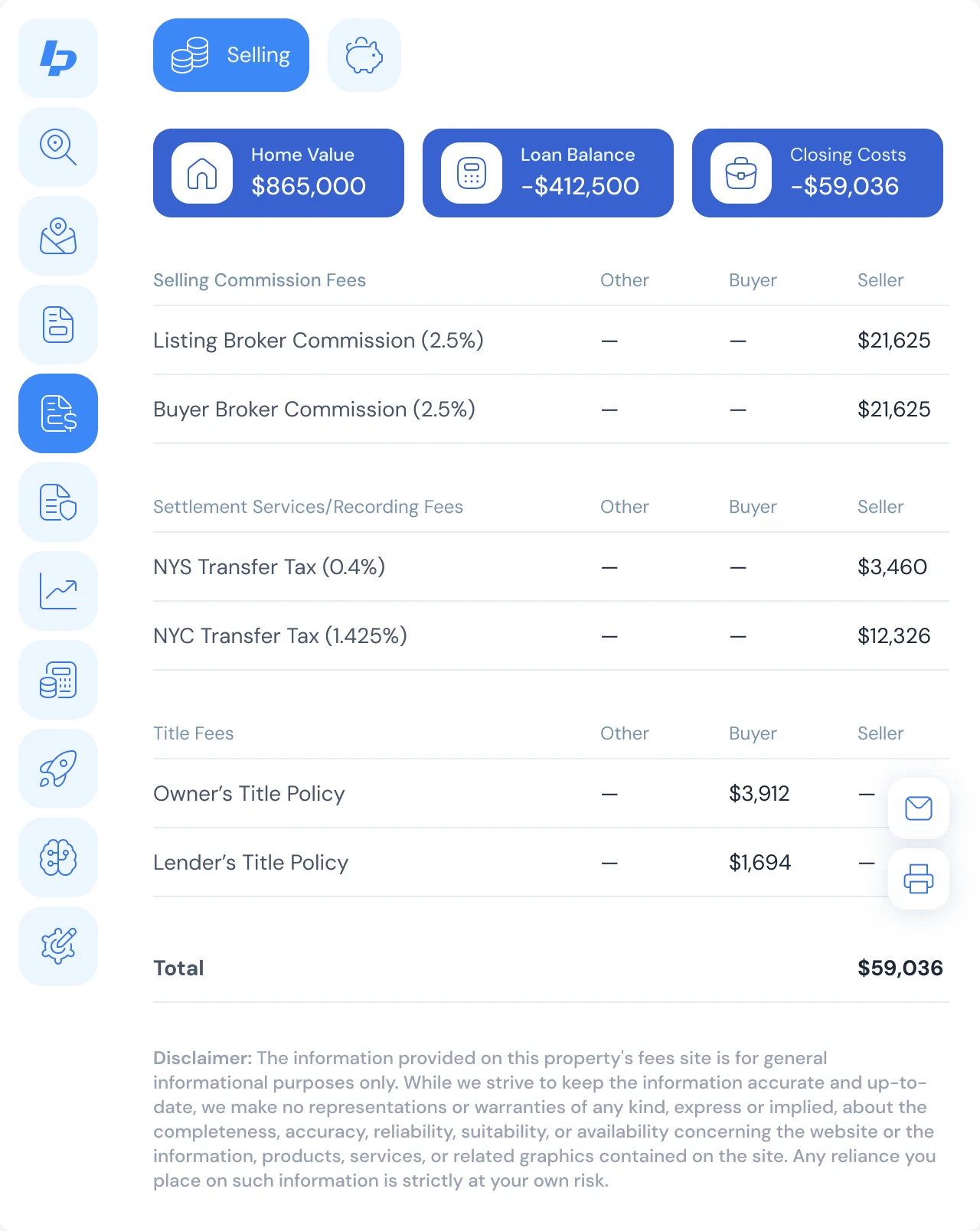
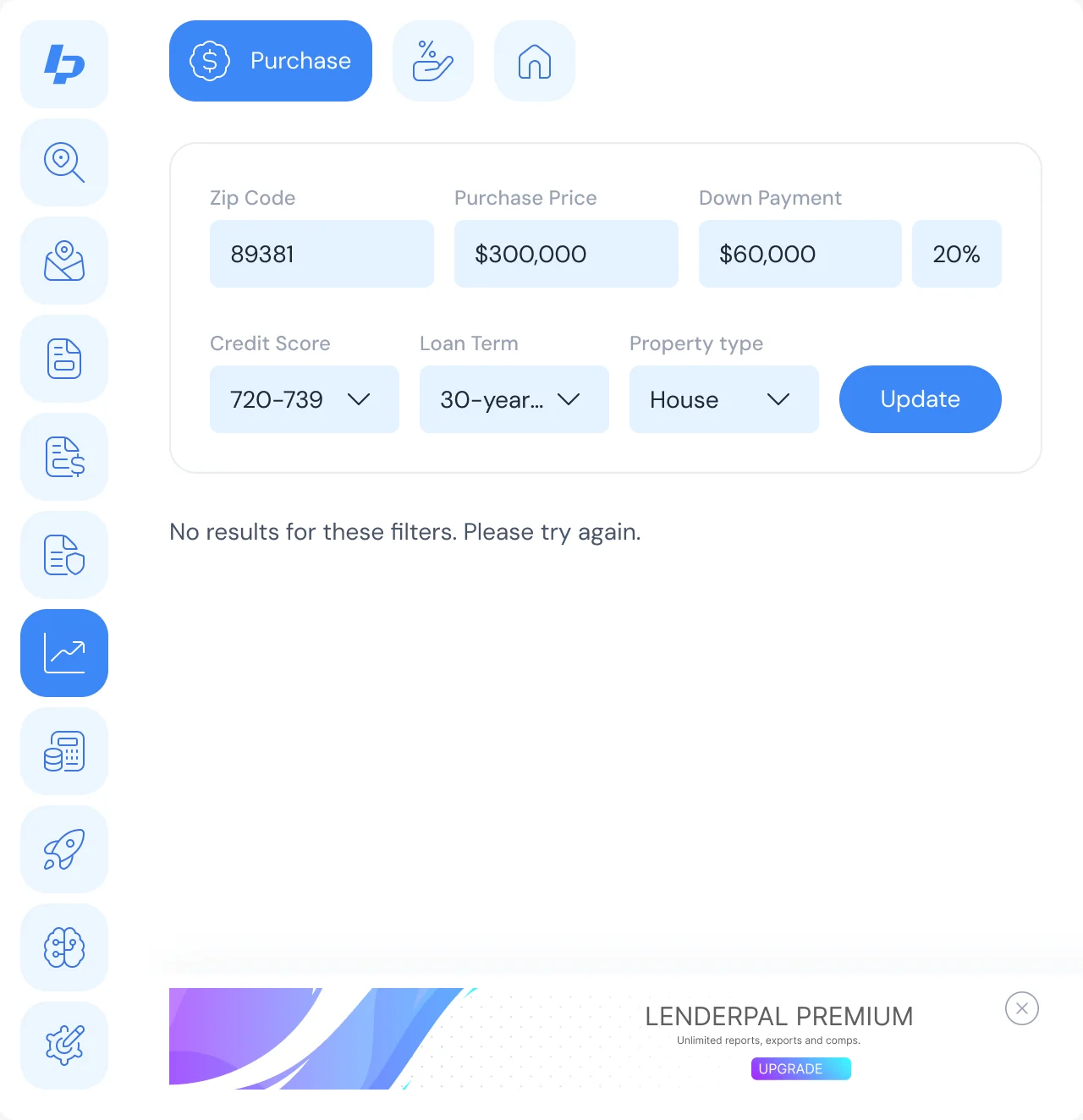
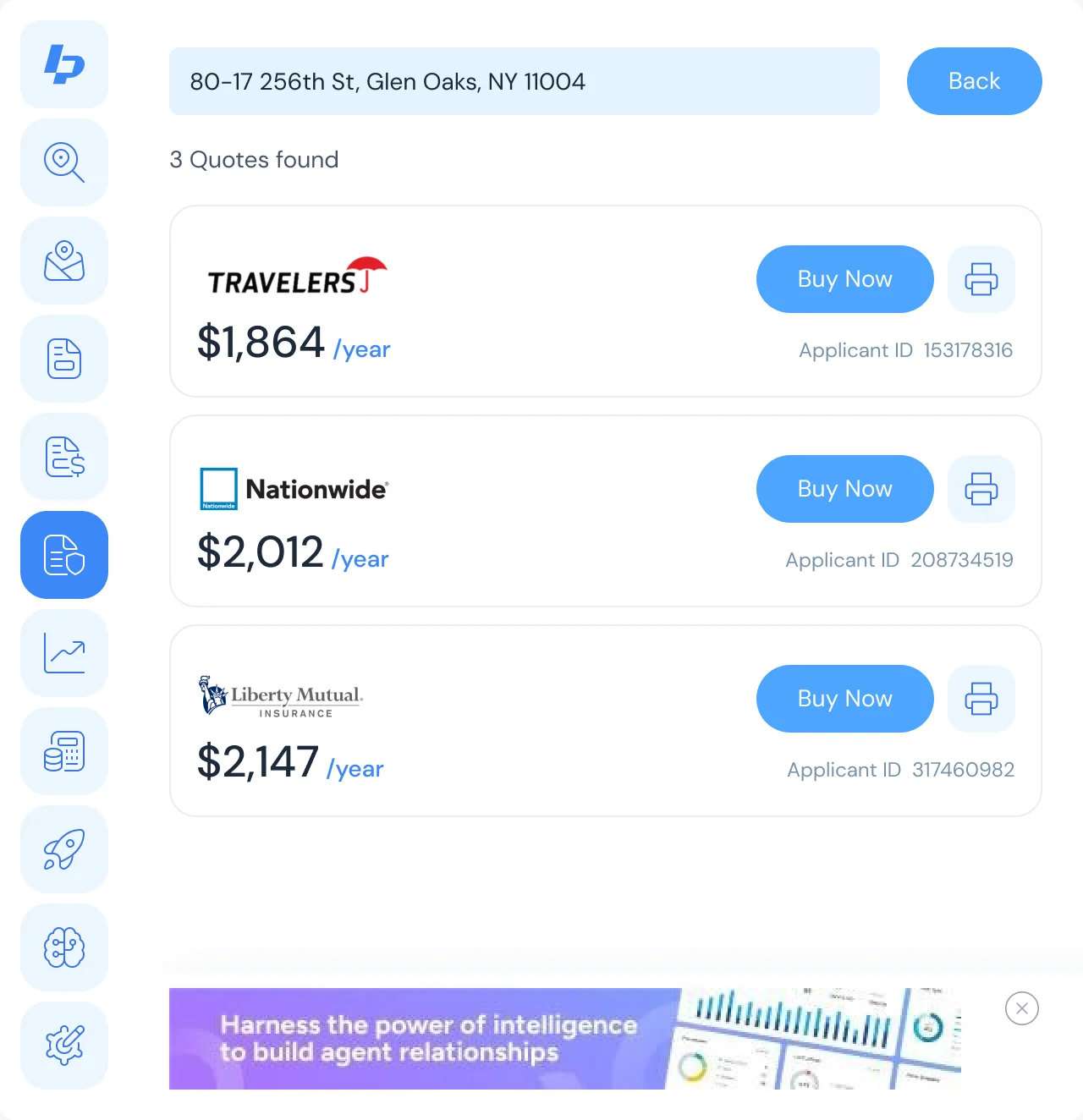
Fees, rates and insurance
- Found
- Closing costs, today’s rates and an insurance quote each meant another site, and each can fail in its own way.
- Decided
- A seller net sheet that adds up line by line, rate and quote searches with their filters, and a message for every error and every search with no results.
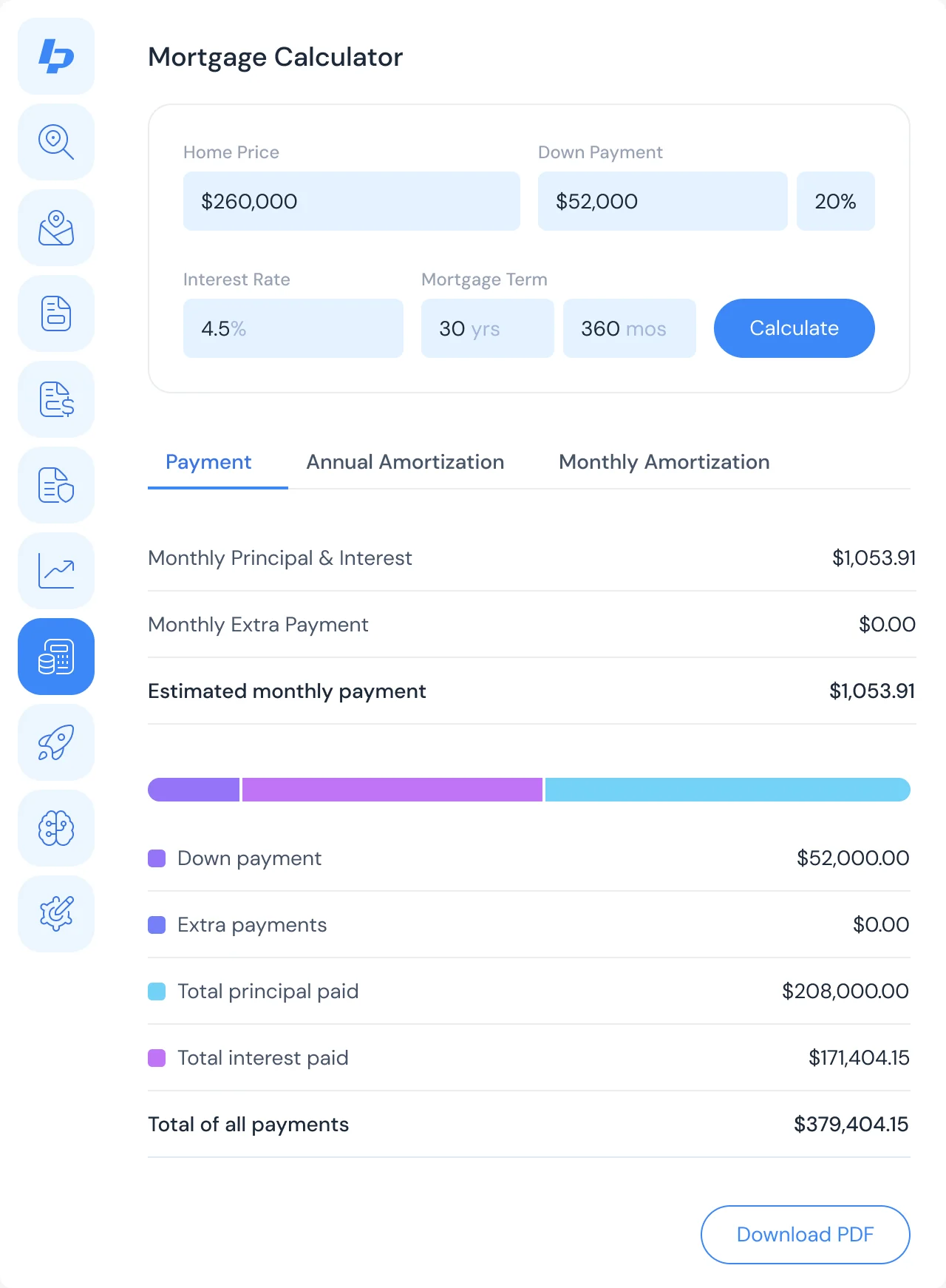
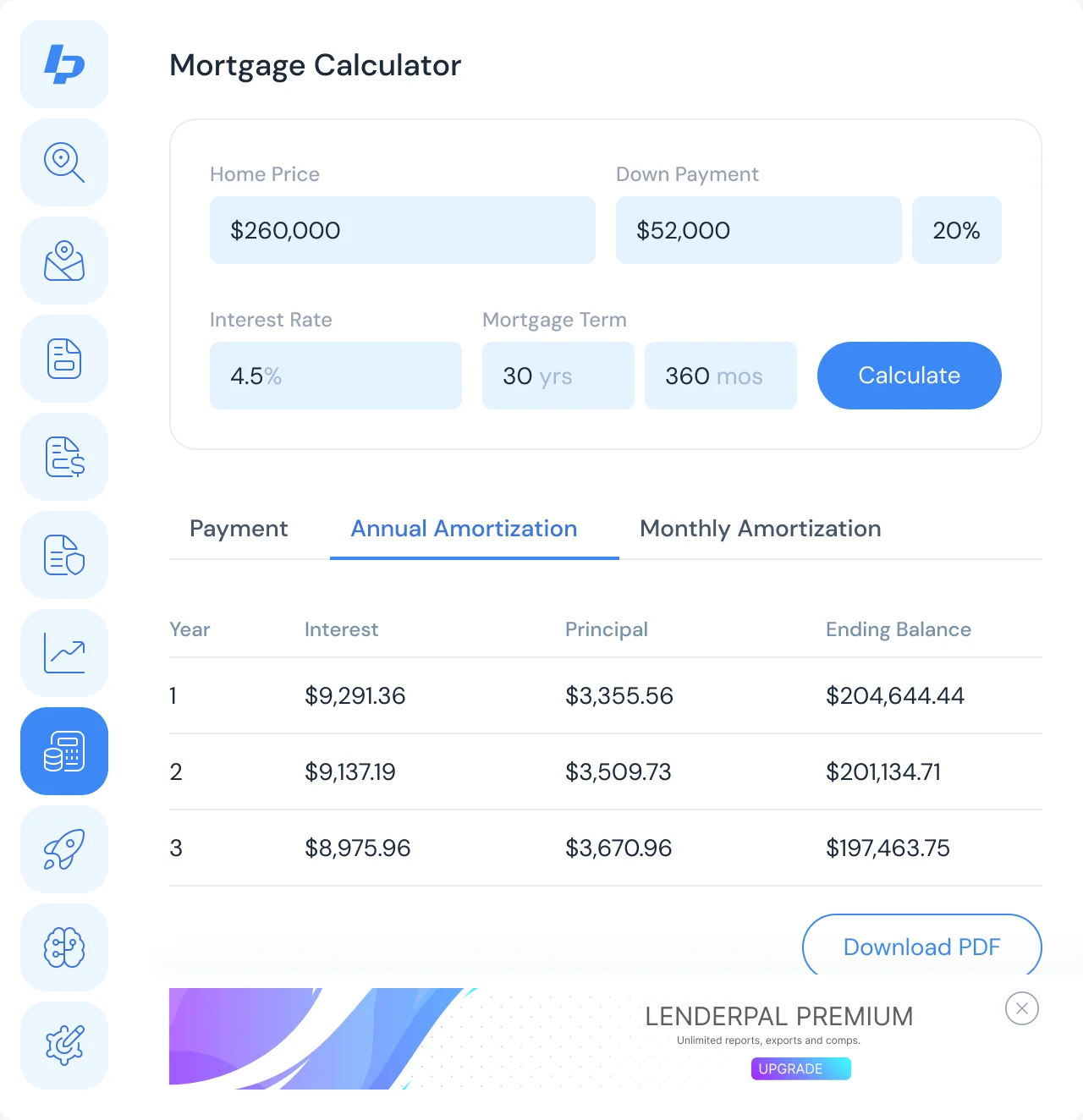
A calculator that shows its work
- Found
- A payment figure without its inputs is a number nobody can check or explain to a borrower.
- Decided
- The inputs stay above the result; the payment breaks down into principal, interest and extras; amortization by year and month; and a PDF to hand on.
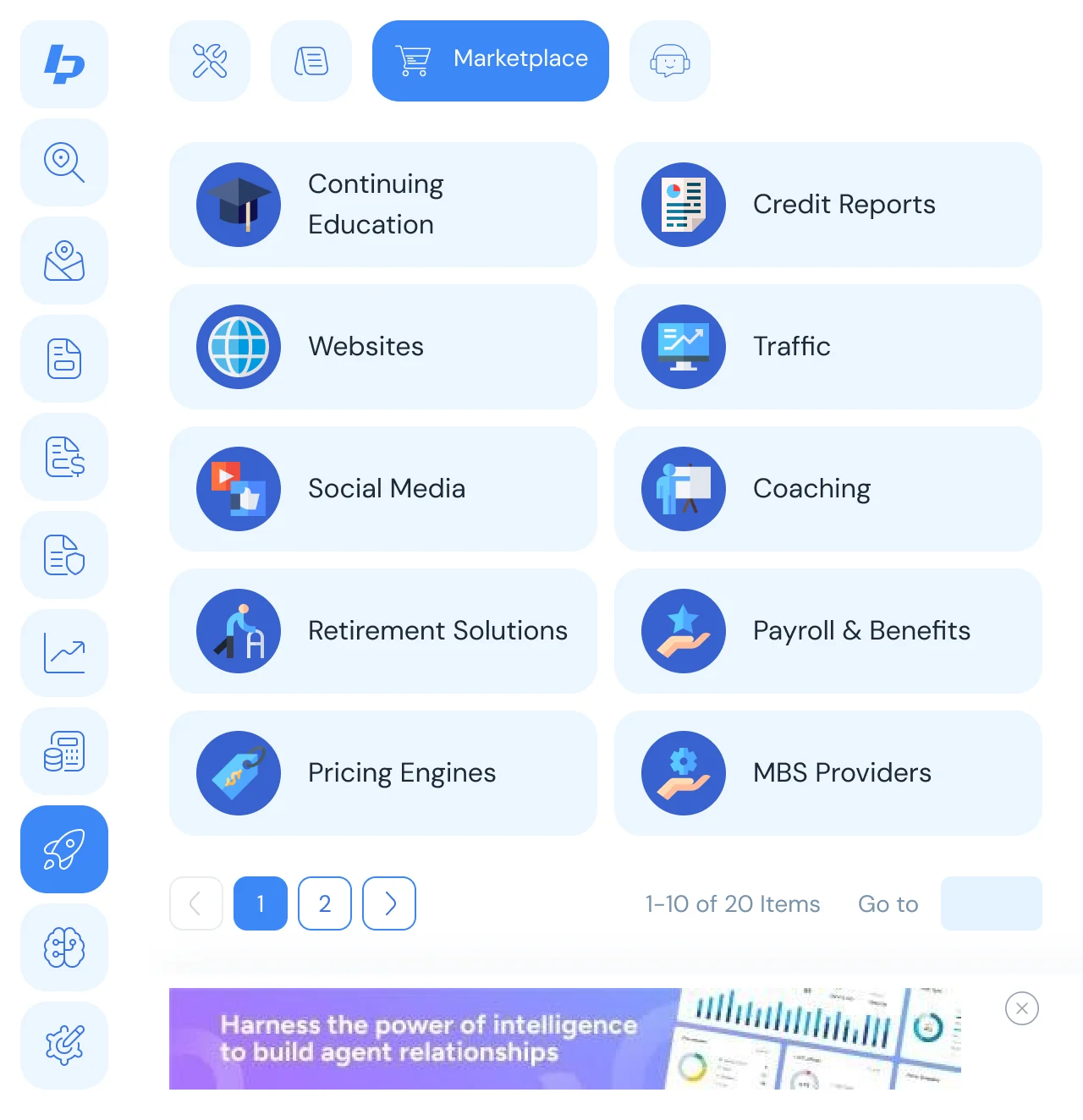
More tools, without a link dump
- Found
- Loan officers use many small utilities, and a long list of links would bury the property tools.
- Decided
- One More Tools entry on the rail, then tools, a marketplace and VA tools as tabs, each tool a card with its icon.
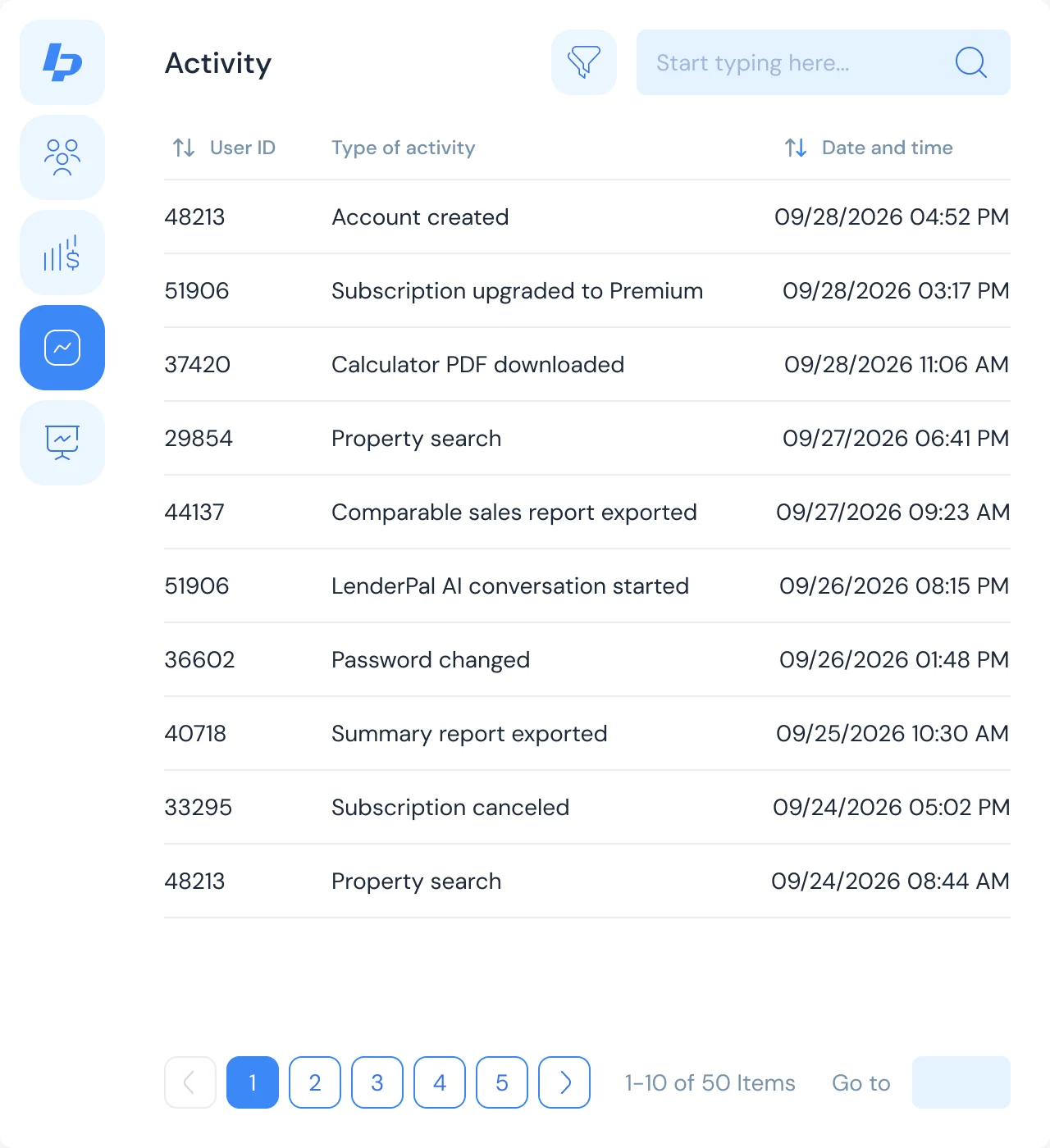
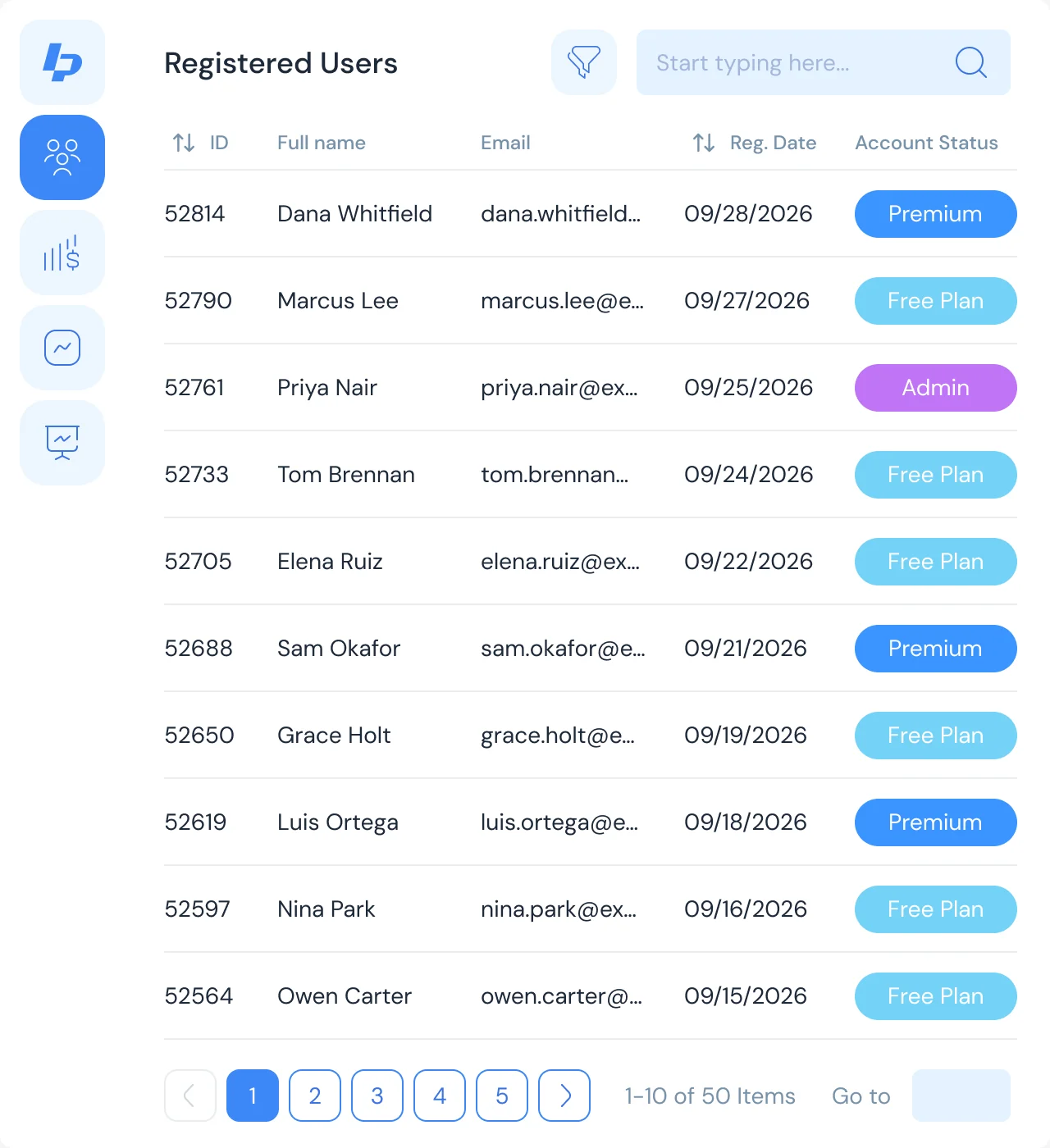
Admin: the business behind the extension
- Found
- The client needed to see who uses LenderPal, what they pay and what advertising earns, not only ship the extension.
- Decided
- A separate Admin product in the same system: users with their plans, an activity log, subscription revenue and advertising, each with filters and an empty state.
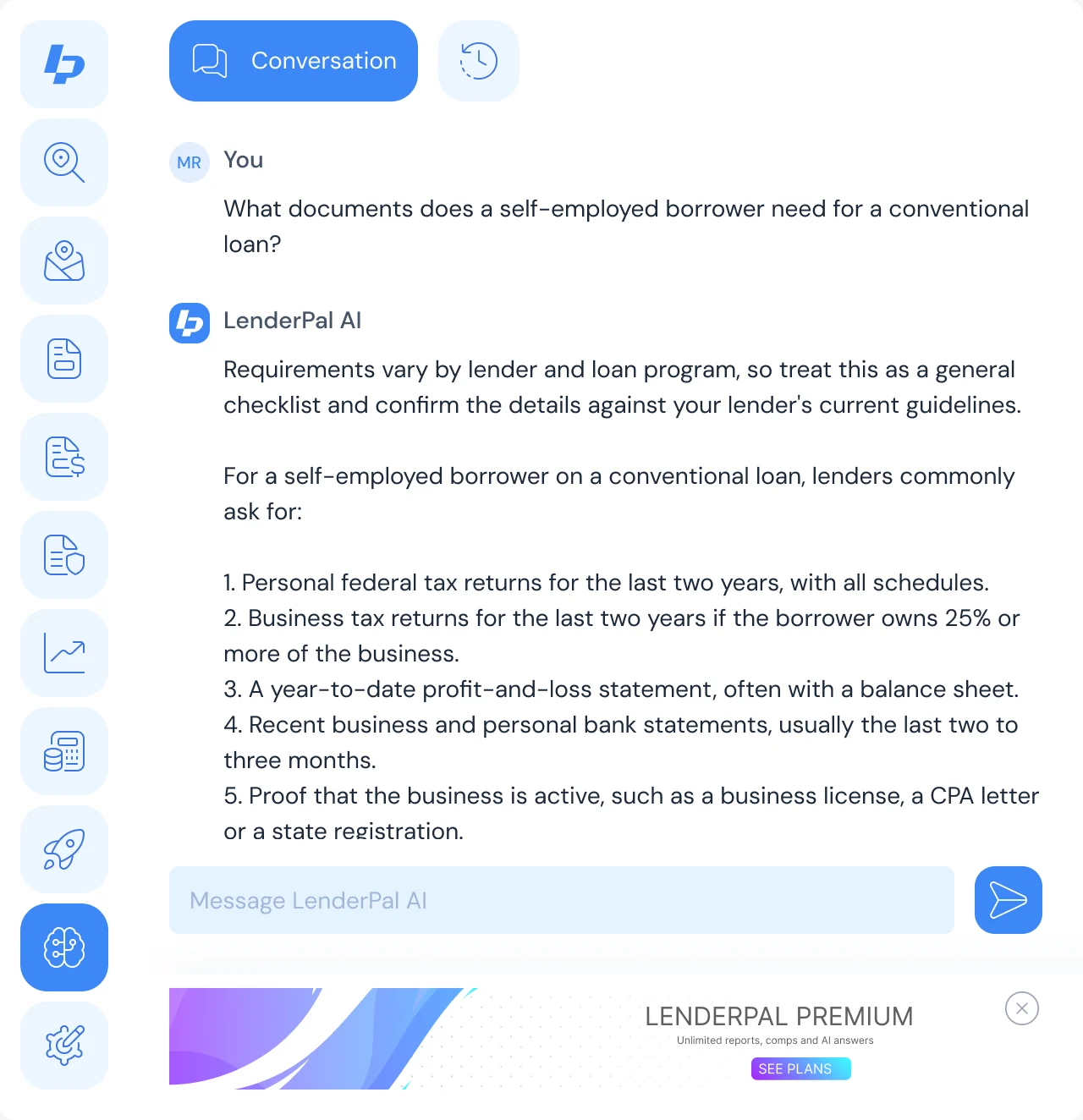
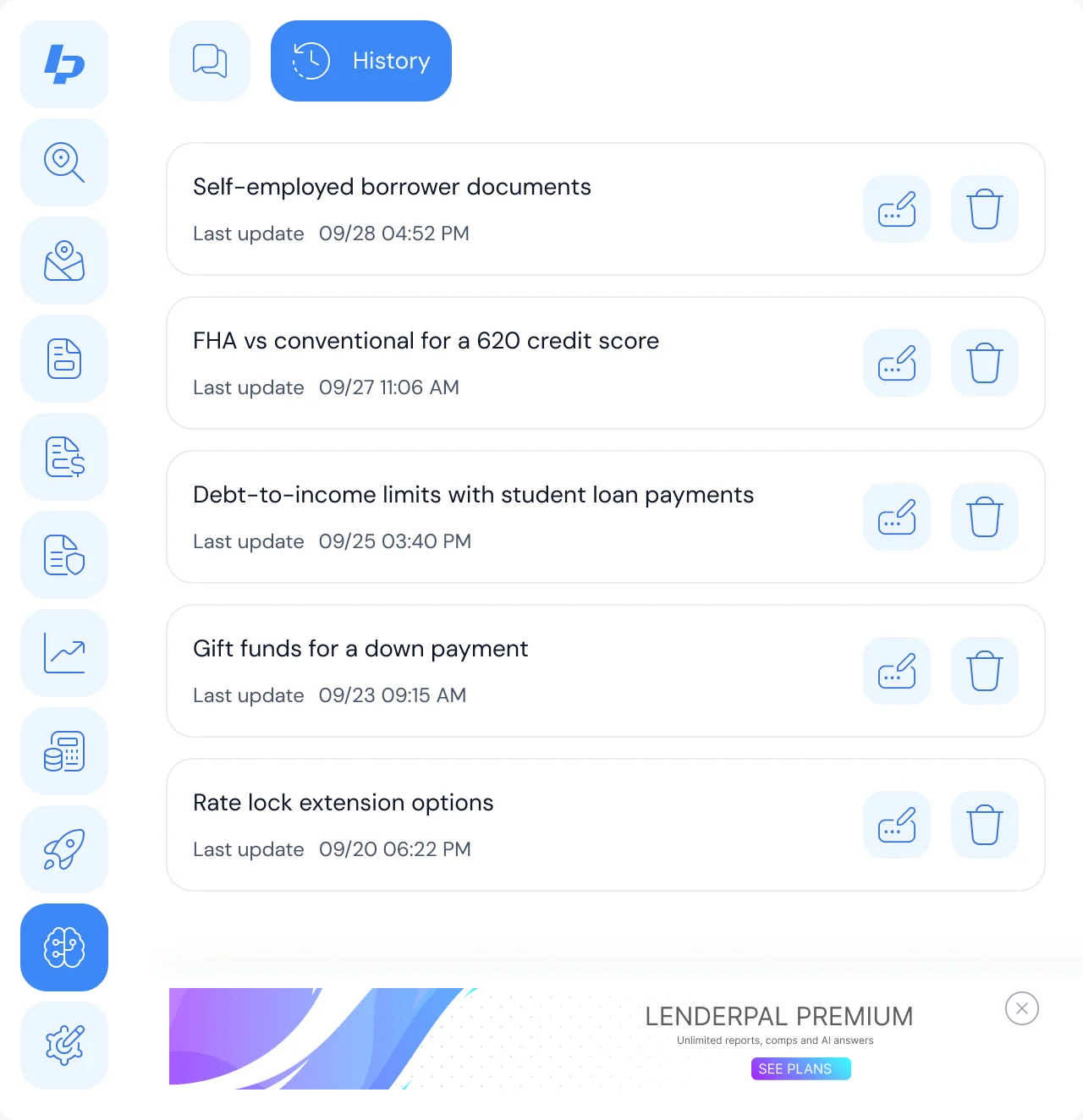
LenderPal AI, with its history
- Found
- A generic chat box next to precise tools invites questions it can’t place, and answers that vanish when the window closes.
- Decided
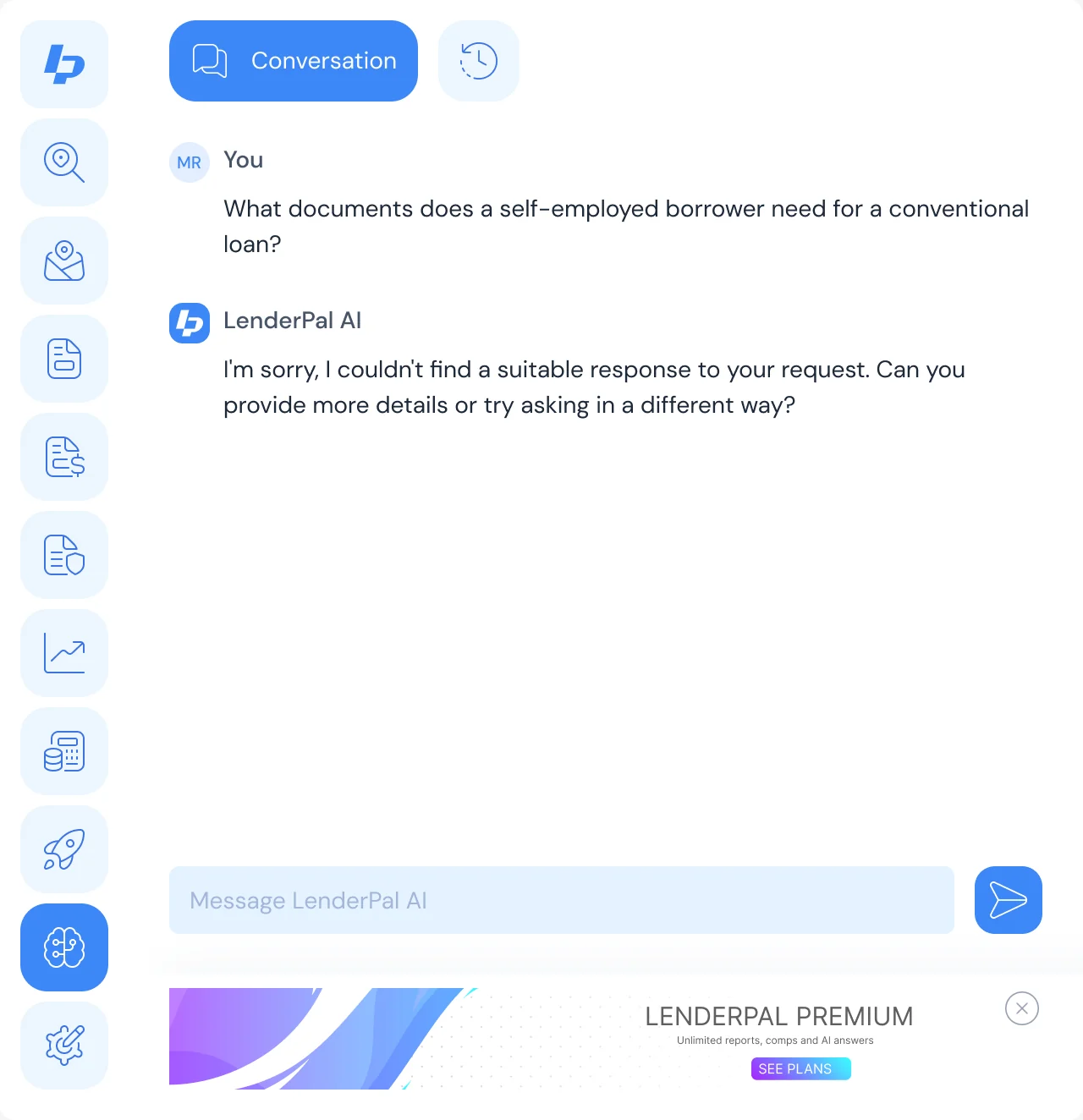
- A conversation for mortgage questions with its own tab, a history of past conversations to rename or delete, and clear loading and error states.
One system for the extension, Admin and AI
- Found
- Three surfaces built at different times could easily end up with three kinds of fields, buttons and error messages.
- Decided
- One design system across all three: the same inputs, buttons, navigation rail and feedback, and every field drawn in its default, focused, filled and error states.
The same input in two products
The input set from the system: the calculator’s fields in the extension, the search in Admin.
-
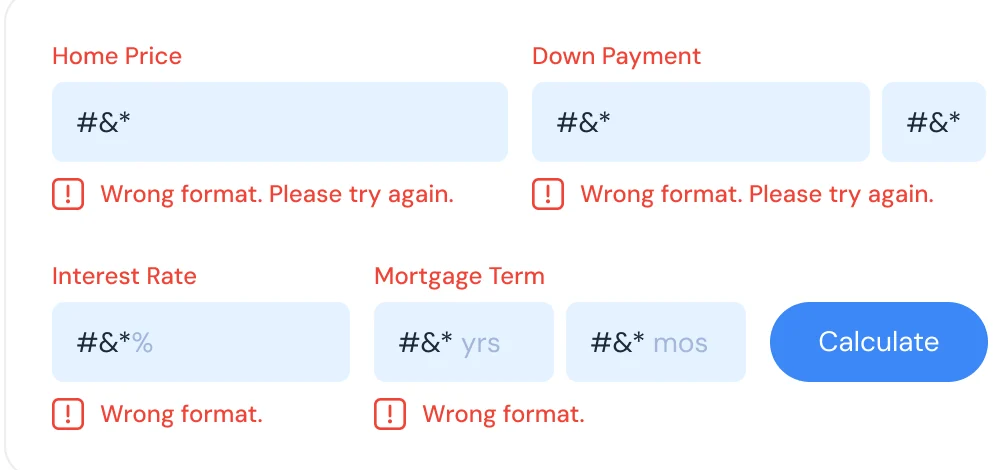
Extension: Calculator fields with errors. -

Admin: The activity search.
Drawn for every state a field can be in
Default, focused, filled and error, with the message under the field.
-

Home price input
Where the product ended up
A Chrome extension that keeps a property loaded while a loan officer checks its value, comps, fees, rates, insurance and payment, with every empty and error state drawn; an Admin product for users, revenue and advertising; and LenderPal AI with its history, all in one design system and handed off as a clickable prototype with a screen map and icons.
- screens across the extension, Admin and AI
- 150+
- people in the pod
- 4

Worried your data won’t fit the space?
In LenderPal, a whole property check fits an extension window, and the calculator shows the inputs behind its result. Bring us your product, and we’ll show you what it can leave out.
More work like this
Three more products with dense data, real business rules, or AI inside.
-
AI Hi-Tech · SaaS
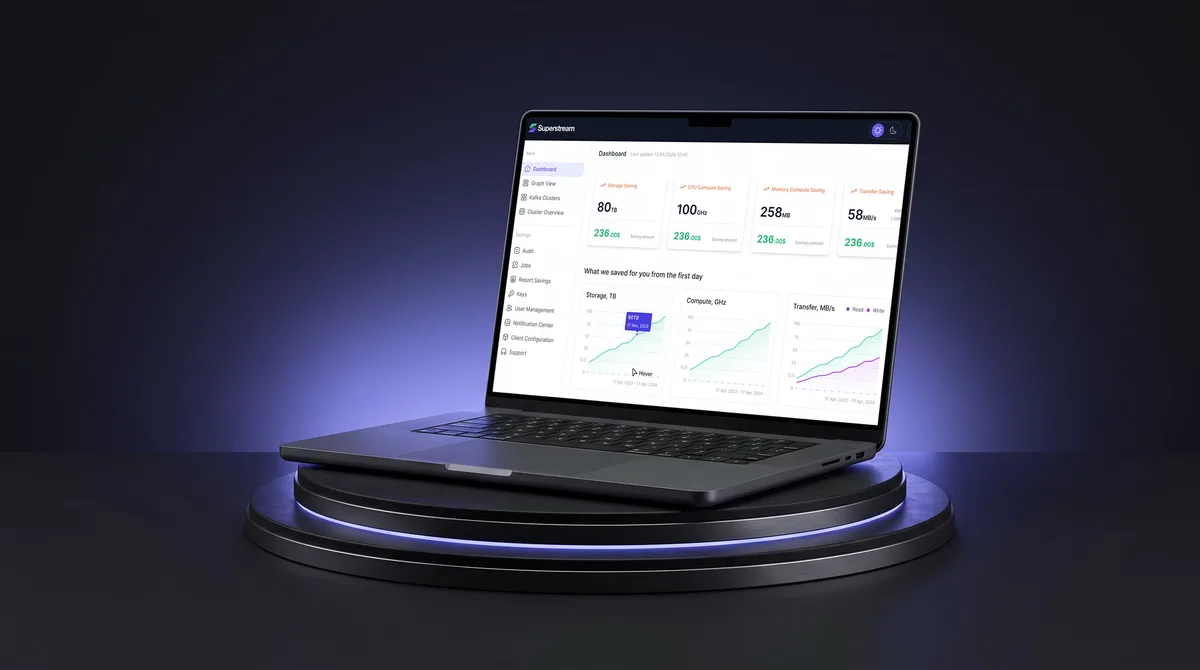
Superstream
Turned a Kafka management platform’s dense technical data into one calm, consistent interface for DevOps teams.
- 3000+ Screens designed
- 1500h+ Design hours
-

E-commerce · Website
easyStorage Netherlands
Designed and built a self-storage website and redesigned its inherited booking app, from a map pin to a booked unit.
- 300+ Screens designed
- 880+ Project hours
-
EdTech · SaaS
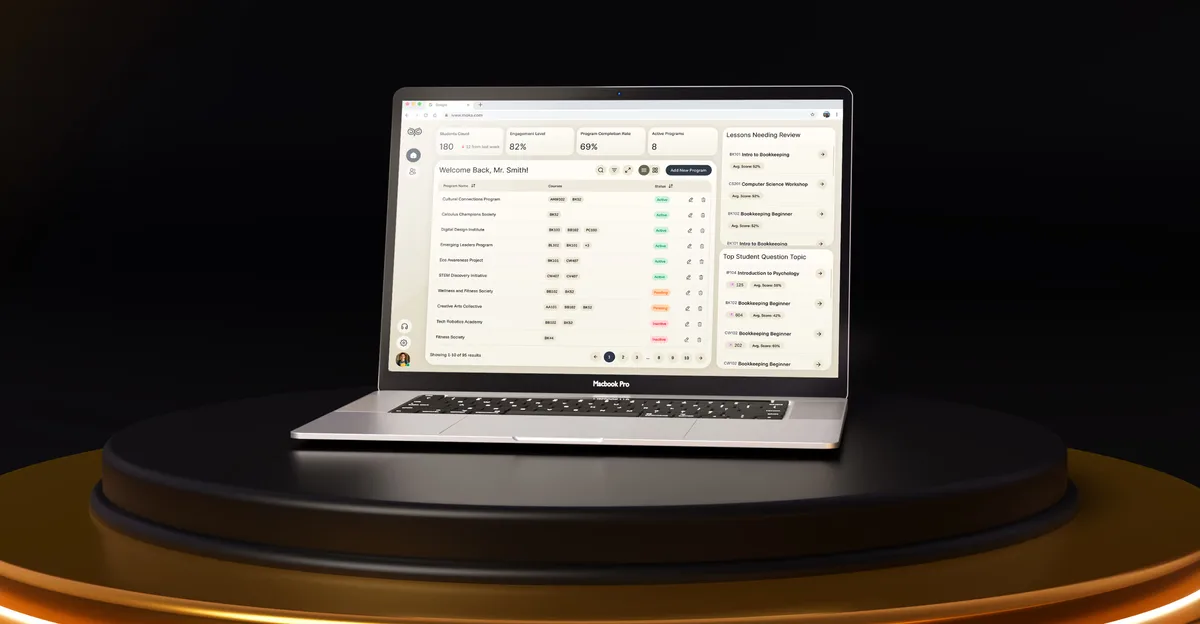
Moka
Designed an AI study assistant for students and the web tools their instructors, curriculum teams and schools run it from.
- 200+ Screens designed
- 4 Experts on the team