
Accessibility in UX Design: How to Build It Into the Product Process
Learn how accessibility fits UX research, interaction design, content, handoff and testing—and how product teams can prioritize and verify barriers.
Design the education products students, teachers and trainers open every day — AI help that explains instead of answering for them, progress people can read, and feedback that arrives while it still matters.

A learning product where nobody is lost for long, for learners, teachers, trainers and the people who run it.
The course platform: structure, lessons, grading, enrolment.
Education & Learning Product Design
The wider education product: AI help, learner apps, live content, access.
Not included
Students who stop trusting the AI, teachers who cannot see who is stuck, lessons that fail on a phone, access that outlives the term: and the design work behind each fix.
An assistant that explains, points back to the course and knows when to call a teacher.
Dashboards that show who is stuck before the grade does.
Short sessions, reminders and progress for learners between other things.

Who joins, who sees what, and what ends with the term.
You receive
Learning platform design has to hold up mid-term: a deadline slips, a student drifts away for a week, an AI answer needs a teacher's eye. We design what the student sees in that moment and what shows up on the teacher's dashboard.
An AI academic assistant, a sales-training platform and a live zoo platform teachers use in lessons.
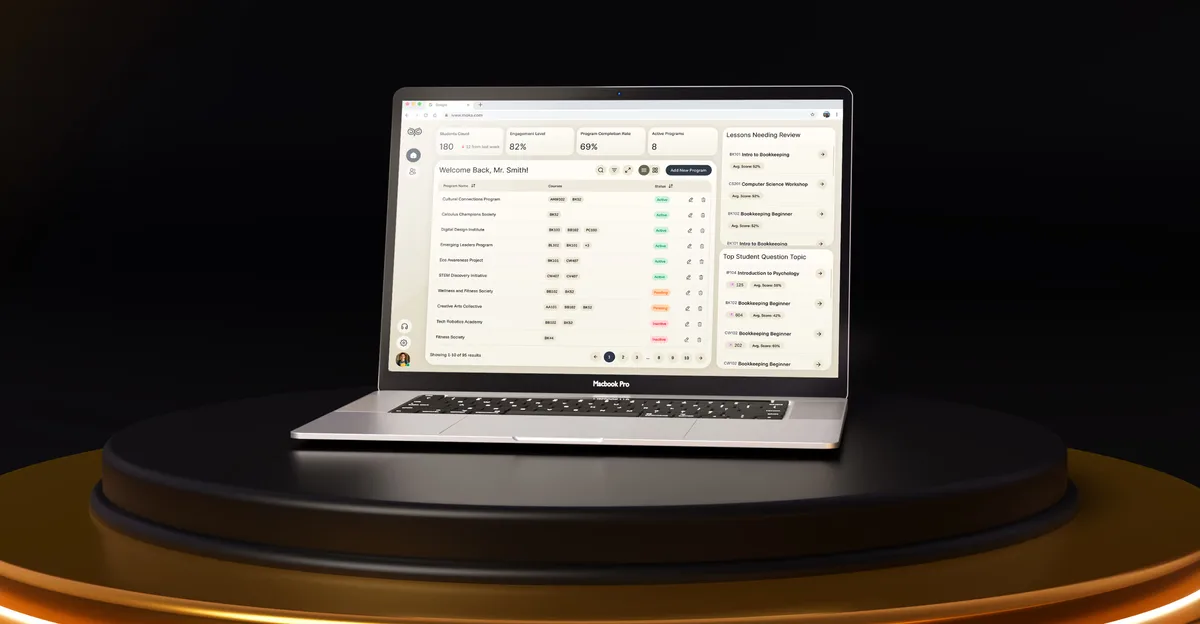
EdTech · SaaS
Designed an AI academic assistant and LMS from a blank canvas — a friendly chat for students and data-rich dashboards for the educators grading them.
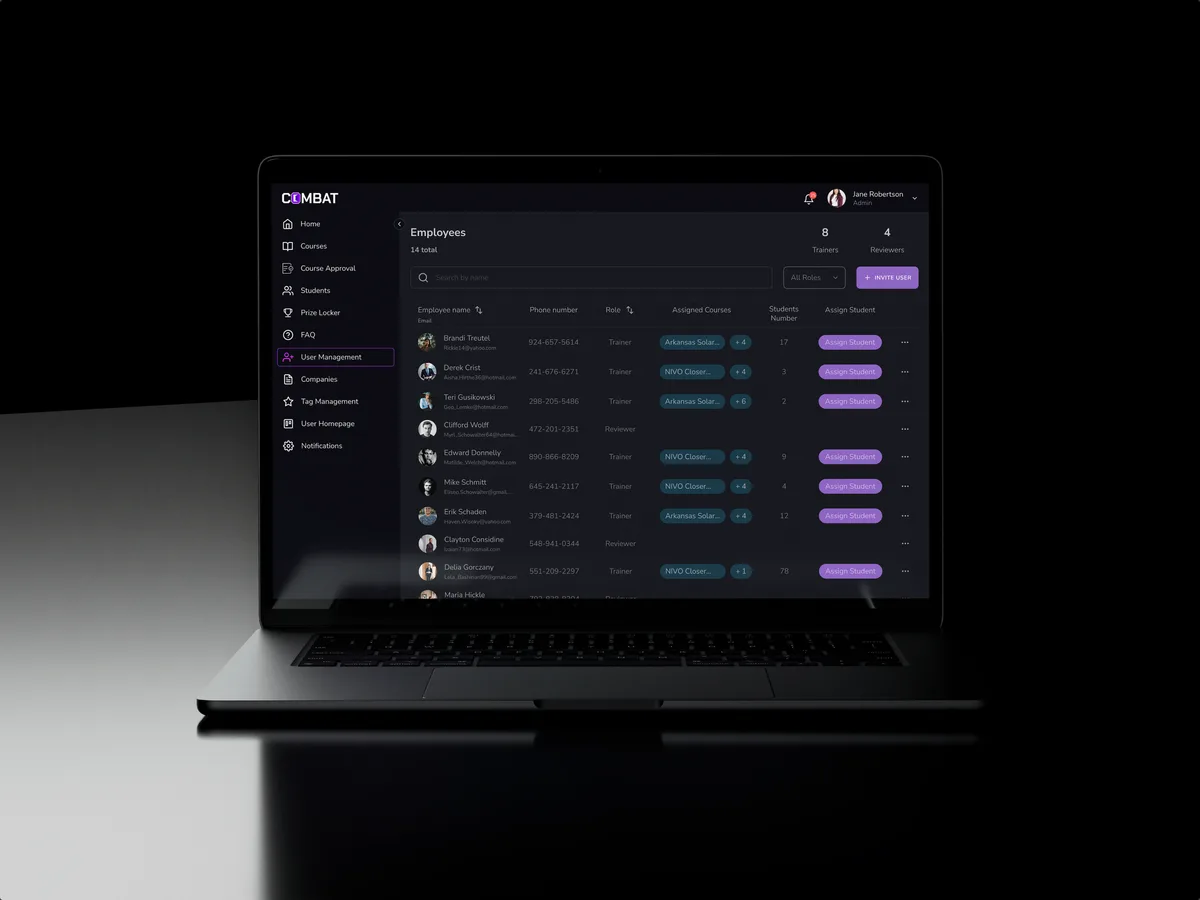
Sales training · Desktop web platform
Redesigned selected areas of a desktop sales-training platform for five roles, in the look its users already knew.
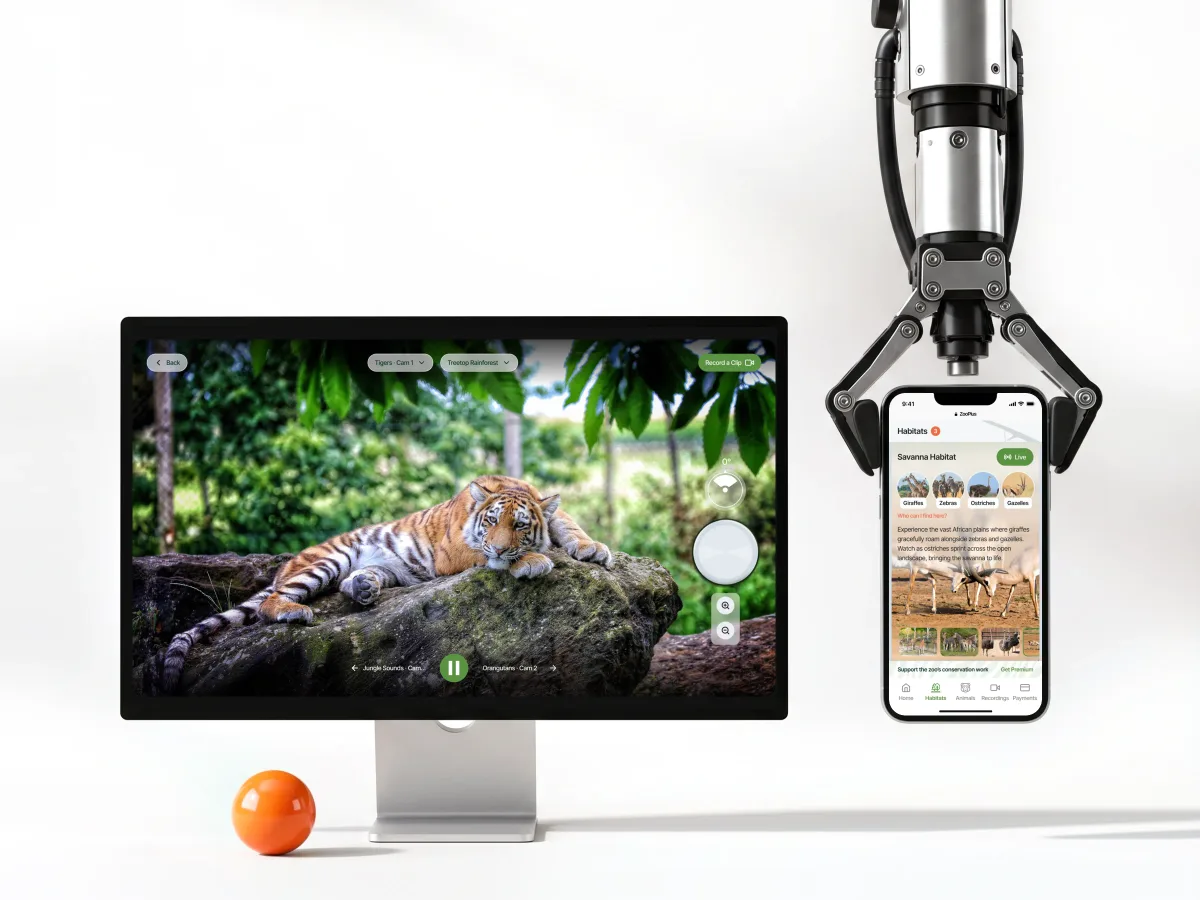
Live streaming · Subscription · Web app
Designed a live animal-streaming platform from zero, where viewers and teachers watch habitats live and recorded, and zoo staff run the cameras and clips.
It fits when people come to learn and someone is responsible for how it goes. See whether these describe your classes.
Learners, teachers, trainers and admins each need their own view.
Students drift away, and the product has to notice before the teacher does.
An assistant answers questions a teacher used to answer alone.
Educators or trainers can review flows and say what good learning looks like.
A different starting point

Tell us who learns, who teaches and where people drift away. You'll get our view on where to start and what that start involves.
What we cover, and when teachers and your product lead see the work, is written into the proposal for the chosen service.
ANODA considered the visitor and administration experiences together in the design. We appreciated the way the proposed mobile journey and web tools share a consistent structure while serving different needs.
Tell us who learns, who teaches, who runs the platform, and where progress stalls.
Message received.
Within 15 minutes, we’ll email you initial feedback and follow-up questions.
Learn how accessibility fits UX research, interaction design, content, handoff and testing—and how product teams can prioritize and verify barriers.
Discover proven mobile app engagement strategies with ANODA UX. Learn to boost retention, improve metrics, and foster lasting connections. Get started today!
Real education work has more than one role in it, so ask to see that. A designer who has been through it can walk you through what a student sees after a missed week, what a teacher sees when a class falls behind, how an AI assistant hands a question to a person, and what engineers were handed for each state. Check which projects started from nothing and which reworked a live product, and who you would work with day to day. Moka was new, Combat Sales a redesign, and ZooPlus serves teachers and home viewers alike.
Learning journeys for every role, course navigation and progress, AI help where it belongs, feedback and grading, teacher and admin views, a prototype to trial with a class, the UI, and files ready for the build. It grows with the number of roles and platforms, how much AI is involved, whether a live product is reworked mid-term, and what exists already. Your first service's proposal puts a price and dates on it.
Students and learners, teachers, trainers and educators, school managers and admins, and sometimes the families who watch along. The workflows are joining and enrolment, finding the next lesson, practice and repetition, asking an AI assistant, handing in work, feedback and grading, progress and reports, and managing who has access to what. The same lesson looks different to each of them: a student needs the next step, a teacher needs who is stuck, and an admin needs who is enrolled and until when.
For learning platform design centred on courses, enrolment and grading, LMS & Learning Platforms. When an AI tutor or assistant is the heart of the product, AI Agent & Conversational UX. A product still before its first class is designed in full through UI/UX & Product Design; a live one that loses learners starts with a UX Audit, and one its users have outgrown moves to Product Redesign. Mobile App Design fits learning on a phone.
We shape the screens; certifying them is not our job. We design what each role may see about a student, how consent and access are handled for younger learners, how an AI answer shows its source and can be flagged, and screens that work with a screen reader and larger text. Whether the product meets student-privacy and accessibility law in your market is for your legal team to confirm; we design to their decisions. Where an AI assistant is involved, your educators decide what it may answer alone and what it must pass to a person.
Someone who can approve decisions, staging with sample courses and a login for student, teacher and admin — never real student records — and an educator or trainer who can say what good learning looks like. Completion data and support tickets point to where people drift away. Bring engineering in early too: the school systems and AI sources you use limit what a lesson screen can do.
Moka, an AI academic assistant and LMS for students, educators and administrators — 200+ screens designed. Combat Sales, a desktop sales-training platform for five roles, redesigned in selected areas — 80+ final desktop screens and interaction states. ZooPlus, a live animal-streaming platform designed from zero, where viewers and teachers watch habitats live and recorded. Their case pages give the full figures. In Moka, a student's chat and an educator's analytics had to feel like one product; in Combat Sales, every change had to land without breaking a working day.
Yes. Many learning products are live, with students mid-course and teachers relying on them every week. We build on your files and design system — the Combat Sales redesign kept the look its users already knew — working beside your designers and engineers, and every file is yours at the end. Changes are planned around the teaching calendar, so nobody loses their place mid-term.