
HRIS design for three roles, one workforce lifecycle
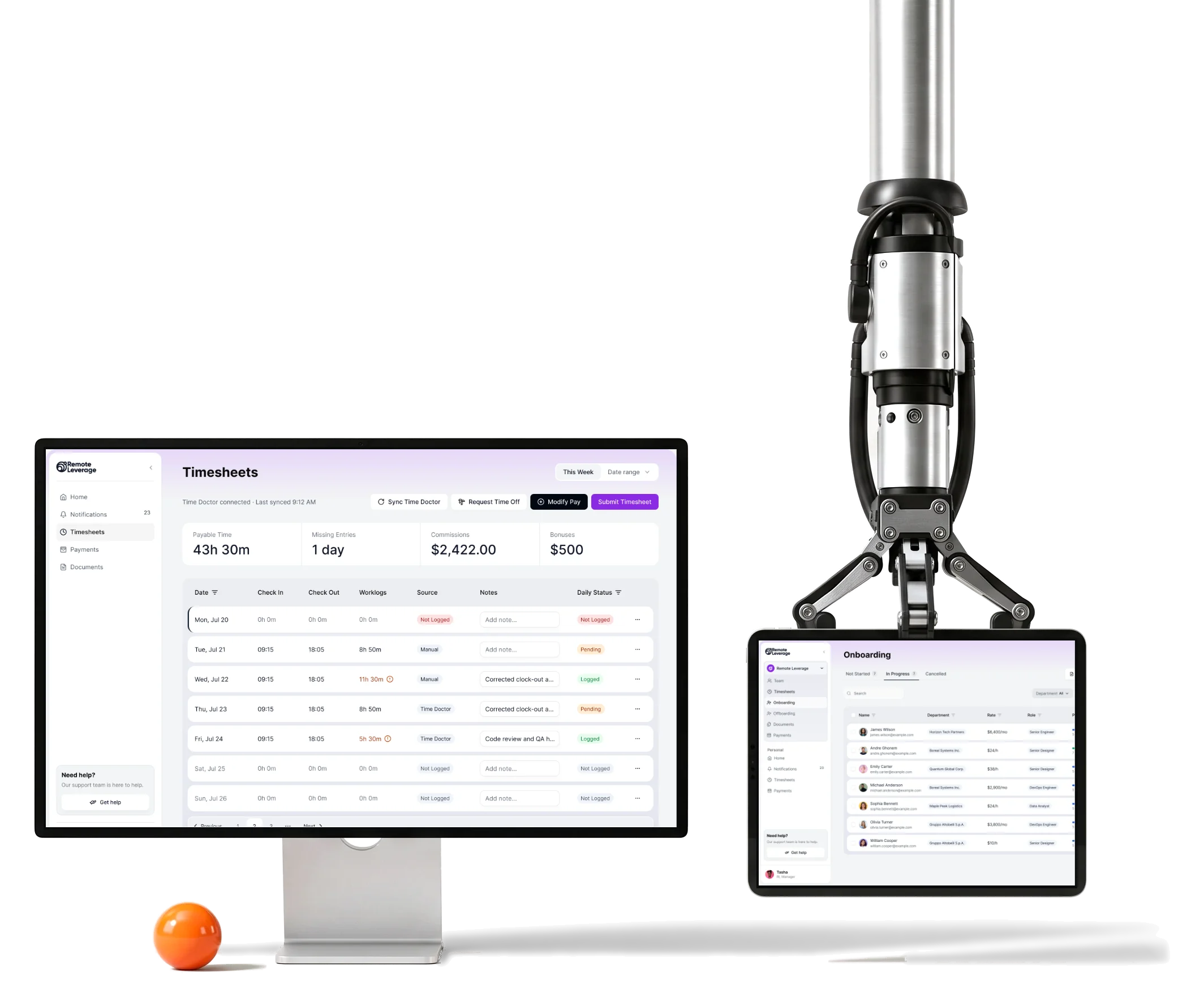
HRIQ is Remote Leverage’s HRIS for onboarding, paying and offboarding a global workforce.We designed it for Talent, Business Managers and Remote Leverage Managers.
- 3
- roles Talent, Business Manager and Remote Leverage Manager
- Hire
- to offboarding documents, time and payments, all connected
- Tailwind
- -aligned system and UI kit for the client’s React team
Project summary
We designed Remote Leverage’s HRIQ workforce-operations web platform around the contractor lifecycle, from onboarding and documents to time, payments and offboarding. Our product design connected contractor, manager and staff responsibilities without losing plan-specific permissions. UX and UI , prototypes and a Tailwind-aligned design system gave the client’s developers a defined experience and its states.
How the engagement ran
- Scope
- Design and handoff only. The client’s own engineers build the React and Tailwind product.
- Feedback
- It arrived in weekly calls, so every decision was written back into the information architecture and the handoff notes rather than left in a conversation.
- Schedule
- The deadline moved earlier partway through, and the scope was recut: the most privileged role was dropped from what we delivered.
- Roles
- Talent, Business Manager and Remote Leverage Manager. Business Admin, Payroll Admin and Super Admin were not designed.
What one contractor’s month passes through
One chain, from the offer to the exit:
Our enterprise software design guide connects responsibilities across timesheets, document review and offboarding without flattening every role into one dashboard.
-
Sign-up
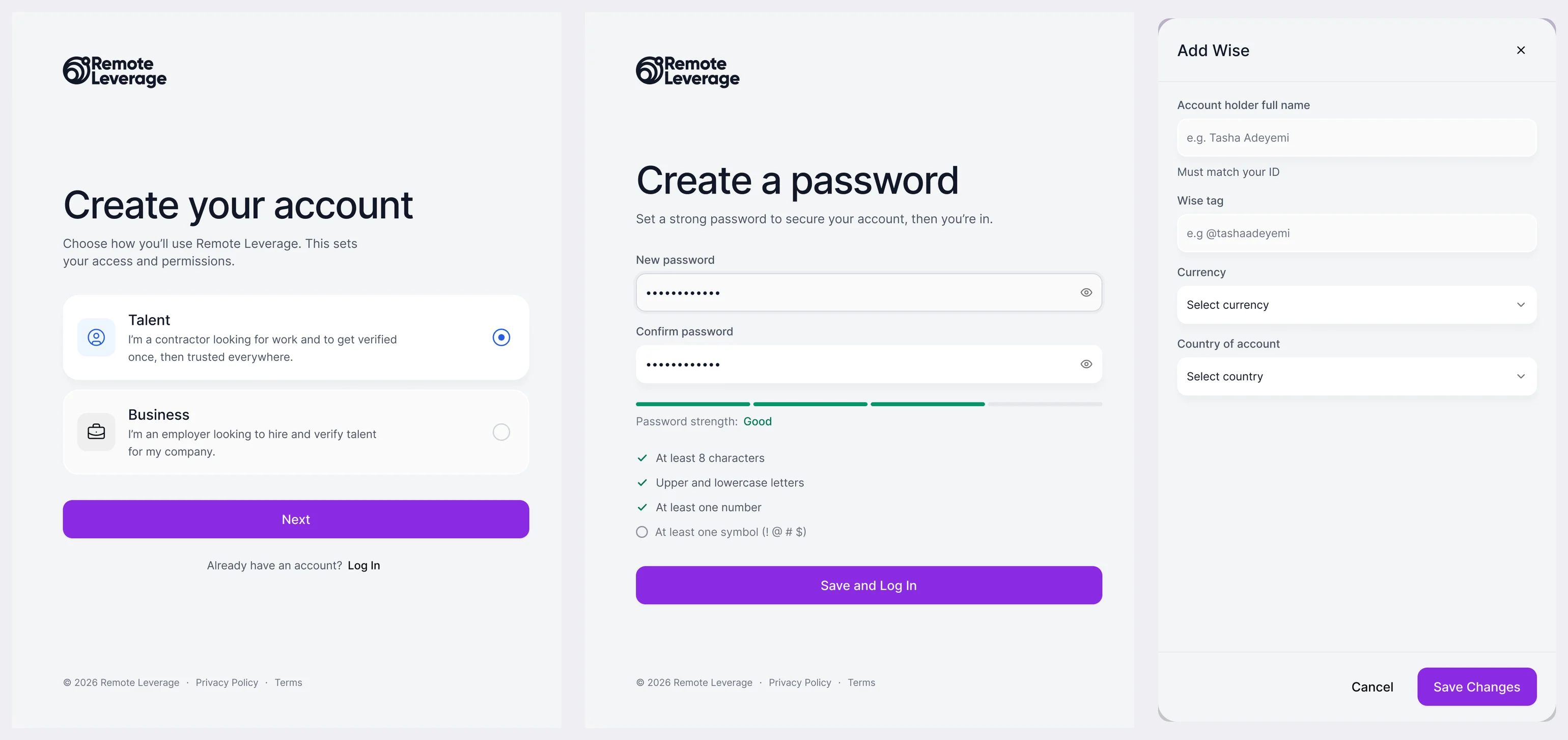
- Choose a role
- Password
- Verification
-
Onboarding
- Checklist
- Personal details
- Orientation call
-
Documents
- Upload and sign
- Manager review
- Templates
-
Time
- Daily entries
- Time Doctor sync
- Submit for approval
-
Payments
- Payout method
- Pay periods
- History and receipts
-
Offboarding
- Last day
- Final pay
- Access removal
- Read-only visibility and Operational control
- A client’s manager gets a clear view without the buttons that change a contractor’s pay or documents.
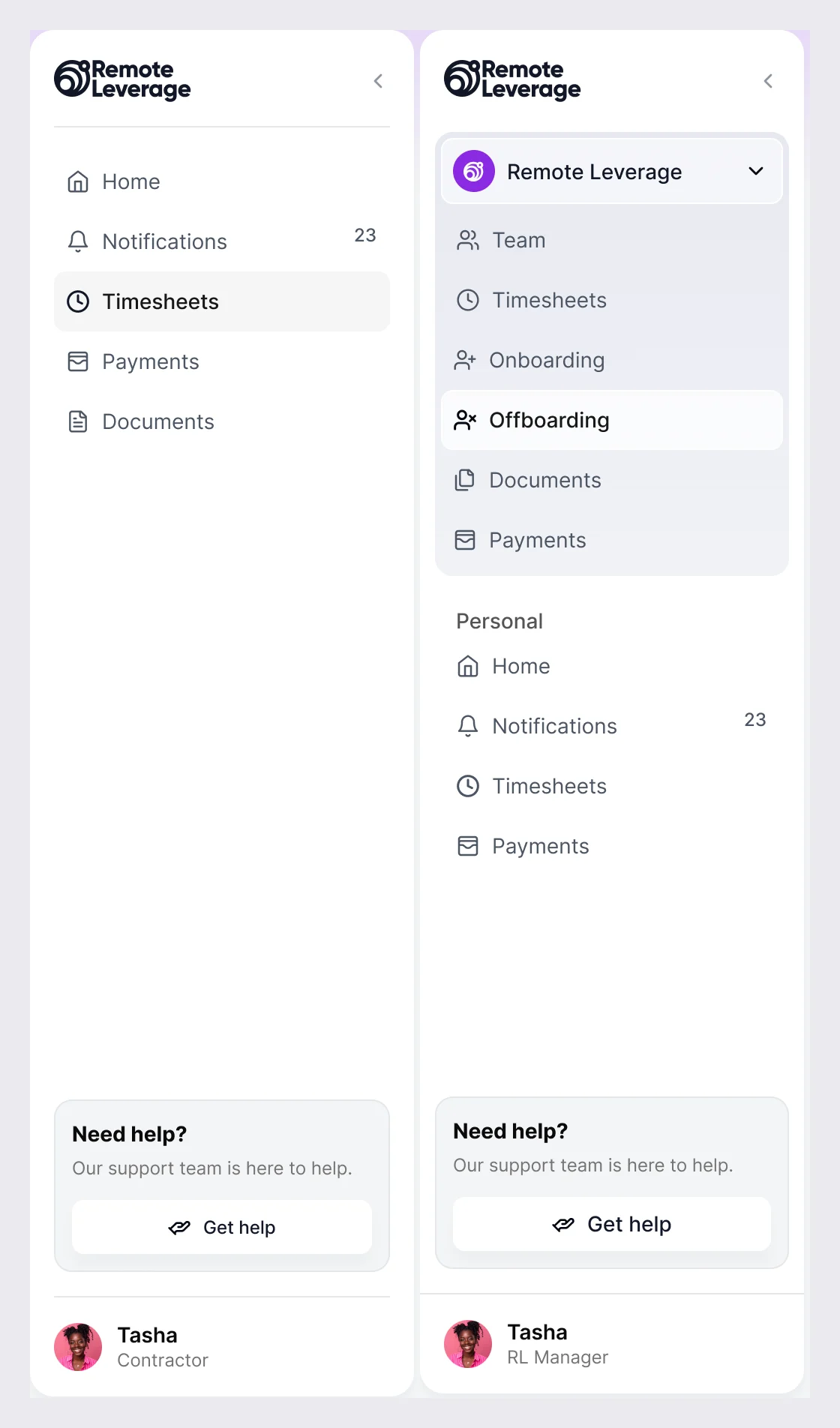
- Many companies and One manager
- Remote Leverage staff switch between organisations, and the screen always says which company they are acting in.
- Their services and Our screens
- Identity checks, signatures, payouts and time sync show up as states people can read, in the product’s own voice.
A week of work, read in one look
- Found
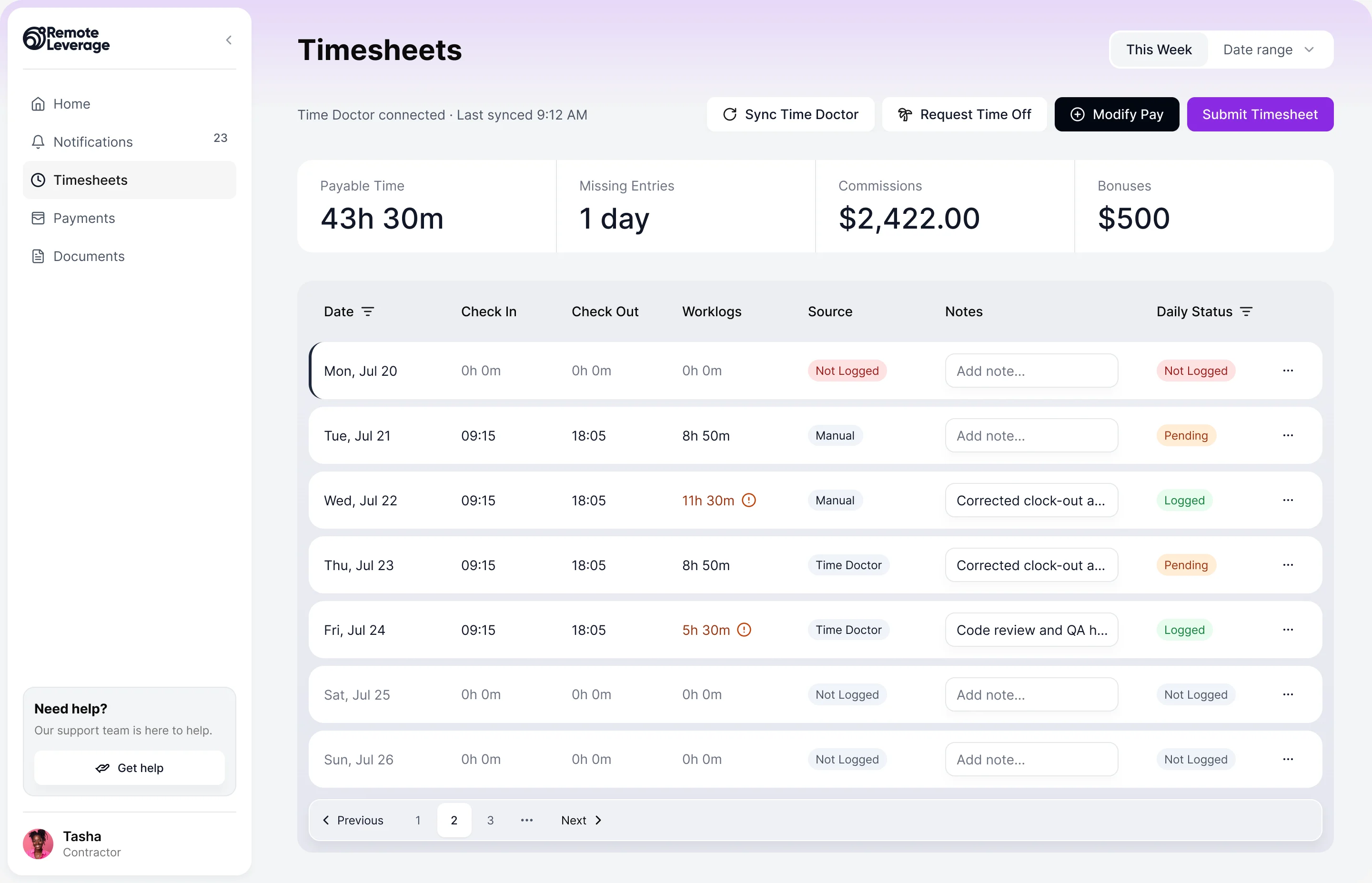
- Hours, sync status, missing days, pay extras and the submit button all compete on the timesheet, and a contractor who cannot tell what is still open submits late or not at all.
- Decided
- The week and its source first, then the totals that matter to pay, then one row per day with its own status. The actions sit above, in the order a contractor uses them.
- For the user
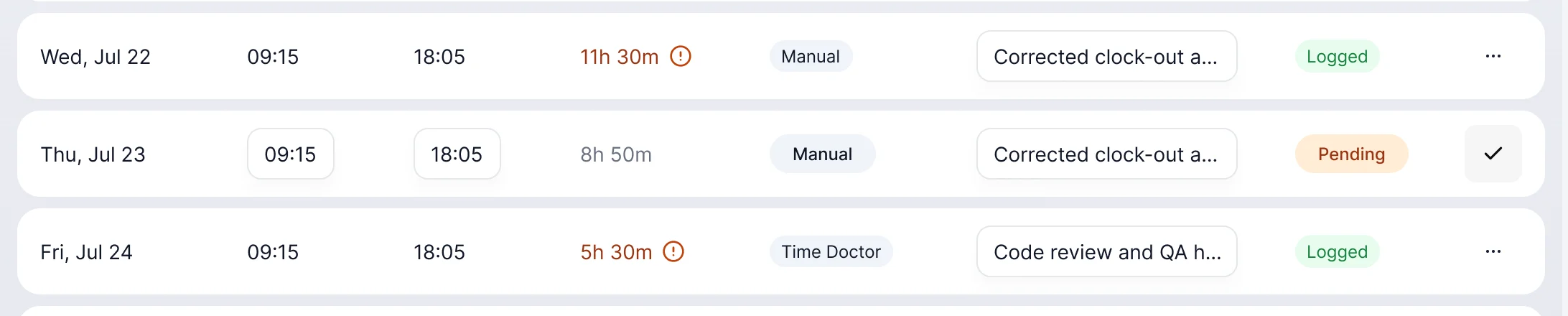
- A contractor sees which days are logged, which are pending and which are missing before pressing Submit.
-
The week, the actions
Date range, last sync, one primary action.
-
What it adds up to
Payable time, missing entries, bonuses.
-
One row per day
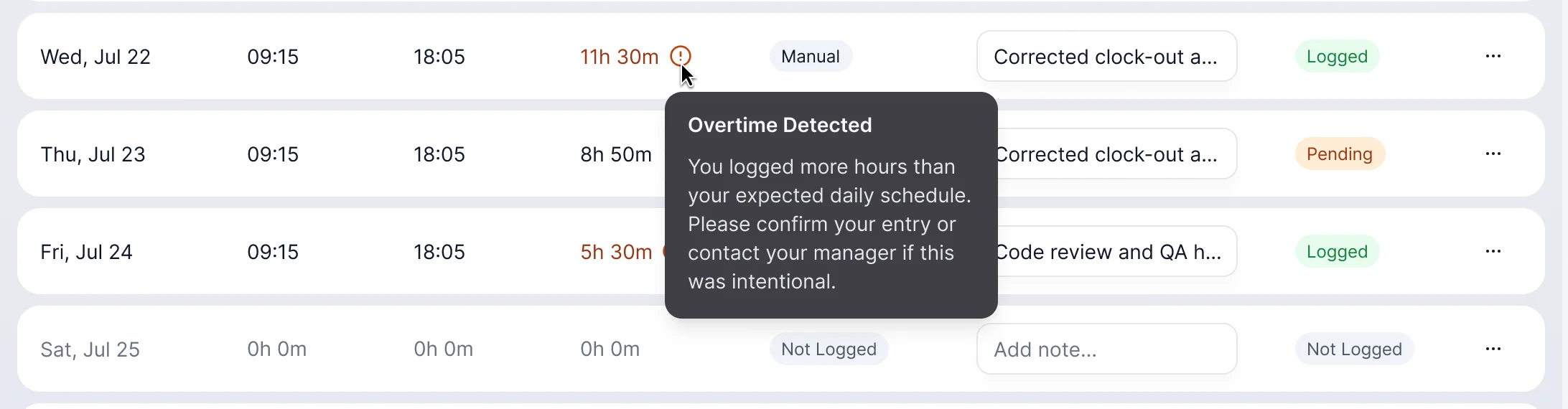
Times, worklog, source, a note and a status chip. Odd days are flagged in place.
How the work progressed
From documentation that mixed roles and tasks to a product and a system the client’s developers could build from.
-
Discovery
What the platform had to do, for whom, and which requirements contradicted each other
Artifact Normalised requirements
-
UX Audit
Where the existing flows and documents confused roles and permissions
Artifact A UX audit for the client
-
Information Architecture
Who is allowed to see, submit, approve and change each thing, in one model
Artifact The information architecture and role model, the source of truth for everything after
-
User Flow
How onboarding, documents, time, payments and offboarding connect for each role, and where one role hands over to another
Artifact Role- and workflow-based user flows and screen maps
-
Wireframes
Where each role’s tables, panels and actions sit, before any colour or styling
Artifact Wireframes for every module and role
-
UI & Design system
One set of tables, panels, dialogs, chips and states shared by all three roles
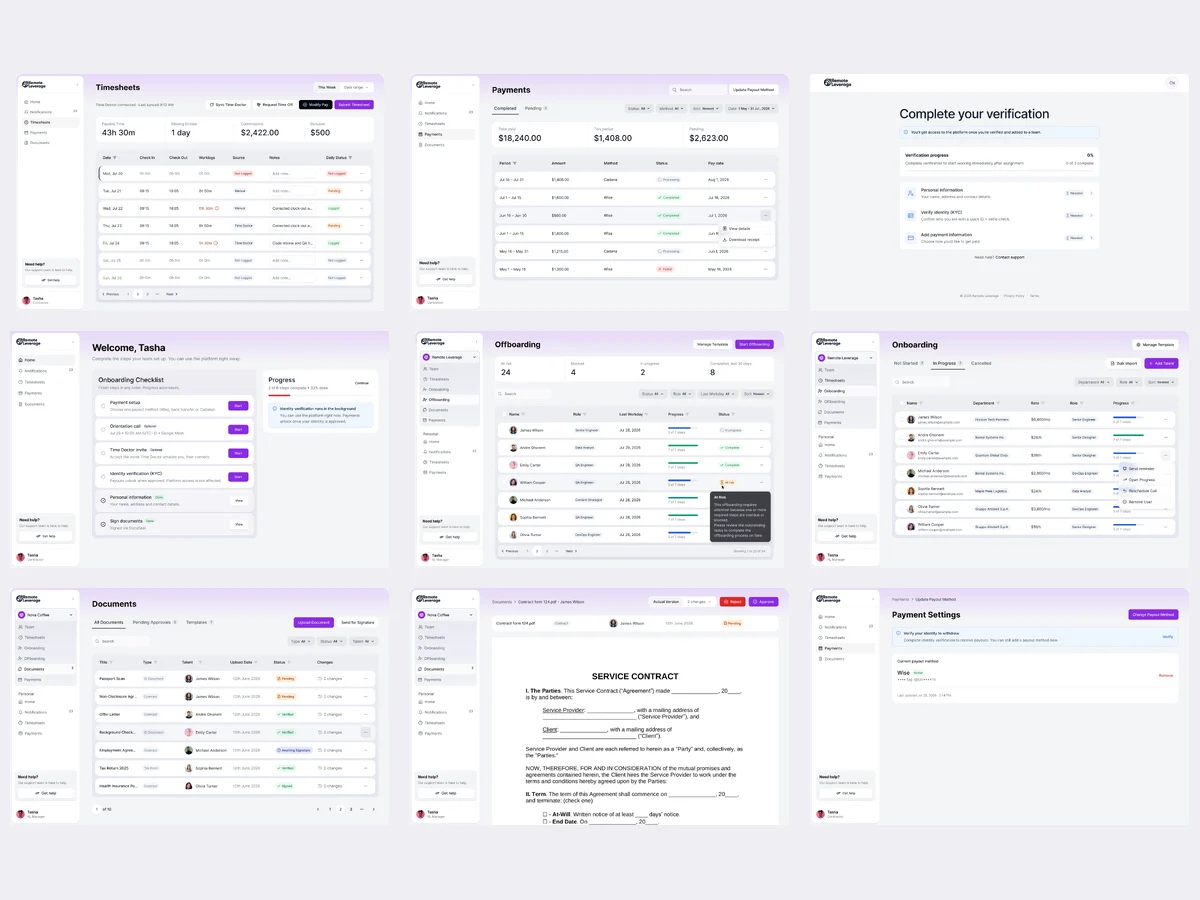
Artifact High-fidelity UI, clickable prototypes, a complete design system aligned to Tailwind, a UI kit and a component library
-
Animation
How the product behaves while it works: panels, loading, upload, toasts and success
Artifact Interaction and state specifications, and animation and loading behaviour
-
Delivery
What the client’s engineers needed to build every screen and state without guessing
Artifact Handoff documentation, screen-level states and permissions, and the final Figma and asset export
From sign-up to exit
- Found
- Each step of the lifecycle belongs to a different role and screen, and a person who loses the thread stops and asks support.
- Decided
Every path drawn with its states before the UI: three runs of screens, and a menu that shows each role only its own places.
Our user-flow guide settles each role, permission and recovery path before screens multiply.
-
-
The contractor’s checklist
A welcome with what is done and what is next, a review before submitting, and the same checklist for leaving.
Open the full map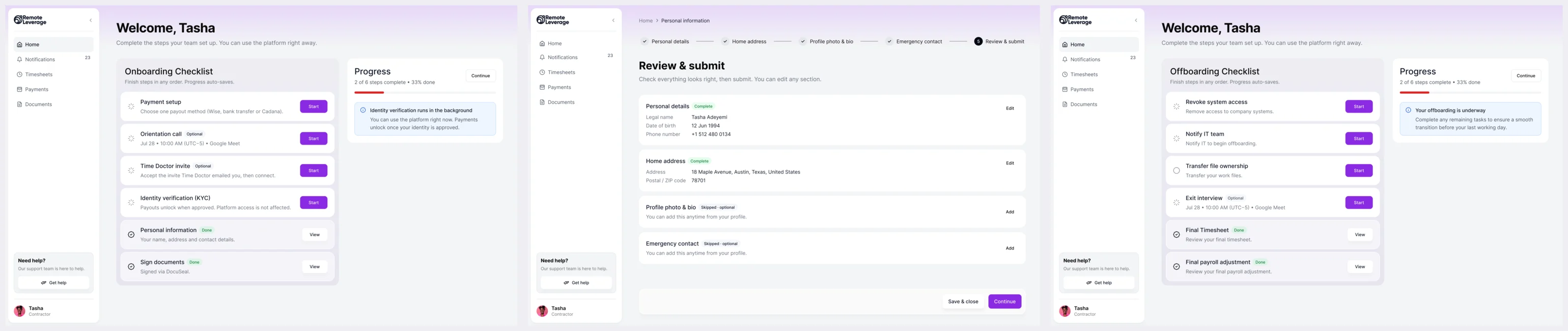
-
Offboarding, four steps
The last day, the final pay, what is switched off, and one confirmation.
Open the full map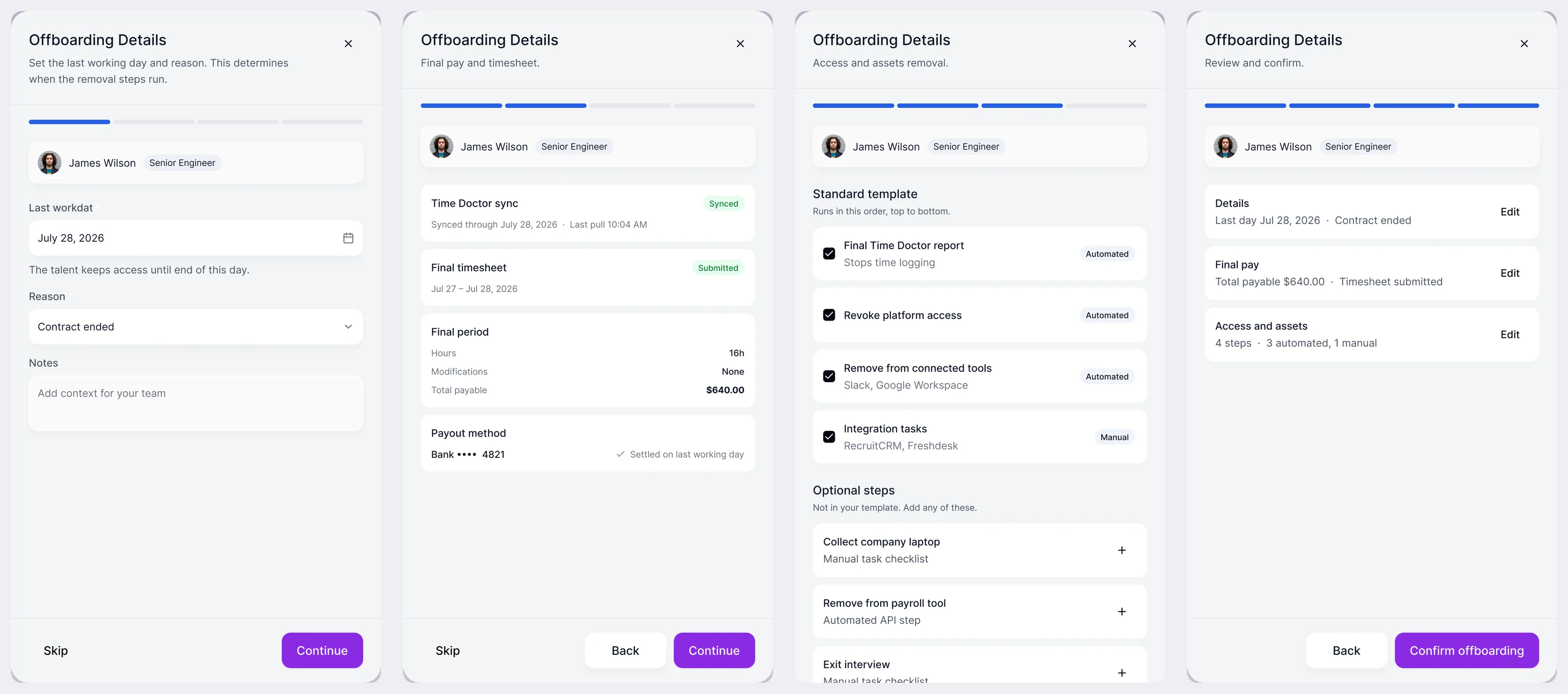
Six jobs the platform has to get done
In the order a contractor meets them, then the manager’s side.
Contractors waiting on managers and support explaining every status point to a disconnected lifecycle. Bring ANODA’s HRTech design team that journey: we clarify the next action while keeping rights distinct.
Time a contractor can stand behind
- Found
- Hours arrive from a tracker, get corrected by hand and are questioned later. A contractor needs to see what is odd before a manager does.
- Decided
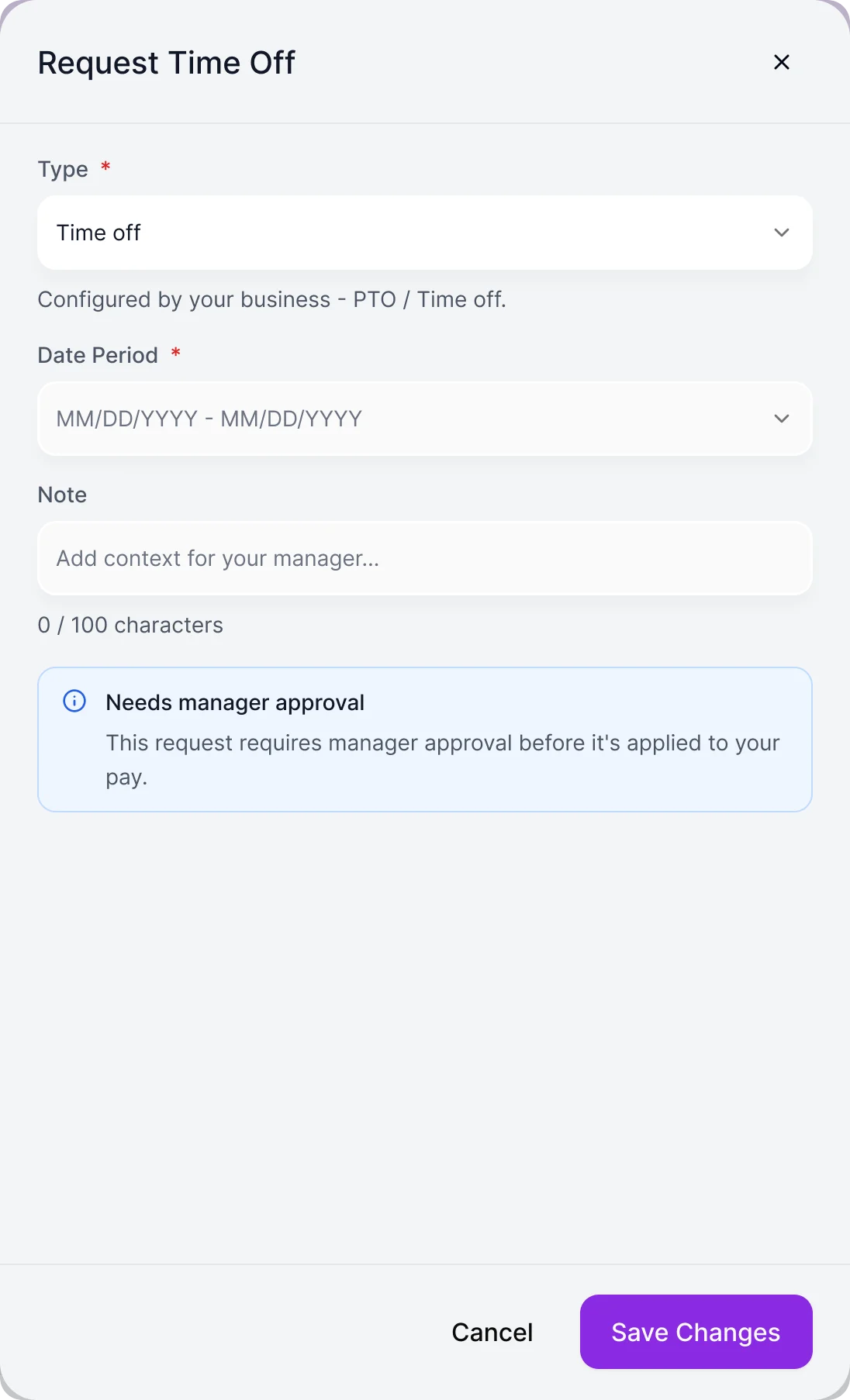
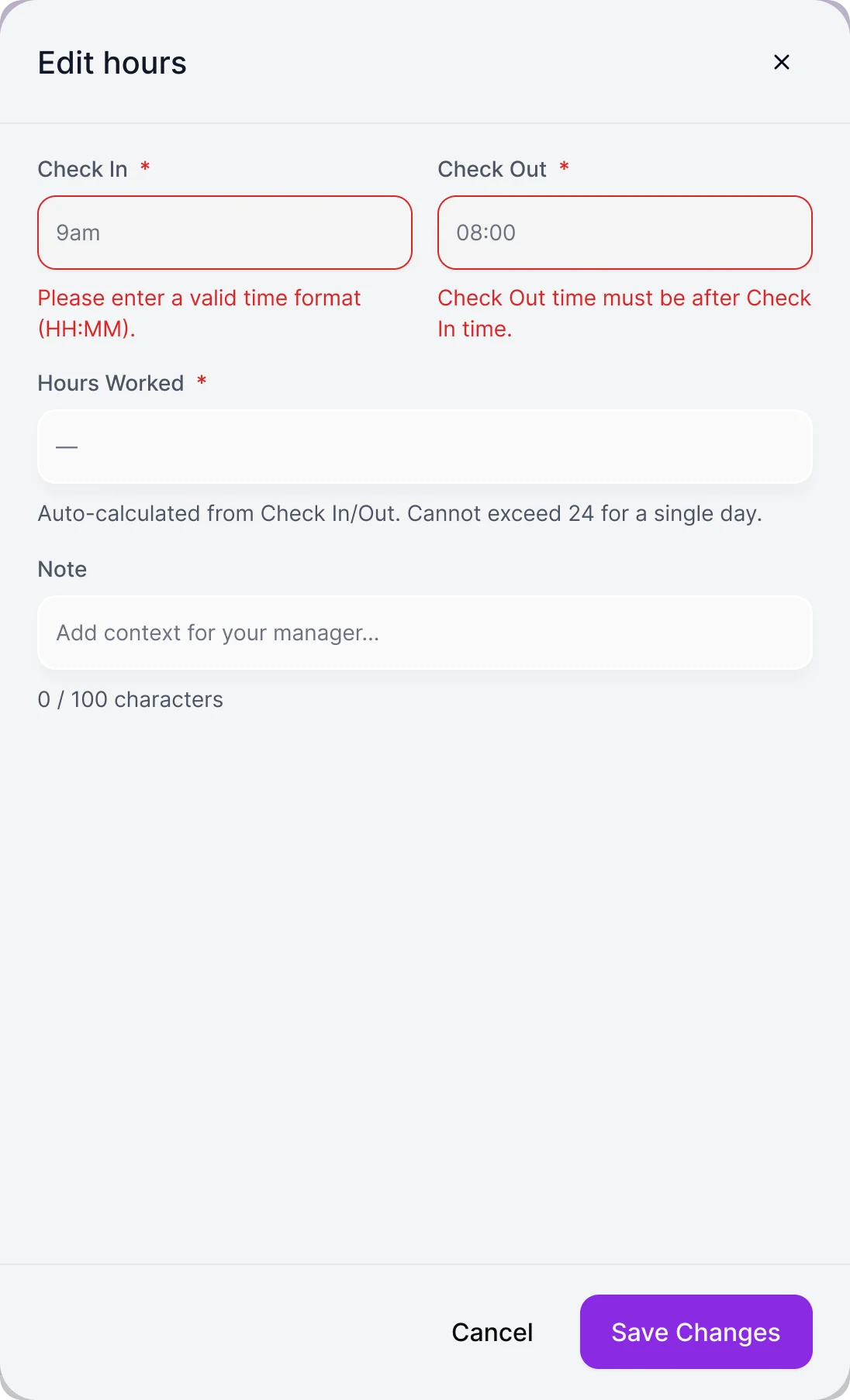
- Odd days flagged in the row with a plain explanation, a day editable in place, time off and pay changes as requests that say they need a manager’s approval, and errors named next to the field.
Documents checked once, in one place
- Found
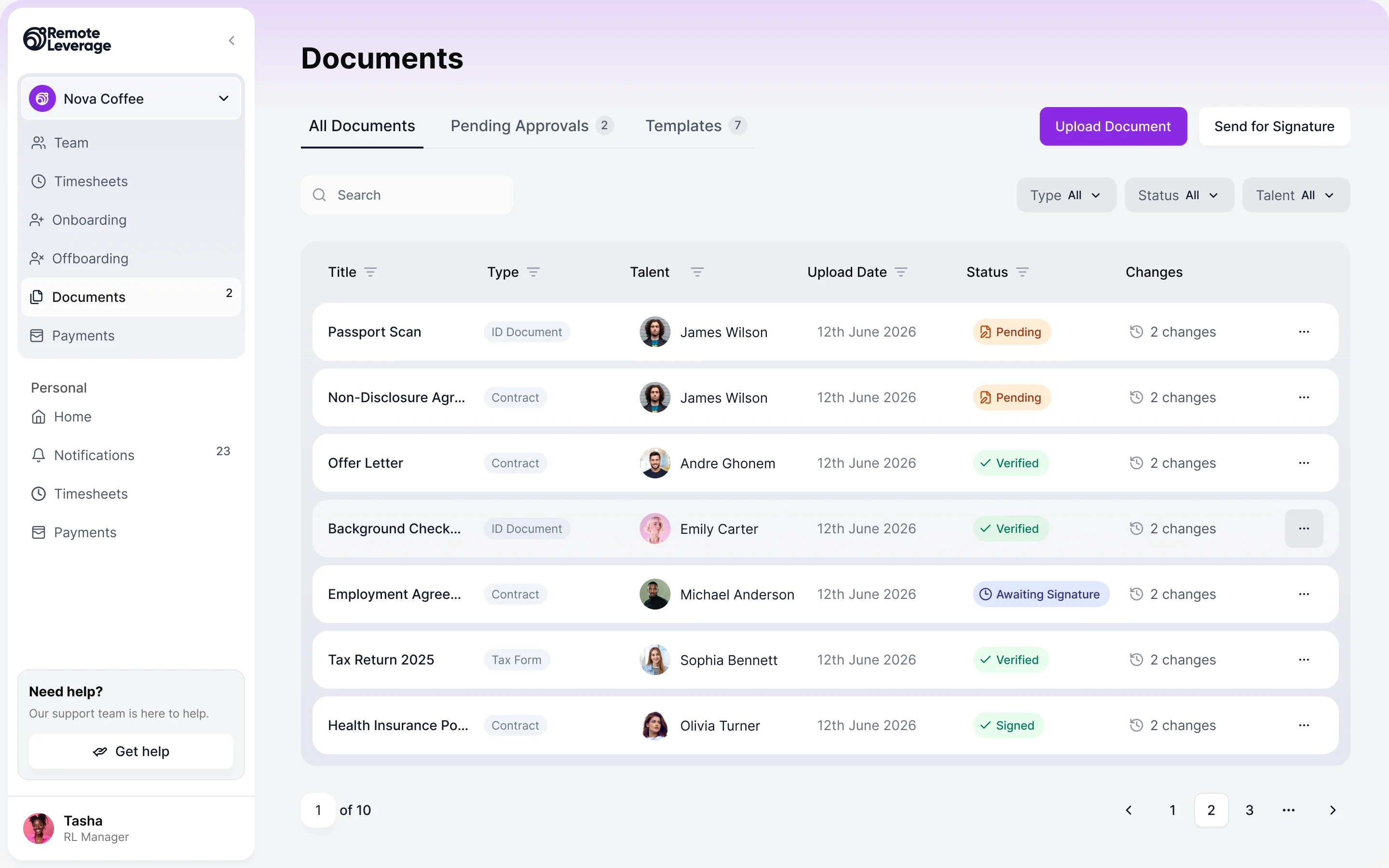
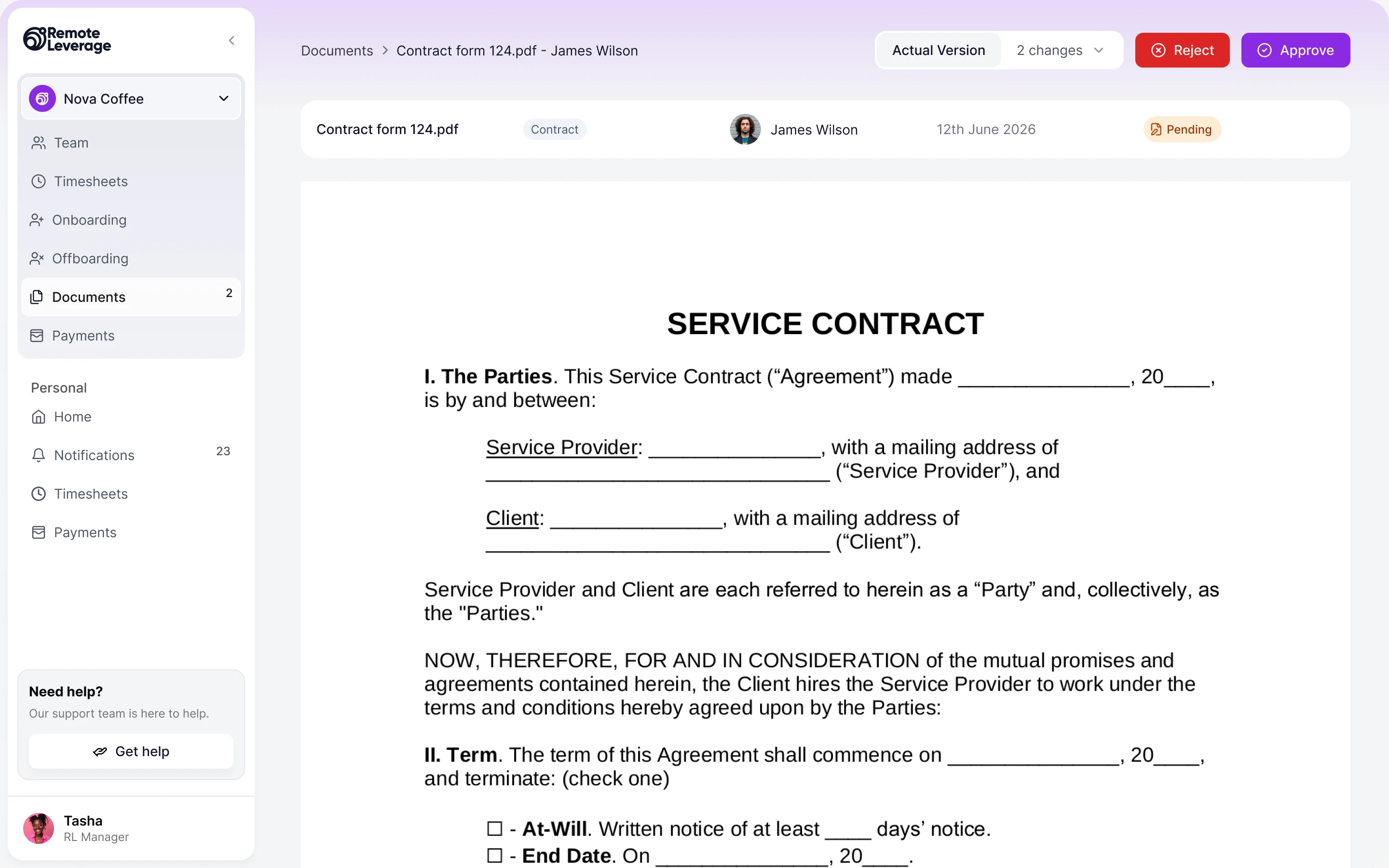
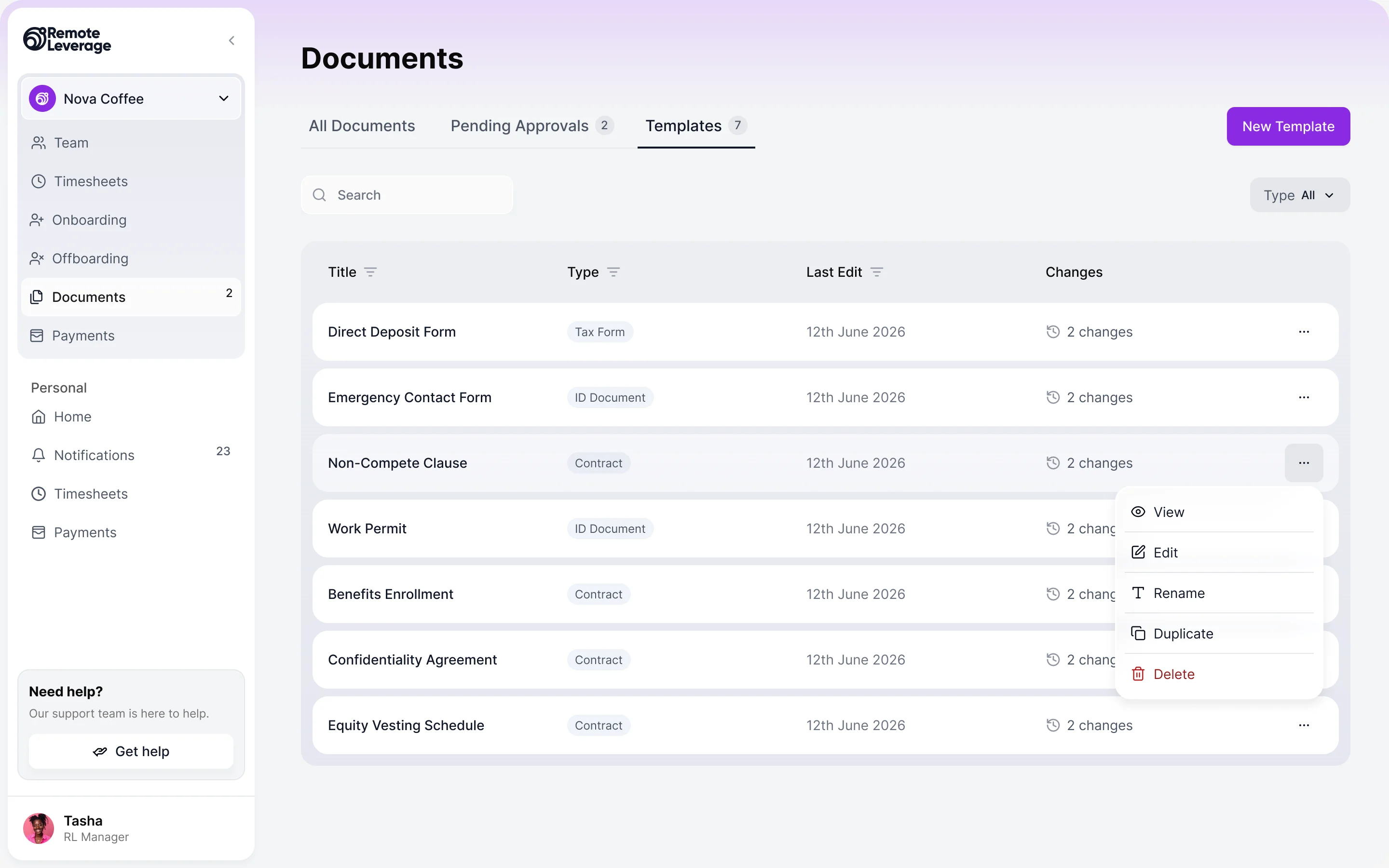
- Contracts, IDs and tax forms arrive from many contractors across many companies, and a manager has to know which are waiting, which are verified and which went back.
- Decided
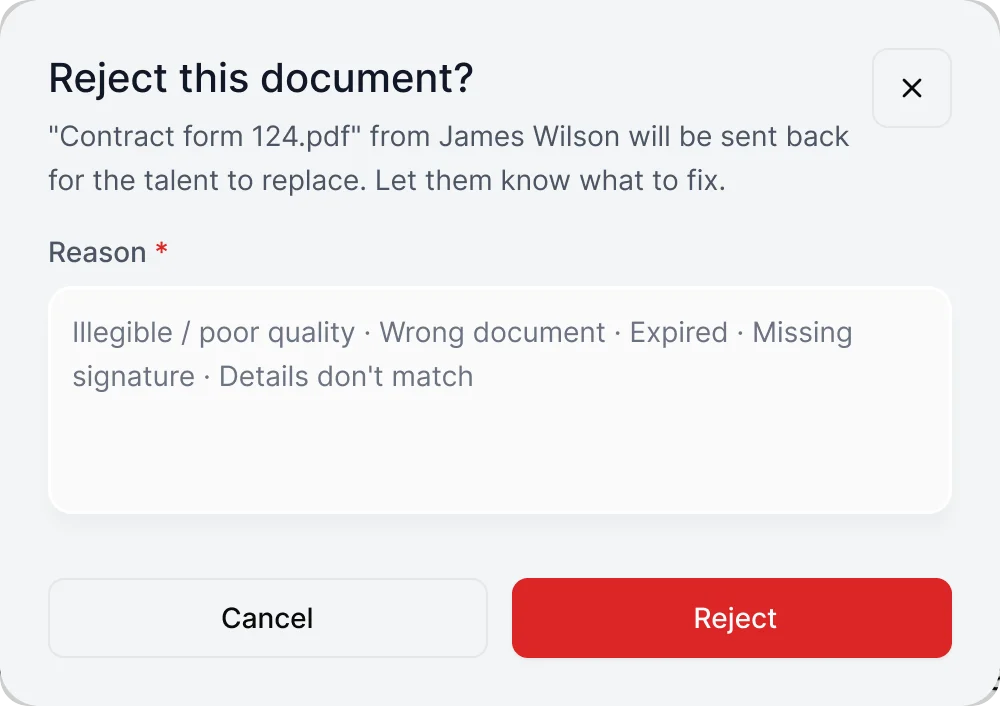
- One list with type and status on every row, a preview with approve and reject side by side, a reason required to send a document back, and templates kept in their own tab for signing through DocuSeal.
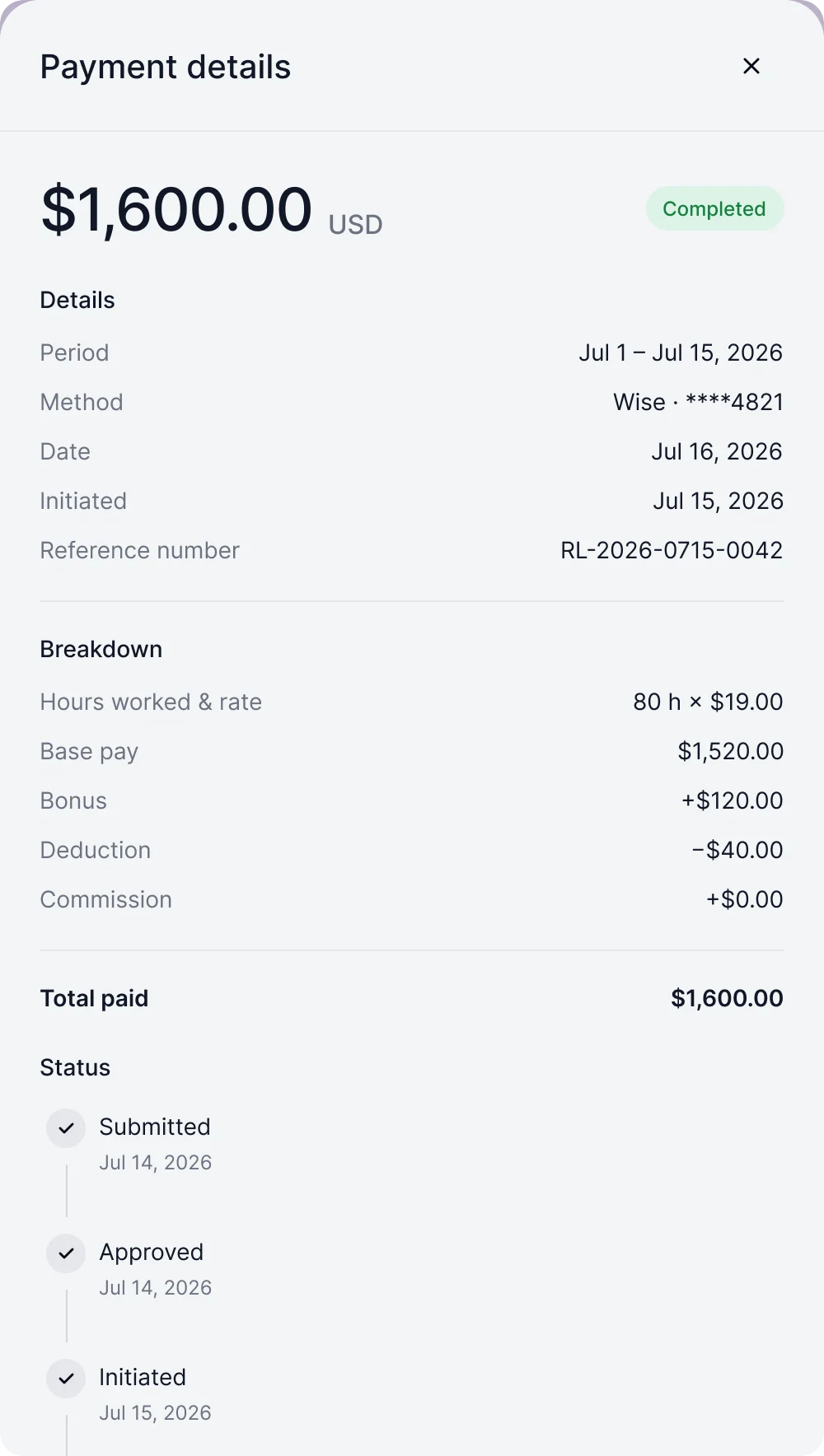
Payments a contractor can read
- Found
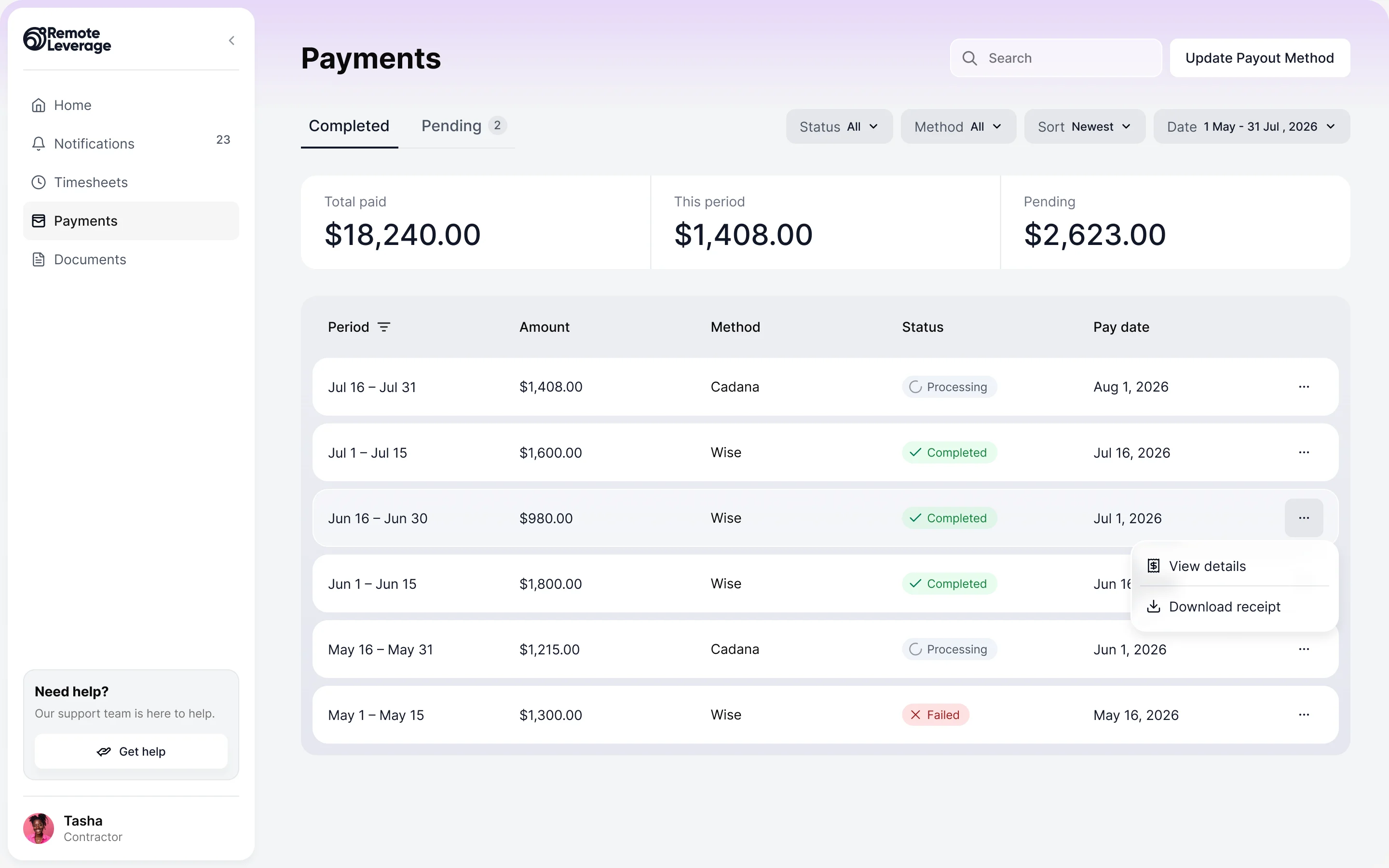
- A payout is a period, an amount, a method and a status, and when one is stuck or failed a contractor’s only option is to write to support.
- Decided
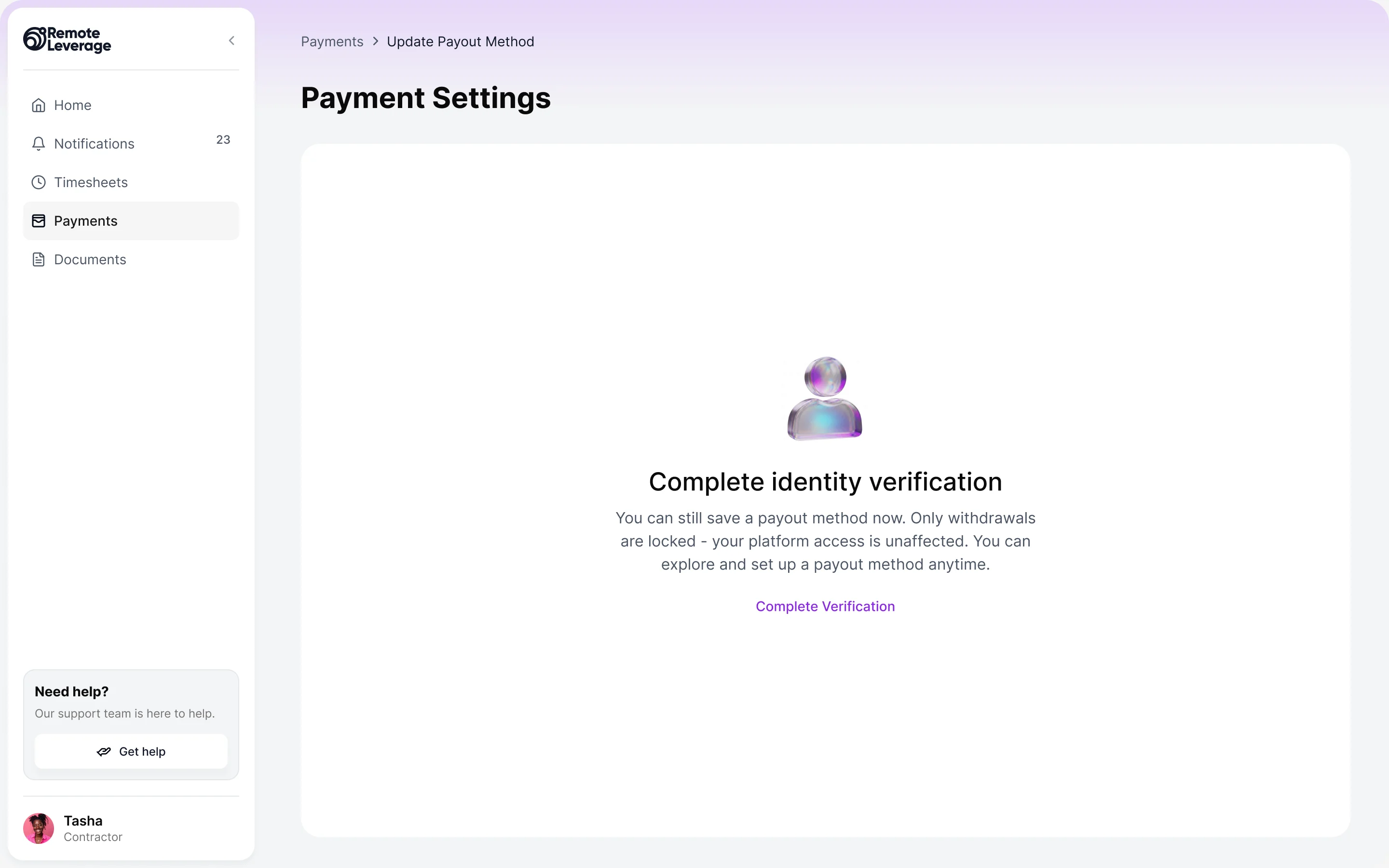
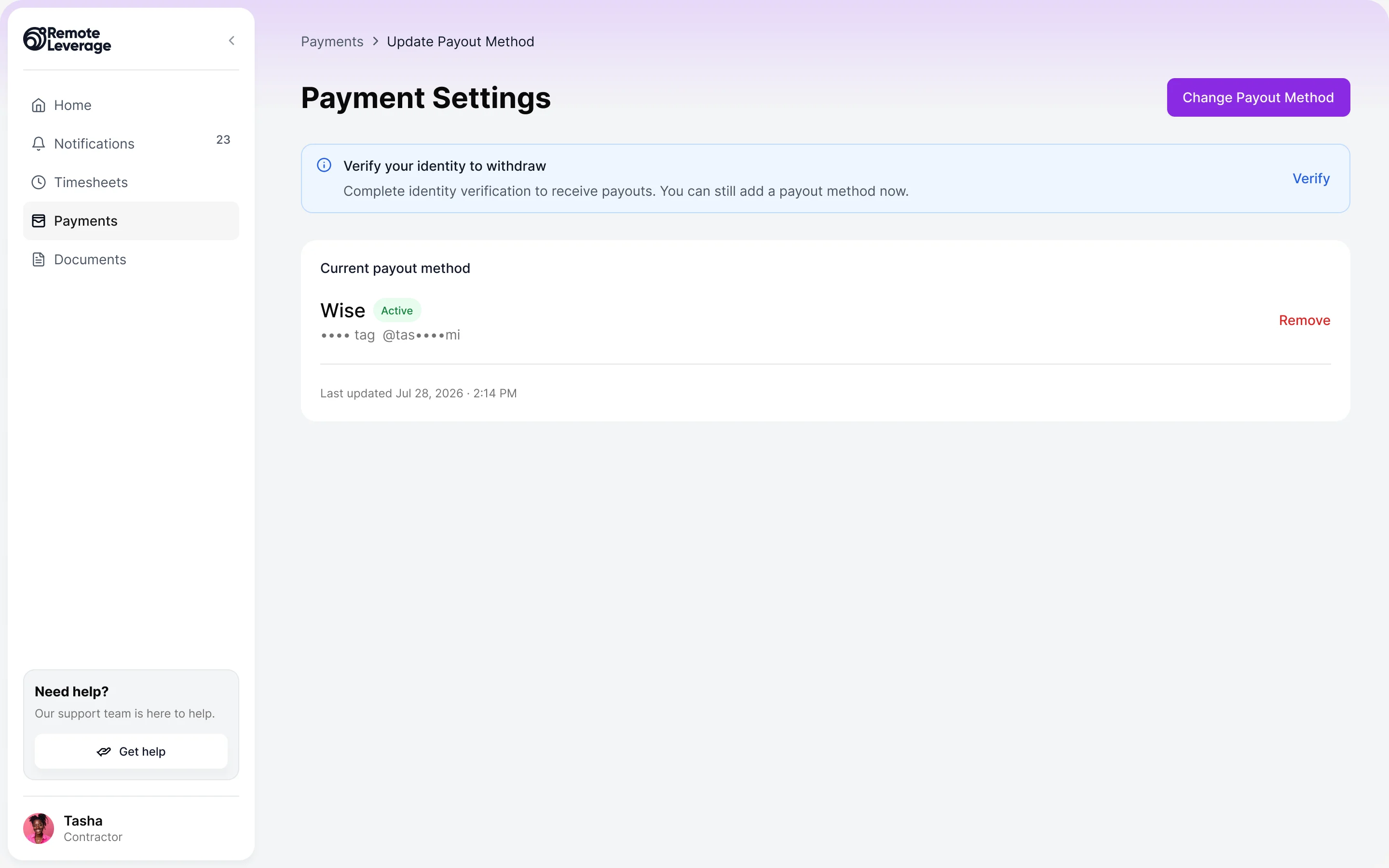
- One history with a status on every payout, a panel that breaks the amount into hours, extras and deductions with its own timeline, and a payout method that says what is locked until identity is verified.
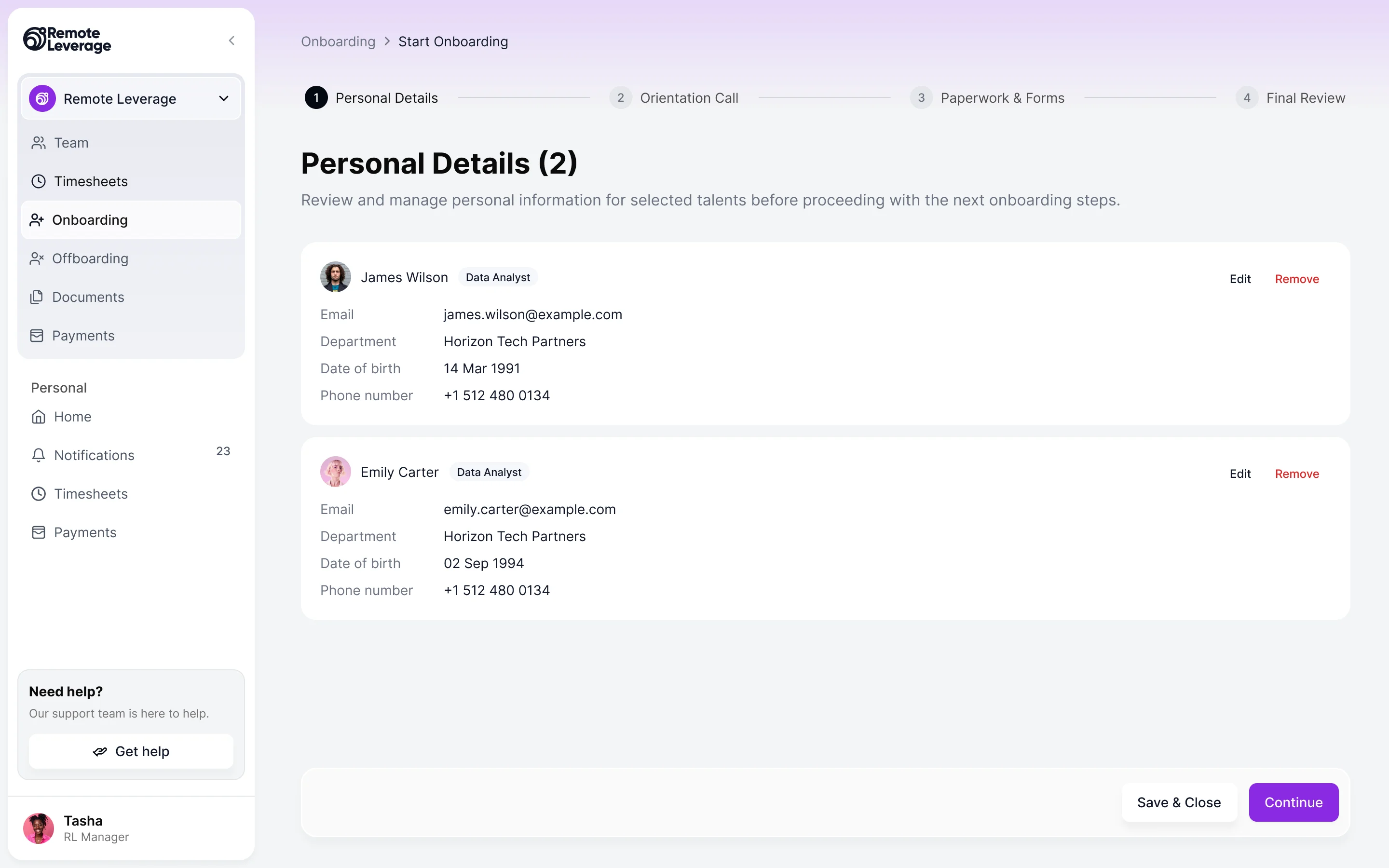
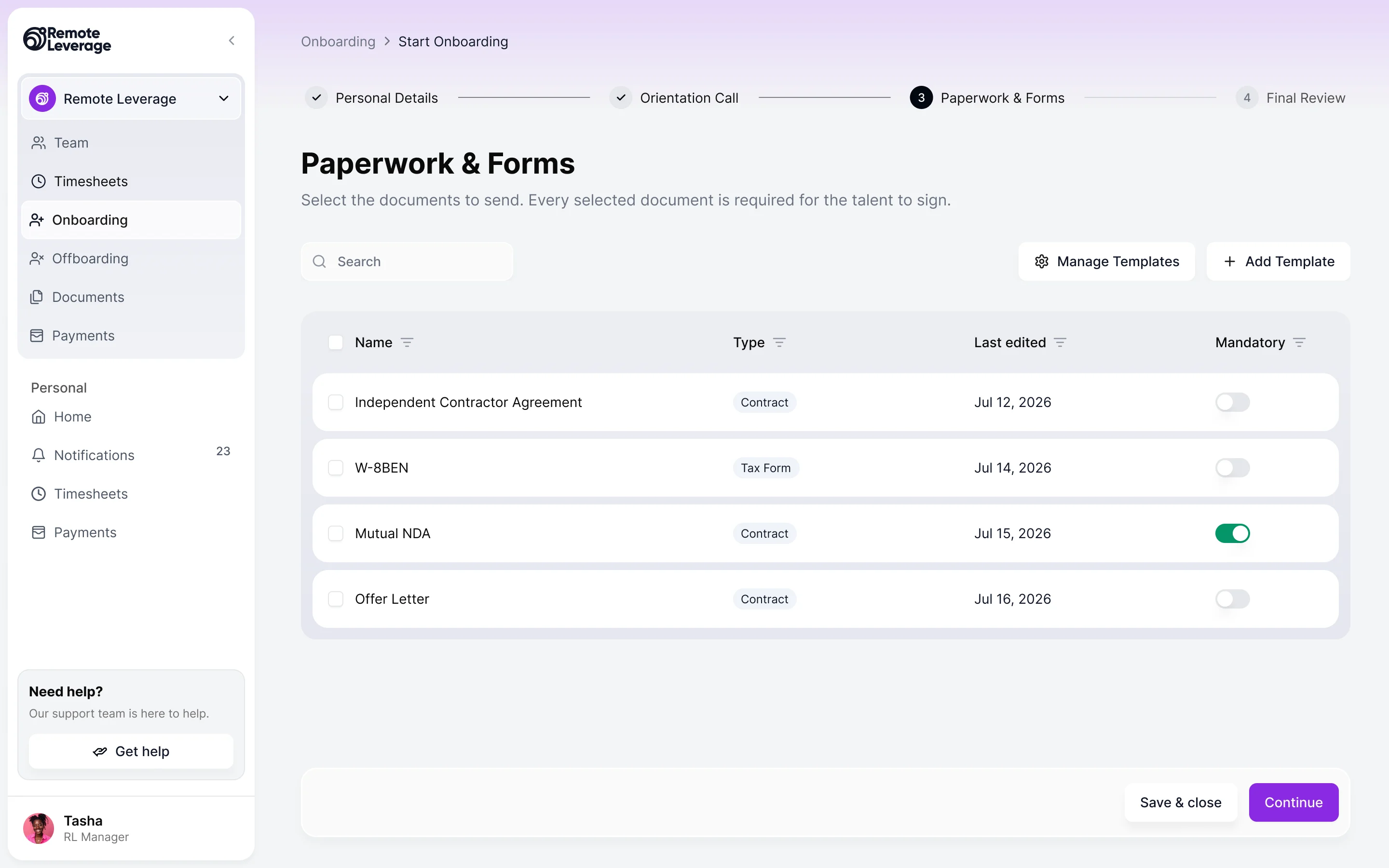
Onboarding a manager can steer
- Found
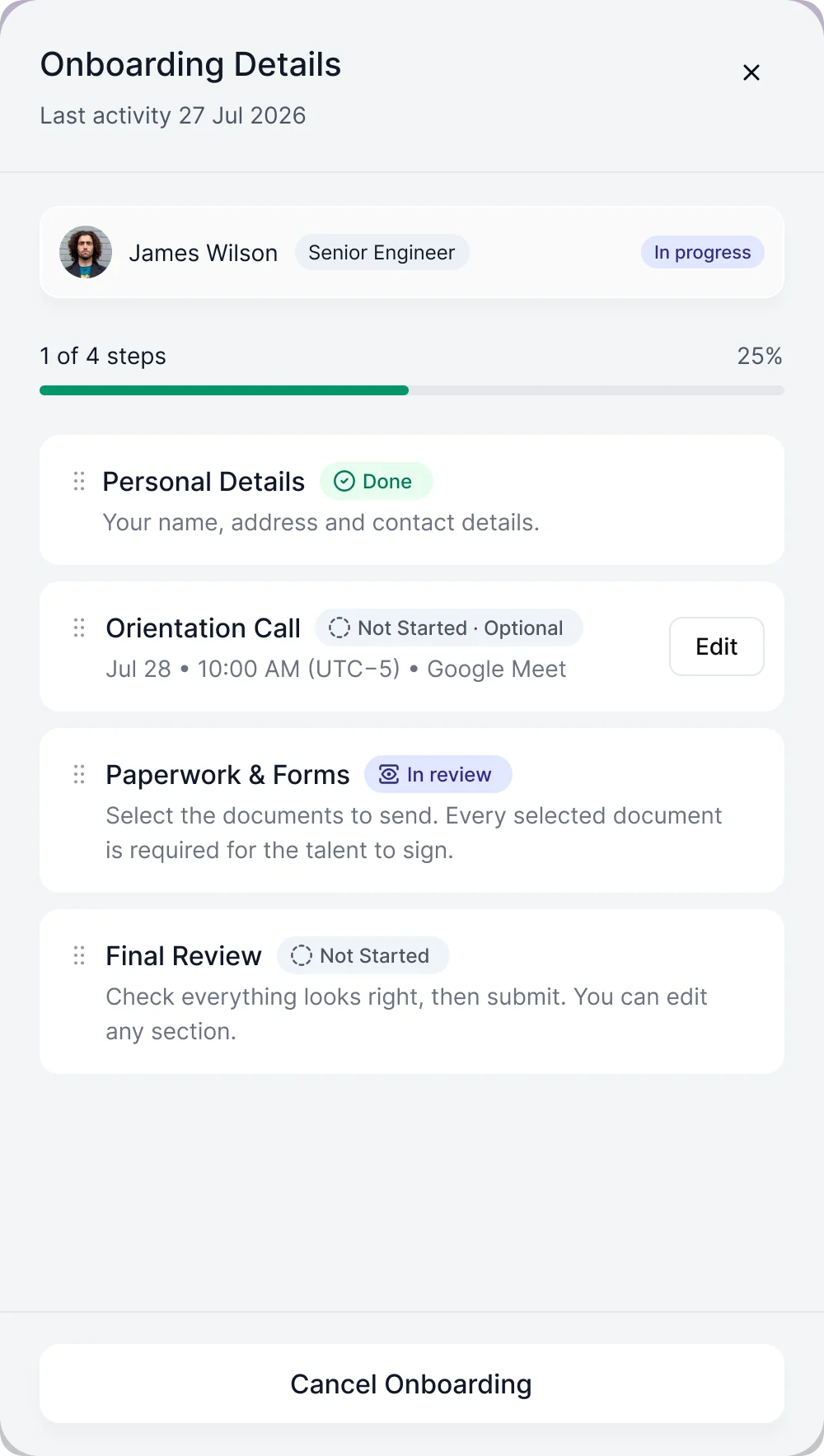
- A manager starts several contractors at once, each at a different step, and has to see who is waiting on whom without opening every profile.
- Decided
- A list by status with progress on each row, a panel per person that shows what is done and what is next, and a guided start: details, the orientation call, the paperwork to send, then a review.
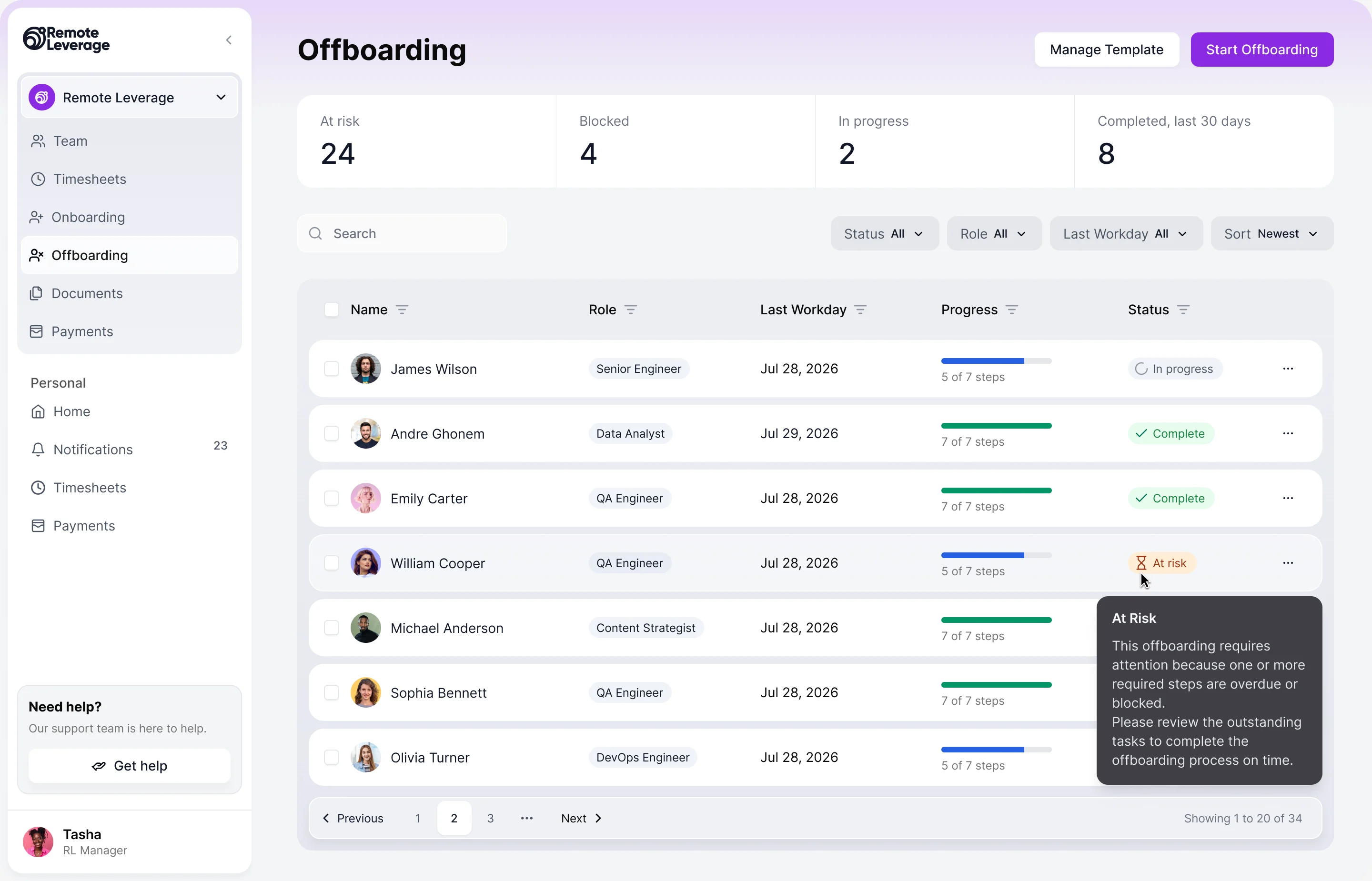
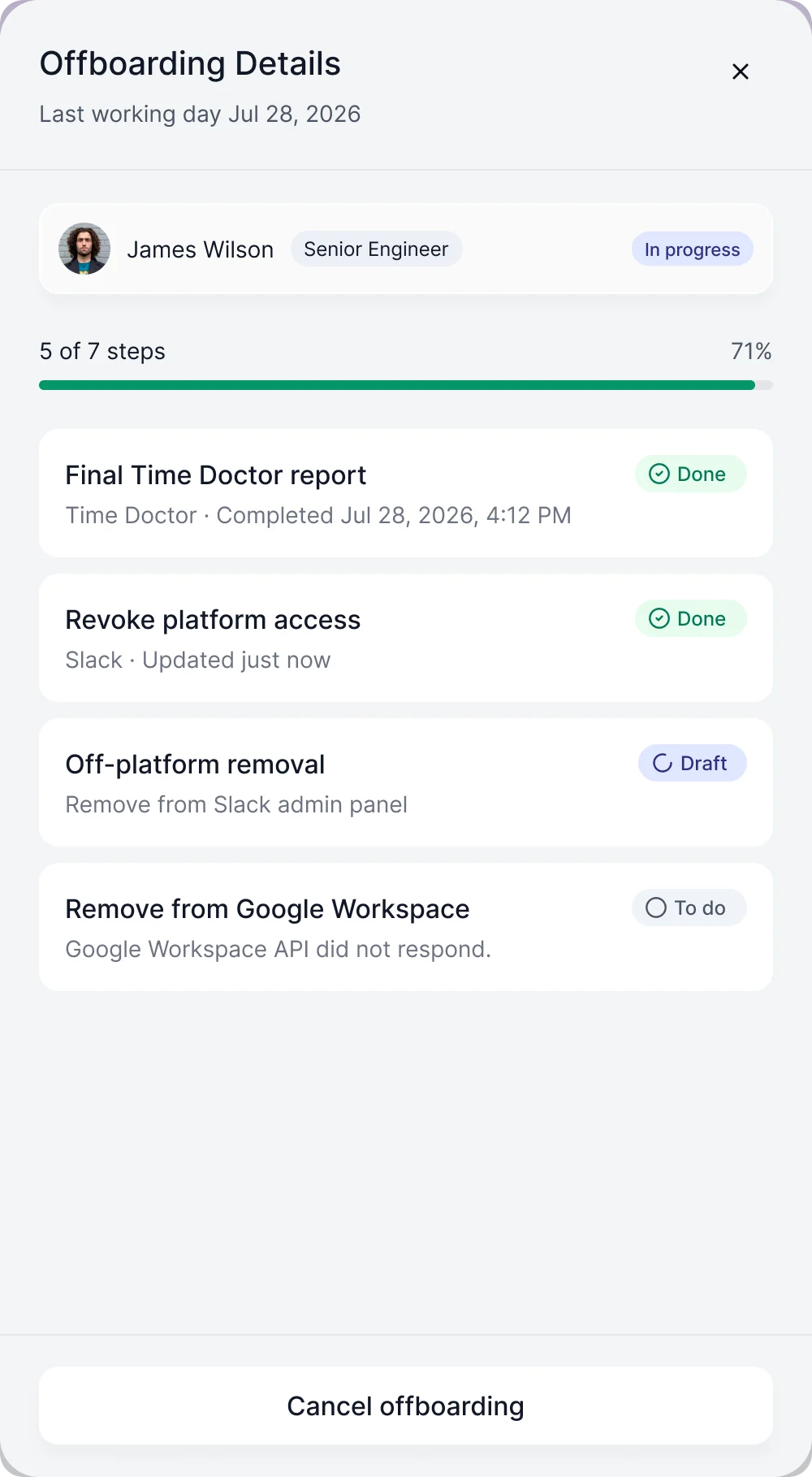
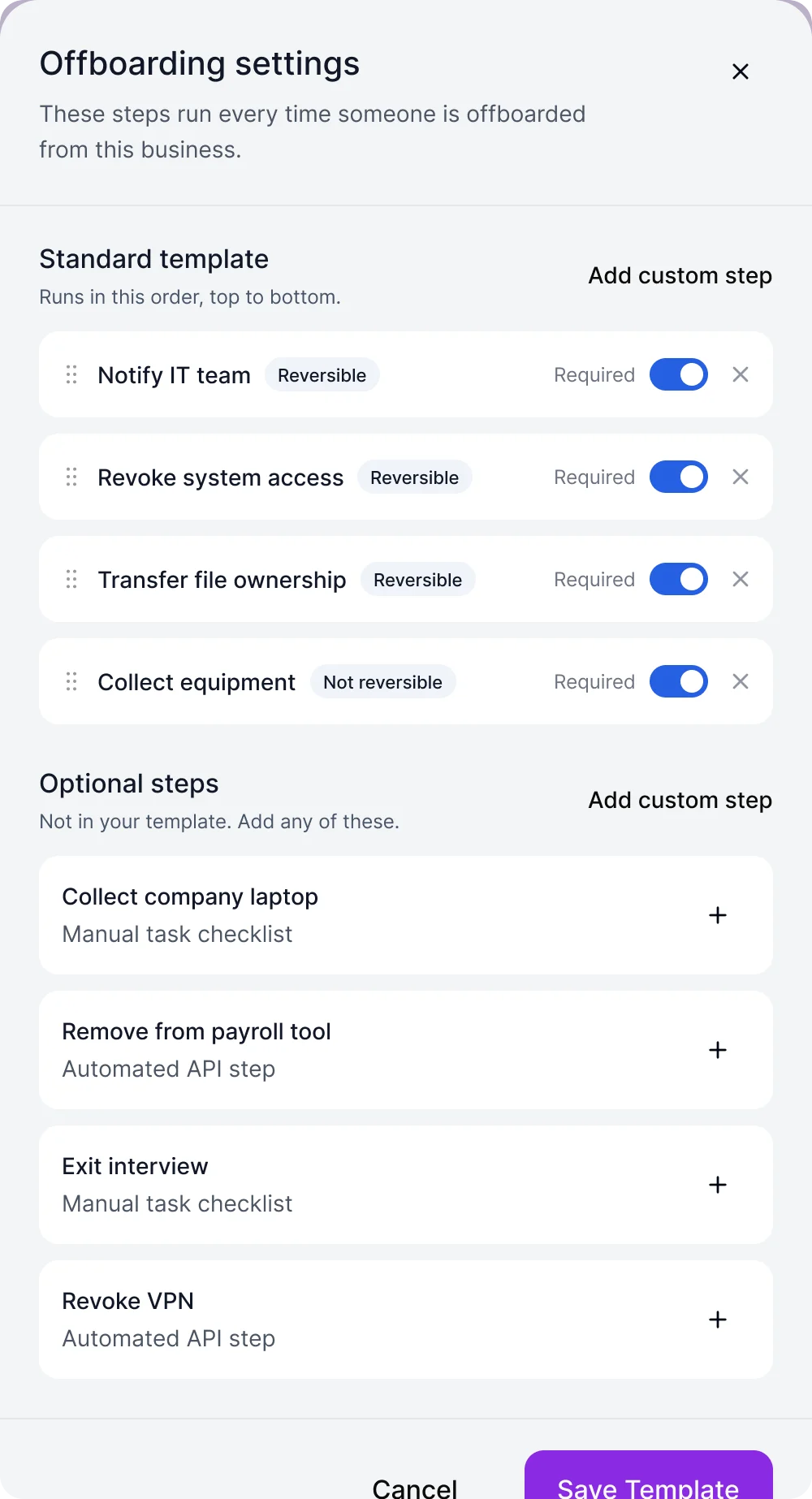
Offboarding that leaves nothing open
- Found
- Leaving means final pay, a final timesheet, accounts switched off in other tools and assets returned. Miss one and the exit is not finished.
- Decided
- A list that surfaces who is at risk or blocked, a panel that lists every step with the tool it touches and what state it is in, and a template a manager can edit once for every future exit.
Verified before paid
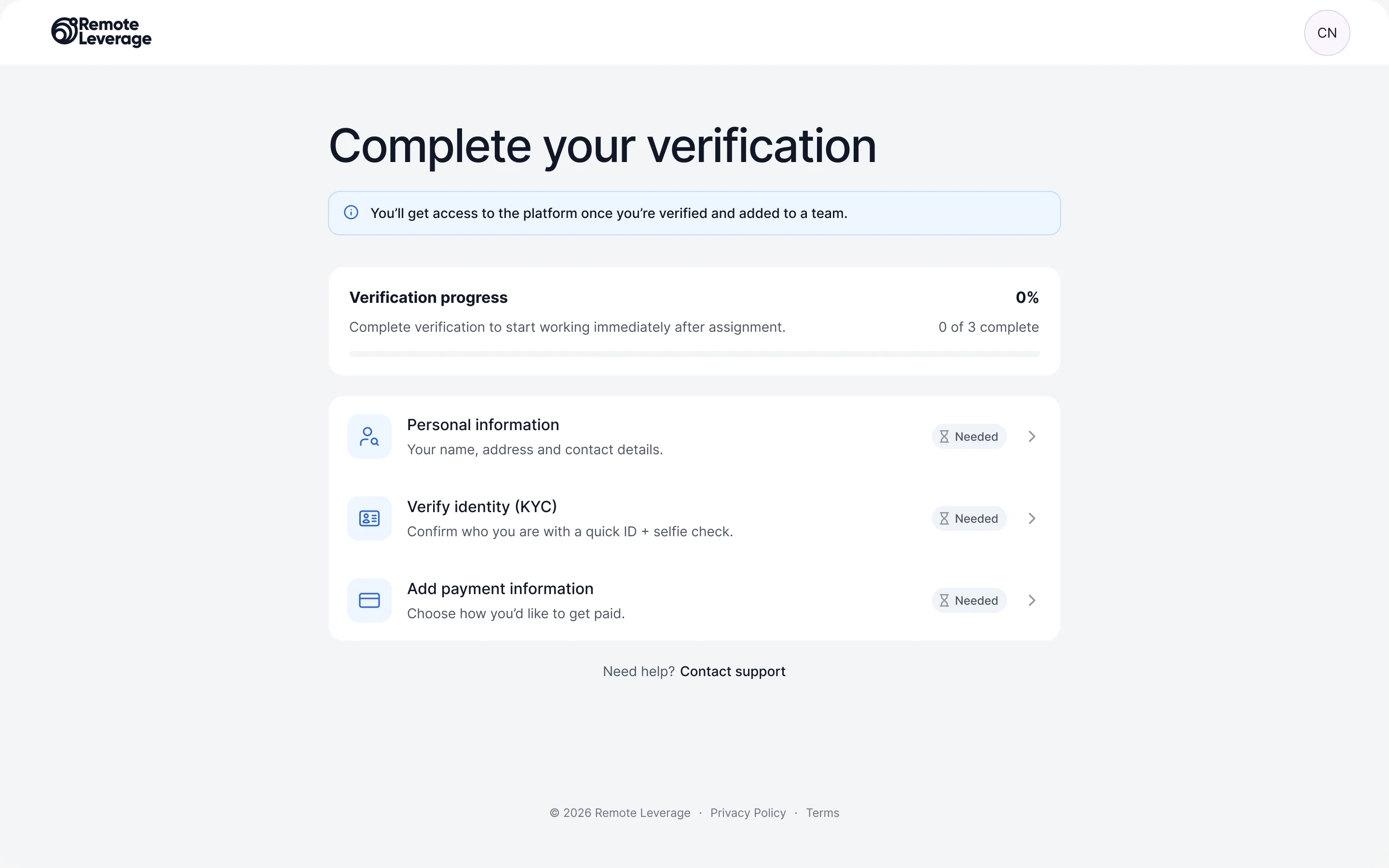
- Found
- A new contractor cannot start earning until identity, personal details and a payout method are done, and an unclear checklist reads as a wall.
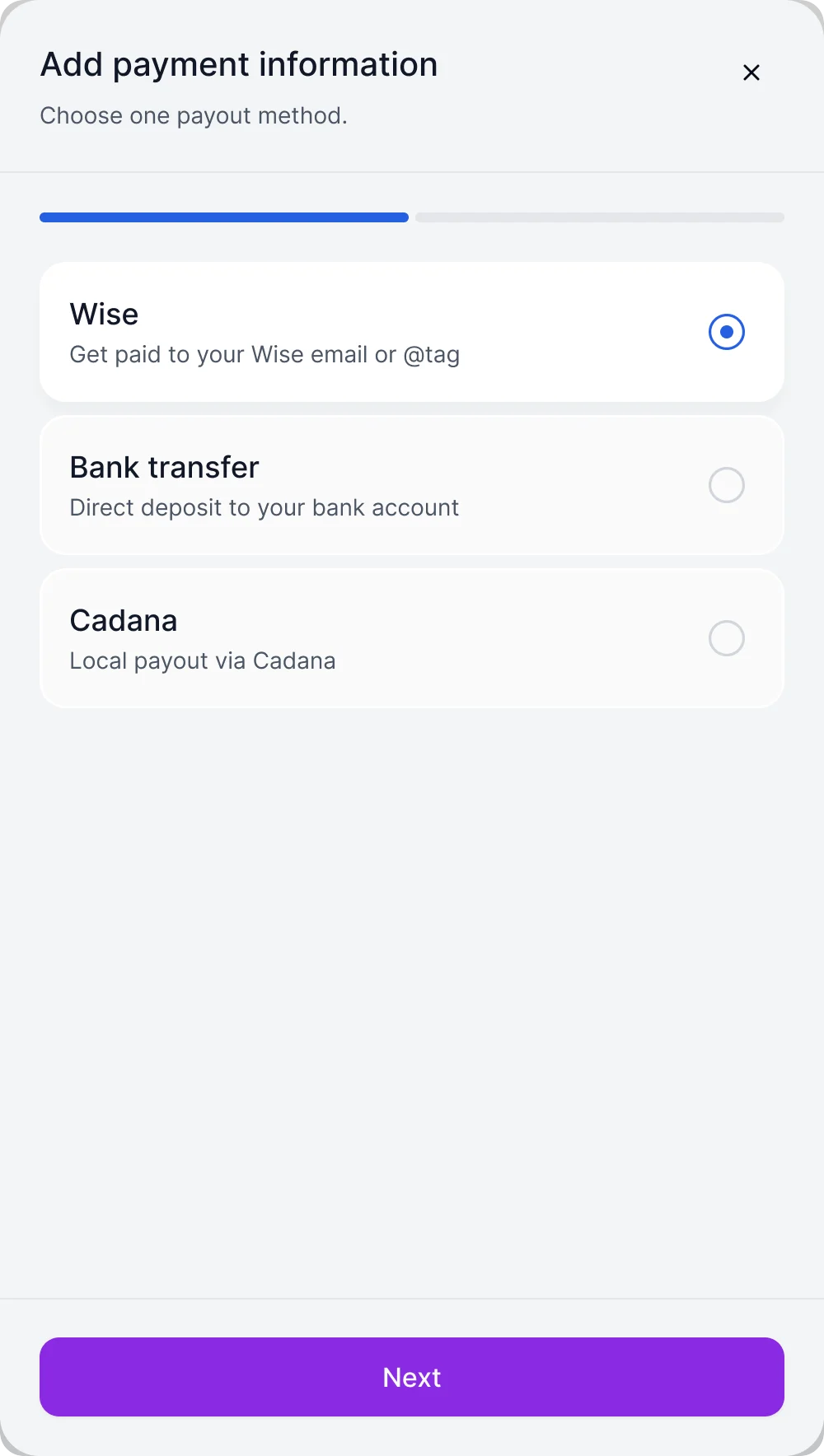
- Decided
- Three cards with a progress meter, each saying what it is for and that it is still needed, and a payout method chosen in a dialog that lists the options and asks for one.
One design system under three roles
- Found
- Tables, panels, dialogs and status chips repeat in every module and every role, and drawn one screen at a time they drift apart.
- Decided
- A complete design system aligned to Tailwind conventions, with a UI kit and components for the states each piece can be in, so the client’s developers build one panel, not eleven.
One panel shell
Different jobs, the same right-hand panel with a title, a body and actions at the foot.
-
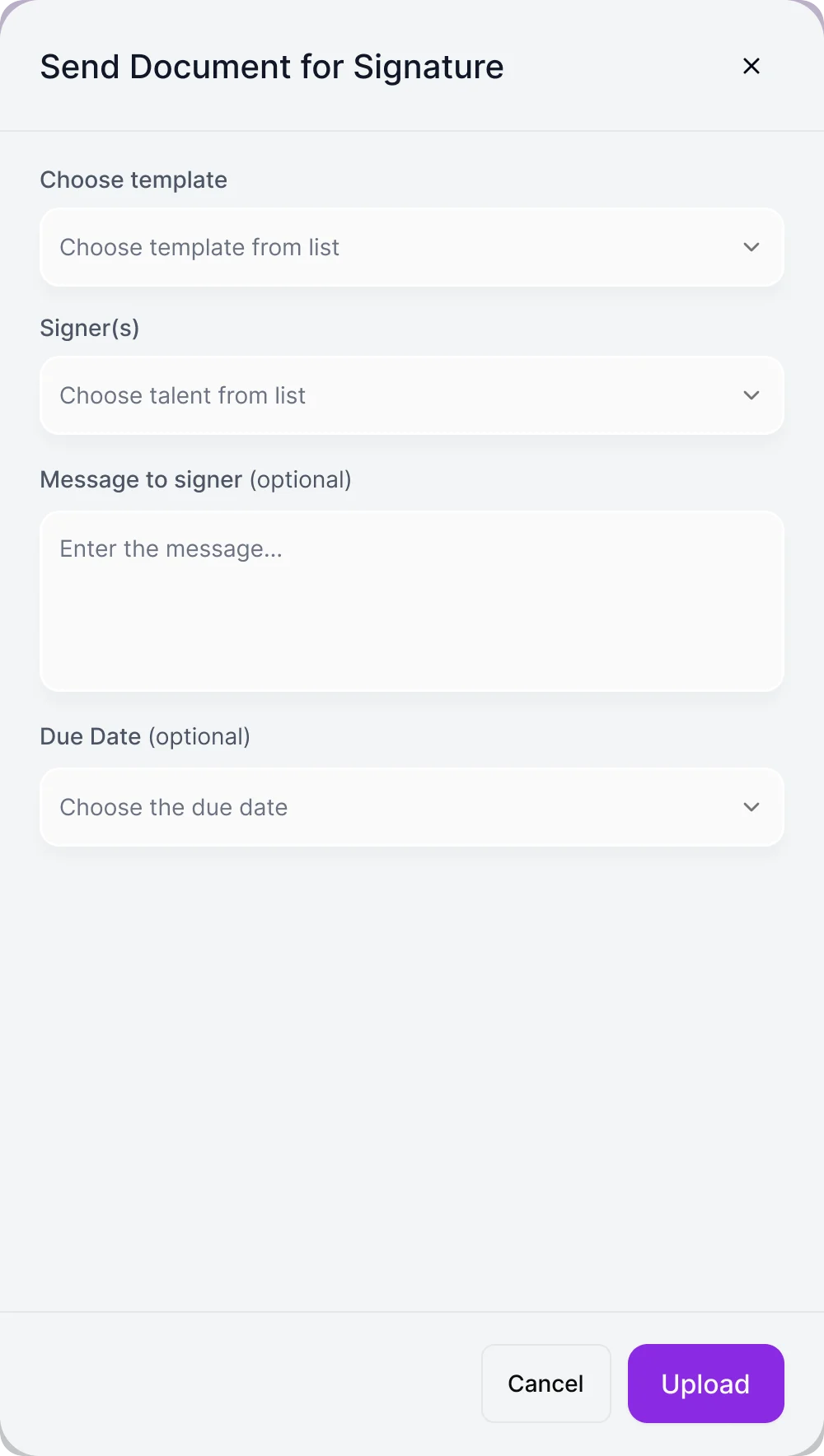
Send for signature: Pick a template and a signer, add a message and a due date. -
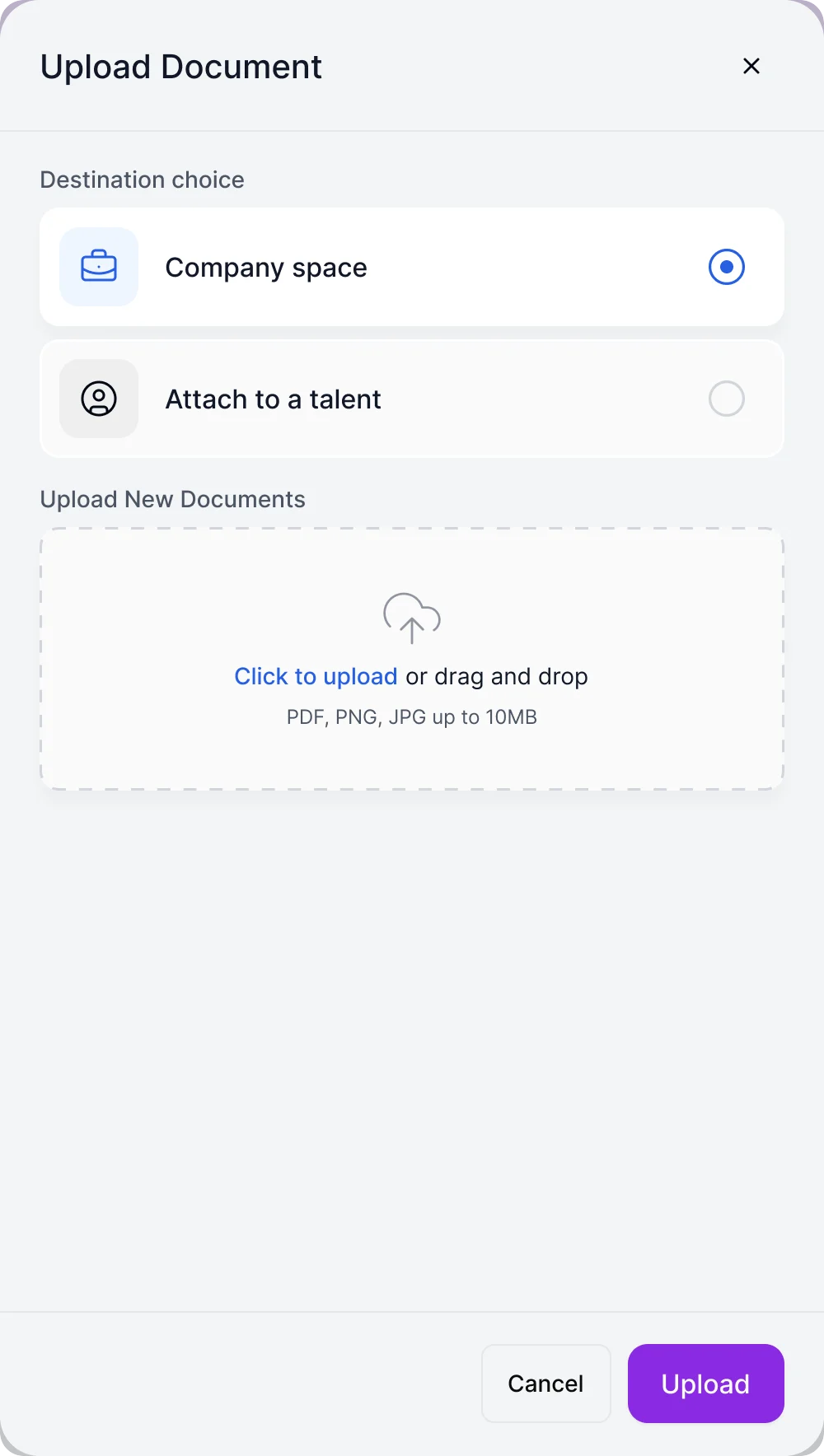
Upload a document: Choose where it goes, then drop the file.
When there is nothing to show, and when it has to be someone
An empty state that says what will appear, and a dialog that asks who.
-
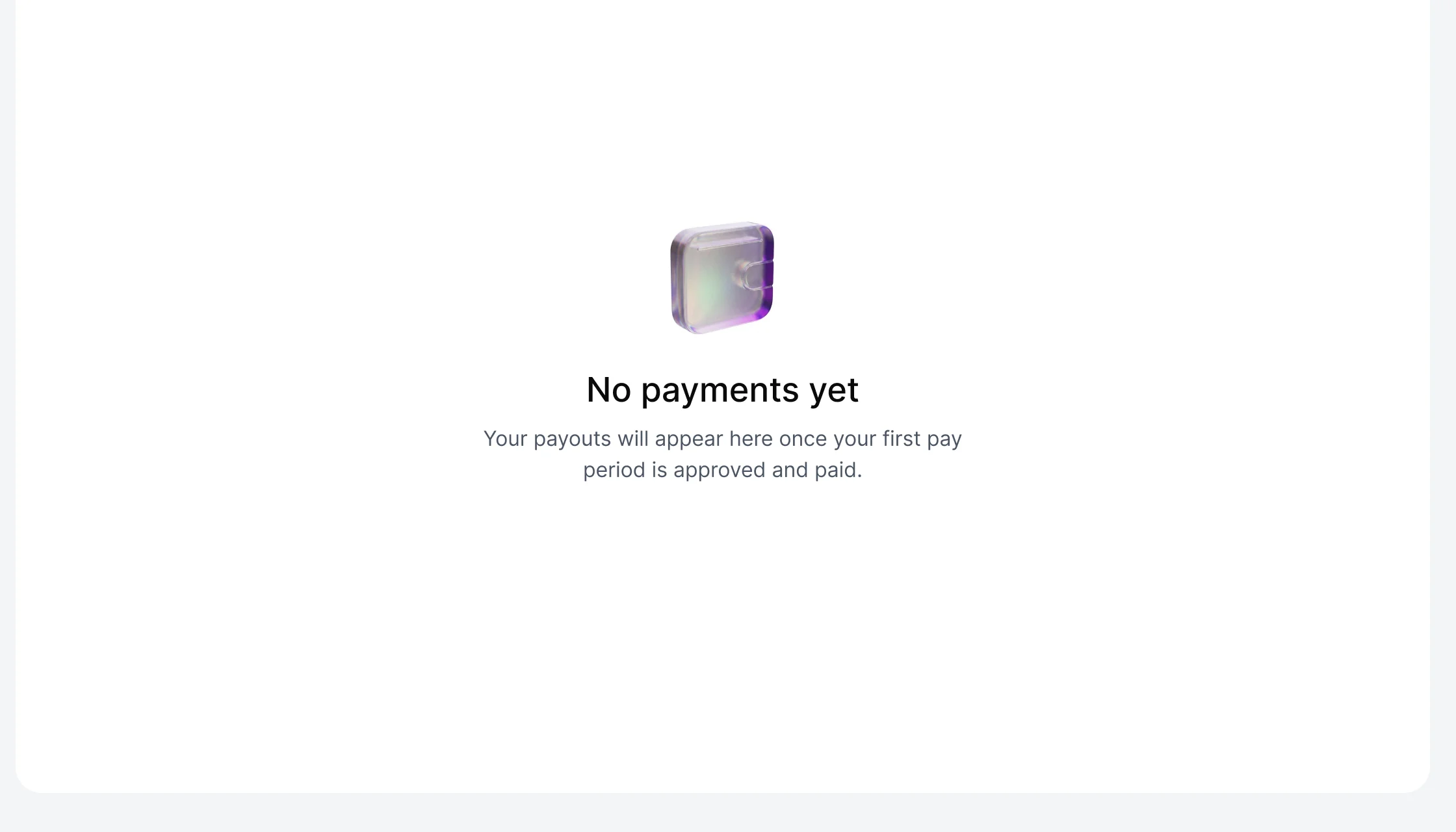
Empty -
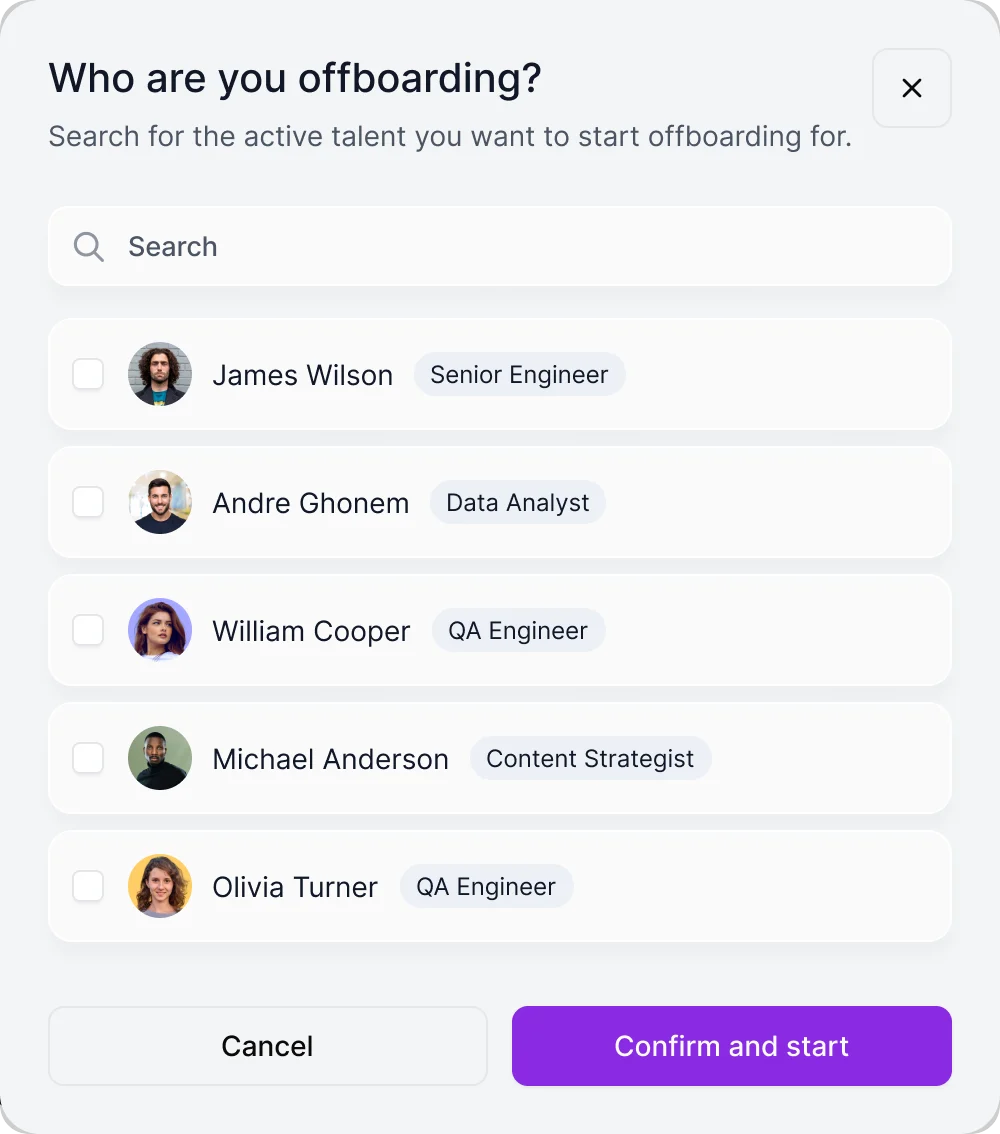
Choose who
Where the platform ended up
HRIQ designed and handed off in full for three roles: sign-up and verification, onboarding, documents, time, payments and offboarding, with a Tailwind-aligned design system, a UI kit, clickable prototypes and screen-level notes on states and permissions.
We designed it; development, the integrations with the external services and launch belong to the client’s team, and some Business Manager rights can vary by plan and client agreement.
- Talent, Business Manager, Remote Leverage Manager
- 3 roles
- onboarding, documents, time, payments, offboarding
- Lifecycle
- a Tailwind-aligned design system and UI kit
- System
- documentation for the client’s React and Tailwind engineers
- Handoff

Who sees what in your product, and who can change it?
Contractors, client managers and your own staff use one platform with different rights. Bring us your roles and your onboarding-to-payment flow, and we’ll show where someone acts in the wrong context or waits on a permission they should not need.
More work like this
Three more products where different roles had to see different things.
-
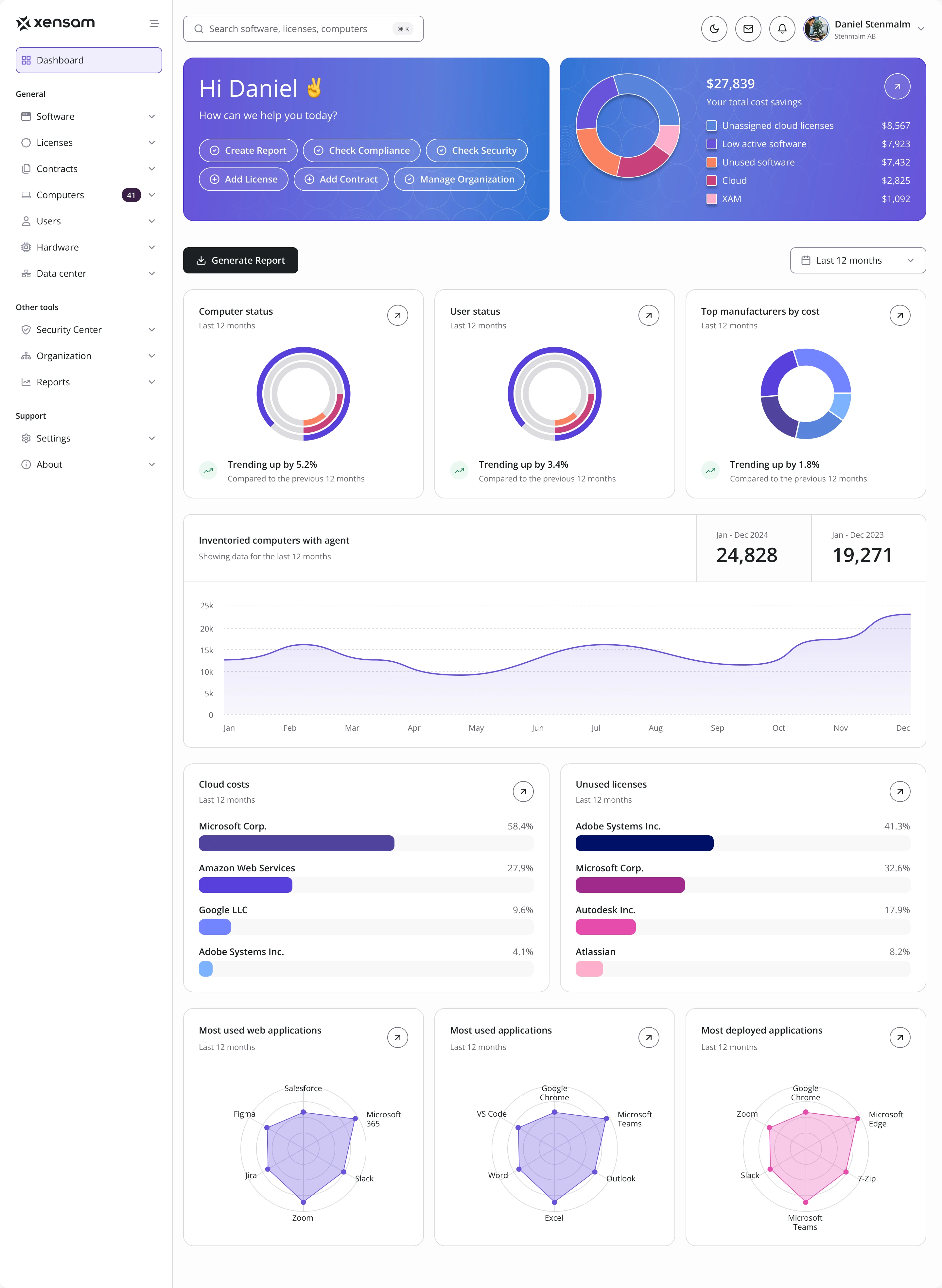
AI · SAM · Web SaaS
Xensam
Redesigned a software asset platform for Viewer and Admin roles, in light and dark, with a design system.
-
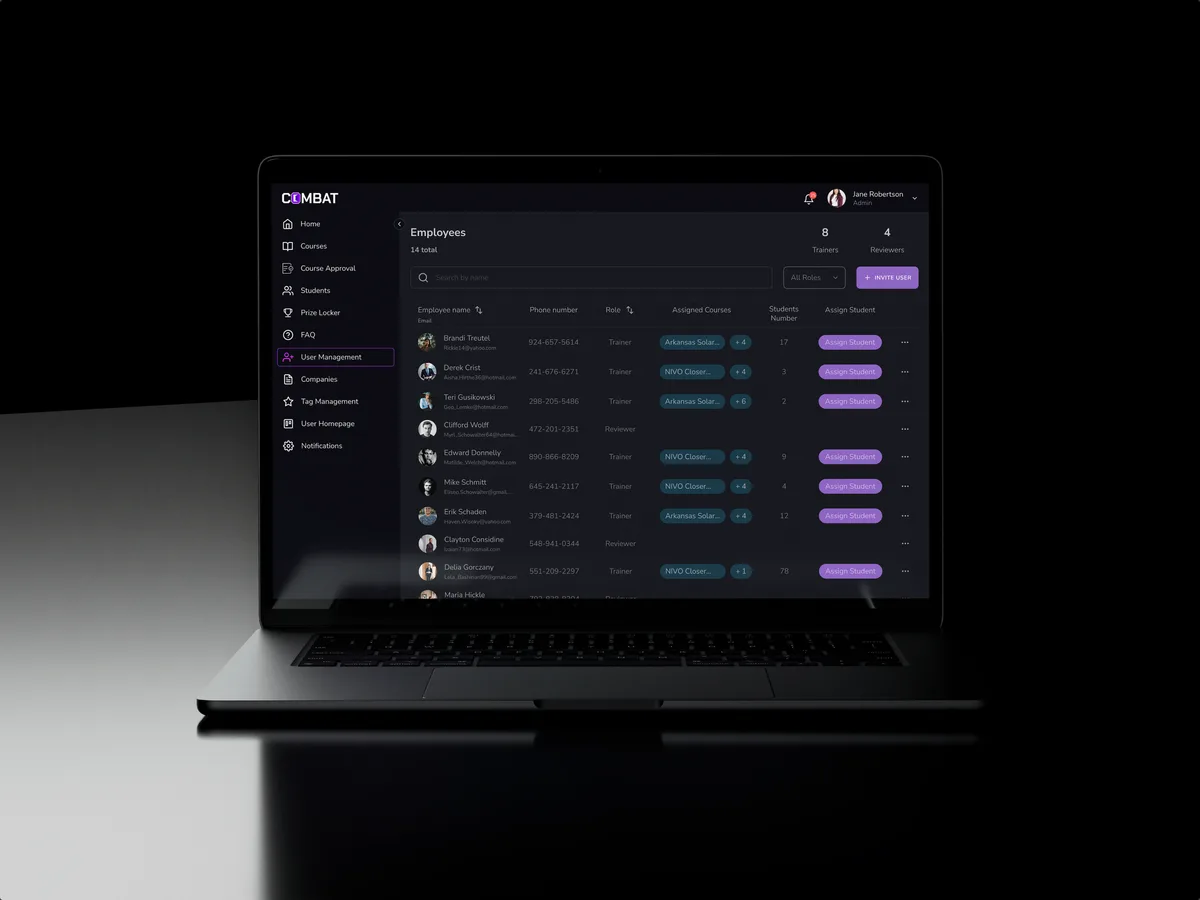
Sales training · Desktop web platform
Combat Sales
Reworked a live sales-training platform for five roles without making its users start over.
- 80+ Final desktop screens and interaction states
- 5 Roles in one platform
-
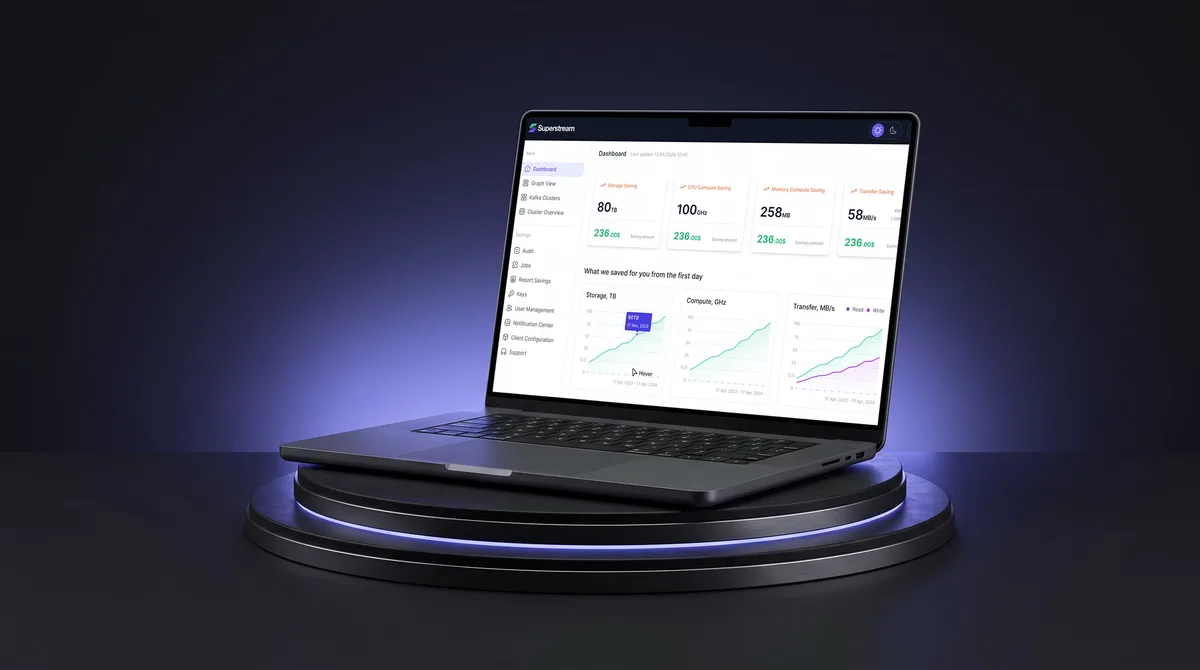
AI Hi-Tech · SaaS
Superstream
Made a Kafka management platform’s technical data readable for DevOps teams, with a design system and handoff.
- 3000+ Screens designed
- 1500h+ Design hours
What we brought to Remote Leverage
The product
- SaaS product design A multi-role platform designed around who may do what.
- Web app design Responsive screens for contractors and managers.
- ERP and internal tools design The manager’s console for onboarding, documents, time and payments.
- Enterprise UX design Role-based permissions and organisation context across one contractor lifecycle.
- B2B product design The client manager and operations team share a contractor lifecycle with different rights and next actions.
How to Design SaaS UX Around Workflows, Roles and Activation
Stop losing SaaS users after sign-up. See how ANODA connects onboarding, roles, data states and workflows into a product users understand and keep using.
Enterprise UX Design for Complex Software
Design enterprise software around real roles, workflows and constraints. Learn how to simplify complexity, drive adoption and measure meaningful UX outcomes.

Web App Design Trends: Choose Changes That Improve the Work
Evaluate web app design trends through real workflows: task-focused dashboards, responsive roles, AI controls, reusable components and useful feedback.