In this article
- What is Wireframing?
- Stop paying developers to discover the missing decisions
- Benefits of Wireframing
- The Wireframing Process
- Best Practices for UX Designers
- Common Wireframe Mistakes to Avoid
- Creating Wireframes for Different Devices
- The Role of User Feedback in Wireframing
- Tools for Creating Wireframes
- Conclusion
Wireframing is an essential step in the UX design process, setting the foundation for an intuitive user experience. This guide explores the importance of wireframes, how to create wireframes, and the tools and best practices that help UX and UI designers develop effective digital products.
What is Wireframing?
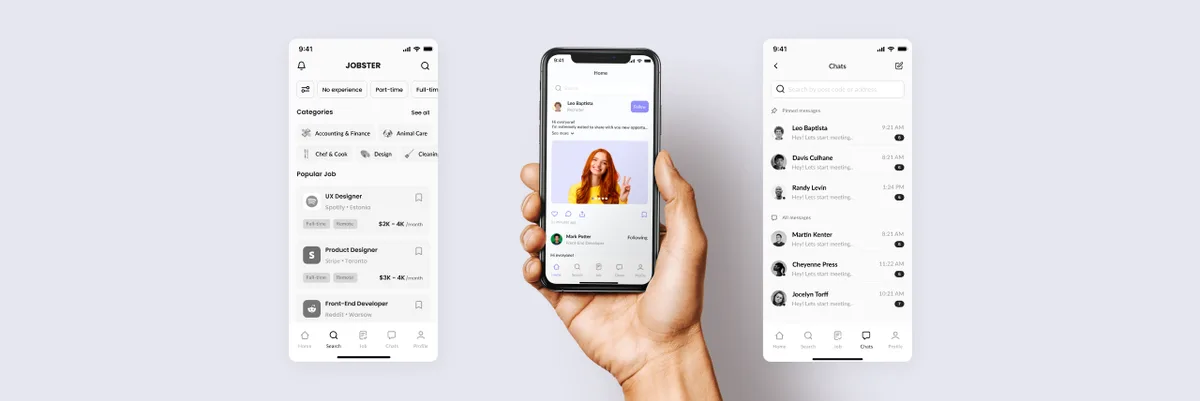
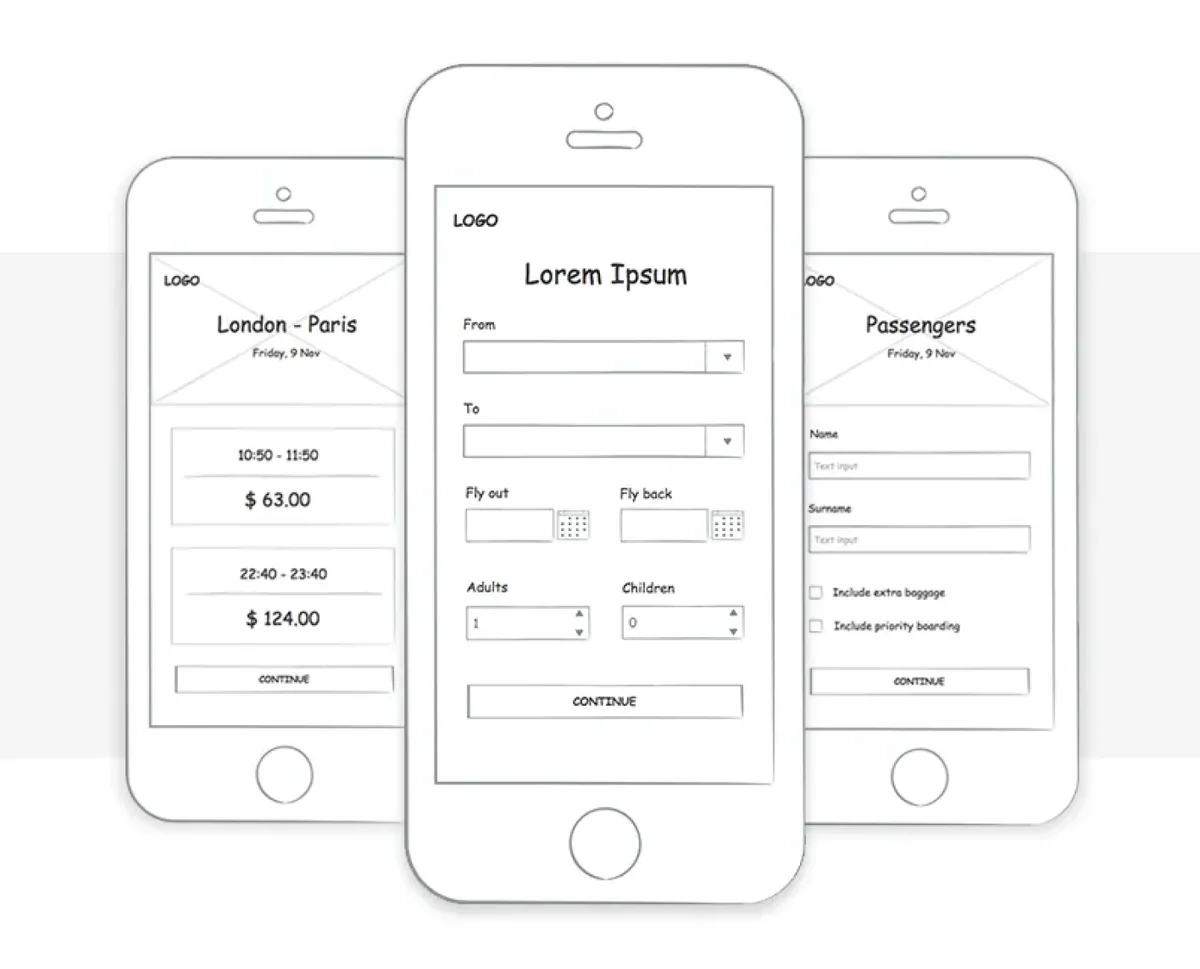
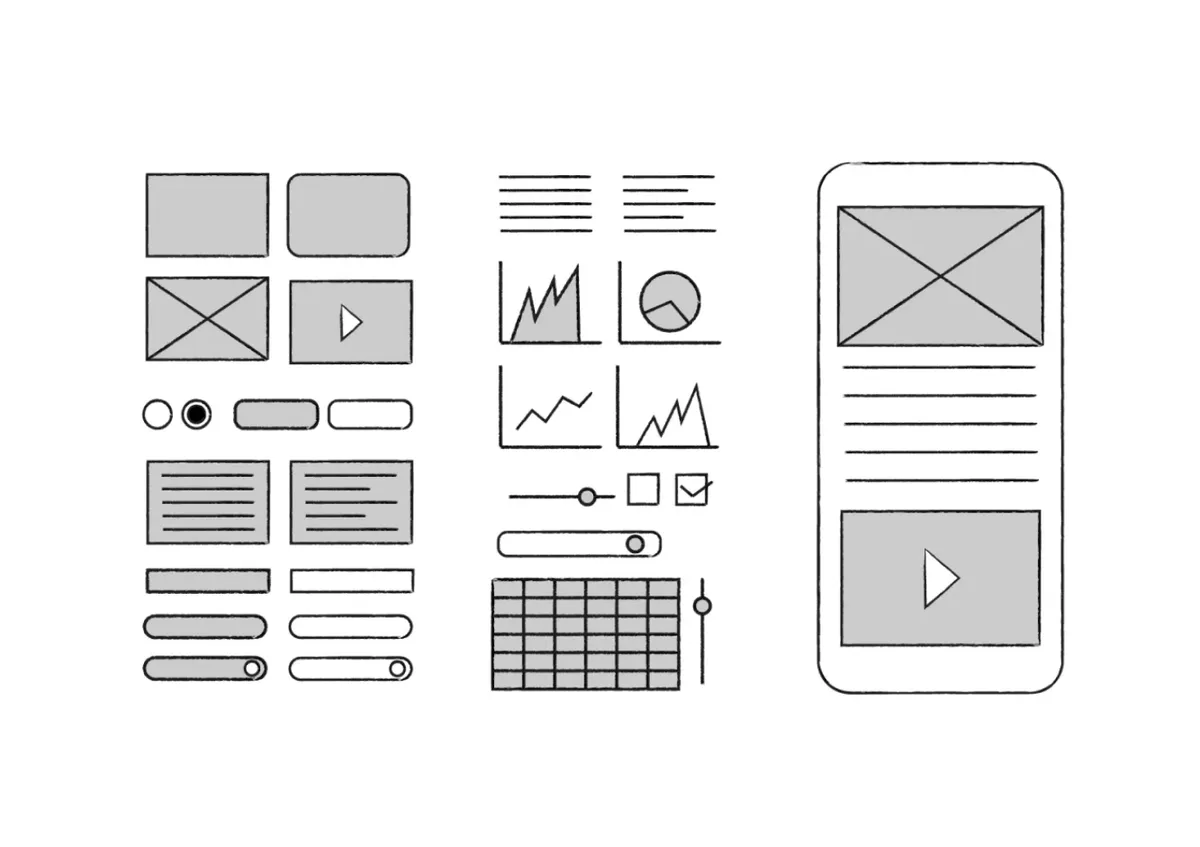
In the context of UX design, a wireframe is a simplified version of an app or webpage. Typically, wireframes are created in black-and-white or grayscale, focusing solely on the basic structure of the design without incorporating final UI design elements like color palettes, typography, or images.
Source: Medium
Wireframes are crucial during the early stages of the product development process. They communicate initial concepts quickly, helping teams visualize how page elements will be organized and how users will navigate the product. Wireframes UX help stakeholders understand information architecture without getting bogged down in unnecessary details. This simplicity enables rapid iteration and refinement of the design process.
Types of Wireframes
Source: Medium
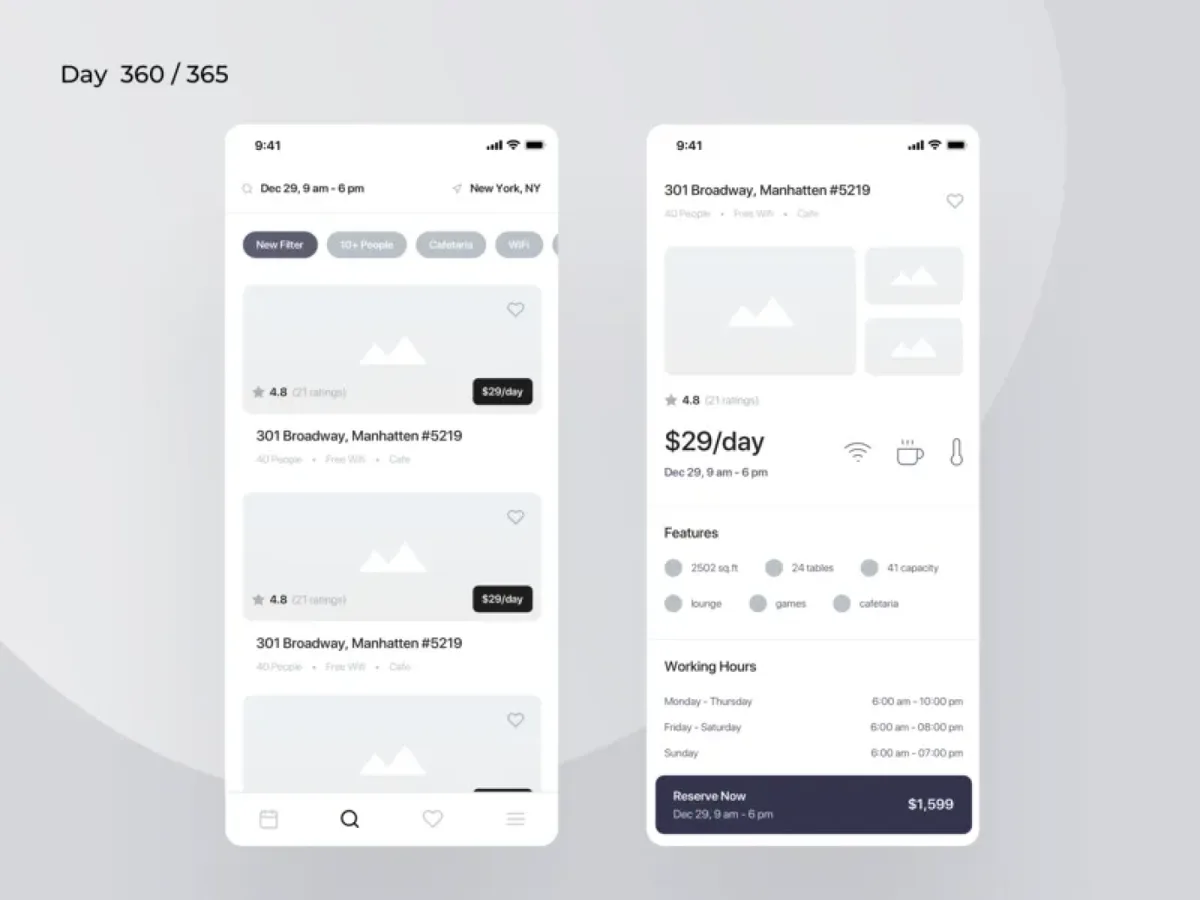
Wireframes can be classified into three primary types:
- Low fidelity wireframes: Simple, basic outlines with placeholders for design elements.
- Mid fidelity wireframes: More detail added, including spacing, buttons, and user flows.
- High fidelity wireframes: Detailed structure, realistic content and precise navigation layouts. They can remain in grayscale; final colour, type and visual styling belong to UI design.
Source: Medium
Stop paying developers to discover the missing decisions
A feature list leaves expensive questions unanswered: which information comes first, where the user goes next, what happens when a field fails and how the same task works on a phone. Polishing the first screen hides those gaps. Skipping wireframes moves the discussion into production code, where every changed decision costs implementation time.
ANODA uses wireframes to settle the structure of the whole job before visual design takes over. In Sail’s mortgage CRM, we worked through information architecture and desktop wireframes for leads, pipeline and loans before final UI, mobile adaptations and the reusable kit. Stages, figures and actions had a place before they had a style.
For your product, the outcome is a screen structure your stakeholders can review and your team can develop without inventing the journey as they go. Plan the product flows and wireframes with ANODA.
Benefits of Wireframing
Source: uxcel
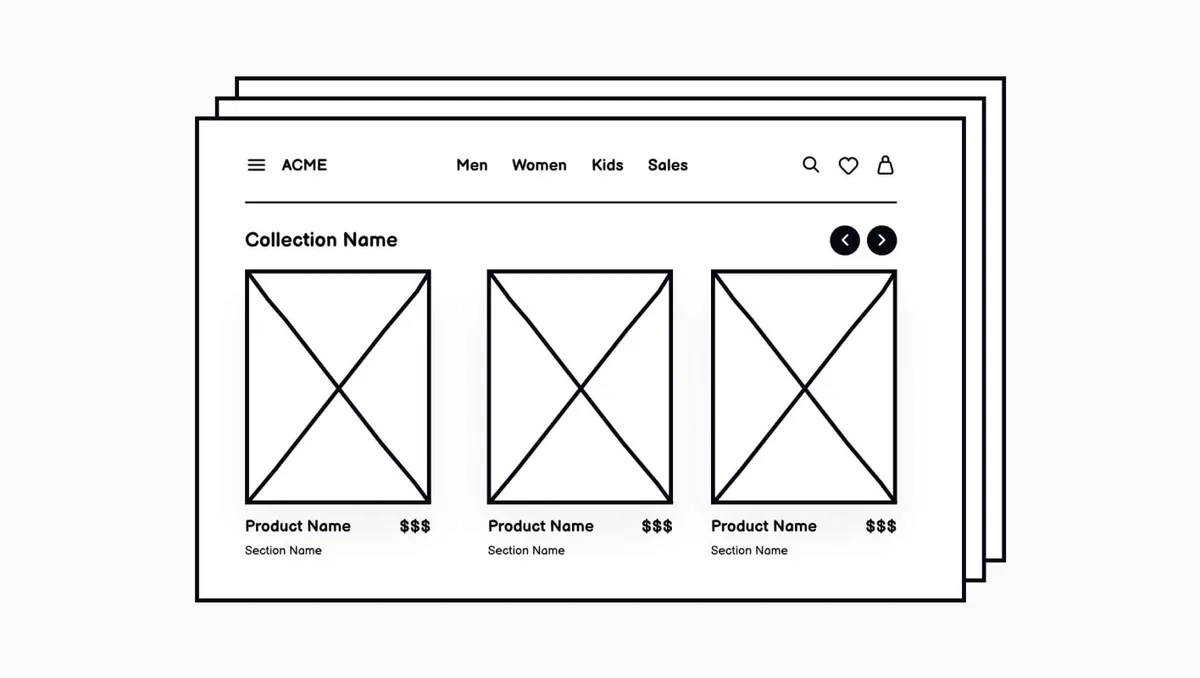
Wireframes offer several benefits that enhance the UX design process:
- Early feedback: Wireframes provide quick, visual representations, allowing for honest feedback from stakeholders.
- Save time and money: By catching issues early in the design phase, wireframes prevent costly revisions later in the development process.
- Communication tool: They help UX designers communicate their ideas effectively and get everyone on the same page before investing in high-fidelity designs.
The Wireframing Process
When to Wireframe
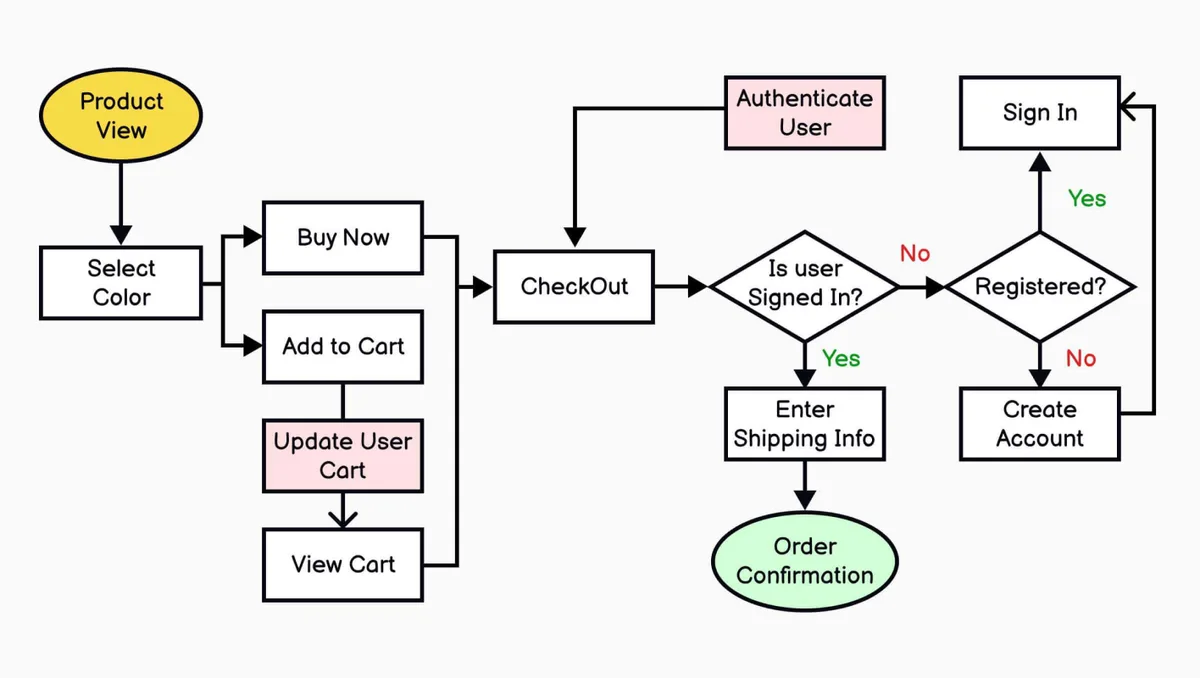
Wireframing should be introduced in the early stages of product development. It’s the best time to iterate rapidly, gather user feedback, and align the team on the project vision. Changes and decisions are easier to make when you’re working with low fidelity wireframes, rather than fully designed interfaces.
Source: uxcel
How to Create Wireframes
The wireframing process begins with identifying user needs and solving the right problems. Here’s a step-by-step approach:
- Identify design challenges: Focus on the questions or pain points that your design needs to solve.
- Collaborate with your team: Involving your team early helps ensure that your wireframes address the right issues.
- Focus on layout: Use tools like Figma to think through the basic layout and organize design elements accordingly.
- Iterate quickly: Using low fidelity wireframes allows you to rapidly explore design ideas and ensure the overall page structure meets business requirements.
Visual Design in Wireframing
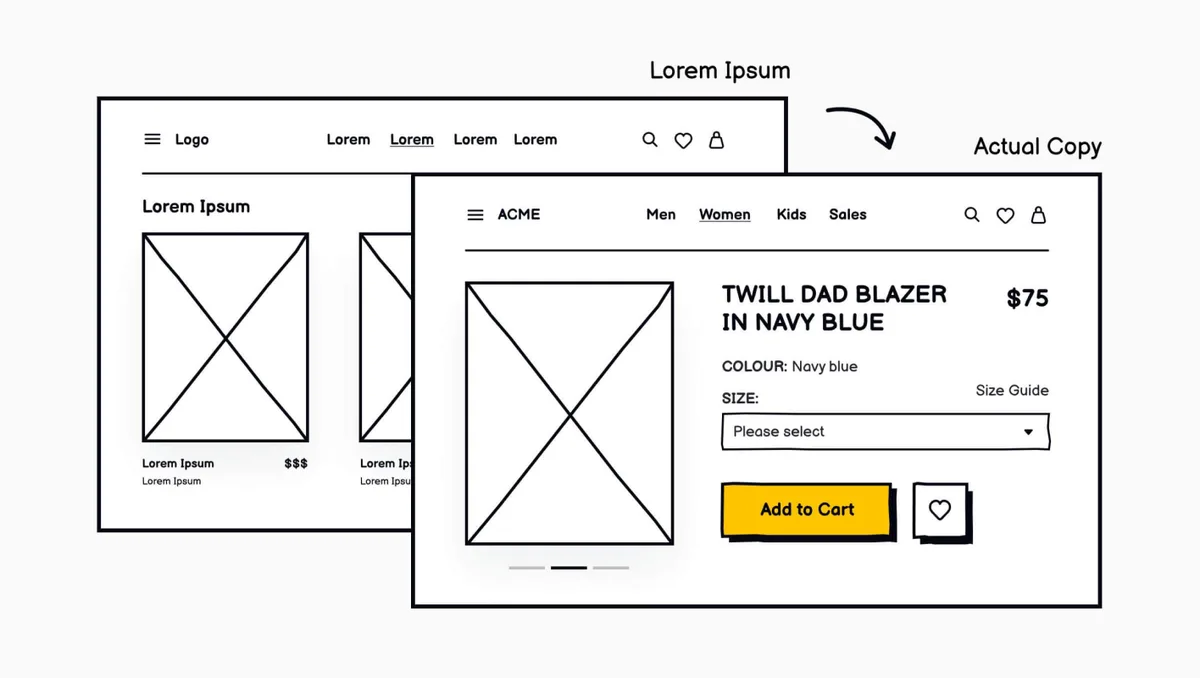
Source: uxcel
While visual design is simplified at the wireframing stage, it still plays a role. Wireframes use shades of gray, two-dimensional placeholders, and simple vector design shapes to represent buttons, forms, and navigation. The aim is to convey information architecture and user flows without getting bogged down in aesthetics. This helps ui designers account for usability and interface elements like buttons and text fields.
Best Practices for UX Designers
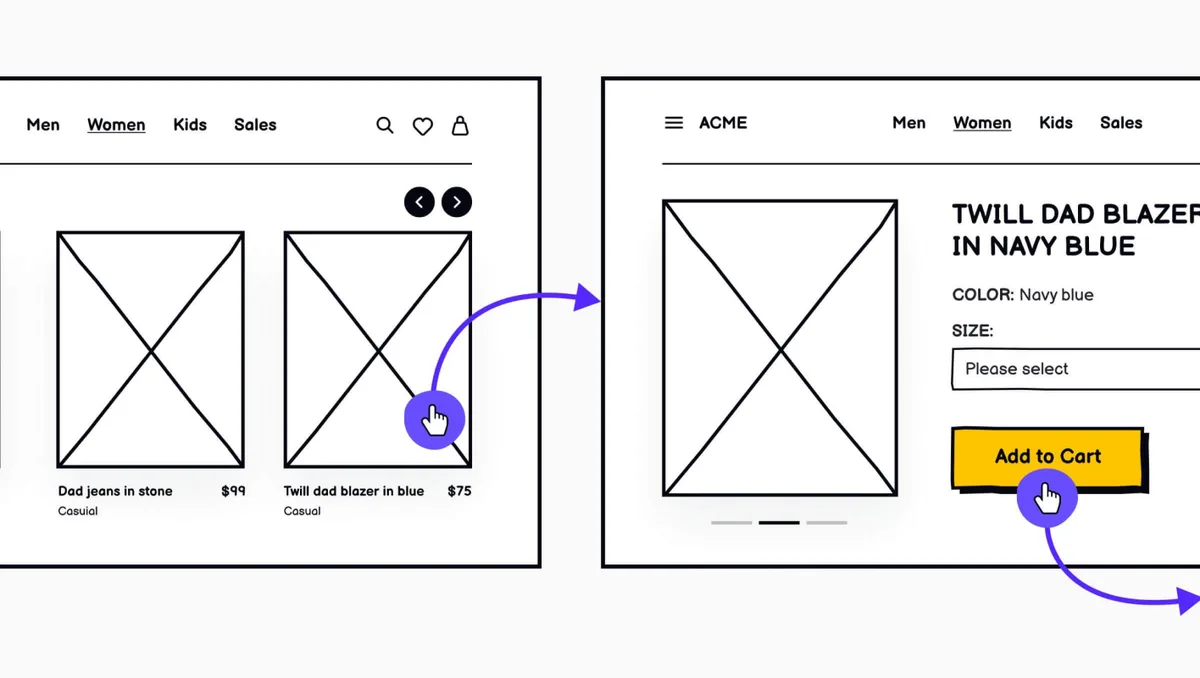
Source: uxcel
UX designers should follow best practices to create effective wireframes:
- Use low fidelity wireframes early to explore ideas.
- Create mid fidelity wireframes to work through user flow and spacing.
- Move on to high fidelity wireframes to finalize details for prototyping.
- Prioritize user research and involve your team in the design process.
- Keep wireframes simple, allowing you to iterate quickly.
Common Wireframe Mistakes to Avoid
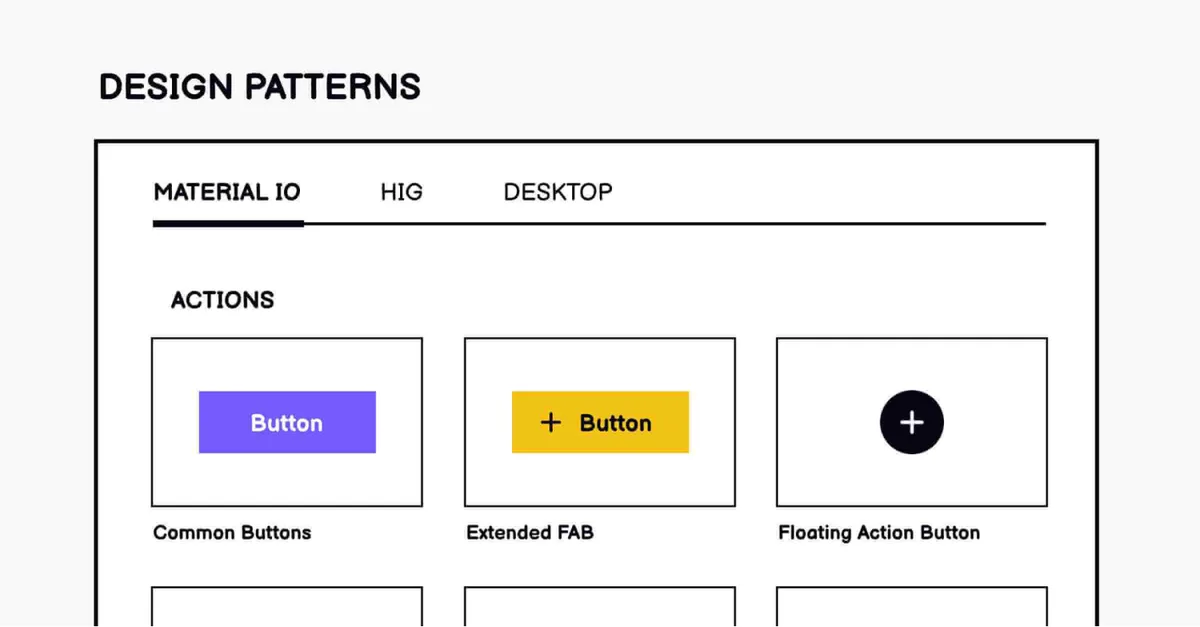
Source: uxcel
Avoid these common pitfalls when creating wireframes:
- Neglecting user needs: Always keep the user’s goals front and center.
- Overcomplicating the design: Keep wireframes simple to focus on the basic structure and user flow.
- Ignoring mobile responsiveness: Test wireframes on multiple devices to ensure your design works across platforms.
Creating Wireframes for Different Devices
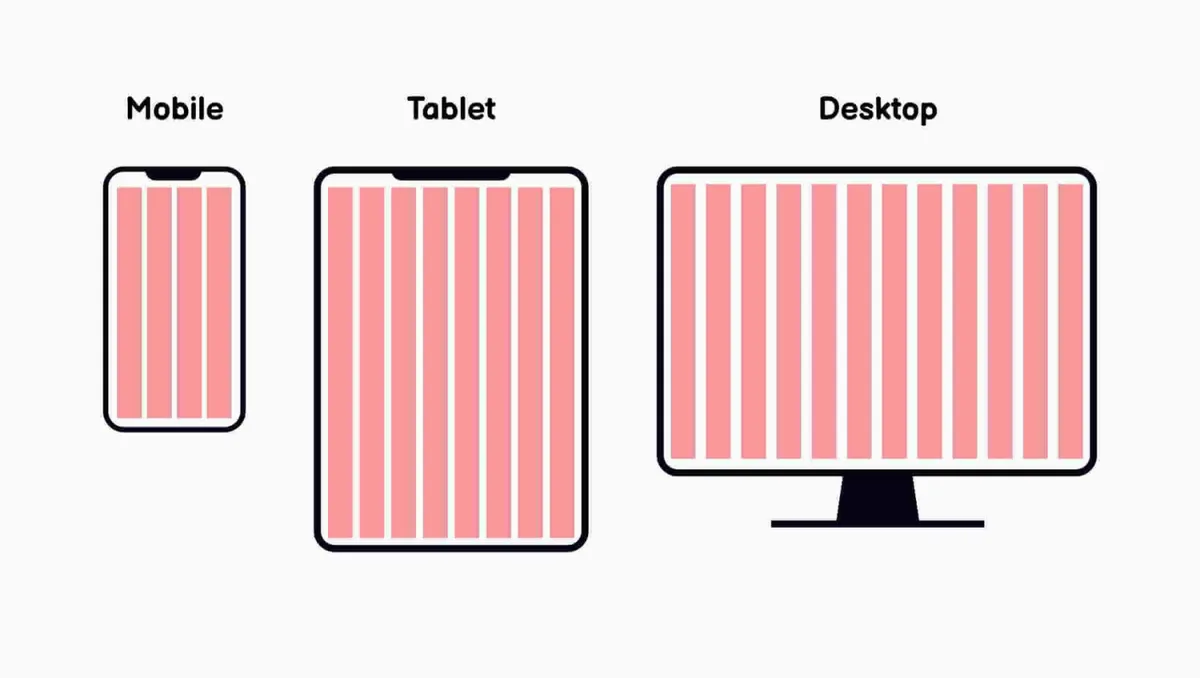
Source: uxcel
Designing for mobile requires special consideration due to the limited screen size and touch-based interaction. Mobile apps often require a different approach to information architecture. Using wireframing tools like Figma and Sketch can help ensure your designs are responsive and work well across all devices.
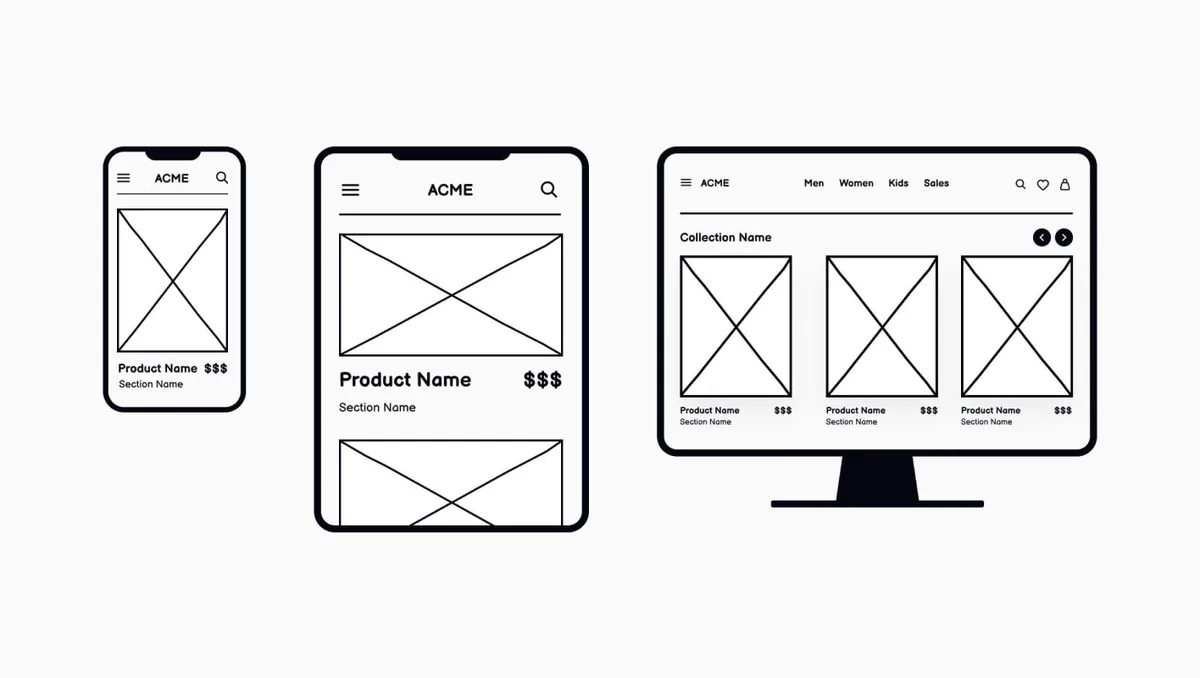
Source: uxcel
Testing is vital. Test wireframes on different screens to identify usability issues and ensure consistency across platforms.
The Role of User Feedback in Wireframing
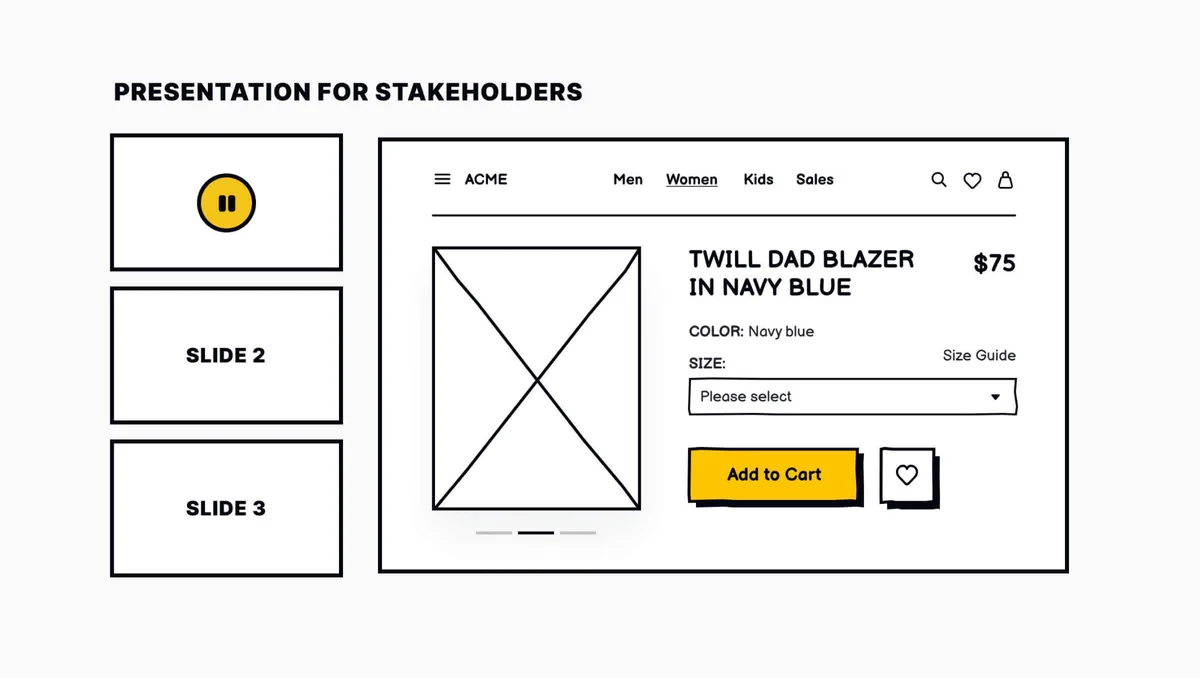
Source: uxcel
Incorporating user feedback is key to creating user-centered designs. Gather feedback early in the wireframing process and use it to inform iterations. User testing at this stage can highlight potential usability problems, allowing you to refine the design before investing too much in high-fidelity prototypes.
See how structure becomes a complete interface in Sail, our mortgage CRM design project.
Tools for Creating Wireframes
There are several excellent wireframing tools available for UI designers:
- Figma: A versatile digital tool for creating everything from low fidelity wireframes to final designs.
- Sketch: Great for both wireframing and more polished visual design.
- Balsamiq: Focuses on low fidelity and rapid wireframing.
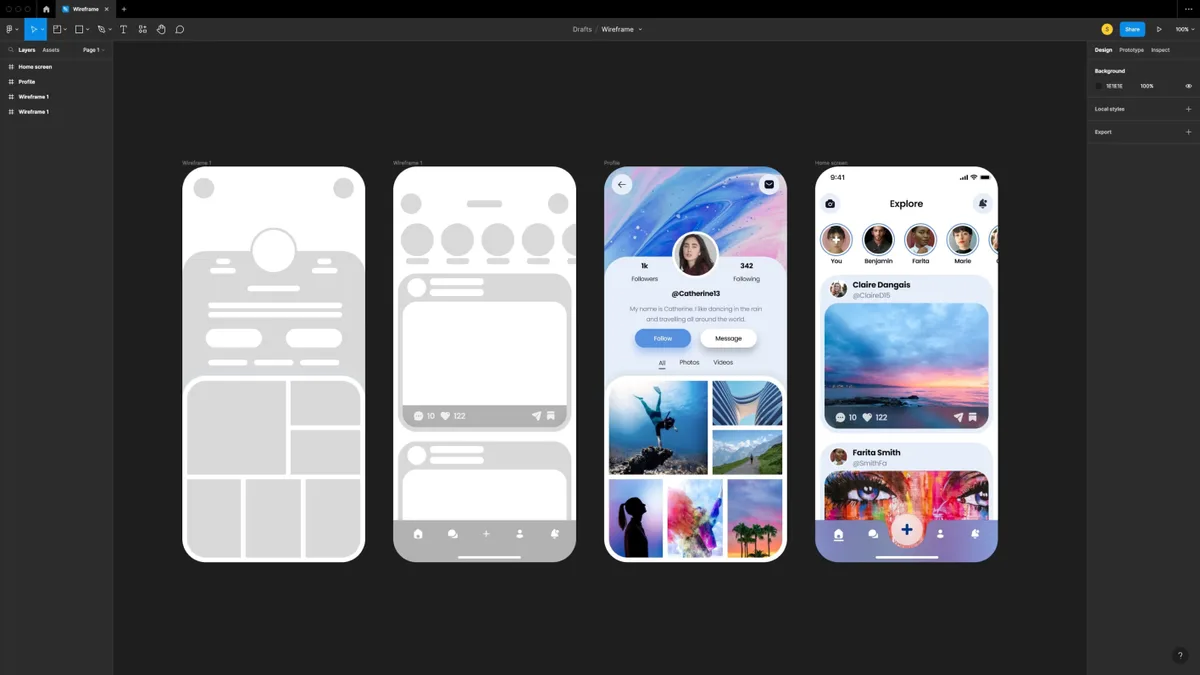
Source: stan+vision
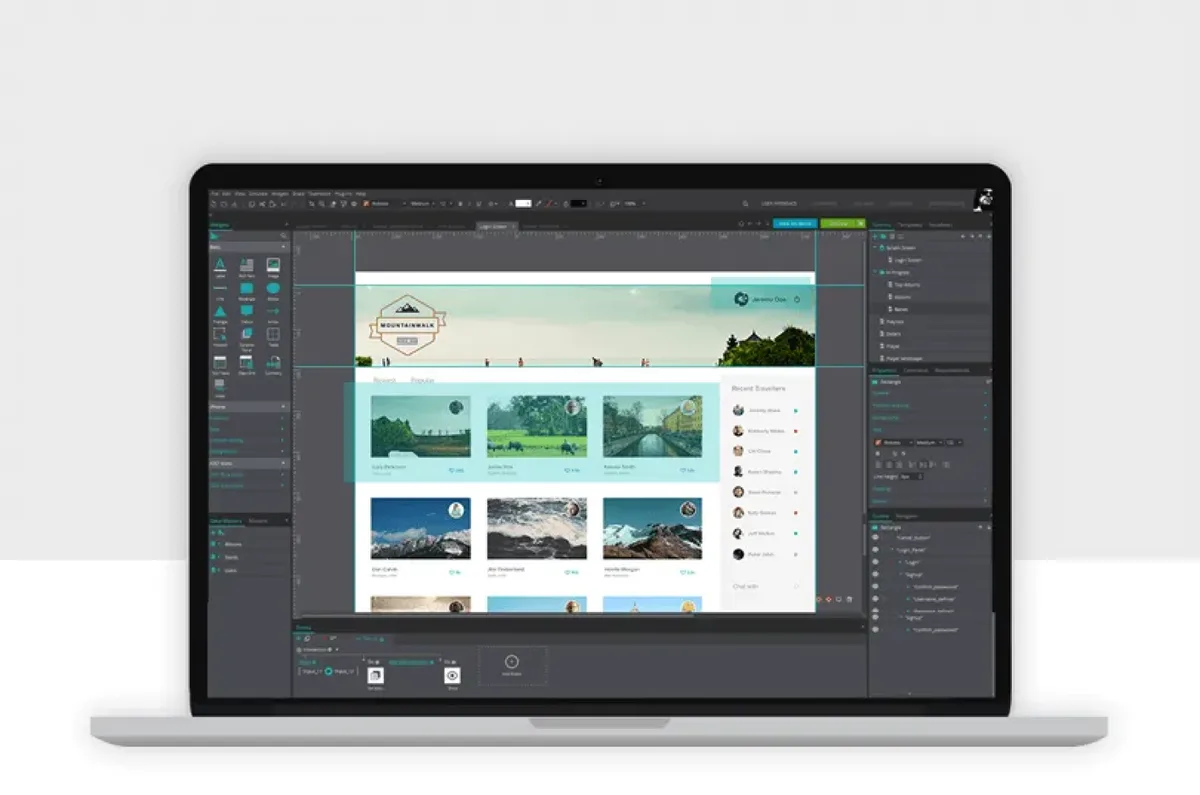
Choose a digital tool that fits your workflow and allows for real-time collaboration.
Conclusion
Wireframing is a critical step in the UX design process, helping UX designers communicate their ideas quickly and effectively. By focusing on low fidelity wireframes, gathering user feedback, and using the right wireframing tools, you can create designs that meet both user and business needs.
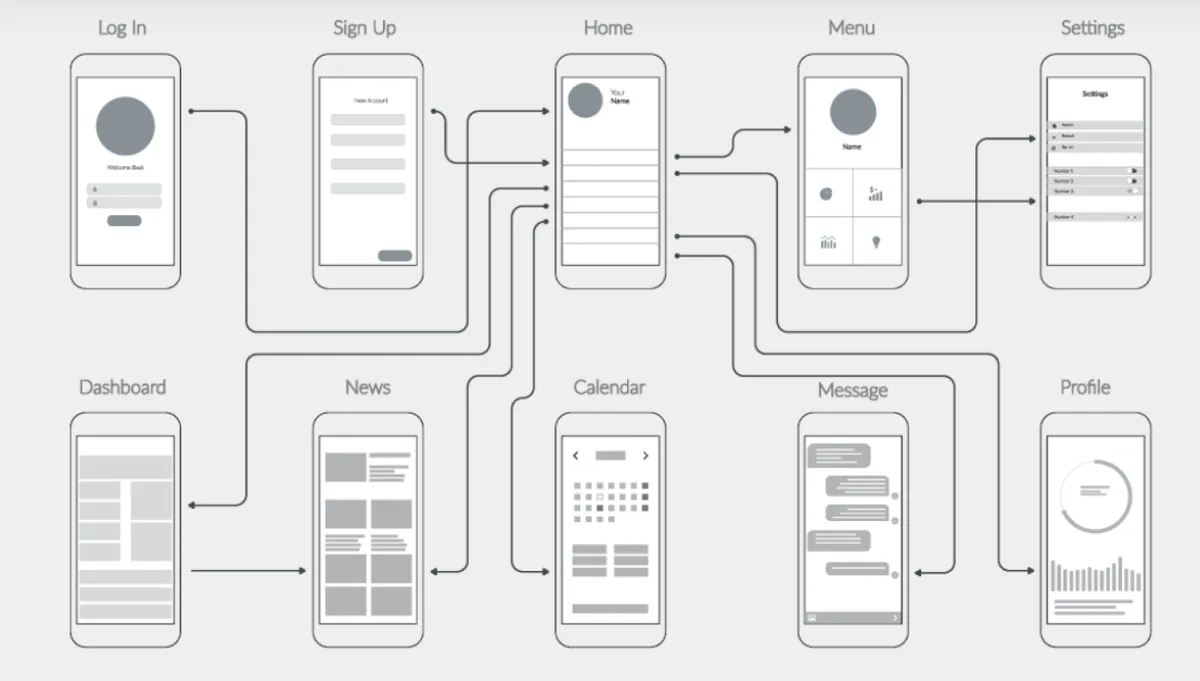
Source: Shutterstock
As you move through the design process, from low fidelity to high fidelity wireframes, remember to prioritize usability, collaboration, and user flows. This ensures your final product delivers a seamless and intuitive experience, aligning with the goals of both users and stakeholders.
Key Takeaways:
- Keep wireframes simple.
- Iterate quickly based on honest feedback.
- Use tools like Figma or Sketch to create digital wireframes.
- Focus on the user’s journey and how they will navigate your product.
- Test your wireframes early to ensure responsiveness across devices.
Source: Medium
By mastering these wireframing practices, you’ll enhance your ability to create user-centered designs that not only meet expectations but also provide valuable insights into the final product’s success.
Settle the structure before you pay to build it
Bring ANODA the idea or the flow your team keeps debating. We will turn it into wireframes that make the hierarchy, decisions and next steps clear before implementation.
Frequently asked questions
What is a UX wireframe?
A UX wireframe is a simplified sketch or blueprint of a digital product, such as a web page or app. It focuses on the overall structure and layout of the user interface, prioritizing the placement of elements without delving into strictly visual details like color or typography. Wireframes help designers focus on user flows and intended behaviors early in the design process.
What are low fidelity wireframes?
Low fidelity wireframes are basic, minimal designs that use simple basic shapes like rectangles and circles to represent the layout of a web page or app. These wireframes focus on the fundamental visual hierarchy and user interface structure, without detailing specific interactive features or exact visual design.
What is the difference between low fidelity wireframes and high fidelity wireframes?
The main difference lies in the level of detail. Low fidelity wireframes are simple, sketch-like representations of the product's layout. They often include image placeholders and basic navigation elements. High fidelity wireframes (or hi fi wireframes) are much more detailed, featuring pixel accuracy, specific pixel-specific layouts, and elements that closely resemble the final product. High fidelity wireframes clarify structure, realistic content and detailed layout. Interaction can be explored by connecting them into a prototype; final visual styling is a separate UI decision.
How do paper wireframes differ from digital wireframes?
Paper wireframes are hand-drawn sketches that quickly outline the overall structure of a design during the creative process. They are used in the very early stages to generate ideas and iterate rapidly. On the other hand, digital wireframes are created using digital tools like Figma, Sketch, or Balsamiq. These wireframes offer a more polished and organized approach to wireframing and can be easily shared and collaborated on.
Why is usability testing important for wireframes?
Usability testing helps evaluate the wireframe’s effectiveness by testing it with real users. Testing during the low fidelity wireframe stage helps identify issues in the overall structure and user interface early on. By incorporating usability testing before moving to a high fidelity prototype, designers can ensure that the design meets user needs and works well for the intended audience.
What role do user personas play in wireframing?
User personas represent the target users of a product. They help guide the wireframing process by providing insights into the needs, goals, and behaviors of different user groups. This information is critical for making informed decisions about the visual hierarchy, interactive features, and overall design of the wireframe.
How are hi fi wireframes used in the design process?
Hi fi wireframes are used toward the later stages of the design process, just before creating the final prototype. These wireframes include detailed, pixel-specific layouts and more accurate representations of the user interface. They settle detailed structure and content before final visual styling and development.
What is the purpose of paper prototypes?
Paper prototypes are a physical representation of wireframes, created on paper. These prototypes are often used in the early stages of design to quickly explore complex concepts and test user interactions. Although not interactive like digital prototypes, paper prototypes allow designers to rapidly iterate and gather early usability feedback.
How do digital tools aid in creating digital wireframes?
Digital tools such as Figma, Sketch, and Balsamiq streamline the process of creating digital wireframes. These tools allow designers to easily adjust layouts, add image placeholders, and test various interactive features. They also enable collaboration and feedback from team members, making it easier to refine the wireframe during the creative process.
What are high fidelity prototypes?
A high fidelity prototype is a near-complete representation of the final product. It represents the visual detail and selected interactions needed to test the intended journey; the prototype scope follows the questions the team needs to answer. These prototypes are often used in the final stages of testing to ensure the design meets user expectations before development.
Written by