In short
The UX design process is not a ceremony of research, wireframes and pretty screens. It is a set of decisions informed by evidence, with dependencies and unresolved assumptions made explicit. Here are the eight steps real product teams run, where a new product and a live one should start, what you can safely compress, and the unresolved decisions that can lead to rework.
In this article
- What the UX design process actually is
- Where you start depends on the product you have
- Frame the business problem before anyone opens Figma
- Research the users — and the evidence you already own
- Name the riskiest assumptions and set the scope
- Map the user flow before you design a single screen
- Sketch and wireframe: validate the structure before the polish
- Prototype and test with real people
- Design the UI, the system and the handoff
- Launch, measure and iterate
- What you can compress — and what you can’t
- What breaks when a team skips the evidence
- Design thinking, Agile and the UX design process
- Who does what at each stage
- A UX design process example
- Signs your UX process is theatre
- A process that protects your product budget
The UX design process is the sequence of decisions that takes a product from an unclear problem to a design informed by research and task testing. Each stage ends with a decision and the evidence behind it: who the product is for, which problem is worth solving, how people move through it, whether the structure works, and how the released product will be measured. Research, wireframes and UI are how those decisions get made. They are not the point.
Most teams learn the process as a list of rituals: interviews, personas, a journey map, wireframes, a prototype, a usability test, a handoff file. Tick every box and you get a product. Skip a few when the deadline bites and you get a product slightly faster. That is the story, and it is wrong in an expensive way.
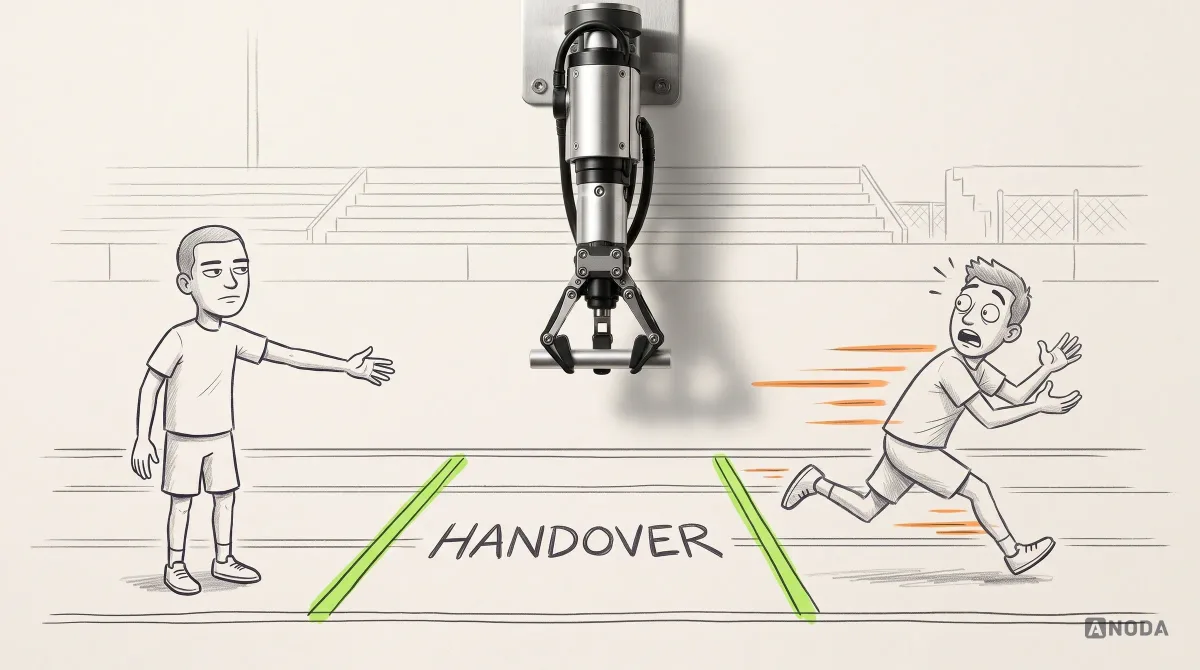
Think of a relay race. Nobody wins a relay by running fast. You win by not dropping the baton in the handover zone. The baton in UX is the decision each stage passes to the next: this is the user, this is the problem, this is the path, this structure works. Drop it, and every runner after that sprints beautifully in the wrong direction. Every unresolved decision travels into the next handoff. By the time it reaches engineering, you pay for it in rebuilt screens, delayed releases and customers who never reach the value they came for. ANODA closes those gaps while the solution is still cheap to change.
What the UX design process actually is
Strip the vocabulary away and the UX design process answers eight questions in order. Each answer is a decision. Each decision needs evidence strong enough for the team to bet the next stage on it.
- Frame the problem. Which business problem are we solving, and how will we know it is solved?
- Understand the users. Who has this problem, what are they trying to get done, and what do we already know about them?
- Set the scope. Which assumptions would sink the product if they were wrong, and what is in and out of this release?
- Map the flow. How does a person move from the trigger to the outcome, including the paths where things go wrong?
- Wireframe the structure. Does the structure of each screen support that flow before anyone argues about colour?
- Prototype and test. Can real people complete the core tasks, and where do they stall?
- Design the UI, the system and the handoff. Is every state specified well enough that engineering builds what was tested?
- Launch, measure and iterate. Did the released product change the behaviour we set out to change?
The eight questions below form one planning loop. Revisit earlier decisions when new evidence changes an assumption, and run compatible investigations in parallel. Record the decision, its owner and what the next stage needs. That keeps the team moving without burying unresolved questions in the next handoff.
The list looks linear. The work is not. Testing sends you back to the flow, measurement sends you back to the problem, and a surprise in research can kill a scope you liked. Use this sequence as a planning framework, not a mandatory standard. Structural, visual, technical and accessibility questions can be explored together when they influence each other; record which assumptions remain open before committing to implementation.
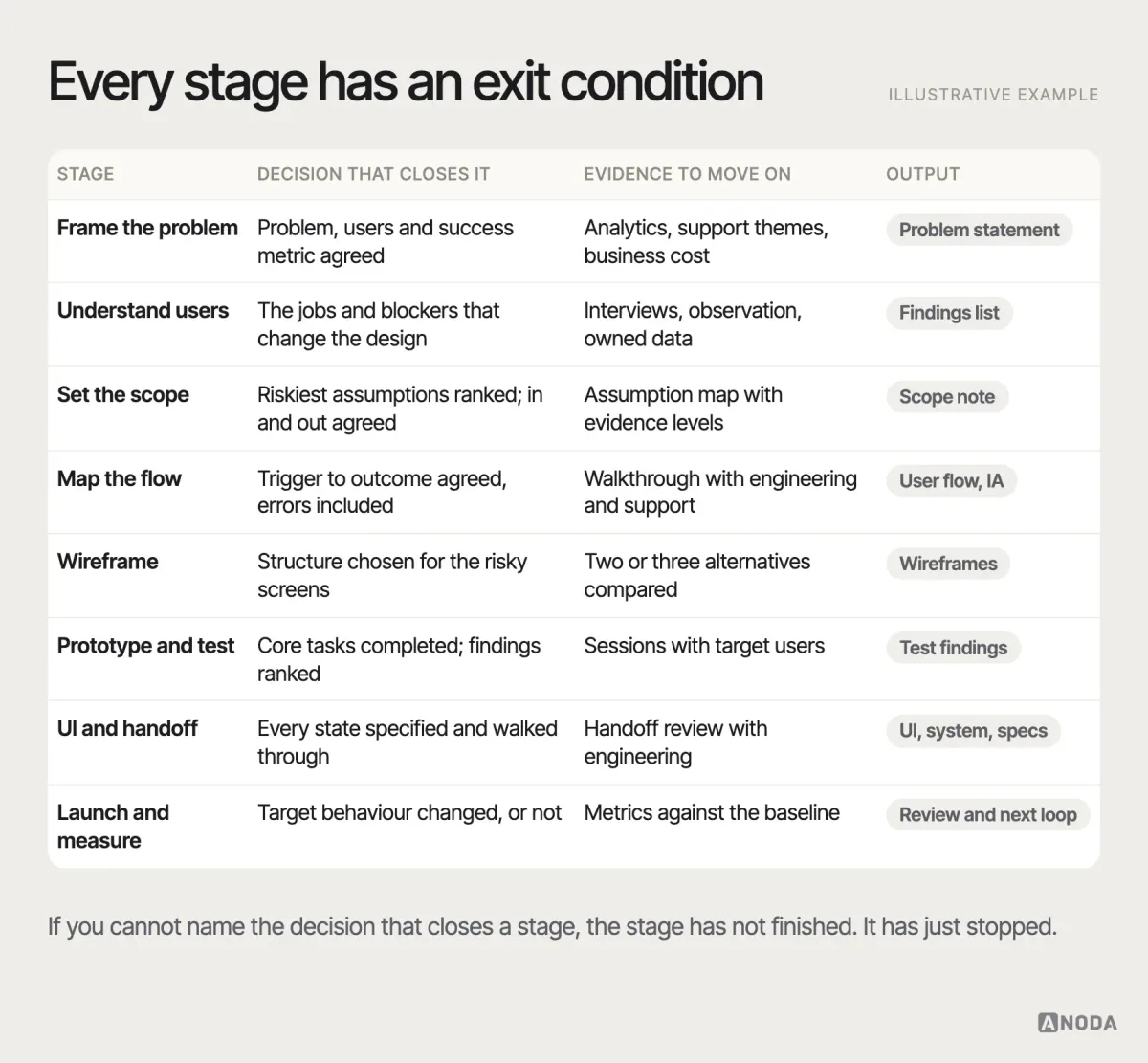
Use these checkpoints to stop expensive mistakes at the handoff. Compare the structures, test the critical task with representative users and agree on the remaining states with engineering. Each stage should give the next team a clear decision to build on.
Where you start depends on the product you have
Beginners’ guides assume every project starts from a blank page. Most don’t. The honest first question is not “what is the process?” but “where is this product right now?”
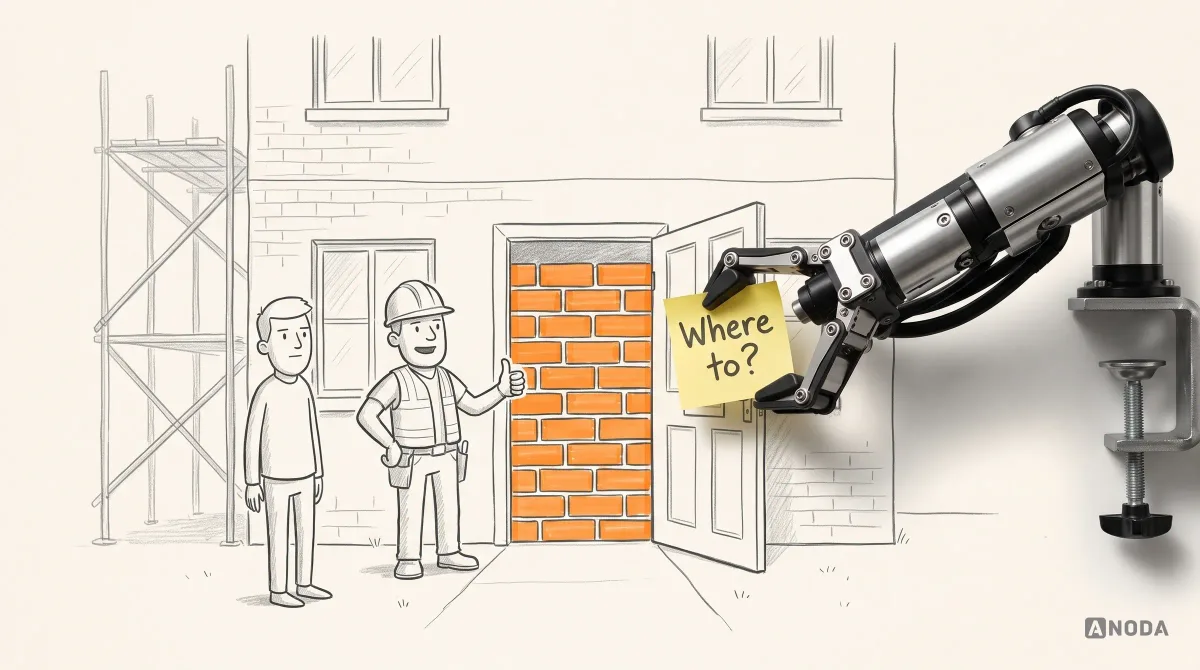
A new product starts with the idea, the audience and the core flow. The riskiest thing you can do is believe your own pitch deck. Before anyone designs a screen, you need evidence that a specific group of people has the problem, feels it often enough to change their habits, and would take the path you have in mind. A founder who skips this is building a door that opens into a wall: expertly hung, beautifully painted, going nowhere.
An existing product starts with what the product already knows. Analytics, support tickets, sales call notes, churn reasons and session recordings are evidence you have already paid for. The work begins with diagnosis: where do people drop, what do they complain about, which workflows do they avoid? Redesigning a live product without that is surgery without an X-ray.
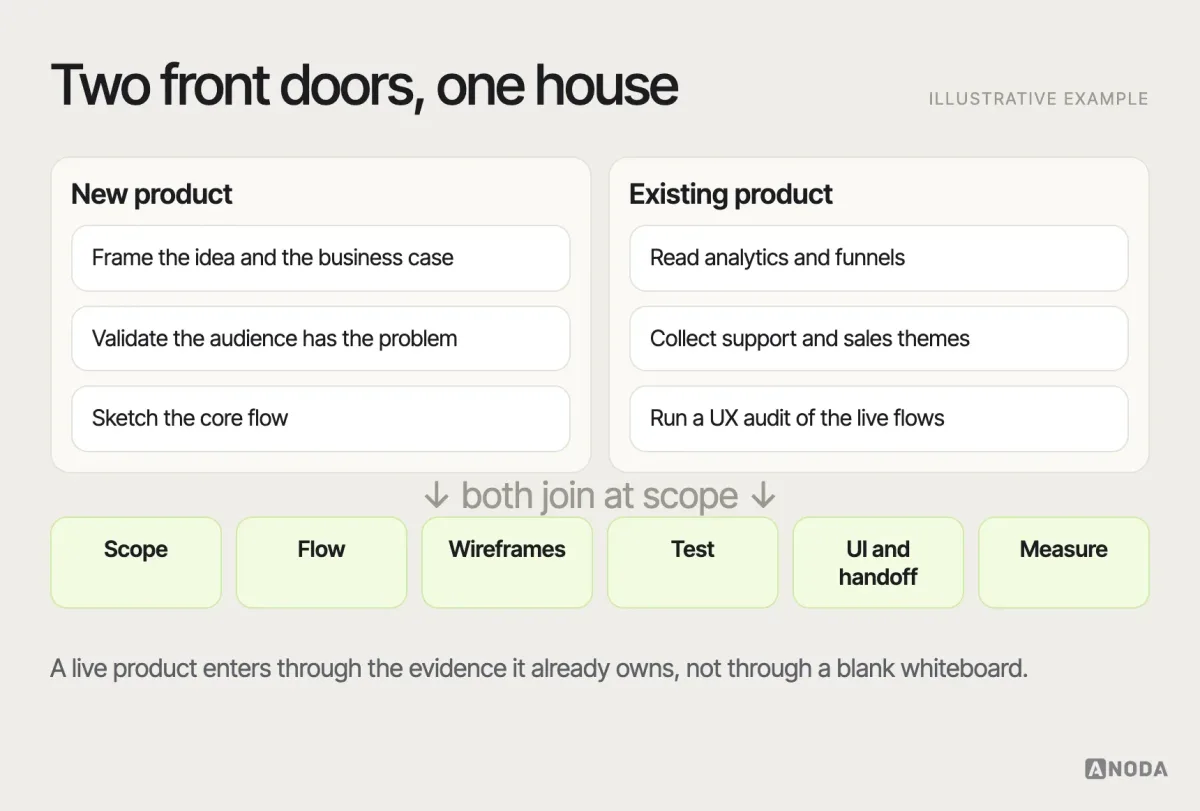
The entry paths are examples, not exclusive routes. A live product may still need new audience research or reframing when its existing data is incomplete, outdated or drawn from a different segment. A UX audit is one diagnostic option; agree the method against the uncertainty.
If you have a live product and a vague feeling that “the UX needs work”, a UX audit of the existing product can help diagnose the affected workflows before planning a redesign. Its findings can inform where to restart, alongside technical and business evidence. Sometimes the problem is the flow. Sometimes it is one form. Sometimes it is the pricing page, and a redesign would have been an extremely expensive way to find that out.
Frame the business problem before anyone opens Figma
Every good process starts with a sentence that is uncomfortable to write: what business problem are we solving, for whom, and how will we know? Not “redesign the dashboard”. Not “make it modern”. A problem statement names a behaviour and a cost: trial users do not reach the first report, so paid acquisition converts at a third of the plan; support spends two days a week explaining permissions; the sales team loses deals in the demo because the product looks harder than the competitor’s.
This is the stage teams rush most, because it produces no screens and therefore looks like no progress. It is also the stage that decides whether the rest of the budget buys anything. A redesign aimed at “make it cleaner” will deliver clean. Whether clean moves a single number is anybody’s guess, and guesses are expensive at design and engineering day rates.
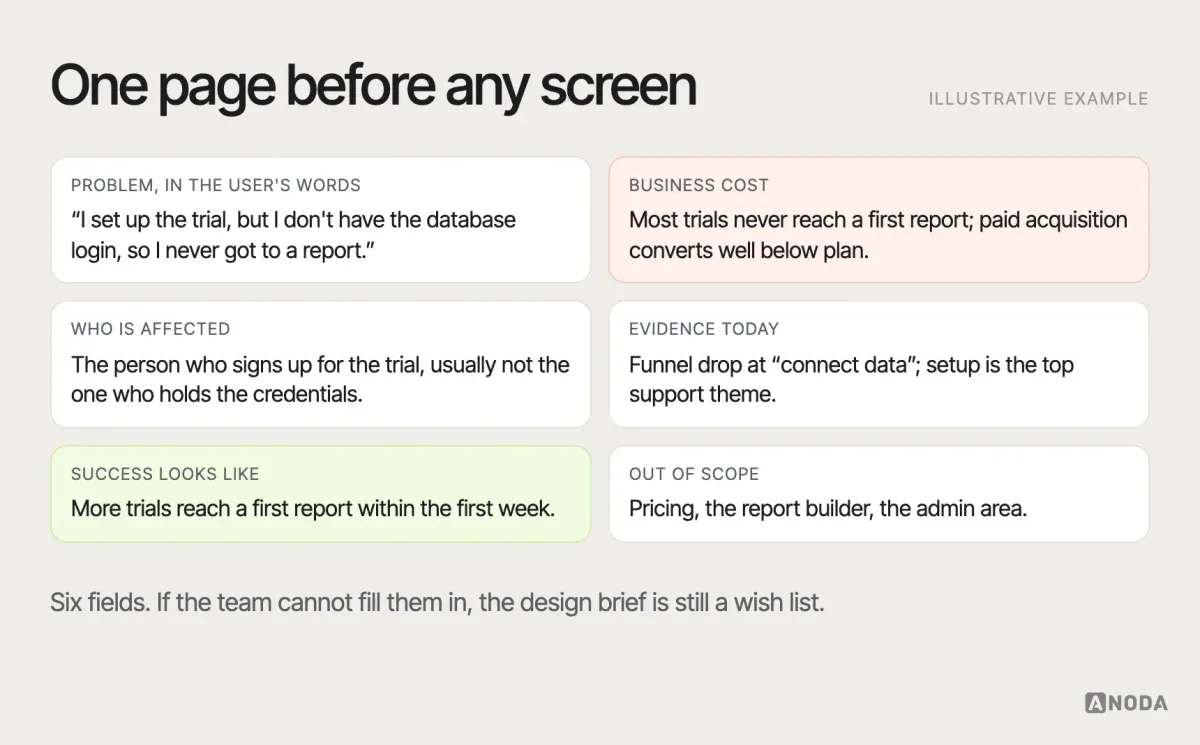
The card uses fictional observations, user wording and business context. For a real brief, attach the source, date, relevant segment and uncertainty to each finding; define the first-report event and eligible trials before interpreting the first-week target.
The output of this stage is small: a problem statement, the users it affects, the evidence you have, the metric that should move, and what is out of scope. For a new idea, this is where product discovery earns its keep: defining the decision, the users and the evidence before anyone commits to a build. Agree the discovery scope and decision deadline with the team; its value and duration depend on the uncertainty being investigated.
Research the users — and the evidence you already own
User research answers a narrow question: what do the people who have this problem actually do, need and struggle with? Not what they say they would like. Not what the loudest customer demanded in a call. What they do.
Before booking a single interview, collect the evidence you already own. Product analytics show where people drop. Support tickets show where they get stuck and how they describe it. Sales and success teams know which objections kill deals and which features customers never touch. This is the X-ray. Interviews and observation then fill the gaps the data cannot explain: why people abandon the setup, what they were trying to do, which workaround they use instead.
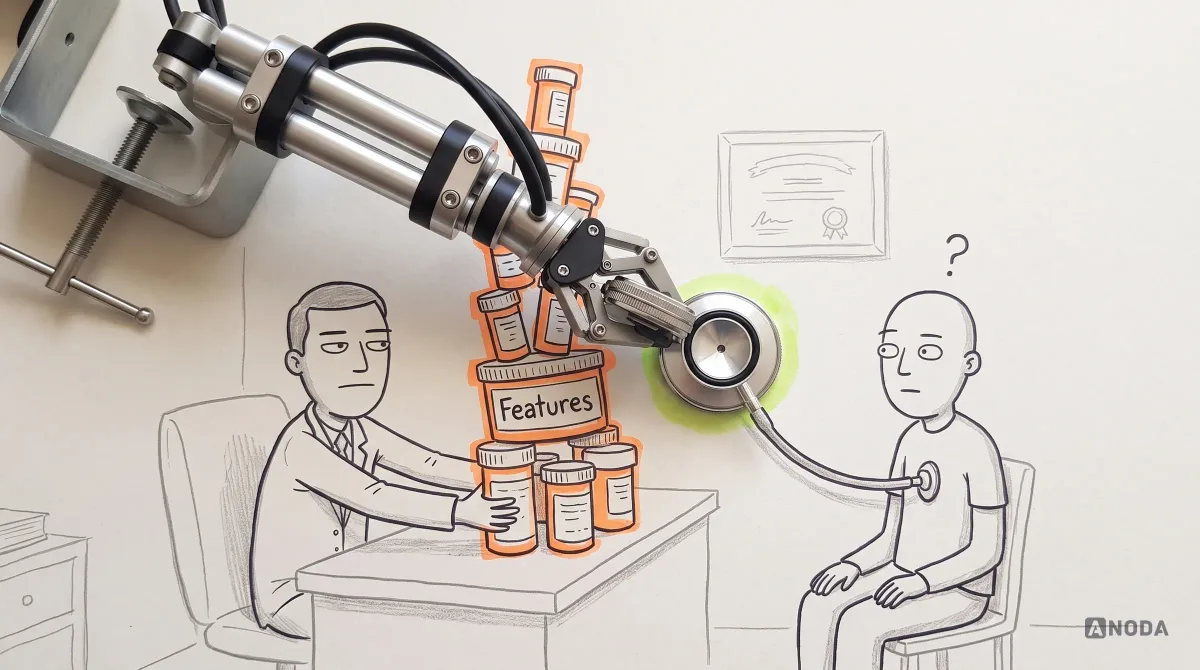
Designing without it is a doctor writing prescriptions before examining the patient. Sometimes the pills are right. Nobody should want to be the patient who finds out.
Keep the research proportionate to the risk. A new B2B product for a specialist audience needs direct access to those specialists — recruit for the distinct roles and tasks rather than treating one small group as representative of every specialist. A consumer feature with good analytics might need a handful of sessions to explain one drop-off. The question to ask is not “how much research is best practice?” but “how wrong could we be, and what would it cost?” If the answer is “a quarter of engineering”, a few weeks of UX research with real users can reduce uncertainty before committing engineering effort; the appropriate method and duration depend on the question.
Use analytics to locate the drop-off, support records to understand the frustration, and observation to see the task break. Bring those sources together so the next design decision solves the right problem.
What comes out is not a stack of personas with stock-photo faces. It is a short list of findings a designer can act on: the jobs people are trying to get done, the moments they get stuck, the language they use, and the differences between groups that actually change the design. A finding may instead change scope, policy, service operations or the decision to build; connect it to the decision it informs.
Name the riskiest assumptions and set the scope
Every product rests on assumptions. Most are harmless. A few would sink the product if they were wrong: that admins will invite their team in week one, that users understand the pricing model, that people will connect their data before seeing value. The scope stage exists to find those few, rank them by risk and by how little evidence you have, and decide which ones this release must test.
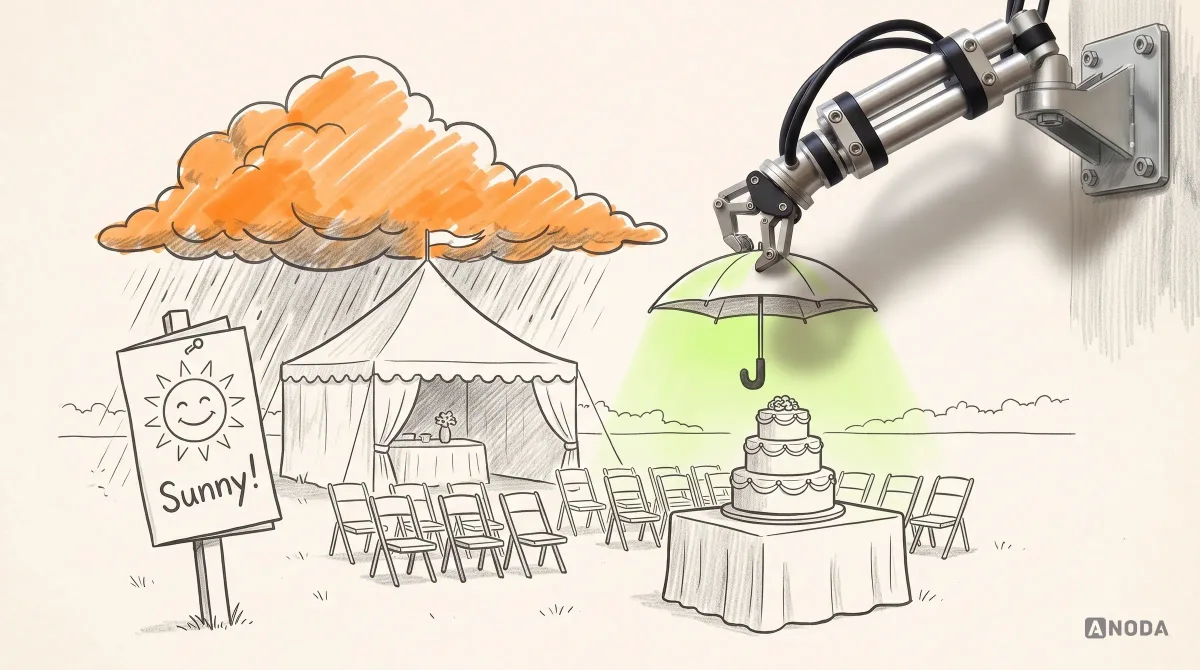
Planning without this step is booking an outdoor wedding without checking the forecast because the brochure photos were sunny. Maybe it doesn’t rain. Maybe you are standing in a field with two hundred wet guests and a very expensive cake.
| Assumption in a fictional product | Evidence and decision to investigate |
|---|---|
| Admins will invite their team in week one | Check the relevant roles, invitation task and reasons for delay. |
| Users will connect data before seeing value | Investigate who has authority and credentials, and how waiting affects the task. |
| Users need a weekly report | Evidence of need still leaves usability, data quality and implementation feasibility open. |
| Dark mode can wait | Assess affected users and access needs before deferring it. |
| CSV export can remain unchanged | Verify permissions, data coverage and task success before accepting the current behavior. |
These examples do not assign universal priorities. Record the potential impact, evidence quality, affected roles and cost of investigating each assumption. Reassess priorities when access needs, tasks or dependencies change.
Scope also means saying no out loud. What is in this release, what is not, and what would make you change your mind? A written scope protects the team from a possible process failure: every stakeholder adding their favourite feature until the release is everything but the kitchen sink, and the kitchen sink is scheduled for next sprint.
Map the user flow before you design a single screen
The user flow is where the UX design process stops being talk. It shows how a person gets from the trigger — an invite email, a failed payment, a Monday report — to the outcome they wanted, through every decision, branch and failure on the way. It includes the paths nobody likes to draw: the expired link, the missing permission, the empty state on day one, the error when the data does not import.
A good flow is the shared source of truth for everyone on the project. It works like a train timetable: product, design, engineering and support read the same document and plan around the same stops. When a stakeholder asks for a new feature, the first question is where it sits on the flow. If nobody can answer, the feature is a solution looking for a problem.
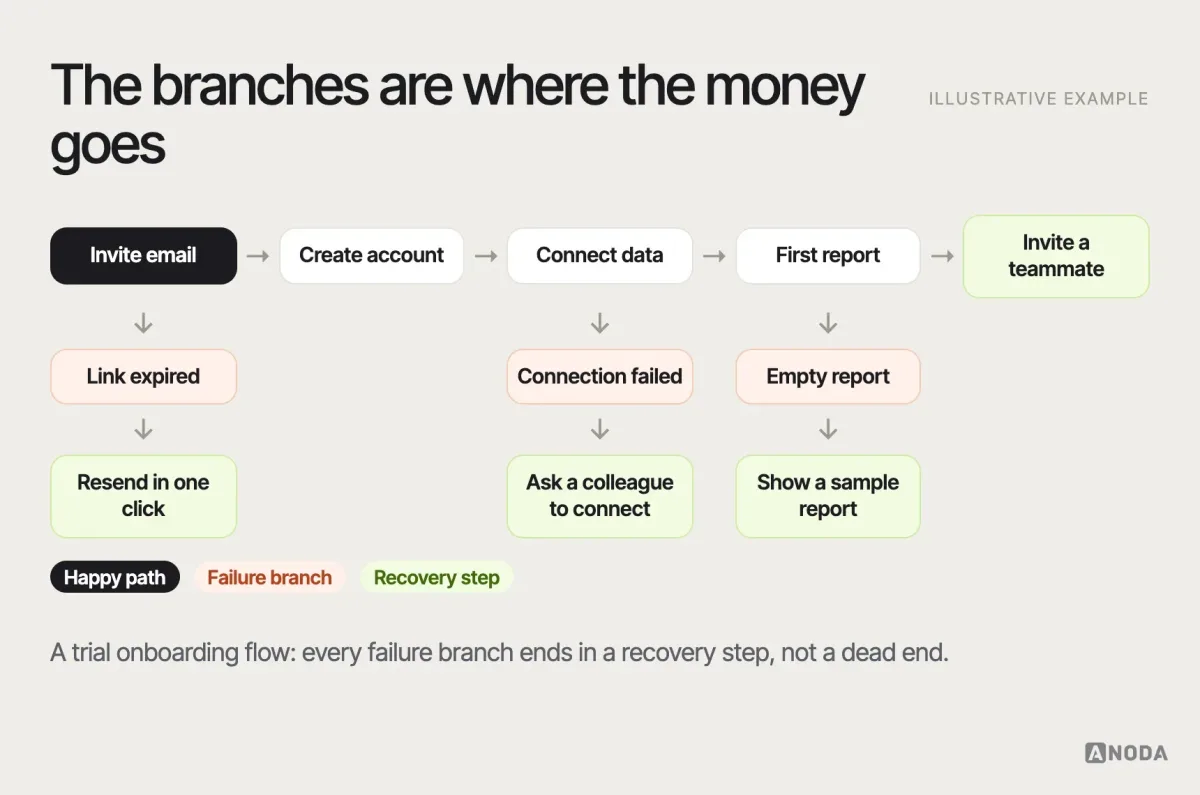
These are candidate recovery paths. Resending an invite requires permission, recipient and expiry checks and a delivery result; asking a colleague must not require sharing credentials. Label sample reports as demonstration data, distinguish them from connected results, and cover waiting, refusal and retry states. Make recovery a usable part of the flow, not an arrow that disappears at handoff.
This is also where information architecture gets decided: what the main areas of the product are, what lives where, what people call things. Get it wrong and every later screen fights it. We wrote a separate guide to mapping user flows to explain how to connect screens, decisions and recovery paths into a coherent task.
Sketch and wireframe: validate the structure before the polish
Wireframes answer one question: does the structure of each screen support the flow? What the person sees first, what they can do next, where information lives, what happens when there is too much of it or none at all. They are deliberately grey so that nobody argues about colour while the structure is still wrong.
The analogy we use with clients is the paper cut-outs on a floor plan. Before you buy a three-metre sofa, you cut a three-metre rectangle out of paper and put it on the plan. If it blocks the door, you just saved yourself a sofa. Teams that jump straight into high-fidelity UI are buying the sofa first and discovering the door afterwards.
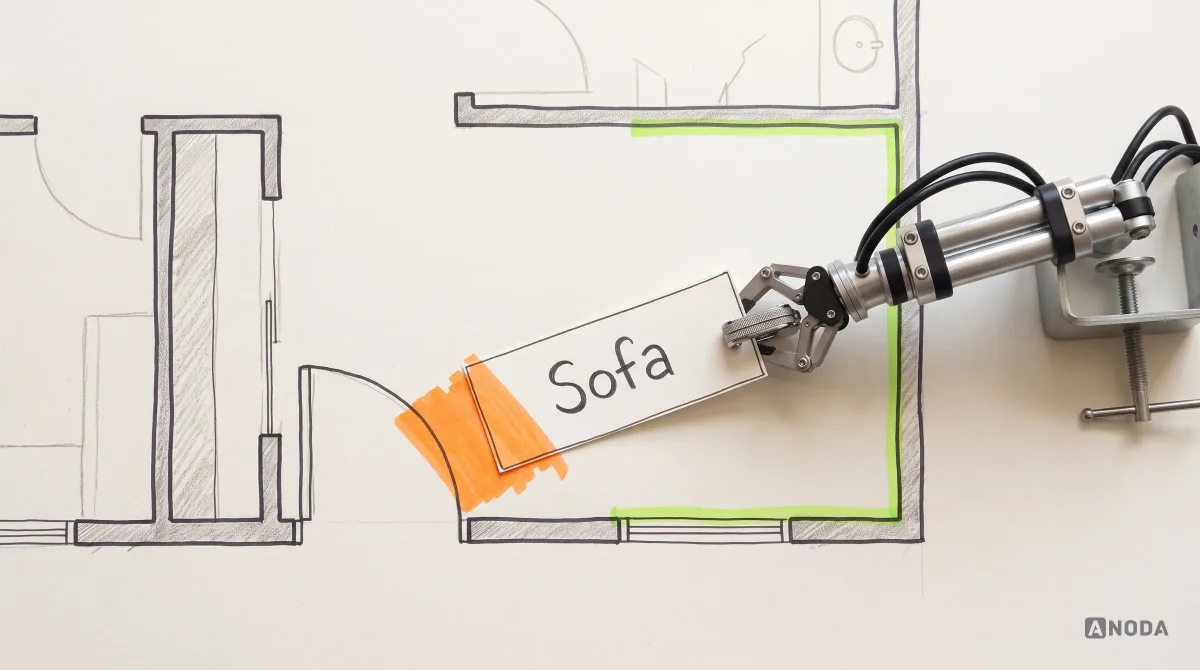
Compare alternative structures using the same task, data and state. An empty team should have no existing-member rows; a populated team needs accurate invitation copy. Then test the task: the point is to catch the wrong structure while changing it is still cheap.
Wireframing is also where ideation happens in practice. Two or three structural alternatives for the riskiest screens, compared against the flow and the assumptions, beat one precious concept defended in every meeting. Kill ideas while they are cheap. Grey boxes die without anyone crying.
Prototype and test with real people
A prototype is the wireframes (or the early UI) linked together so a person can attempt a real task. A qualitative usability test observes recruited participants attempting defined tasks without coaching them to the answer. Around five participants can be a useful starting point for an iterative study of one relatively similar user group, but it is not a universal sample size or evidence of population-wide success. Different roles, tasks and access needs may require separate recruitment; quantitative comparisons need a sample planned for the metric and uncertainty. NN/g distinguishes qualitative and quantitative sample requirements. It is the stage where the team’s confidence meets reality, and reality usually wins.
Skipping testing is the fire drill nobody practised. Everyone knows where the exits are, in theory. Then the alarm goes off, the corridor fills up, and it turns out the nearest exit has been locked since spring. You want to find the locked door on a quiet Tuesday, not on launch day with your paid traffic queuing at it.
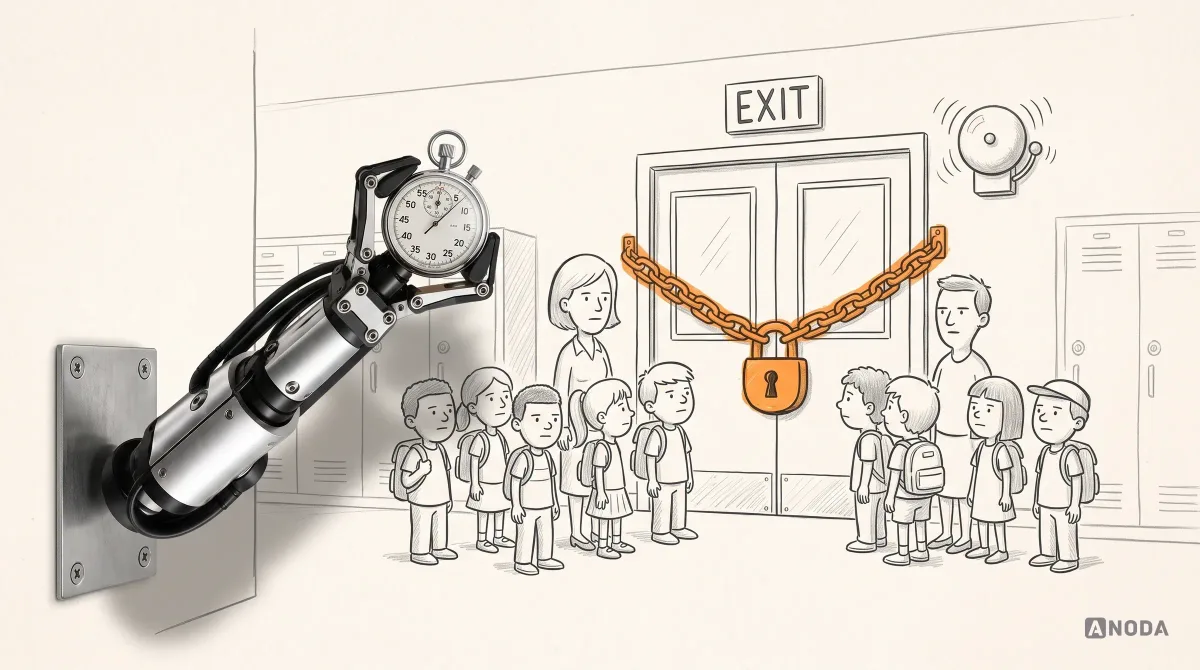
A useful test plan is short: the tasks that matter most, what success looks like for each, who the participants are, and how findings will be ranked. After the sessions, every finding gets a severity and a decision — fix now, fix before launch, watch after launch, ignore. Use the observed task impact, frequency, recovery and study limitations to agree severity and priority; document the reason for any accepted risk.
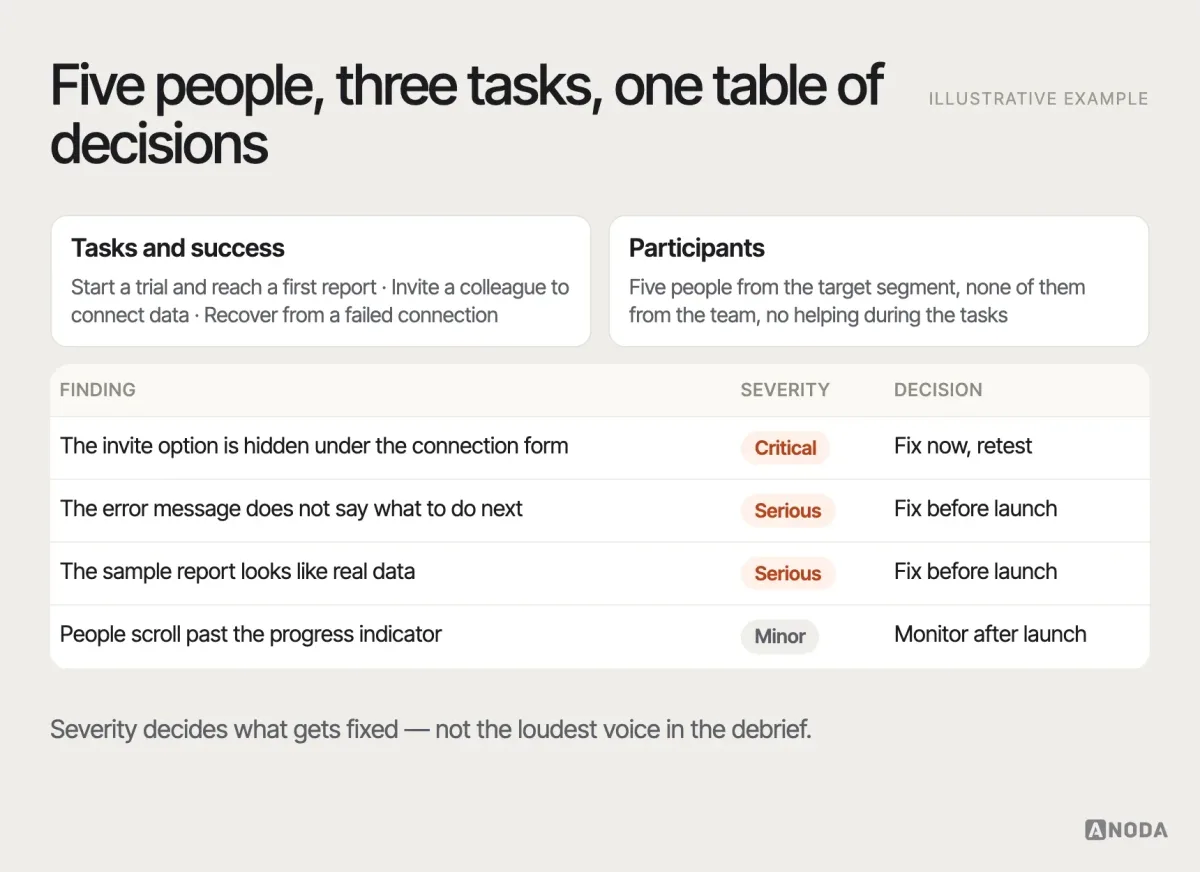
Testing does not end the process; it sends you back. A critical finding might reopen the flow or even the scope. That is the process working, not failing. Repeatedly positive findings warrant checking recruitment, task difficulty, facilitator influence and what the prototype actually covers; they do not by themselves prove that the study is invalid. If you want the quantitative side of validation after launch, our guide to A/B testing in UX design covers when a split test answers the question and when it only measures the noise.
Design the UI, the system and the handoff
Only now does visual design take the lead: typography, colour, spacing, components, motion. It is not decoration. A strong visual hierarchy tells people what matters on a screen, and a consistent component library gives later screens reusable parts; each new task and combination still needs appropriate testing. Accessibility requirements should inform research, flows and prototypes from the start. This stage specifies contrast, focus states, labels, touch targets and component behavior, which still need implementation and assistive-technology checks.
The trap here is treating the UI as the finish line. The finish line is working software, and the gap between a Figma file and working software is where a surprising amount of good design goes to die. The handoff has to specify every state the flow implies — loading, empty, error, partial, permission denied — the behaviour of every component, the edge cases, the copy and the tokens. If engineering has to guess, engineering will guess, and the product will be a close-but-no-cigar version of what was tested.
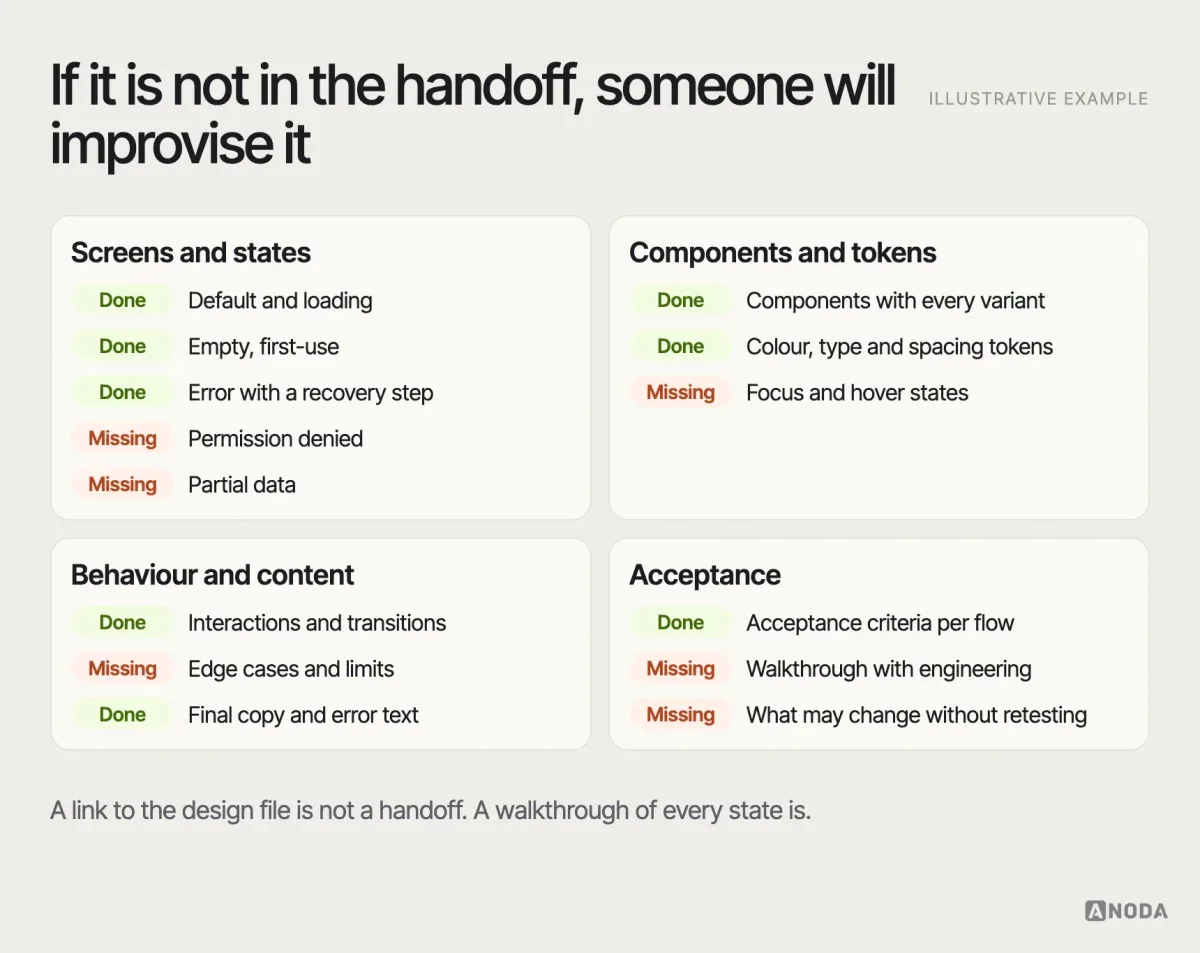
The pictured checklist contains deliberate gaps: permission-denied and partial-data states, focus and hover behavior, edge cases, engineering review and retest boundaries remain missing. Close those gaps before calling the handoff finished. Assign an owner to each gap, agree what blocks release, and verify the resulting behavior against the acceptance criteria.
A good handoff is a conversation, not a file drop. Designers walk engineers through the flow, engineers flag what is expensive, and both agree on what can change without breaking what was tested. When a team needs one partner to carry the interface from flow to handoff, that is the job of UI/UX design done end to end rather than screen by screen.
Launch, measure and iterate
Launch is not the end of the UX design process. It exposes the implemented design to actual use; audience size and financial exposure depend on the release plan. The question from the very first stage comes back: did the behaviour we set out to change actually change?
That only works if you defined the measurement before launch. For each goal, name the metric, the baseline, the target and where the data comes from: activation rate for the onboarding flow, task completion for the core workflow, support tickets per hundred accounts for the permissions screen. Set the comparison before launch: the same task, audience and observation period. Keep acquisition and other releases visible so the team can see what improved and what still needs work.
| Example question | Measure and interpretation |
|---|---|
| Do eligible trial accounts reach a defined first-value event? | Define the event, denominator and observation window before interpreting an activation rate. |
| Does setup take less time? | Compare equivalent tasks and cohorts; include incomplete attempts and timing limits. |
| Can users invite the person who holds the credentials? | Record eligible attempts, completion and permission or delivery failures. |
| Are setup questions less frequent? | Use comparable account exposure and classify tickets consistently. |
Choose review dates for the available traffic and expected outcome delay. A two- or six-week checkpoint is an example, not a universal evaluation period.
Then iterate. The data and the new support themes feed the next round of framing, and the loop starts again — shorter, sharper and better informed. Teams that ship and move on are sending a child to a new school and never asking how the day went. The child will tell you eventually. Usually in the form of churn.
How we work
Not sure which of the eight steps you can skip?
We map the uncertainty in your product to the sequence of research, design and validation that removes it — and tell you which steps you can run light.
What you can compress — and what you can’t
Real teams rarely get the luxury of every stage at full depth, and they do not need it. The process scales with risk. A small feature in a well-understood product can go from flow to prototype in days. A new product in an unfamiliar market needs the full loop, and some stages twice.
You can compress documentation: lighter research reports, fewer personas, a flow drawn on a whiteboard and photographed, a prototype that covers only the risky paths. You can compress formality: a short study appropriate to the question, recruited audience and access needs. Keep a record of recruitment, tasks, observations and limitations even when the report is brief. You can run stages in parallel when they do not depend on each other.
You cannot compress the decisions. Someone still has to decide what problem you are solving, who for, what the flow is, whether the structure works and how success will be measured. Skip the decision and it does not disappear — it gets made later, by accident, by whoever is building the screen that needed it. That is putting the cart before the horse, and the cart is billed by the hour.
| What to simplify | What to preserve |
|---|---|
| Report length and format | Decisions, observations, unresolved assumptions and responsibility |
| Prototype fidelity | The interactions and states needed to answer the study question |
| Recruitment and study format | Coverage justified by roles, tasks, access needs and required precision |
| Stage scheduling | Dependencies, agreed evidence and a review of the remaining risk |
What breaks when a team skips the evidence
Skipped evidence does not show up as a skipped stage. It shows up months later as a symptom nobody connects to the cause. We see the same chain in almost every product we audit.
Skip the problem framing, and the team ships a redesign that looks better and moves nothing, because nobody agreed what it was supposed to move. Skip the research, and the product solves the problem the founder imagined, beautifully, for users who have a slightly different one. Skip the scope, and the release grows until it misses its date, and then the cuts happen in the worst place — usually the error states and the onboarding, because they are “just details”. Skip the flow, and every screen works on its own and the product makes no sense as a whole: users bounce between areas looking for the next step. Skip testing, and the first usability study happens in production, with paid traffic as the participants and churn as the report.
Each skipped decision is a loan. The interest is paid in rework, and rework is the most expensive design there is: the screens have been built, the engineers have moved on, and the users who hit the problem have already left. The acquisition money that brought them in is gone with them.
Design thinking, Agile and the UX design process
Beginners often ask how the UX design process relates to design thinking and to Agile, as if they were three competing religions. They are not.
Design thinking is a mindset and a vocabulary — empathise, define, ideate, prototype, test — that describes roughly the same loop at a higher altitude. The eight steps above are what that loop looks like when a product team has budgets, engineers, stakeholders and a launch date. If your design-thinking workshop ends with sticky notes and no decision, you have done the fun half.
Agile supports iterative delivery and collaboration across business and development; the Agile principles call for ongoing cooperation and adaptation. It can change the rhythm of UX work without removing the need to investigate assumptions. The mistake is running design one sprint ahead of development and calling it discovery. That works for small, well-understood features. For unfamiliar or risky work, one sprint may be insufficient; the required investigation depends on access to participants, existing evidence and the decisions at stake. A two-week duration alone does not determine whether discovery is adequate. The practical fix is simple: run the framing, research and flow for a significant area before it enters the sprint pipeline, then let design and engineering iterate together inside the sprints on structure, UI and details.
Lean UX and similar approaches compress documentation and lean on fast experiments. That is compatible with everything above, as long as the experiments test real assumptions and somebody writes down what was decided.
Who does what at each stage
A UX process is not the designer’s private ritual. It runs on decisions, and decisions need the people who own the consequences in the room. Product owns the problem and the priorities. Design owns the flow, the structure and the interface. Engineering owns feasibility and the cost of each option. Support and sales bring what customers actually say. Leadership owns the trade-offs when time, scope and quality collide.
One failure to investigate is missing decision ownership: stakeholders who review screens but never the flow, who approve the UI and then reopen the scope at handoff. Too many cooks spoil the broth; too few people with authority in the kitchen spoil it faster.
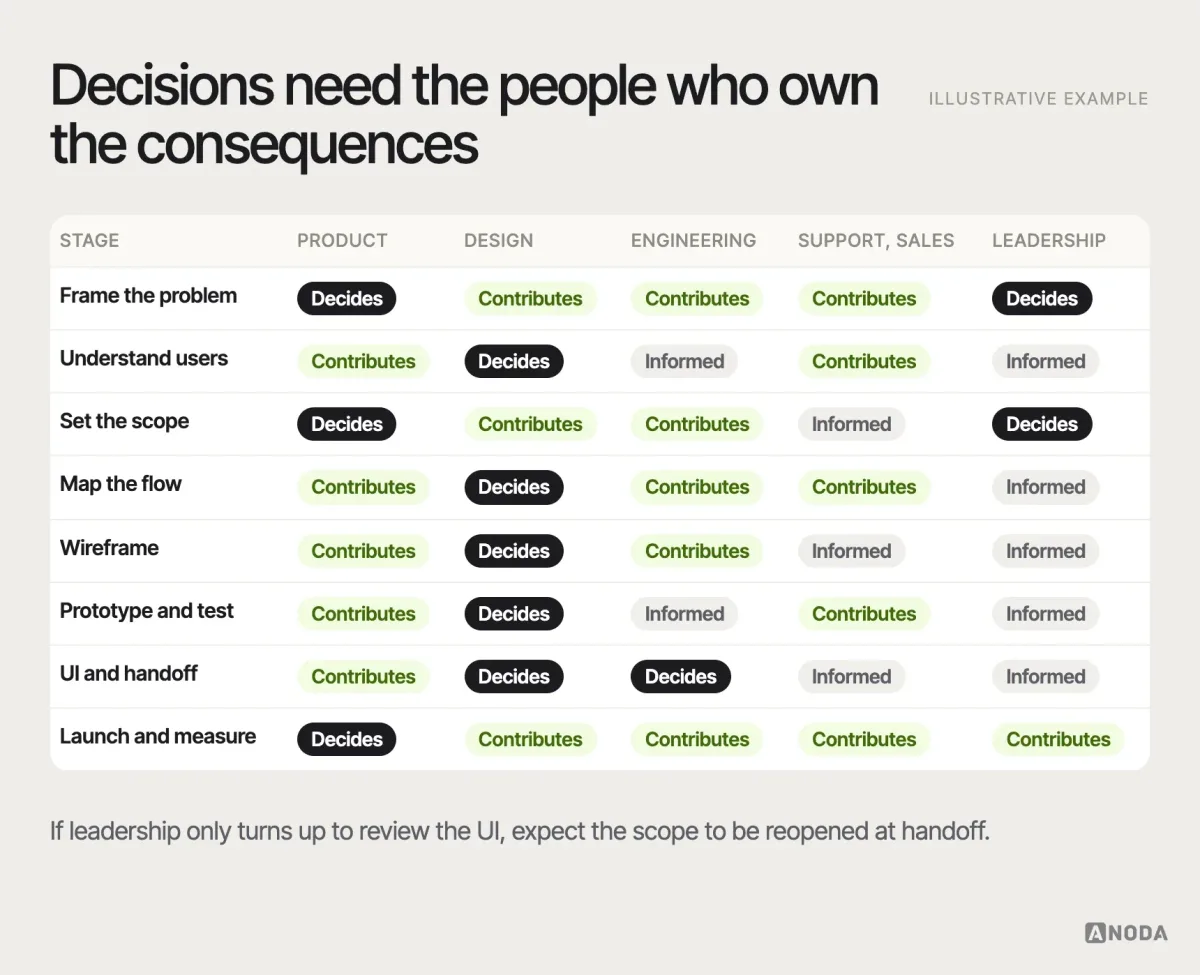
This matrix is an example of participation, not a universal allocation of authority. Agree one accountable owner for each specific decision and how conflicting requirements are resolved; involve engineering, research, accessibility or operational specialists when their evidence is needed.
A UX design process example
Here is how the eight steps look on a typical project we see — an illustrative example, not a specific client. A B2B SaaS product has healthy sign-ups and a trial-to-paid conversion well below plan. Leadership wants a redesign of the onboarding.
Framing turns “redesign onboarding” into a problem: trial accounts that never produce their first report do not convert, and most trials never get there. Research starts with the evidence the product already owns — the funnel shows the drop at connecting a data source; support tickets show people do not know which credentials to use — then a handful of interviews explain why: the person who signs up is rarely the person who holds the credentials. Scope names the riskiest assumption: that the sign-up user can finish setup alone. It probably cannot.
The flow changes accordingly: invite a colleague to connect the data, show a sample report while waiting, recover when the connection fails. Wireframes test two structures for that step. Testing with five recruited participants in this fictional example finds that they overlook the invite option under the form. The team changes its placement and plans a retest; severity depends on task impact and available recovery. UI and handoff specify every state of the connection step, including the dreaded “it’s been three days and nobody connected anything”. Measurement tracks time to first report and trial conversion against the baseline.
| Stage in the fictional example | Decision and remaining check |
|---|---|
| Frame and research | Investigate the connection drop-off and who can authorize data access. |
| Scope and flow | Explore a colleague invitation and clearly labelled sample report; include refusal, expiry and connection failures. |
| Wireframe and test | Compare structures, observe the invite task, change placement and retest. |
| UI and handoff | Specify the relevant states and agree implementation acceptance criteria. |
| Measure | Track the first-report task and trial outcomes to guide the next iteration. |
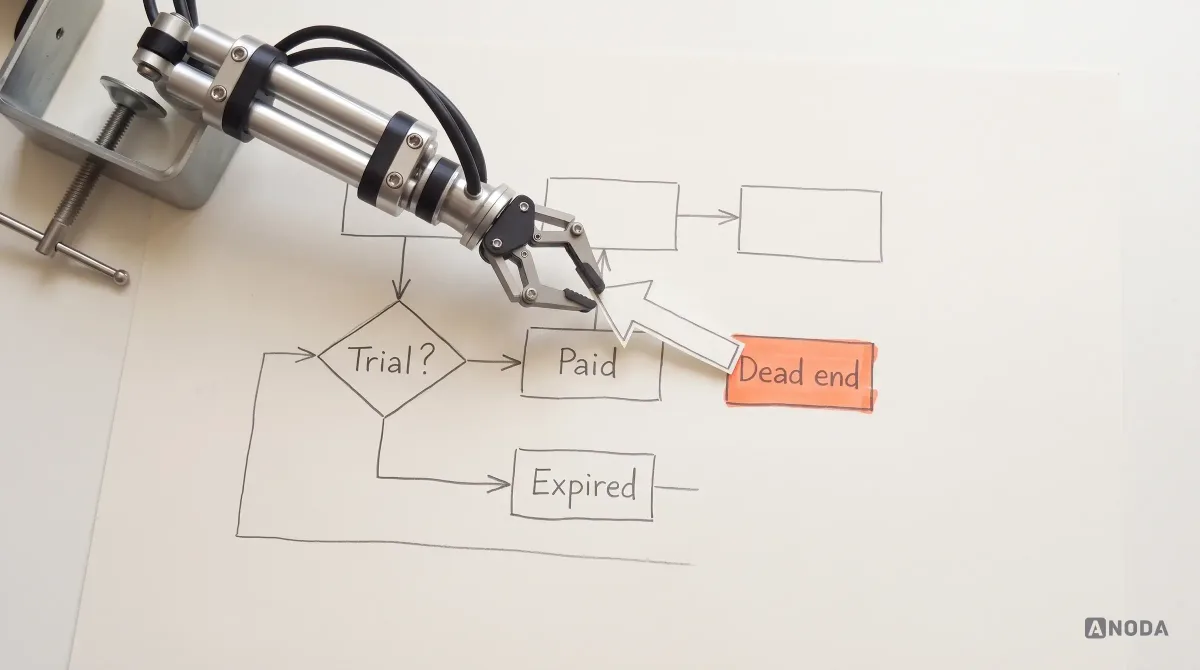
A focused intervention still needs a complete journey: invitation permissions, delivery, connection recovery and clearly labelled sample data. Design and test those states together so the new invite button leads to a usable report instead of another dead end.
Notice where the process puts the budget: on the blockage between signing up and getting a useful report. Instead of polishing the entire onboarding flow, the team gives the person without credentials a practical next step and checks it before engineering builds it. That is the commercial case for a disciplined UX process: find the real problem early, spend on the right change and measure its effect after launch.
Signs your UX process is theatre
A process can have every artifact and still be theatre. These are the signals we look for when a team asks us why their “user-centred” product still loses users:
- Research whose role in decisions is unclear. Check whether findings changed the plan, supported an existing choice or left an assumption unresolved. An unchanged roadmap alone does not make the research ineffective.
- Personas with names, hobbies and no behaviour. “Marketing Mary likes yoga” helps nobody design a permissions screen.
- A flow that only exists as the happy path. No errors, no empty states, no “what if the data never arrives”.
- Visual detail without an agreed study question. Early high-fidelity work can be appropriate when fidelity affects the task; investigate whether the team is choosing details while leaving structural uncertainty unexamined.
- Testing that always passes. Check recruitment, task coverage and facilitator influence before accepting the result as broad validation.
- A handoff that is a link to the Figma file. Engineering fills in the gaps, and the product becomes a different design than the one that was tested.
- No baseline, no review. Launch day is the last time anyone looks.
If these symptoms sound familiar, your team needs decisions that move the product forward, not another collection of artifacts. ANODA finds where the process breaks and changes the sequence before you pay for another round of rework.
Start in the right place
Discovery, research, a redesign — or one fixed flow?
Tell us what you are building and where it hurts. We will tell you where the process should start, and what you would be paying for if you started anywhere else.
A process that protects your product budget
Your team can complete every ceremony and still ship a product customers cannot use. You pay once to build it and again to untangle the decisions left behind. ANODA makes those decisions visible before they become expensive screens and engineering work: the problem, the flow, the risky states and a handoff your developers can use. Our Remote Leverage HRIS work shows how we connect several roles and lifecycle stages into one coherent design. Talk to ANODA about your product and put the next design investment into the right problem.
Written by