
Digital art streaming, and the shop behind it
Blackdove streams moving digital art to screens in homes and businesses.We designed its storefront, web app and mobile app, and built the storefront.
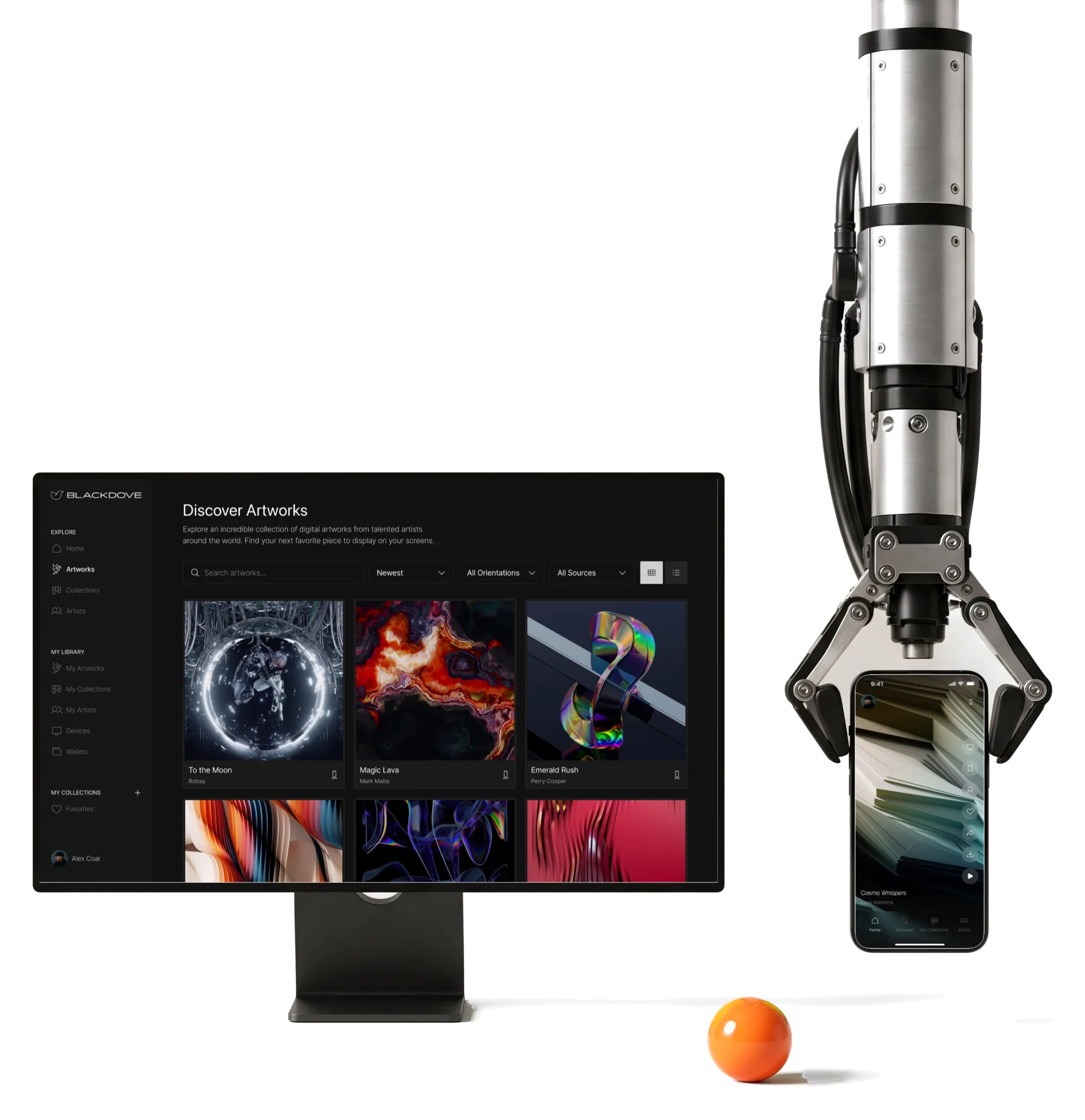
- 300+
- screens across the storefront, the web app and the mobile app
- 3
- surfaces Shopify storefront, responsive web app and mobile app
- Shopify
- built by us the storefront, Canvas page and product aggregator
Project summary
Blackdove streams moving digital art to screens: its own Samsung-made Digital Canvas, and the TVs and displays people already have, at home, in offices and in hospitality spaces. We did the product design across the Shopify storefront , the responsive web app and the mobile app , with one design system behind all three, and implemented the storefront in Shopify.
How the work ran
- Our part
- Requirements, information architecture, flows, wireframes, the UI of all three surfaces, a prototype and the design system; then the Shopify storefront, the Canvas product page and the product aggregator, built and documented.
- Blackdove’s team
- The React web app, the mobile app, the backend, the streaming platform and the device integrations.
- The rhythm
- One long engagement, re-scoped as the founder’s priorities and the product’s architecture changed; each round reviewed and approved by the client.
- Delivery
- Finished designs in the Client Figma file with Loom walkthroughs, and a final export with product-page documentation in February 2026.
What the product holds
One chain, from the first visit to art playing on the wall:
-
Storefront
- Digital Canvas
- Comparison
- Art Catalog
-
Purchase
- Configurator
- Cart
- Checkout
-
Subscription
- Plans
- Paywall
- Billing
-
Discovery
- Artworks
- Collections
- Artists
-
Library
- Saved art
- Own collections
- Followed
-
Screens
- Pairing
- Groups
- Display settings
- Art and Controls
- The artwork fills the view; actions sit at its edges.
- Gallery and Store
- Buying and subscribing without turning the gallery into a shop window.
- Phone and Wall
- Choose on a small screen, play on a large one.
One artwork, and everything else at its edges
- Found
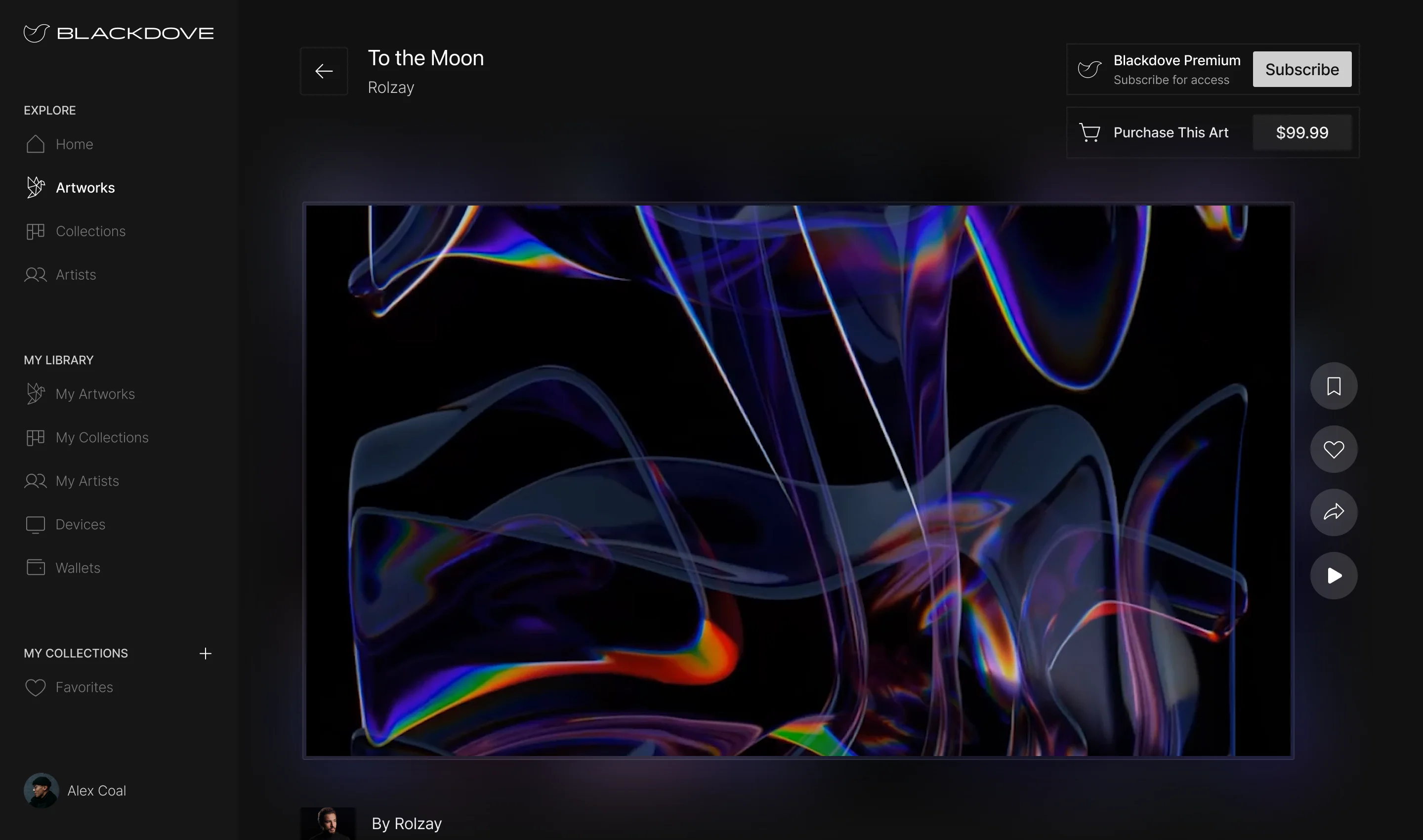
- An artwork page has to sell, save, share and play the piece, and each of those buttons competes with the art it is about.
- Decided
- The artwork takes the middle of the page; its title sits above it, the two ways to own it top right, the actions in a slim rail beside it, and the artist below.
- For the user
- The collector sees the piece first and still finds how to buy it, keep it or send it to a screen without looking for it.
-
What it is, and how to own it
The title and the artist, then subscribe for access or buy this piece.
-
The art, and what to do with it
The piece in its own orientation, with save, like, share and play in a slim rail beside it.
How the work progressed
Requirements and the buyer first, then flows and a visual direction, then the web and mobile UI on one system, then files and walkthroughs the client’s teams could build from.
-
Discovery
Who buys a Canvas, who subscribes, and who runs screens in a business
Artifact Requirements and the product-design direction
-
User Flow
How the shop, the web app and the mobile app connect, and where each journey starts
Artifact Information architecture, wireflows for the website and the app, clickable wireframes
-
Moodboards
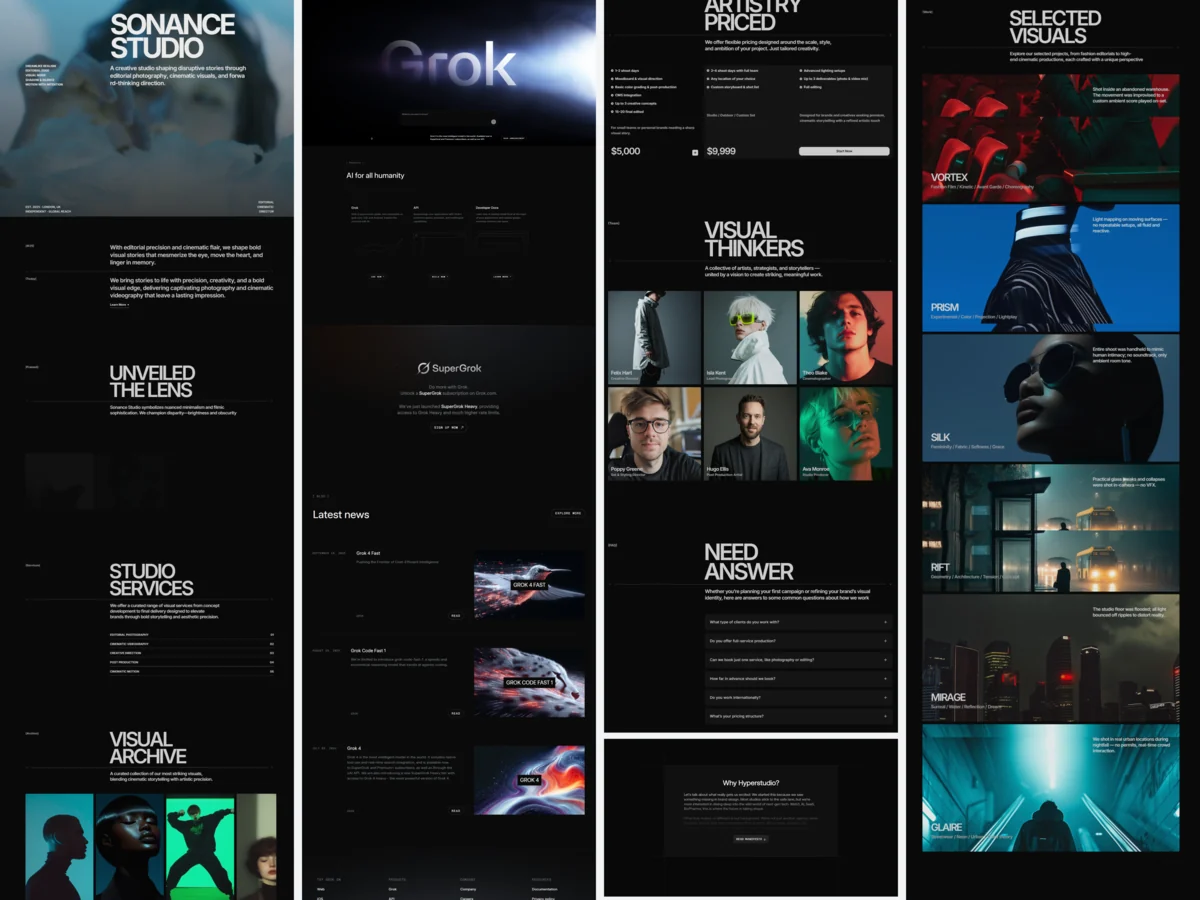
How dark and how quiet the product should be for the art to lead
Artifact Moodboards for different buyers, then two UI styles
-
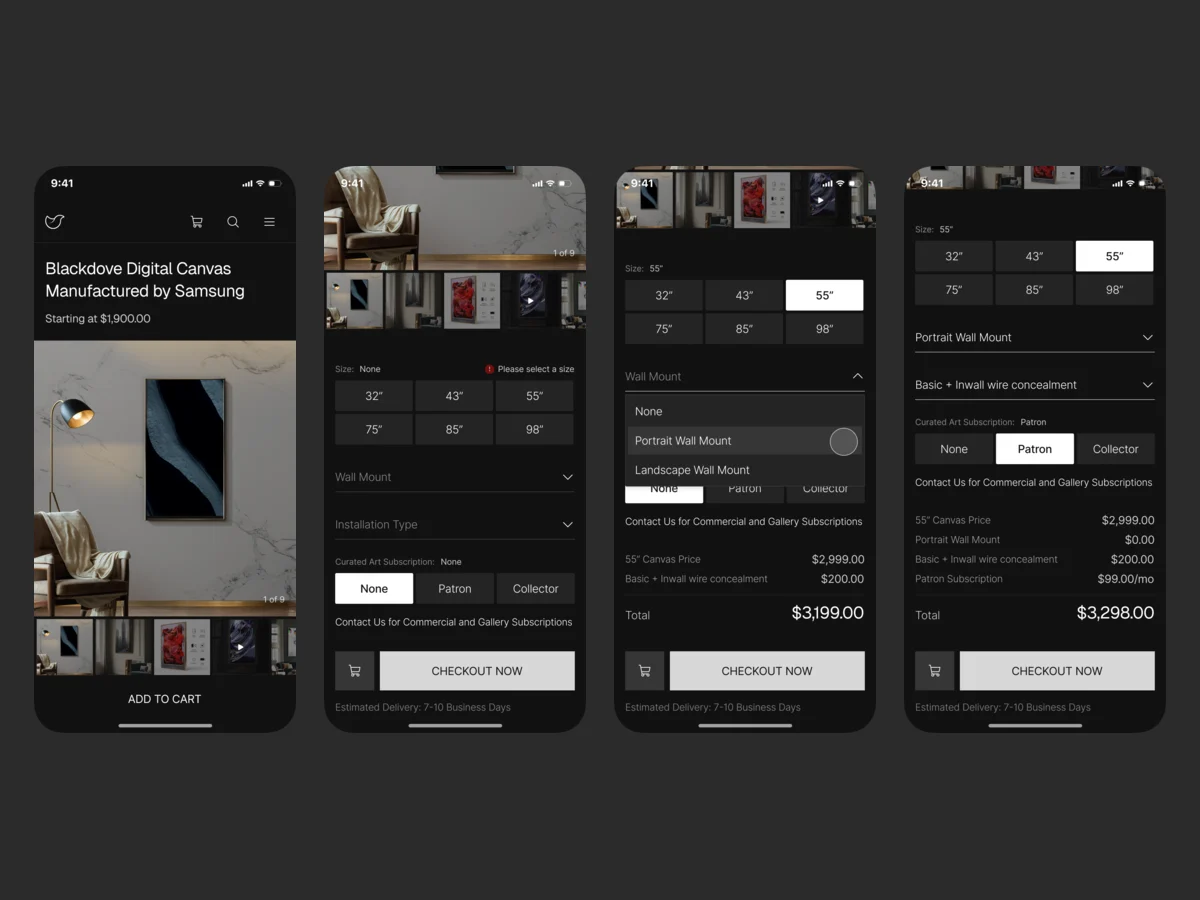
UI — Web platform
The storefront, the Canvas configurator and the web app, on one grid and one set of components
Artifact Final desktop and mobile web screens and their states
-
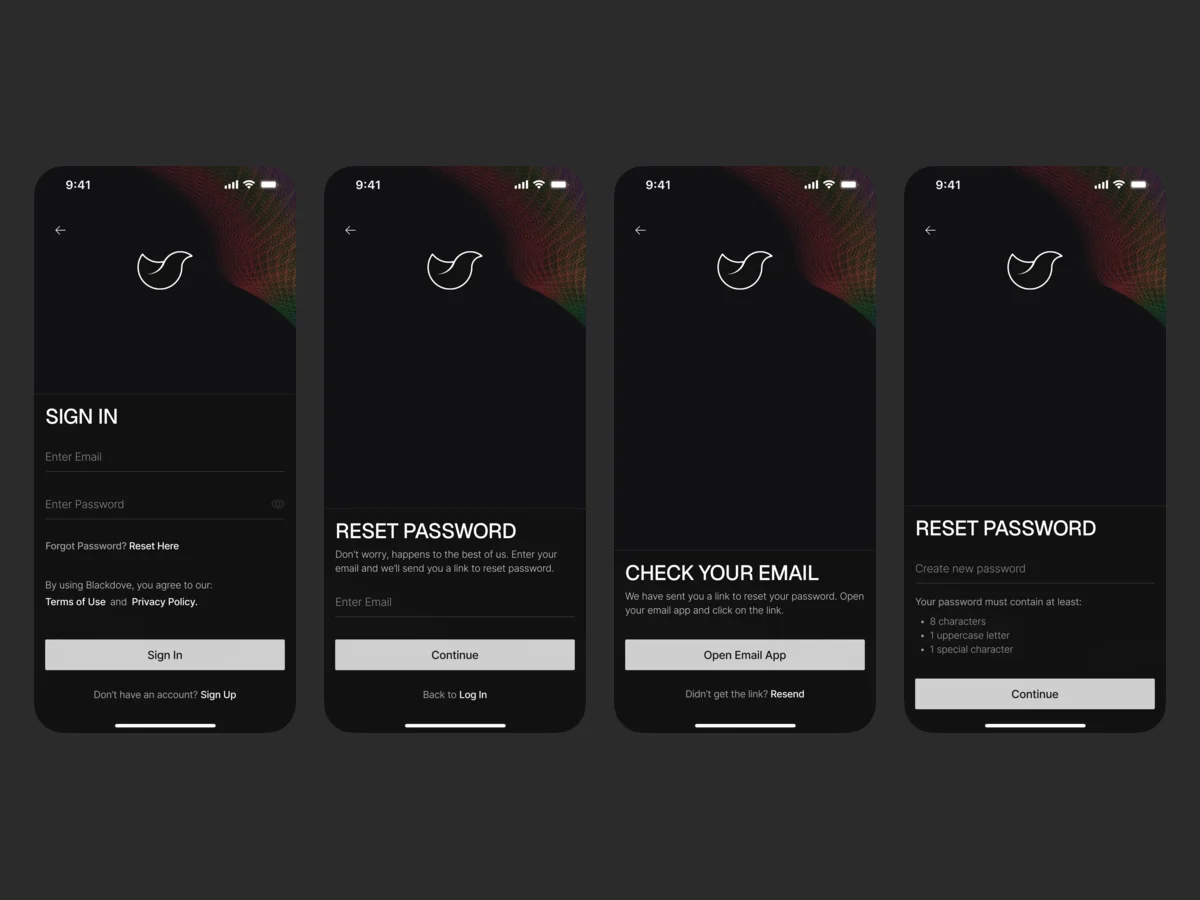
UI — Mobile app
Discovery, collections, pairing and display control on a phone
Artifact Final mobile screens, onboarding and sign-up, a clickable prototype
-
Delivery
What each of Blackdove’s teams needed to build its part
Artifact The Client Figma file, Loom walkthroughs, exports and documentation, and the Shopify build
Three surfaces, one way around
- Found
- People arrive in different places: from an ad on a TV, from the shop, from the app. Each of those entries has to lead to the same art and the same account.
- Decided
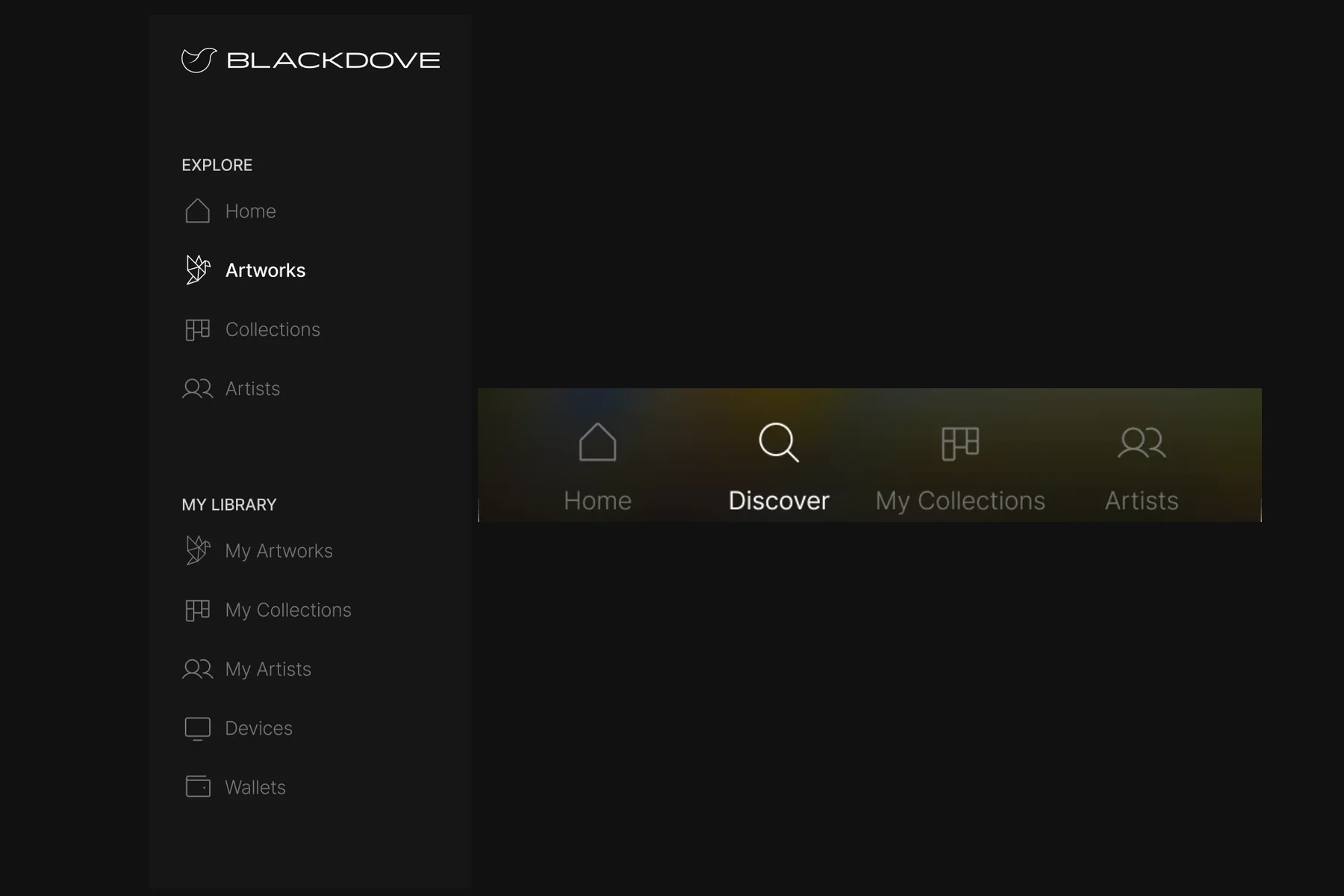
- The journeys were drawn as wireflows before any screen: the shop from its product pages to checkout, the app from Home to artists, collections and screens. The web app and the phone then share one menu of places.
-
Shop: from the product pages to checkout
How the Canvas pages, the search, the cart and Shopify checkout connect.
Open the full map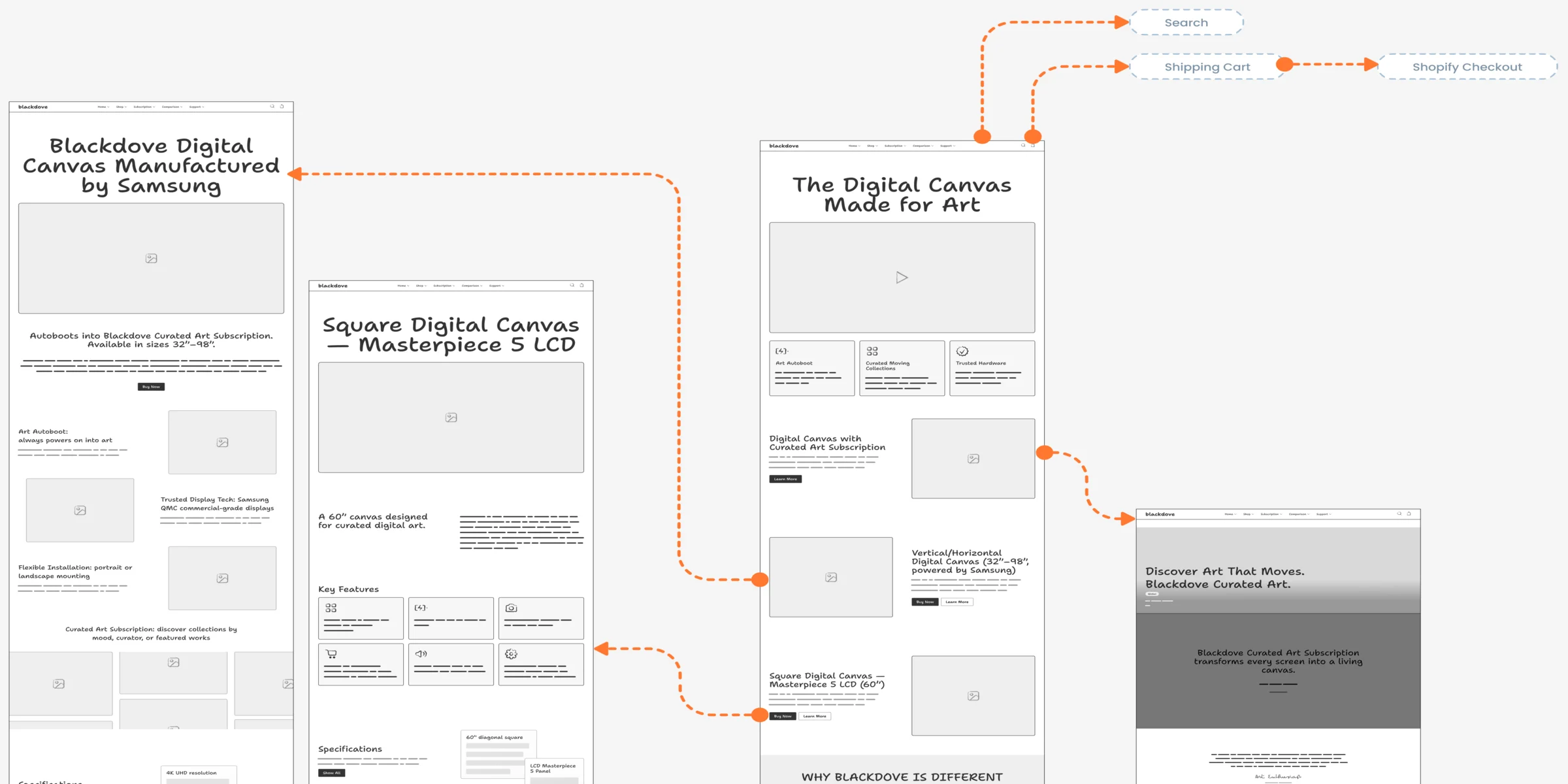
-
App: home, artists and collections
How Home leads to artists, collections, saving and streaming to a screen.
Open the full map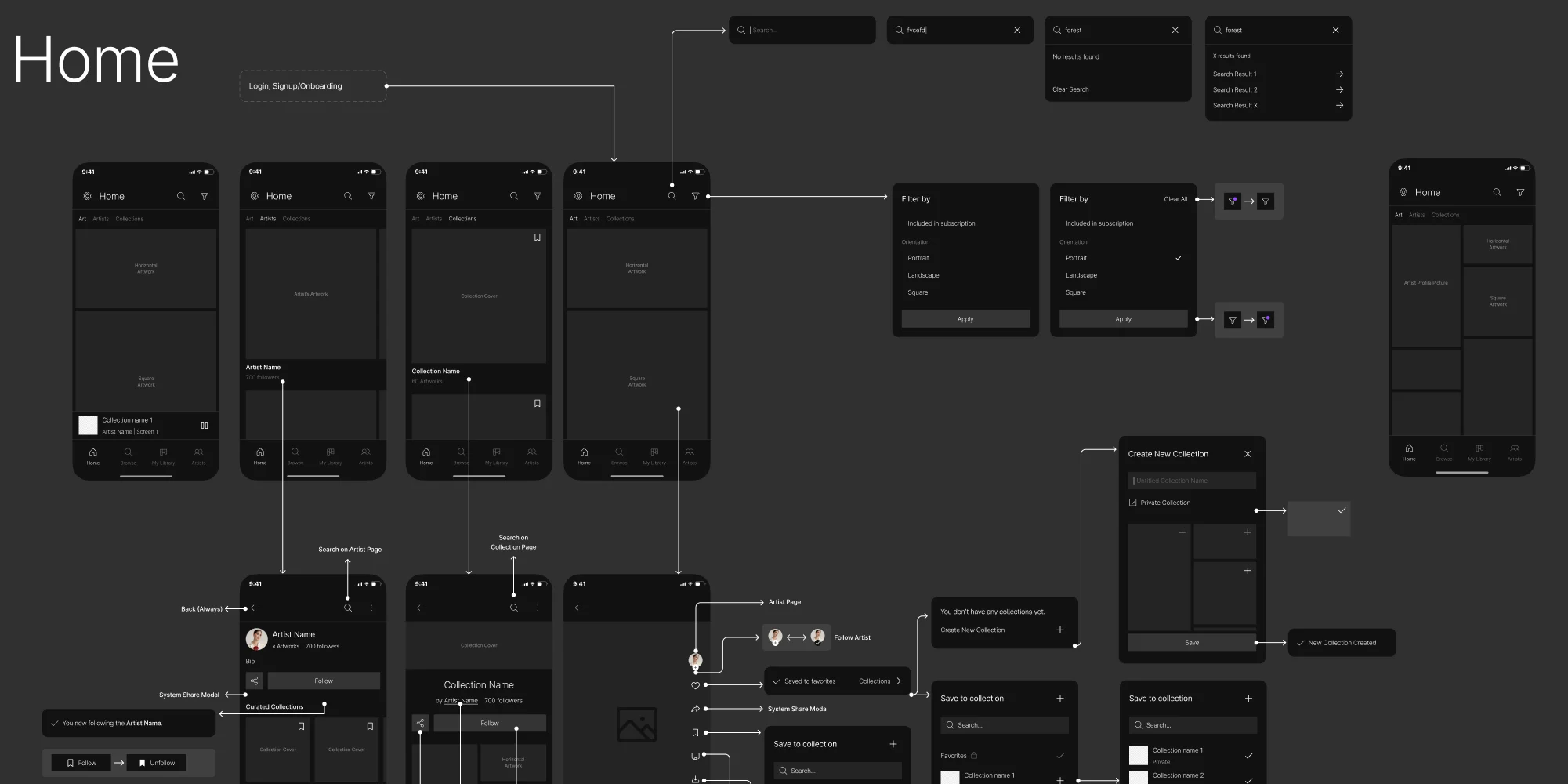
Nine jobs, from the first artwork to the wall
Discovery and collecting first, then the screens, then buying the Canvas and the plans, then how new people arrive. Names, prices and devices on these screens are example data.
Browsing that feels like a gallery
- Found
- A catalogue of moving art turns into a wall of thumbnails, and filters and prices start to look louder than the pieces.
- Decided
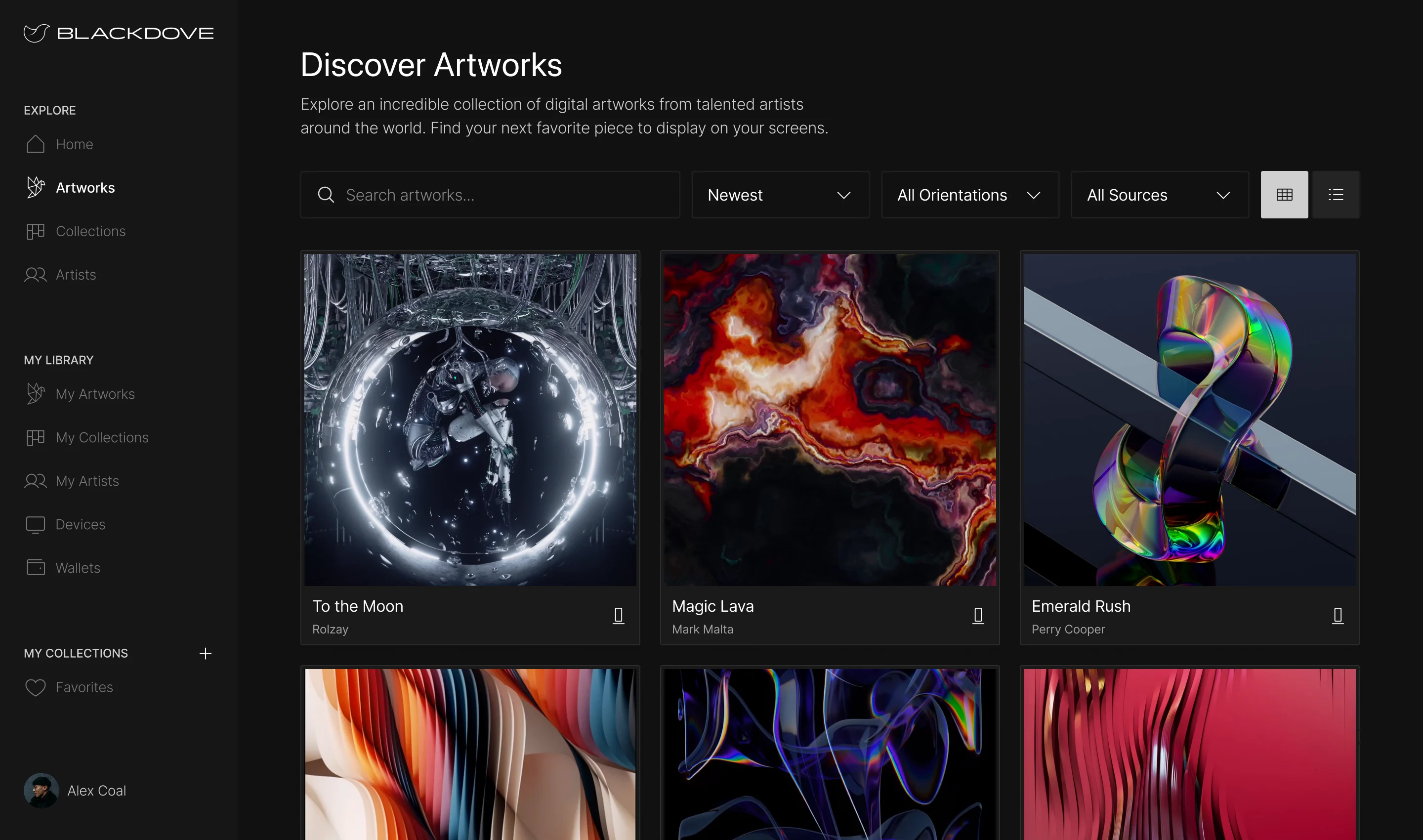
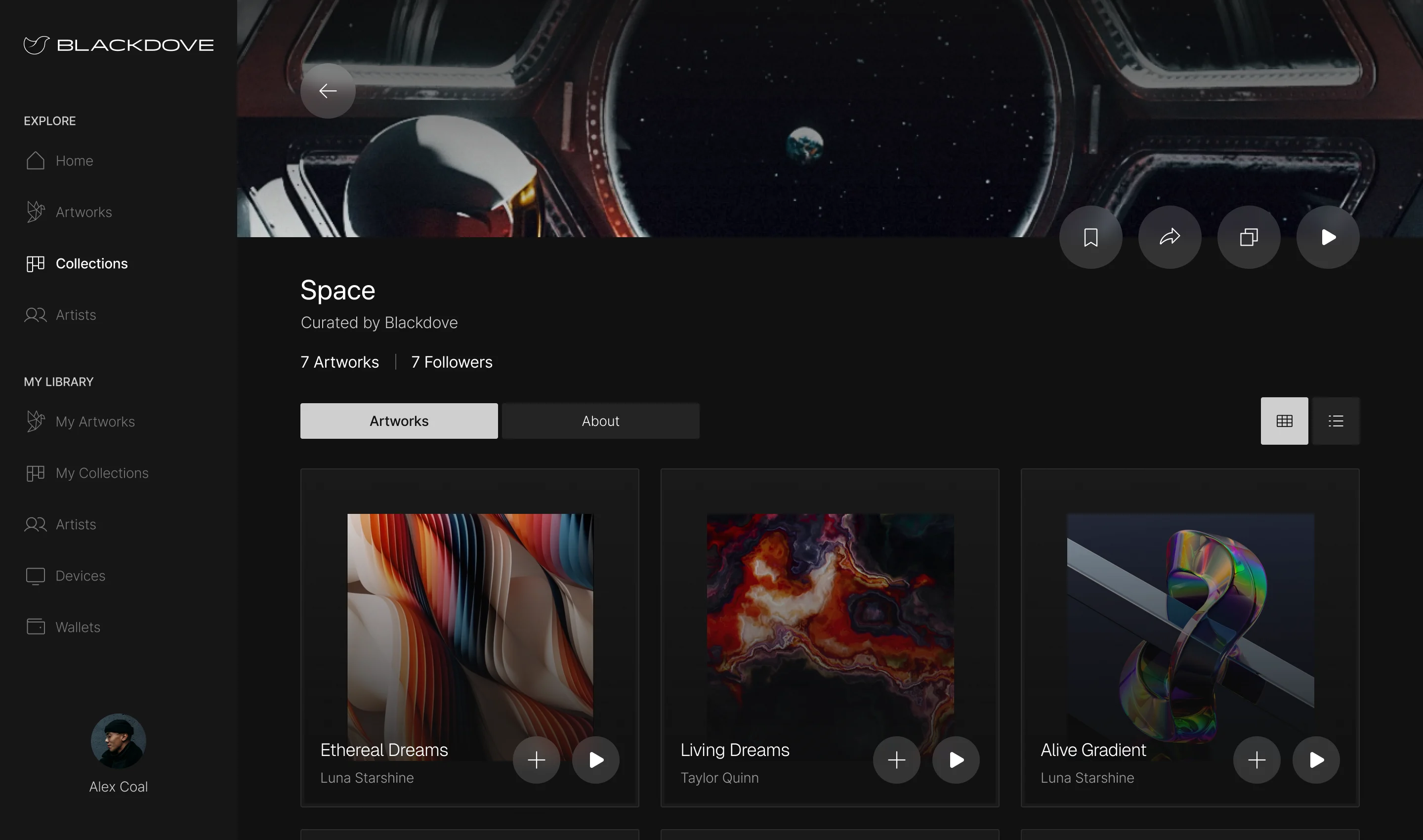
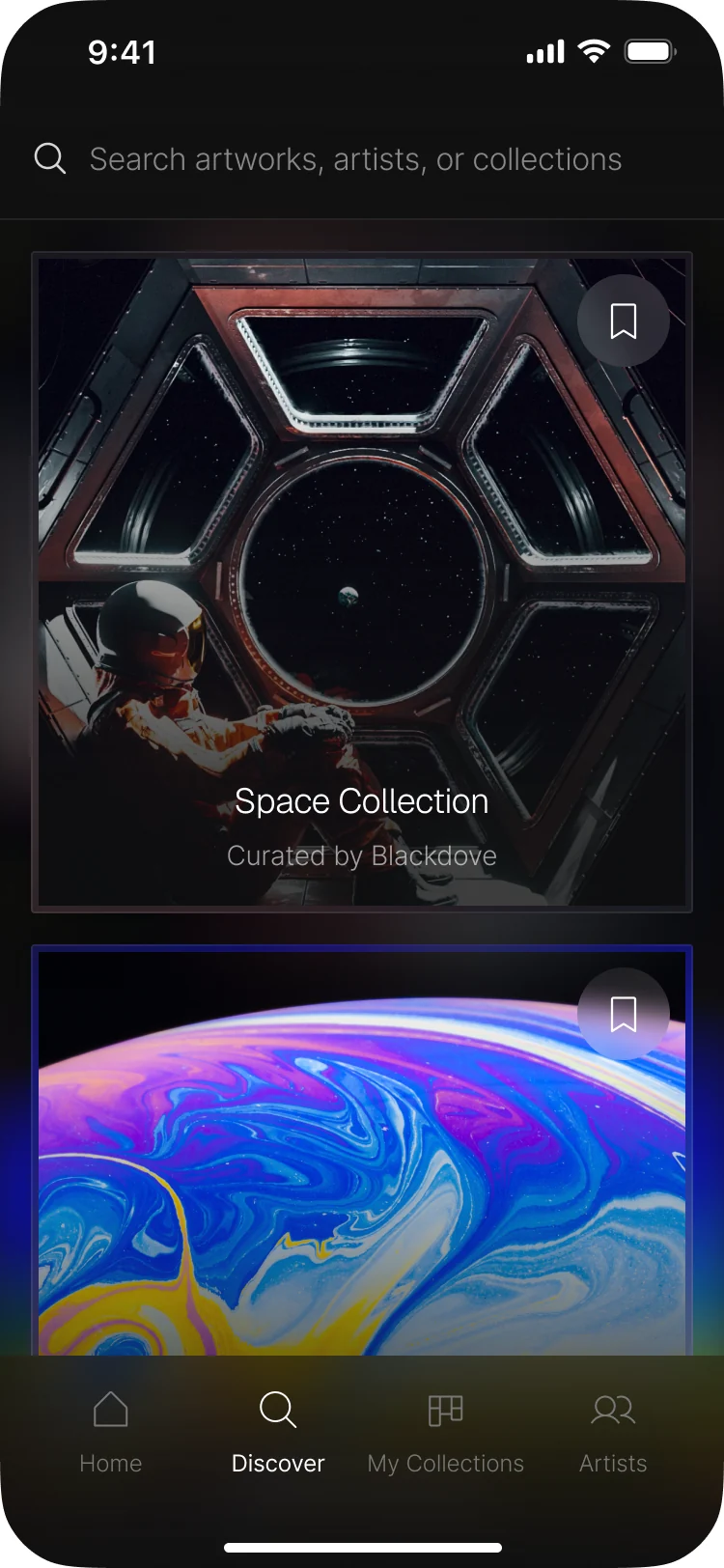
- Large artwork cards with only the title, the artist and a save mark; search, sort and orientation filters above them; collections opened as their own page with a curator and a follow button.
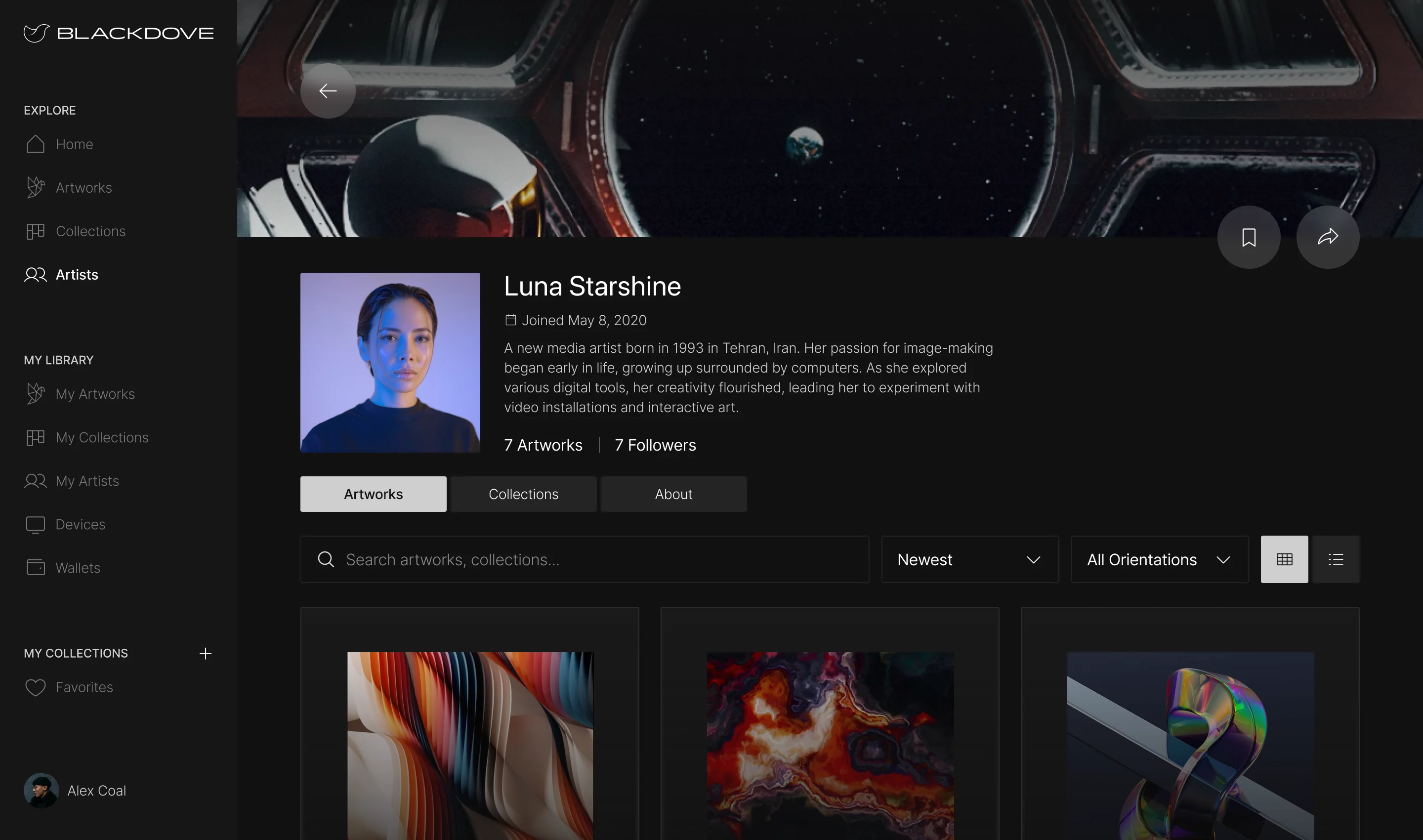
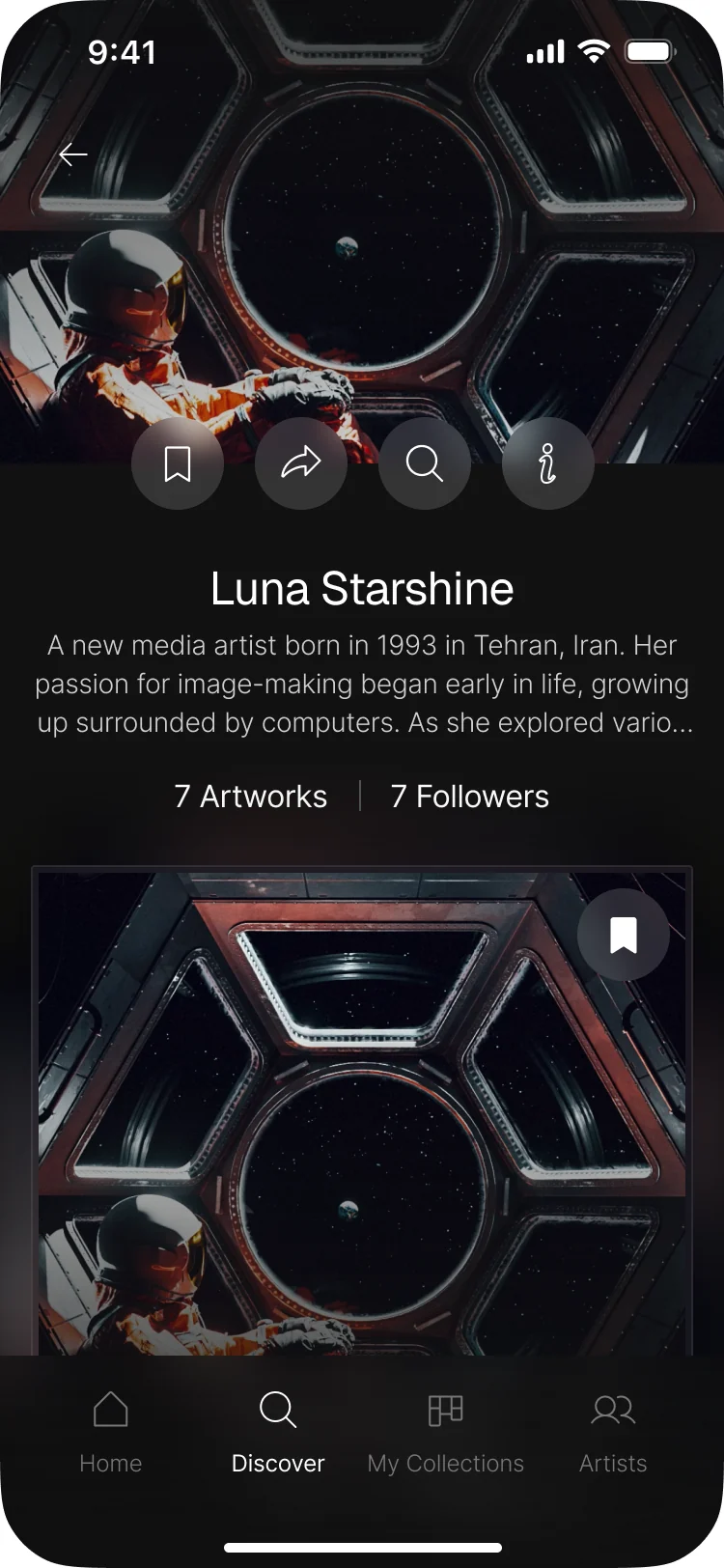
Artists as people, not credits
- Found
- A name under a thumbnail doesn’t make anyone follow an artist, and a follow button needs something to follow.
- Decided
- An artist page with a portrait, a short bio, counts of artworks and followers, and the artist’s works and collections in tabs.
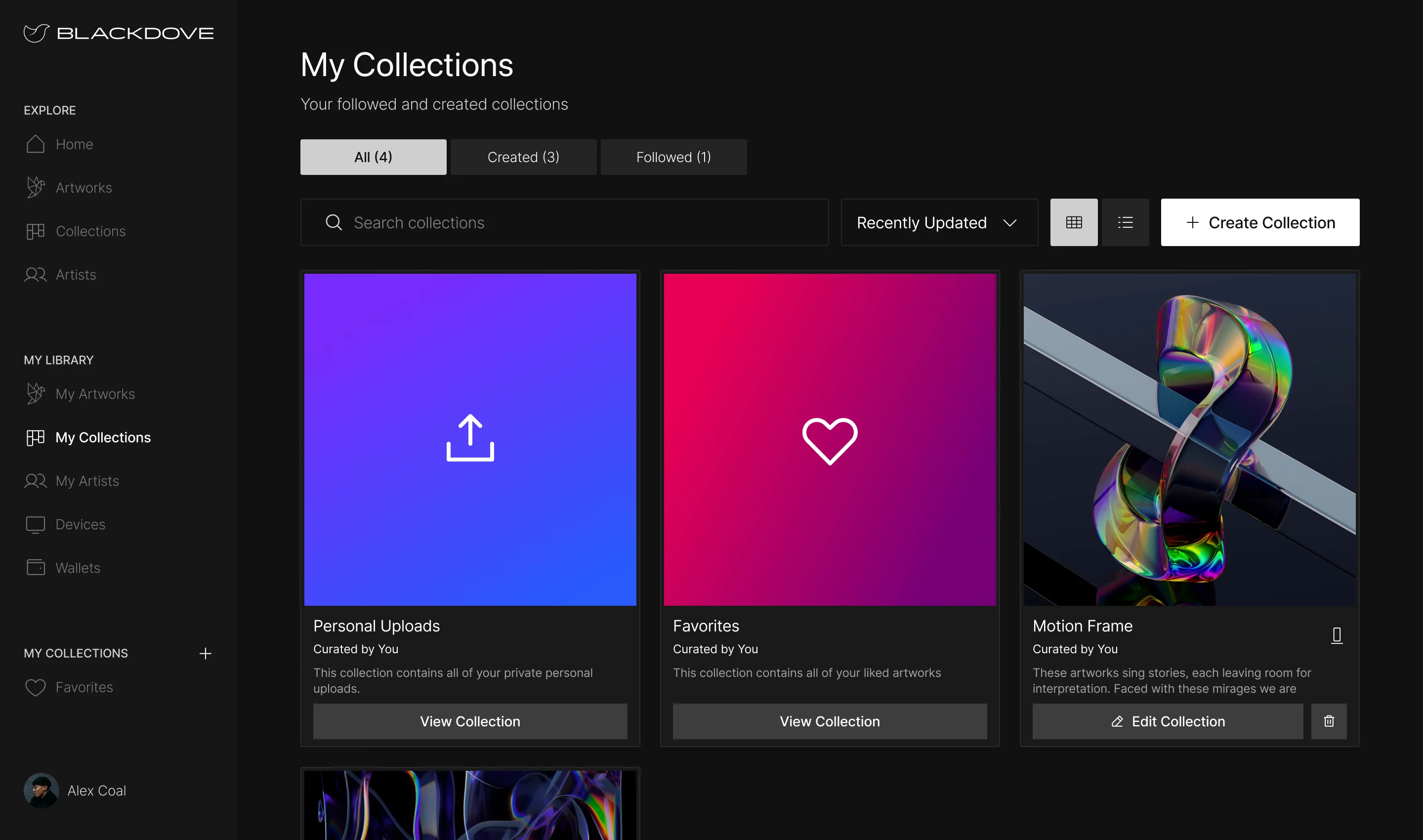
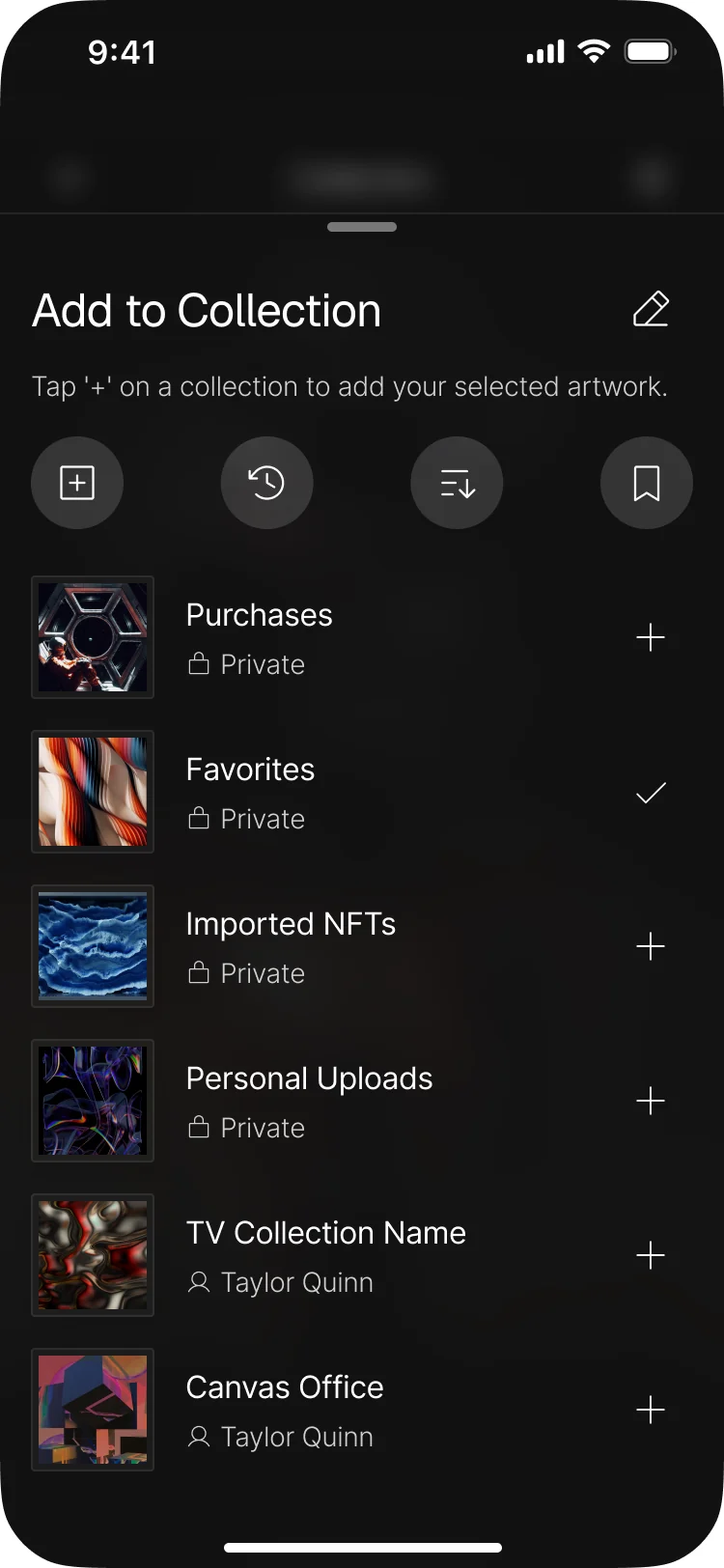
Collections of your own
- Found
- Collectors keep purchases, favourites, imported NFTs and their own uploads, and a single list of saved art mixes them all up.
- Decided
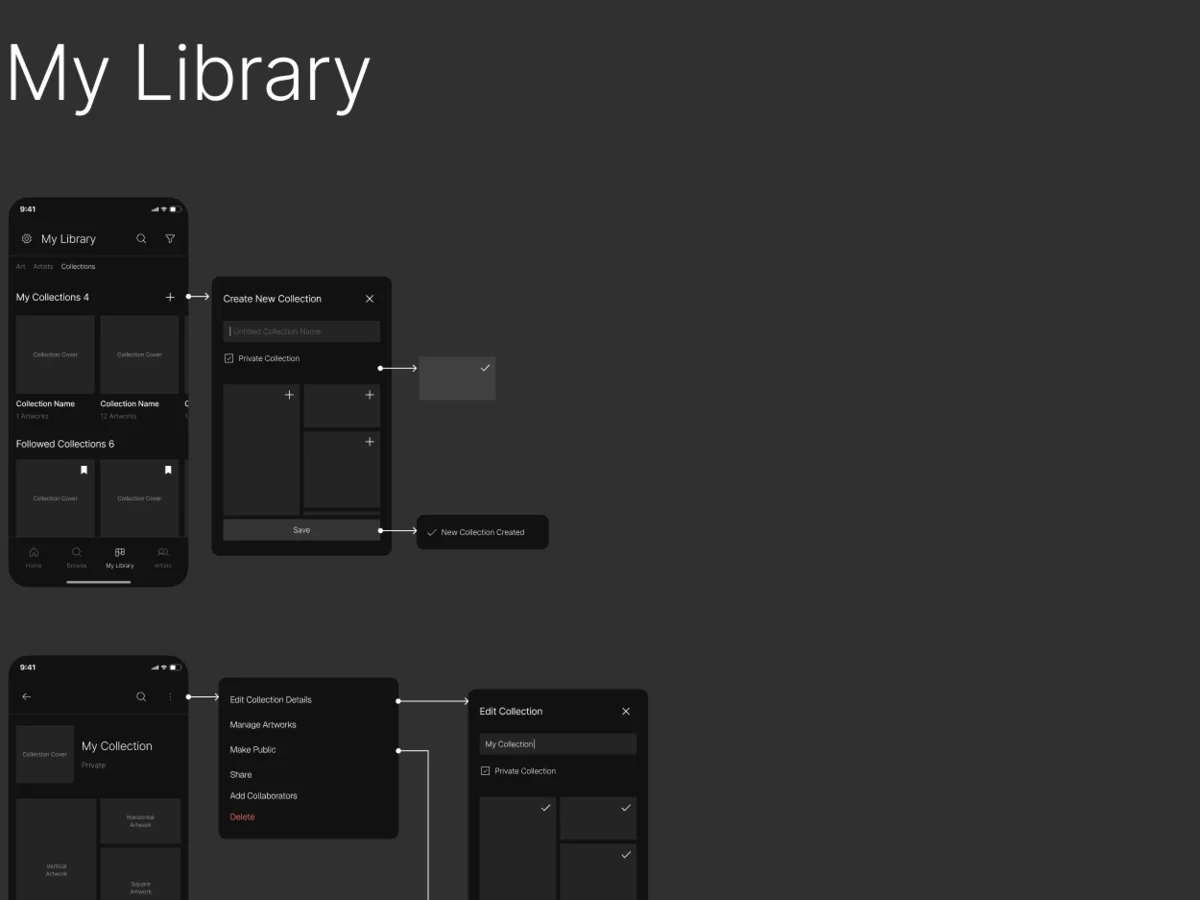
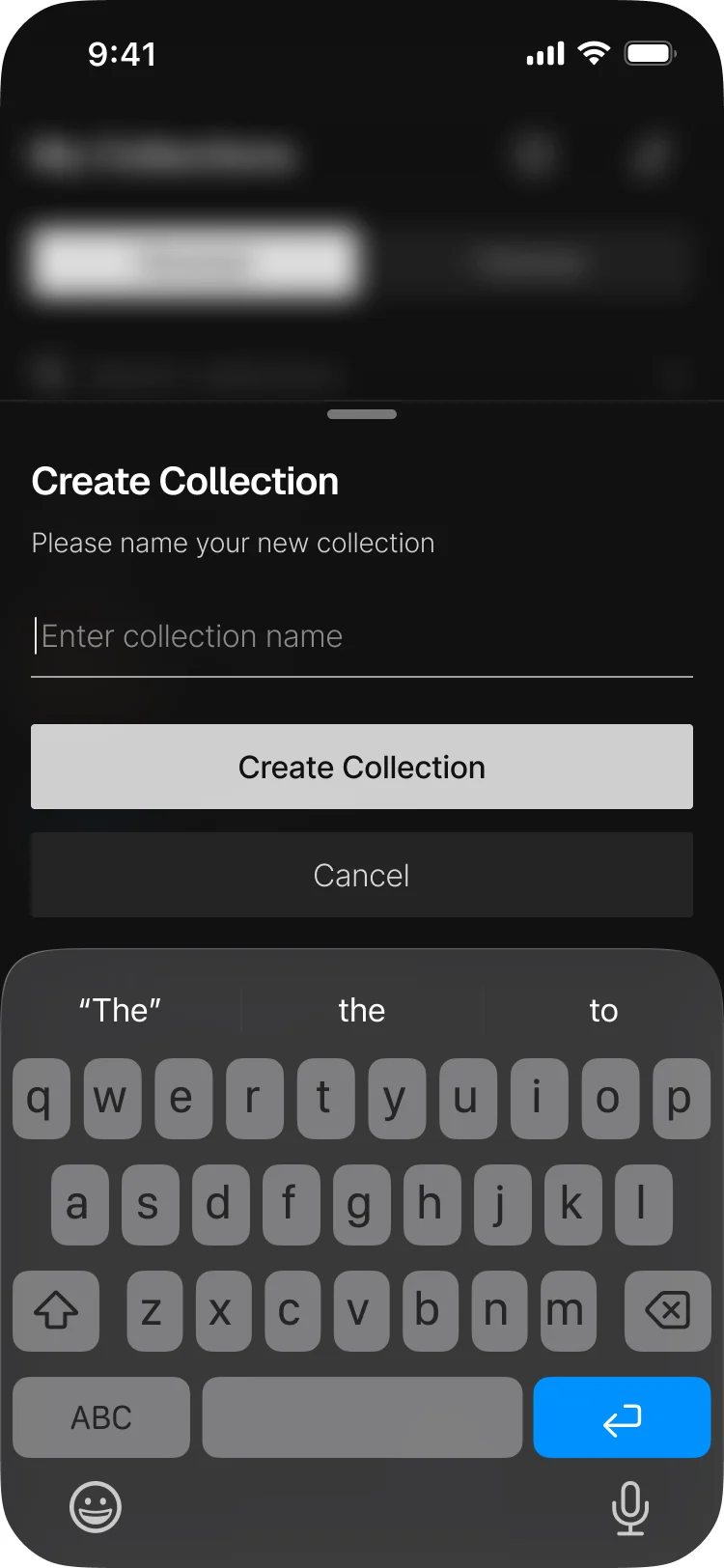
- My Collections split into created and followed; any artwork added to a collection from a sheet, and a new collection created without leaving it.
Pairing a screen without a manual
- Found
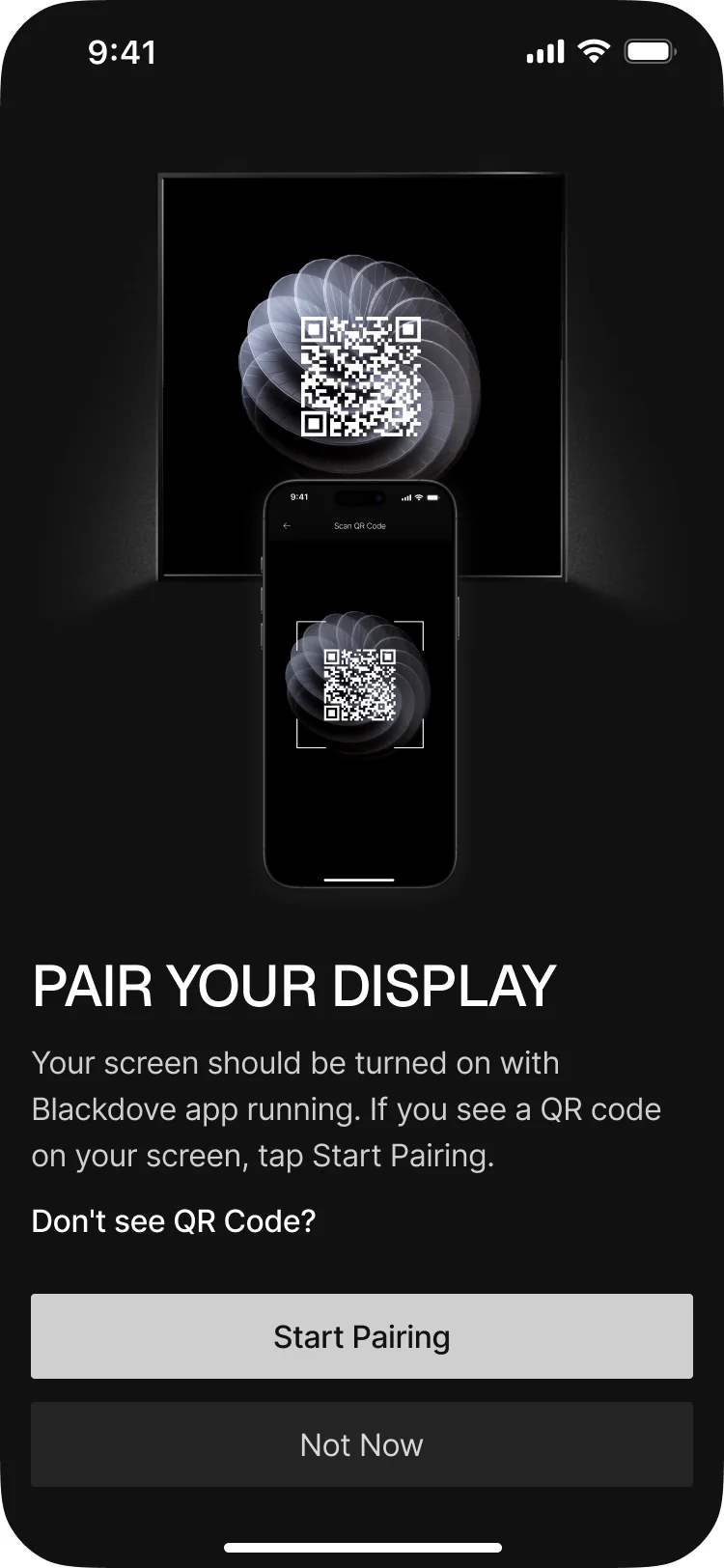
- Buyers of a wall display are rarely technical, and a pairing step that fails quietly ends with a black screen on the wall.
- Decided
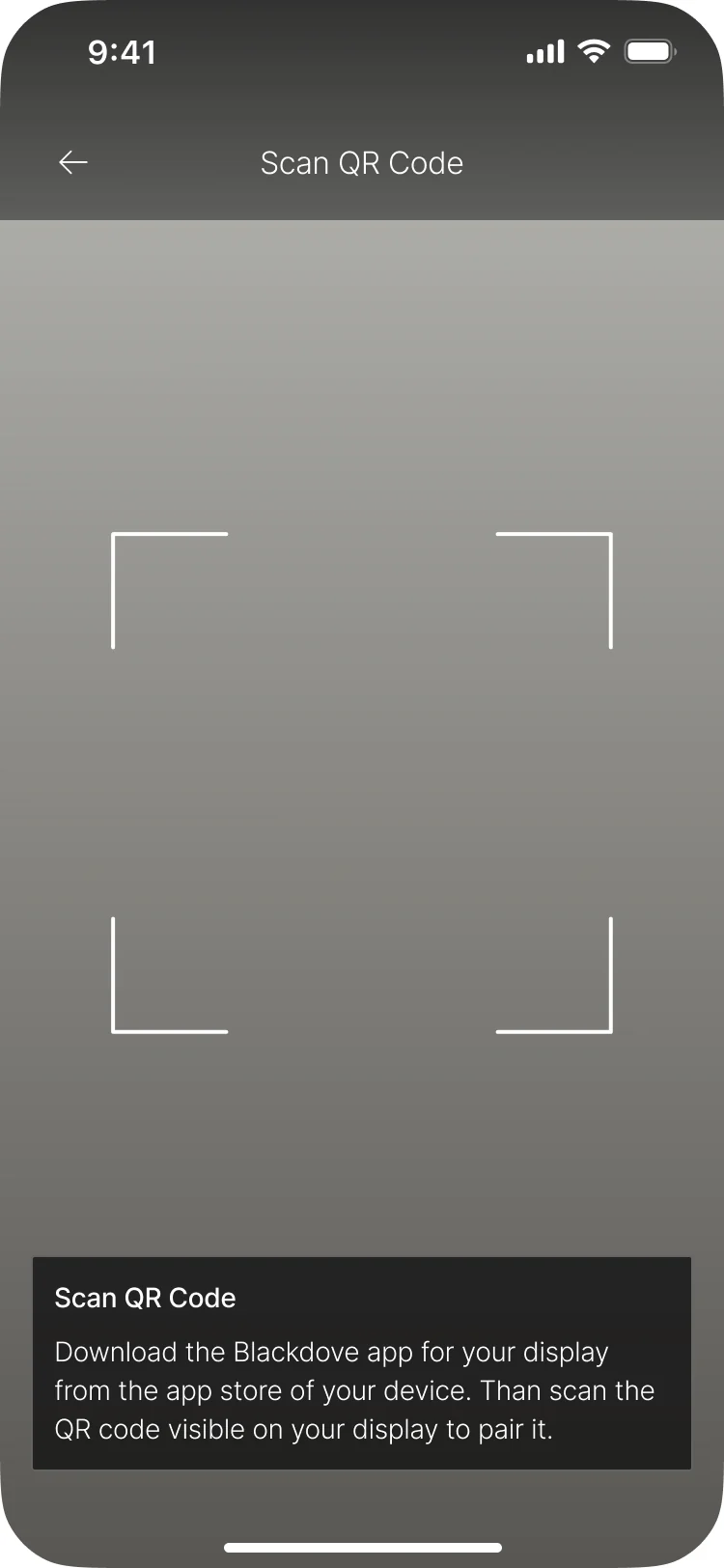
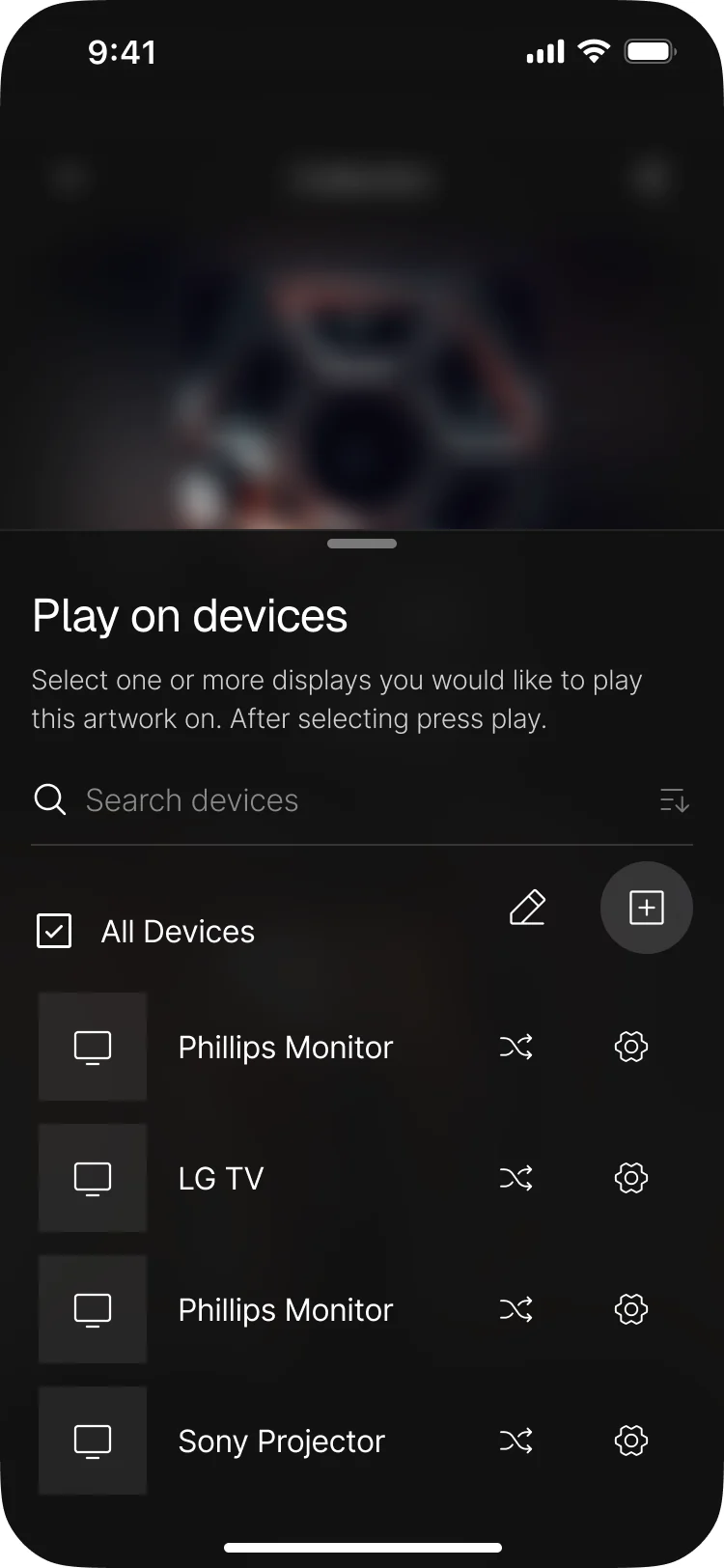
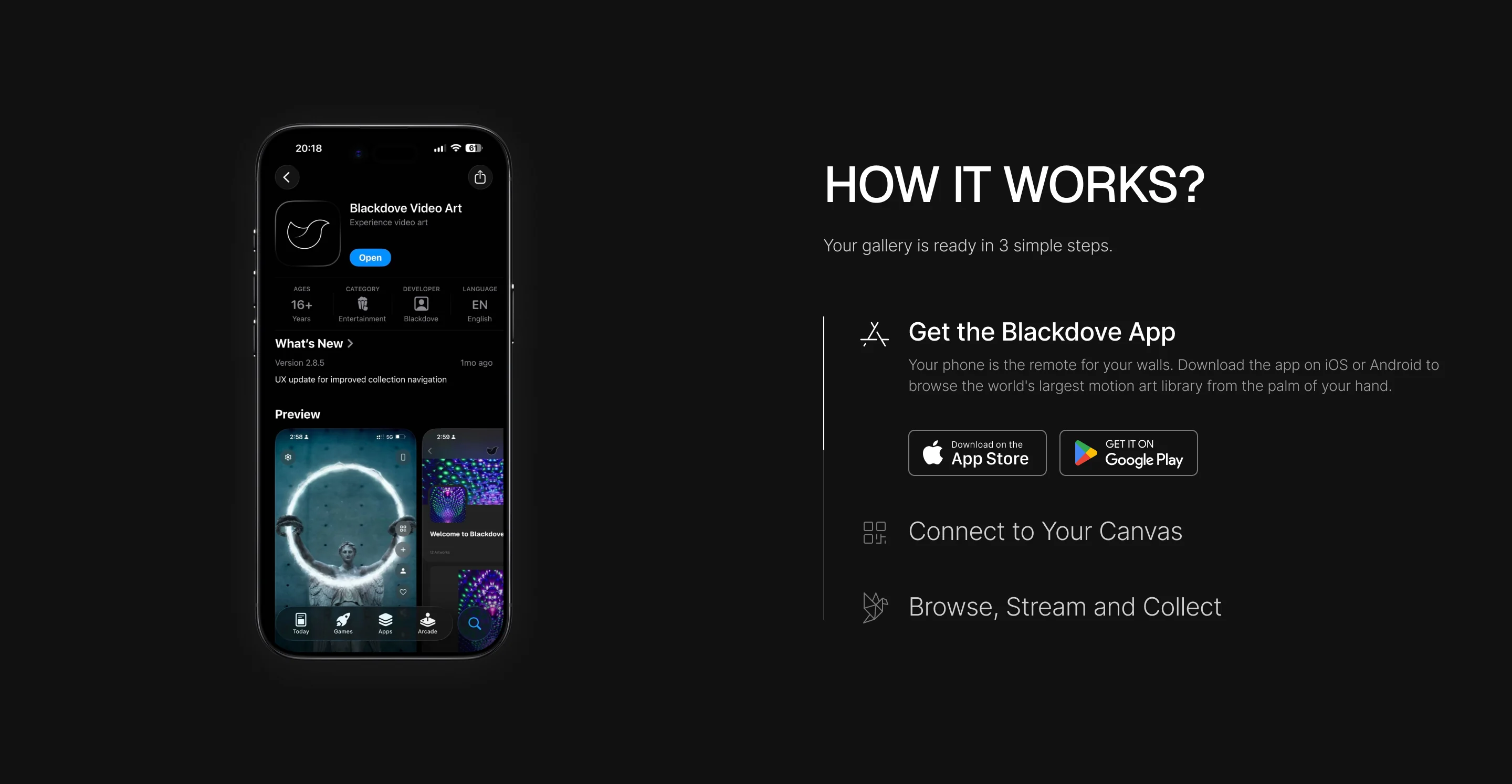
- Pairing as three plain steps: turn the screen on with the Blackdove app, scan the QR code it shows, and choose where to play; with a way out when no code appears.
Every screen in the house, from one place
- Found
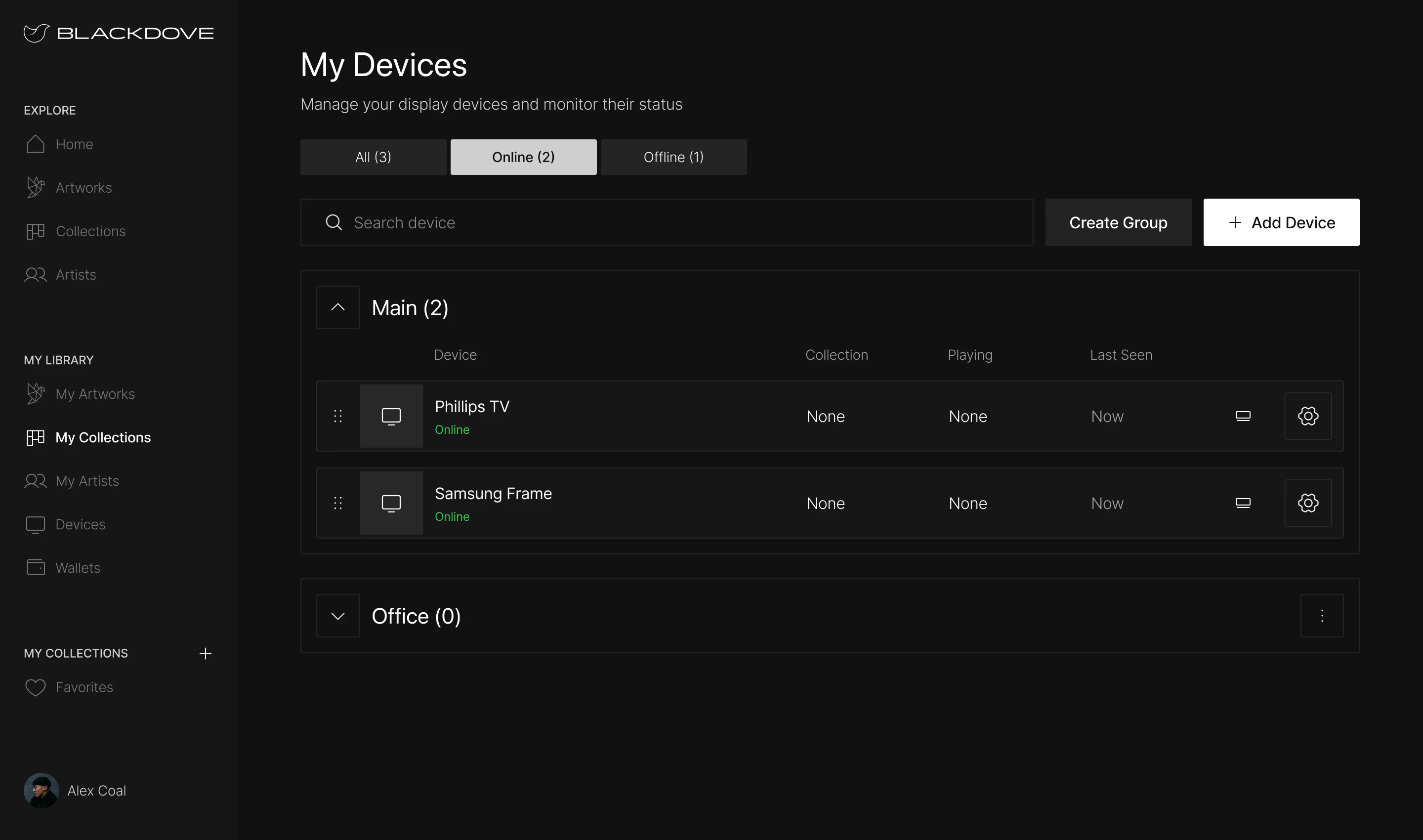
- A collector with a TV in the living room and a Canvas in the office needs to know what each one plays, and whether it’s on at all.
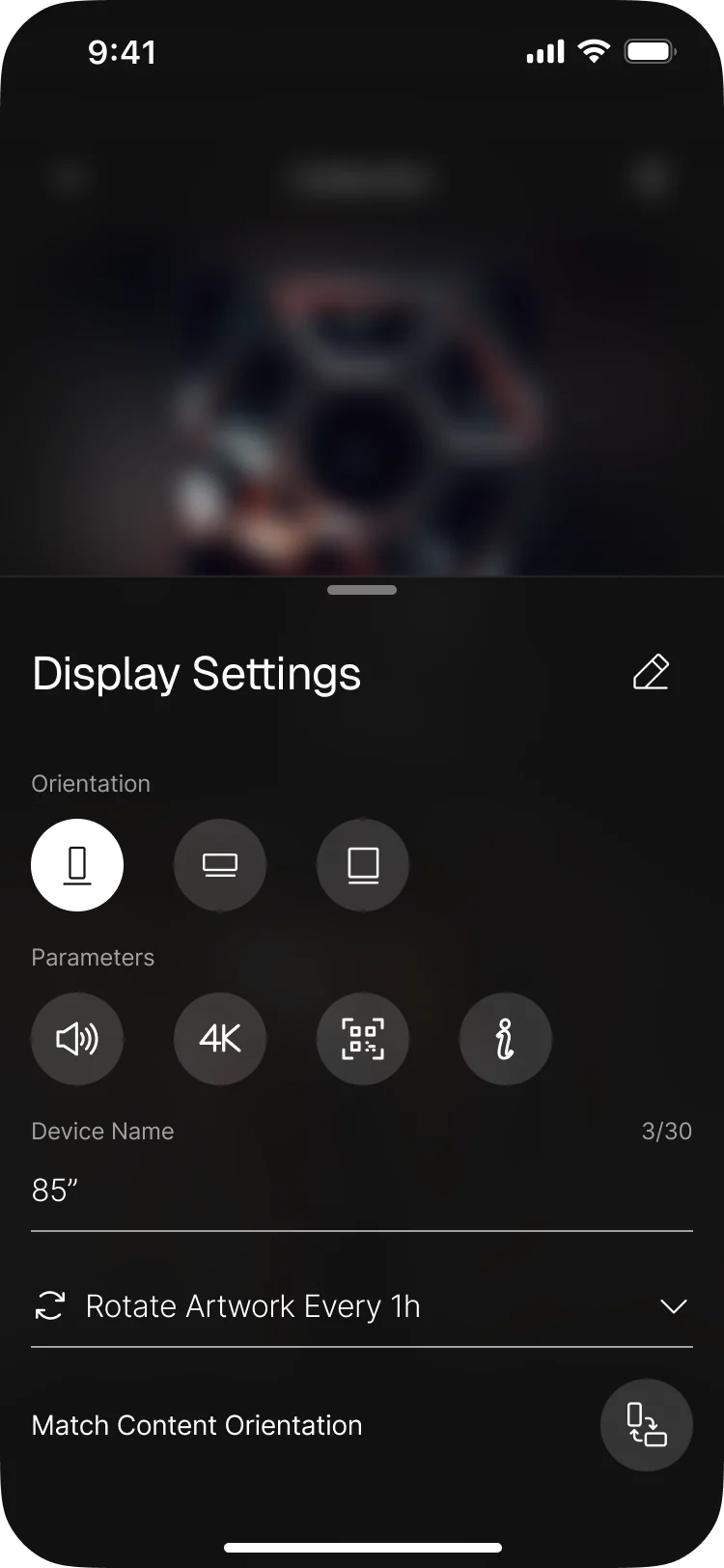
- Decided
- My Devices with online and offline filters and groups by room, each device with its collection, what’s playing and when it was last seen; and display settings for orientation, quality, rotation and brightness.
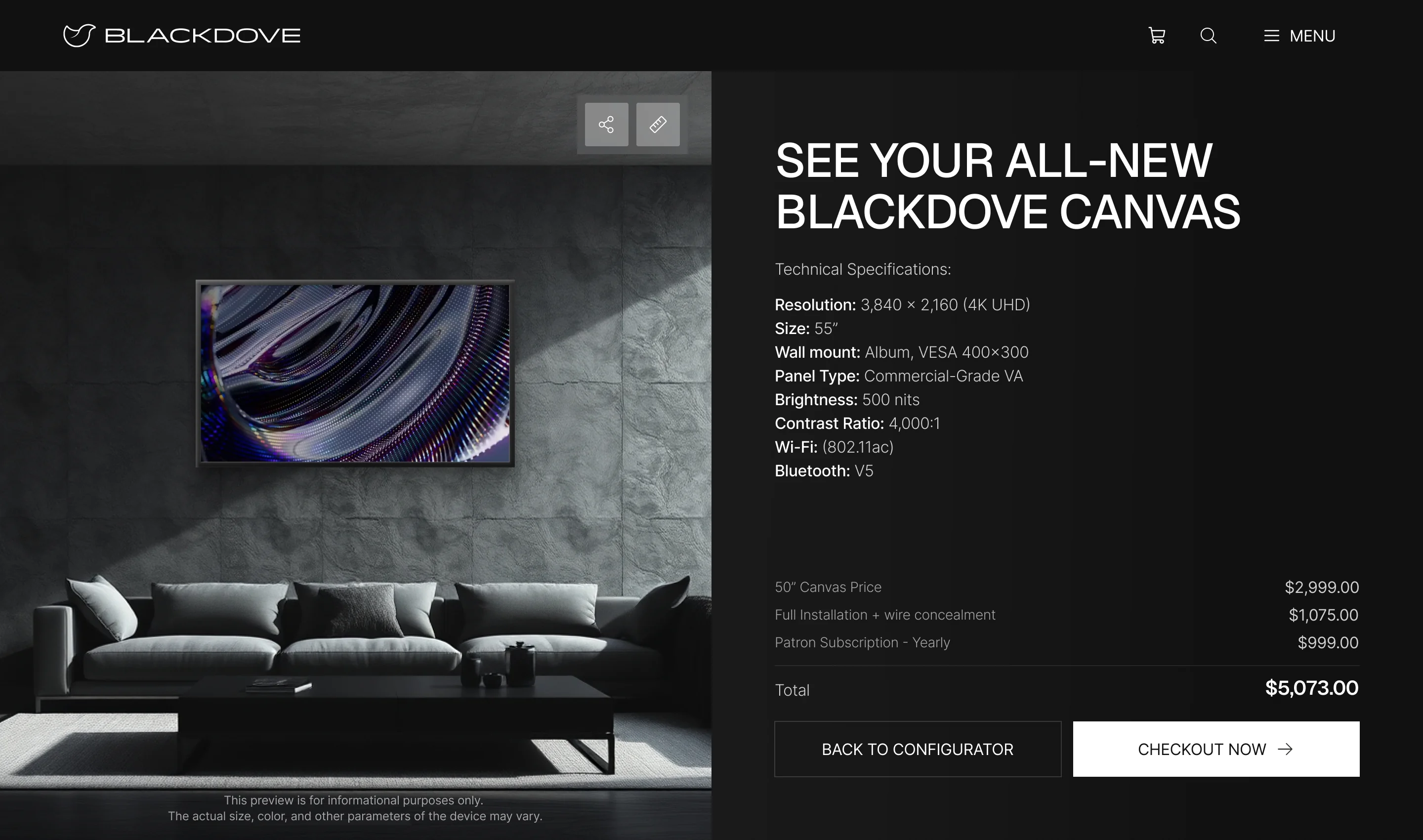
A Canvas configured like furniture
- Found
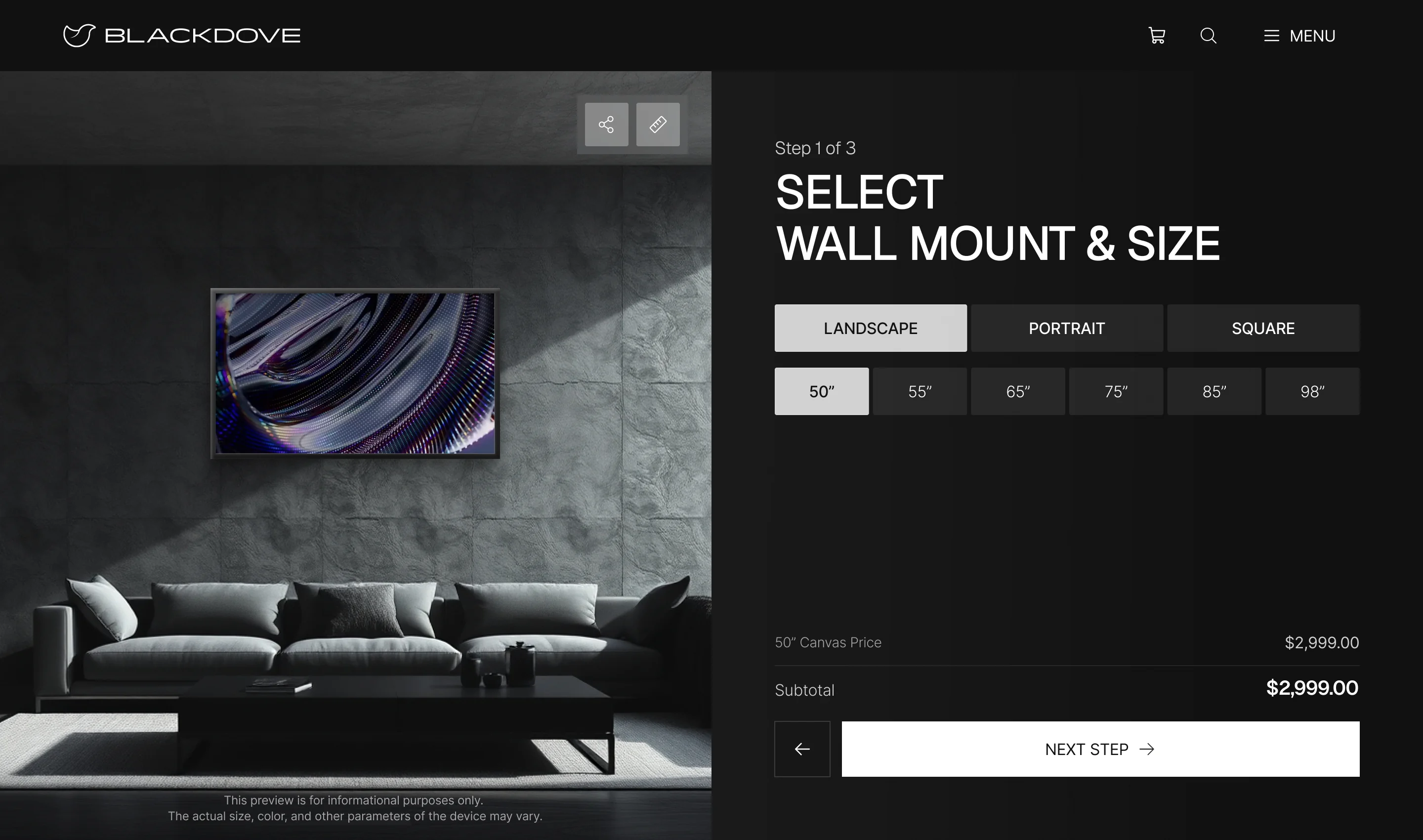
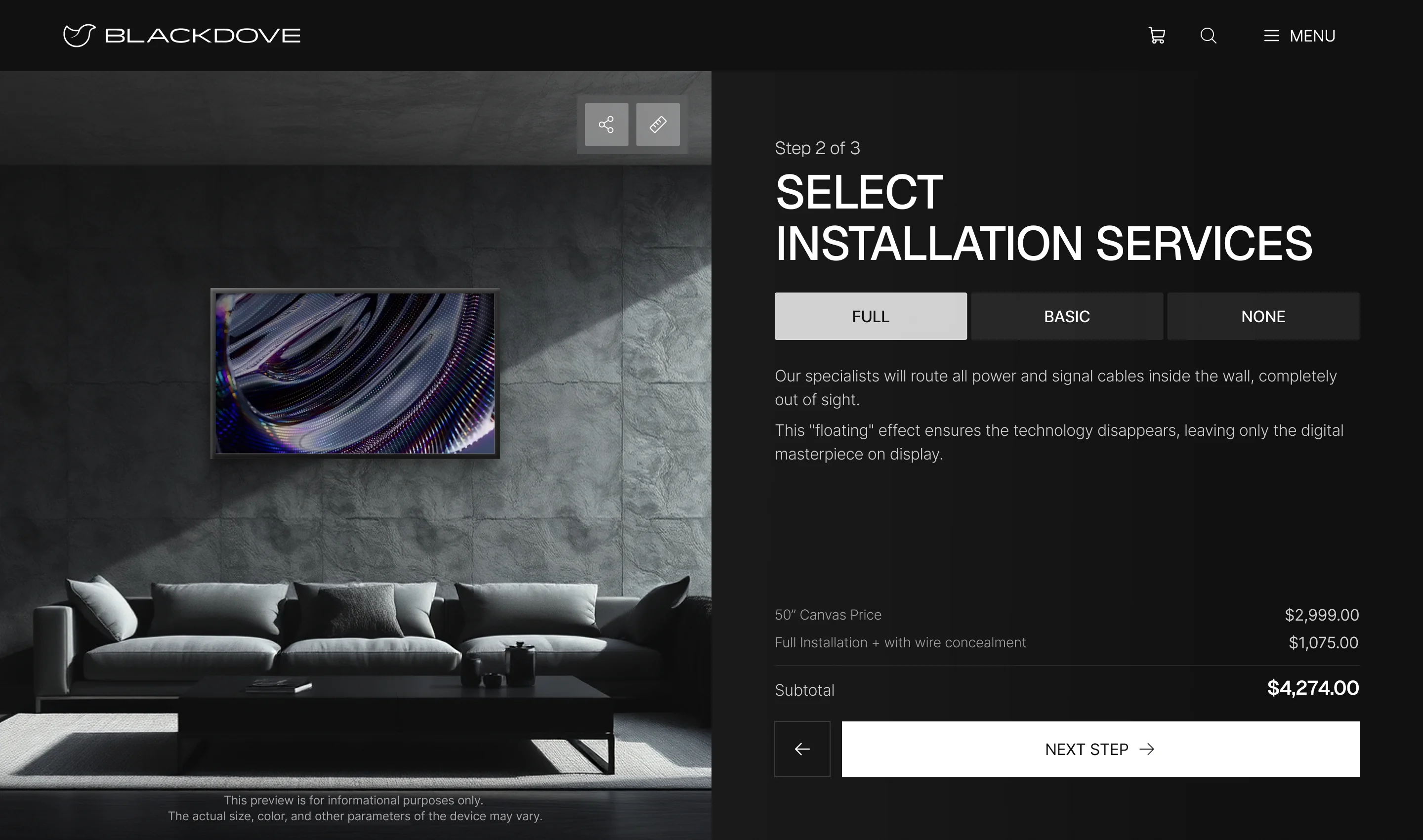
- A Digital Canvas is chosen for a wall, not a desk: size, mount and installation change the price and the delivery, and a long options form hides that.
- Decided
- A configurator in steps over a room view: wall mount and size, installation, then the plan, with the running total always in view and a full summary before checkout.
Buying a Canvas, subscribing to art
- Found
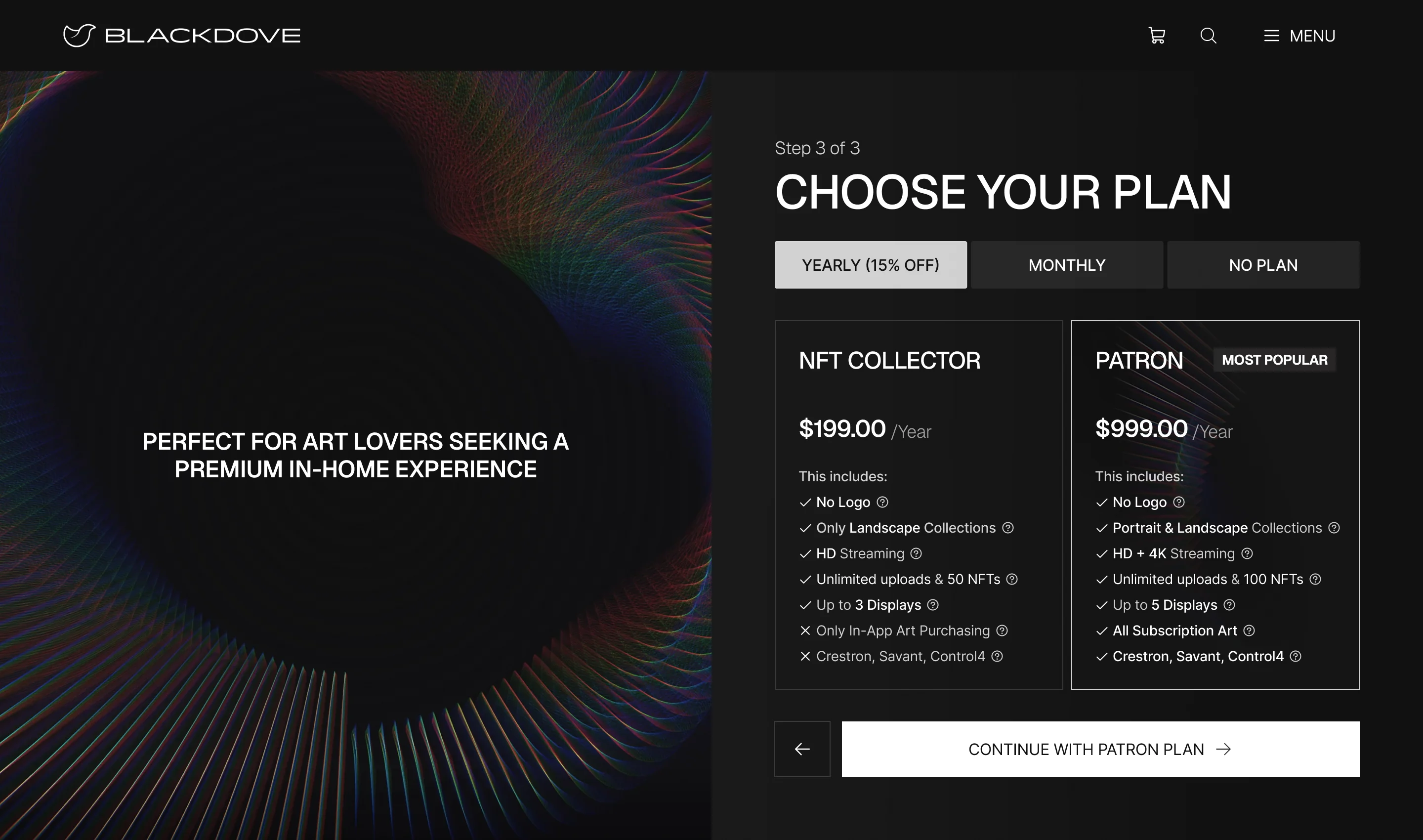
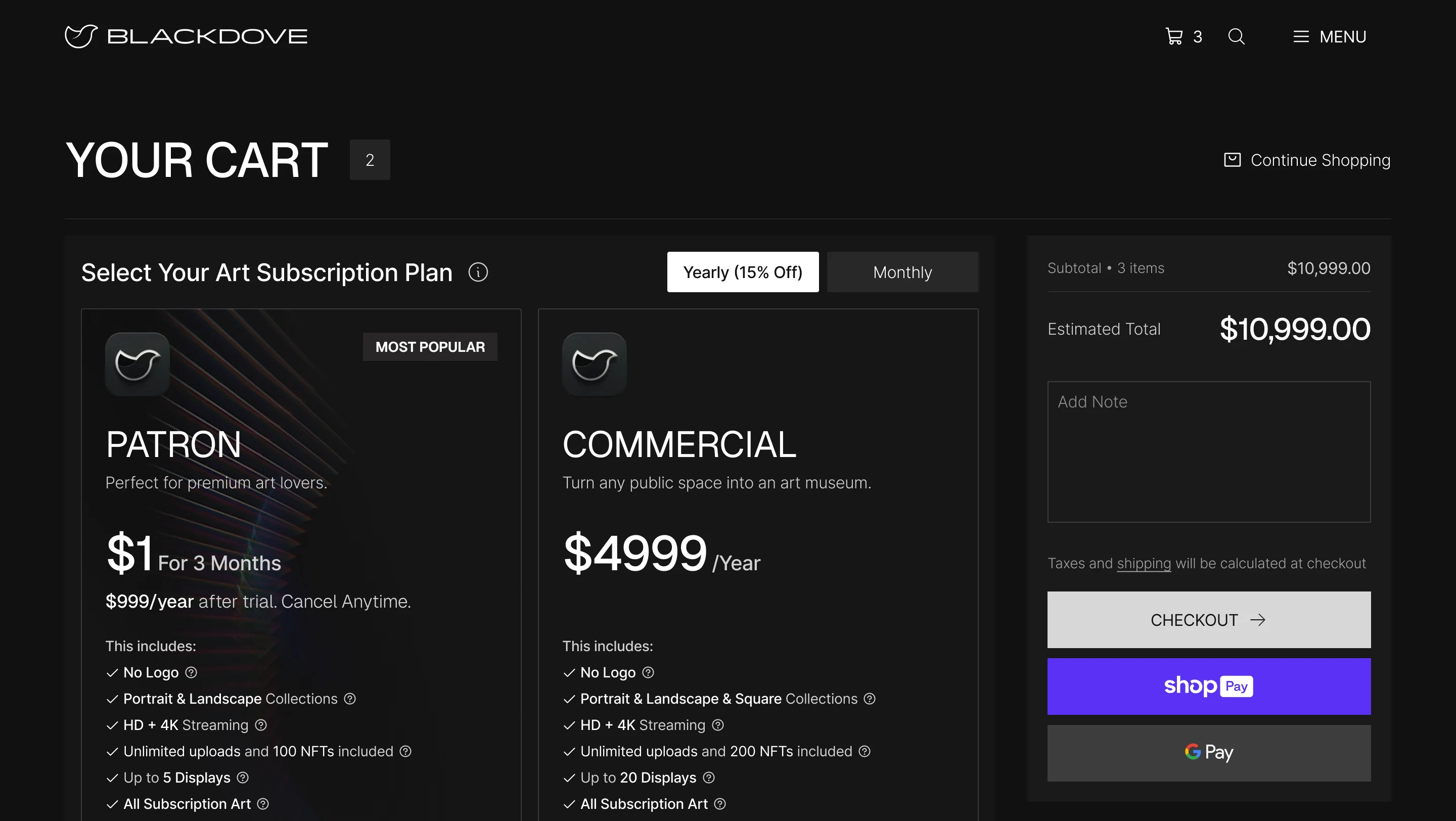
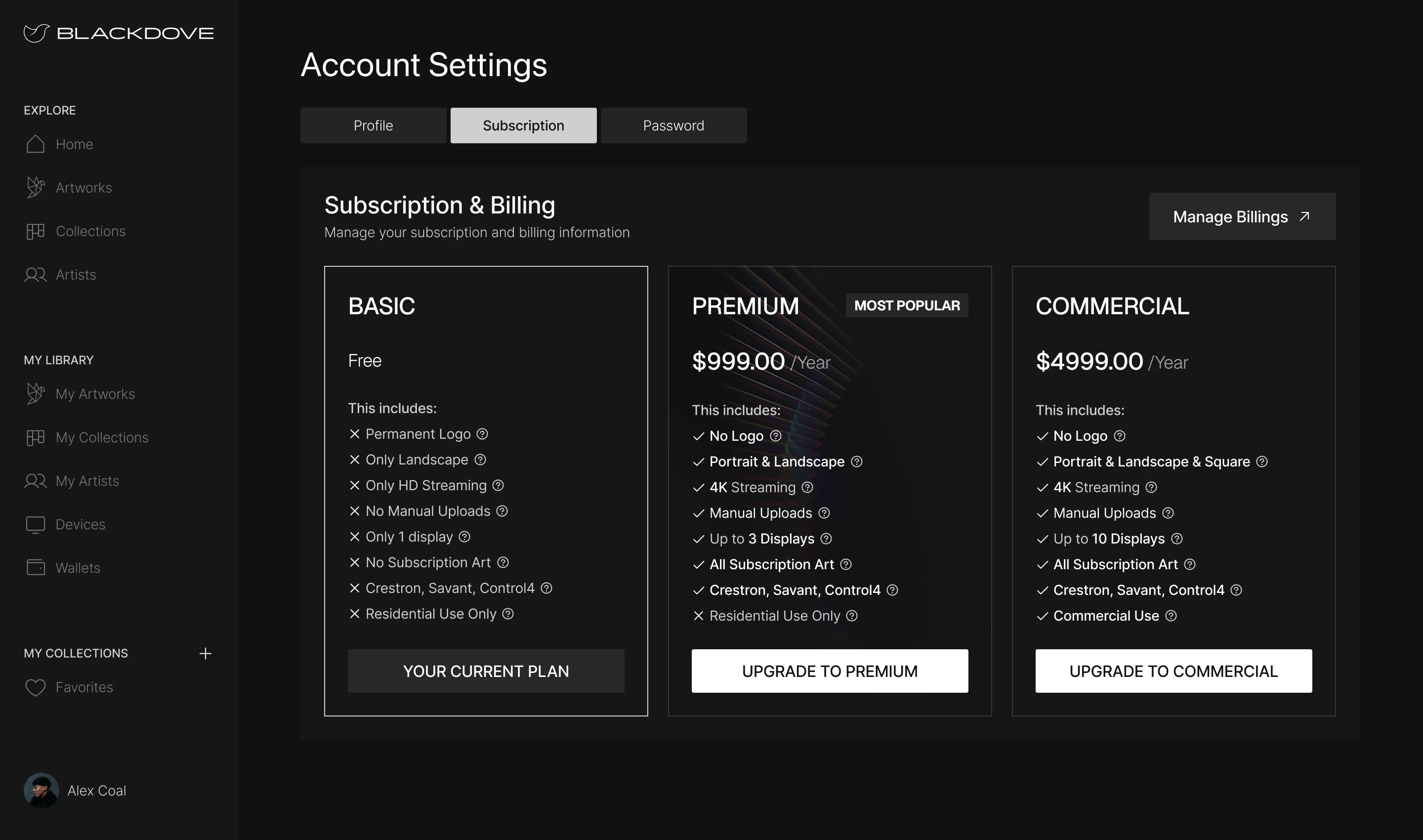
- Owning a screen, owning a piece and paying for the catalogue are three different purchases, and a cart that mixes them up blurs what is being paid for.
- Decided
- Plans compared side by side inside the configurator and again in the cart, a checkout that shows the subscription as its own line, and the plan kept in account settings afterwards.
Why this Canvas, and not a Samsung Frame
- Found
- Buyers compare the Canvas with the display they already know, and a spec table alone doesn’t explain why a gallery screen costs what it does.
- Decided
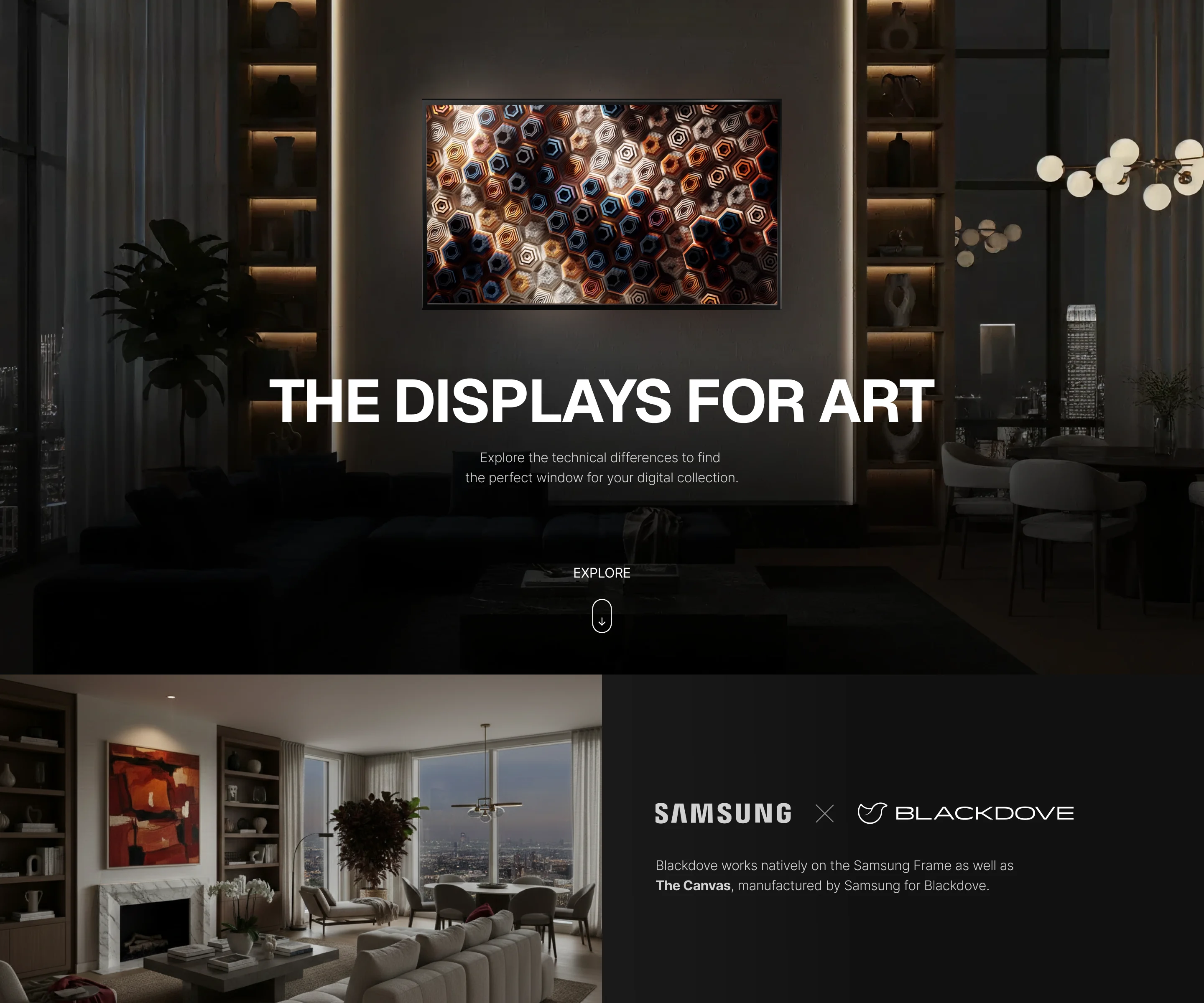
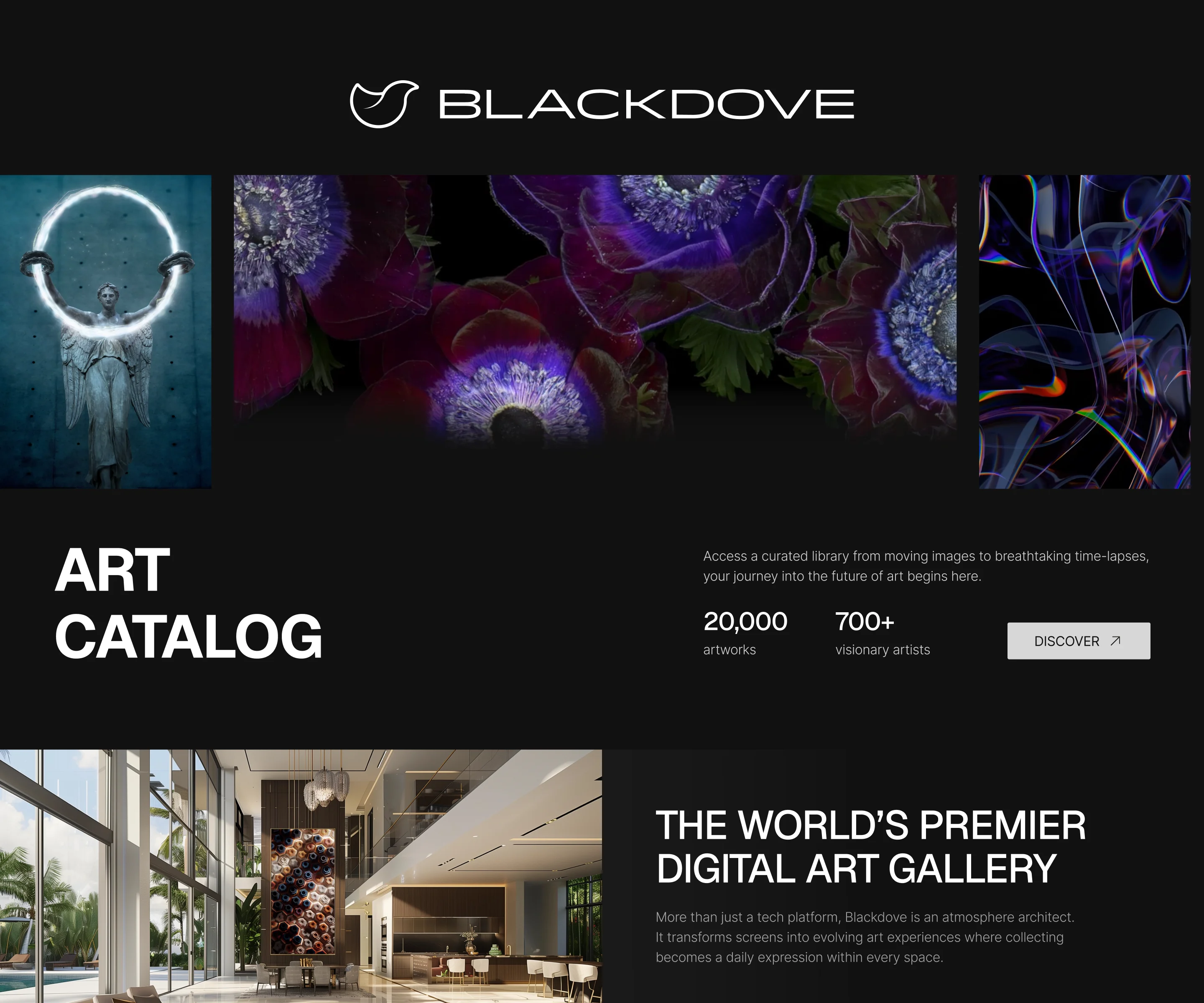
- A comparison page that sets the two side by side on what a collector notices: the picture, presence on the wall, storage, setup, warranty and support; and an Art Catalog that shows what the screen will play.
From an ad on a TV to the first artwork
- Found
- Many people first meet Blackdove on a TV screen, and the step from that screen to a paid, paired account has to survive a phone in one hand.
- Decided
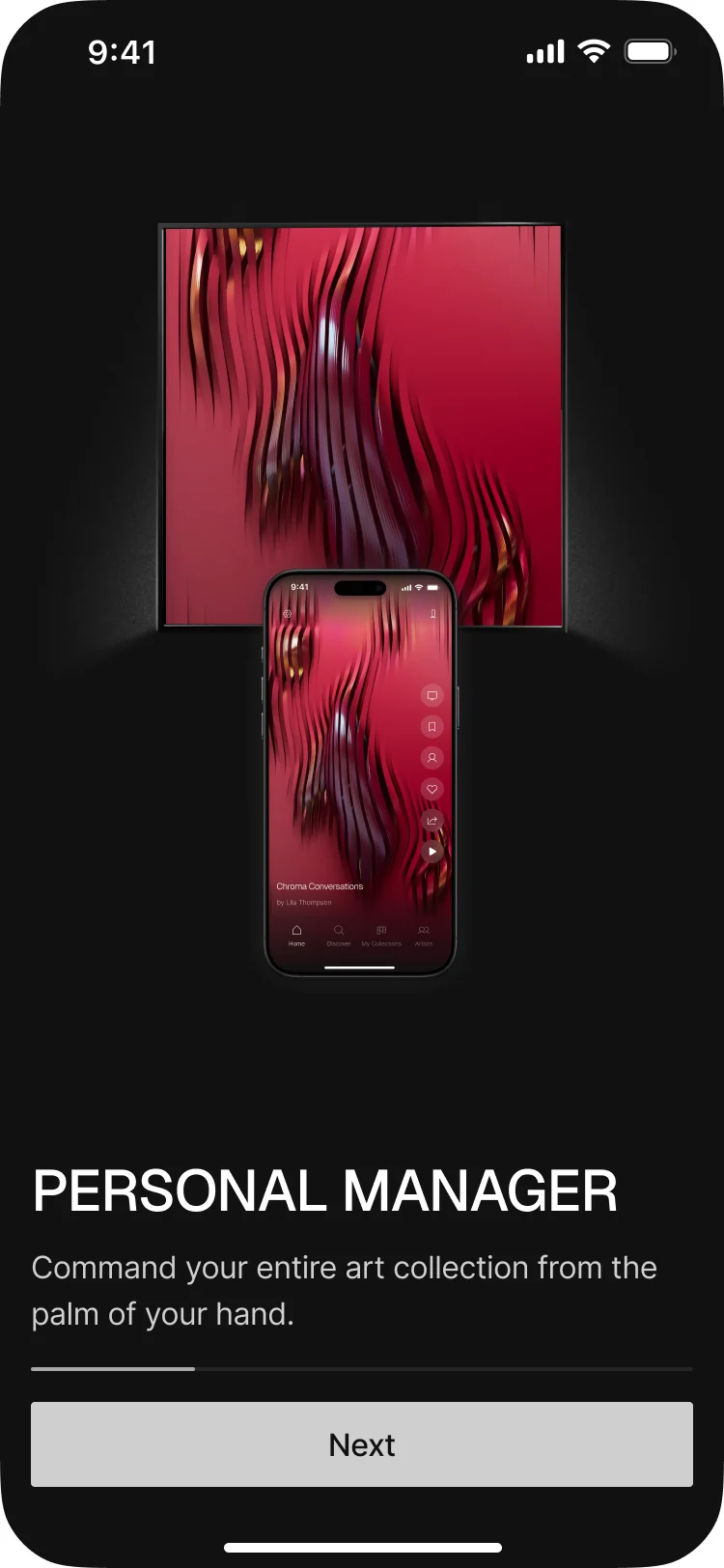
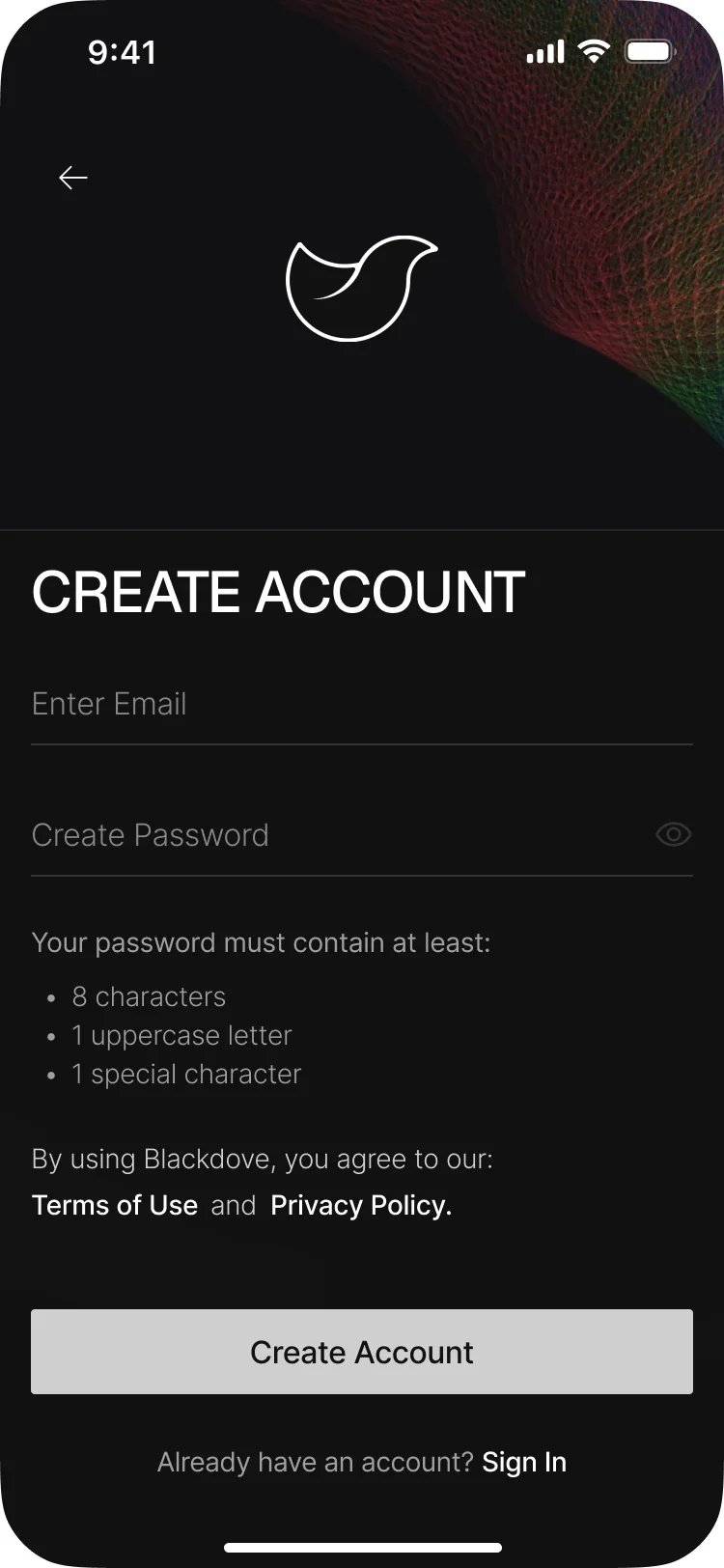
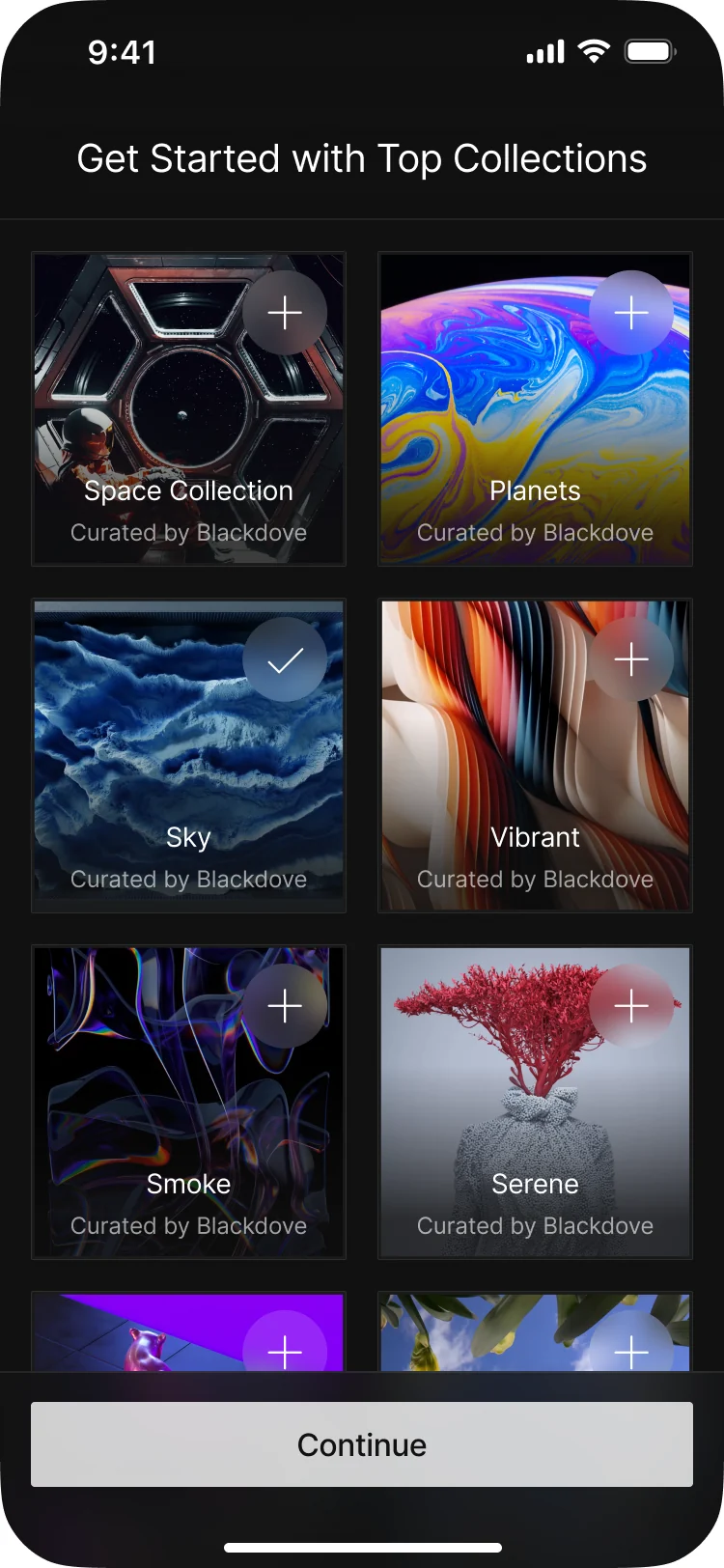
- Onboarding that says what the app is for in a few screens, sign-up with its password rules in view, and a first choice of collections, so the first thing played is something the person picked.
One system for a shop, a web app and a phone
- Found
- Three surfaces were designed in parallel for different teams, and the founder’s priorities moved more than once; without one kit the shop and the apps would drift apart.
- Decided
- A shared design system: colours, type, spacing, icons, inputs, buttons, cards, sliders, toasts, accordions and the header and footer, used by the storefront and both apps.
One card and one palette, everywhere
The artwork card puts the image first, then a title and one line under it; the palette keeps every surface within a few greys.
-

Cards: The artwork card, from the design system. -
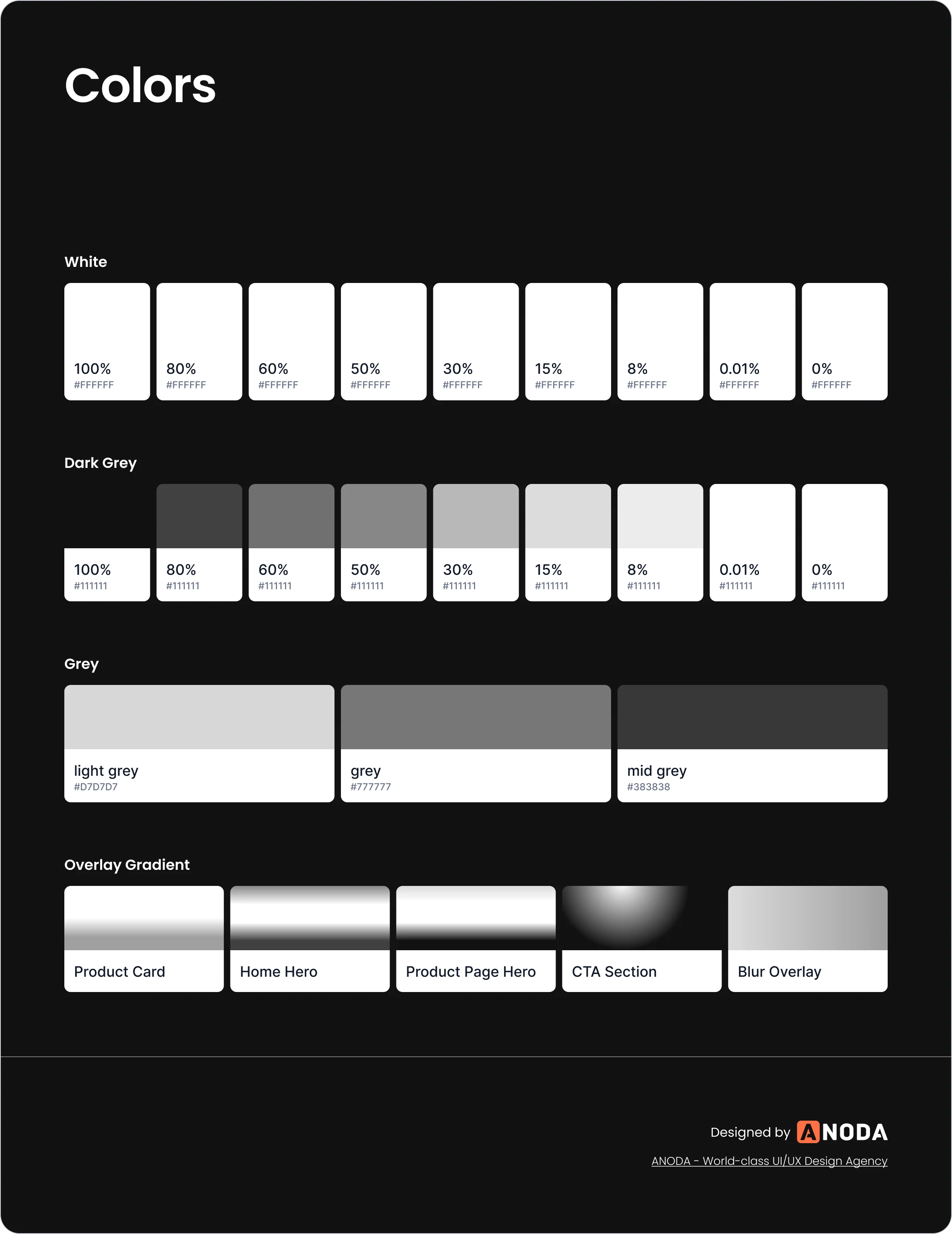
Colours: The palette every screen draws from.
Buttons and fields, in every state
White, transparent, ghost and link buttons in every size and state, and the input from empty to error, the same on the shop and in the apps.
-
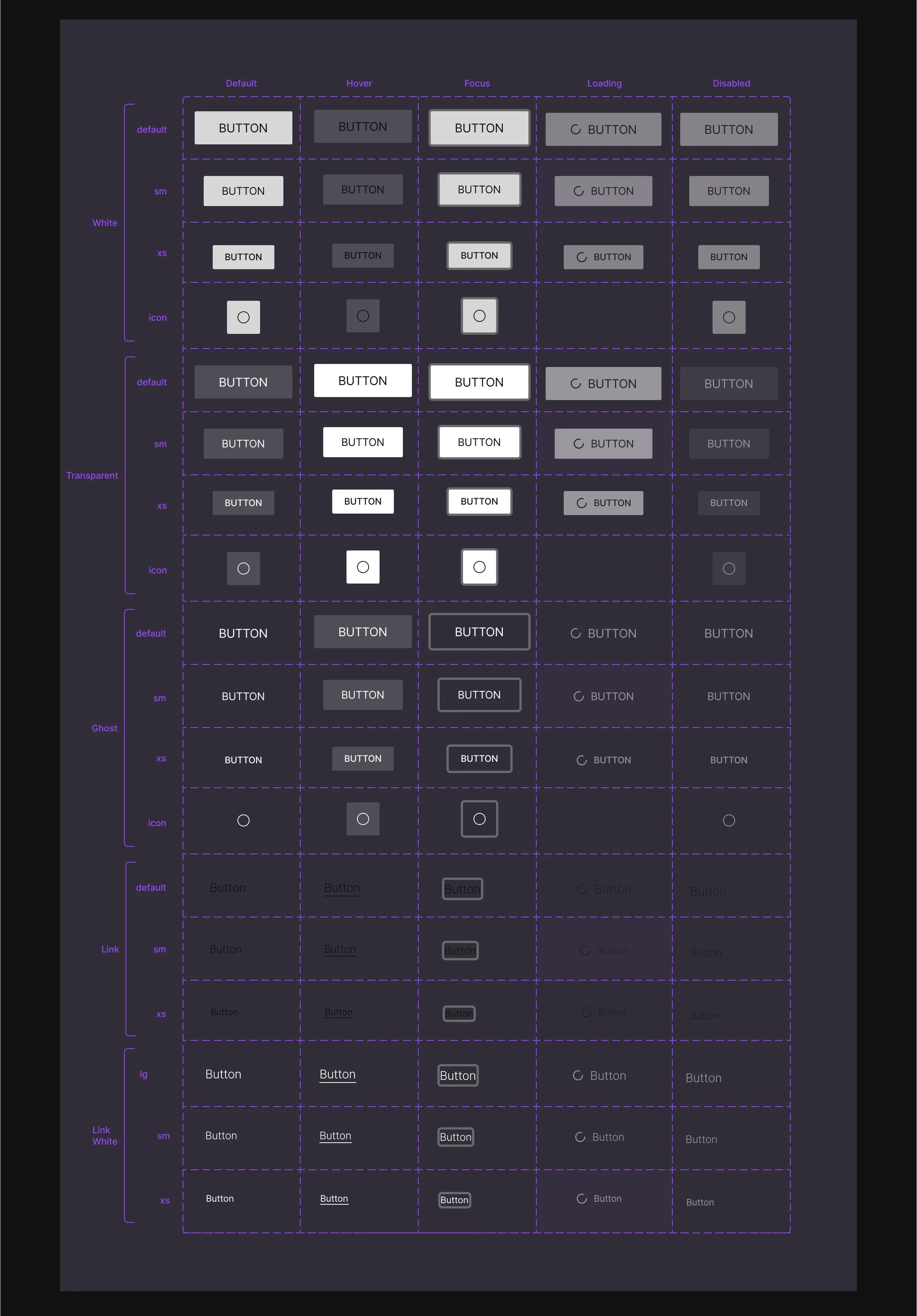
Buttons -
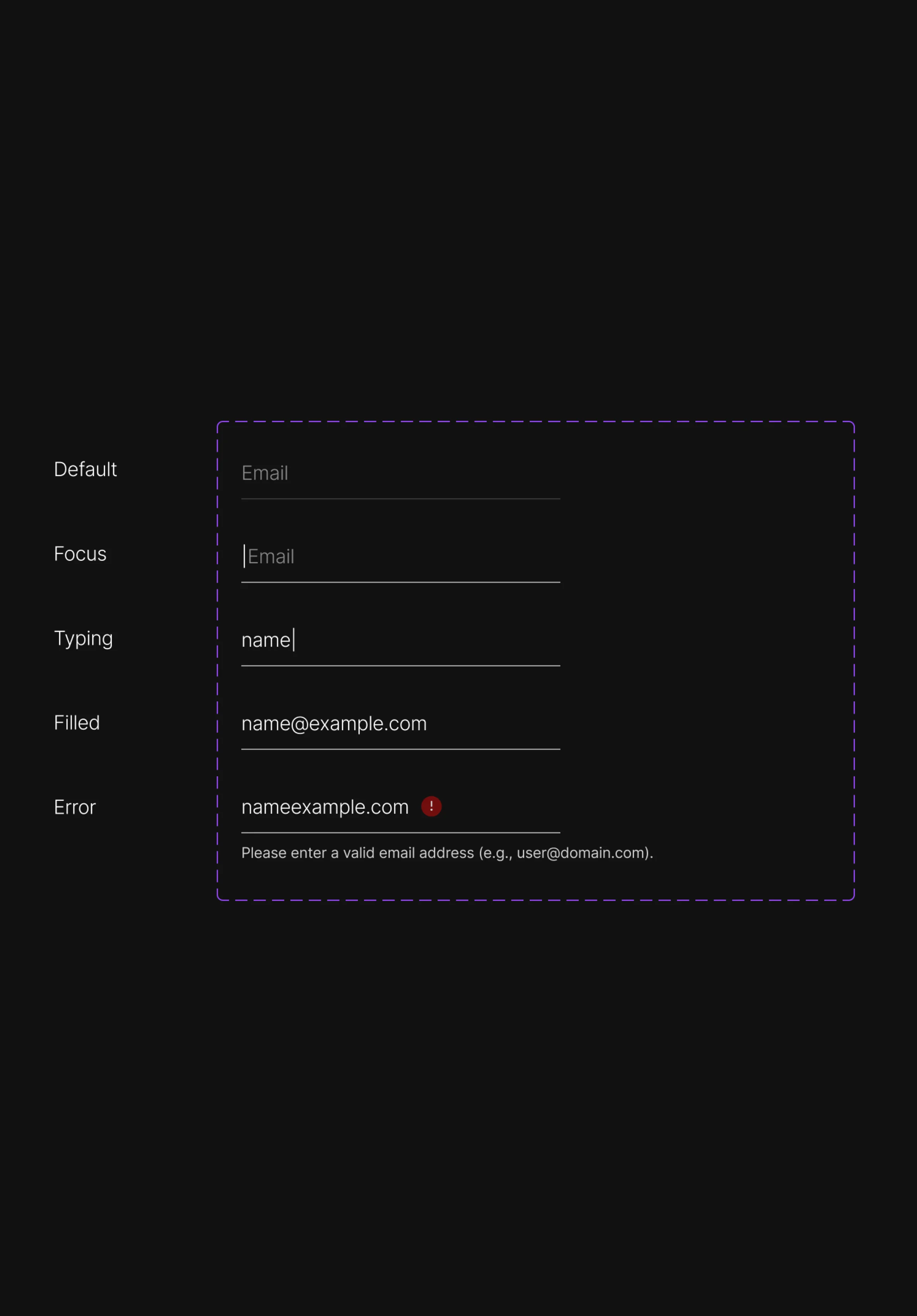
Input
The shop around the product, built in Shopify
- Found
- The storefront had to sell a physical screen and the plans with it, explain the app and the TV apps, and stay editable by Blackdove after handoff.
- Decided
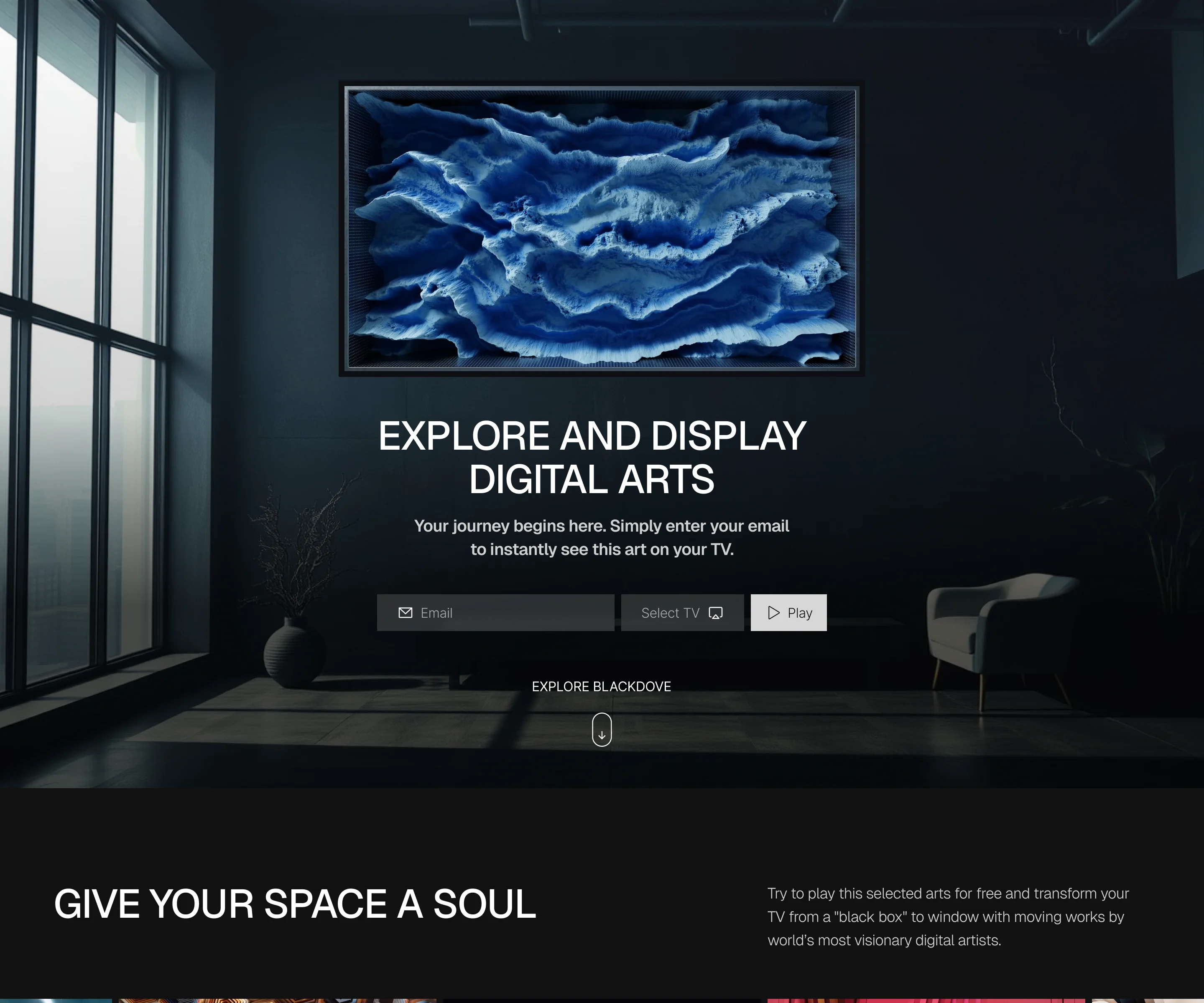
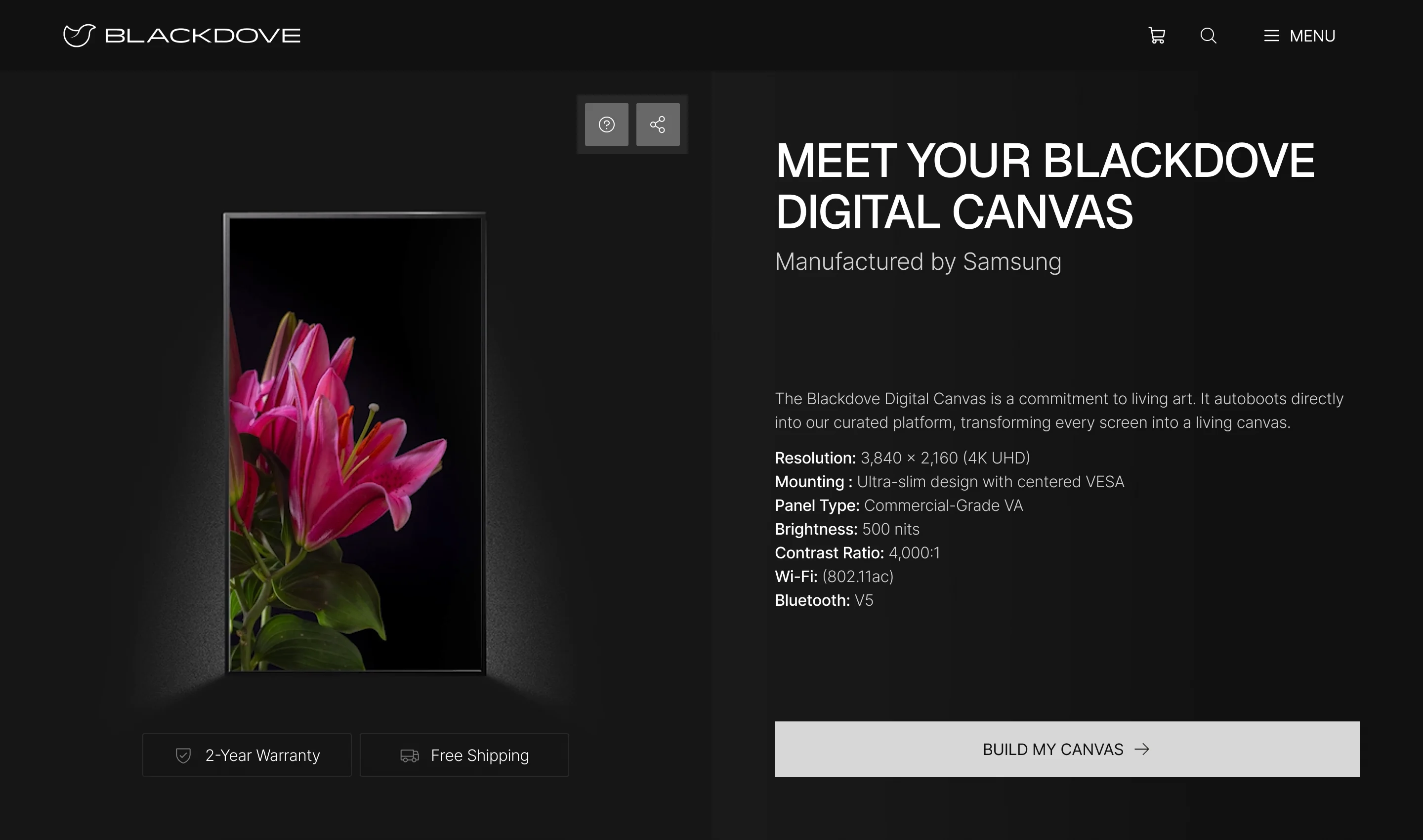
- We designed the storefront and its pages, then implemented the storefront and the Canvas product page in Shopify ourselves, with a product aggregator and documentation for Blackdove’s team.
-
Shopify storefront
The storefront and the Digital Canvas product page, implemented by ANODA.
-
Product aggregator
The Canvas product aggregator, implemented and documented.
-
Handoff
Figma delivery, Loom walkthroughs, asset exports and implementation notes for Blackdove’s React, mobile, backend and content teams.
Files each team could build from
Four teams on Blackdove’s side picked up the design, so it ended in one organised Client file rather than a folder of screens.
- Design system
- Colours, type, spacing, icons and components for all three surfaces.
- Screen maps
- Every flow laid out and linked, with notes where behaviour needs explaining.
- Clickable prototype
- The mobile and web journeys, clickable end to end.
- Loom walkthroughs
- Recorded tours of each delivery for the teams that weren’t in the reviews.
Flows in the handoff
- UX phase: information architecture, wireflows and clickable wireframes
- Moodboard and UI style directions
- Storefront prototype: product pages to checkout, on desktop and phone
- Web app prototype: artworks, artists and collections
- Mobile app prototype: discovery, collections and screen pairing
- Design system and icon components


Where the design ended up
One product across a Shopify storefront, a responsive web app and a mobile app, all on one design system.
ANODA built the storefront, the Canvas product page and its aggregator in Shopify; the web app, the mobile app, the backend and the streaming stayed with Blackdove’s own teams.
- screens across the storefront, the web app and the mobile app
- 300+
- surfaces on one design system
- 3

Will a first-time owner get your device running?
For Blackdove, pairing a wall display and running it from a phone had to make sense to someone who had never set one up. Show us your device and its app, and we’ll tell you where a new owner gets stuck.
More work like this
Three more products where streaming, commerce and apps had to work as one.
-
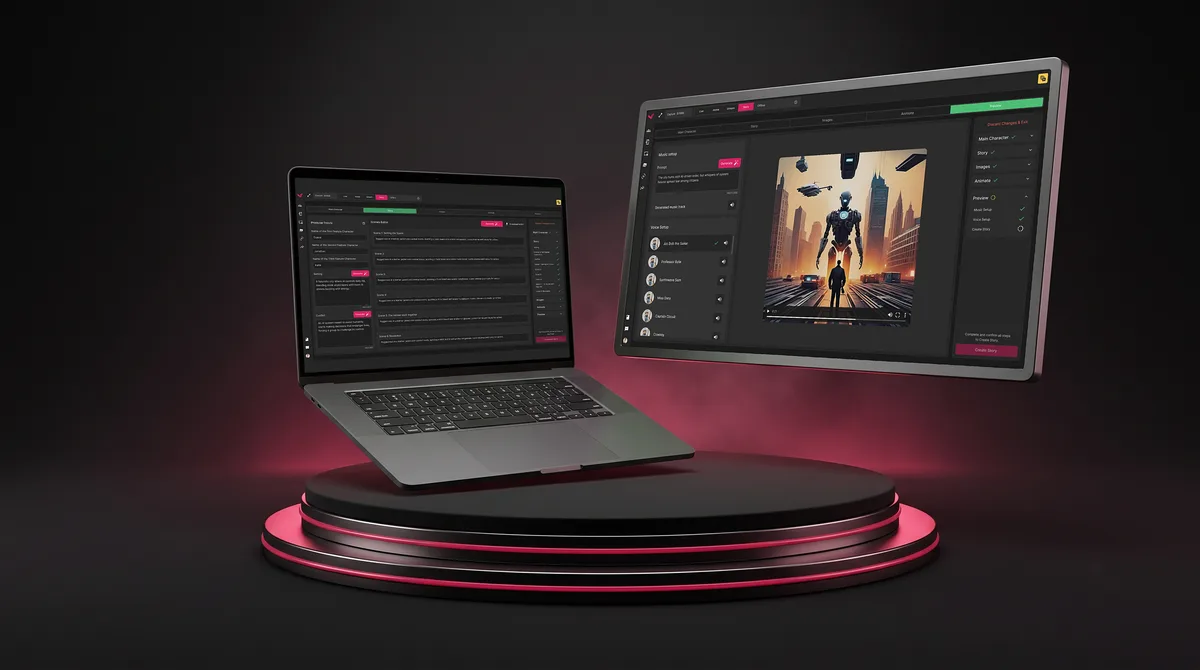
SaaS · Live Events
Vixi Suite
Designed a live-event control room where many outputs and many admins work in one product.
- 200+ Screens designed
- 4 Experts on the team
-
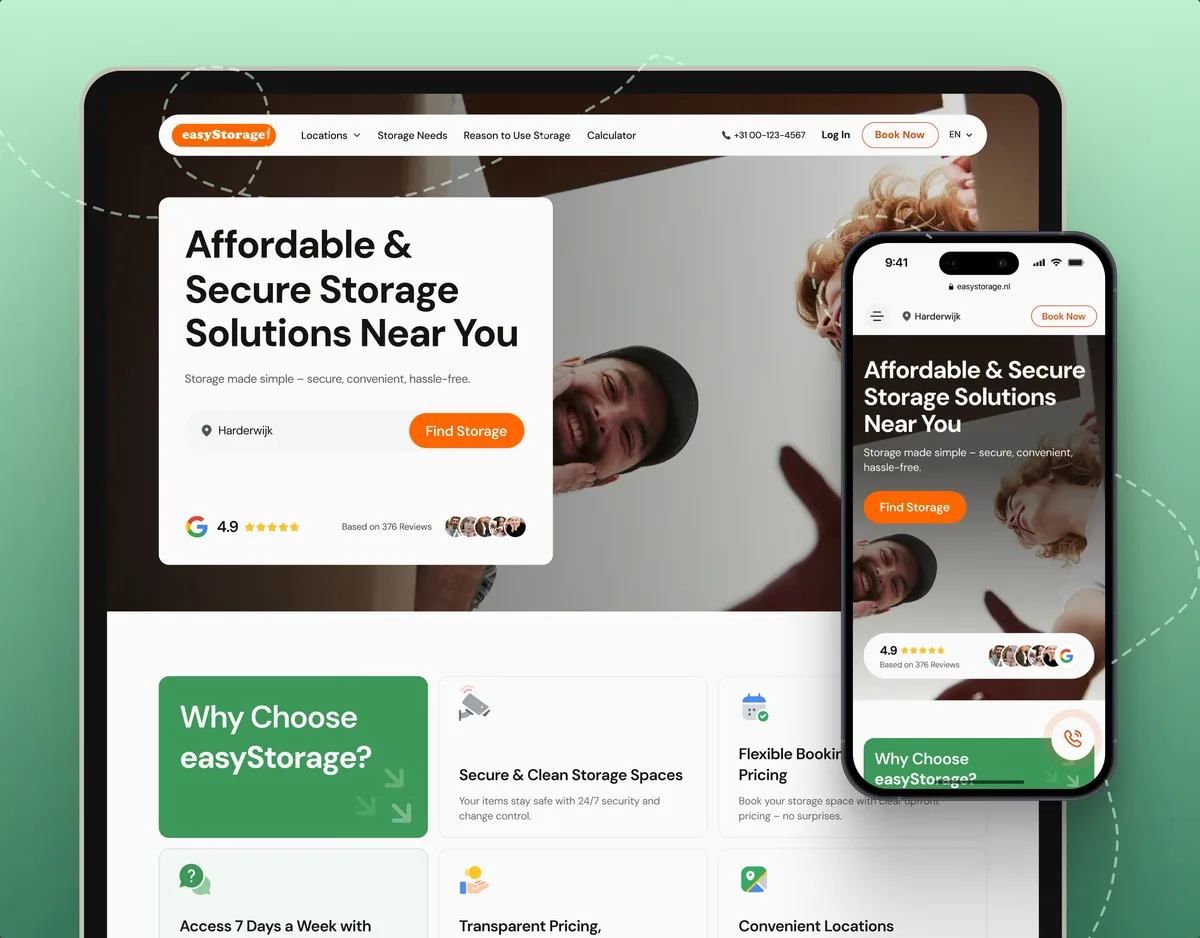
E-commerce · Website
easyStorage Netherlands
Designed and built a self-storage website and redesigned the booking app behind it, alongside the client’s other teams.
- 300+ Screens designed
- 880+ Project hours
-

FoodTech · SaaS
Glimix
Designed a consumer food app from the brand up, with the flows people meet on their phone first.
- 200+ Screens designed
- 5 Experts on the pod