
Live-event fan engagement, phone to arena screen
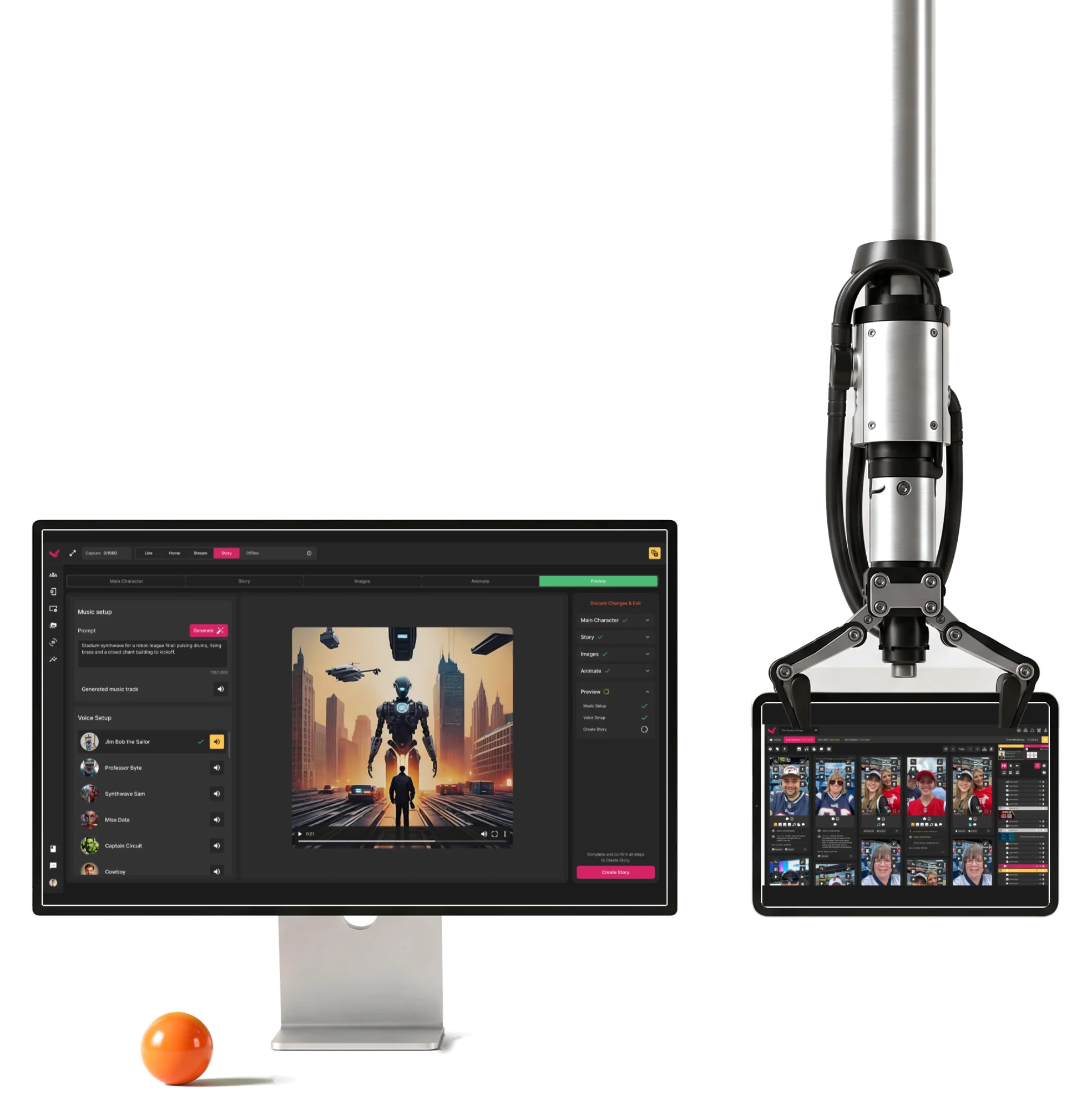
A control room where live-event operators moderate fans’ photos and videos and put them on the venue screen.We designed it, then its AI Story.
- 200+
- screens for the operator suite, fans’ phone pages and AI Story
- 4
- experts one team from information architecture to handoff
Project summary
We designed Vixi Suite’s operator workspace around a live show: capture fan submissions, moderate the queue, build playlists and control what reaches the arena screens. The operator suite and fans’ mobile-web pages share one dark system. When the client returned for AI Story , we designed its generation and editing journey inside that same workspace.
How a fan’s photo reaches the arena screen
One chain, from the seat to the screen:
-
Phone
- Capture page
- Submission
- Consent
-
Submissions
- Photos and videos
- Tags
- Filters
-
Moderation
- Preview
- Select
- Lock
-
Playlist
- Order
- Loop
- On air, up next
-
Output
- Mosaic
- Messages
- Live video
-
AI Story
- Character
- Scenes
- Preview
- Speed and Safety
- Operators act fast, and nothing reaches the screen by accident.
- Volume and Control
- Every submission seen before it’s shown.
- New AI and Known suite
- A new workflow that looks and behaves like the rest of the product.
A moderation screen for an event already under way
- Found
- Submissions arrive during the show, and an operator has to judge each one while keeping an eye on what’s on air.
- Decided
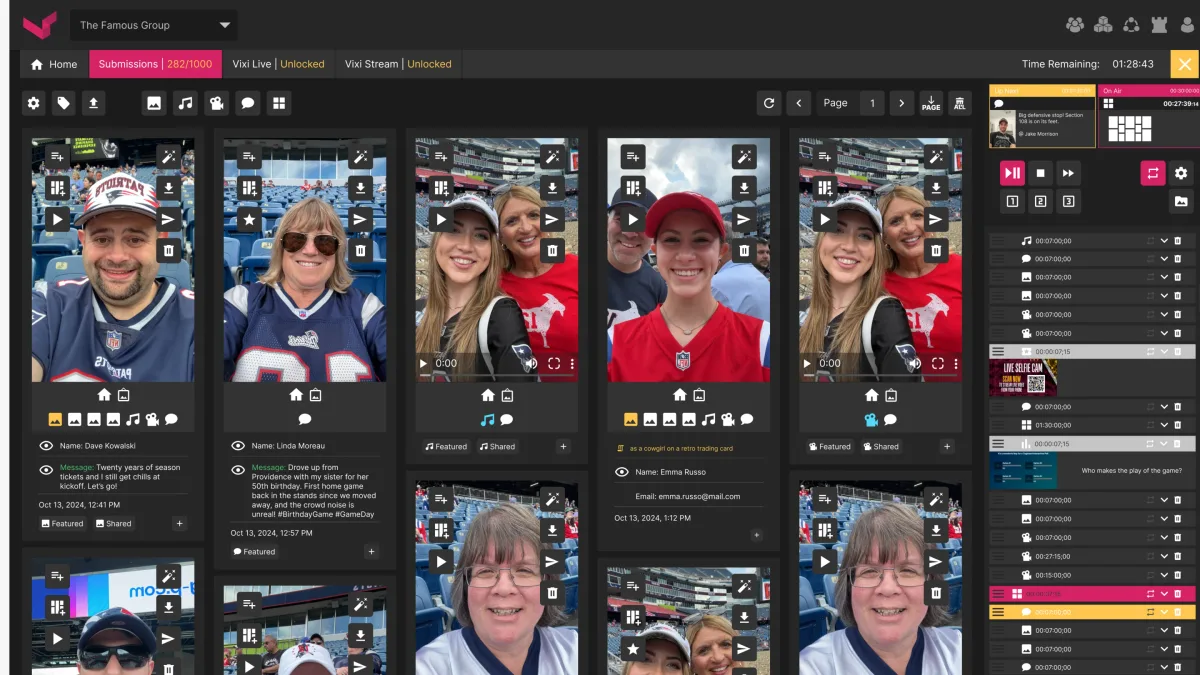
- One screen: the show’s status and time left on top, the filters under it, fans’ submissions as cards with every action on the card, and the playlist always in view on the right.
- For the user
- An operator sees who sent what and when, and puts it in the playlist without leaving the queue.
-
Where the show stands
Submissions against the limit, time left, and the filters.
-
What fans sent
Each card: the photo or video, who sent it, their message and time, and every action from playlist to delete; the playlist stays on the right.
How the work progressed
330h+ of work: the live suite first, then AI Story when the client came back.
-
Information architecture
-
User Flow
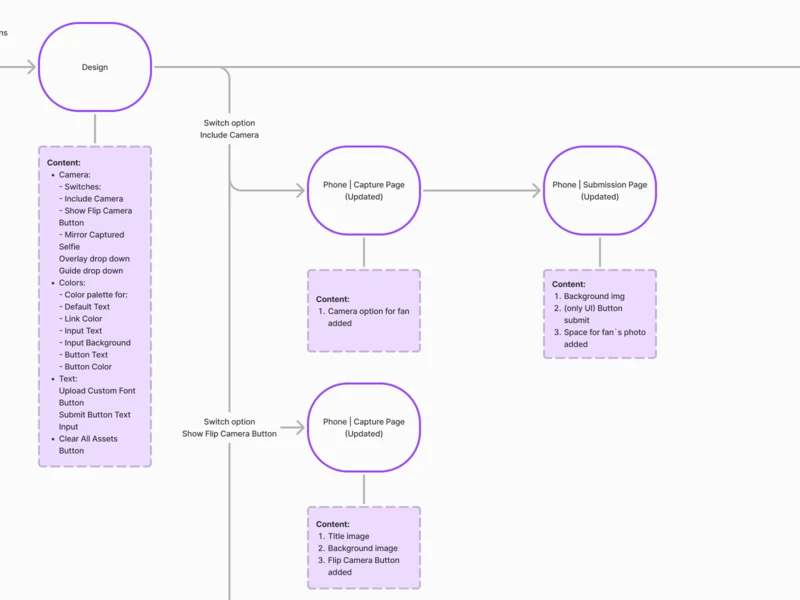
Every step of phone pages, moderation, playlists and outputs, with its states
Artifact User flows for each module
-
Wireframes
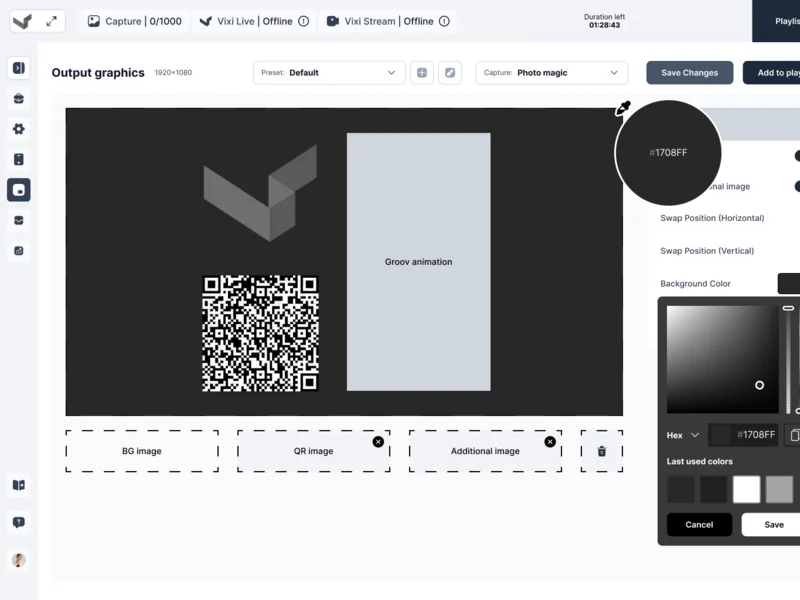
Where each control lives before the dark theme could hide a problem
Artifact Desktop wireframes for the operator suite
-
UI & Design System
One dark interface inside the existing Vixi brand, and components every module shares
Artifact Style directions, the final UI and a UI kit with states
-
Design handoff
Separate tools, turned into one suite
- Found
- Capture, moderation, live boards, streams and outputs each needed their own controls, and an operator runs several at once during a show.
- Decided
Every flow was mapped end to end, then put into one shell: the same top bar with the show’s status, the same sidebar, and each module one tab away.
Our information architecture guide explains how to map capture, moderation, playlists and outputs as one live-show workflow.
-
Phone pages
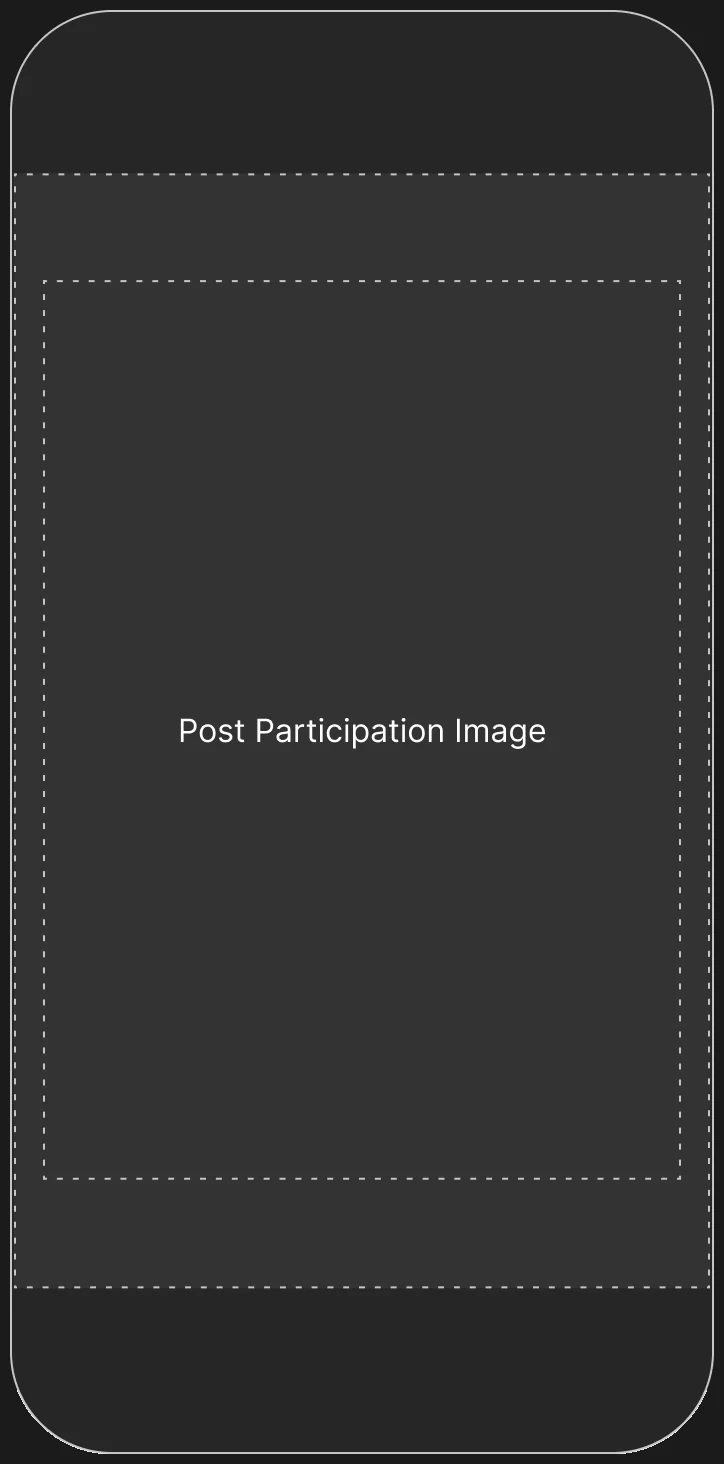
What fans see: capture, submission and end pages, each with design, inputs, legal and redirect settings.
Open the full map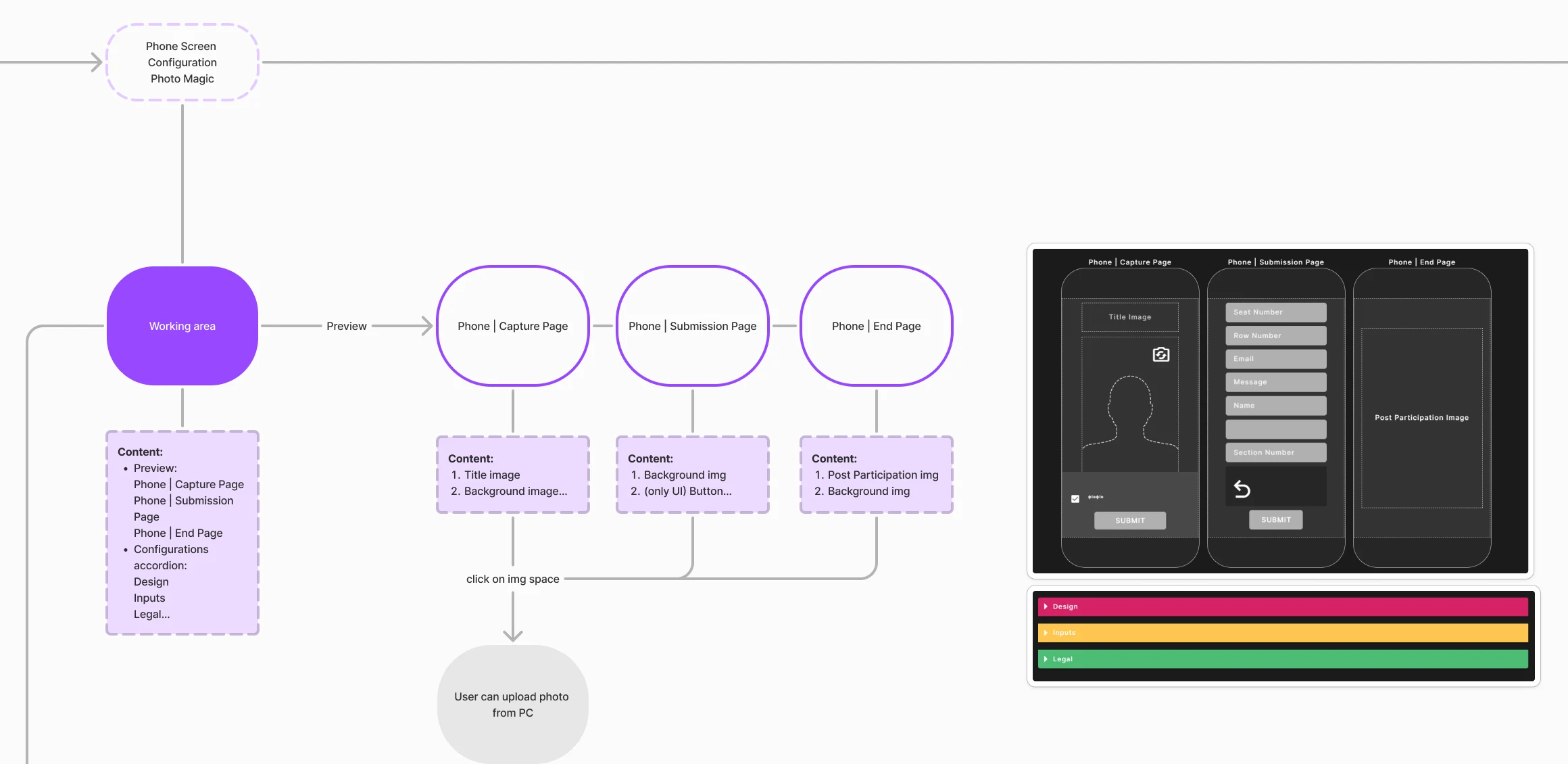
-
The live event
An ongoing event with its submissions and playlist board, branching to add, reorder, configure, moderate and loop.
Open the full map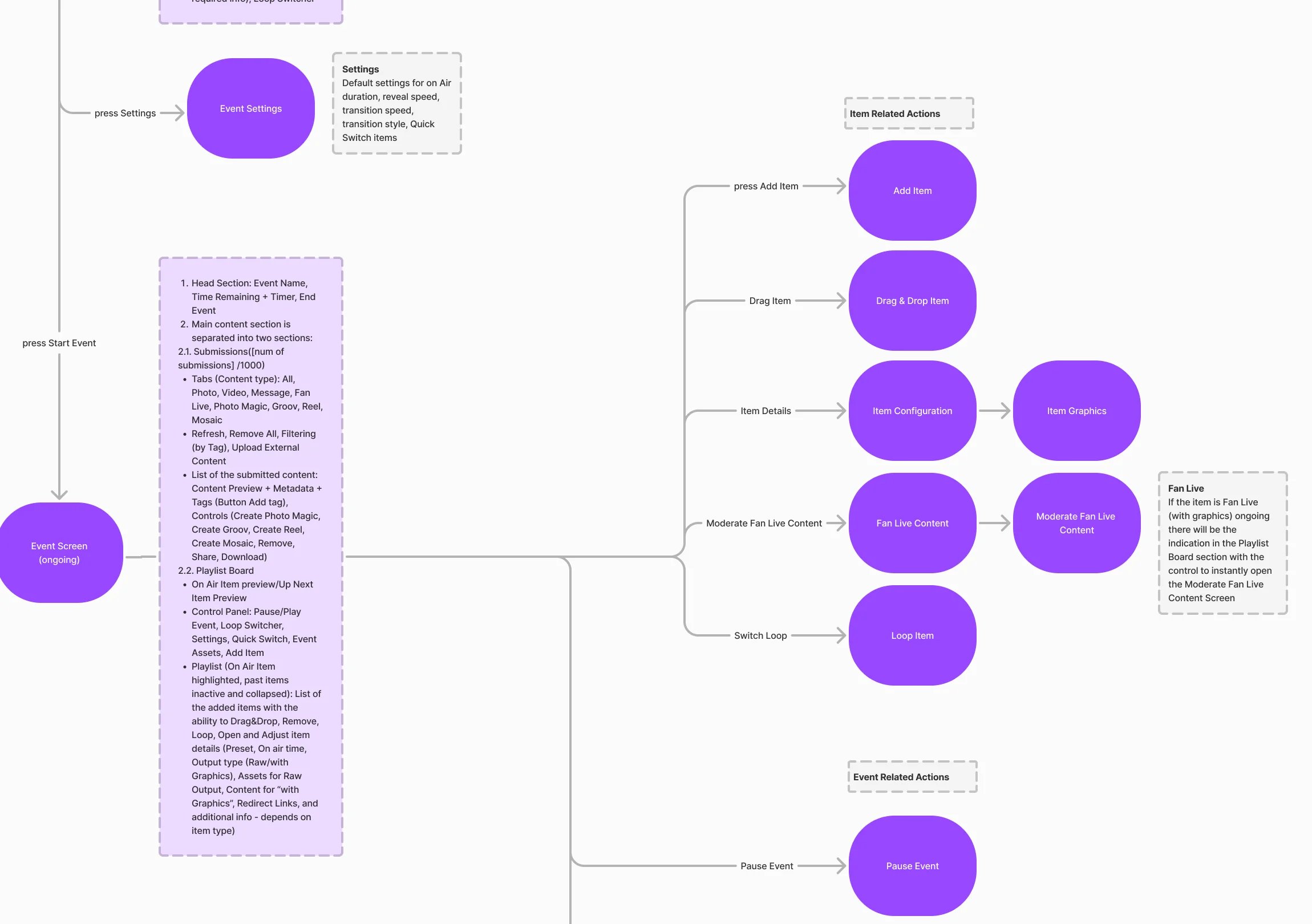
-
AI Story
The end of the story flow: animate, preview with voice and music, and download.
Open the full map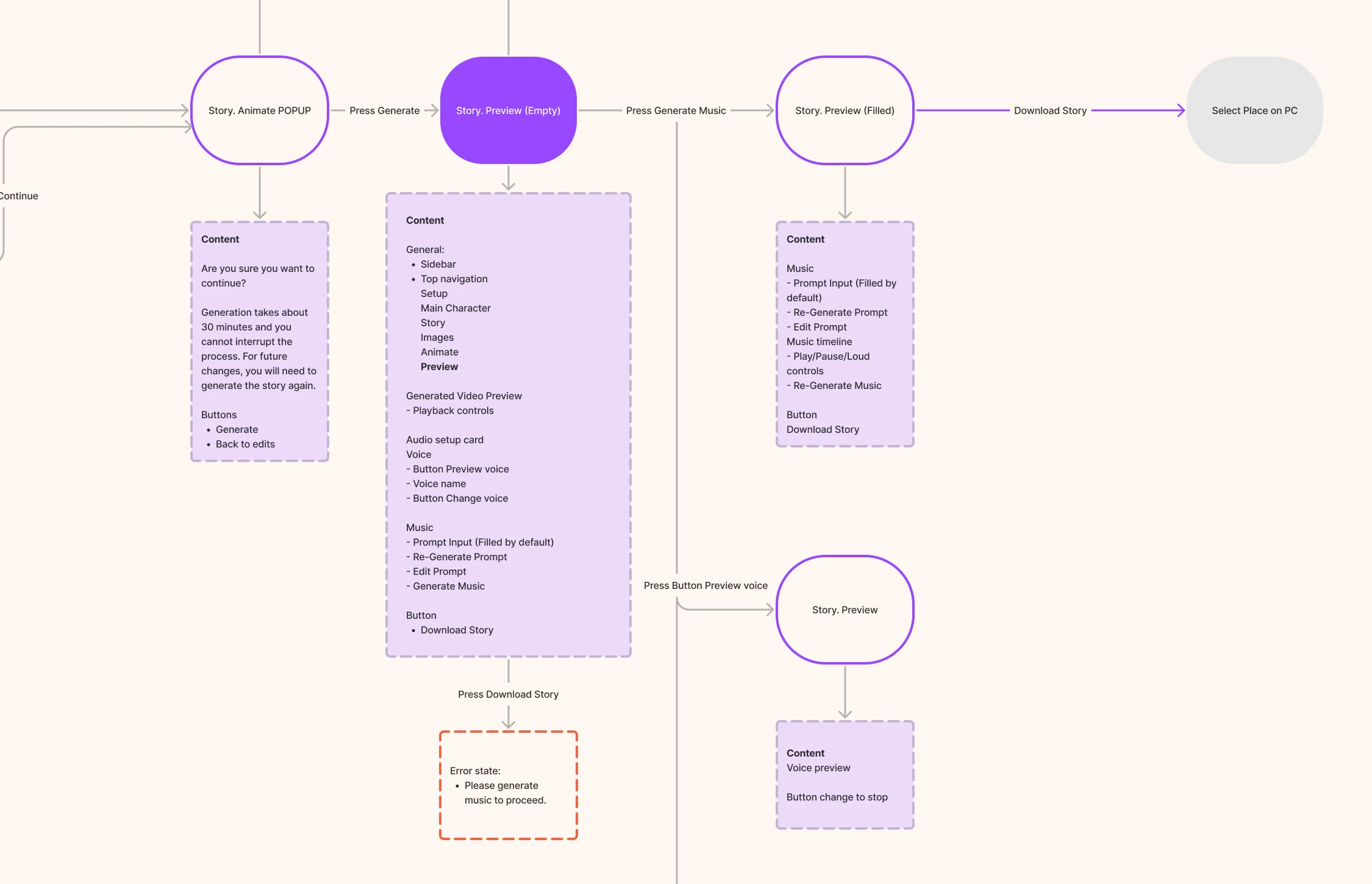

Seven jobs, from the stands to AI Story
The live suite first: moderation and the playlist, outputs and the fans’ phones. Then AI Story, the feature the client came back for.
Operators need clear feedback before sending anything to the screen. Our web app design guide connects that task, its states and the engineering handoff.
Moderating and playing out, live
- Found
- Fans’ photos and videos keep arriving during a game, and a wrong item on air is seen by the whole venue at once.
- Decided
- Every action on the submission itself, from playlist to delete; the playlist always beside the board with what’s on air and its countdown, what’s up next, transport, quick-select slots and a loop so the screen never goes dark.
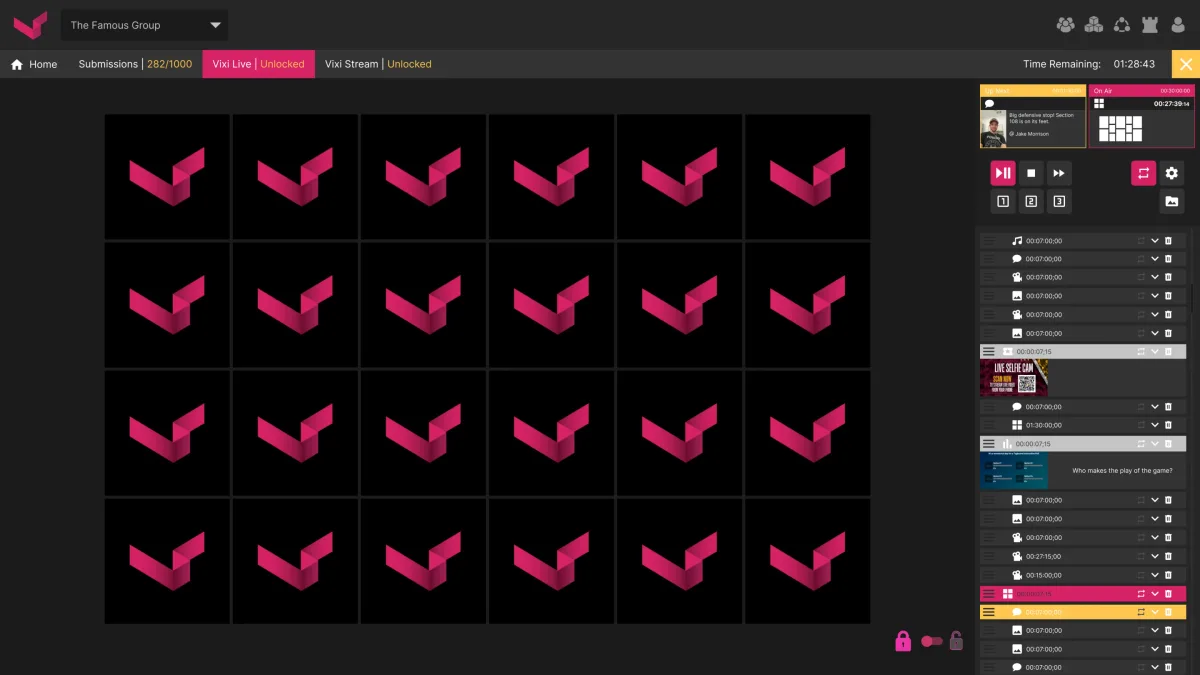
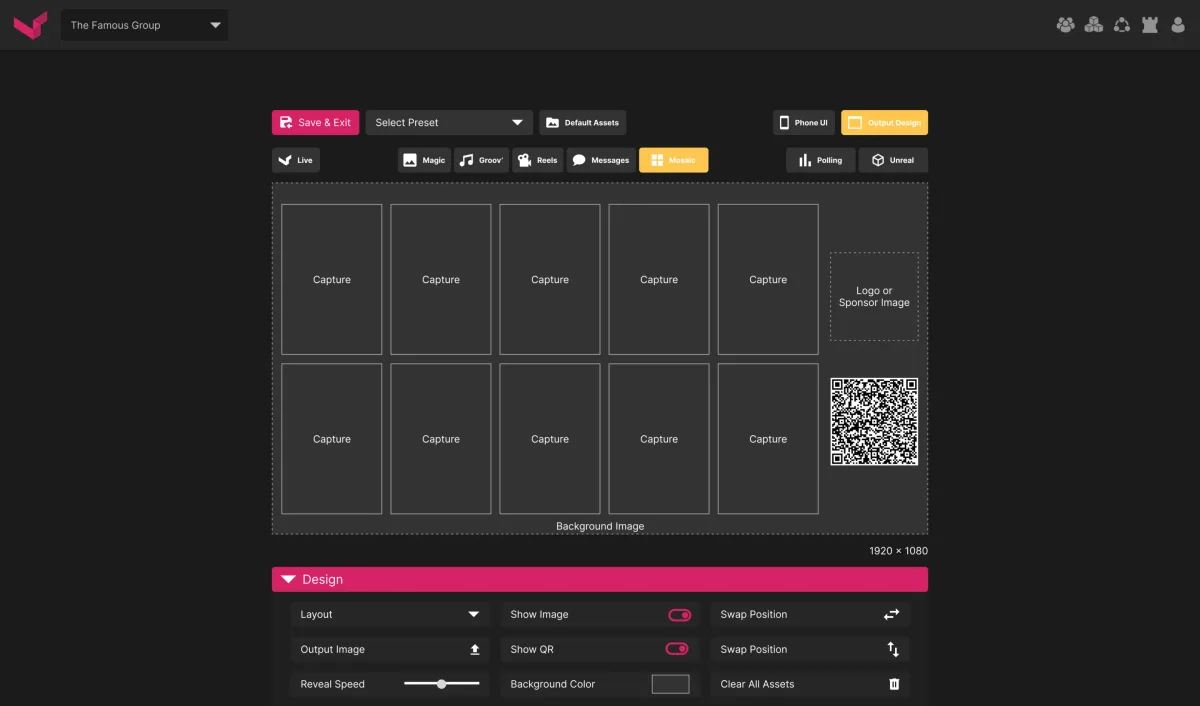
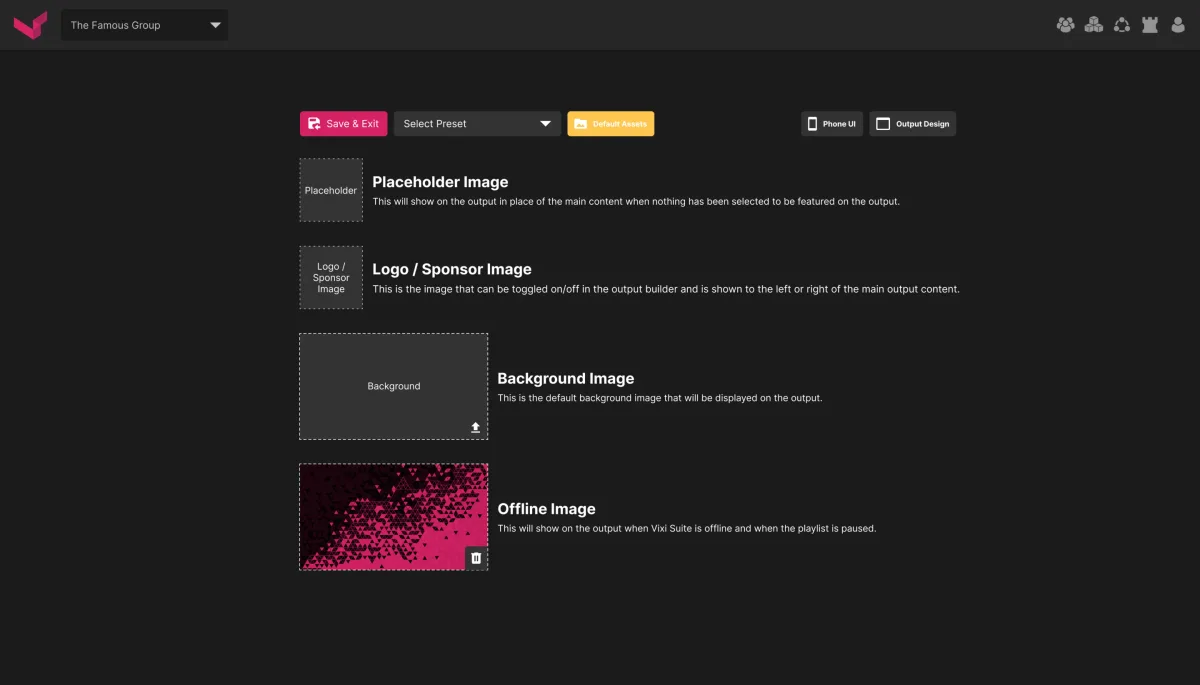
Outputs configured in one designer
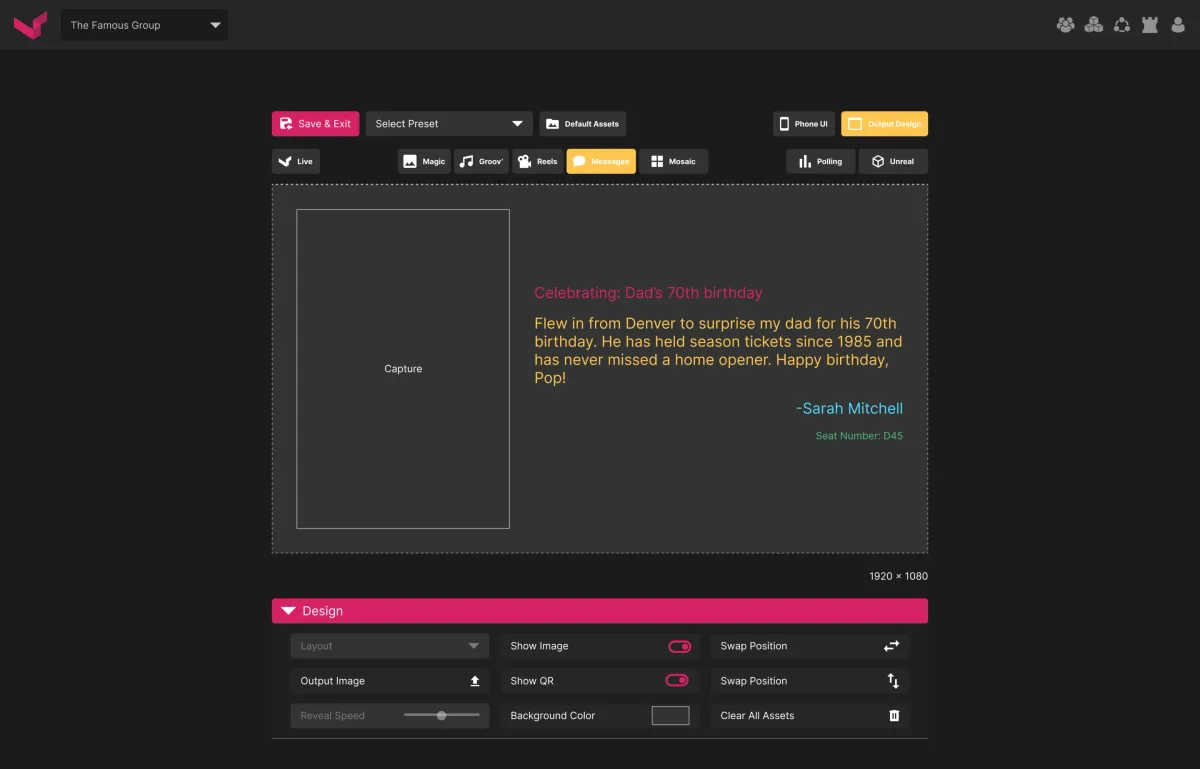
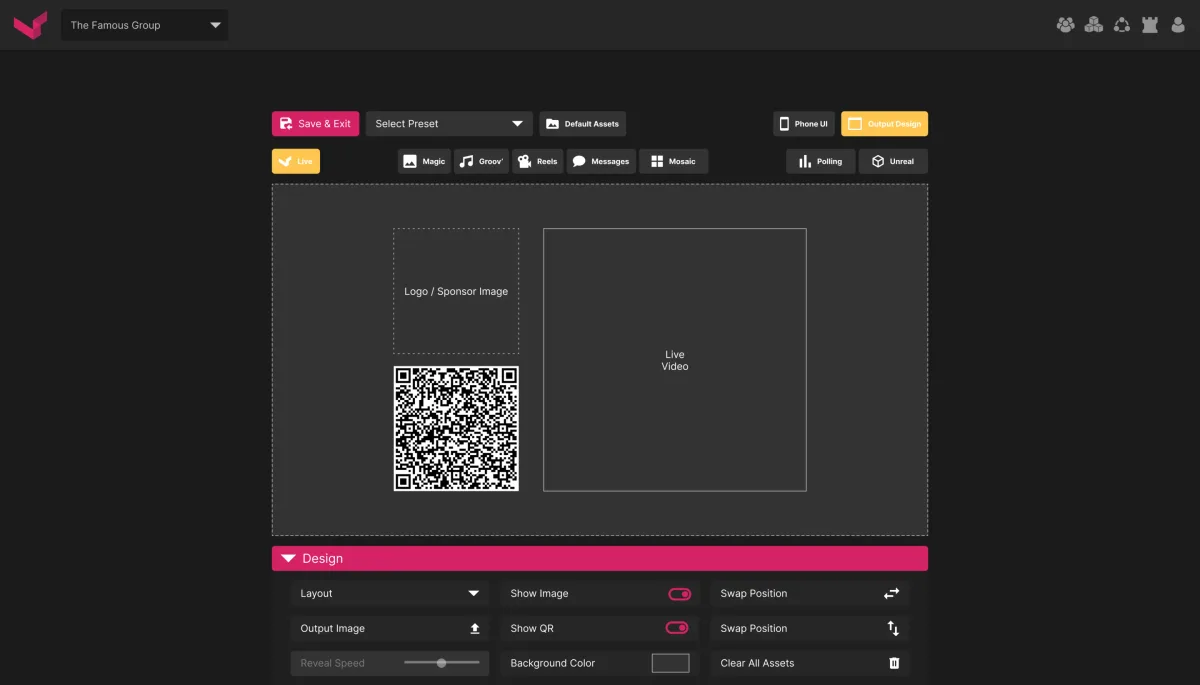
- Found
- Mosaics, fan messages, live video and polls each needed their own look on the venue screen, with sponsor slots and a QR code for joining in.
- Decided
- One output designer for every type: the same design panel for layout, images, QR, colours and timing, and default assets for when nothing is live.
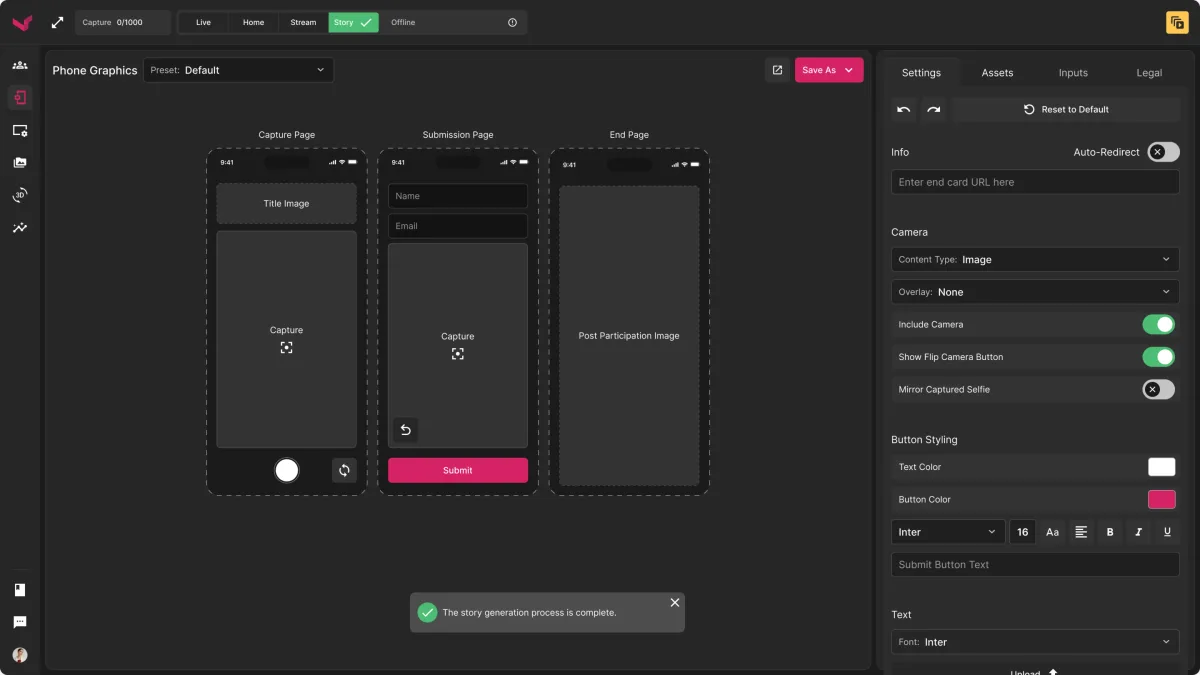
The fan’s side: pages on the phone
- Found
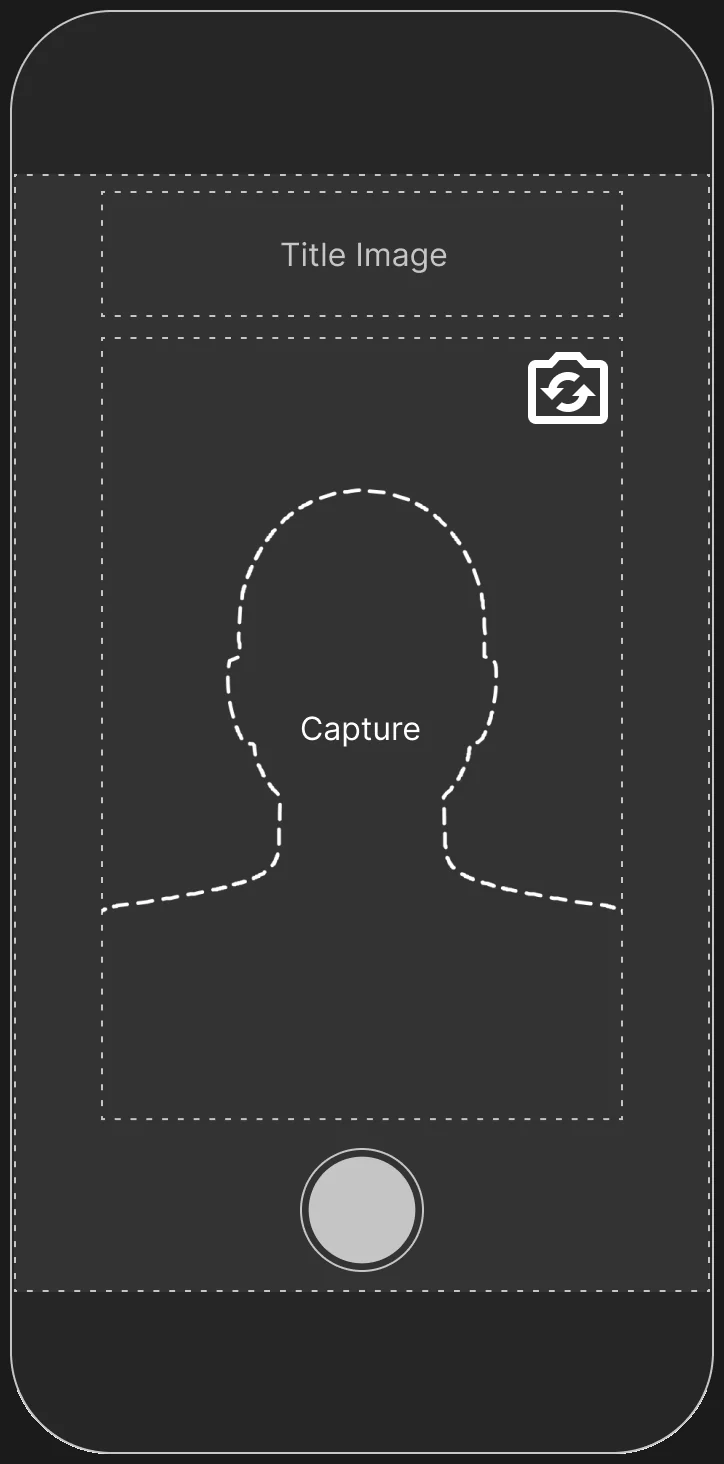
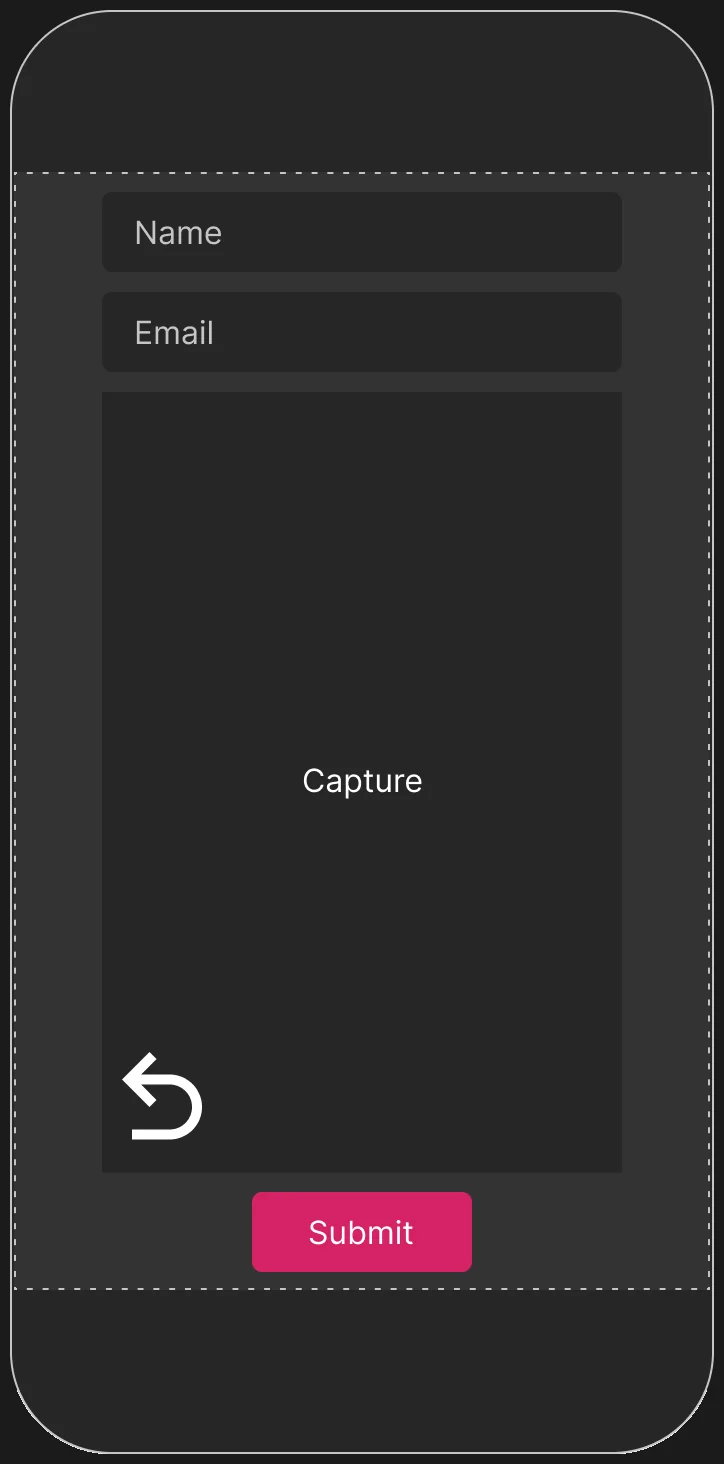
- Fans join from their own phones in the stands, so the pages had to work on any phone in the browser, with consent before anything is shown.
- Decided
- Mobile-web pages set up from the operator’s suite: a capture page, a submission page with inputs and consent, and an end page, each previewed as the fan will see it.
The client came back: AI Story
- Found
- After the first engagement the client returned with a new idea: build a short film with AI, scene by scene, inside the same suite.
- Decided
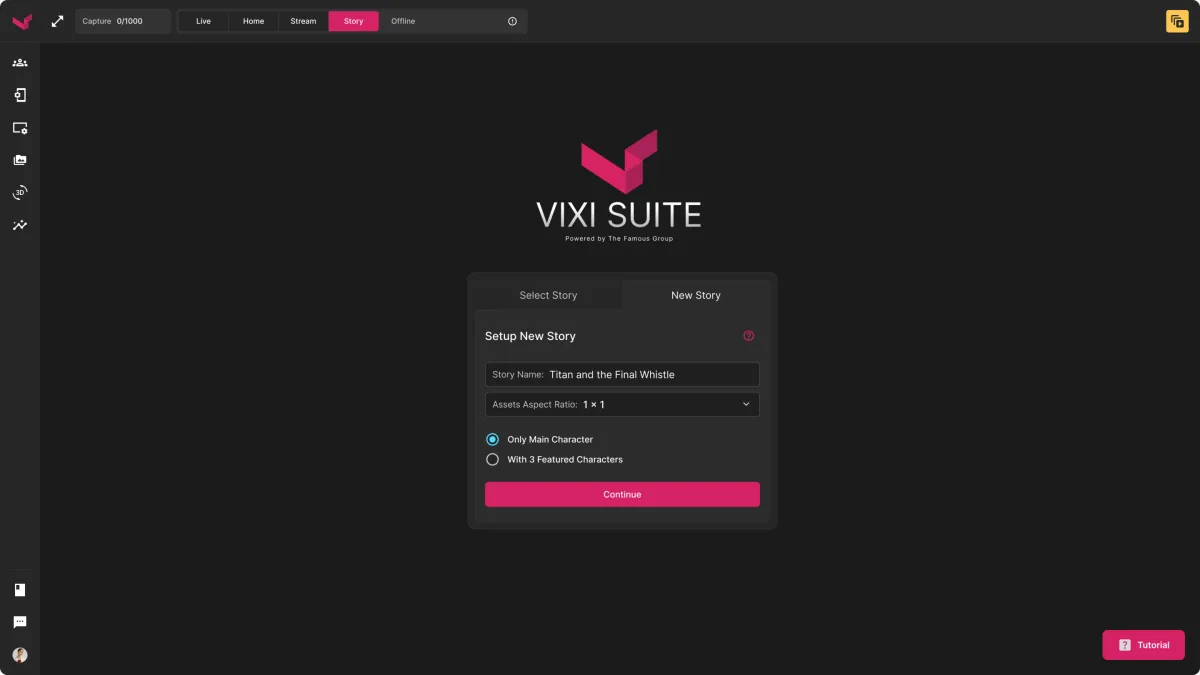
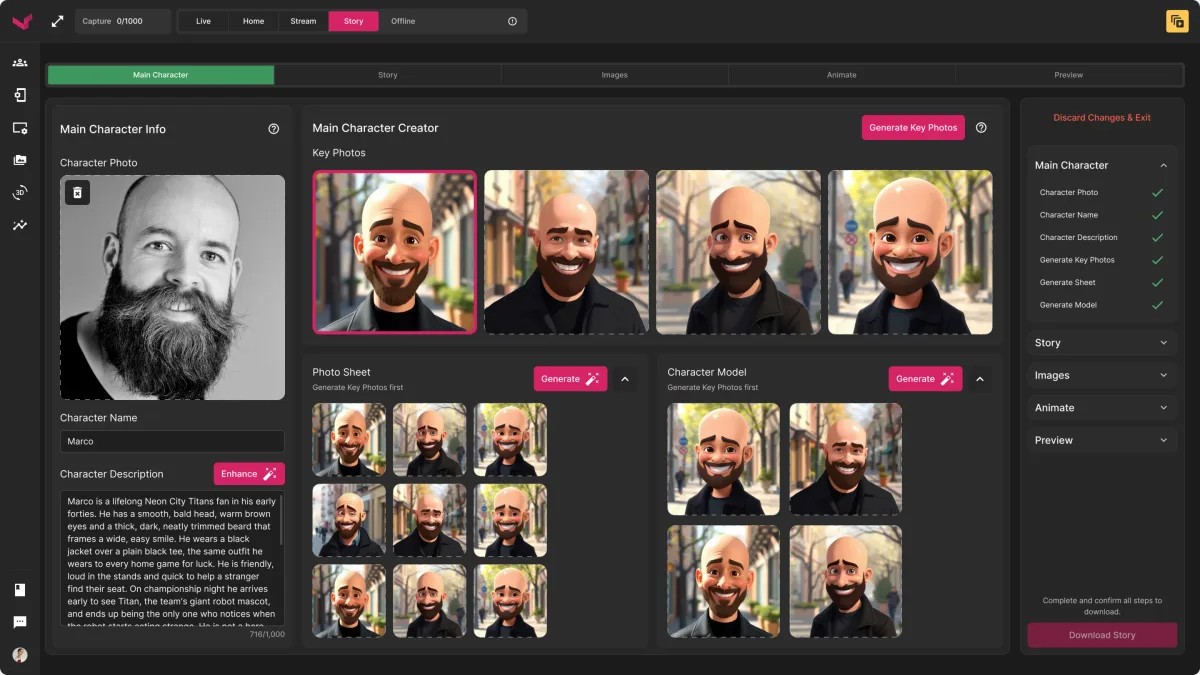
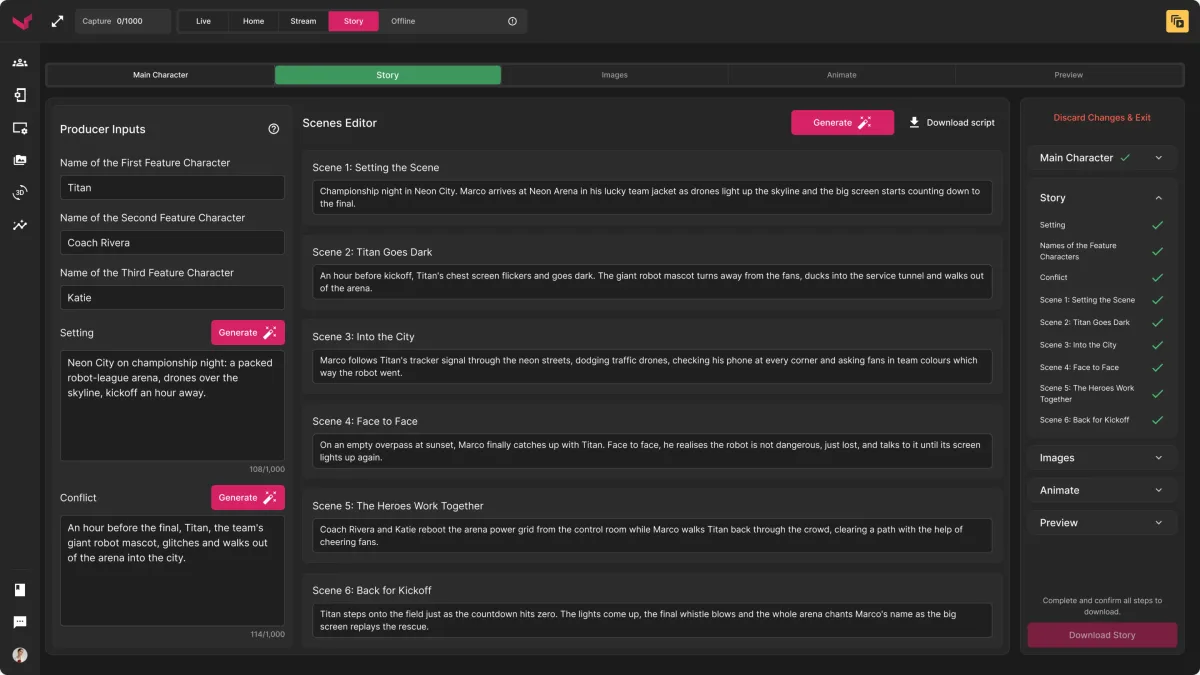
- A step-by-step workflow in the same suite: set up the story, describe the main character from a photo, write the premise and scenes, then images, animation and sound, each step checked off on the right.
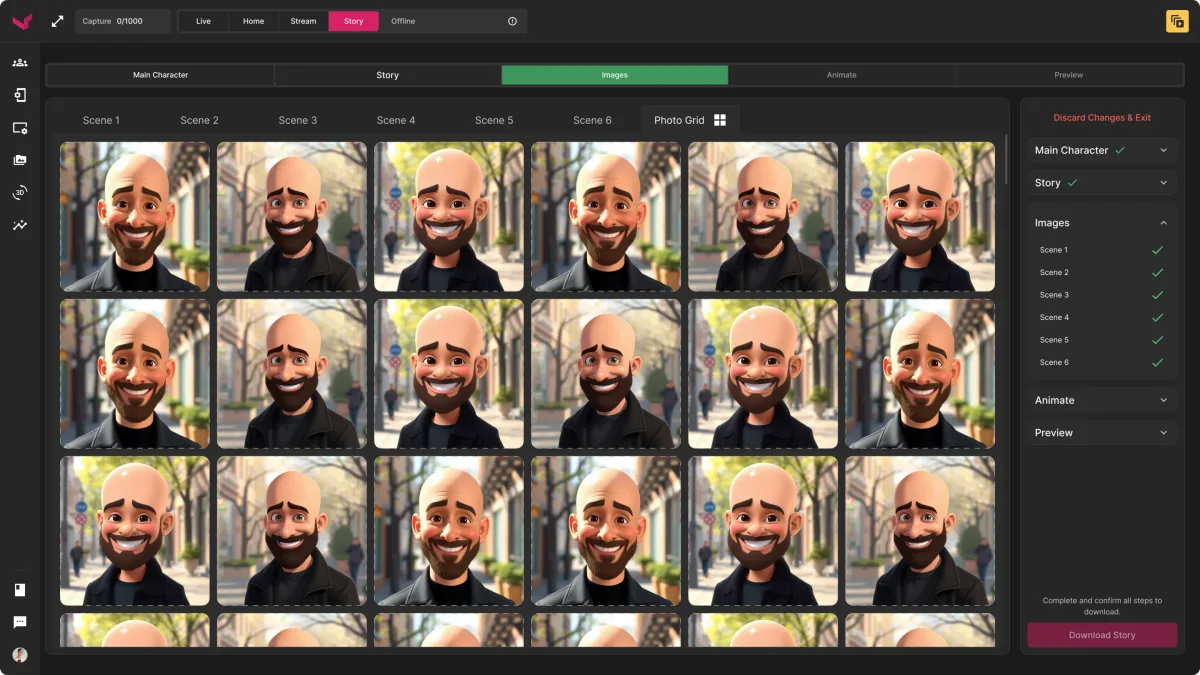
Scene by scene, shot by shot
- Found
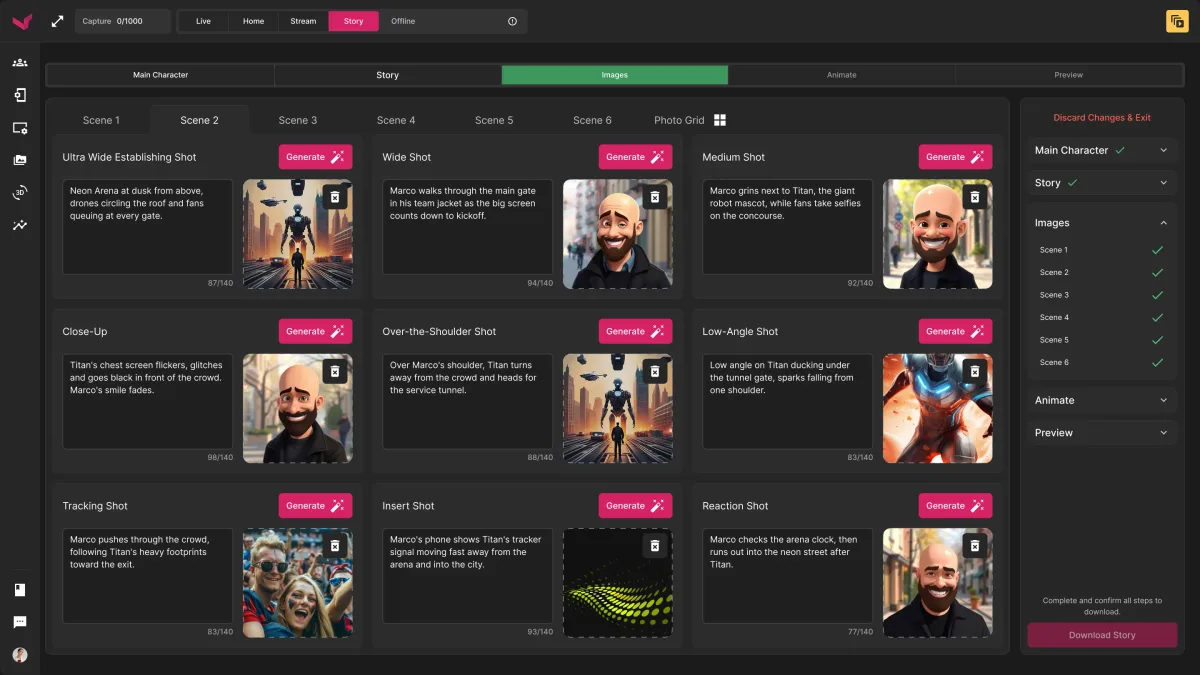
- A film is dozens of shots, and one bad image can spoil a scene.
- Decided
- Every scene broken into named shots, each with its own prompt and result; the whole story visible as a grid; and any shot swapped for another variant before it’s animated.
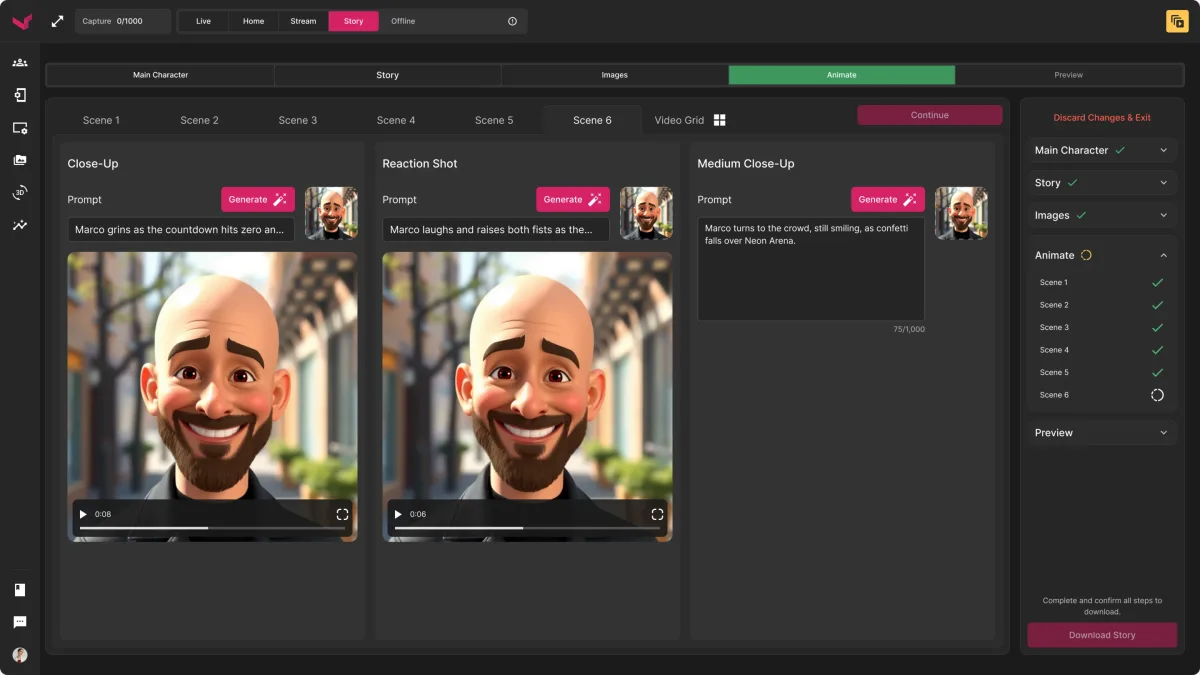
AI work that takes its time, in the open
- Found
- Generating video is not instant, and a spinner with no end in sight makes people quit or click twice.
- Decided
- A warning before it starts, a time-left bar with a way to stop, scenes that show which shots are done and which are pending, and a notice anywhere in the suite when the story is ready.
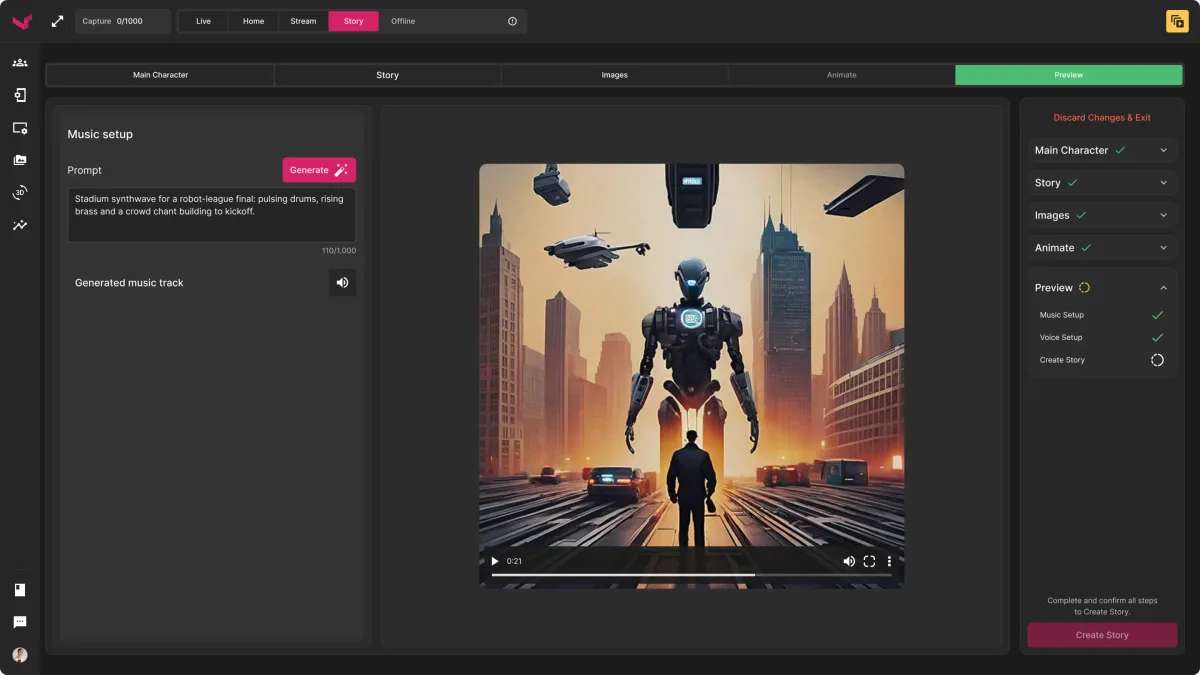
Music, a voice, and a finished film
- Found
- A film needs sound, and the operator decides how it sounds, not the model.
- Decided
- Music generated from a prompt, a narrator picked from a list of voices, the film previewed with both, then downloaded or saved and reused for the next event.
One dark system, extended for AI
- Found
- A new AI workflow could easily have looked like a different product bolted onto the suite.
- Decided
- AI Story reuses the suite’s components: the same top bar and sidebar, the same cards, buttons and panels, in the same dark theme, with its own steps added on top.
The same card in two places
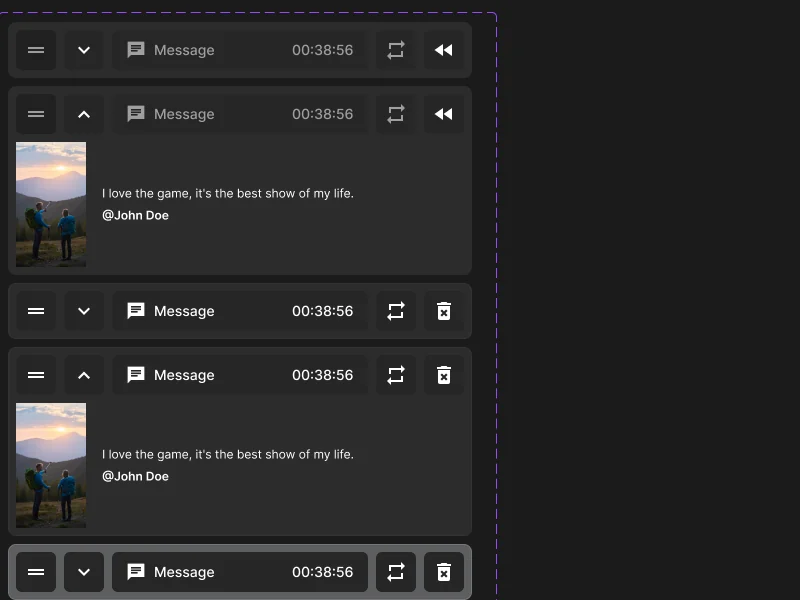
The image card from the kit: a key photo in the character step, a still in the scene grid.
-

Character: A key photo. -

Scenes: A shot in the grid.
Drawn for before and between the show
Offline before the event, loading as modules start: each says what’s happening and what the operator can do.
-
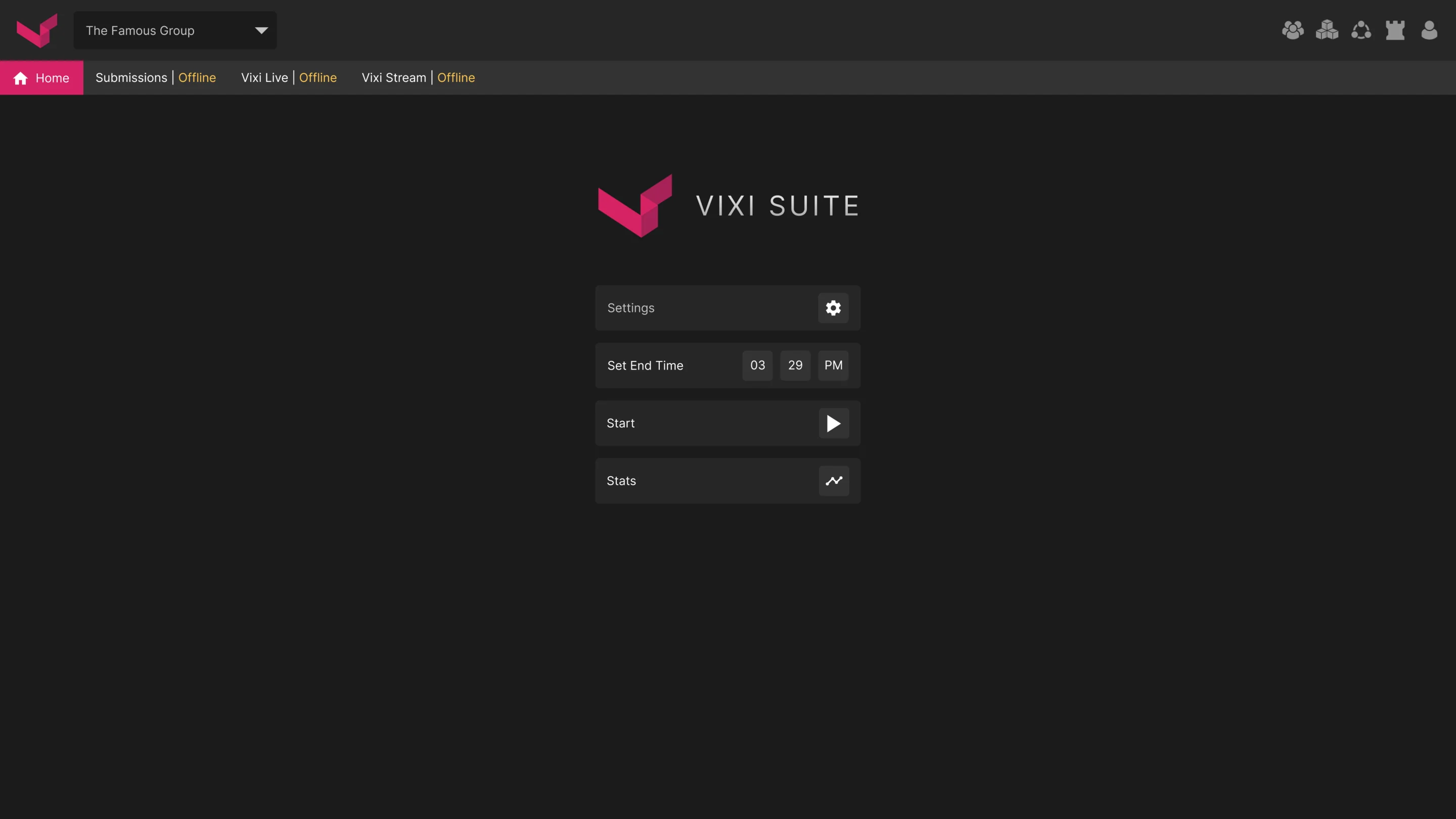
Before the show -
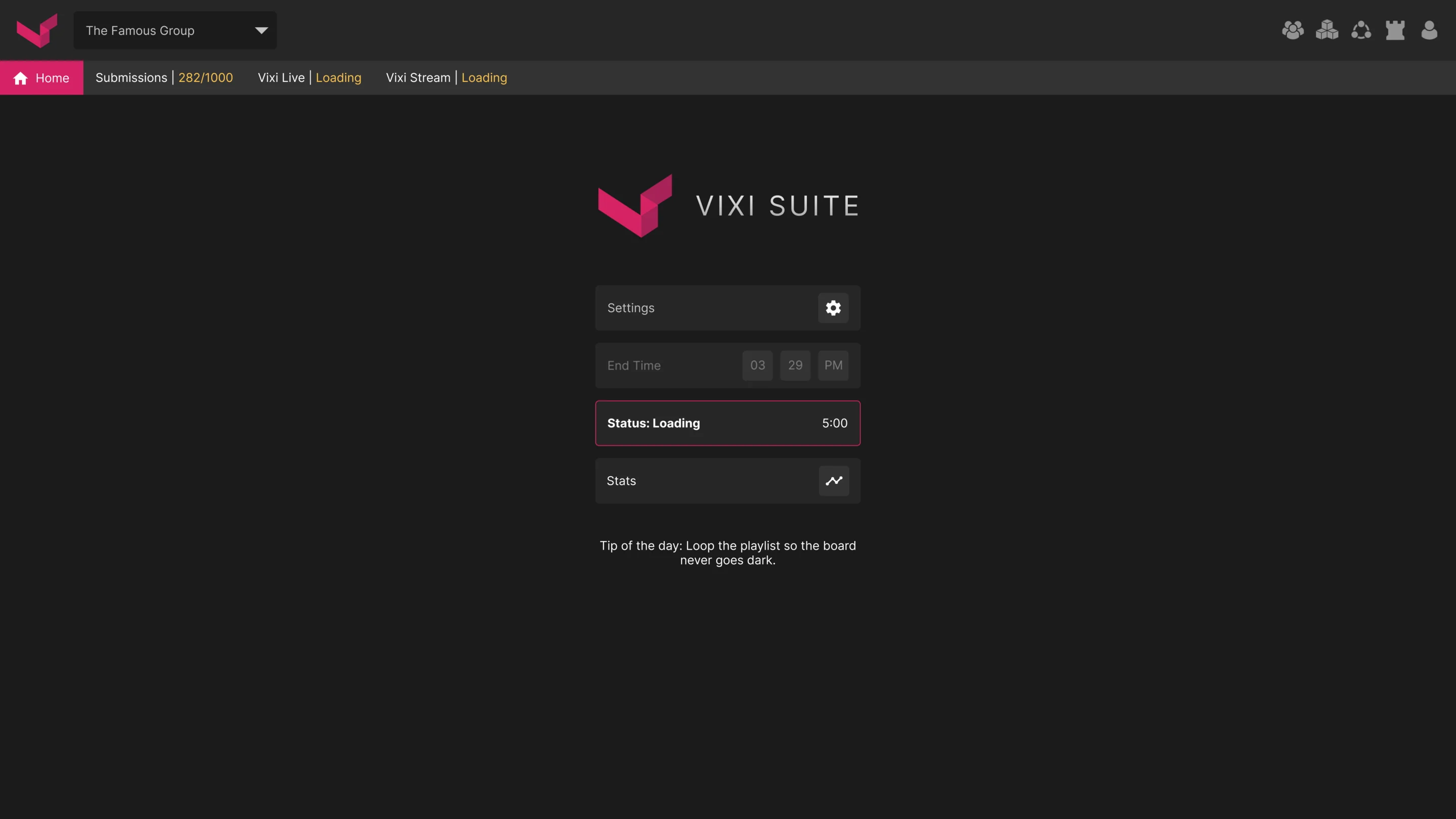
Starting up -
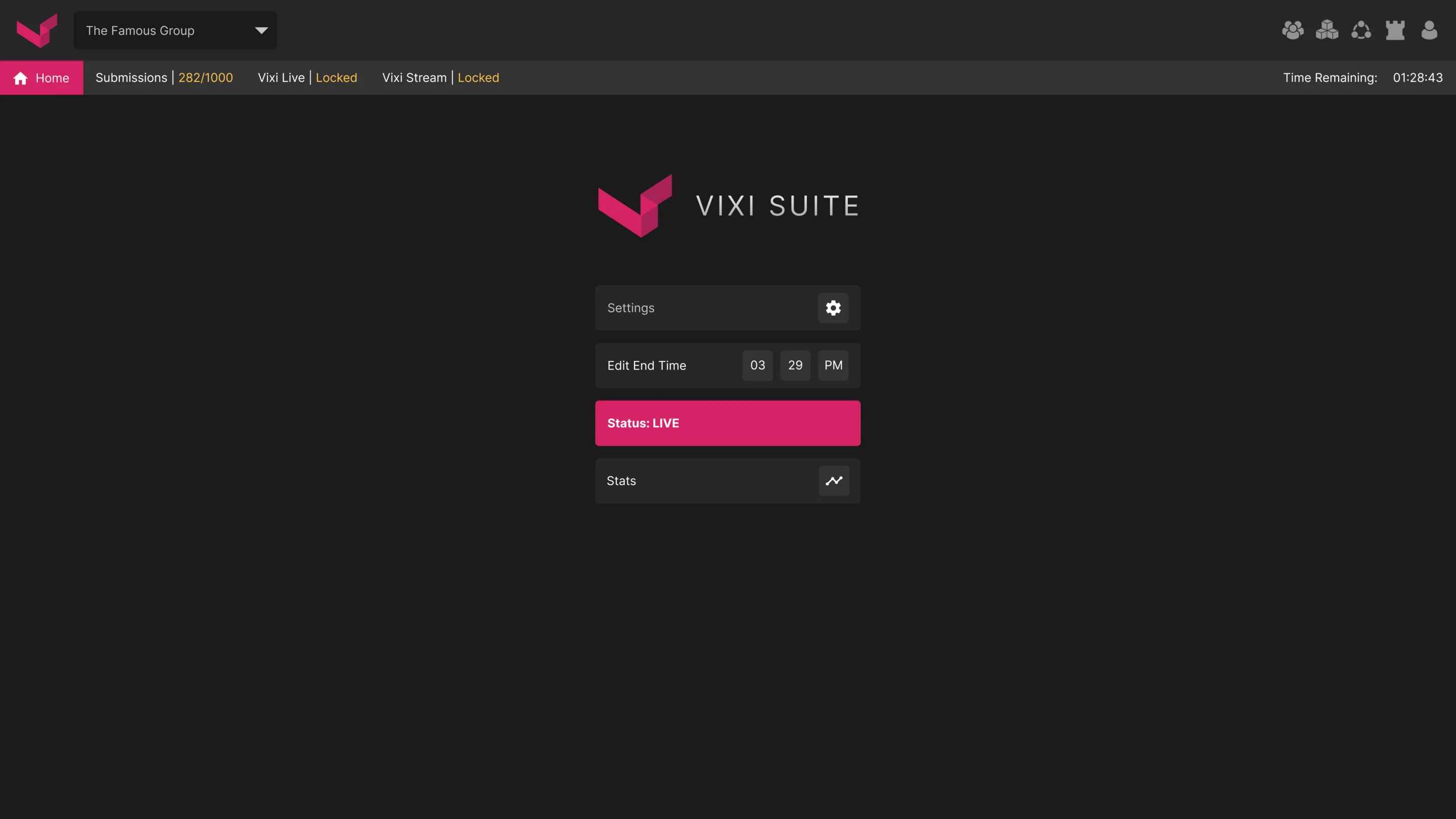
Live
Where the product ended up
One dark control room for a live show: fans’ submissions moderated in one queue, a playlist that shows what’s on air and up next, outputs configured in one designer, and phone pages set up from the same place.
When the client came back, AI Story joined it in the same shell, with every slow step visible and every shot open to change.
- screens across the suite and AI Story
- 200+
- breakpoints in the responsive layouts
- 3
- experts on the team
- 4
In the client's words
ANODA brought the production and moderation controls into a unified design direction. The work gave us a concrete way to review routing, content status and operator actions together, while keeping the interface focused on the needs of a live-event team.
Worried about what reaches the big screen?
In Vixi Suite, every fan photo is seen before it’s shown and every AI step shows its progress. Bring us your live workflow, and we’ll show you where it needs a safeguard.
More work like this
Three more products with dense data, AI inside, or many roles.
-
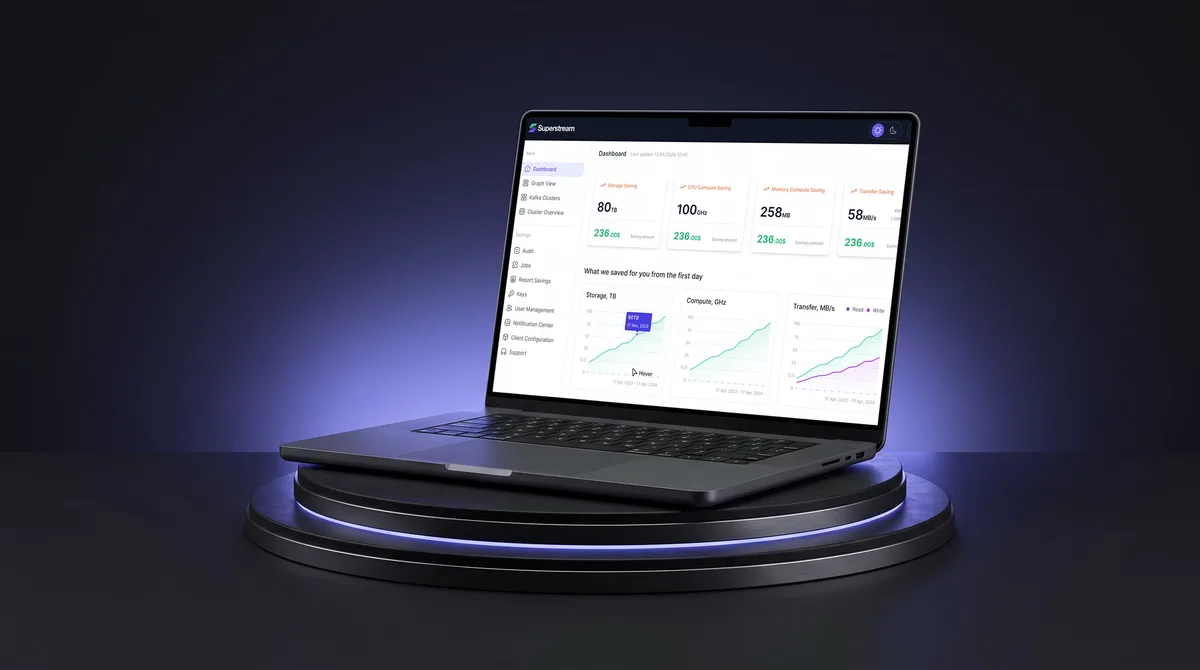
AI Hi-Tech · SaaS
Superstream
Turned a Kafka management platform’s dense technical data into one calm, consistent interface for DevOps teams.
- 3000+ Screens designed
- 1500h+ Design hours
-
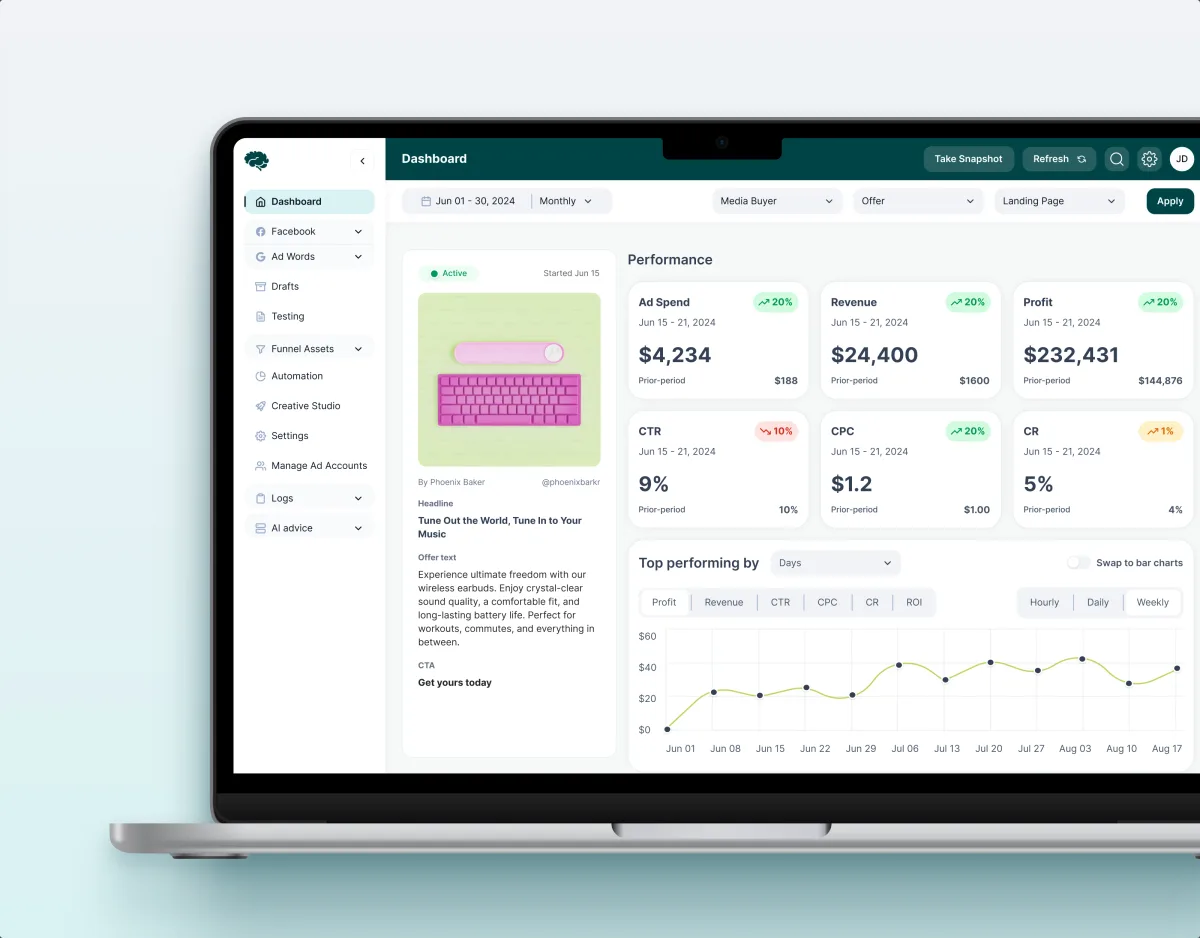
MarTech · Ads analytics · Web SaaS
Concussion Media
Redesigned a paid-traffic analytics platform: dashboards, funnels, automation rules and creative approval as one system.
- 400+ Screens and states
- 11 Modules designed and approved by the client
-
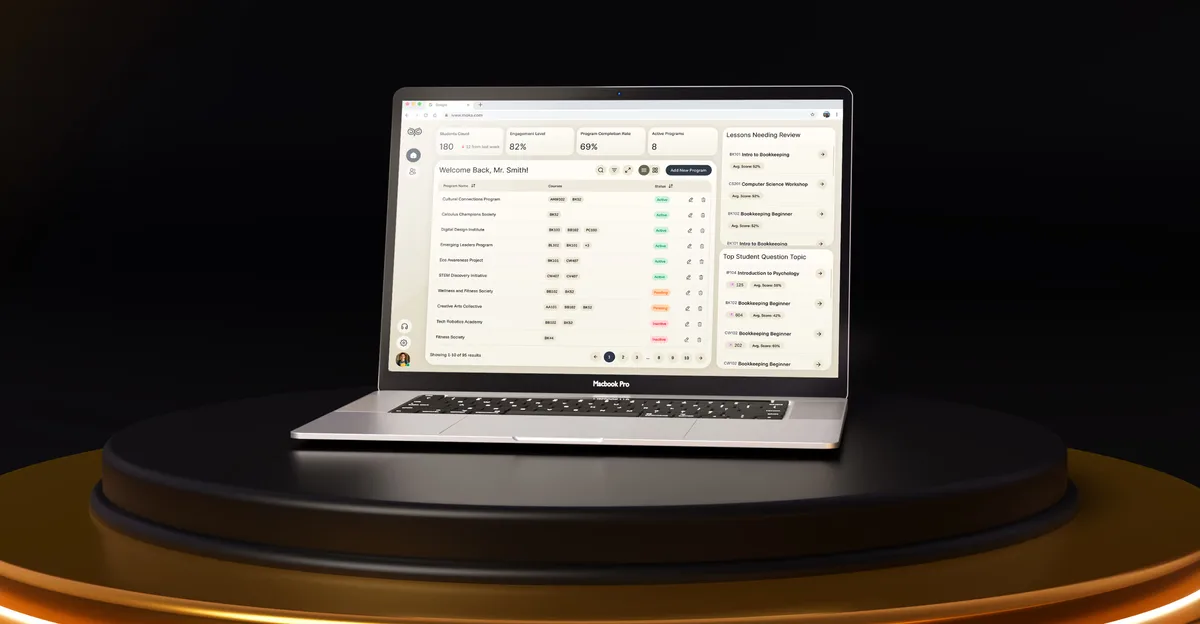
EdTech · SaaS
Moka
Designed an AI study assistant for students and the web tools their instructors, curriculum teams and schools run it from.
- 200+ Screens designed
- 4 Experts on the team