
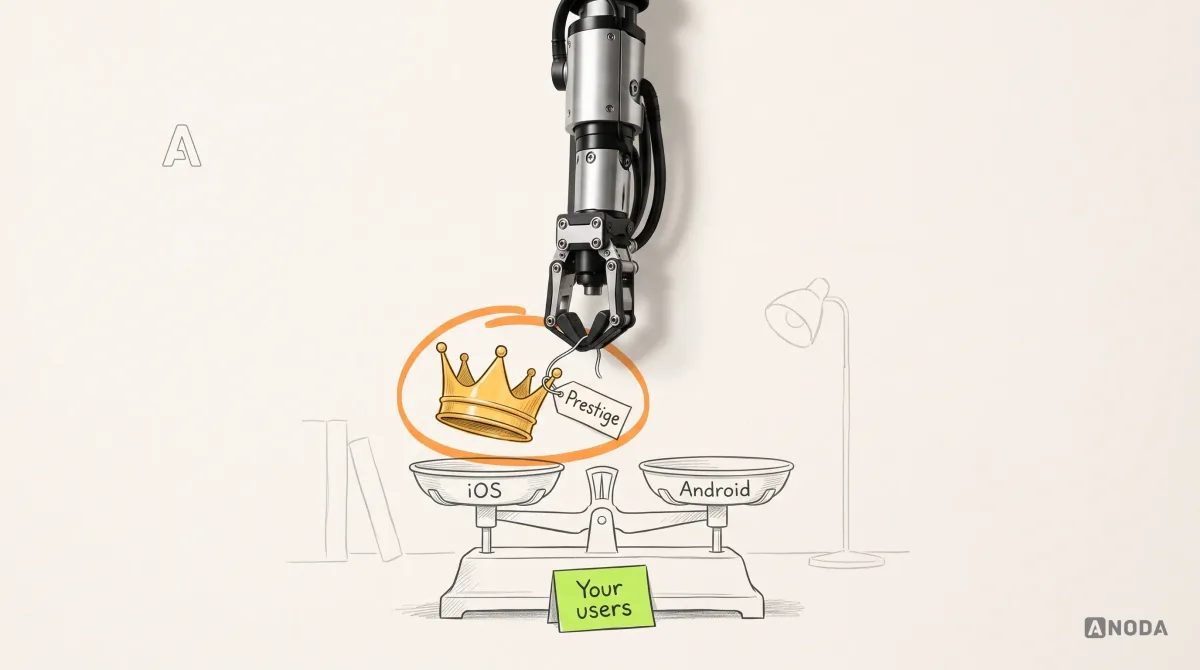
iOS Vs Android App Development
iOS Vs Android App Development: practical guidance, examples and decision criteria from ANODA. Learn how the topic applies to your product and team.
Get your iPhone and iPad app built in Swift from approved designs — with the Apple features your product depends on, tested on real devices and taken through TestFlight and App Store review.

Your iPhone and iPad app in Swift, tested on real devices and ready for App Review.
Builds for both stores, native or cross-platform.
iOS App Development
Builds natively for iPhone and iPad, with Apple's own tools.
Not included
What you hold at the end, from the agreed scope to the first App Store release.
Supported iOS versions, devices and Apple features, each with the test that closes it.

Written in Swift, with SwiftUI or UIKit where each fits, and connected to your backend.

Results on the agreed iPhones, iPads and iOS versions, with VoiceOver, memory and launch checks.
The build approved or every review note answered, the listing ready, and the code yours.
You receive
We build; you own the Apple Developer account and the release call; Apple owns review and each year's iOS changes. Our iOS app development services put that split on paper first: each step below lists what it needs from you and the test that closes it.
Minimum iOS version, architecture and Xcode project agreed; certificates, provisioning, a cloud build and crash reporting running before any screen exists. Needs Access to your Apple Developer team, and your users' iOS versions if analytics exist.
Done when A signed build reaches your testers through TestFlight, and a test crash shows up in the dashboard.
Each journey built through — screens, data, loading, empty and error states — and sent to TestFlight before the next begins. Needs One person on your side who opens each TestFlight build on their own iPhone and answers within the agreed window.
Done when The journey works on the agreed iPhones and iPads with real data, in light and dark mode and on a poor connection.
Your APIs connected; Apple Pay, HealthKit, push, widgets, Face ID or Bluetooth added, each asking permission only when it is needed. Needs API documentation, sandbox accounts and any special Apple permissions your features require.
Done when Each feature works in testing, and a refused permission or failed request still leaves the user a way forward.
Automated tests, then VoiceOver, Dynamic Type, launch time, memory, battery and secure storage checked on real devices. Needs The acceptance cases that matter most to you, and testers from your side.
Done when The agreed cases pass on every device in the matrix, with no open crash in the last test build.
Screenshots, listing, privacy details and reviewer notes prepared; the build submitted with a phased release you can pause. Needs Store copy, a public privacy policy and a demo account for the reviewer.
Done when Apple approves the build or every review note is answered, and a faulty update can be paused while a fix goes through review.
Swift code, the build pipeline, signing certificates and notes handed over; we then take one update together from TestFlight to App Review. Needs Your repository, and the people who will ship updates.
Done when Your team sends a new build to TestFlight without us.
ANODA builds
Your team owns
Platforms and tools provide
It fits when the iPhone is where your users are, or where your product works best. Four signs it is the right step now.
Your analytics, market or audience point clearly to iOS for the first release.
Apple Pay, HealthKit, widgets, Live Activities, Apple Watch or Bluetooth hardware.
People use it on a tablet too, and the layout should be designed for that, not stretched.
Navigation, gestures, text sizes and accessibility that behave the way iPhone users expect.

Tell us who uses the app, which Apple features it needs and where the designs stand. We will come back with a first scope and a realistic next step.
The oldest iOS version, the iPhones and iPads to test, the Apple features in scope and how often you review TestFlight builds are fixed before any Swift is written.
Tell us where the designs and backend stand, which Apple features you need, and whether iPad is in scope.
Message received.
Within 15 minutes, we’ll email you initial feedback and follow-up questions.
iOS Vs Android App Development: practical guidance, examples and decision criteria from ANODA. Learn how the topic applies to your product and team.

Native Vs Hybrid App Development: practical guidance, examples and decision criteria from ANODA. Learn how the topic applies to your product and team.
Go native when the iPhone is your first or only market, when the product leans on Apple frameworks — HealthKit, widgets, Live Activities, Apple Watch, CarPlay, ARKit or Bluetooth accessories — or when you want each new iOS feature the week it ships. It also suits heavy graphics and teams that already have iOS engineers. If you need Android at the same launch and most features are screens, forms and payments, one codebase in React Native or Flutter usually costs less. Starting native on iOS means Android becomes a second codebase later; we put that trade-off in the scope.
More than screens. Look for the supported iOS versions and devices, whether iPad is in scope, the architecture and the SwiftUI or UIKit choice, each Apple feature and the permission it needs, the backend and APIs, offline behaviour, crash reporting and analytics, the privacy details Apple asks for, accessibility, the device test list and how App Review is prepared. It should also say who owns the Apple account and signing, and what happens when the next iOS version arrives. If a proposal is silent on these, the gaps turn up later as cost.
Yes. Swift app development is our default for iOS. SwiftUI builds most new screens faster and with less code; UIKit still handles some complex lists, text editing and older iOS versions better, and the two mix well in one app. The minimum iOS version you support decides a lot, so we settle it first. If your app already has Objective-C or UIKit code, we work alongside it and move parts to Swift where that pays off, not as a rewrite for its own sake.
A technical scope with acceptance criteria; the Swift app for iPhone, and iPad where in scope; API integration and offline storage; Apple features such as Apple Pay, HealthKit, push, widgets and Face ID; automated tests and testing on the agreed real devices, including VoiceOver, Dynamic Type, memory and launch time; crash reporting; TestFlight builds for your testers; App Store listing, privacy details and submission; and a handoff of code, pipeline and signing.
If the screens and flows are not designed yet, start with Mobile App Design. If you need iOS and Android together, Mobile App Development looks at both platforms and the choice between them. If you are still unsure who the app serves or which problem it solves, begin with Product Discovery. If your iOS app is live and people drop off, a UX Audit finds the cause before anyone rewrites code.
Approved designs, or a plan for finishing them; documentation and test access for your backend; an Apple Developer Program membership in your company's name, with our team invited; sandbox accounts for payments, push and analytics; the iOS versions and devices your users have; and one person who installs TestFlight builds and makes product calls.
Not as a published case yet. Our mobile cases, such as Clearwater, are design work: they show how we structure journeys and hand screens to developers, not Swift code we shipped, and we do not present them as development proof. On your project, the proof comes early: code lands in your repository as it is written, and a TestFlight build reaches your own phone once the foundation is in place.
Swift source in your repository, the pipeline, signing, architecture notes, the device test report and a walkthrough with whoever ships updates. Apple releases a new iOS every autumn and periodically requires apps to be built with newer tools, so the app needs an owner. That can be your engineers, or us on a separate scope: iOS updates, fixes, new features, an Android version or usability testing.
By the number of journeys, whether iPad is in scope, the Apple features and services involved, whether the backend exists or has to be built, the oldest iOS version supported and the size of the device list. We set a custom scope and estimate in the proposal, fixed or phased, and agree the timeline once scope, access, dependencies and acceptance criteria are clear. App Review time is Apple's, so the plan leaves room for it.
Screen design from a blank page, an Android version, App Store promotion and paid installs, and the Apple membership, hosting and service fees, which are billed to you. App Review is Apple's decision: we prepare builds to pass and answer every note, but cannot promise approval. Downloads, ratings and chart positions are not ours to promise, and security, speed and uptime are held to the acceptance criteria signed before the build.