
Podcast advertising, one version of the deal
Wildcast matches brands with podcasts for host-read ads.We redesigned its MVP web app end to end: the Podcaster, Advertiser and Admin portals.

- 400%+
- revenue growth against 2023, as Wildcast’s Product Lead reports
- 265
- screens and states designed across the three portals
- 3
- portals Podcaster, Advertiser and Admin, on one design system
Project summary
Wildcast is a host-read podcast ad-matching and campaign-management platform: advertisers request campaigns, Wildcast’s team matches them with podcasts, and podcasters publish the ads. Its MVP worked, but each side saw the deal differently and the team closed the gaps by hand. We redesigned the whole web app for Podcaster, Advertiser and Admin, fixed the UX flaws and designed new features.
How we worked together
- Client lead
- Tom Donohue, Wildcast’s Product Lead
- Scope
- The MVP-stage desktop web app, all three portals, redesigned and extended
- Rhythm
- Daily communication with Wildcast’s team
- Delivery
- On time and often early, within budget, as the client’s review records
- Handoff
- An interactive prototype, a screen map of every role’s flows and a Zeplin handoff
- Development
- By a development partner we connected Wildcast with
The path one campaign takes
A host-read campaign crosses all three portals before anyone can call it done:
-
Advertiser
- Campaign request
- Audience attributes
-
Admin
- Review and budget
- Matched podcasts
-
Proposal
- Relevancy score
- Estimated reach
-
Podcaster
- Opportunity
- Published episode
-
Confirmation
- Placement reach
- Reach estimate
-
Advertiser
- Ad placements
- Estimated vs actual reach
- Precise targeting and A quick yes
- Advertisers describe audiences in detail; a podcaster needs the offer, the payout and the deadline in one look.
- Matching and Judgement
- Relevancy scores and reach estimates guide the team without hiding why a podcast was picked.
- Rich profiles and Patchy data
- Podcast data arrives from outside sources, so every card and table has to read well when a field is missing.
A podcaster’s day, read top to bottom
- Found
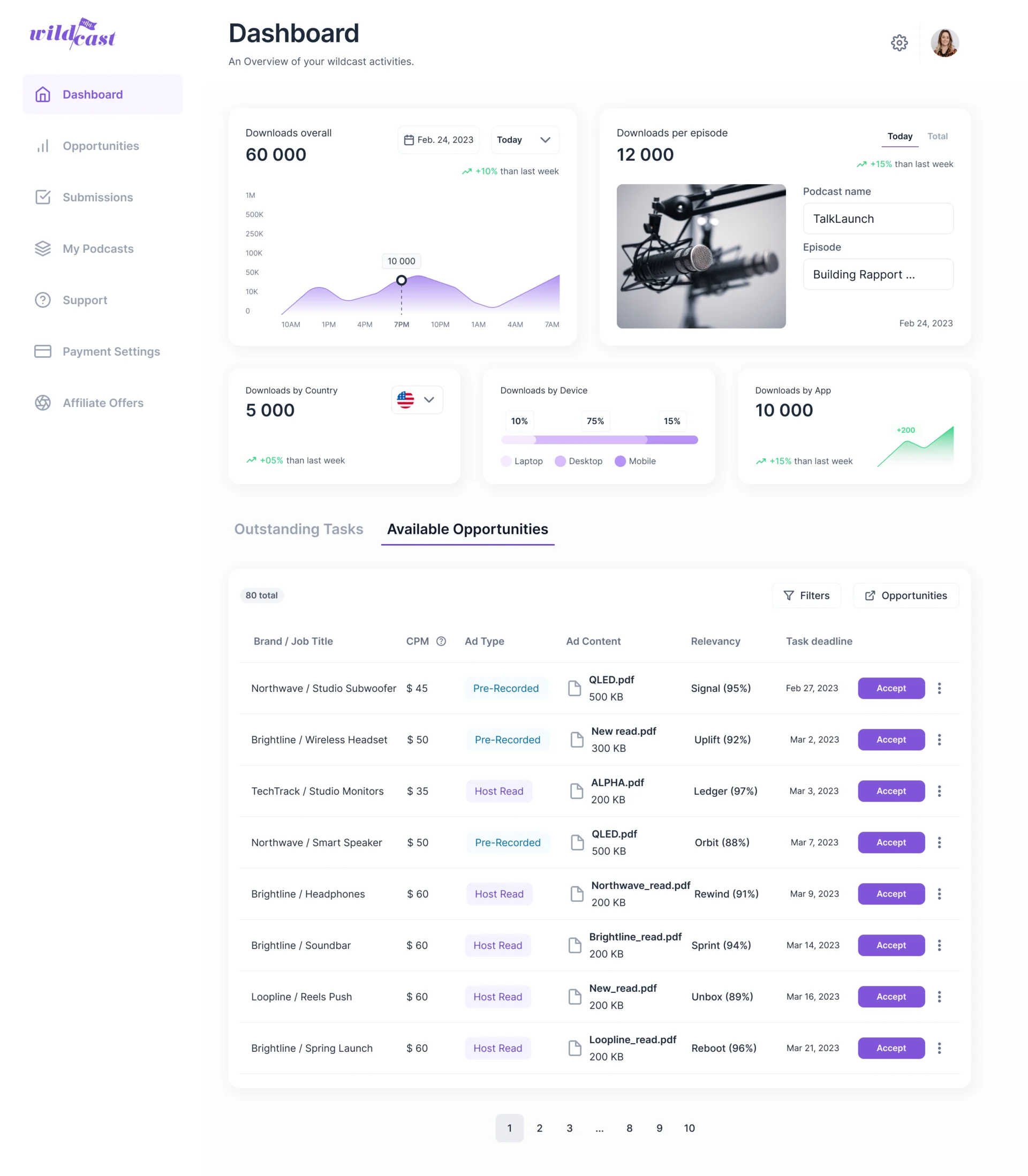
- Downloads, audience breakdowns, tasks and new offers all belong to a podcaster’s first screen, and at equal weight the offer that pays next week gets lost.
- Decided
- One order: how the show is doing, where its listeners are, then a switch between what is owed and what is on offer, with every offer’s price, format, relevancy and deadline on its row.
- For the user
- A podcaster sees the next ad worth taking, and why it fits their show, without leaving the dashboard.
-
How the show is doing
Downloads over time and per episode, with the change against last week.
-
Where the listeners are
Country, device and app, the facts an advertiser asks about.
-
Owed or on offer
Outstanding tasks and available opportunities behind one switch.
-
Every offer on one row
Brand and product, CPM, ad type, the ad content, relevancy and the deadline, with Accept at the end.
How the work progressed
From an MVP each role used differently to one product ready for a development partner.
-
Discovery
Where the MVP made each role stop, guess or ask Wildcast’s team for help
Artifact A review of the product from every role’s seat and an information architecture for three portals
-
User flows
How a campaign moves from request to proposal, placement, confirmation and payout
Artifact Flows for every role, with each state and decision drawn
-
Wireframes
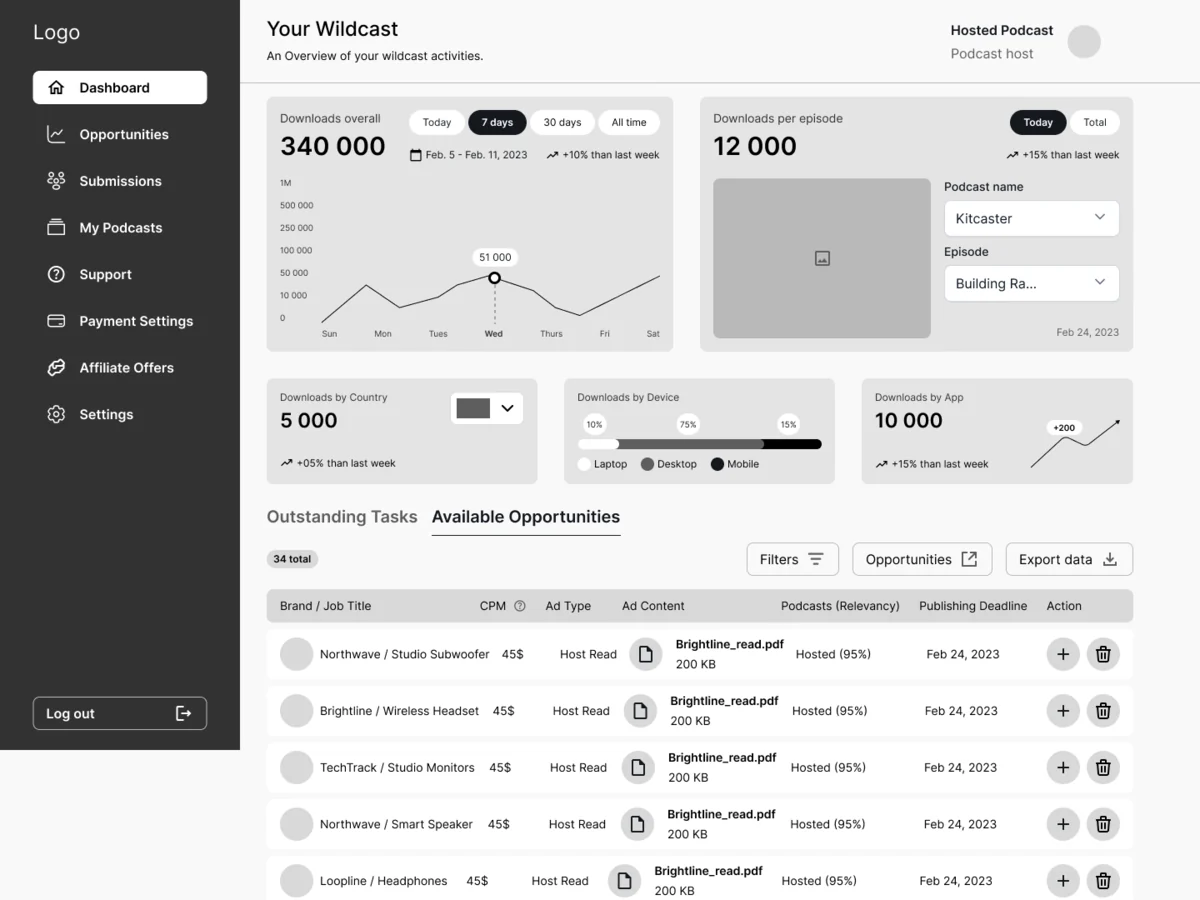
Where dense tables, metrics and filters sit before any styling
Artifact Black-and-white wireframes for Podcaster, Advertiser and Admin
-
Moodboards
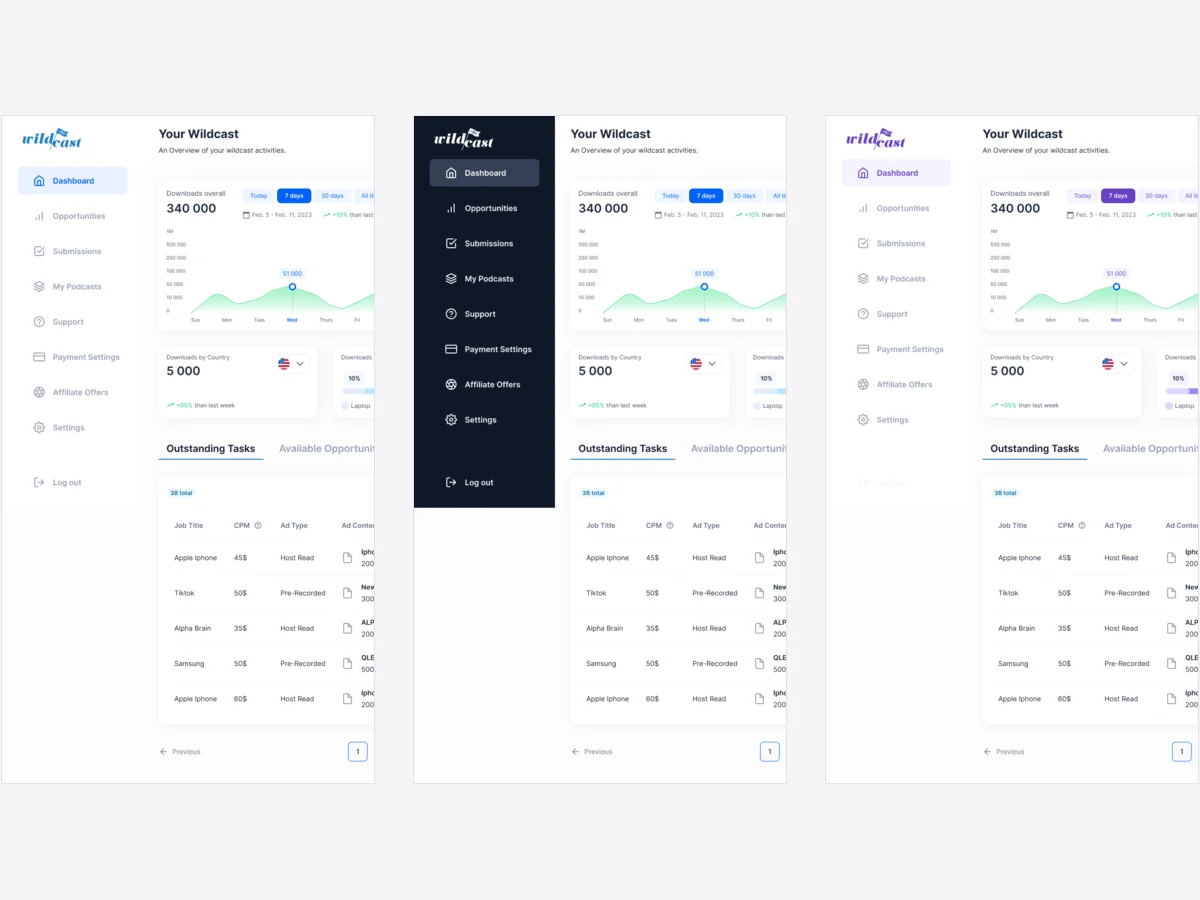
Which look lets dense campaign data stay calm
Artifact Visual directions tried on the same real screens
-
UI & design system
One set of components for three portals and every state between them
Artifact Final desktop UI for Podcaster, Advertiser and Admin: 265 screens and states
-
Delivery
What the development partner needed to build it
Artifact An interactive prototype, a screen map and a Zeplin handoff
Three doors into one product
- Found
- Podcasters, advertisers and Wildcast’s own team come in for different jobs, and each job crosses into another portal before it is finished.
- Decided
- Every flow drawn screen by screen for its role, then a side menu per portal that holds only that role’s work, over one shared structure.
-
A podcaster signs up
Account type, name, email and password, then the podcast itself, one short step at a time.
Open the full map
-
An advertiser requests a campaign
Goals and budget first, then the product and the offer, then the audience, before anyone at Wildcast is involved.
Open the full map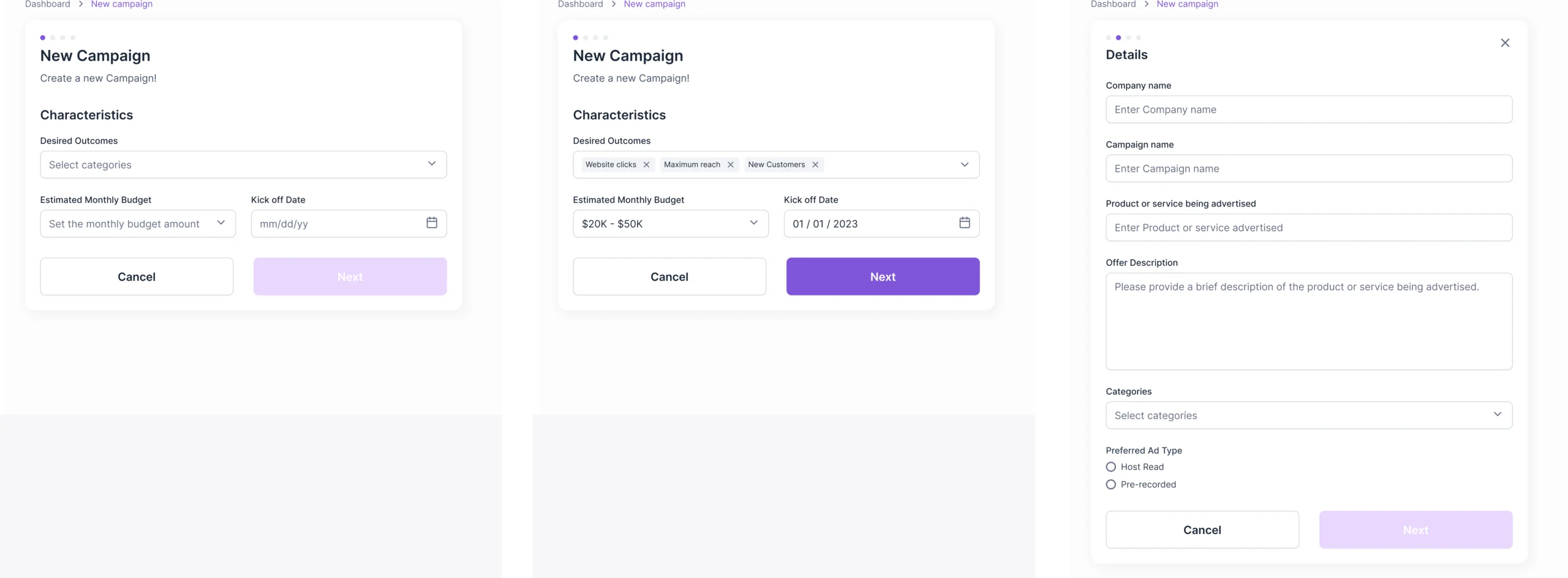
-
Wildcast approves it
Budget, publishing deadline, the podcasts to add and the campaign details, each confirmed before the offer goes out.
Open the full map
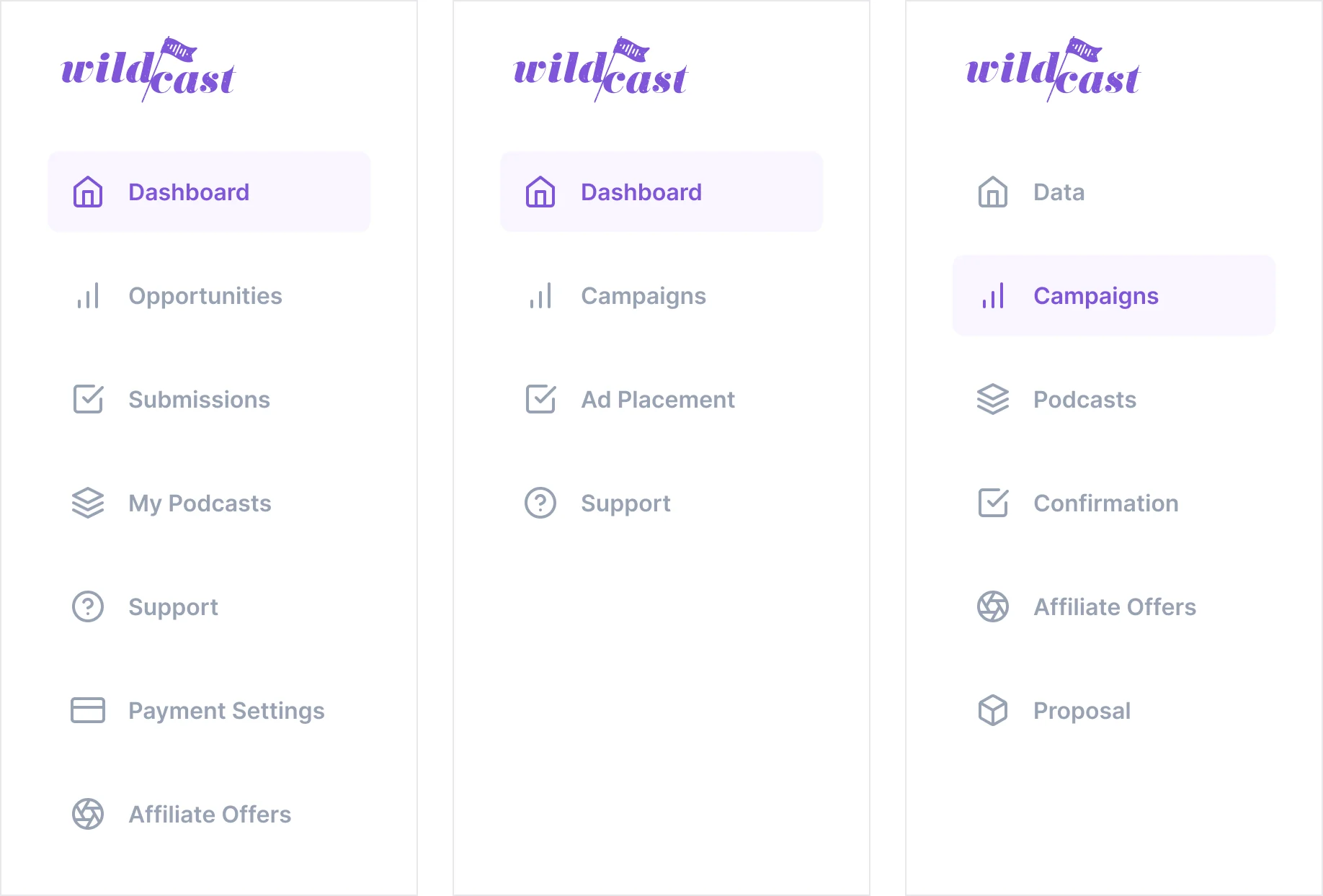
Seven jobs a campaign needs done
In the order a campaign meets them, across all three portals.
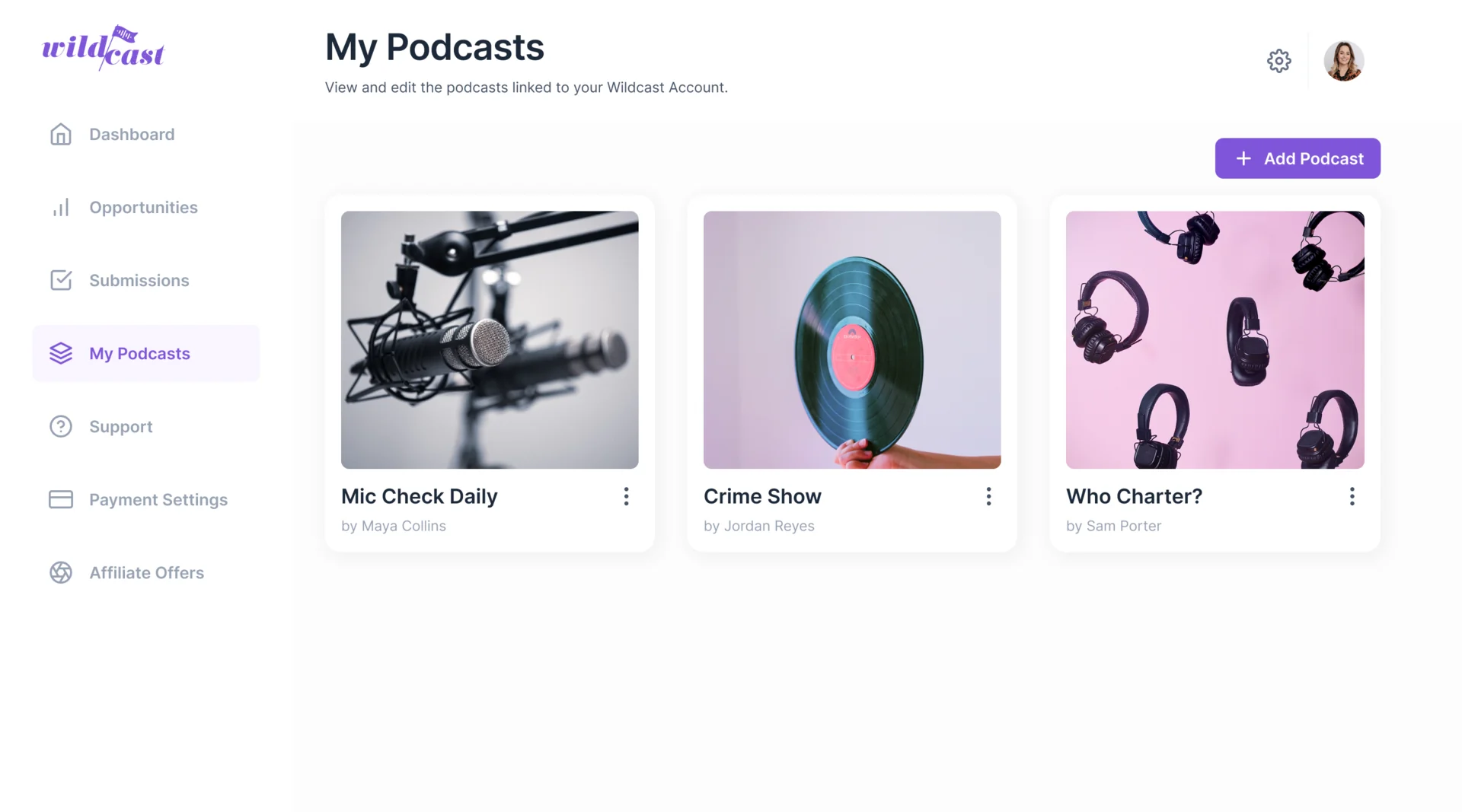
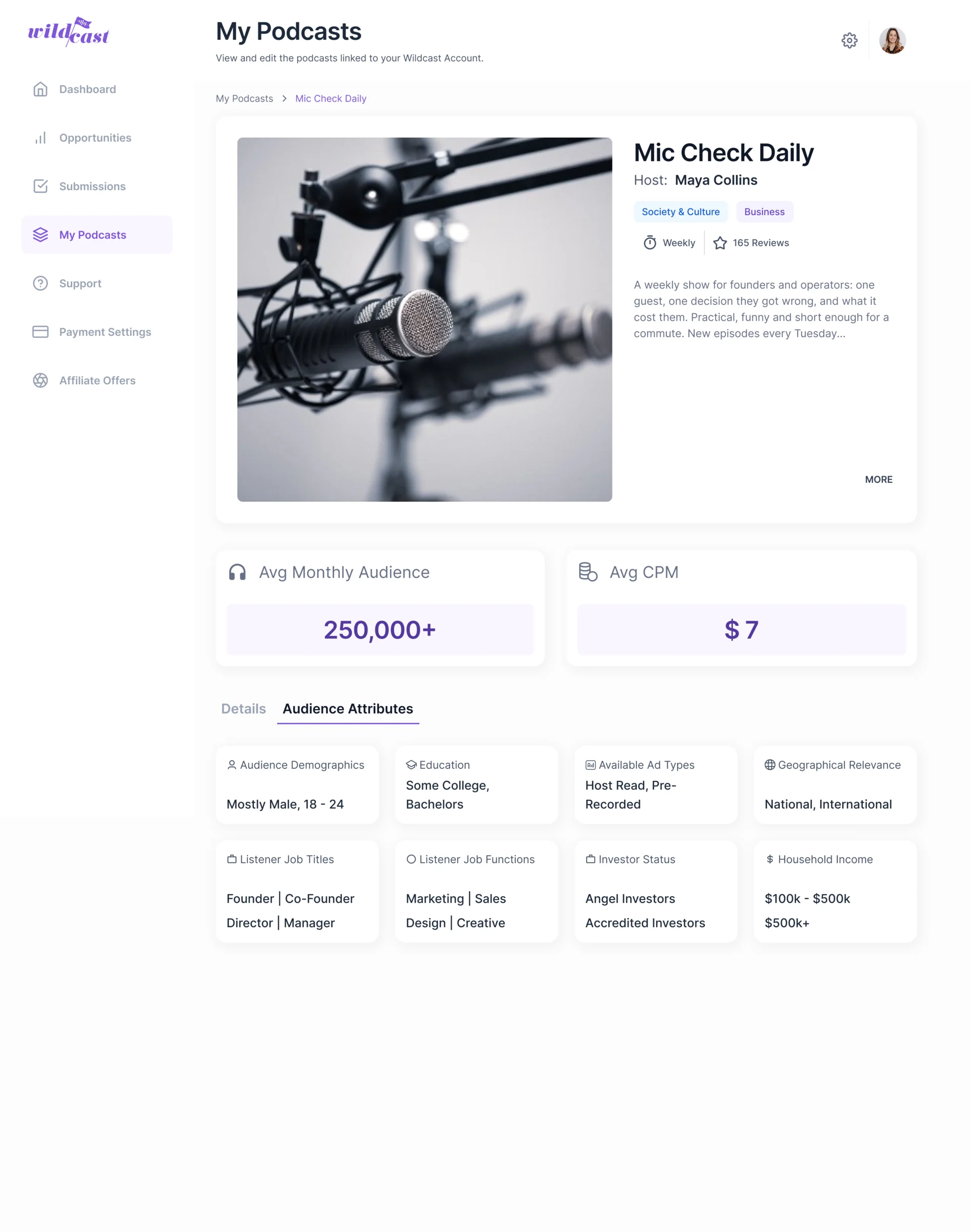
Podcasts as inventory an advertiser can judge
- Found
- A podcast is only sellable when its audience, format and price can be read and compared, and podcast data from outside sources is often incomplete.
- Decided
- A profile per show: cover, host, category and cadence, average monthly audience and CPM set large, and the audience attributes as labelled cards that still read when one is empty.
An offer a podcaster can say yes to
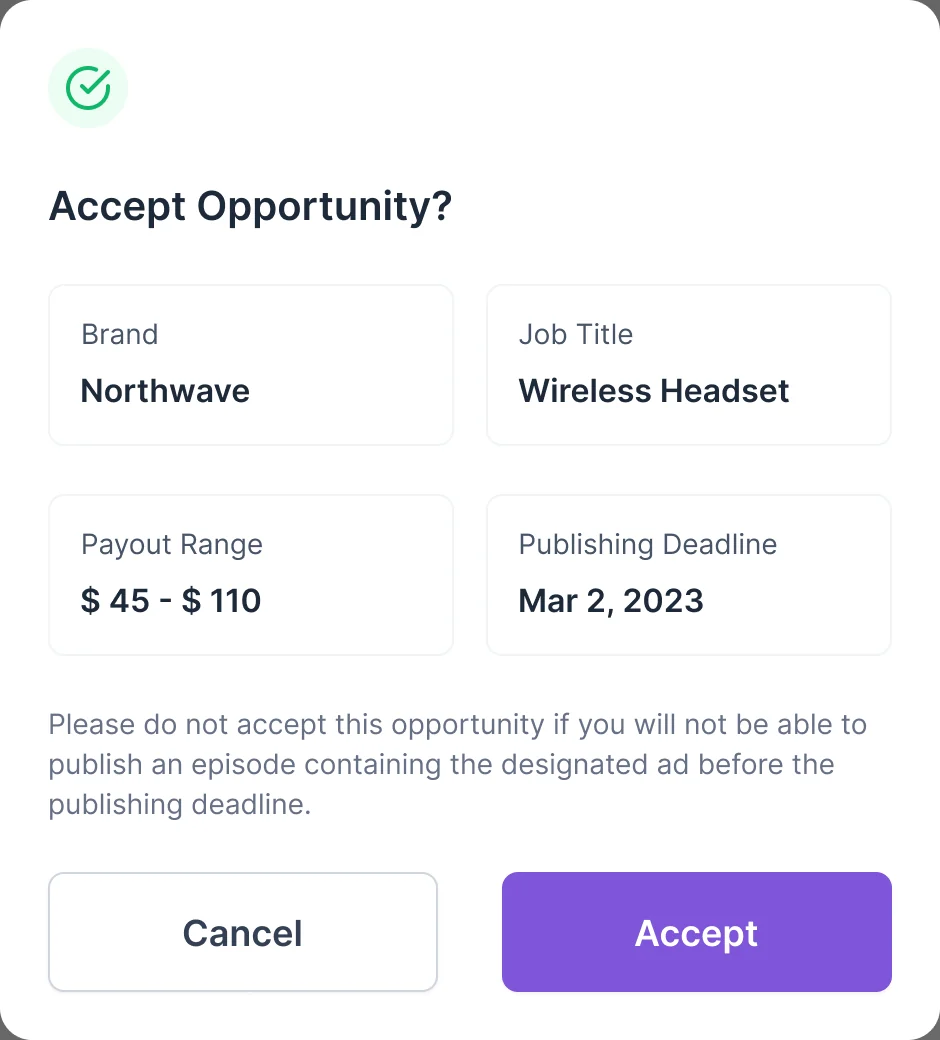
- Found
- A podcaster needs to know what an offer asks of them and by when, or they accept work they can’t deliver.
- Decided
- Accepting opens one short dialog with the brand, the product, the payout range and the publishing deadline, and a plain warning before the button.
A campaign request instead of an email thread
- Found
- Advertisers described their audience in emails and calls, and Wildcast’s team rebuilt each brief by hand.
- Decided
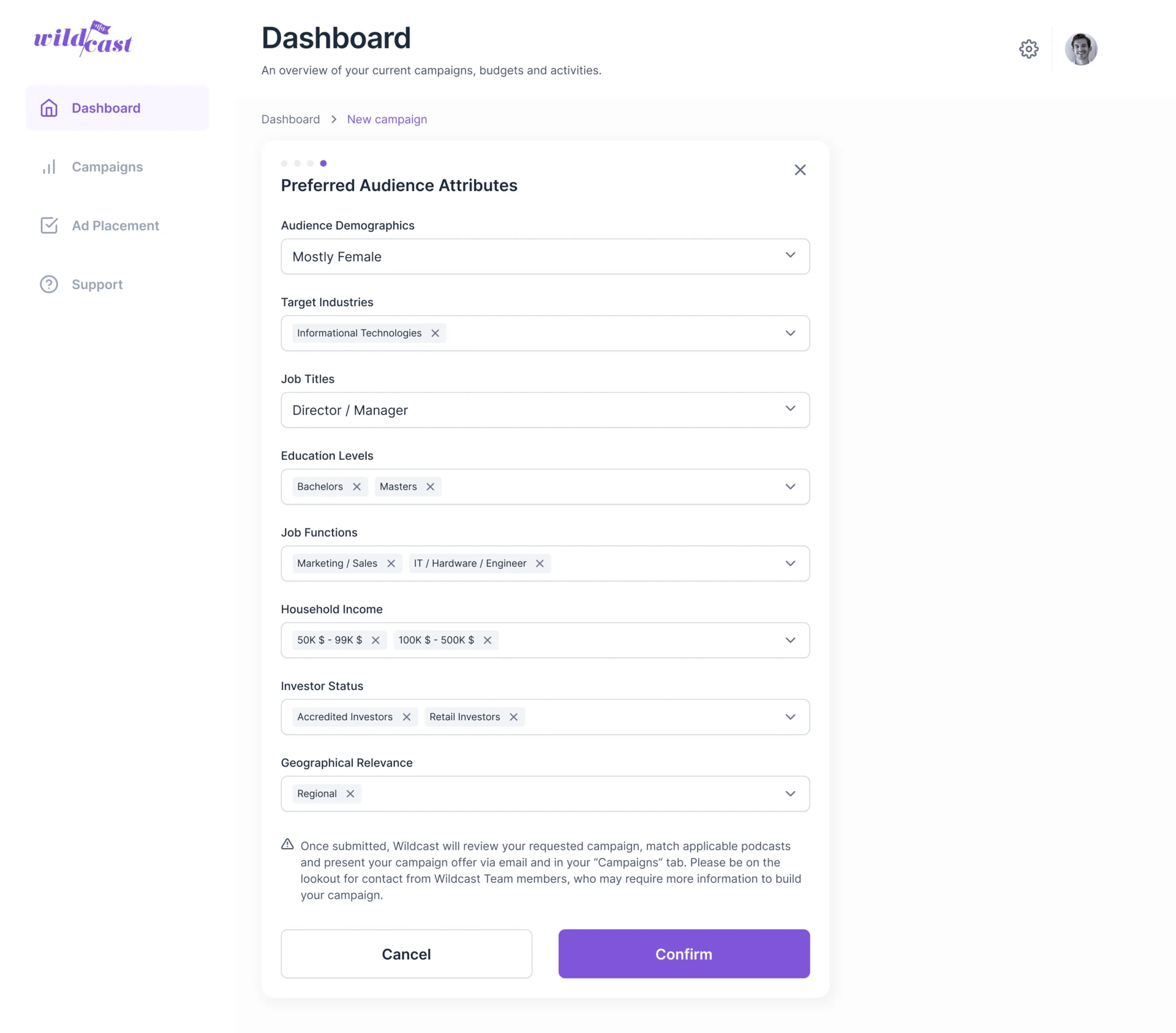
- A staged request in the Advertiser portal that ends with the preferred audience: demographics, industries, job titles, education, job functions, income, investor status and geography, then a note on what happens next.
Relevance an advertiser can check
- Found
- A relevancy score alone asks the advertiser to trust it; they need to see what it was measured against.
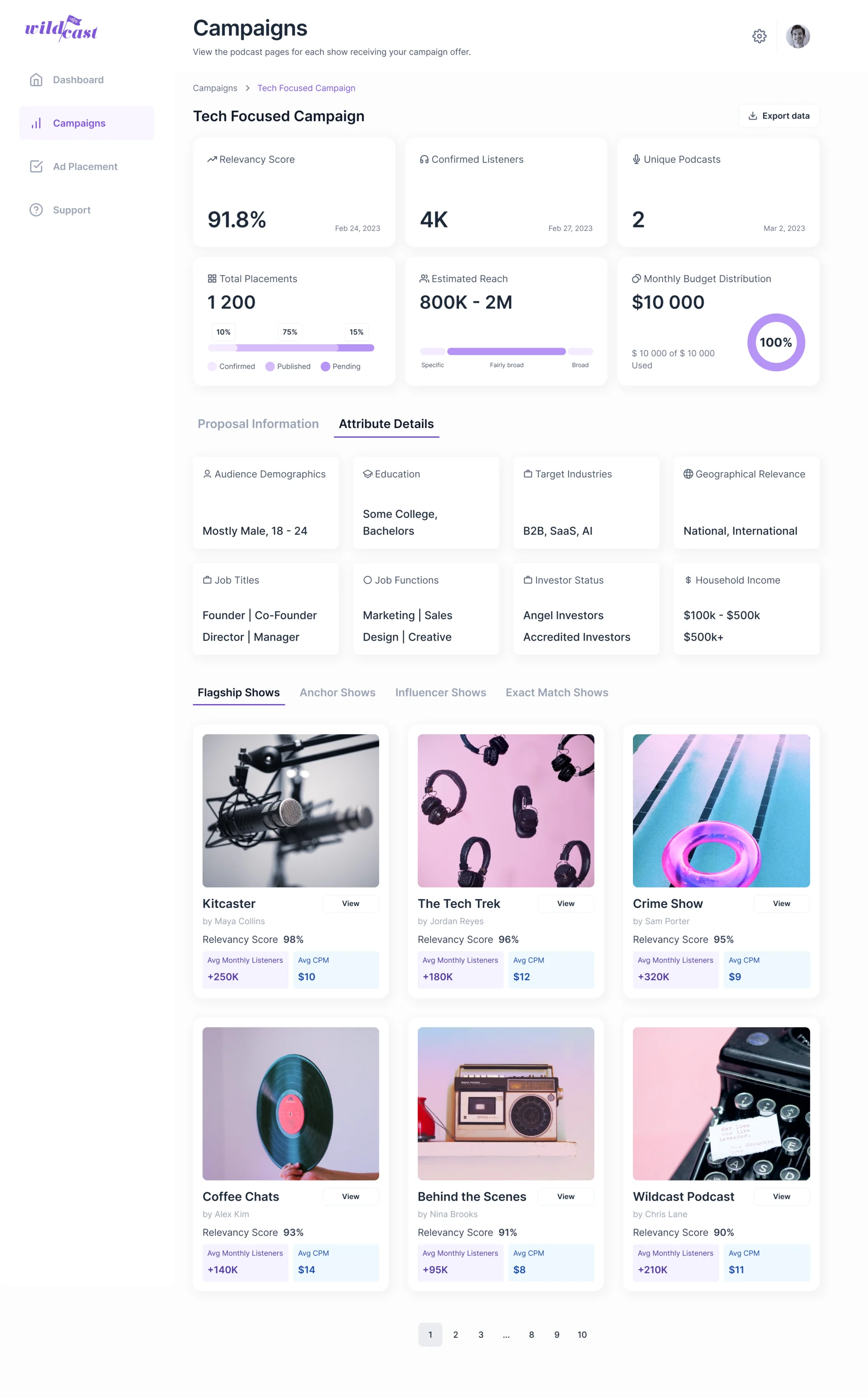
- Decided
- The campaign page shows the targeted attributes next to the matched shows, each with its relevancy score, monthly listeners and CPM, grouped as flagship, anchor, influencer and exact-match shows.
Proof that the ad ran
- Found
- A host-read ad is only worth paying for once it is published and its reach confirmed, and the advertiser can’t see that happen.
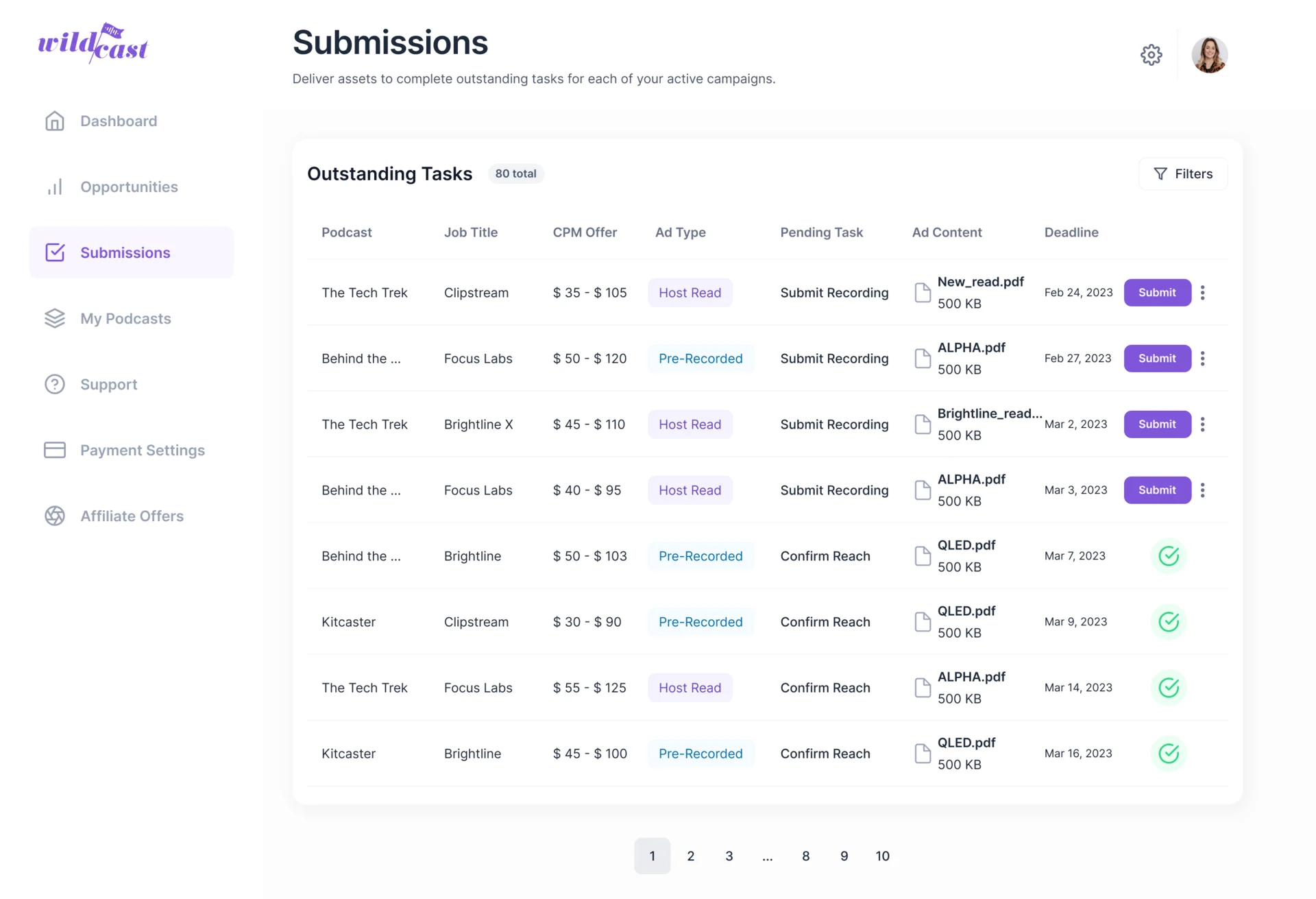
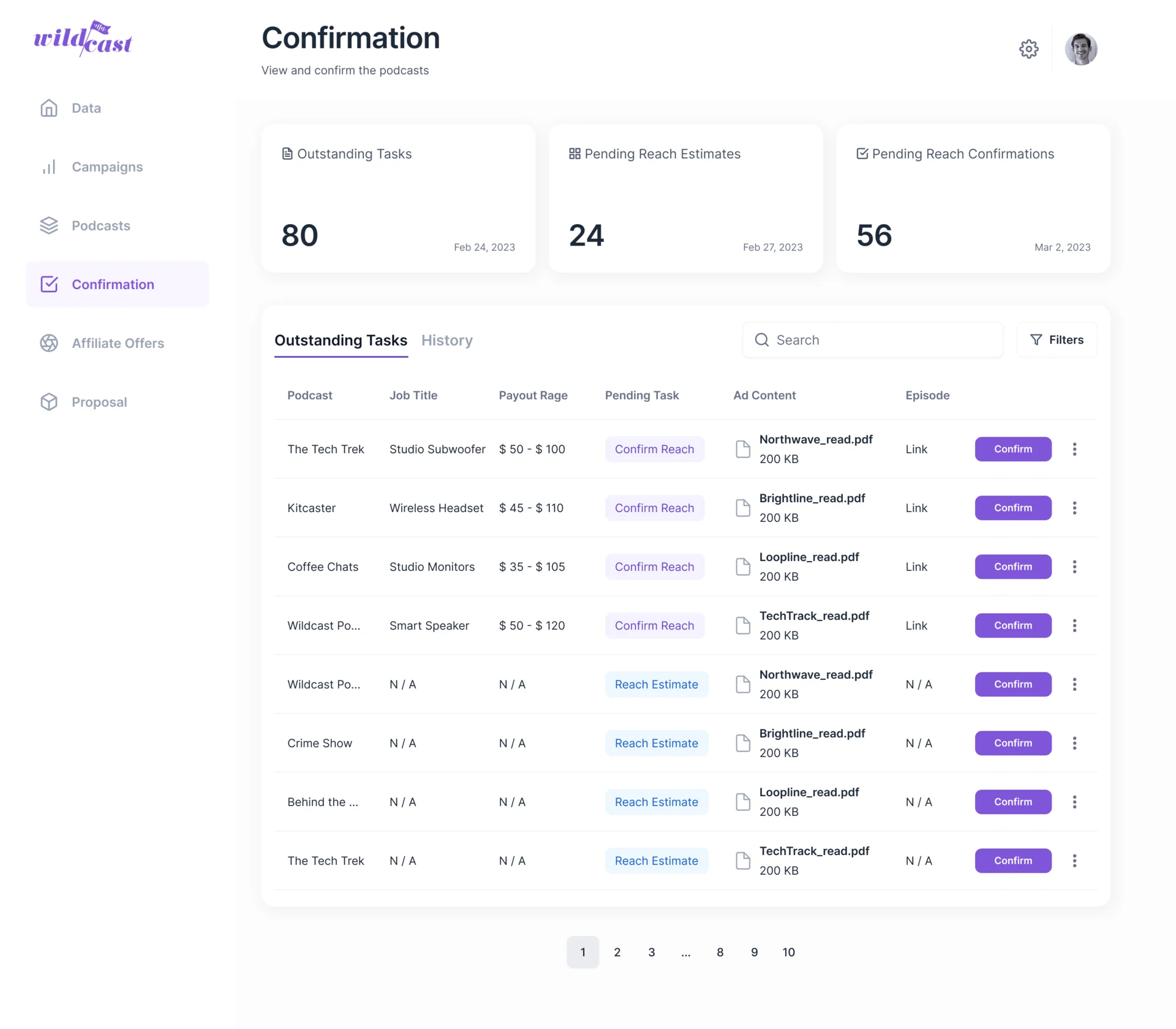
- Decided
- One chain of states across the portals: the podcaster submits the published episode, Wildcast confirms the placement’s reach, and the advertiser sees each placement with its status and estimated against actual reach.
Operations that scale past one admin
- Found
- Every campaign and proposal went through Wildcast’s team, and at volume the team became the queue.
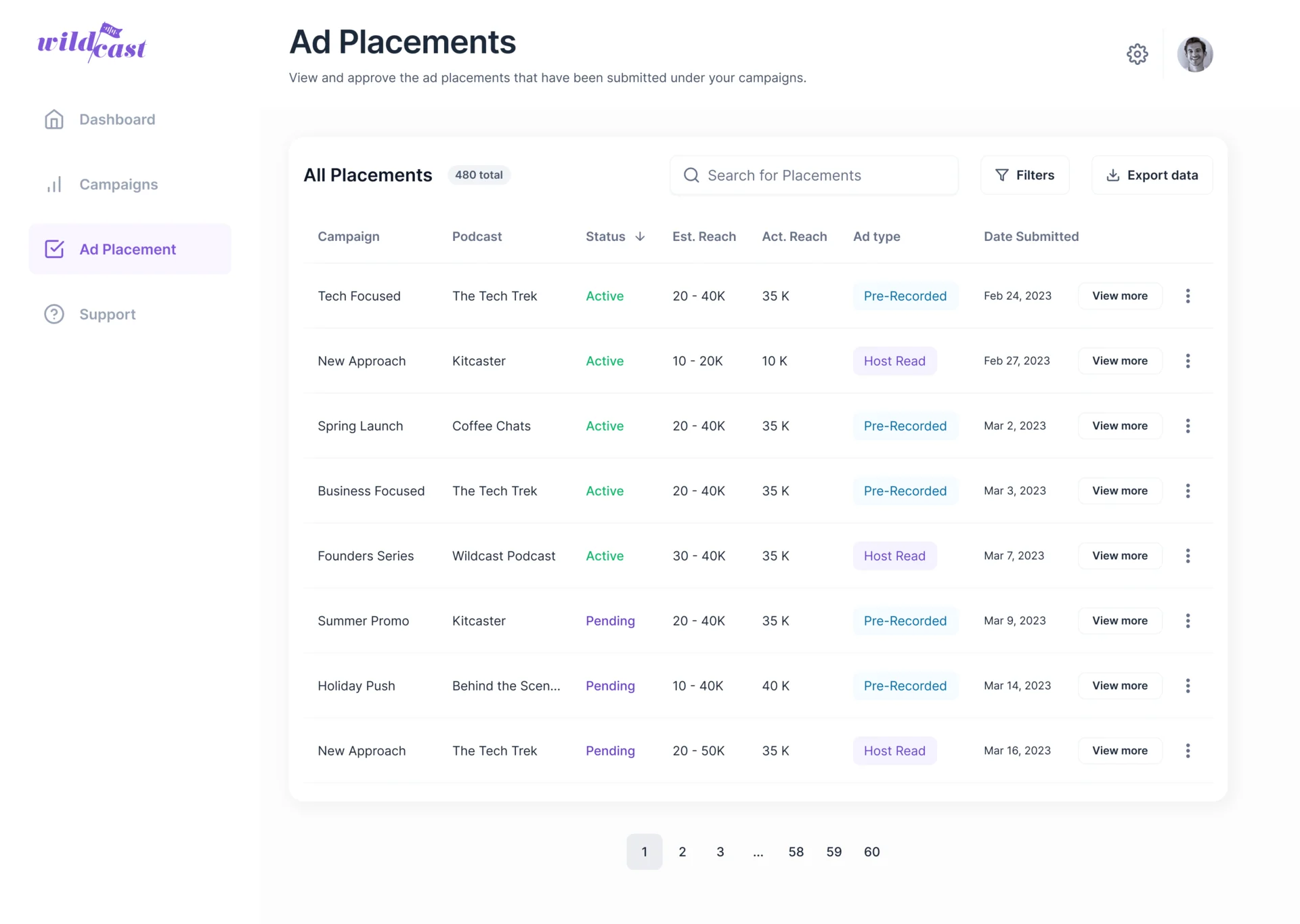
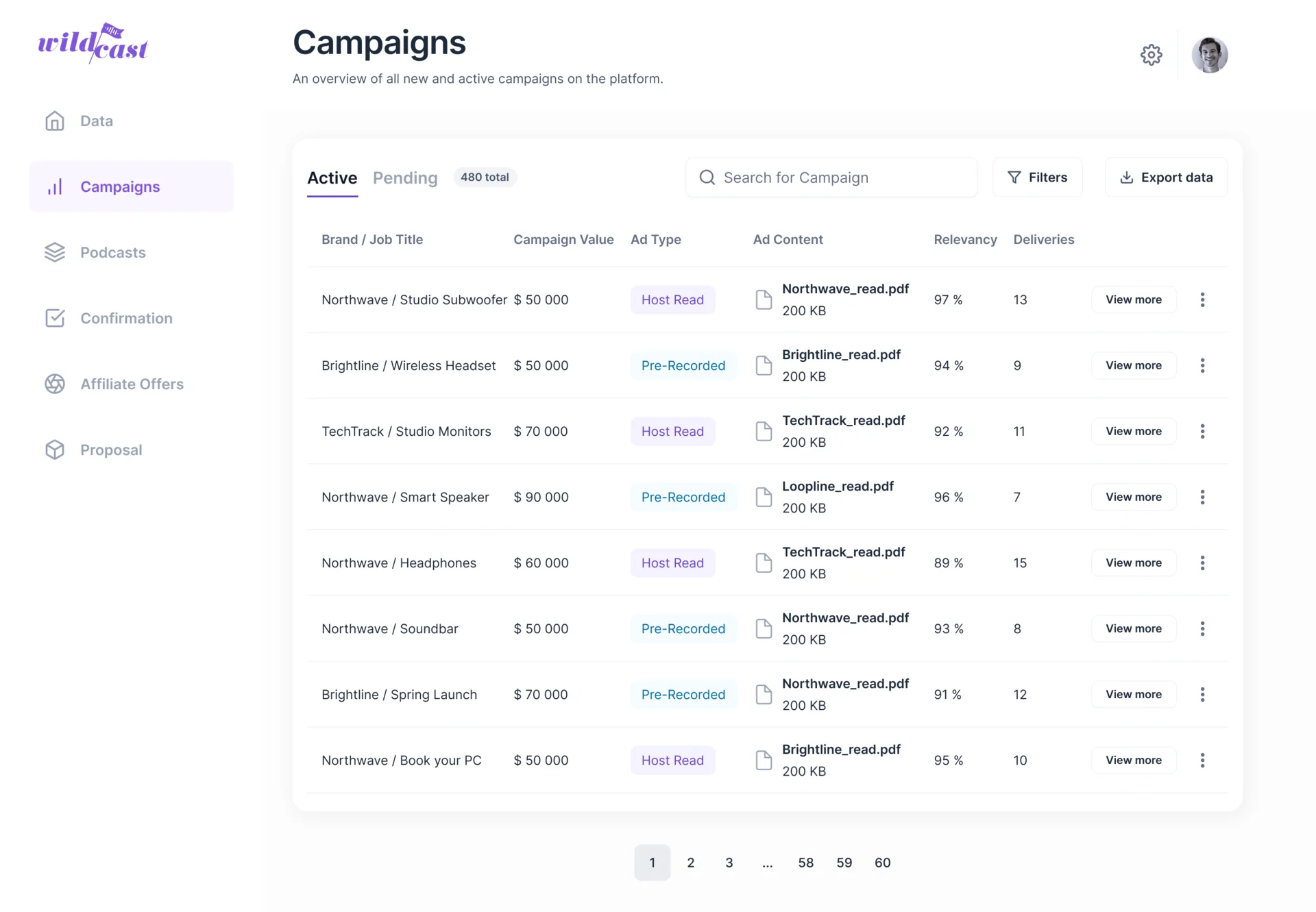
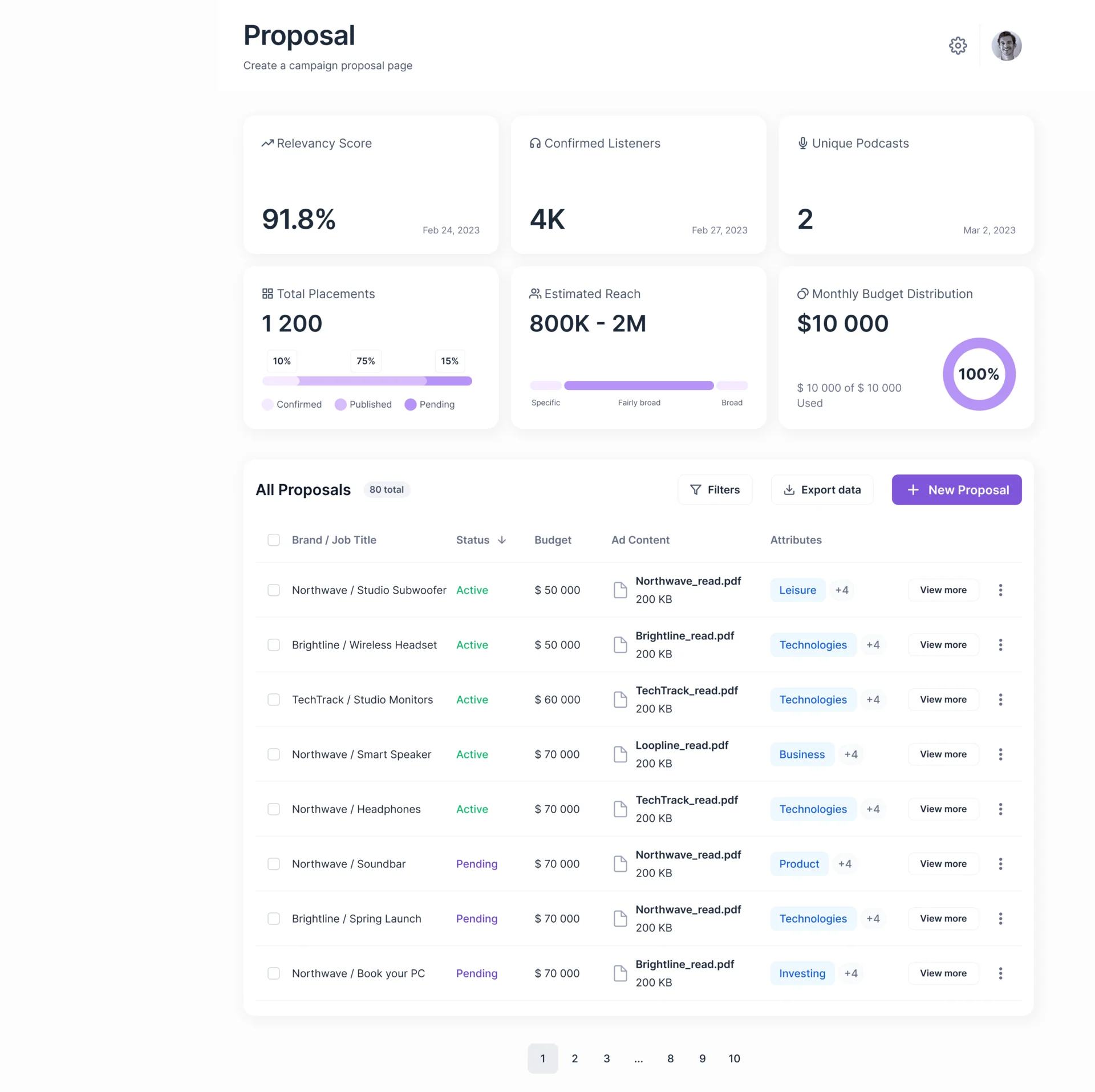
- Decided
- Campaigns split into active and pending with value, ad type, content, relevancy and deliveries on each row; proposals open on their totals, relevancy, confirmed listeners, reach and budget, above a table built for filtering and export.
Payouts and offers, handed off in the open
- Found
- Payouts run through an outside payment service, and a hand-off the interface doesn’t explain looks like a dead end.
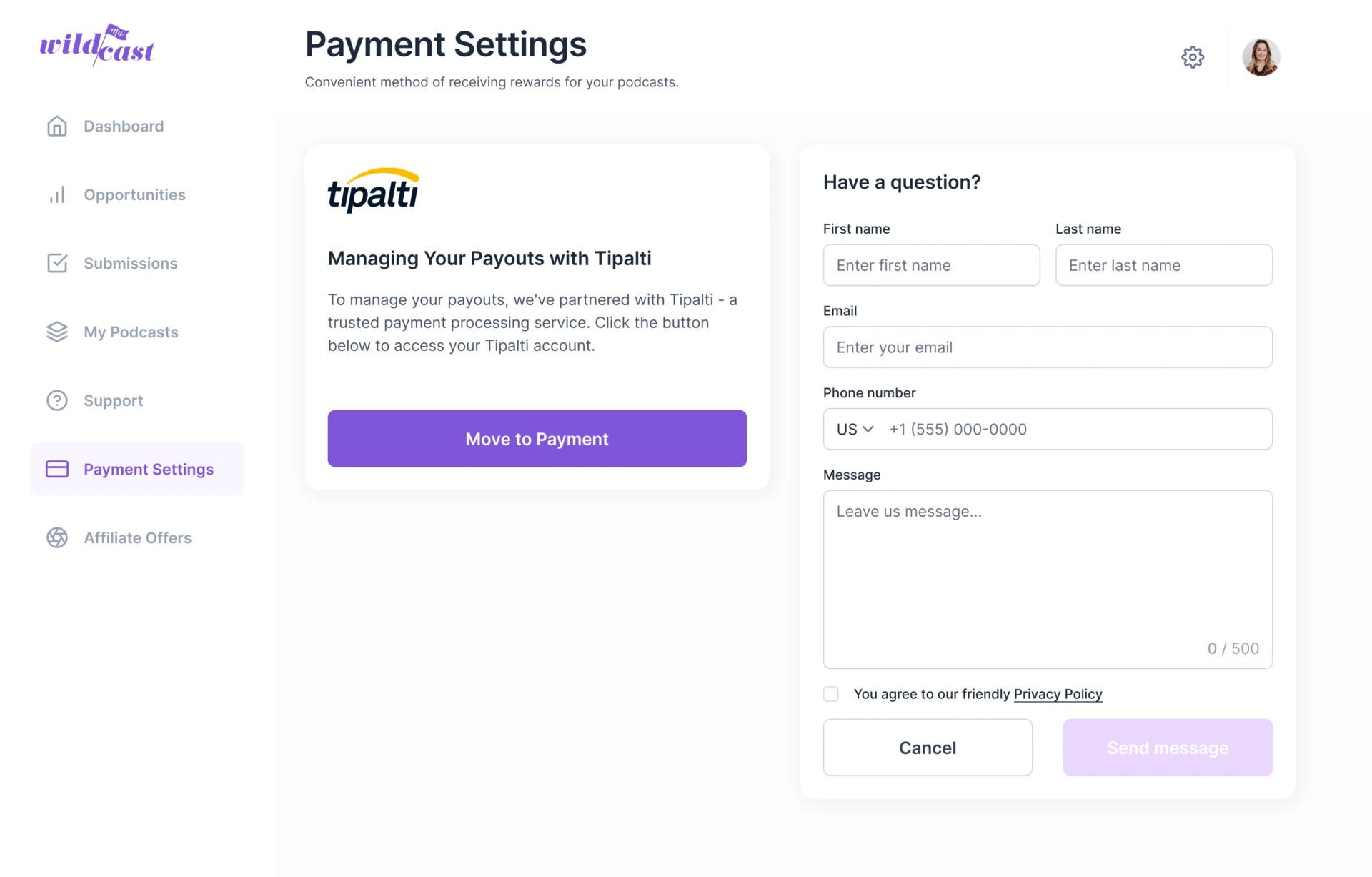
- Decided
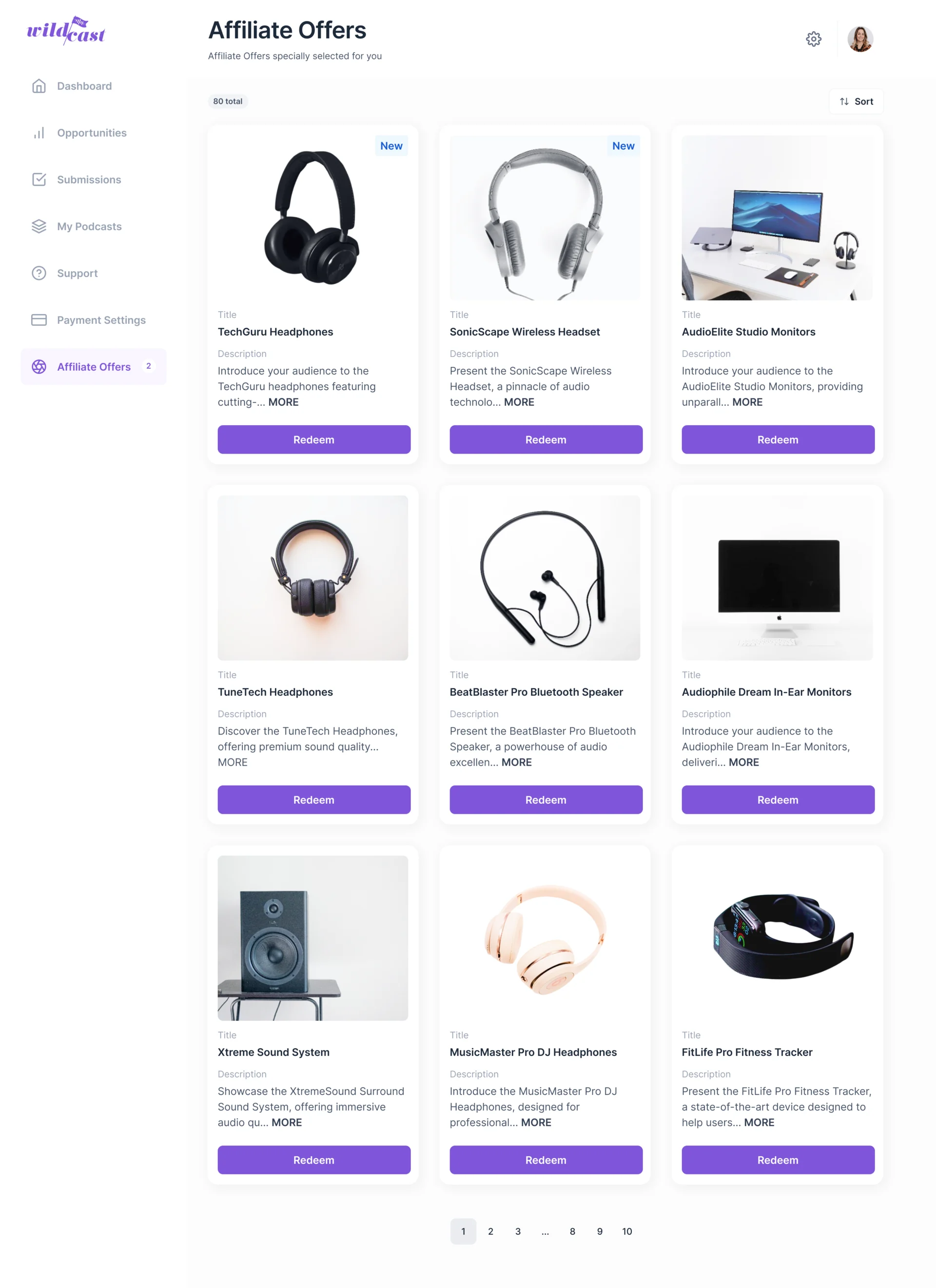
- Payment settings say who handles payouts and send the podcaster there in one step, with a question form beside it; affiliate offers sit in their own section.
One design system under three portals
- Found
- Three portals with different jobs still had to filter, confirm and fall empty the same way, or users switching roles would relearn each one.
- Decided
- One set of components for navigation, tables, filters, forms, statuses and dialogs, with the empty, success and confirmation states drawn for every role.
The same filter panel in every portal
Checkbox groups and one pair of actions, whatever the table holds.
-
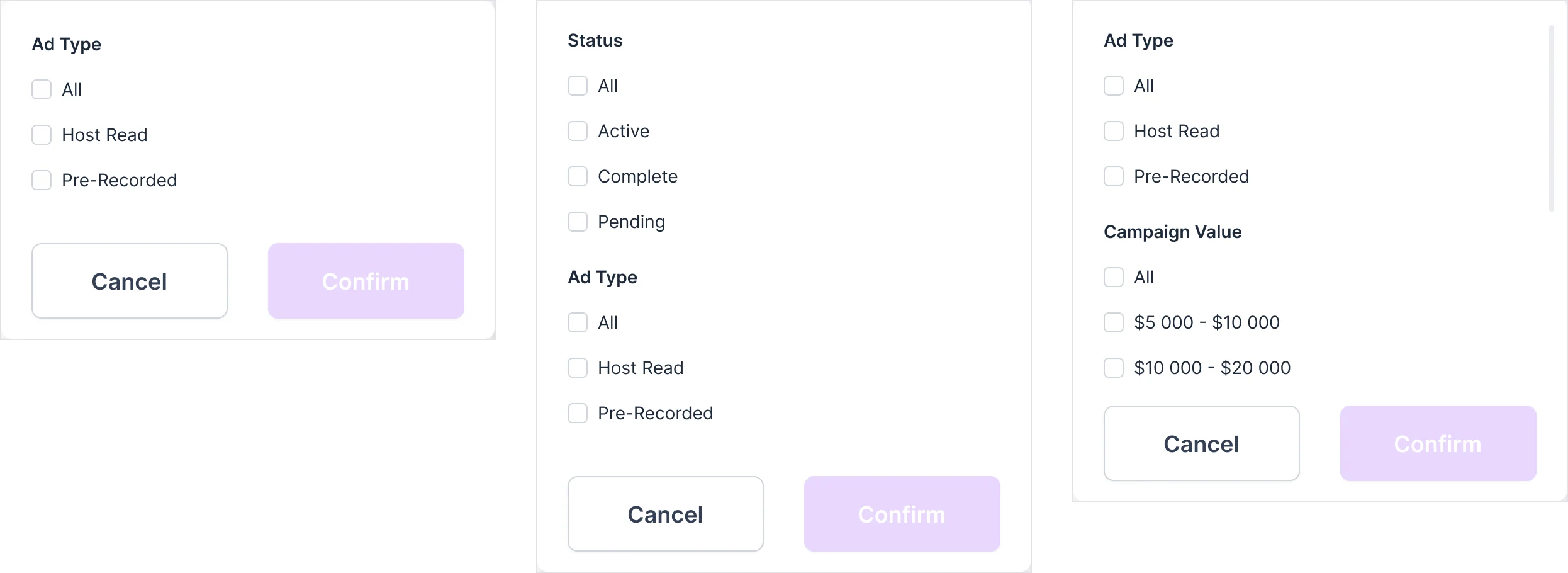
Podcaster, Advertiser, Admin: Opportunities by ad type; placements by status and ad type; campaigns by ad type and value.
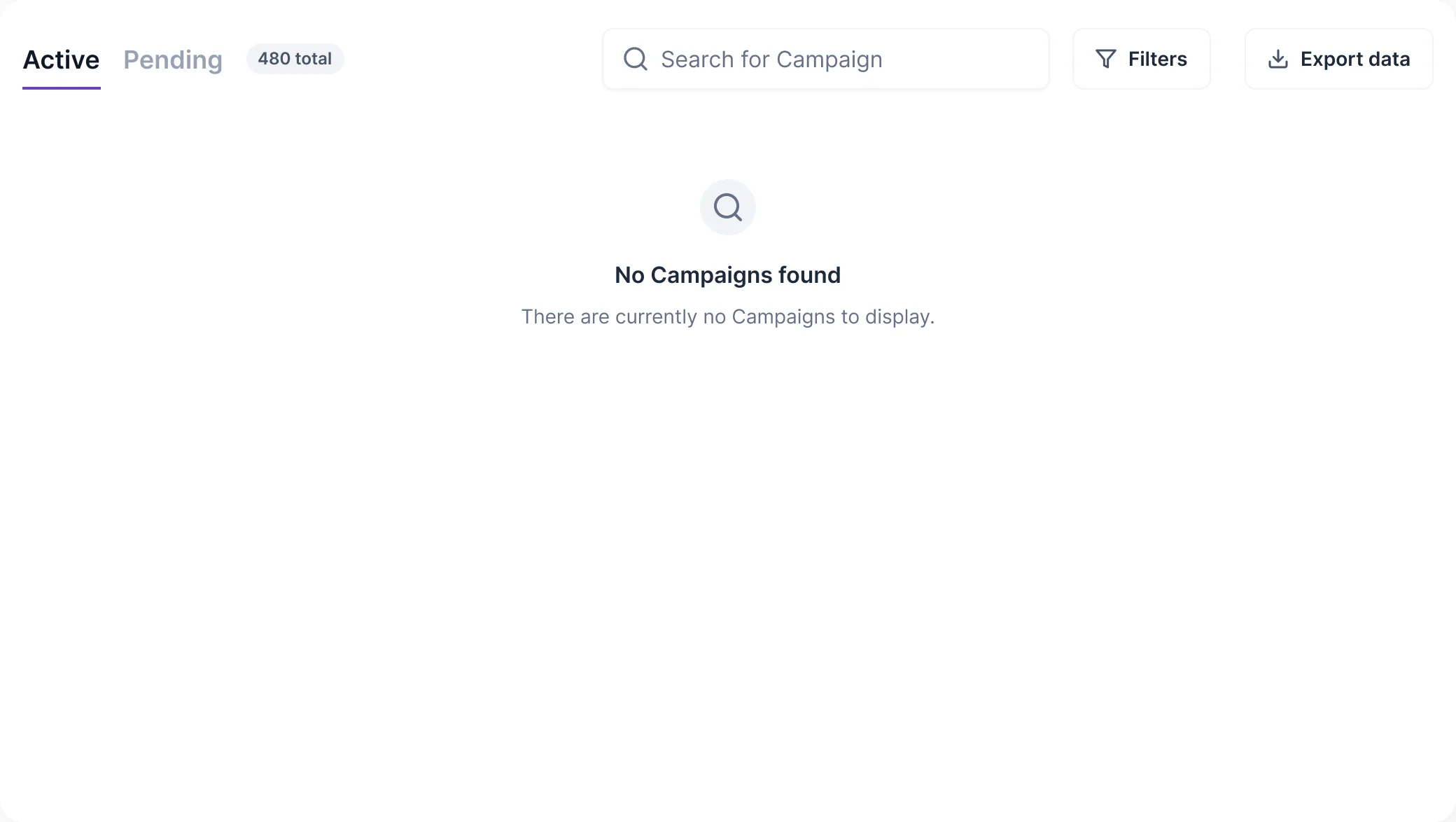
Empty, in every portal
An empty table says what is missing and, where the role can act, what to do next.
-
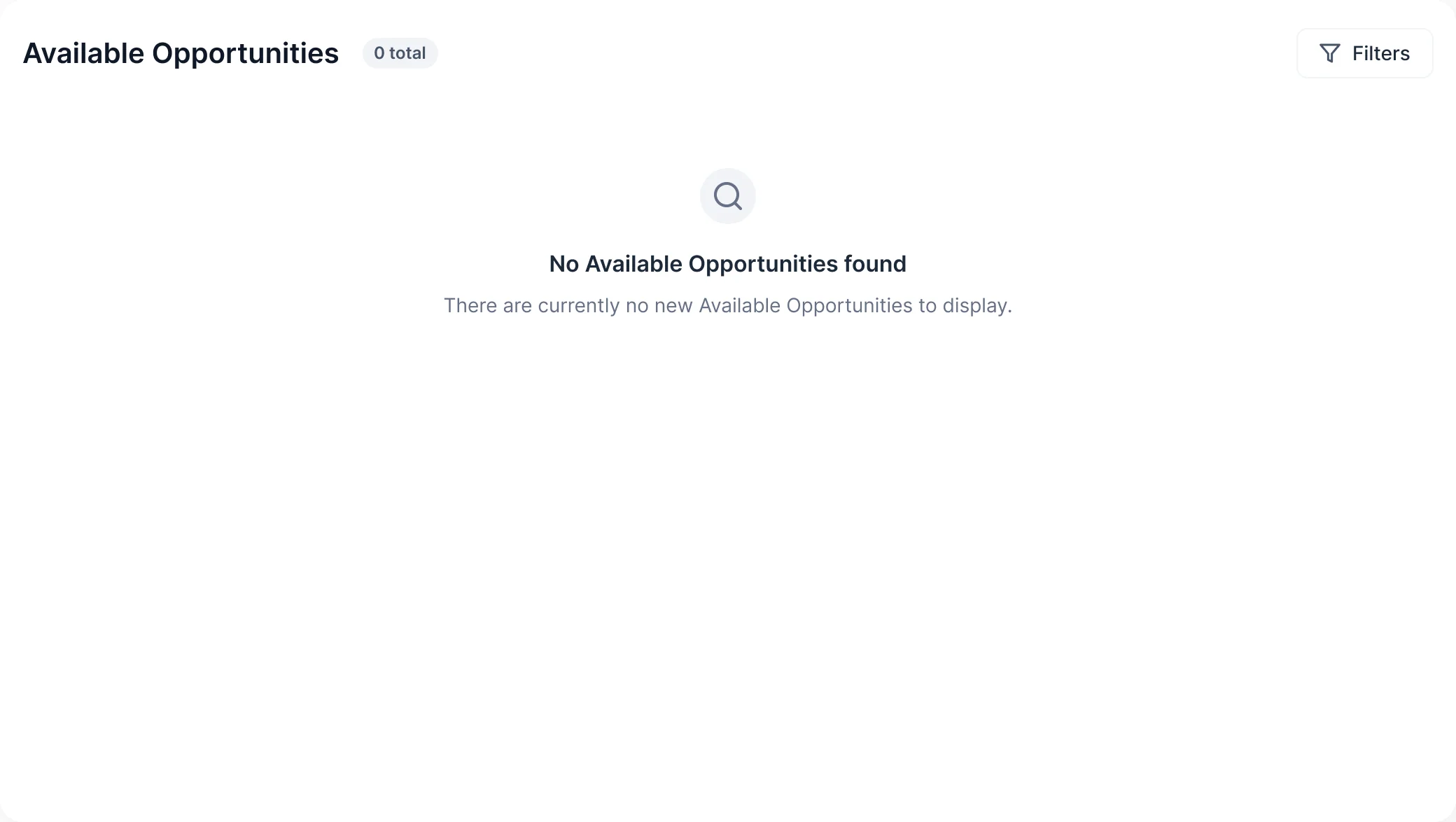
Podcaster -
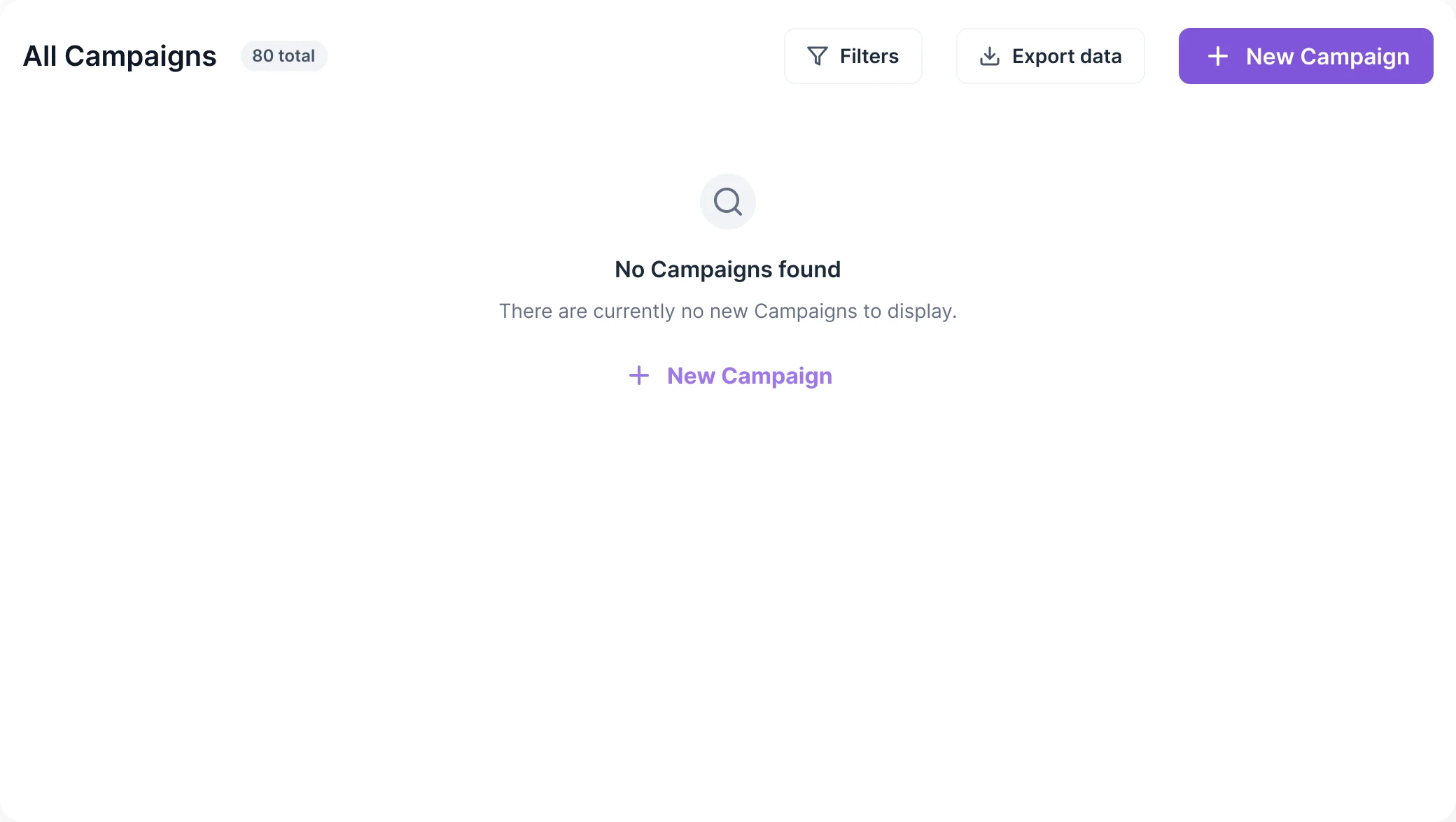
Advertiser -
Admin
Where Wildcast ended up
Wildcast’s MVP became one working product for advertisers, podcasters and its own team: three portals on one design system, handed off with a prototype, a screen map and Zeplin, and built by a development partner we connected Wildcast with.
The revenue result is Wildcast’s own, reported in its Product Lead’s review; it belongs to the whole business, not to design alone. The last three figures are the platform’s current scale as Wildcast publishes it, not results we measured.
400%+ revenue growth compared with 2023 Reported by Tom Donohue, Wildcast’s Product Lead, in a verified Clutch review
- screens and states designed
- 265
- portals: Podcaster, Advertiser, Admin
- 3
- podcasts on Wildcast today, as Wildcast publishes
- 1,400+
- top podcast networks, as Wildcast publishes
- 15
- monthly podcast listeners, as Wildcast publishes
- 110M

Three portals that tell three different stories?
When advertisers, your supply side and your own operators each see a different version of the deal, your team ends up retyping it. We redesign the whole loop, so a request, a match, a placement and a payout read the same from every seat.
More work like this
Three more products where several roles share one set of data.
-
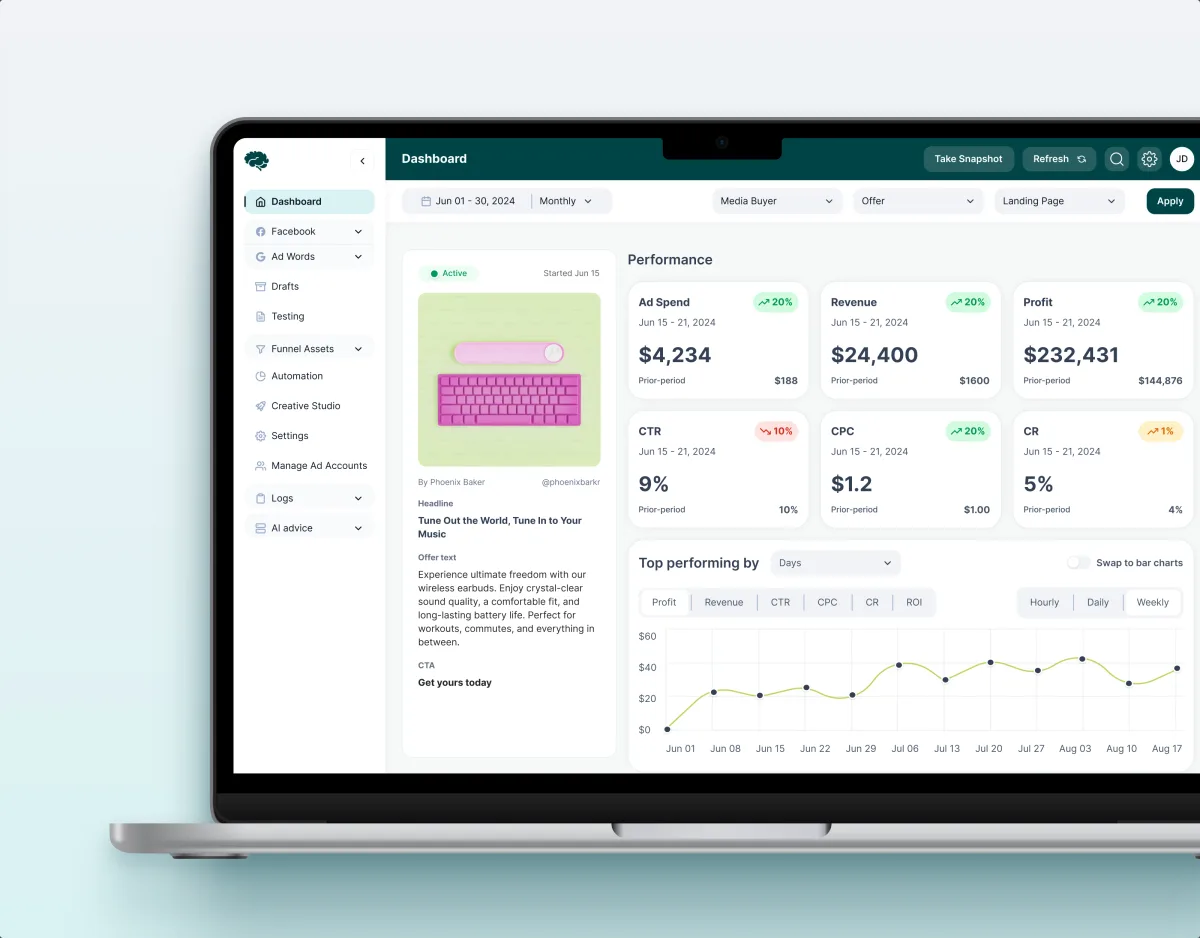
MarTech · Ads analytics · Web SaaS
Concussion Media
Rebuilt a paid-traffic analytics SaaS around the numbers its media buyers act on.
- 400+ Screens and states
- 11 Modules designed and approved by the client
-
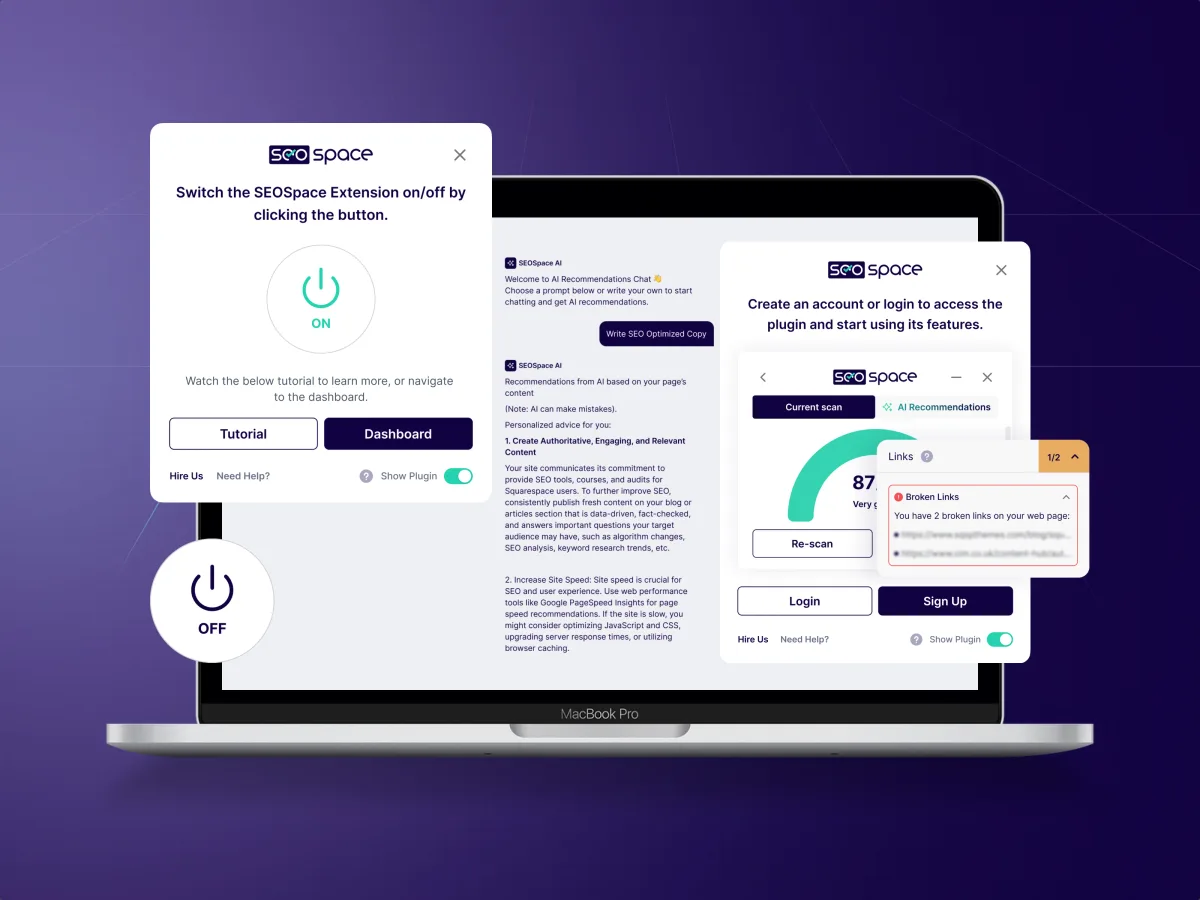
SEO · SaaS · Web platform
SEOSpace
Redesigned an SEO product across its web app, Chrome extension and website, on one design system.
- 400+ Unique screens
- 5 Experts on the team
-
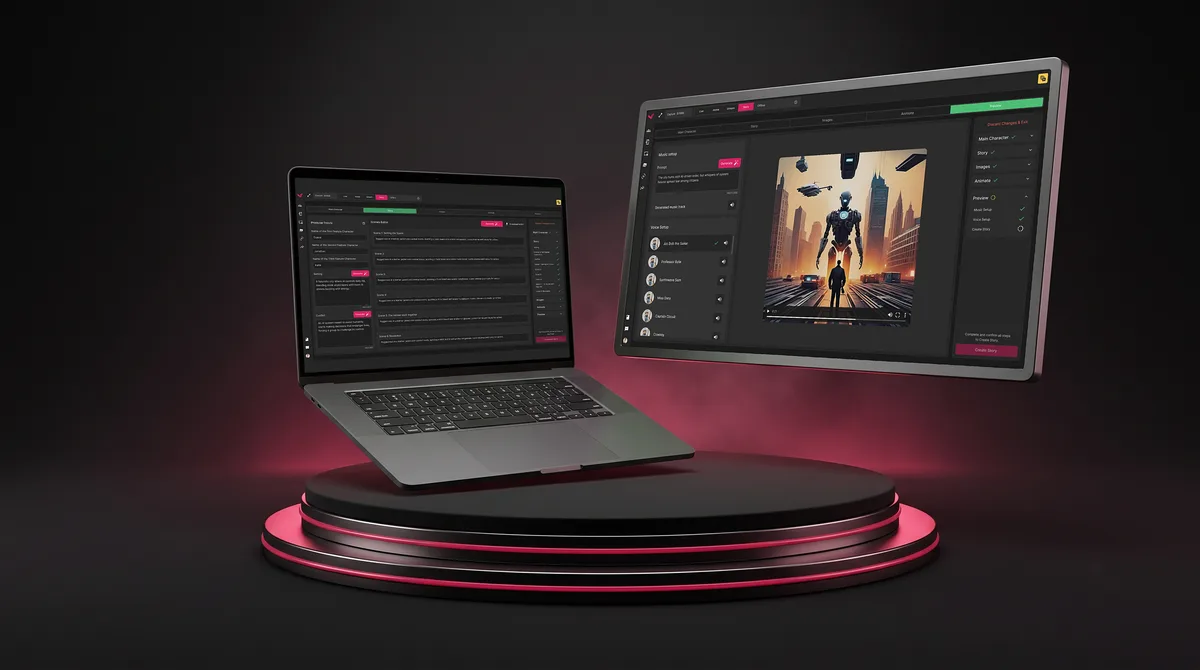
SaaS · Live Events
Vixi Suite
Designed a multi-role platform and the operational workflows its teams run every day.
- 200+ Screens designed
- 4 Experts on the team