
Mobile Site vs Responsive Design: Choosing the Best Approach for Your Website
Choosing between mobile and responsive design? Compare usability, SEO, and conversion benefits. Get expert guidance from ANODA UX Design Agency. Optimize today!
Move a WordPress site to a simpler stack — often Astro with a headless CMS — with posts, pages, categories, media and SEO settings carried across, and every plugin's job either replaced or deliberately retired.

Your WordPress content on a simpler stack, with every plugin's job accounted for.
Builds and improves sites that stay on WordPress.
Migrate from WordPress
Moves the content off WordPress to a simpler stack.
Not included
What you keep, from the plugin inventory to trained writers.
Post types, taxonomies, media, shortcodes and every active plugin, each with its fate.
What each plugin did, and what takes over: a component, a service or nothing.
Posts, pages, categories and media imported, shortcodes converted, links rewritten.
Old permalinks mapped, SEO settings carried over, editors trained on the new CMS.
You receive
WordPress exports posts, pages, terms and media well. It does not export behaviour: shortcodes, page-builder layouts, and the plugins behind forms, SEO, redirects and search. Before we migrate from WordPress we list each one and agree who handles it.
Post types, custom fields, categories, tags, authors, media, shortcodes, page-builder layouts and every active plugin listed, with the URLs that earn traffic. Needs Admin access, a recent database backup, analytics and search console.
Done when Every plugin and content type is marked replace, rebuild or retire, and you have approved the list.
The new home chosen — often Astro with a headless CMS or content in Markdown — and categories, tags and custom fields mapped into it. Needs Who writes, how often, and what they must be able to publish alone.
Done when The CMS, the mapping of categories, tags and custom fields, and the writing workflow are approved in writing.
Post, page, archive and landing templates rebuilt as components, with each shortcode and block given its equivalent. Needs The theme's current look, or the changes you have approved.
Done when Each template renders real imported posts at every breakpoint, passes keyboard and contrast checks, and meets the speed budget.
Content imported by script, media downloaded and re-linked, internal links rewritten; forms, search and analytics replaced and tested. Needs Test access to the CRM, email and other tools the plugins feed.
Done when Post and media counts match WordPress, no link points at the old install, and every form reaches its destination.
Permalinks redirected, SEO titles and descriptions carried over, a publishing freeze agreed, then the domain switched and errors watched. Needs DNS and host access, a posting freeze your writers know about, and one person with the final call.
Done when Old permalinks and feeds resolve or redirect, monitoring is live, and the WordPress install stays restorable until you sign off.
Writers walked through drafting, previewing and publishing in the new CMS; the runbook and redirect map handed over. Needs The people who write for the site.
Done when A writer publishes a post with an image and a category on their own.
ANODA builds
Your team owns
Platforms and tools provide
It fits when keeping WordPress running costs more than the site's content needs. Four signs it is the right step now.
Plugin updates, security patches and hosting fixes take more time than new content.
A heavy theme, a page builder and stacked plugins weigh down every page.
Posts, pages and forms — not a store or member area that lives on plugins.
Old posts bring search visits, so every permalink has to land somewhere.
Send us the address and the plugin list. We will come back with a useful scope — or tell you when staying on WordPress costs less.
Post types, the plugins to replace, the new stack and the switch window are agreed before anything moves.
Tell us the site's address, roughly how many posts it holds, the plugins it depends on and who writes for it.
Message received.
Within 15 minutes, we’ll email you initial feedback and follow-up questions.
Choosing between mobile and responsive design? Compare usability, SEO, and conversion benefits. Get expert guidance from ANODA UX Design Agency. Optimize today!
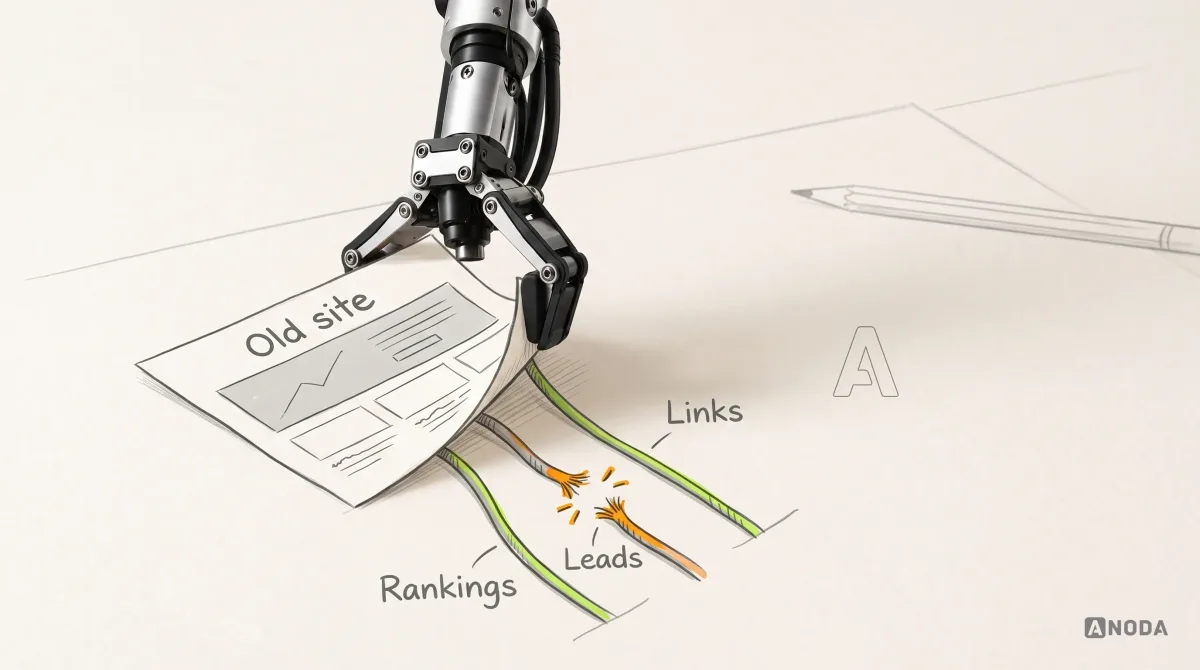
Plan a website redesign around evidence, business goals, user journeys, content, SEO migration, testing, launch, and post-launch measurement.
Keep it when a large editorial team lives in the WordPress editor, the site depends on WooCommerce or membership plugins, or the pain is a tired theme that a rebuild on WordPress would fix — WordPress Development is the cheaper answer then. Leave when the site is mostly posts, pages and forms, and upkeep, security patches and slow pages cost more than the flexibility is worth. We put that comparison in writing before anything is rebuilt.
The URLs that earn visits, including category, tag and author archives and feeds; each post's title, description and headings; alt text, featured images and captions; internal links; and the jobs the plugins did — forms, redirects, search, sitemaps and structured data. On Astro, posts become content files or entries in a headless CMS, templates become components, and each old permalink either stays the same or gets a permanent redirect.
Each gets a verdict. Plugins that shape content — SEO, forms, galleries, tables — are replaced by components or small services. Plugins that patch WordPress itself, such as caching and security, simply end with it. Shortcodes are converted to their component equivalents during import. Page-builder layouts are stored as builder markup rather than plain content, so key pages are rebuilt by hand and long-tail pages are cleaned up by script. Nothing is dropped without your sign-off.
In a headless CMS with a familiar editor: a title, a body with headings, images and links, categories and tags, a draft, a preview and a publish button. Behind it, each publish rebuilds the affected pages, so the site stays fast and there is no plugin or database to patch. Writers who prefer it can work in Markdown files instead. We set up roles and a review step if your team needs one, and the walkthrough covers the jobs they do every week, not a tour of every setting.
No. A host move copies the same WordPress install, database and plugins to another server, and the site stays on WordPress. This service is WordPress replatforming: the content leaves WordPress for a different stack, and the templates and plugin features are rebuilt there. We do not offer host-to-host moves as a separate service.
An inventory of post types, custom fields, taxonomies, media, shortcodes and plugins; a replacement plan; the new content model and CMS; templates rebuilt as components; content, media and internal links moved by script; forms, search and analytics replaced; redirects and SEO metadata carried over; a rehearsed switch with a way back; and a walkthrough for your writers.
Admin access to WordPress, a recent database backup or access to the host, and a list of the plugins your team relies on — not only the ones installed. Analytics and search console access, the tools the forms feed, and the people who write for the site. One person approves the new stack, the redirect map and the go-live date, and someone with DNS access is on hand for the switch.
The site in your own repository and hosting account, the new CMS with your content in it, the inventory and replacement plan, the redirect map with its test record, a runbook for publishing and rollback, and a walkthrough for your writers. Afterwards we can add templates, continue the build on Astro, or test key paths with real readers, each scoped separately.
How many posts, pages and custom post types there are, how many plugins must be replaced, how much of the site was built with shortcodes or a page builder, languages, the forms and integrations, and how many URLs need redirects. We set a custom scope and estimate in the proposal, fixed or phased, and agree the timeline once scope, access and dependencies are clear.
Host-to-host moves, a redesign, rewriting content, rebuilding a WooCommerce store or member site, and new platform, hosting or plugin fees. Any uptime or security commitment is limited to what the written criteria say. We have no published WordPress migration case yet, so we will not show you one. On your project the inventory and replacement plan come first, and you judge the work by them before the rebuild starts.