In short
Once a shared codebase is the right call, React Native versus Flutter is not a beauty contest. Put both through the same product constraints: devices, access, offline behaviour, native integrations and the team that will own the code. Separate shared product rules from the native edge, test accessibility and platform behaviour on representative phones, price in upgrades, then let a weighted matrix and a short feasibility spike decide.
In this article
- Start only after shared mobile is the right call
- The example we will follow
- What the two frameworks actually are
- Split shared product rules from the native edge
- Accessibility and platform behaviour, without a performance ranking
- Team fit is the line item nobody puts in the comparison
- Testing, store preparation and who owns the release
- Upgrades: the printer is cheap, the ink is the business model
- Work through a weighted decision matrix
- Settle it with a feasibility spike
- Pick the one you can still live with next year
React Native versus Flutter is decided by evidence from your own product, not by a winner announced on the internet. Give both frameworks the same constraints (the devices your users carry, who needs access, what has to work offline, which hardware the app talks to and who will maintain the code), separate the shared product rules from the native edge, then let a weighted decision matrix and a short feasibility spike on real phones pick the one that carries your riskiest feature with the least ongoing pain.
Plenty of comparison articles end the same way: a table of green ticks, a performance chart nobody can reproduce and a verdict. Then a team picks the winner, starts building, and finds out in month four that the Bluetooth library it relies on was last touched by a volunteer who has since taken up pottery.
Choosing a framework by its highlight reel is like signing a player from a compilation of his best goals. Highlight reels never show the own goals, the injuries or the away games in the rain. Your app plays every one of those.
We have watched mobile framework decisions get made in a meeting, on vibes. The bill never arrives on day one. It arrives every quarter after, as sprints spent fighting the stack instead of shipping what your users pay for.
Start only after shared mobile is the right call
If you have not yet decided between native, cross-platform and a web-based wrapper, start with our guide on choosing between native, cross-platform and hybrid development. Comparing React Native and Flutter before that is choosing between two brands of running shoes before you know whether the race is on a track or up a mountain.
A shared codebase usually fits when most of the product is screens, forms, lists and flows that behave the same on iOS and Android, when the deep operating-system work is limited to a few features, and when one team is expected to ship both platforms. If the core value of the product lives in platform-specific capabilities, a shared framework may add complexity that deserves comparison with a native approach.
The example we will follow
One illustrative app runs through this article. It is a composite, not a client.
A building-services company wants an app for its field technicians. A technician opens the day’s job list, travels to a site, takes photos of the work, fills in a checklist and gets a customer signature. Plenty of sites are basements and plant rooms with no signal, so photos have to queue on the phone and upload later. Work gets interrupted all the time: a phone call, a low-battery shutdown, the operating system closing the app while the camera is open. On some jobs the technician also reads a value from a Bluetooth measuring device the company already owns.
The phones are a mix. Most technicians carry company-issued mid-range Android handsets that are a few years old; some use their own iPhones. Access differs by role: technicians create and edit their own jobs, office reviewers approve them and add comments but cannot edit the technician’s recorded measurements, and the customer only signs on the technician’s screen. A few reviewers use screen readers or large text. The in-house team is two web engineers who write React and TypeScript, plus a contractor who knows Android.
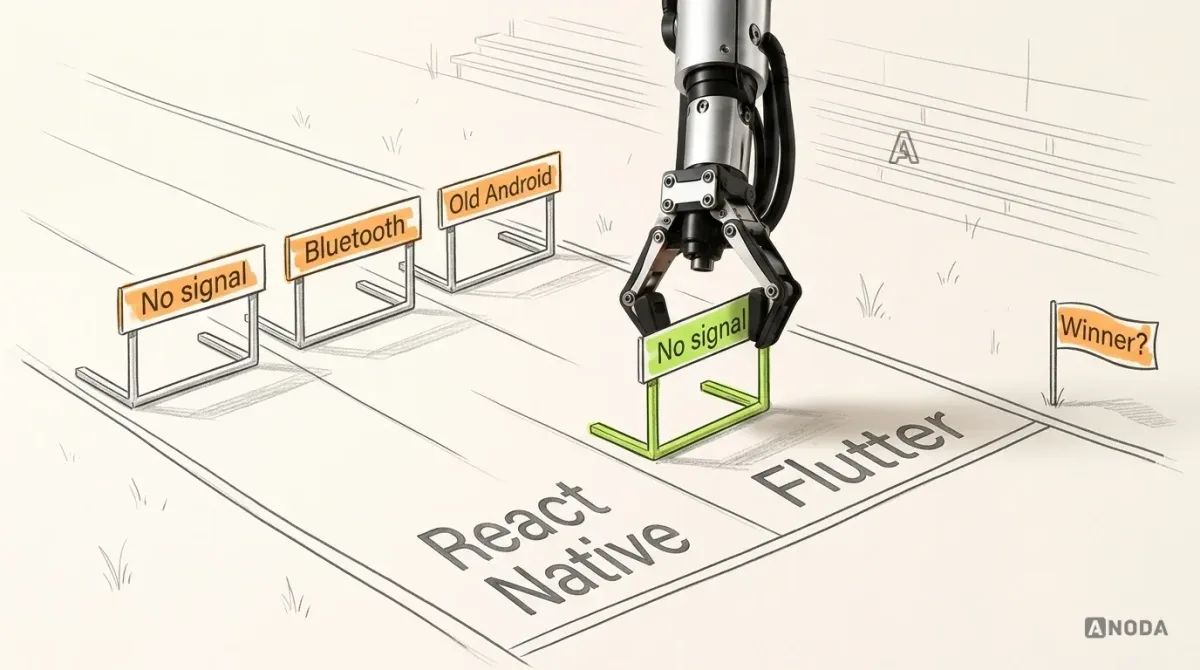
Both frameworks get this brief. Same course, same hurdles, same weather. A comparison where each candidate runs a different race is marketing.
What the two frameworks actually are
Strip away the fan clubs and the difference is architectural. The facts below come from the official documentation; both move fast, so check the current docs before relying on details.
| Question | React Native | Flutter |
|---|---|---|
| Language your team writes | JavaScript or TypeScript, with React components | Dart |
| How the interface is drawn | Components are backed by the platform’s own views: at runtime React Native creates the corresponding Android and iOS views | Flutter has its own implementation of each control and draws the interface itself, through its own rendering engine (Impeller is the default on iOS and Android API 29 and later; older or unsupported Android devices use a fallback) |
| How native code is reached | Native modules and native components, written in Kotlin, Java, Swift, Objective-C or C++; the New Architecture has been the default since version 0.76 (check the current docs for how Turbo Native Modules and Fabric components work today) | Plugins first; then platform channels for your own platform code, foreign-function bindings for native libraries, and platform views to host a native view inside the app |
| Starting point | The documentation recommends a framework such as Expo for new apps | The Flutter SDK, which also targets web, Windows, macOS and Linux |
Read that table as a list of trade-offs, not a scoreboard. Native views mean your app picks up a lot of platform behaviour for free and also inherits platform differences you must handle. A self-drawn interface gives the team close control over shared visuals. Matching layouts across devices and adapting text scale, native views and anything that should feel “iOS” or “Android” still require deliberate choices. Horses for courses.
Split shared product rules from the native edge
Draw a line through the app. Above it sits everything that is the same on both platforms: the job list, checklist rules, validation, sync rules, the states a job moves through. Below it sits everything that talks to the phone: the camera, background upload, the Bluetooth device, notifications, permissions.
Above the line, both frameworks will do the job; that is the part every demo shows. Below the line is where the money goes.

For each item below the line, ask three questions of each framework. Does an official or well-maintained package already cover it? If not, how much native code do we write, in which language, and who on our team can write it? And who keeps that code working when iOS and Android change next year?
That last question is the one teams skip. Every third-party package is shopping from a marketplace seller: cheap, convenient and fine, right up until the seller disappears and you are holding a product with no warranty. In our example, check the Bluetooth device first. If neither ecosystem has a maintained package for its protocol, both need custom native code, and the question becomes which bridge to native code your team handles better.
The photo queue is a split case. Its rules (which photos, which job, what happens on retry) are shared logic. Uploading after the technician pockets the phone is platform territory, governed by background-work rules that change with operating-system releases. Prove it on a device, not in a document.
Accessibility and platform behaviour, without a performance ranking
No chart here. A benchmark of someone else’s app on someone else’s phone tells you nothing about your checklist screen on an old Android in a cold basement.
Accessibility. React Native maps its accessibility properties (labels, roles, states, hints) to the native accessibility APIs, so VoiceOver and TalkBack read the underlying platform views. Flutter builds its own description of the screen for assistive technologies through its semantics system, and its documentation tells you to test with TalkBack and VoiceOver and to check that the interface stays usable at very large text scales. Both can produce an accessible app. Neither does it for you. A label nobody wrote is missing in every framework.
Platform behaviour. Back gestures, text selection, keyboard handling, date pickers, scrolling feel. With React Native, many of these come from the platform’s own views and you design for the differences. With Flutter, the Material and Cupertino widget libraries recreate each design language, and you decide where the app should adapt per platform. Neither approach is free; they just send the invoice to different departments.
Representative devices. Teams often test on the newest phones in the office. That is training on your home pitch and playing the league away, on wet grass, against the budget Android your technicians carry. In our example, the evidence that counts is the checklist, camera and photo queue on the oldest company handset, with large text and a screen reader on.
Team fit is the line item nobody puts in the comparison
The best framework on paper is the one your team will curse in six months if they cannot read it.
In our example, two engineers already write React and TypeScript. That is a real head start for React Native: the language and component model transfer. Not a free pass; mobile is not a website with a smaller viewport, and the native edge still needs someone who reads Kotlin and Swift. Flutter means learning Dart and a different component model. Plenty of teams do it happily, but it is training you pay for before the first useful screen ships.
Then look past the first release. Who maintains the native modules when the Android contractor leaves? Can you hire for this stack? Will an outside team hand over code your people can own? Buying the framework your current team cannot maintain is buying a professional espresso machine for an office that drinks instant. It looks great on the counter. Nobody knows how to descale it.
Testing, store preparation and who owns the release
Both frameworks produce real iOS and Android apps, so both carry the full weight of two stores: signing, listings, privacy declarations, review, test builds, crash reporting. A shared codebase shares the code. It does not share the paperwork.
So compare the release path, not just the build: automated tests for shared logic, device tests for the native edge on both platforms, test builds reaching technicians before release. If an agency builds the app, decide now that the store accounts, signing keys and build pipeline belong to you. A release process that lives on one contractor’s laptop is a team with one player who knows the playbook.
Upgrades: the printer is cheap, the ink is the business model
The cost of a framework is not the first build. It is every year after it.

Apple and Google ship major operating-system versions every year and can raise the minimum requirements for apps in their stores. Your framework moves on its own schedule, and your packages on theirs. A shared codebase has to keep pace with all three.
The two ecosystems handle this differently. On the React Native side, the documentation points Expo projects to upgrading one SDK version at a time, while projects without a framework have to apply changes to their Android and iOS project files by hand, guided by a community tool that shows the differences between versions. On the Flutter side, the SDK upgrades through its own command, with a stable channel updated roughly every quarter, published migration guides for breaking changes and package tools that show what is out of date.
None of that tells you which is cheaper. It tells you what to ask each candidate: how many packages below the line, who maintains each, how far behind are they today, and what does one upgrade cost in engineering days? Skip upgrades for a year and you are not saving money. You are kicking the can down the road towards a store deadline you did not choose.
Work through a weighted decision matrix
Now put the inputs on one page. The matrix below is illustrative: criteria from our example app, weights a team might set for it. Yours will differ, and that is the point. A decathlon is not won by the best javelin throw; it is won by the points across every event, and you choose which events count double.
| Criterion | Illustrative weight (1–3) | Evidence React Native must supply | Evidence Flutter must supply |
|---|---|---|---|
| Offline photo queue and interruption recovery | 3 | Queue survives app kill and reboot; upload resumes on both platforms through the chosen native or package route | Same test, same devices, through the chosen plugin or platform-channel route |
| Bluetooth device integration | 3 | A maintained package for the device, or a working native module and a named owner | A maintained plugin, or working platform code and a named owner |
| Access and roles | 2 | Role-based screens and permissions for technician, reviewer and signature step, tested on both platforms | The same |
| Team fit and hiring | 3 | Who writes the native edge; ramp-up time for the current team | Dart ramp-up for the current team; who writes the native edge |
| Accessibility and platform behaviour | 2 | Screen-reader and large-text pass on the checklist and camera flows, iOS and Android | The same pass, plus the decisions on where the interface adapts per platform |
| Testing and release path | 2 | Automated tests for shared logic, device test plan, store pipeline owned by the client | The same |
| Upgrade and dependency risk | 2 | List of packages below the line, their maintenance status and the upgrade route | The same list for plugins, and the upgrade route |
First name the must-pass requirements, such as reliable recovery and the required Bluetooth read. A failed requirement blocks that candidate; an untested one stays pending and blocks a final decision. Once required feasibility is proved, score each candidate per row from the evidence, multiply by the weight and add up. Missing evidence stays pending rather than becoming a zero or “probably fine”. Teams that fill in the scores before the spike are not using a matrix. They are decorating an opinion.
Settle it with a feasibility spike
A spike is a short, timeboxed build of the riskiest parts in both frameworks, thrown away afterwards. It is the tryout before the signing, and a cheap way to buy evidence. Kick the tyres on the features that can sink the product, not on the login screen.

For the illustrative field app, a sensible spike looks like this:
- Build the same three things in both. The photo queue with interruption recovery, the Bluetooth read and the checklist screen with full accessibility labels.
- Run them on the worst phones you support. The oldest company Android handset and the oldest iPhone in use, with large text and a screen reader on.
- Break them on purpose. Pull the network mid-upload, kill the app with the camera open, restart the phone, deny a permission and grant it later.
- Record what it took. Packages, native code, where your team got stuck and who could fix it. Friction is evidence. A stopwatch race on a flagship phone is not.
- Fill in the matrix and write the decision down. The scores, the reasons, the risks you accepted and what would make you revisit it.
Sometimes the spike picks no winner: both work, the matrix lands close, and the team you have decides it. Fine. A tie backed by evidence beats a winner backed by a blog post, this one included.
If neither framework handles your riskiest feature without a lot of native code, listen: the shared-codebase decision deserves a second look.
Pick the one you can still live with next year
Both frameworks ship good apps, and both have shipped expensive messes. The difference is whether the team ran both through the same course, proved the hard parts on real phones and priced in the years after launch.
Every week you argue about the winner instead of running the spike, you choose to pay engineers for opinions. Weigh what matters to your product, make each framework bring evidence, and let the boring arithmetic decide. If you already know where you are heading, our pages on React Native development and Flutter development explain what each build includes.

Mobile app development
Two good frameworks. One app that has to work in a basement.
Bring the devices, the integrations and the team you have. We will help you define the spike, read its evidence and plan a mobile build your people can own after launch.
Written by