In this article
- Meta tags are missing, generic, or duplicated across every page
- Structured data and Schema.org markup don’t exist
- Heading hierarchy and semantic HTML are a disaster
- There’s no internal linking strategy
- The content is hallucinated, generic, or both
- Core Web Vitals are abysmal
- Image alt text is missing, generic, or just wrong
- There’s no analytics, conversion tracking, or pixel setup
- There are no conversion paths
- Accessibility failures shut customers out and create legal exposure
- What this list adds up to
- In conclusion — a note for CMOs and Product Managers
- The fix: a prompt that actually addresses all 10 problems
- Work with ANODA — when the prompt isn’t enough
In this article, you will learn the 10 things AI-generated websites silently get wrong — from missing meta tags to real legal exposure — and get a production-ready prompt that fixes most of it before you go live.
Every week another founder tells me they “vibe-coded their entire website in a weekend.” Webflow AI. Lovable. V0. Bolt. Replit Agent. Pick your poison. The pages look fine. Sometimes better than fine — slick, animated, modern, on-trend.
Then six months go by. Google Search Console shows 47 impressions per month. The contact form has produced four submissions, two of which are spam. Paid ads cost three times what they should because nothing is converting. A user sends an angry email about not being able to use the site with a keyboard, and the team Googles “ADA compliance” for the first time.
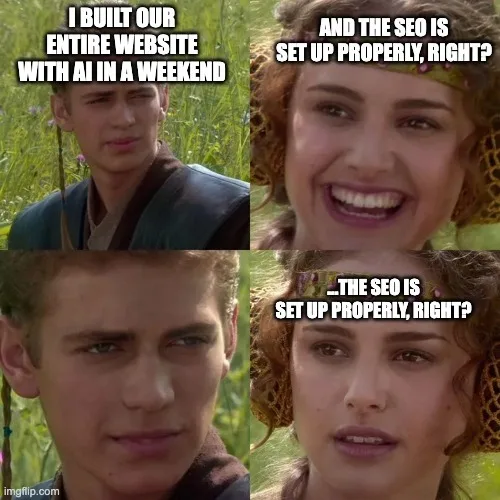
Built the whole site in a weekend. Forgot that “live” and “findable” are two different things.
Look — AI generating websites is a real capability. Lovable can ship a landing page in minutes. V0 can prototype a SaaS site in hours. The output looks like the work of a competent agency. That’s the problem. It looks like work that was done by a team that thought about it. It wasn’t.
Here are the ten things AI-generated websites silently get wrong — each of which is doing measurable damage to your business right now.
01Meta tags are missing, generic, or duplicated across every page
Every page on a website needs: a unique <title> tag (under 60 characters, with the primary keyword), a unique <meta name="description"> (150–160 characters, written to drive clicks), Open Graph tags (og:title, og:description, og:image) for previews when shared on LinkedIn or Slack, Twitter card tags, and a <link rel="canonical"> to identify the preferred URL for duplicate or similar content.
AI-generated sites usually have either none of this, or the same generic placeholder duplicated across every page (“Welcome to our website”). When your link gets shared on LinkedIn and shows up as a broken image with the URL as the title — you just lost the click. When Google indexes ten pages all titled “Home | Acme” — congratulations, you fragmented your own ranking signal.
Damage: every shared link converts at 30–50% lower CTR. Every search result with a missing description gets clicked less than the competitor whose snippet promised something specific. You’re paying to be visible and throwing away the visibility.
02Structured data and Schema.org markup don’t exist
Google reads structured data — JSON-LD blocks in your page source — to understand what kind of content this is. Use Article, Product, Organization, LocalBusiness or BreadcrumbList where they accurately describe the page. Google retired HowTo rich results and stopped showing FAQ rich results on May 7, 2026; copying those schemas into every page does not create the search appearance your business needs. Google’s current documentation updates explain the distinction.
AI-generated sites almost never include any of this. Your competitor’s article shows up with a star rating, FAQ accordion, and price; yours shows up as a plain blue link. Even if your content is better, theirs wins the click.
For local businesses it’s worse: without LocalBusiness schema, your Google Business Profile doesn’t get the data Google needs to surface you properly in Maps. You exist on the internet and don’t exist on Google.
Damage: rich snippets drive 30–80% higher CTR than plain results, depending on vertical. You’re losing that click-through rate every day, on every keyword you’d otherwise rank for.
03Heading hierarchy and semantic HTML are a disaster
Open the dev tools on most AI-generated sites and you’ll find: three <h1> tags on one page, headings that jump from H2 to H5 with no H3 or H4 in between, navigation built out of <div> instead of <nav>, body content wrapped in <div> instead of <article> or <section>, and zero use of <header>, <footer>, <aside>, or <main>.
Google uses heading hierarchy and semantic HTML to understand what your page is about and how it’s organized. When the structure is meaningless, the crawler is left guessing. Screen readers — which depend entirely on semantic HTML to make sites usable for blind users — are left with even less.
Damage: lower rankings, because Google can’t parse topical authority. Accessibility lawsuits, because the site fails WCAG. Slower indexing of new pages, because crawlers deprioritize sites they can’t structurally understand.
04There’s no internal linking strategy
A well-built website is a network of internal links pointing readers (and Google) to related pages. The pricing page links to a case study. A blog post links to the relevant product page. The homepage links to the most important destinations with descriptive anchor text. Link equity flows where it should.
AI-generated sites are usually a flat collection of pages with no internal linking architecture at all. The blog has no links to product pages. The product page doesn’t link to case studies. The homepage hero has one CTA and nothing else. From Google’s perspective, every page on your site is an isolated island, with no signal about which ones matter.
Damage: important pages don’t get the link equity they need to rank. Users who land on a blog post have no path to convert. You spend money driving traffic to a site with no conversion architecture.
05The content is hallucinated, generic, or both
AI doesn’t know what your product actually does. So when you ask it to write your homepage, it generates plausible-sounding text — “We help businesses unlock their potential through innovative solutions” — that says nothing, distinguishes nothing, and ranks for nothing. The About page invents a company history. The “How it works” section describes features you don’t have. The testimonials are sometimes literally fabricated (“Sarah from Marketing Inc.”).
Worse, the same generic phrases appear on thousands of other AI-generated sites. Google’s duplicate-content detection isn’t fooled. Even if your content is technically unique, it’s semantically identical to a million other sites — and Google has been deprioritizing low-originality content since 2024.
Damage: zero organic traffic, because nothing on your site is genuinely different from competitors. Brand trust erosion when prospects notice the obvious AI tells. Potential legal exposure if hallucinated facts include statistics or claims you can’t back up.
06Core Web Vitals are abysmal
Google ranks fast sites higher than slow ones. Specifically, Core Web Vitals — Largest Contentful Paint (LCP), Interaction to Next Paint (INP), and Cumulative Layout Shift (CLS) — are direct ranking factors. They also correlate strongly with conversion rate: a 1-second improvement in load time can lift conversions by 10–20%.
AI-generated sites are usually terrible at this. They ship bloated JavaScript bundles, load every font weight regardless of whether it’s used, embed full-resolution hero images at 4MB each, never lazy-load below-the-fold content, and include third-party scripts the dev didn’t realize were being added.
Run your AI-generated site through PageSpeed Insights right now. Use the mobile score to diagnose the slow experience, then check real-user Core Web Vitals and the buying journey. A lab score alone is not a Google penalty.
Damage: lower rankings on every keyword. Higher bounce rate. Conversion rates 20–40% below what they should be. Mobile users — the majority of your traffic in 2026 — get the worst experience.
07Image alt text is missing, generic, or just wrong
Every image on your site needs descriptive alt text — for SEO (Google reads it to understand context), for accessibility (screen readers depend on it), and for the moments when images fail to load.
AI-generated sites usually ship one of three failure modes: no alt text at all, generic alt text on everything (“image”, “photo”, “icon”), or hallucinated alt text that describes what the AI thinks the image shows rather than what it actually shows. Hero images with no alt. Product screenshots labeled “screenshot of an interface.” Decorative icons getting full sentence descriptions that confuse screen readers.
Damage: image search traffic — which can drive 10–30% of organic visits for visual products — doesn’t happen. Accessibility audit failures, which create legal liability under ADA and the European Accessibility Act (in force as of June 2025). Brand inconsistency in how your visuals get described to non-sighted users.
08There’s no analytics, conversion tracking, or pixel setup
You launched a website. How is it performing? If you can’t answer in under thirty seconds with real data, you launched blind.
AI-generated sites almost never include a proper analytics setup. Google Analytics 4 not installed, or installed but not configured (no events, no conversions). Google Tag Manager missing. Meta and LinkedIn pixels not deployed (so you can’t retarget visitors with ads). No event tracking on key interactions — button clicks, form starts, video plays, scroll depth.
You’re driving traffic to a site you have no visibility into. You don’t know what’s working. You can’t optimize because there’s nothing to optimize against. Every dollar of ad spend is less efficient than it should be — and the inefficiency compounds month over month.
Damage: six months of compounding inefficiency in your acquisition spend adds up to a lot of money you’ll never recover.
09There are no conversion paths
Beautiful pages. Slick animations. Modern design system. No CTAs.
This is the most common pattern in AI-generated sites: the visual design is fine, but there’s no clear path from “visitor lands on this page” to “visitor takes the action you actually want them to take.” The homepage has one button buried below the fold. The pricing page has no “Talk to sales” option. The blog has no sidebar CTA, no exit intent, no email capture. The contact form has 14 fields and no compelling reason to fill them out.
A website is a sales asset. AI doesn’t know your funnel, your buyer journey, or your sales motion. So it generates a “website” that looks like every other website it saw in its training data — informational, decorative, and conversionless.
Damage: all the traffic you do get converts at a third of the rate it should. Marketing investment doesn’t compound. Sales pipeline stays empty because the website isn’t doing its job.
10Accessibility failures shut customers out and create legal exposure
A customer who cannot navigate your site with a keyboard or understand a form error cannot buy from you. The problem reaches beyond lost conversions: inaccessible digital services can expose a business to complaints, remediation work and legal action.
The US Department of Justice’s web accessibility guidance explains that businesses open to the public must make their online goods and services accessible. Build the usable experience into the product: visible labels, meaningful alternatives, sufficient contrast, keyboard operation and clear error recovery.
An overlay is no substitute for that work. In April 2025, the FTC finalized an order requiring accessiBe to pay $1 million, settling allegations about unsupported claims that its AI tool could make any website WCAG compliant. Buy a remediation plan that addresses the actual interface and implementation rather than a badge promising the problem is solved.
For businesses serving EU consumers, map the covered products and services under the European Accessibility Act and the national rules that apply to them. Scope, exemptions, transition provisions and enforcement depend on the service and jurisdiction. Put that legal assessment alongside the design brief so the team implements the requirements that apply to the business.
Damage: blocked purchases, support work, procurement friction and an avoidable remediation bill. ANODA connects the customer’s task to the design and handoff requirements that fix the barriers at their source. A customer must be able to complete the journey, not merely see an accessibility icon.
What this list adds up to
None of these problems are visible from the homepage. The site looks fine. The CEO is happy. The marketing team has a launch announcement. The damages are happening in the background — in Search Console, in conversion dashboards, in legal risk that hasn’t materialized yet.
The compounding effect is the worst part. Every month the bad meta tags don’t get fixed is a month of suppressed CTR. Every month without structured data is a month of competitors taking the rich snippets. Every month of poor Core Web Vitals is a month of lower rankings and lost mobile users. Six months in, the damage isn’t theoretical — it’s a measurable hole in your funnel that you’re now paying to fill with paid acquisition.
In conclusion — a note for CMOs and Product Managers
Run this audit before your next planning cycle. Five questions, ten minutes, real data:
- Open Google Search Console. How many keywords does your site rank for in the top 10 positions? Which buyer queries bring impressions, and which important pages never reach those buyers?
- Run PageSpeed Insights on your three most important pages. Investigate slow loading, delayed interaction and layout shifts on the buying journey.
- View page source on your homepage. Search for
<script type="application/ld+json">. Nothing there? You have no structured data. - Open your site and hit Tab repeatedly. Can you navigate the entire page with the keyboard? Can you see focus states? If not, you fail accessibility.
- Check Google Analytics. Is conversion tracking actually firing on your key actions? If you don’t know, the answer is no.
Want the deeper version? Run a free Ahrefs audit today.
The five questions above are quick manual checks. If you want the comprehensive, automated version — covering all 10 problems in this article in a single prioritized report — use Ahrefs Webmaster Tools at ahrefs.com/webmaster-tools. It’s genuinely free for any domain you can verify ownership of via Google Search Console or DNS. No credit card. No trial expiration. No paid tier required to access the core site audit.
What you’ll get in roughly 30 minutes of setup:
- A full technical SEO audit covering meta tags, structured data, heading hierarchy, internal linking, broken links, redirects, and Core Web Vitals — every issue this article covered, scored and prioritized by severity.
- A page-by-page inventory of your site showing which pages have organic traffic, which keywords they rank for, which pages are underperforming, and which have indexing problems.
- Ongoing email alerts when new issues appear, rankings drop, or pages start losing traffic.
Run it on your site today. Read the report. If a lot of items come back red, you now have hard evidence instead of vague concerns — and ANODA can turn the findings into a prioritized design and implementation plan.
This is the single highest-ROI thing you can do in the next hour for your website. Free, fast, and far more useful than another internal “how is our SEO doing?” meeting.
If you failed three or more of these, your AI-generated website is actively damaging your business. The good news: every one of these is fixable. The bad news: you can’t fix them by re-prompting the AI. The work is structural — SEO architecture, schema implementation, accessibility audit, conversion rate optimization, performance tuning. That’s design and engineering work, done by humans who know what they’re doing.
The reason your CFO doesn’t see the damage on the P&L is that it shows up as missing revenue — traffic you never got, conversions that never happened, ad spend that was less efficient than it could have been. Invisible damage is the most expensive kind.
The fix: a prompt that actually addresses all 10 problems
Most of the damage above comes from AI tools optimizing for “looks like a website” instead of “performs like one.” You can substantially close that gap by giving the AI the right instructions up front.
Here’s the corrected prompt. Copy it, paste it into Claude, ChatGPT, V0, Lovable, Bolt, Cursor, or any AI code generator. Replace the bracketed placeholders with your actual information. Adapt the stack-specific bits to whatever framework you’re using.
This prompt gives the generator a stronger brief. ANODA turns that brief into a coherent buying journey and verifies the details that a generated checklist can overlook.
You are a senior frontend engineer and SEO specialist building a production website for [COMPANY NAME], a [ONE-SENTENCE DESCRIPTION OF WHAT THE COMPANY DOES]. Target audience: [TARGET AUDIENCE]. Primary business goal of the site: [SIGNUP / DEMO BOOKING / LEAD CAPTURE / PURCHASE]. Stack: Build this in [FRAMEWORK — e.g. Next.js 14 App Router + TypeScript + Tailwind CSS, or Astro + TypeScript, or plain HTML/CSS/JS, etc.]. Use [CMS or content source — e.g. MDX files, Sanity, Contentful, or none] for content. If I haven't specified the stack, ASK before generating. You MUST satisfy ALL ten requirements below without exception. After generating the code, output a checklist confirming each requirement was met. If you skipped or partially implemented any item, state why explicitly. If you don't have specific information for any item (real customer data, keywords, OG images, GTM ID, brand voice, etc.), STOP and ASK ME before generating. Do NOT invent statistics, testimonials, company history, customer names, or product features. Do NOT use placeholder text like "Lorem ipsum" or generic phrases like "innovative solutions" or "unlock your potential." === 1. SEO META TAGS (PER PAGE) === Every page MUST include: - Unique <title> under 60 characters, including the primary keyword for that page - Unique <meta name="description"> between 150-160 characters, written to drive clicks - Open Graph tags: og:title, og:description, og:image (1200x630px), og:url, og:type - Twitter card tags: twitter:card (summary_large_image), twitter:title, twitter:description, twitter:image - <link rel="canonical" href="..."> pointing to the absolute canonical URL - <meta name="robots" content="index, follow"> (or noindex where appropriate) - <html lang="..."> with the correct language code - <meta charset="UTF-8"> and <meta name="viewport" content="width=device-width, initial-scale=1.0"> === 2. STRUCTURED DATA (JSON-LD) === Use appropriate Schema.org JSON-LD blocks that accurately describe visible page content in <script type="application/ld+json">: - Homepage: Organization schema with logo, sameAs links to social profiles, contactPoint - Blog/articles: Article schema with headline, author, datePublished, dateModified, image - FAQ sections: readable questions and answers; do not promise FAQ rich results - Product/pricing pages: Product or SoftwareApplication schema with offers and pricing - Local business pages: LocalBusiness schema with address, openingHours, telephone, geo - All pages: BreadcrumbList schema - Reviews: use supported schema only when the page and review meet Google eligibility rules; do not mark up self-serving organization reviews for star results === 3. SEMANTIC HTML AND HEADING HIERARCHY === - Exactly ONE <h1> per page, containing the page's primary keyword or topic - Headings sequential: H1 → H2 → H3 → H4. Never skip levels. - Use semantic tags: <header>, <nav>, <main>, <article>, <section>, <aside>, <footer> - Do NOT wrap everything in <div> - Lists must use <ul>/<ol>/<li> - Buttons must use <button>; links must use <a href=""> - Forms must use <form> with <label for=""> for every input === 4. INTERNAL LINKING ARCHITECTURE === - Every blog/article page links to at least 2 other internal pages with descriptive anchor text (never "click here" or "read more") - Homepage links to the 5 most important pages with keyword-rich anchor text - Product/service pages link to at least one relevant case study or testimonial - Footer contains links to all top-level sections - Generate a sitemap.xml with all important pages including lastmod, changefreq, priority - Generate a robots.txt referencing the sitemap === 5. ORIGINAL, REAL, NON-HALLUCINATED CONTENT === - Do NOT invent statistics, percentages, testimonials, customer names, or company history - Do NOT use generic phrases ("innovative solutions," "industry-leading," "cutting-edge," "world-class," "unlock your potential") - Write in the specific brand voice I describe (ask me if I haven't told you) - Every product claim must be one I've explicitly stated. If you don't know what the product actually does, ASK. === 6. CORE WEB VITALS AND PERFORMANCE === - Target Lighthouse mobile score 90+ on all pages - Lazy-load all below-the-fold images: loading="lazy" - Use <picture> with WebP/AVIF sources and JPEG fallback - Specify width and height on every <img> to prevent CLS - Defer non-critical JavaScript with defer or async - Use system fonts or limit web fonts to 1-2 weights, with font-display: swap - No render-blocking CSS or JS in <head> - Inline critical above-the-fold CSS - Preload hero images and critical fonts with <link rel="preload"> === 7. ACCESSIBLE IMAGES AND MEDIA === - Every <img> has an alt attribute; descriptive for content, alt="" for decorative - Alt text describes what the image SHOWS, not what you guess it should describe - Videos have <track> elements for captions - Decorative SVG icons: aria-hidden="true" - Semantic SVG icons: <title> element or aria-label === 8. ANALYTICS AND CONVERSION TRACKING === - Include Google Tag Manager container snippet in <head> and <body> (ask me for the GTM ID; if I don't have one yet, use the placeholder [INSERT_GTM_ID] and add a comment explaining where to register at tagmanager.google.com and where to paste the real ID) - Add data-event attributes on every CTA, form submit, video play, key interaction (e.g., data-event="cta_pricing_clicked") - Include placeholders for Meta Pixel ([INSERT_META_PIXEL_ID]) and LinkedIn Insight Tag ([INSERT_LINKEDIN_PARTNER_ID]); add comments explaining where to get each ID and where in the code to replace it - Use semantic class names on conversion elements so they can be tracked - If I don't have analytics set up at all, generate the code with all placeholders AND output a separate setup checklist explaining: 1) what accounts I need to create, 2) where in the code each ID gets pasted, 3) how to verify each tag is firing after install === 9. CONVERSION PATHS AND CTAs === - Every page has a primary CTA visible above the fold - The primary CTA is the same conversion goal across the site - Every long-form page has at least one mid-content CTA and one bottom CTA - Contact forms use 3-5 fields max with clear labels - Pricing pages include a "Contact sales" option for enterprise - Trust signals near every CTA: testimonials, customer logos, security badges, guarantees === 10. WCAG 2.1 AA ACCESSIBILITY COMPLIANCE === - Color contrast: minimum 4.5:1 for body text, 3:1 for large text and UI components - All interactive elements reachable via keyboard with visible :focus states - Skip-to-content link at top of every page - All form inputs have associated <label> elements - ARIA attributes on custom components (aria-label, aria-expanded, aria-controls) - No content conveyed by color alone - No auto-playing media with sound - Animations respect prefers-reduced-motion - Page fully navigable with a screen reader === AFTER GENERATING THE CODE === Output a checklist confirming each of the 10 requirements above was met. For any item not fully implemented, state the reason and what data or decisions you need from me to complete it.
A few notes on using this prompt:
It will not produce perfect output on the first run. Even the best AI tools will get some of this wrong. The point is to move from “10 problems, all silently broken” to “10 problems, 8 of them caught, 2 to verify manually.”
Always run the audit from the previous section (the five Lighthouse / Search Console / source-code checks) on the generated output before going live. Use the prompt to start; verify with the audit.
The prompt assumes you have real information. Real product features. Real customer testimonials. Real brand voice. Real keyword research. If you don’t have these, the prompt will ask — and you should answer honestly rather than letting the AI guess. The garbage-in problem doesn’t disappear because the prompt is good.
Work with ANODA — when the prompt isn’t enough
The prompt gives you a stronger starting point. It still leaves the business-critical decisions to a team that understands the offer, the buyer and the implementation.
The work — the part that determines whether your site actually outranks competitors, whether the design feels designed and not generated, whether your conversion funnel actually converts, whether your structured data passes Google’s rich-result tests on the first try, whether the WCAG audit you’ll eventually run comes back clean — that part still requires humans who do this for a living.
We’re a UI/UX design and development agency for SaaS, Fintech, and AI products. Since 2013, we’ve helped companies build websites that actually rank, convert, and comply.
We don’t just design websites — we build them with the SEO architecture, structured data, accessibility, performance, and conversion infrastructure that AI tools skip by default. Every site we ship is built for Google, for screen readers, for Core Web Vitals, and for your sales funnel — from day one.
— The ANODA team UI/UX Design & Development · Building websites that actually rank, since 2013

ANODA website design
Give your website a job beyond looking finished.
We connect your offer, proof, buying journey and implementation into a website built to win customers. Bring us the AI-generated site: we will turn its hidden friction into a clear design and repair direction.
Frequently asked questions
Why can an AI-generated website look finished and still lose customers?
The generator can produce attractive pages without connecting the offer, proof, navigation and next action. ANODA reviews the buying journey and turns those gaps into a website design and repair plan.
Does structured data guarantee rich results?
Use the supported type that accurately describes visible page content. Google no longer shows FAQ or HowTo rich results. A strong website needs clear content and a conversion journey alongside appropriate markup.
Can an accessibility overlay replace remediation?
Fix barriers in the interface and implementation. Keyboard access, labels, focus, readable content and usable errors need review in the actual journey; a widget does not complete that work.
How do we assess legal accessibility requirements?
Identify the business, customers, jurisdictions and covered products or services, then connect the applicable requirements to the design and implementation brief. ANODA helps turn the product barriers into concrete fixes.
What should I check first on my AI-generated website?
Walk the buying journey on mobile and keyboard, review page titles and search visibility, inspect the relevant structured data and verify that completed conversions reach analytics. Bring the site to ANODA to prioritize the changes.
Written by