In short
Use UX psychology to make the next customer decision clear: what to notice, understand, choose, do, remember and recover. ANODA connects these principles to real journeys, interface states and practical design improvements, so customers can move from uncertainty to useful action.
In this article
- Turn psychology into a product customers can act on
- Six moments every interaction goes through
- Apply the principle to the customer decision
- Notice: attention is a spotlight, not a floodlight
- Understand: people read your product through products they already know
- Choose: decisions are shaped by how options are presented
- Act: effort, motivation and momentum
- Remember: people keep peaks, endings and patterns
- Recover: errors are part of the design
- Context changes the psychology
- An illustrative example
- When principles conflict
- Turn a principle into a hypothesis
- Measuring whether behaviour changed
- Where influence becomes manipulation
- Using psychology in a product team
- Principles are where you start looking
UX psychology is the use of what we know about human perception, memory, decision-making, motivation and error to design products people can understand and use. The most useful principles explain six moments in every interaction: what people notice, how they understand what they see, how they choose, what makes them act, what they remember and how they recover from mistakes. Named laws such as Hick’s law and Fitts’s law help you choose what to simplify, emphasise and explain in the customer journey.
Somewhere right now a product team is putting a fake countdown timer on a checkout page because an article said “scarcity drives conversion”. Somewhere else, a designer is defending a cluttered dashboard with “Miller’s law says seven items is fine”. Both are citing psychology. Both are about to be surprised.
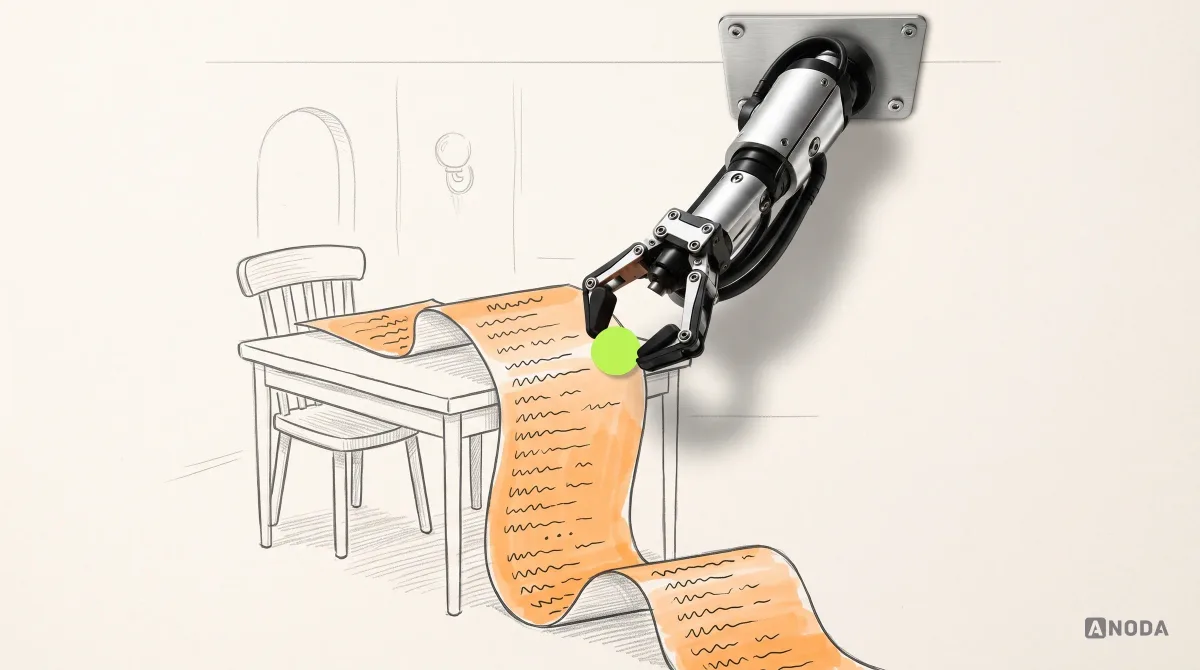
Psychology is one of the most useful tools a product team has, and one of the most abused. It’s useful because interfaces are used by human brains with predictable limits: attention is narrow, memory is short, effort is expensive and people act on what they expect rather than what’s there. It’s abused because a named effect sounds like proof. A catchy law on a slide ends discussions that should have ended with a test.
At ANODA, we use psychology to make the next customer decision clearer and the product easier to use. This guide organises the most useful principles around the moments a user actually goes through, shows where they conflict, and explains how to turn them into hypotheses you can test — without crossing into manipulation.
Turn psychology into a product customers can act on
When customers miss the next step, hesitate over unfamiliar terms or give up after an error, acquisition money buys visits that never become useful activity. Adding urgency, more notifications or another tutorial can increase the noise without resolving the decision. The product needs a clearer route to value.
ANODA connects attention, choice and recovery to the actual customer journey. We design the hierarchy around the next useful action, explain decisions in the customer’s language and make interrupted work recoverable. Then we carry the behaviour into flows, prototypes, interface states and a coherent UI system.
In SEOSpace, that work made an audit lead into tasks ordered by priority and made onboarding include the invalid-URL state, rather than leaving a beginner to interpret a wall of findings or a dead end. Those are concrete design decisions that put psychology to work.
Let ANODA redesign the journey customers abandon. Bring us the screen or flow where people stop; we will make the next decision clearer and turn it into a product experience that helps them move forward.
Six moments every interaction goes through
A lot of UX psychology content is organised as an alphabetical list of laws. That’s useful for reference and useless for design, because you don’t design “a Hick’s law”. You design the moment someone has to choose a plan, or notice an error, or remember where a setting was.
So we organise the principles by the moment they explain:
- Notice — what gets attention, and what gets missed.
- Understand — how people interpret what they see, using what they already know.
- Choose — how people decide between options.
- Act — what makes people start, continue and finish a task.
- Remember — what stays with them, and what they’ll recall next time.
- Recover — what happens when something goes wrong.
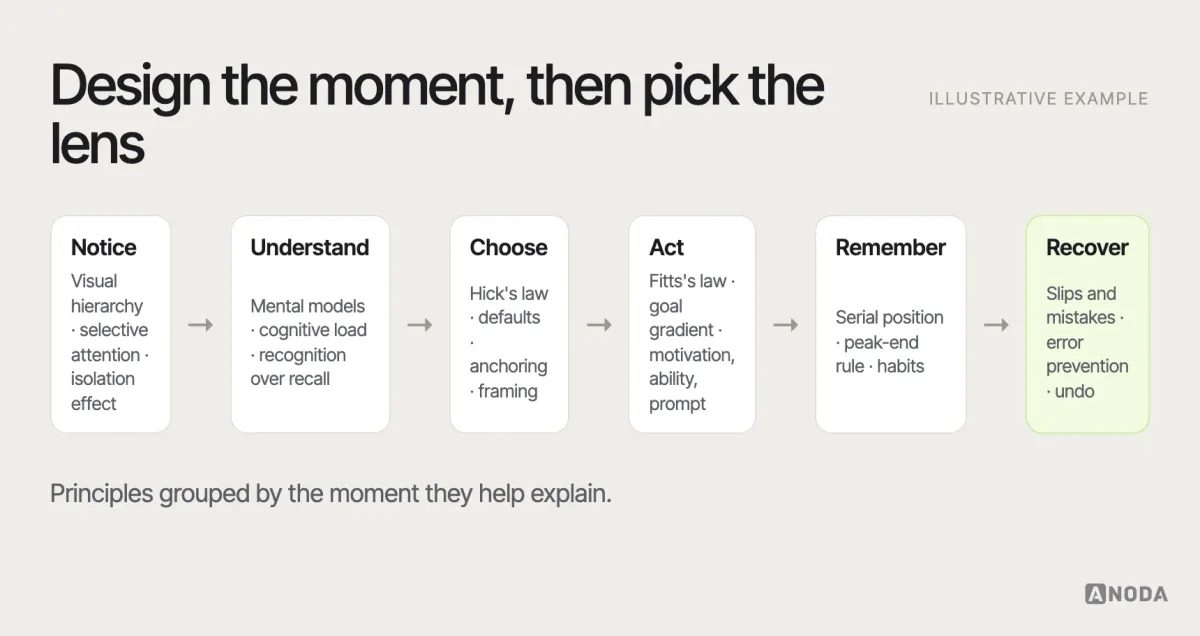
For every principle below, the useful questions are the same: what does it predict here, what could make it wrong in this context, and what would we observe if it holds?
Apply the principle to the customer decision
Choose the principle that addresses the friction in front of you. If customers cannot find the next action, fix the hierarchy. If they cannot compare options, clarify the choice. If they hesitate after an error, make the recovery obvious. Psychology gives the design team a practical way to connect an interface decision to the behaviour it needs to support.
Use the task and the audience to choose between competing ideas, then observe whether people can complete the journey. The questions below help you turn each principle into a specific design improvement.
Notice: attention is a spotlight, not a floodlight
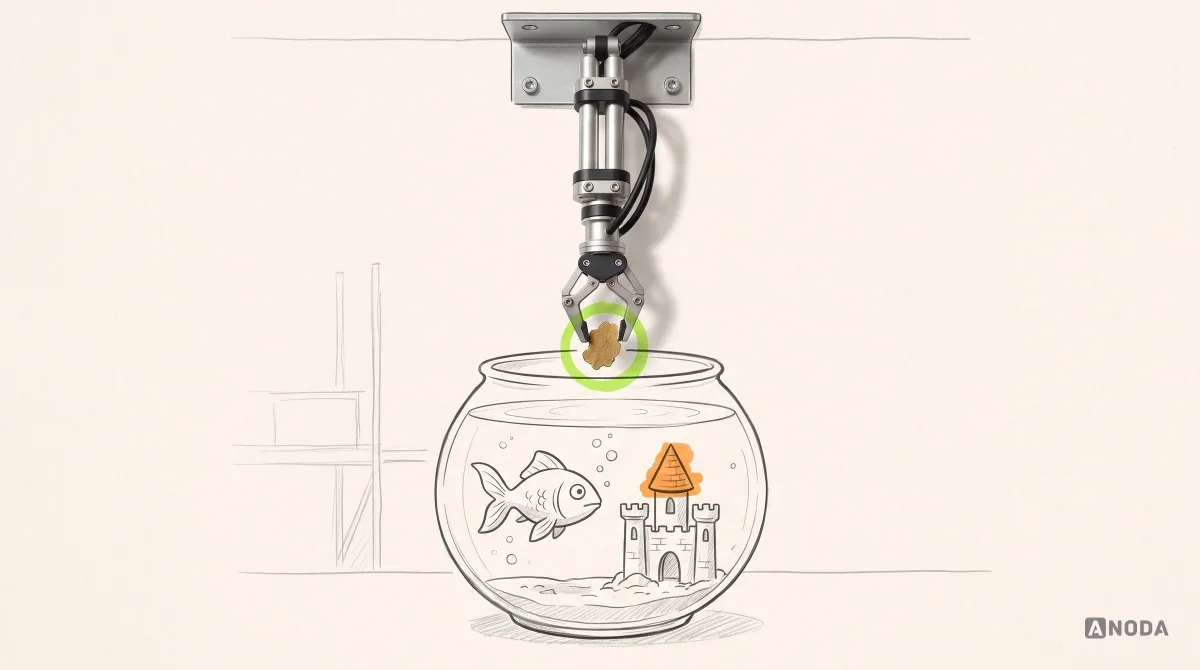
People don’t see everything on a screen. Attention is selective: it goes to what’s relevant to the current goal, what stands out, and what’s where people expect to find it. Everything else can be literally overlooked, even when it’s large and in the middle of the page.
- Selective attention. People focused on a task filter out what seems unrelated to it. A promotional banner beside a form is often not seen at all — the phenomenon known as banner blindness, documented in eye-tracking research by Nielsen Norman Group.
- The isolation effect. An item that differs from its surroundings is more likely to be noticed and remembered — often called the von Restorff effect. It’s why a primary button is visually distinct. It stops working when everything is “distinct”.
- Visual hierarchy and Gestalt grouping. Size, contrast, spacing and position tell people what matters and what belongs together before they read a word.
- Change blindness. People often miss changes that happen outside their focus — a total that updates at the top of a page while they’re editing at the bottom, a validation message that appears somewhere they’re not looking.
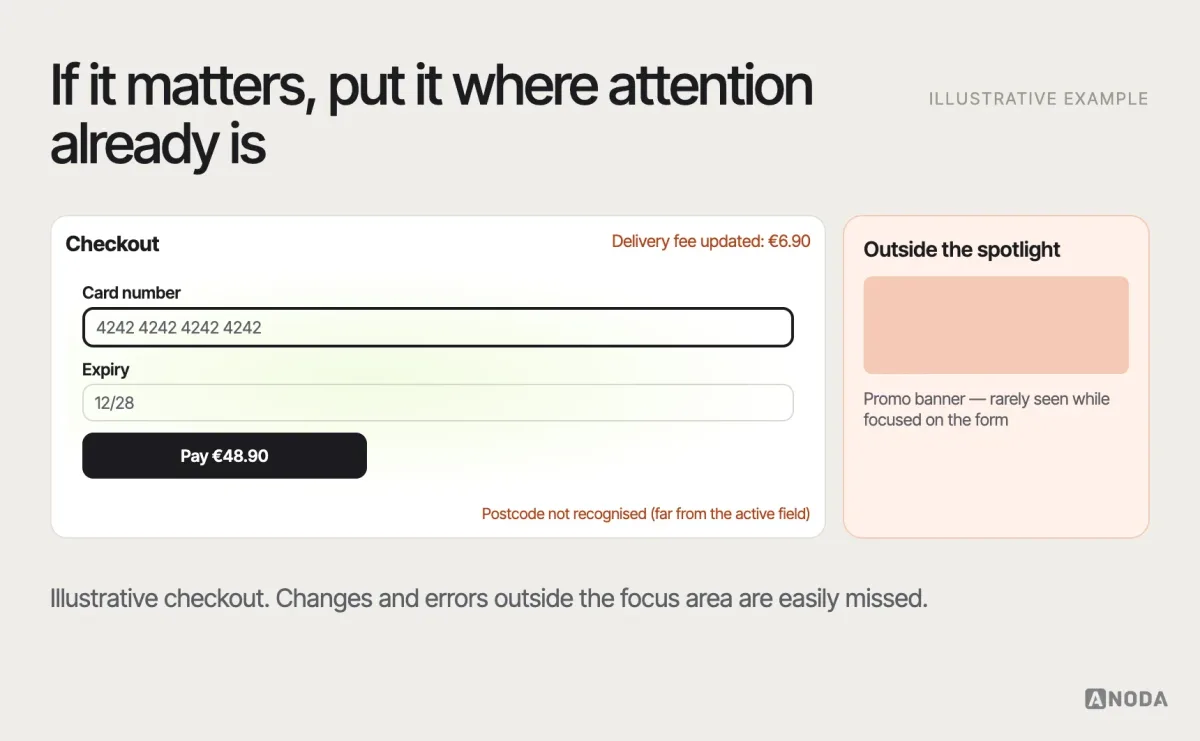
The product implication: put important information where attention already is — next to the action, at the moment it’s needed — rather than assuming people will look around. Where it goes wrong: teams try to win attention with more attention-grabbing — brighter colours, animation, pop-ups — until everything competes and nothing wins. The fix is usually subtraction. A screen with one clear focal point beats a screen with five loud ones, and an error message beside the field beats a red banner at the top that nobody is looking at.
Validation question: in testing, do people notice the element without being prompted, at the moment it matters?
Understand: people read your product through products they already know
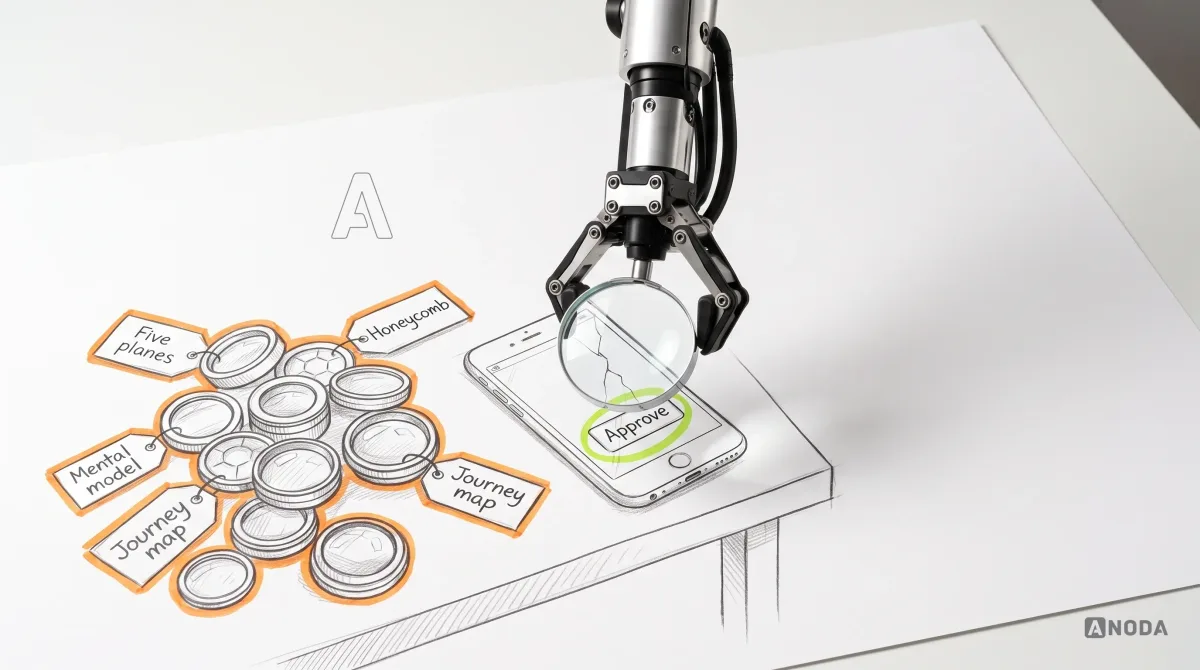
Once something is noticed, people interpret it using what they already know. They bring a mental model — an internal picture of how things work — formed by every other product they’ve used. When your product matches it, things feel intuitive. When it doesn’t, people make confident mistakes.
- Mental models and Jakob’s law. Users spend most of their time in other products, so they expect yours to work the same way. A shopping cart icon, a swipe to go back, a logo that links home — these are borrowed understanding.
- Cognitive load. Working memory is limited. Every unfamiliar term, unexpected layout or piece of information people have to hold in their heads adds effort. Some load is intrinsic to the task — a tax form is complicated — but much of it is added by the design.
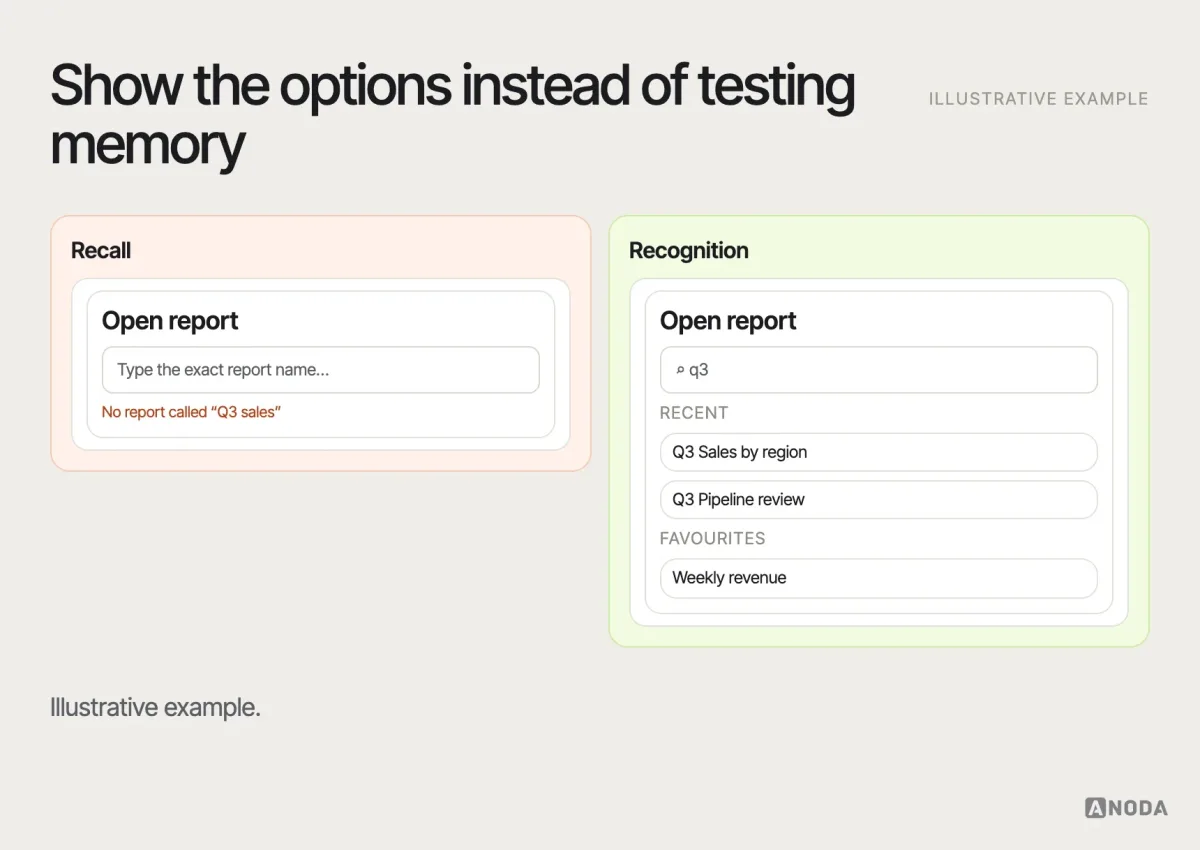
- Recognition over recall. It’s easier to recognise an option you can see than to remember one you can’t. Menus, recent items, suggestions and visible labels all trade memory for recognition.
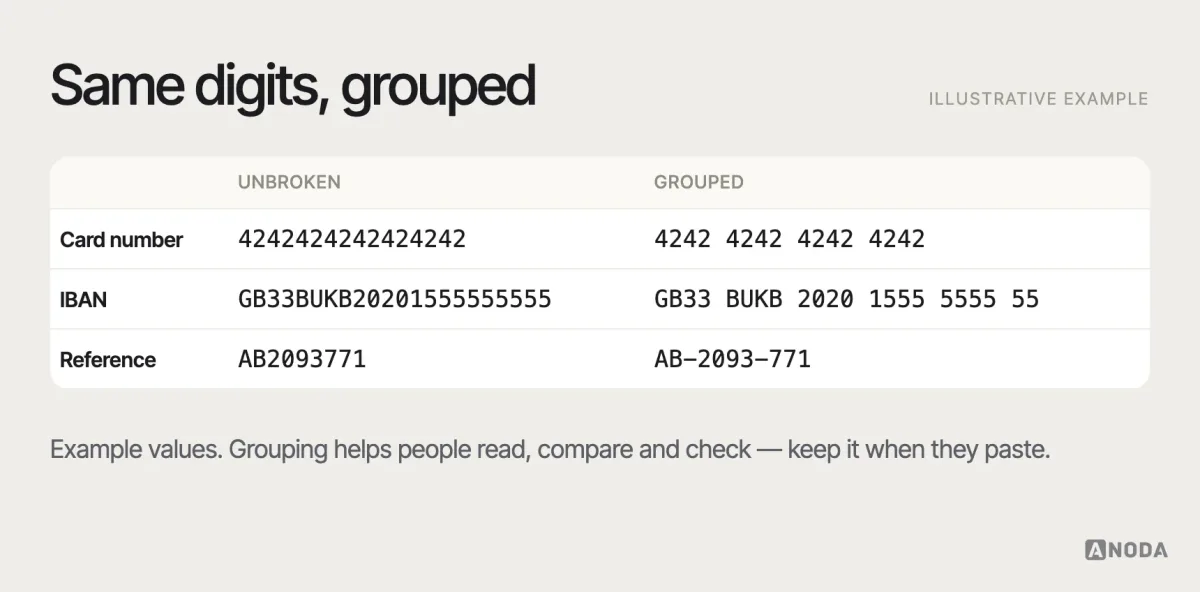
- Chunking. People handle information better in meaningful groups — a phone number split into blocks, a long form split into sections. The famous “seven, plus or minus two” from George Miller’s 1956 paper is about memory span in specific tasks; it’s not a rule that menus may have seven items.
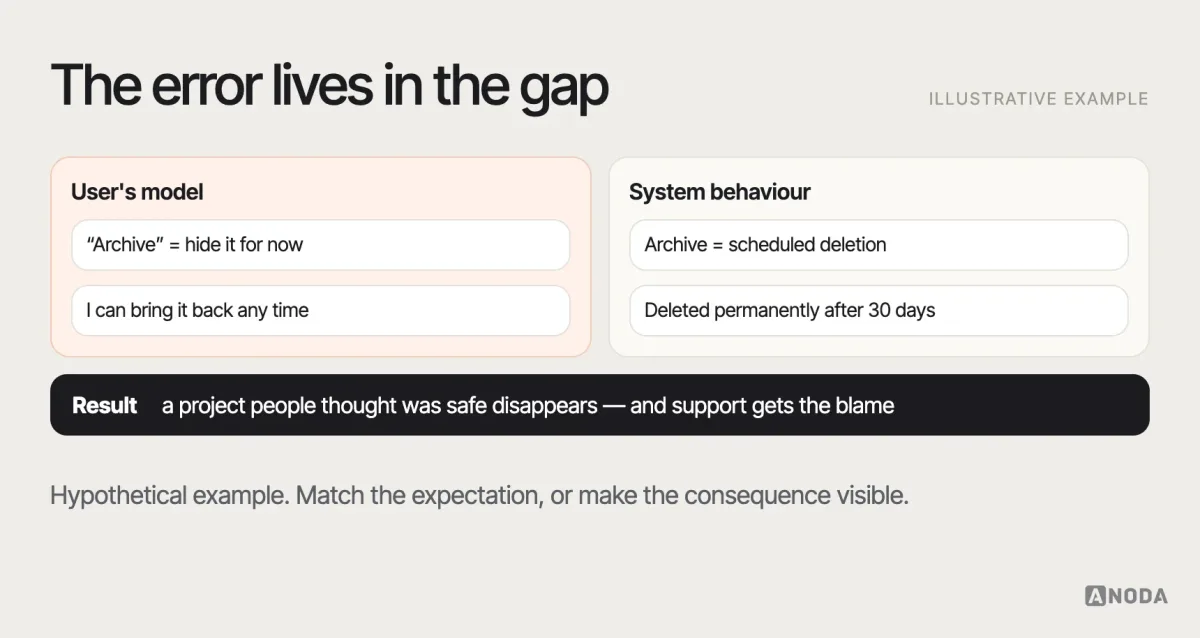
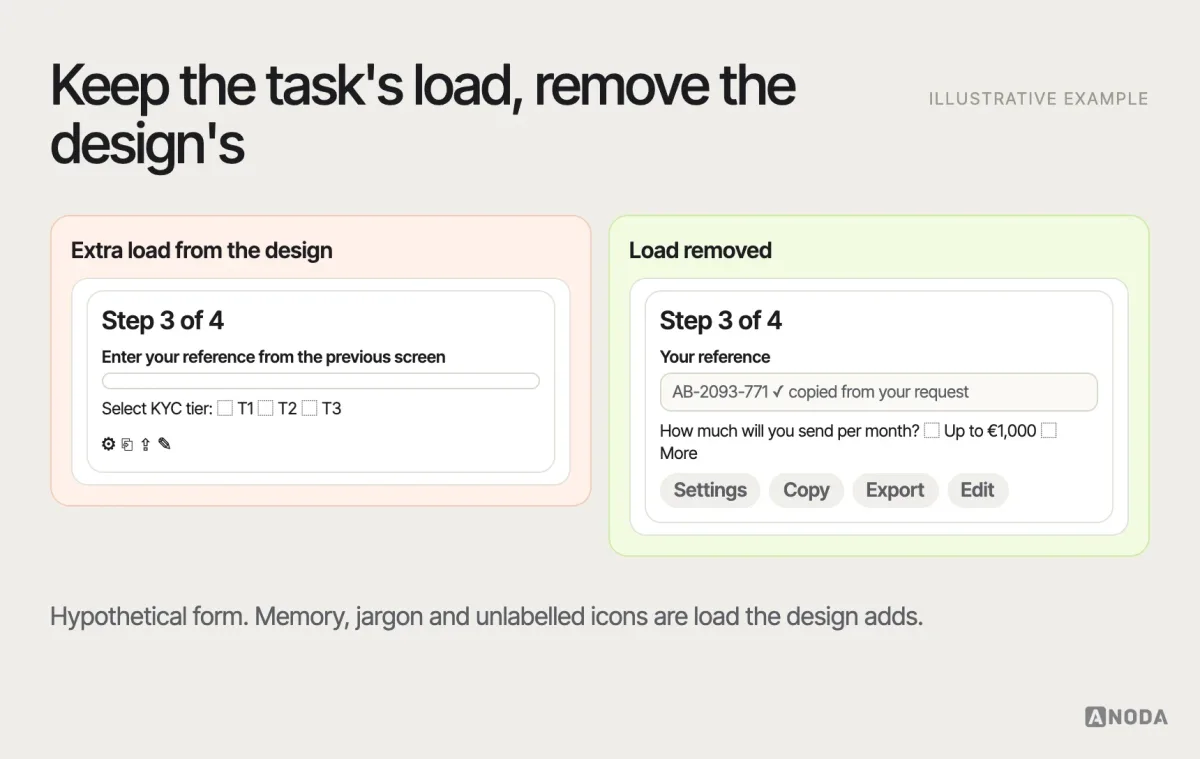
Where it goes wrong: the team’s own mental model leaks into the product. Internal names for features, org-chart navigation and terms from the database schema all make perfect sense to the people who built them and none to the people who use them. The only reliable way to find the gap is to watch people who don’t work in the building.
We saw how much this matters on Vixi Suite, a platform for running live events. Admins moderate fan content in real time while the event is on, so the moderation interface had to cut cognitive load until each decision takes a second, not a minute. Under that pressure, every extra thing to read or weigh is a delay the whole event pays for.
Validation question: when people describe what they think will happen before they click, does it match what actually happens?
Choose: decisions are shaped by how options are presented
Every choice in an interface — a plan, a setting, a product — is presented in some way, and the presentation affects the decision. There’s no neutral way to show options, which is exactly why this is where influence most easily becomes manipulation.
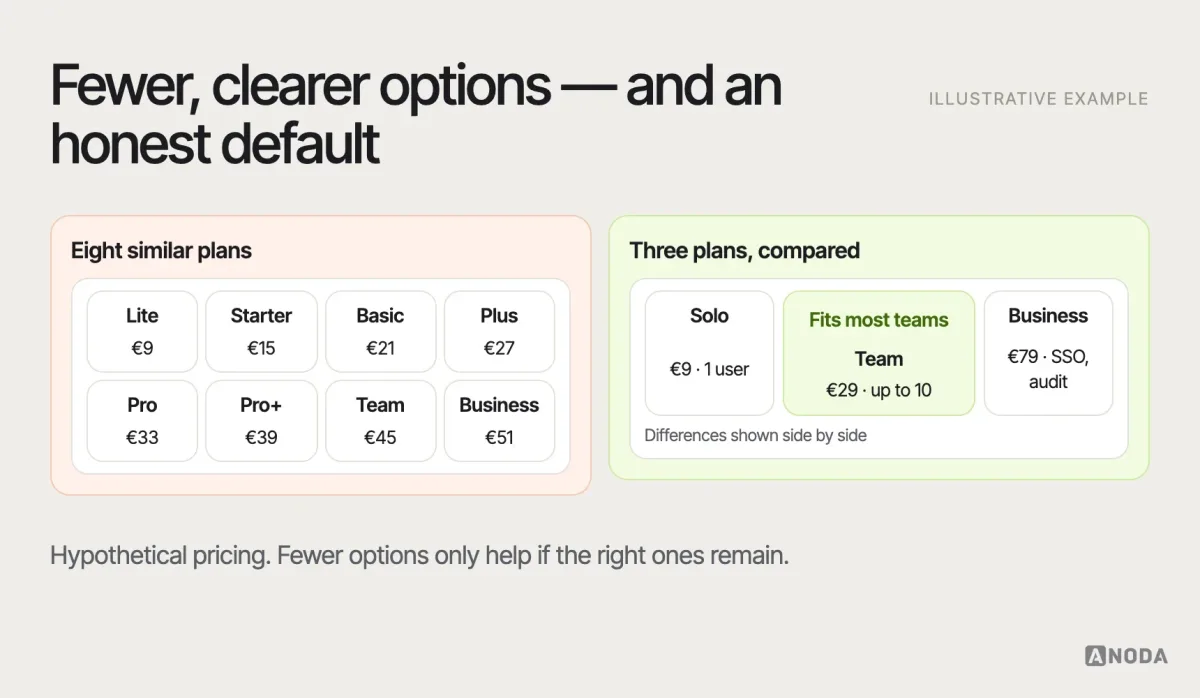
- Hick’s law. Decision time increases with the number and complexity of options. It applies most clearly to simple, comparable choices; for content people browse, more options can be fine if they’re well organised.
- Choice overload. Too many options can make people defer or regret a decision. The effect is real in some contexts but inconsistent: a well-known 2010 meta-analysis by Scheibehenne and colleagues found the average effect across studies close to zero, with large variation depending on the situation. It’s a reason to test, not a law.
- Defaults. Most people keep the option that’s pre-selected, especially for decisions they don’t care about or don’t understand. Defaults are one of the most powerful tools in design — and carry the most responsibility.
- Anchoring. The first number people see influences how they judge the next ones, as Tversky and Kahneman showed in 1974. A higher-priced plan shown first makes the middle plan look reasonable.
- Framing and loss aversion. The same information framed as a loss tends to weigh more than when framed as a gain — a central finding of Kahneman and Tversky’s prospect theory.
- Social proof. People look to what others do when they’re unsure. Genuine reviews and usage help; fabricated “12 people are looking at this” notices are deception.
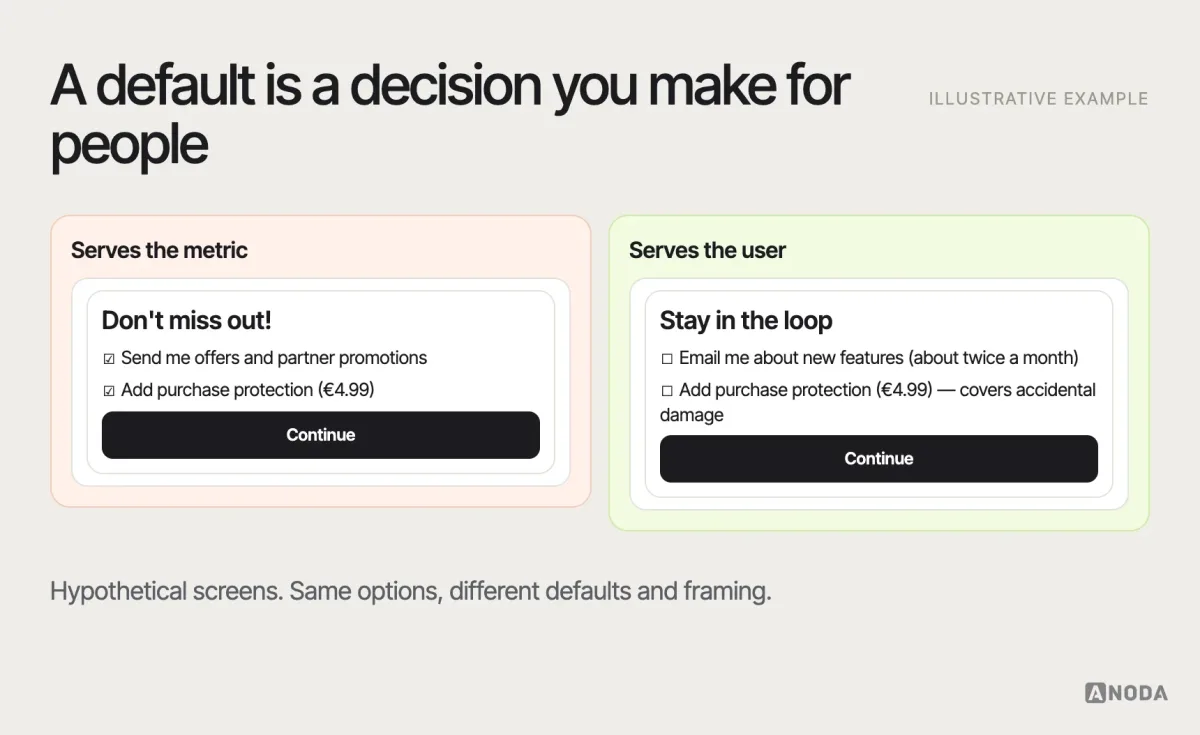
Where it goes wrong: choice architecture gets optimised for the metric instead of the person. The “recommended” plan is simply the most expensive one, the cheapest option is visually hidden, the annual plan is pre-selected without the monthly price shown. It may lift revenue for a quarter. It also teaches customers not to trust your recommendations, which costs far more.
Validation question: do people choose the option that fits their situation — and would they make the same choice if they understood it fully?
Act: effort, motivation and momentum
Knowing what to do isn’t the same as doing it. People act when the action is easy enough, they’re motivated enough, and something prompts them at the right moment.
- Fitts’s law. The time to reach a target depends on its size and distance. Big, close targets are fast; small, distant ones are slow and error-prone, especially on touch screens.
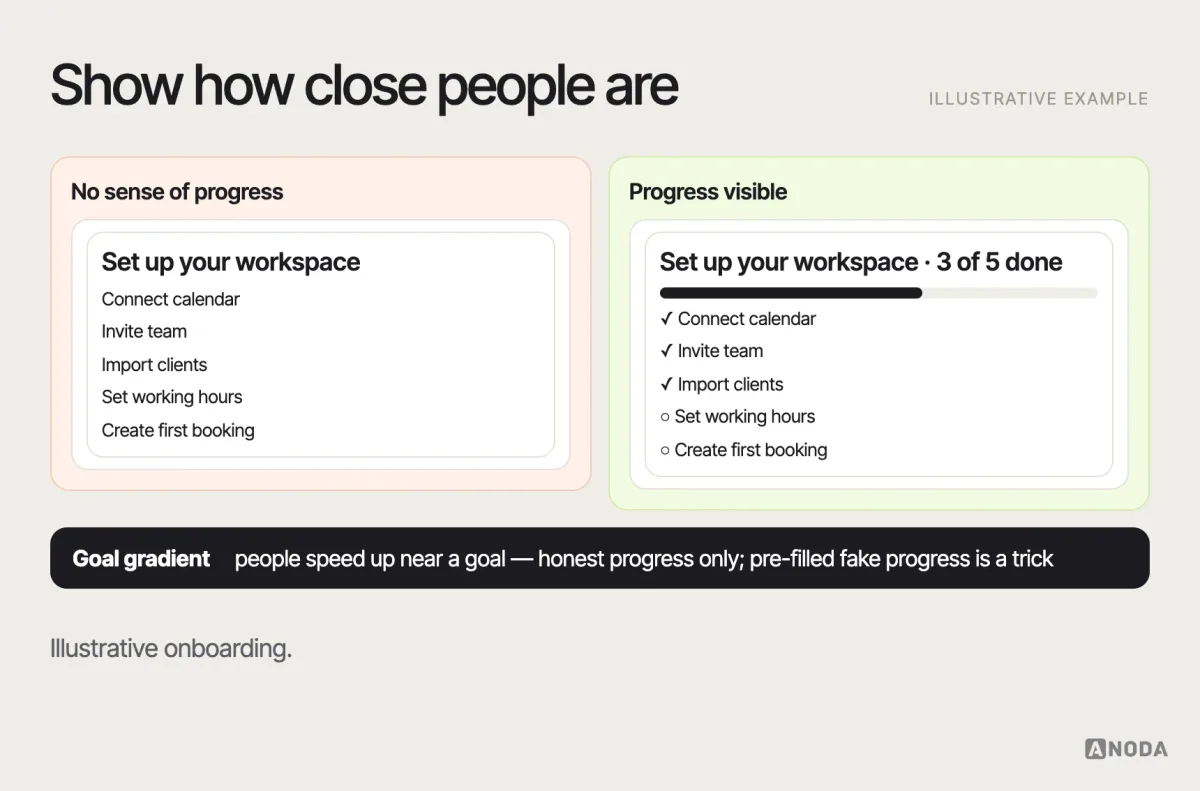
- The goal-gradient effect. People tend to speed up as they approach a goal. A classic 2006 study by Kivetz, Urminsky and Zheng found coffee-card customers bought more often as they neared a free coffee — and a card with two stamps already filled in was completed faster. Progress indicators, checklists and “almost done” steps draw on the same effect.
- Behaviour needs motivation, ability and a prompt. BJ Fogg’s behaviour model describes behaviour as happening when motivation, ability and a prompt come together. When a task is hard, raising motivation is usually less effective than making the task easier.
- Friction. Every extra field, step and wait costs some people. Remove friction from what people want to do; keep deliberate friction where a mistake would be costly.
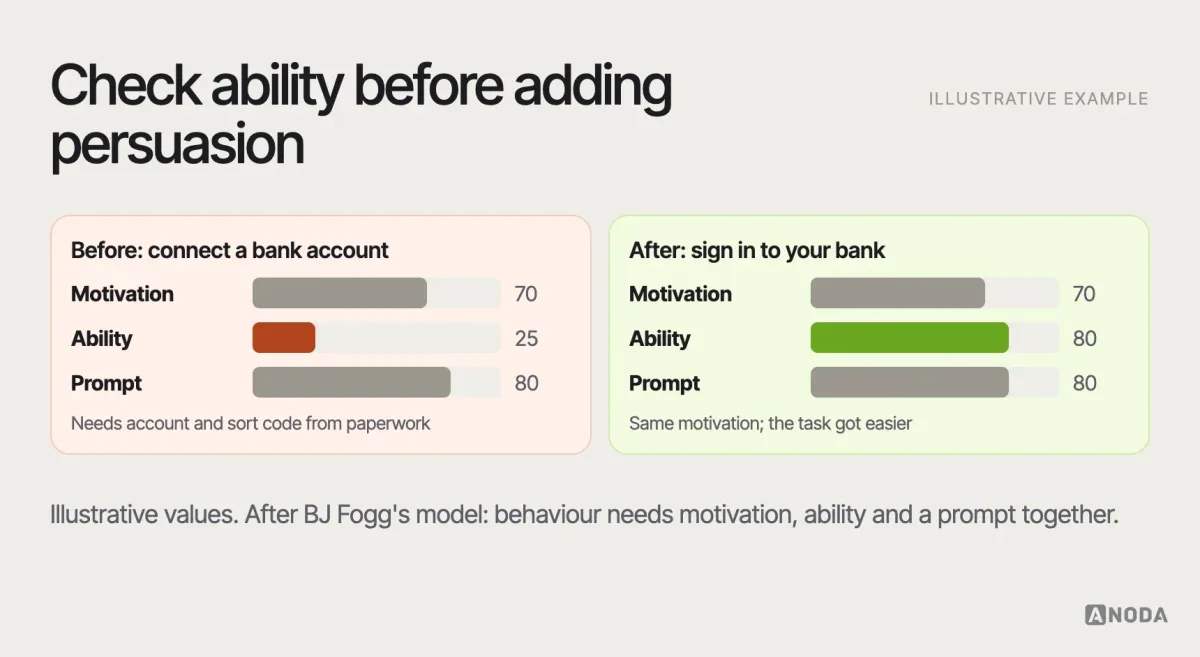
Where it goes wrong: teams read hesitation as low motivation and respond with persuasion — more benefit copy, a discount, a pop-up. Often the real problem is ability: the step asks for information people don’t have to hand, or it’s unclear what happens next. Before adding persuasion, check whether the task itself is too hard. Asking for a document people have to go and find, or a number only their accountant knows, is not a motivation problem — it’s a sequencing problem. Let them save and come back, or move the step to a later moment when they’ll have what’s needed.
Validation question: where do people hesitate or stop, and is it because the step is hard, unclear or unwanted?
Remember: people keep peaks, endings and patterns
People don’t remember an experience as a complete recording. They keep fragments — and those fragments shape whether they come back.
- The serial position effect. Items at the beginning and end of a list are remembered better than those in the middle. Important navigation items and key messages tend to work better at the edges.
- The peak-end rule. People’s memory of an experience is shaped disproportionately by its most intense moment and its end, as research by Daniel Kahneman and colleagues showed in the 1990s. A smooth checkout with a confusing confirmation page is remembered as confusing.
- Habits and consistency. Repeated actions become automatic. Consistent placement and behaviour let people build habits; moving things around breaks them, which is why redesigns of frequently used products often cause complaints even when they’re better.
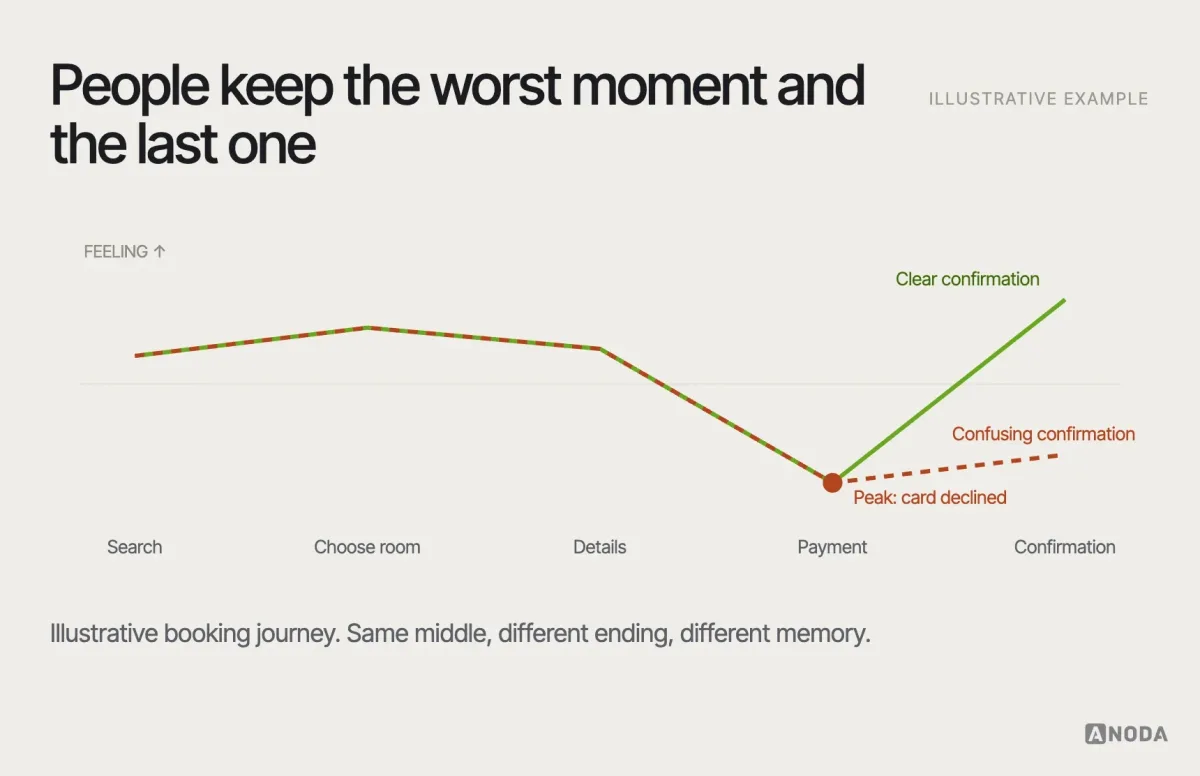
Where it goes wrong: teams polish the middle of a journey and neglect the end. The confirmation screen, the receipt email, the first thing people see after sign-up — these are cheap to improve and disproportionately shape what people remember and tell others.
Validation question: when people describe the experience a day later, which moments do they mention?
Recover: errors are part of the design
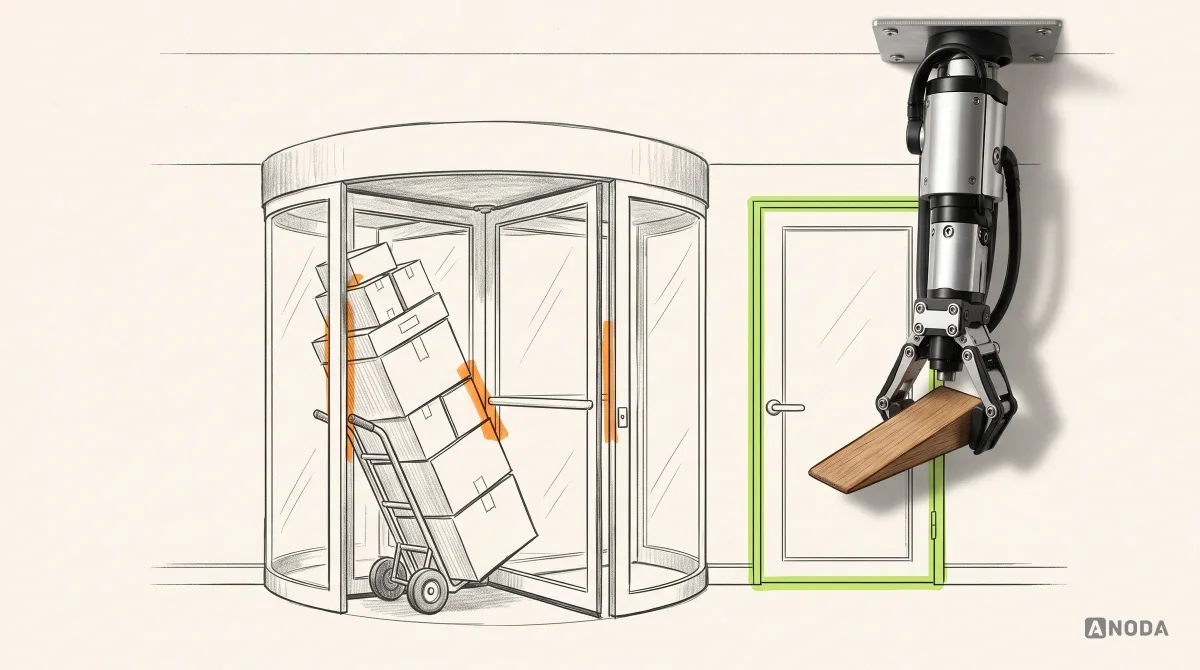
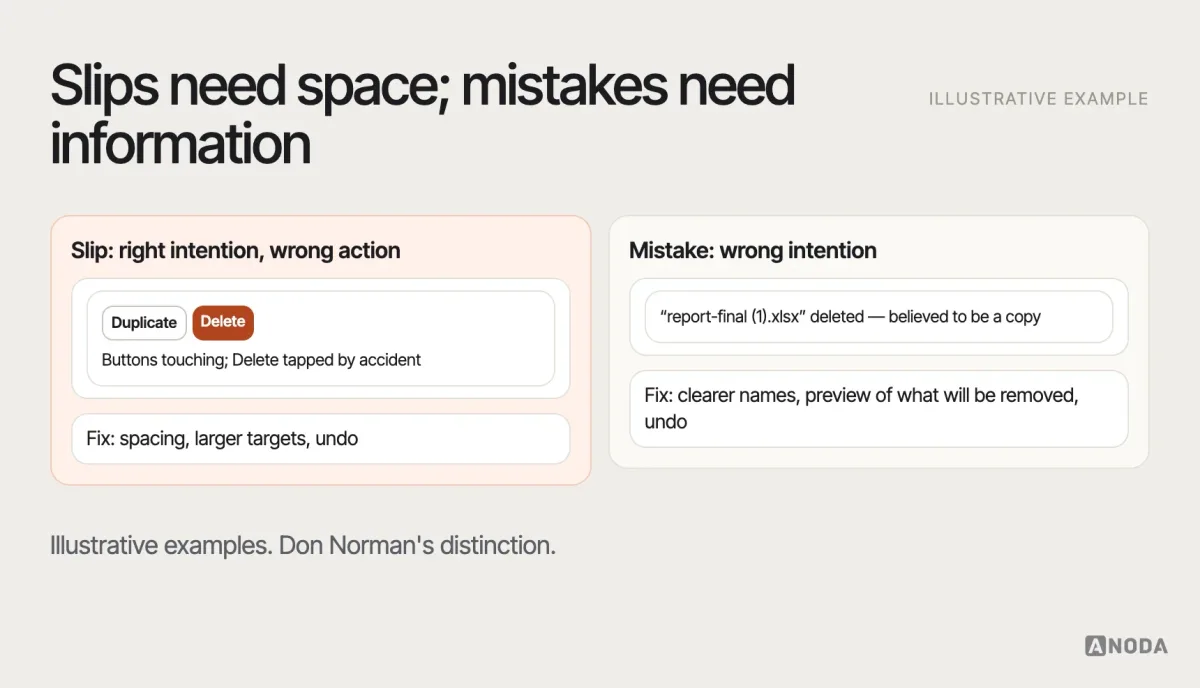
People make mistakes, and the design decides how costly they are. Don Norman’s distinction between two kinds of error is one of the most practical ideas in UX psychology:
- Slips happen when people intend the right thing but do the wrong thing — tapping the button next to the one they meant, typing in the wrong field. They’re reduced by larger targets, better spacing, constraints and undo.
- Mistakes happen when people form the wrong intention because they misunderstood — choosing the wrong plan, deleting what they thought was a copy. They’re reduced by clearer information, better mental-model match and previews of consequences.
Good recovery design follows from both: prevent errors where you can, make the consequences visible before they happen, keep the user’s work when something fails, explain what happened in plain language, and offer a way back — ideally undo rather than a confirmation people learn to click through.
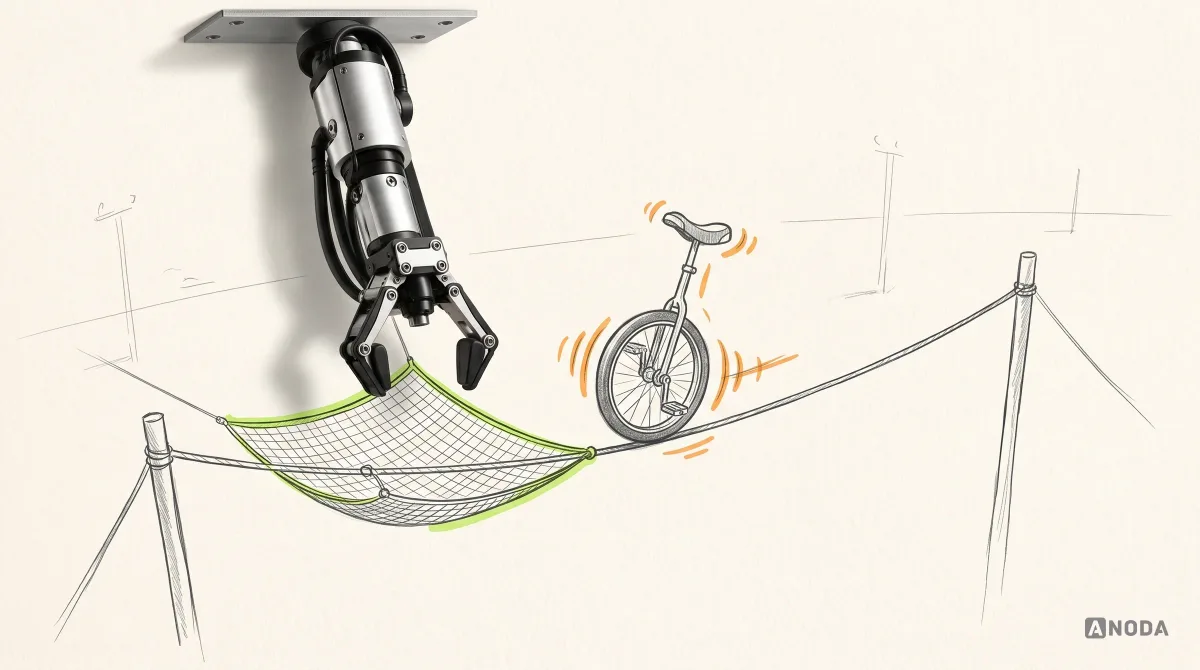
Where it goes wrong: the product blames the user. “Invalid input”, a form that clears itself after a failed payment, a confirmation dialog on every action so that people click “Yes” without reading. Each one turns a small, normal human error into lost work or lost trust. Treat every error message as part of the design, written and tested like any other screen.
Validation question: when people make an error in testing, can they notice it, understand it and recover without help?
Context changes the psychology
The same principle can play out very differently depending on who is using the product and where.
Experts versus newcomers. Newcomers benefit from guidance, fewer options and recognition-based interfaces. Experts who use a tool eight hours a day want density, shortcuts and fewer confirmations, and they build habits that a redesign can break. A principle that helps one group can slow the other, which is why many products offer progressive paths: simple by default, powerful when needed.
High stakes versus low stakes. When a decision is reversible and cheap, reducing friction is almost always right. When it involves money, health, legal commitments or data loss, people need time, information and sometimes a deliberate pause. The same “remove a step” advice can be helpful in one flow and harmful in another.
Culture and language. Colours, icons, reading direction, attitudes to authority and to social proof vary across markets. A principle observed in one population may be weaker or different in another.
Different minds and bodies. Attention, memory and processing vary between people — including people with ADHD, dyslexia, anxiety or cognitive impairments, and anyone who is tired, distracted or stressed. Designing for lower cognitive load, clear language and forgiving recovery helps these users most and everyone else too.
An illustrative example
Here is how the approach works in an illustrative example, not a specific client. A subscription meal-planning app sees many users abandon the weekly plan setup. The team’s first explanation comes from a popular principle: “choice overload — too many recipes”. The proposed fix is to show fewer recipes.
Before building it, the team writes the hypothesis and runs a handful of usability sessions. People aren’t overwhelmed by the number of recipes; they’re browsing happily. They stall at a later step, where the app asks them to set portions and dietary preferences for every household member before showing any prices. It’s an ability problem — they don’t know the answers yet — and a mental-model problem, because they expected to see the cost first.
The fix changes the order: show the plan and price with sensible defaults, then let people adjust portions and preferences. The recipe list stays as it was. The elegant psychological explanation was wrong; the method that tested it was right.
When principles conflict
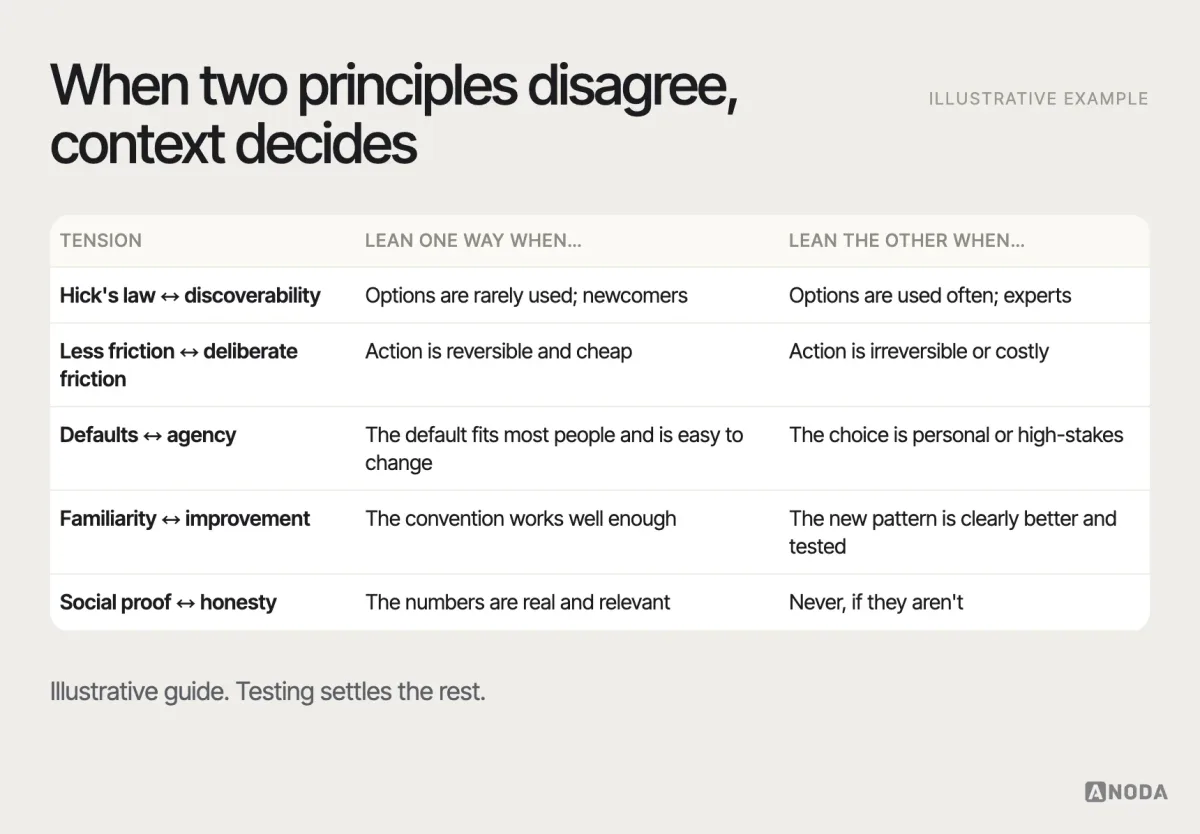
Principles are useful precisely because they’re simple, and simple rules collide. A few conflicts come up again and again:
- Hick’s law versus discoverability. Fewer visible options make choices faster — and hide features people need. The answer depends on how often each option is used.
- Less friction versus deliberate friction. Removing steps helps most tasks; for irreversible actions, a pause protects people.
- Defaults versus agency. A good default saves effort; a self-serving default takes a decision away from people.
- Familiarity versus improvement. Jakob’s law favours convention; a genuinely better pattern may need people to learn something new.
- Social proof versus honesty. Showing what others do helps uncertain users; inventing it deceives them.
Our redesign of the care-team CRM for Clay sat right on the familiarity-versus-improvement line: hierarchy, navigation and theme changed at once, and every change had to make a clinician’s day faster rather than force them to relearn it.
When two principles point in different directions, the answer isn’t in the principles. It’s in the context — who the users are, how often they do the task, what a mistake costs — and in evidence from testing.
Turn a principle into a hypothesis
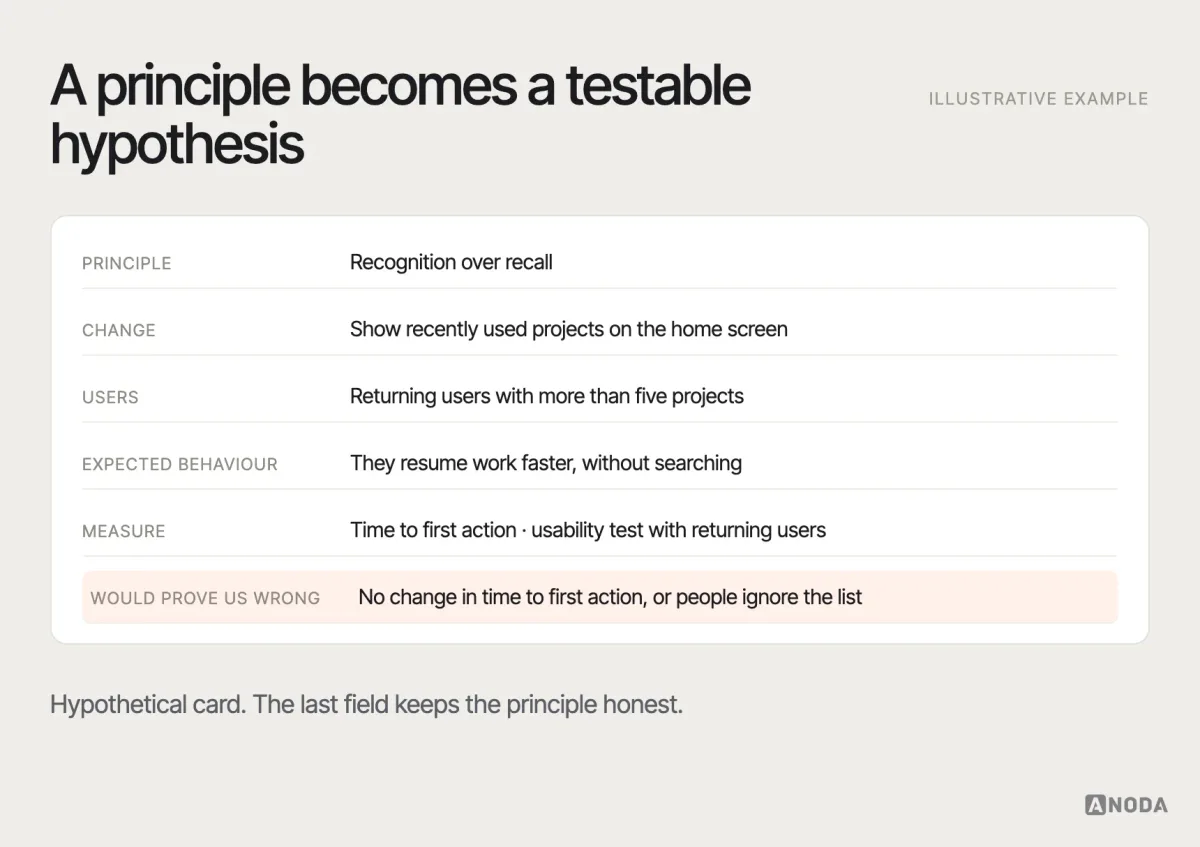
The most useful thing to do with a psychological principle is to turn it into a testable hypothesis about your product. A simple structure:
Because [principle], we believe that [design change] for [these users] will [change in behaviour]. We’ll know by [what we’ll observe or measure].
For example: “Because people rely on recognition rather than recall, we believe that showing recently used projects on the home screen for returning users will reduce the time it takes to resume work. We’ll know by comparing time to first action before and after, and by watching five returning users in a test.”
Then test it with the right evidence: usability testing to see whether people behave as predicted, analytics to see whether behaviour changes at scale, and research to understand why when the results surprise you. Sometimes research contradicts an elegant psychological explanation — the “choice overload” turns out to be a single confusing label, the “loss aversion” is actually a trust problem. That’s not a failure of the method; it’s the method working. Understanding real behaviour in context is what UX research is for, and seeing whether a principle-based change actually helps is what usability testing is for.
Usability testing
Have a hypothesis about how people will behave?
We test it with representative users on your critical flows and show whether the design really reduces friction or confusion — before you ship it to everyone.
Measuring whether behaviour changed
A principle-based change is only a success if behaviour actually changes in the way you predicted. Decide in advance what you’ll look at: task success and errors in usability testing, time to complete a step, drop-off at a specific screen, how often people use undo, support tickets about a confusing choice. Compare with a baseline, and look at segments — new and returning users often respond differently to the same change. And measure the downstream effect, not only the local one: a nudge that lifts sign-ups but lowers retention didn’t work.
Where influence becomes manipulation
Every design influences behaviour; there’s no neutral interface. The question is not whether to influence, but how. A practical line: helpful design reduces uncertainty and effort for choices people would make anyway; manipulative design exploits attention, hides consequences or pressures people into choices they wouldn’t make if they understood.
A few questions help keep a design on the right side of that line:
- Is it transparent? Would the user understand what’s happening if they looked closely?
- Is it in the user’s interest? Does the default or nudge serve the user, or only the metric?
- Is it reversible? Can people easily change their mind — cancel, unsubscribe, undo?
- Is it truthful? Are scarcity, urgency and popularity real?
- Would you defend it in public? Would you be comfortable showing it to the customer who complained?
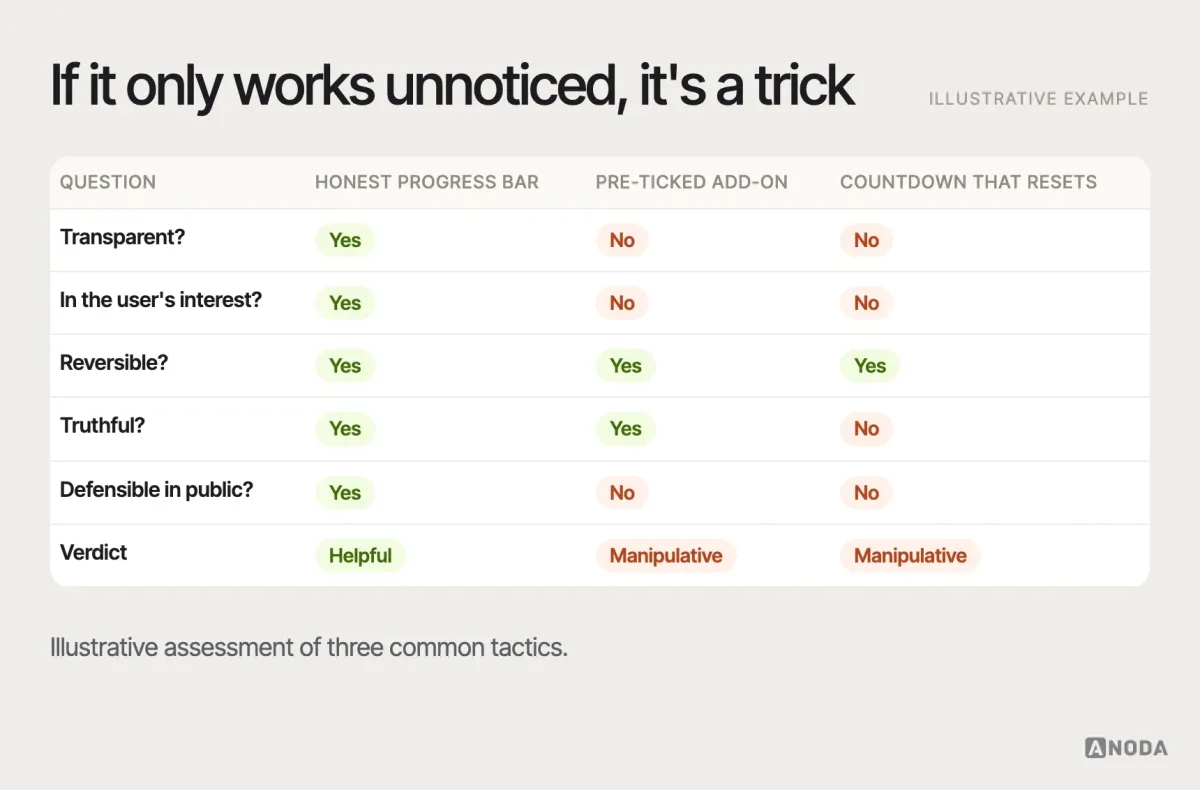
Designs that fail these questions often move a short-term number and cost more later: refunds, complaints, churn, and in a growing number of jurisdictions, regulatory attention. Protecting user agency isn’t only ethical; it’s how trust — and retention — are built.
Using psychology in a product team
A few habits keep psychology useful rather than decorative:
- Name the moment first. Notice, understand, choose, act, remember or recover — then pick the principle.
- Say “we believe”, not “the law says”. Principles are hypotheses about your users, not facts about them.
- Look for the context that breaks the principle. Expert users, high-stakes decisions, unusual devices, different cultures.
- Test with representative users. Colleagues know too much, and friends are too polite.
- Keep an ethical review in design critique. Five questions take two minutes.
- Record what you learned. When a principle holds — or fails — for your users, write it down so the next team doesn’t have to rediscover it.
Psychology also works best when the whole team shares it. Designers, product managers, engineers and marketers all make decisions that affect attention, choice and effort — the engineer who decides how an error is handled, the marketer who writes the pricing page. A short shared vocabulary of moments and principles, and the habit of asking “what do we expect people to do here, and why?”, spreads good behavioural reasoning further than any single designer can.
If the problem is a live product with unclear flows, overloaded screens or poor recovery, a structured UX audit can identify where behavioural friction costs the most, and our UI/UX design work turns that understanding into product structure and interaction. For a broader model of the factors that shape experience, see our guide to the user experience model.

UX audit
Is your product fighting how people think?
We review your live product for cognitive load, unclear choices, weak feedback and poor recovery, and turn behavioural friction into a prioritised action plan.
Principles are where you start looking
UX psychology gives you better questions: where will attention go, what will people expect, how will they choose, what will stop them, what will they remember, how will they recover. It doesn’t give you answers until you check them against the people who use your product. The teams that get the most from psychology aren’t the ones who can name the most laws. They’re the ones who ask the best questions about their own users, and then go and find out. State the behavioural hypothesis, protect user agency, test with representative evidence, and reject any tactic that only works through deception or coercion.
Frequently asked questions
What is UX psychology?
UX psychology applies what we know about perception, attention, memory, decision-making, motivation and error to the design of digital products. It helps predict how people will notice, understand, choose, act, remember and recover.
What are the most important psychology principles in UX design?
Commonly used lenses include visual hierarchy and selective attention, mental models and Jakob's law, cognitive load and recognition over recall, Hick's law, defaults, anchoring and framing, Fitts's law, the goal-gradient effect, the peak-end rule, and the distinction between slips and mistakes.
Are UX laws like Hick's law always true?
No. They describe tendencies observed in particular conditions. Hick's law applies most clearly to simple, comparable choices; choice overload shows inconsistent effects across studies. Treat each law as a reason to look closely and a hypothesis to test in your context.
How do you apply psychology in product design ethically?
Use it to reduce uncertainty and effort for choices people would make anyway. Check that a design is transparent, in the user's interest, reversible, truthful and defensible in public. Reject tactics such as fake urgency, pre-ticked add-ons or hidden costs that depend on people not noticing.
How do you test a psychology-based design change?
Write it as a hypothesis — the principle, the change, the users, the expected behaviour and how you'll measure it — then observe representative users in a usability test and check behaviour at scale with analytics. Research may show a different explanation; that's useful evidence too.
Written by