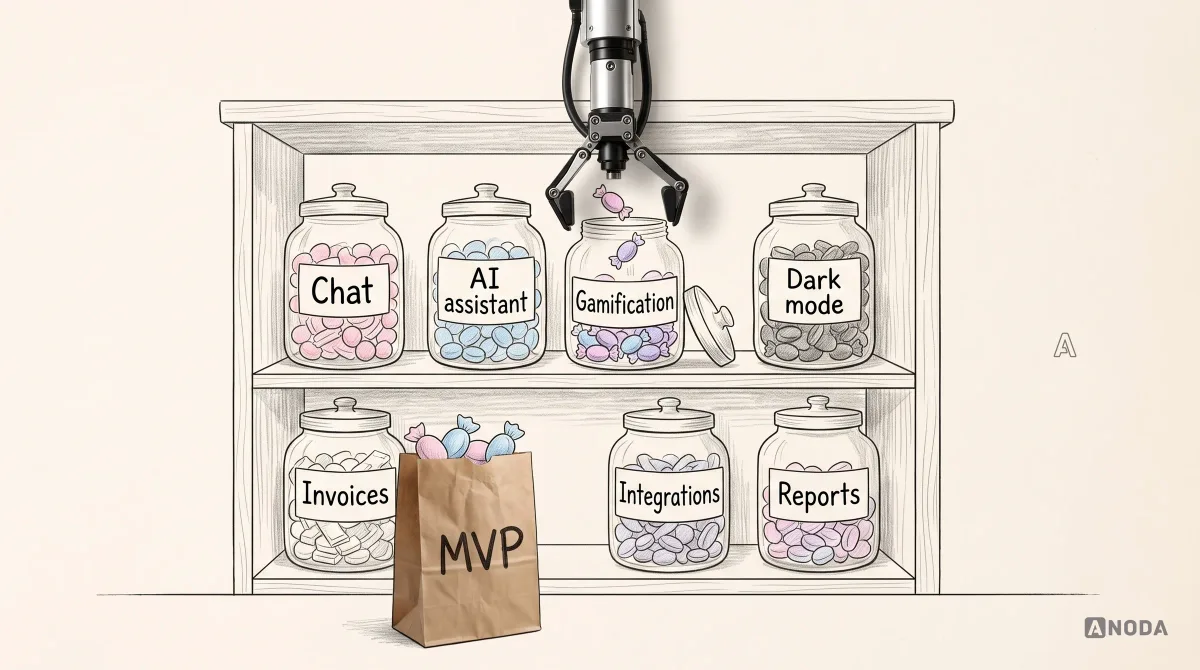
In short
App development cost is the result of decisions, not a number to look up: roles, platforms, integrations, offline behaviour, states, security and life after launch. Here is how a real estimate is built, why early ones are ranges, how to compare quotes on equal terms, what the first year costs, and how to spend less without shipping something broken.
In this article
- Why there is no honest single price
- What actually drives app development cost
- Where the money goes, phase by phase
- How cost changes between kinds of apps
- Web app or mobile app: which costs more?
- How a trustworthy estimate is built
- One feature, three very different sizes
- Freelancers, agency or in-house team
- A worked example: scoping Tidyhome
- Why cheap estimates become expensive
- Why estimates grow during a project
- Sizes before prices
- Why early estimates are ranges, and when they narrow
- Fixed price or time and materials?
- Phase the budget instead of paying for everything at once
- After launch: the cost of keeping it running
- Costs people forget to budget
- Does AI make apps cheaper to build?
- How to spend less without building something broken
- How to get an estimate you can trust
- Red flags in an app estimate
- How we estimate and scope apps
- The decision rule
App development cost is not a price you look up. It is the result of decisions: who uses the app and with which roles, which platforms it runs on, what it connects to, how it behaves offline and when things go wrong, how secure it has to be, and who looks after it once it launches. Define those first, and an estimate becomes a plan. Skip them, and any number you are given is a guess with a currency sign. The fastest way to overspend on an app is to pick a budget from an average before anyone has decided what is being built.
You have probably seen the articles. “A simple app costs this, a medium app costs that, a complex app costs something with lots of zeros.” It feels helpful. It isn’t. “Simple” and “complex” are not features. An app with three screens can be expensive because it handles payments, several user roles and offline sync. An app with forty screens can be cheaper because most of them are variations of the same list and form.
Our work scoping products keeps exposing the same expensive pattern. They collect a few quotes, pick the one that fits the budget, and discover months later that the cheapest quote was cheapest because it left out half the product. The admin panel was “assumed”. Testing was “later”. The second platform was “phase two”. The integrations were “straightforward”. None of them were.
Each of those gaps turned into a change request, a delay or a feature that shipped half-finished. The founders didn’t overspend because they chose an expensive team. They overspent because they paid for the same decisions twice: once in the estimate that ignored them, and again when reality insisted.
This guide explains what really drives the cost of building an app, how a trustworthy estimate is put together, why early estimates are ranges, how to compare quotes on equal terms, what the app costs after launch, and how to spend less without building something that doesn’t work.
ANODA makes those missing decisions visible before you fund the build. We connect roles, flows, interface states and integrations into a first-release scope, so you can compare quotes against the same product. The outcome is a phased plan and a budget conversation based on what your app actually needs, rather than what a short feature list leaves out.
Why there is no honest single price
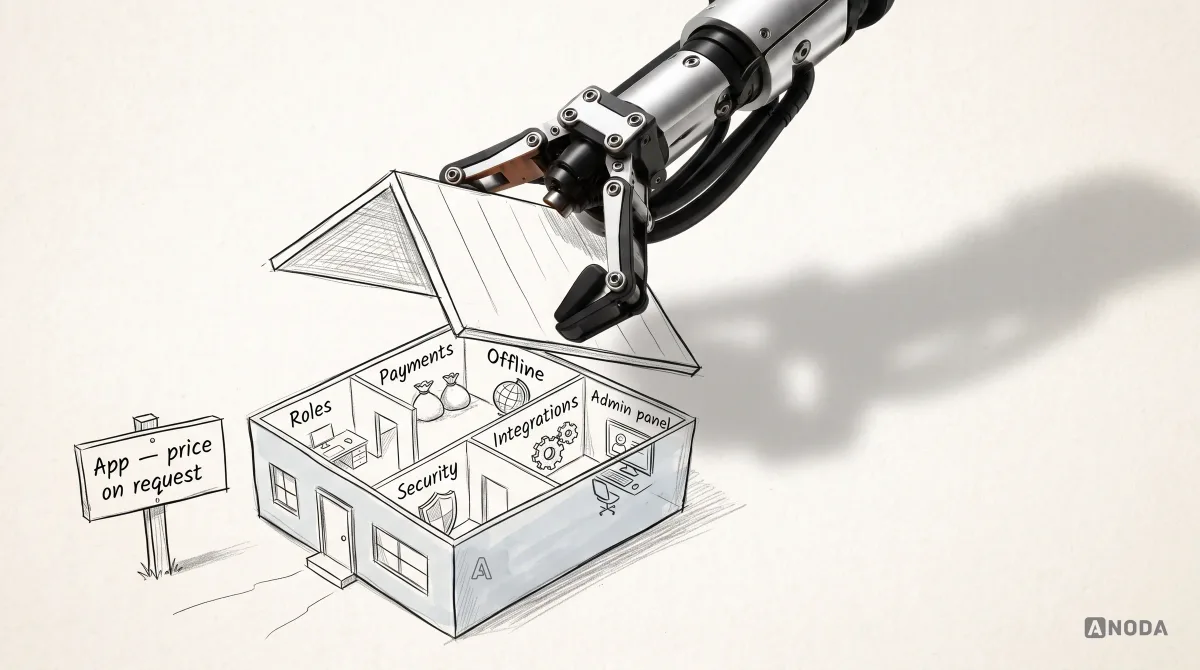
Asking “how much does an app cost?” is like asking a builder “how much is a house?”. A reasonable builder answers with questions. How many rooms? One floor or three? What’s the ground like? Do you want underfloor heating, a lift, solar panels? Is it in the city centre or a field? The same builder can quote very different numbers for things that are all called “a house”, and every one of them can be honest.
Apps work the same way. The price is driven by what is inside, and most of what is inside is invisible in the first conversation. Nobody opens a pitch with “and we’ll need three user roles with different permissions, a refund flow, an admin panel, offline support for cleaners in basements, and a background-check integration”. Those things surface later, one by one, and each one moves the number.
That is why this guide doesn’t give you a universal price table. Any table would be wrong for your product, and some of the numbers floating around the internet are wrong for everybody. What we can give you is the list of things that move the cost, how to estimate them properly, and how to avoid paying twice. If you want a number quickly, the honest shortcut is not an average from the internet. It is an hour with someone who has built products like yours, a list of your roles, flows and integrations, and a range with its assumptions written down. That range will be wider than you’d like. It will also be true.
What actually drives app development cost
Here are the drivers we see move budgets the most, roughly in the order they surprise people.

Roles and permissions
Every distinct kind of user multiplies the work. A marketplace for home cleaning has at least three: customers who book, cleaners who do the jobs, and an admin team who runs the platform. Each role sees different screens, can do different things and needs different rules about what it can see and change.
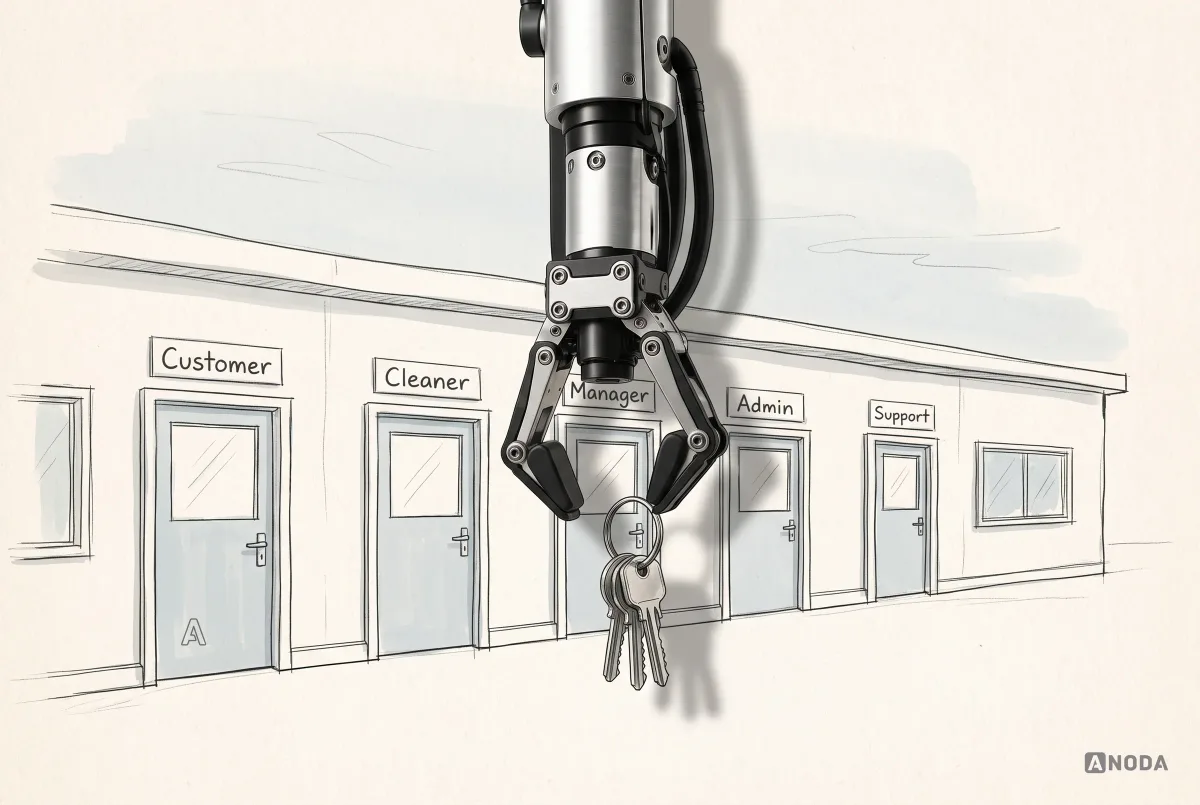
The customer books and pays. The cleaner sees jobs, accepts them and marks them done. The admin sees everyone, resolves disputes, issues refunds and blocks accounts. Add a manager role for cleaning companies with several staff, and the permission rules multiply again. Each role also has to be tested separately, because a bug where a cleaner can see another cleaner’s earnings is not a cosmetic issue.

When someone says “it’s just a booking app”, ask how many kinds of people use it. That answer often doubles the scope before a single feature is discussed.
Platforms
Web, iOS, Android, or some combination. Each platform is a surface that has to be designed, built, tested and released. Building natively for both iOS and Android means two codebases. Cross-platform frameworks let one codebase serve both stores, which suits most products, though some features still need platform-specific work. A web app avoids store releases entirely and is often the fastest way to test an idea.

The platform decision should follow the users. If customers book from their phones and the admin team works at desks, you might need mobile apps for customers and cleaners and a web admin panel, not three apps on three platforms for everyone.
Integrations
Almost every app connects to something: payments, maps, calendars, SMS and email, analytics, identity checks, accounting tools. Each integration looks small on a feature list. “Take payments” is two words. Behind it are failed payments, refunds, partial refunds, disputes, receipts, taxes, webhooks that arrive late or twice, test environments and the provider’s own rules.

Integrations are also where estimates most often go wrong, because they depend on systems nobody on the team controls. A provider’s documentation can be excellent or dreadful. Its test environment can match production or not. Its rate limits can be generous or tight. Budget for integrations as the uncertain part of the project they usually are.
Offline, real-time and data complexity
An app that works only with a good connection is much simpler than one that has to work in a basement, sync later and resolve conflicts when two people changed the same thing. Real-time features, like live location, chat or collaborative editing, add servers, connections and edge cases. Complex data, like schedules with recurring bookings, time zones, cancellations and rescheduling, adds logic that has to be right every time.
None of this shows up in a screenshot. All of it shows up in the estimate, or later in the bug reports.
States and edge cases
Every screen has more versions than the one in the pitch deck. The list of bookings has a loaded state, but also an empty state for new users, a loading state, an error state, an offline state showing cached data, and a state for when the user isn’t allowed to see it. Each state has to be designed, built and tested.

Teams that skip these to save money don’t save it. They move the cost to support tickets, one-star reviews and emergency fixes after launch, where it is more expensive and more public.
Security, privacy and compliance
Every app handling personal data needs sensible security: secure authentication, encrypted data, access controls, logging. Apps handling payments, health information, children’s data or regulated financial services need more: specific standards, audits, data residency, consent flows and documentation. These requirements can change architecture decisions, so they belong at the start of the estimate, not the end. Think of data protection laws such as the GDPR in the UK and Europe, card-payment security standards such as PCI DSS for the applicable card-payment environment, and sector rules for health or financial products. Often the cheapest route is to let a certified provider handle the most sensitive part, such as card details, so sensitive card data stays with the provider and your team can focus its security and compliance work on the integration and its remaining responsibilities.
Design and the design system
Design cost depends less on how pretty the app is and more on how many flows, roles and states it has, and whether there is a foundation to build them on. A product that starts with a small, consistent component set can design and build new screens much faster than one where every screen is drawn from scratch. Adopting a mature component library instead of inventing every button can save a great deal of time on both design and development. The opposite also holds: a heavily custom, animation-rich interface with bespoke components for everything can cost several times more to design, build and test than a clean interface built from proven parts, without necessarily working better for users.
The admin panel nobody mentioned
Almost every product needs an internal tool for the team running it: managing users, bookings, payments, refunds, content, support cases. It is often left out of first estimates because nobody thinks of it as “the app”. It is an app. Sometimes it is the most complicated one in the project, because it has to see and change everything.
Testing and devices
Mobile apps run on a wide range of devices, screen sizes and operating-system versions. Testing across the ones your users actually have, including older and cheaper phones, takes time. So does testing each role, each integration and each state. Quality assurance is often the first line cut from a budget and the first thing users notice when it was.
Release and store requirements
Publishing to app stores has its own requirements: developer accounts, store listings, screenshots, privacy details, review guidelines and review times. At the time of writing, the Apple Developer Program costs 99 USD per membership year, or local currency where available, and Google Play charges a one-time US$25 registration fee. Both stores also take a commission on digital goods and subscriptions sold in the app, and those rates have changed several times, including in 2026, so check the current terms for your business model and markets rather than relying on a figure from an old article.
Post-launch ownership
An app is not finished at launch. Operating systems update, devices change, libraries need upgrading, bugs appear, users ask for things, servers cost money. We come back to this below, because it is the part of the budget most often forgotten entirely.
The drivers at a glance
| Driver | The question to ask | What it changes |
|---|---|---|
| Roles and permissions | How many kinds of users, and what can each see and do? | Screens, rules and testing per role |
| Platforms | Where are the users when they need the app? | How much is built and tested once or twice |
| Integrations | Which external systems must it talk to? | Hidden failure handling, testing and dependency risk |
| Offline and real time | Must it work without signal, or update live? | Sync, conflict handling and infrastructure |
| Data complexity | Recurring events, time zones, calculations, history? | Business logic and edge cases |
| States | What happens when it’s empty, loading, failing or forbidden? | Design, build and test time per screen |
| Security and compliance | What data does it hold, and which rules apply? | Architecture, audits and documentation |
| Design foundation | Is there a component system, or is every screen new? | Speed of design and development |
| Admin panel | Who runs the business behind the app, and how? | A whole extra product |
| Testing and devices | Which devices and versions do users have? | QA effort and release confidence |
| After launch | Who maintains, supports and improves it? | The yearly running cost |
If you can answer every question in the middle column, you are ready for an estimate worth having. If you can’t, those are the questions a discovery phase should answer first.
Where the money goes, phase by phase
It helps to know what each phase of an app project actually pays for, because cutting the wrong one is where most budgets break.
Discovery and scoping. Understanding the users, the business model, the roles, the flows, the integrations and the risks. The output is a clear scope, mapped flows, a list of assumptions and a phased plan. This is the smallest phase and the one with the biggest effect on everything after it. Skipping it doesn’t remove the work. It spreads it across design and development, where every open question is answered more slowly and more expensively.
UX and UI design. Turning the flows into screens, with every state and role, and building or adopting the component set the product will use. The cost depends on the number of flows, roles and states far more than on visual ambition.
Development. The largest phase: the apps themselves, the backend and API, the admin panel, the integrations, the infrastructure. Its size is driven by everything in the cost drivers above.
Quality assurance. Testing features, roles, states, devices and integrations, plus regression testing every time something changes. A team without dedicated testing still pays for it, just later and in production.
Release. Store listings and assets, store review, production infrastructure, monitoring, and the first days after launch when real users find what testers didn’t.
Project management and communication. Someone has to keep scope, schedule and decisions under control. On a small project it may be a few hours a week; on a large one, a full role. It is rarely visible in a feature list and always visible when it’s missing.
After launch. Maintenance, updates, support and improvements, covered below.
When a budget has to shrink, shrink scope, not phases. A smaller product that has been properly scoped, designed, built and tested is worth far more than a larger one where discovery and testing were cut.
How cost changes between kinds of apps
The drivers are the same for every app, but different kinds of product lean on different ones. Knowing which drivers dominate your category helps you ask better questions.
Booking and scheduling apps. Calendars, availability, time zones, recurring bookings, cancellations, reminders and payments. The logic looks simple and hides many edge cases: what happens when two people book the same slot, when someone cancels late, when daylight saving time changes.
Marketplaces. At least two sides, often three with an admin team, each with their own flows. Payments split between parties, payouts, commissions, refunds, disputes, ratings, trust and safety. Marketplaces are almost never “just an app”; they are two or three apps and a small bank.
Fintech and payments. Security, compliance, identity checks, audit trails, precise number handling, and integration with banks or payment providers. Regulatory requirements can shape the architecture and extend testing significantly.
Health and wellbeing. Privacy, sensitive data, sometimes medical regulation, and often integration with devices or health platforms. What looks like a simple tracker can carry serious obligations about how data is stored and shared.
Social and community apps. User-generated content, feeds, notifications, messaging, moderation, reporting and blocking. Moderation in particular is often forgotten until the first problem, when it becomes urgent.
Internal tools and B2B products. Roles and permissions, data tables, imports and exports, integrations with the systems a company already uses, and single sign-on. Less visual polish, more logic and more edge cases.
Content and media apps. Media storage and delivery, streaming, offline downloads, subscriptions and content management. Infrastructure costs can grow quickly with usage.
None of these categories has a fixed price. But if your app sits in one of them, the drivers listed next to it are the ones to discuss first.
Web app or mobile app: which costs more?
It depends on what the app needs to do, but the difference comes from a few clear places.
A web app runs in the browser on any device. It needs no store release, updates reach users immediately, and one codebase serves everyone. For many products, especially B2B tools, admin panels and anything used mostly at a desk, a web app is the most cost-effective starting point.
A mobile app is worth the extra cost when the value depends on the phone: the camera, location, push notifications, offline use, or being used on the move throughout the day. Mobile adds store requirements, review times, device testing and the choice between native and cross-platform development.
Many products need both: a mobile app for the people on the move and a web app or admin panel for the people at desks. That is fine, as long as each surface exists because a user needs it, not because every competitor has every platform.
How a trustworthy estimate is built
A proper estimate is not a number pulled from experience or a comparison with “a similar app”. It is built up from the scope, piece by piece, with the assumptions written down.

In outline:
- Scope. The features, multiplied by the roles that use them and the platforms they run on.
- Effort per phase. Discovery and scoping, design, development, testing, release. Each phase estimated for each piece of scope.
- Team rate. The cost of the people doing the work, which varies enormously by country, seniority and model (freelancers, agency, in-house).
- Third-party costs. Services, licences, infrastructure, store fees.
- Contingency. A deliberate allowance for what is still unknown, sized by how much is still unknown.
Every missing decision ends up somewhere. Either it is in the contingency, or it becomes a change request later, usually at a worse moment and a higher price.
A good estimate also says what it does not include. “Excludes content writing, marketing site, translations and third-party service fees” is useful. An estimate with no exclusions either covers everything, which is rare, or hasn’t thought about them, which is common.
One feature, three very different sizes
Feature lists hide more cost than anything else, because the same name can mean completely different amounts of work.
Take “in-app chat”. At its most basic, it is text messages between a customer and a cleaner. A standard version adds photos, read receipts and push notifications when a message arrives. An advanced version adds moderation, search across message history, offline sending and syncing, and exporting conversations for disputes. All three are “chat”. The advanced one can easily be several times the effort of the basic one.

The same is true for “payments”, “notifications”, “search”, “profiles”, “reviews” and almost everything else. When two quotes differ wildly, it is often because the two teams imagined different versions of the same feature list. Before comparing numbers, agree which version you mean.
Freelancers, agency or in-house team
Who builds the app changes both the price and what the price includes.
Freelancers usually have the lowest rates and the most flexibility. You get individual specialists, not a team, so someone has to coordinate design, front end, back end, testing and release, and that someone is usually you. It works well for small, well-defined products or for adding capacity to an existing team. It is risky for complex products where several specialists have to work as one.
An agency provides a coordinated team: product, design, development, testing and project management, working to a shared process. The rate is higher than a single freelancer, but it covers the coordination and the gaps you would otherwise fill yourself. It works well when you need a whole product built and don’t yet have the team for it. The quality varies enormously between agencies, which is why comparing estimates on equal terms matters so much.
An in-house team gives you the most control and knowledge that stays in the company. It also has the highest fixed cost and the longest ramp-up: hiring takes time, and a small in-house team rarely covers every skill a product needs at the start. Many companies build the first version with an agency or specialists, then grow an in-house team to own the product.
Location matters as well. Rates vary widely between countries and regions, and so do time zones, communication and the depth of experience in specific kinds of products. The cheapest rate is not the cheapest project if the work has to be redone or the coordination eats the savings.
A worked example: scoping Tidyhome
Here is how the cost drivers play out for a made-up product, Tidyhome, a marketplace that connects customers with home cleaners. No prices, because they would depend on who builds it and where, but the shape of the scope is the point.
The first description. “An app where people book a cleaner.” It sounds like a few screens.
The roles. Customers book and pay. Cleaners accept jobs, see their schedule and get paid. An admin team approves cleaners, resolves disputes and issues refunds. Three roles, three sets of screens, three sets of rules.
The platforms. Customers book from phones. Cleaners work from phones, often in buildings with poor signal. The admin team works at desks. So: a cross-platform mobile app with a customer side and a cleaner side, and a web admin panel.
The integrations. Payments with payouts to cleaners and refunds to customers. Maps for addresses and travel. Calendar sync for cleaners who want jobs in their own calendar. SMS and email reminders. Identity and background checks for cleaners. Each has hidden work.
The data and behaviour. Recurring weekly bookings, cancellations with different rules depending on notice, cleaners working offline and syncing later, time slots that must not be double-booked.
The states. Every list and screen with its empty, loading, error, offline and no-permission versions.
The first release. Booking, payments and payouts, the cleaner schedule, ratings and a basic admin panel. Chat, promo codes, recurring bookings and subscriptions wait for later phases.
The open questions. How are disputes decided? Who pays when a cleaner cancels late? Which background-check provider, in which countries? Each one is either answered in discovery or carried as a range in the estimate.
By the end of this exercise, “an app where people book a cleaner” has become three products sharing a backend, six integrations and a set of business rules. That is not bad news. It is the real product, and now it can be estimated honestly.
Why cheap estimates become expensive
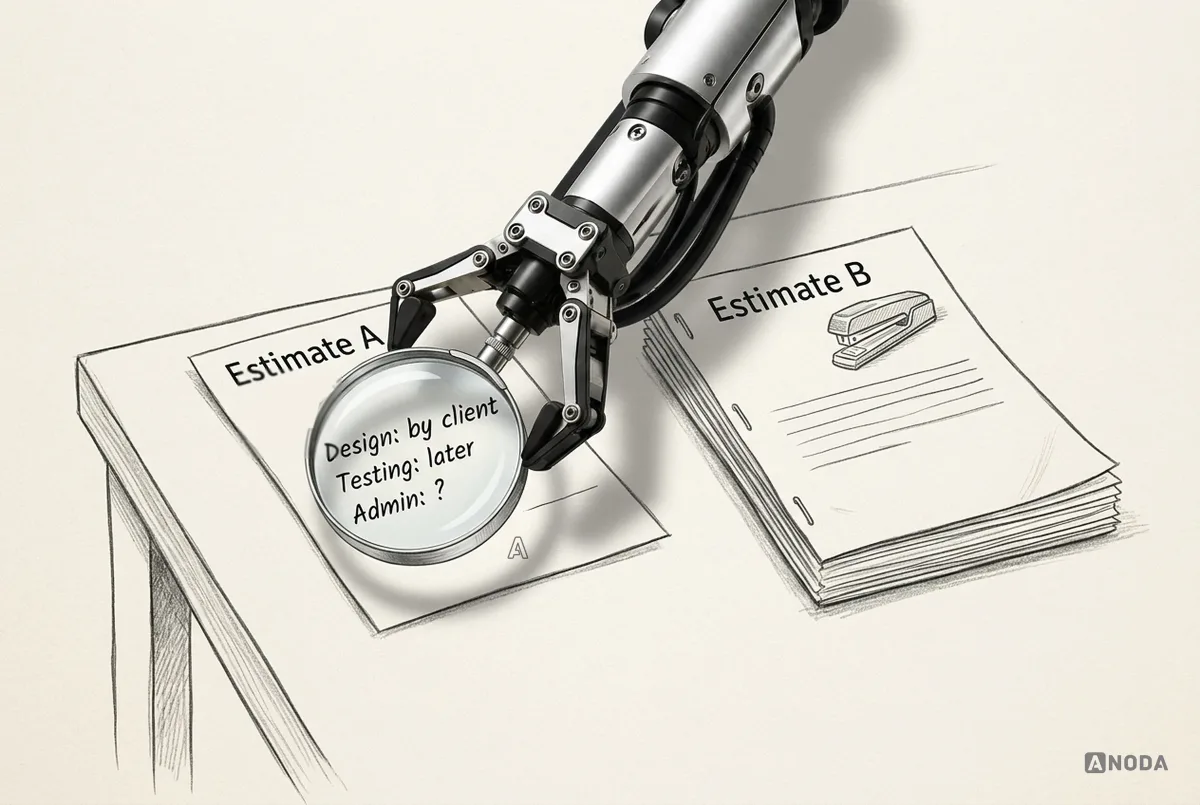
The cheapest quote is rarely cheapest in the end. It is usually cheapest because it assumes less, includes less or understands less.
It is the cheap printer with expensive ink. The price on the box is attractive. The real cost arrives every month afterwards.
Look for these patterns in a low quote:
- Design “provided by the client”, when you don’t have a designer.
- Testing “during development”, which means no dedicated testing.
- The admin panel missing or described in one line.
- One platform quoted when you need two.
- Integrations “straightforward”, with no detail.
- No discovery or scoping phase, so every unclear requirement becomes a change request.
- No post-launch support, so the relationship ends the day the app goes live.

The fix is to compare estimates on equal assumptions. Give every team the same brief, ask them to list what is included, assumed and excluded for each part, and put the answers side by side. Differences in price then become differences you can see, and argue about, instead of surprises you discover in month four. Buy cheap, buy twice.
Mobile app development
Three quotes that don’t agree?
We map the roles, flows and integrations behind your app, show what each quote is really including, and turn it into a plan you can budget for.
Why estimates grow during a project
Even a good estimate can grow. Knowing why helps you stop it.
- Late decisions. A question left open at the start gets answered halfway through development, differently from what was assumed, and work has to be redone.
- New stakeholders. Someone who wasn’t in the early conversations joins and has strong opinions about features that were already built.
- Scope creep. Small additions, each reasonable on its own, that together add weeks. “While we’re at it” is the most expensive phrase in software.
- Integration surprises. A provider’s service behaves differently from its documentation, or its rules change.
- Underestimated states and edge cases. The happy path was estimated; the rest appears during testing.
- Quality debt. Shortcuts taken to hit an early date that have to be fixed before launch.
The defence is boring and effective: a clear scope, one decision-maker, a written list of assumptions, a change process that shows the cost of each addition before it is agreed, and a phase plan that gives new ideas somewhere to go that isn’t “now”.
Sizes before prices
Early in a project, it is often more useful to size the work than to price it. Teams commonly use relative sizes, small, medium, large and extra large, for each feature and role, before converting them into effort and money.
Sizing does two useful things. It makes the conversation about the relative weight of features, which is where the real trade-offs are: is this one feature worth the same effort as those four? And it makes the uncertainty visible: a feature that one person sizes as small and another as extra large has an open question hiding in it.
Once the sizes are agreed and the big questions answered, converting them into a range of effort and cost is straightforward, and much more trustworthy than a number produced before anyone discussed what “payments” or “chat” meant.
Why early estimates are ranges, and when they narrow
At the idea stage, nobody can give you an accurate number. Anyone who does is either very experienced with a very similar product, or guessing. An honest early estimate is a range, and a wide one.
The range narrows as decisions are made. Once the scope is agreed, it narrows. Once the user flows are mapped and the roles and states are known, it narrows further. Once the designs are approved, it narrows again. By the time development is well under way, the remaining uncertainty is mostly in integrations and the unexpected.

It is a weather forecast. Tomorrow’s is quite reliable. The one for ten days out tells you the season, not whether to bring an umbrella. Early app estimates are ten-day forecasts.
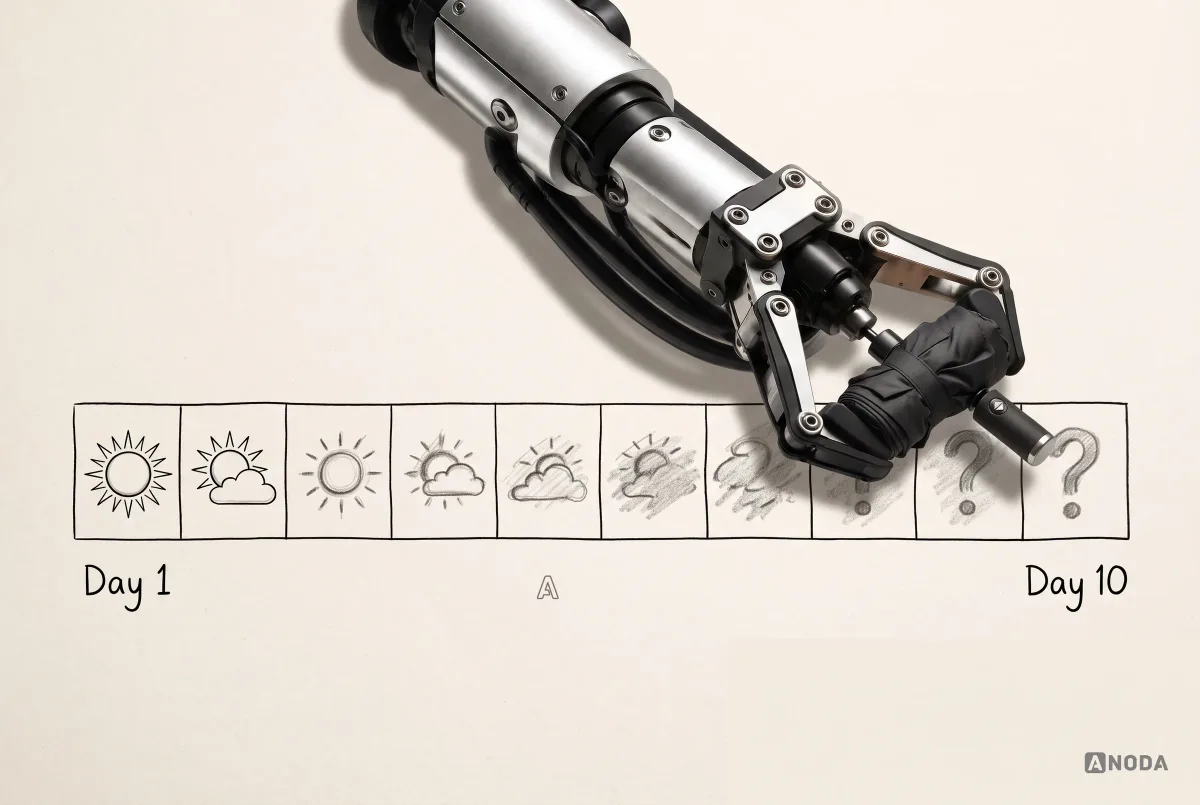
This has a practical consequence. The cheapest way to make the estimate more accurate is to make the decisions earlier, not to ask more teams for more numbers. A short, paid discovery or scoping phase, where the flows, roles, integrations and priorities are worked out before development is committed, is usually the best money spent on the whole project. It turns a wide range into a narrow one, and it often reveals that some expensive features are not needed at all.
Fixed price or time and materials?
How the work is contracted affects how cost behaves when things change, and in app projects something always changes.
Fixed price sets a total for a defined scope. It gives you a predictable number, which is attractive when budgets are tight. The catch is that the scope has to be genuinely defined for the price to mean anything. When it isn’t, the supplier protects itself with a high contingency or a narrow interpretation of the scope, and every change becomes a negotiation. Fixed price works best for small, well-understood pieces of work, or for a phase whose scope has been properly worked out in discovery.
Time and materials charges for the work actually done. It is flexible: you can change priorities as you learn, which suits products where the scope will evolve. The catch is that the total isn’t fixed, so you need visibility of progress, regular priorities and a budget ceiling to keep it under control.
Many projects combine them: a fixed-price discovery phase to define the scope, then either fixed-price phases for well-defined work or time and materials with a clear budget and regular reviews. Whichever model you choose, the protection is the same: a clear scope, written assumptions and one person who decides priorities.
Phase the budget instead of paying for everything at once
You don’t have to build everything in the first release, and usually you shouldn’t. Splitting the product into phases spreads the cost and, more importantly, lets each phase learn from the one before.

For a cleaning marketplace, the first phase might be booking, payments, the cleaner’s schedule, ratings and a basic admin panel: enough to run real jobs. The second might add chat, recurring bookings and promo codes, once you know how customers actually use the product. The third might add subscriptions, automated background checks and analytics. Each phase is estimated on its own, and the later ones are estimated with evidence instead of assumptions.
Phasing only works if the first phase is genuinely complete for what it does. A first release with half-built features in every area is not phase one. It is an unfinished product.
After launch: the cost of keeping it running
The build is not the whole bill. Once the app is live, it keeps costing money, and many budgets forget this entirely.
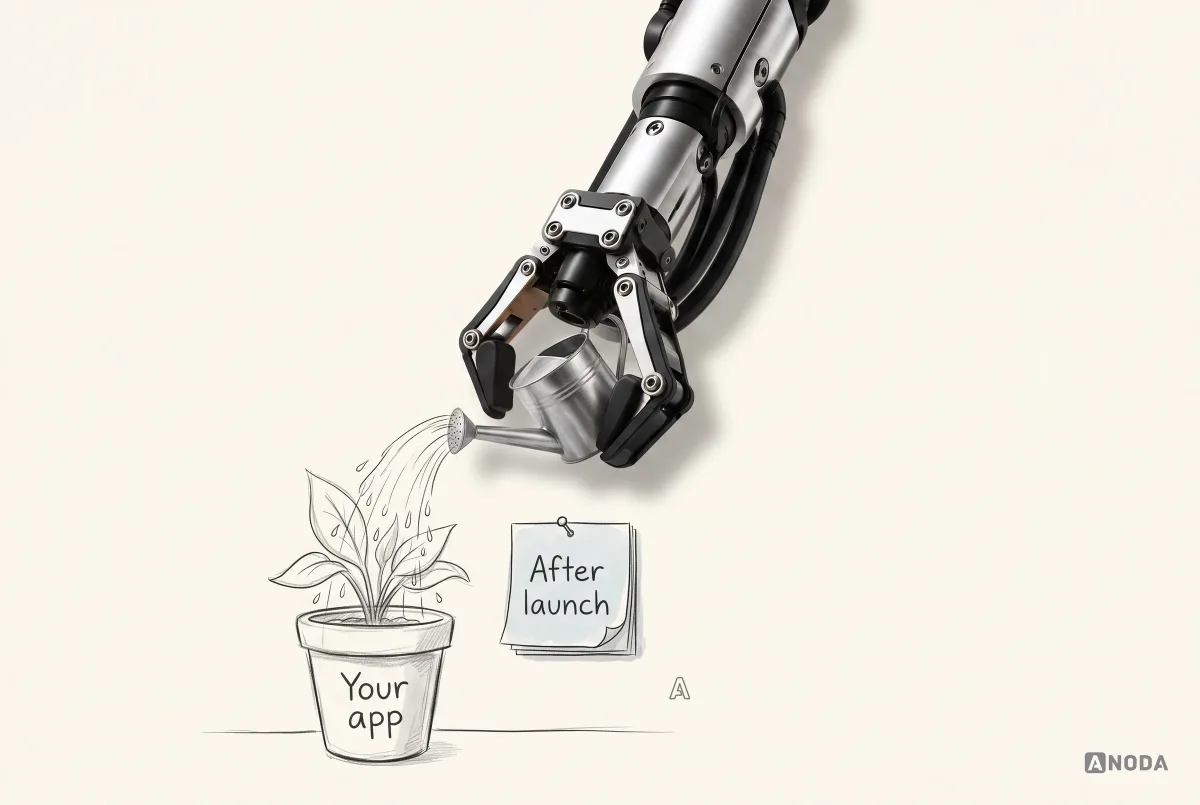
Ongoing costs usually include:
- Hosting and infrastructure, which grow with users and data.
- Third-party services: payments, maps, messaging, analytics, monitoring, often priced by usage.
- Store fees and commissions on digital sales.
- Monitoring and incident response, so you know when something breaks.
- Operating-system and device updates. Every year, new versions of iOS and Android arrive, and apps need updating to keep working and to meet store requirements.
- Library and security updates, because the components your app is built on keep changing.
- Bug fixes that only real users find.
- Support, answering users and investigating their problems.
- Small improvements, because users and the business will always want something.

A common rule of thumb in the industry is to budget a meaningful share of the original build cost every year for maintenance. The right number for you depends on how complex the app is, how many integrations it has and how fast it changes, so treat any fixed percentage as a starting point for a conversation, not a law. What matters is that the line exists in the budget at all.
Costs people forget to budget
Beyond design and development, a list of smaller costs catches many teams by surprise. None is huge alone. Together they can move a budget noticeably.
- Content: writing the words in the app, onboarding, emails, help articles, store listings.
- Translations and the extra design and testing that each language needs.
- Legal: terms, privacy policy, consent flows, data processing agreements.
- A marketing website or landing page, which is a separate project from the app.
- Store assets: screenshots, preview videos, icons and descriptions for each store and language.
- Accessibility review, ideally built in from the start rather than audited at the end.
- Data migration from an old system or spreadsheet.
- Analytics and monitoring setup, so you can see what users do and what breaks.
- Third-party service fees that scale with usage: messages, maps, emails, storage.
- Your own team’s time for decisions, reviews and testing, which is real even if it isn’t invoiced.
List them early, decide which are needed for the first release, and give each an owner. Unlisted costs don’t disappear. They arrive as surprises.
Does AI make apps cheaper to build?
AI-assisted design and development tools genuinely speed up parts of the work. Screens, components, boilerplate code, tests and documentation can be produced far faster than before. For some tasks, the saving is real.
But the cost of an app was never mainly in typing code. It is in deciding what to build, handling the edge cases, integrating with other systems, testing everything properly and keeping it running. AI helps with some of that and not with the rest. It cannot decide your scope, resolve the business rules for refunds, guarantee that a payment integration handles every failure, or test your app on the phones your users actually own.
There is also a new kind of cost. AI makes it cheap to generate more: more screens, more features, more variations. Without a clear scope, that becomes more to design, test, maintain and support. A team that uses AI inside a well-defined product can deliver faster. A team that uses it to produce more of an undefined one can spend the same budget and end up with a bigger, less coherent product.
So AI can reduce the cost of well-scoped work. It does not remove the need to scope it.
How to spend less without building something broken
There are good ways to reduce app development cost, and bad ones. The bad ones cut quality: no testing, no states, no admin panel, no documentation. They save money in the estimate and lose it after launch. The good ones cut scope and waste.
- Start with the smallest product that tests the value. Five or six core features that prove the idea, not twenty that describe the dream.
- Decide early. Every decision made before development is cheaper than the same decision made during it.
- Map the flows before the screens. Changing a diagram costs minutes. Changing a built screen costs days.
- Adopt, don’t reinvent. Use mature component libraries, established services for authentication and payments, and proven infrastructure.
- Choose platforms by where users are, not by covering everything at once. A web app or a single cross-platform app is often enough to start.
- Phase the roadmap, and fund each phase with what you learned from the last.
- Keep one decision-maker. Projects with many stakeholders and no final say pay for every disagreement in revisions.
- Don’t cut testing, states or the admin panel. These are the cuts that come back as the most expensive problems.
The cheapest app is not the one with the lowest day rate. It is the one with the clearest scope and the fewest changes of direction.
How to get an estimate you can trust
Whether you work with an agency, freelancers or your own team, you will get better estimates if you prepare. You don’t need a hundred-page specification. You need the decisions that move the cost.
Prepare:
- The business goal: what the app is for and how you will know it works.
- The users and roles: who uses it and what each kind of user needs to do.
- The core flows: the main journeys, from sign-up to the key action, in plain words or simple diagrams.
- The must-haves and the later list: what the first release needs, and what can wait.
- Platforms: where your users are.
- Integrations: every external system the app must connect to.
- Constraints: compliance, security, languages, deadlines, existing systems.
- After launch: who will run, support and improve the app.
Then ask every team the same questions:
- What is included, assumed and excluded, for each part?
- Which parts are you least certain about, and why?
- How do you handle changes in scope?
- What happens after launch, and what does it cost?
- Who will actually do the work?
What you should get back is more than a total. A useful estimate comes with a breakdown by phase and by part of the product, a list of assumptions and exclusions, the open questions and how they affect the range, a proposed first release and later phases, and a view of what running the app will involve after launch. If an estimate can’t show its working, you can’t compare it, challenge it or plan around it.
A team that answers these clearly is giving you an estimate. A team that answers with a single number and a smile is giving you a hope.
Red flags in an app estimate
Watch for these, whatever the price:
- A fixed price with no scoping, for an idea that hasn’t been defined.
- No list of assumptions or exclusions.
- No discovery phase for a product with open questions.
- Everything described in one line, with no difference between a basic and an advanced version of a feature.
- No mention of testing, the admin panel, states or post-launch support.
- A promise of a timeline before anyone has seen the flows.
- Pressure to sign quickly before questions are answered.
- A price that is dramatically lower than every other quote, with no explanation of why.
Any one of these is a question to ask. Several together are a reason to walk away.
How we estimate and scope apps
When founders bring us an app idea, we don’t start with a number. We start with the scope: who the users are, which roles they have, which flows matter, what the app connects to, how it behaves when things go wrong, and what has to happen after launch. We map the flows and dependencies, expose the cost drivers hiding inside simple-sounding features, separate what the first release needs from what can wait, and put the uncertainty on the table instead of hiding it in a fixed price.
For Payyro, customer, donor, vendor and admin journeys make the scope concrete: funding a bill, verifying it and paying the vendor are different states with different responsibilities. ANODA designed those connected flows instead of treating them as a single payment screen. This is how we expose expensive gaps while they are still decisions on a diagram.
You get a phased delivery plan, clear assumptions and the scope behind the budget. We will show you what your app needs and why, so you can spend on the first release that earns the next investment. Our mobile app development team takes it from there.
The decision rule
Before you set a budget or sign a quote, answer these questions in order:
- What is the app for, and how will you know it works?
- Who uses it, in how many roles, and what does each role need to do?
- Which platforms do those users actually need?
- Which external systems must it connect to?
- How must it behave offline, in real time and when things fail?
- What security, privacy or compliance rules apply?
- What goes into the first release, and what waits for later phases?
- Are the estimates you are comparing based on the same assumptions?
- How much uncertainty is left, and what would reduce it?
- What will the app cost to run and improve in its first year?
Treat cost as the consequence of scope, risk and operating requirements, not as a number to pick from an average. Define the job and the first release, expose the uncertainty, separate the must-haves from the later phases, compare estimates on equal terms, and budget for the life of the app after launch. A cheap estimate built on missing decisions is the most expensive one you can sign.

Mobile app development
Know what your app costs before you build it.
We scope the product, map the flows and dependencies, and give you a phased plan with clear assumptions, so the budget holds when the real work starts.
Written by