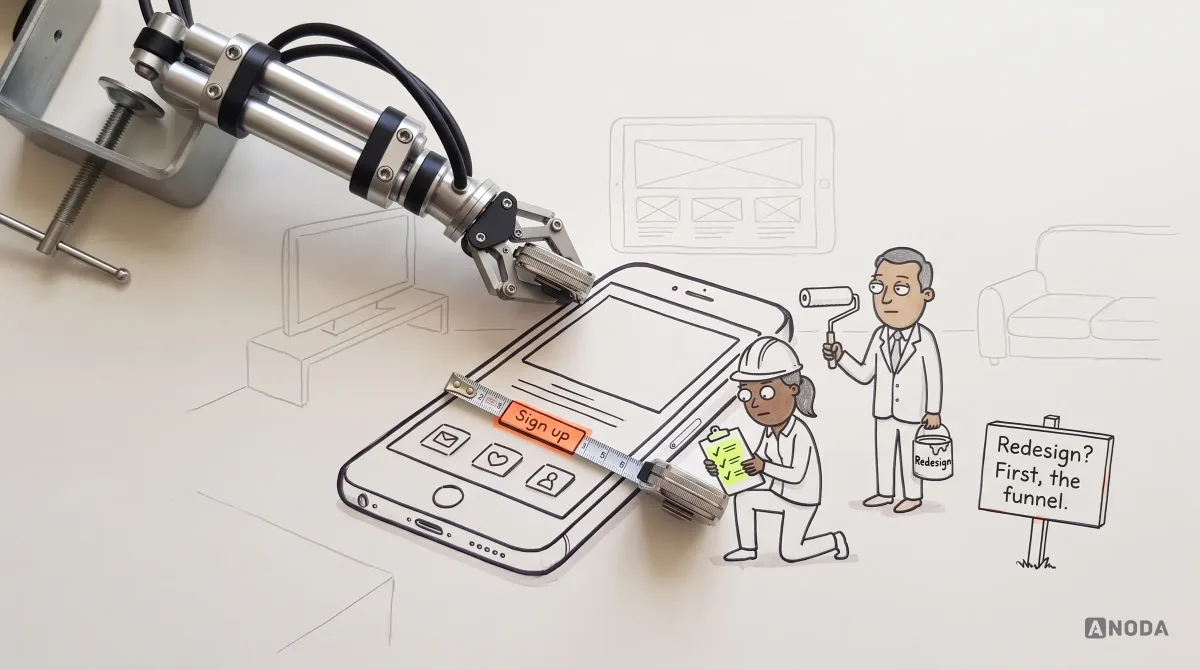
In short
The first question is not whether your business would benefit from an app. It is how the app turns a dollar into more than a dollar, by selling, saving or bringing in leads, and which job people repeat on their phones that it makes easier. This guide walks through the money, the job, web versus app, what the phone must do, installs and push, what stays on desktop, the bill after launch and the smallest test worth building.
In this article
- First question: how does the app make or save money?
- Find the job people repeat, and where they are when they do it
- App, responsive website or PWA?
- Evaluate the capability in the actual setting
- Installing isn’t using, and push isn’t a right
- Put only the phone-shaped jobs on the phone
- The bill that arrives after launch
- Test the smallest app before you build the big one
- The decision on one page
Your business needs a mobile app only if you can say how it makes or saves money, which recurring or device-specific job it makes easier on the phone, why the web can’t do that job well enough, and who will run it every year after launch. If you can’t answer all four, you don’t need an app yet. You need an answer.
Most app requests we get start from the wrong end. “Our competitors have one.” “Customers expect it.” “It would look good in the pitch.” None of those is a reason to spend a design and development budget, and none of them survives the first question we ask: how does this app pay for itself?
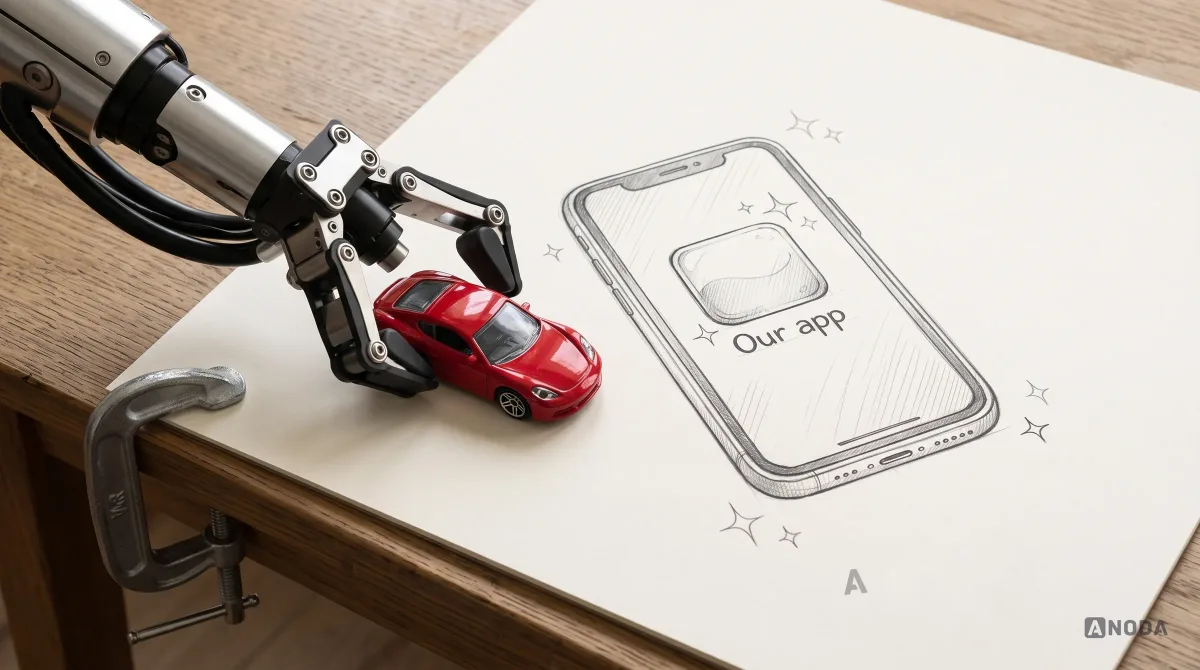
If the honest answer is that it would look impressive, Oksana, our founder, has a simpler suggestion: buy a Ferrari. It will look impressive too, and nobody will leave it a one-star review. The app budget should buy a useful product, not an expensive accessory.
ANODA starts where a feature-first brief usually stops: the business case, the real task and the friction customers face. We connect those decisions before design turns into a development bill. Pulse, Hike and Qarma below show how different jobs lead to different mobile experiences, rather than one copied app template.
First question: how does the app make or save money?
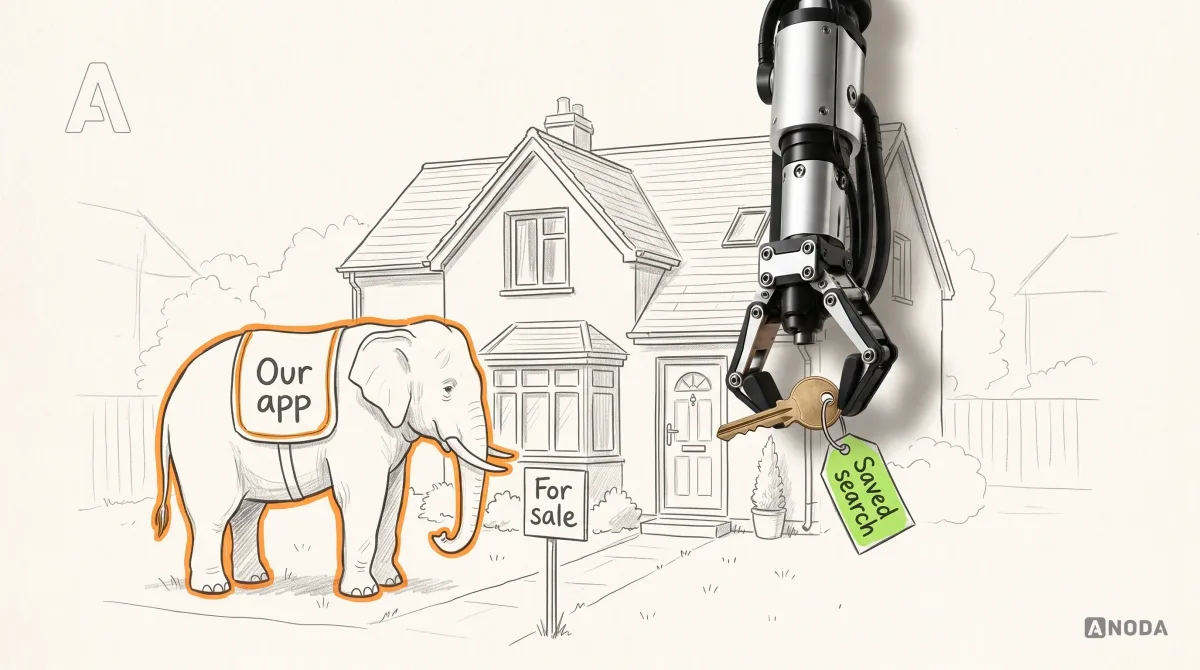
A business is a machine you feed a dollar and get more back. An app is a part of that machine or it is a white elephant: expensive to build, expensive to keep, and admired by nobody but the people who paid for it. There are only a few ways an app earns its keep:
- Direct revenue. People pay inside it: subscriptions, purchases, bookings.
- Indirect sales. The app makes something else sell: a device that works through it, a community that keeps owners loyal.
- Lower costs. It replaces a costlier channel: support calls, paper processes, paid traffic.
- Qualified leads. It turns interest into enquiries your sales team can close.
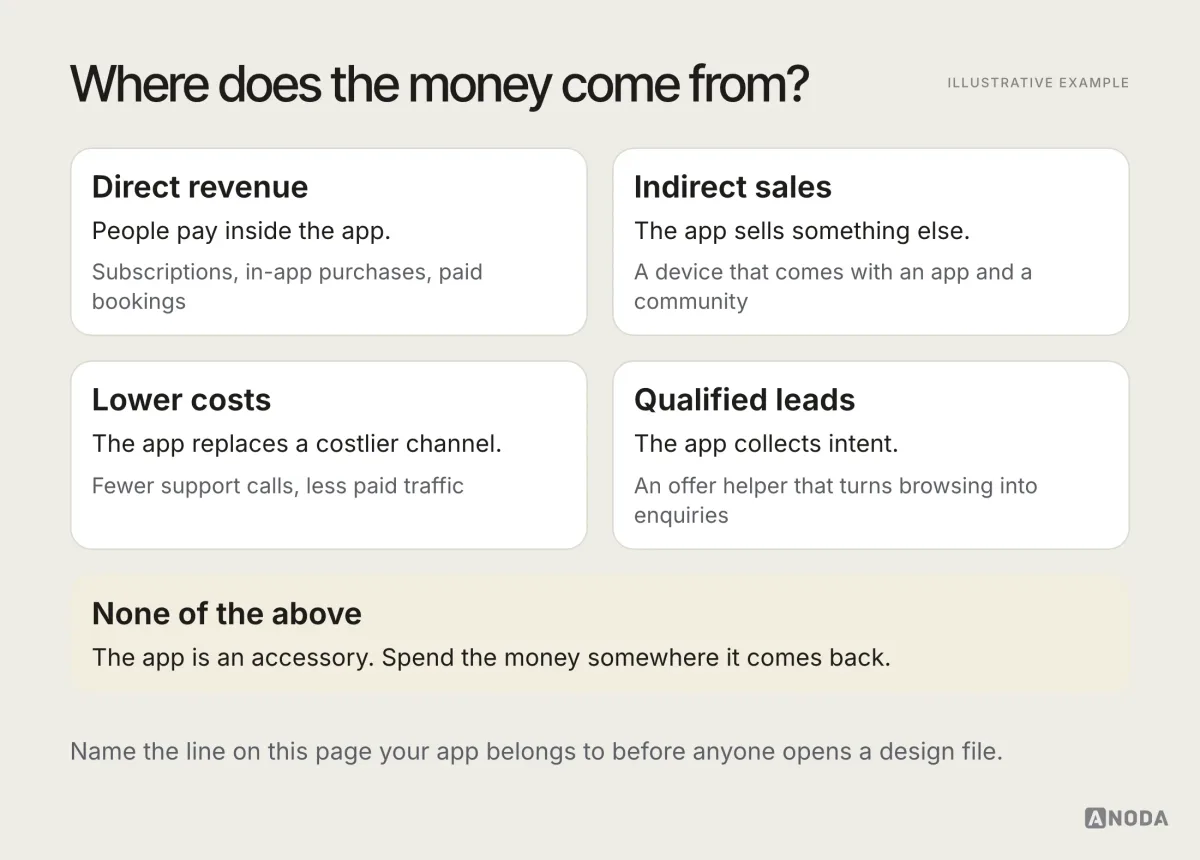
Whichever box you tick, it needs a number someone owns: enquiries per month, devices sold with the app, support calls avoided, paying subscribers. A subscription product has the plainest mechanism of all, and even there the question is not “will people pay” but “will they pay again next month for the job the app does”. If nobody can name the number, the box is a wish.
Saving counts as much as selling. A penny saved is a penny earned, and an app that takes calls off your support line never has to charge anyone a cent to be worth it.
Clearwater’s wellness app design connects Snowcap bath control, session tracking and community features. ANODA’s documented work covers the journeys, interface, design system, prototype and developer handoff. That combination gives the product a purpose beyond brand presence: help owners use the device and stay connected to the experience around it.
Clearwater used the app and its community to sell more devices and spend less on marketing. Money saved is money earned. If an app is just a beautiful accessory for your business, buy yourself a Ferrari instead. If you can’t explain how the app turns one dollar into five, goodbye.
 Oksana KovalchukFounder & CEO, ANODA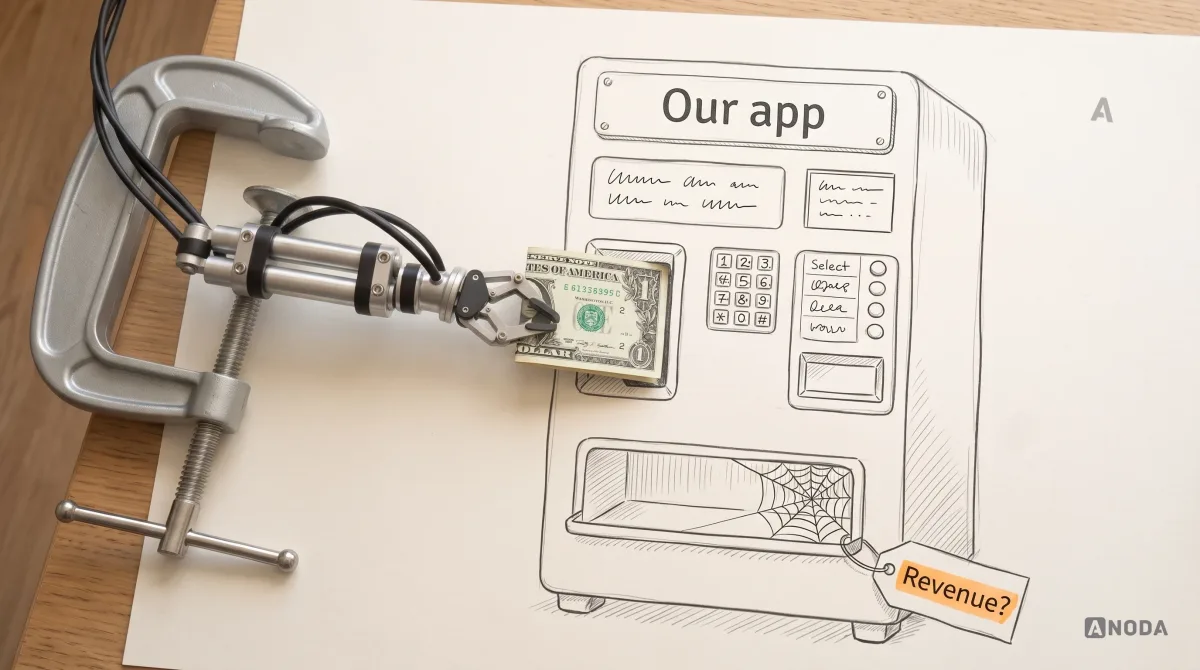
Audit check
Write one sentence: “This app makes or saves money by…”. Then name the number that will prove it — enquiries, device sales, support calls, subscriptions.
Failure evidence
The sentence ends with “brand presence”, “engagement” or “customers expect it”. Nobody owns the number.
Correction pattern
Stop and fix the business case first. If the case depends on facts you don’t have, that is a job for product discovery, not for an app budget.
Find the job people repeat, and where they are when they do it
Connect the business outcome to a task and its setting. Frequency matters for recurring work; a necessary device-specific task can justify an app even when it happens once. Study the actual context before choosing the format.
| Task pattern | What to investigate |
|---|---|
| Occasional information lookup | Can a responsive page answer the question through a link? |
| Recurring work away from a desk | Which context, actions and recovery behaviours does the mobile task need? |
| Device-specific capture, even once | Can supported web APIs meet the capture task, or is a platform app required? |
| Dense review or editing | Which screen size and input method support the task reliably? |
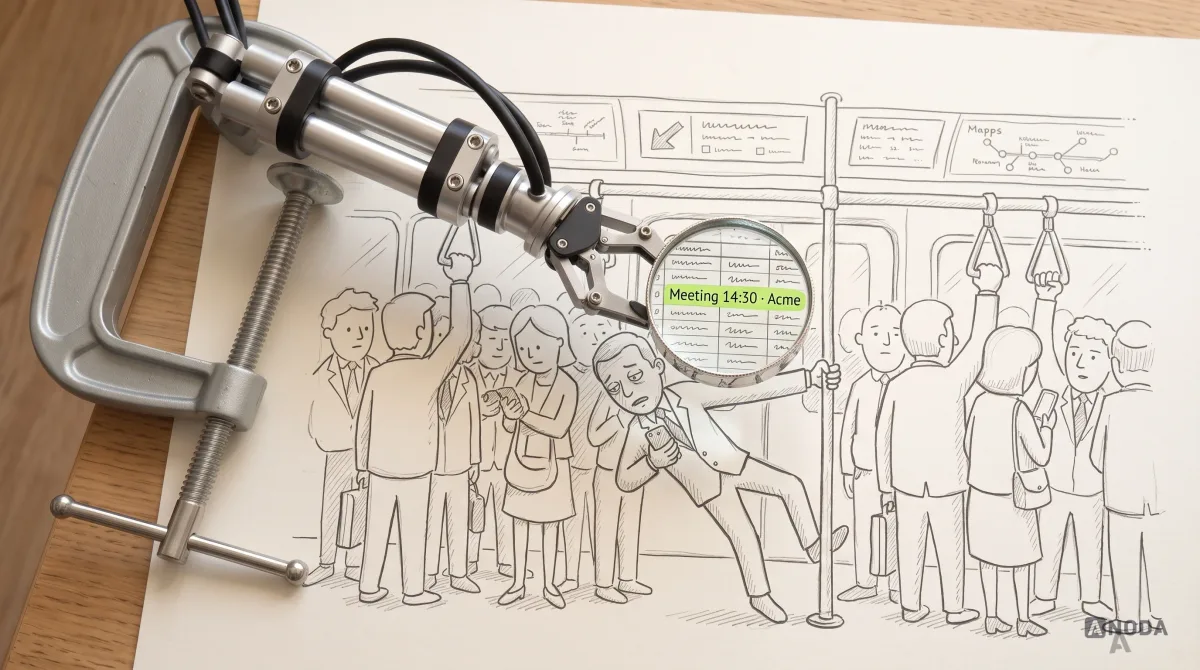
Infrequent use still creates maintenance costs, so weigh the task’s benefit against those costs. For a recurring task, consider this illustrative CRM scenario. Your salesperson is standing in a packed train at rush hour, holding the phone in one hand, trying to pinch-zoom a desktop table to find what time the next meeting is and who it is with. They are not going to open a laptop there. They need the next meeting, the context and a button to call.
| Mobile CRM task | Information and action to test |
|---|---|
| Find the next meeting | Time, company, purpose and enough context to identify the right record. |
| Prepare on the move | Relevant notes and a readable summary without navigating a dense desktop table. |
| Take the next action | Calling or navigation where appropriate, with clear permission and error behaviour. |
ANODA adapts the journey to the job and chooses the right delivery format, rather than shrinking the desktop interface and hoping it works.
People are overloaded. An app that adds another thing to learn and maintain will be ignored, however polished it is. An app that takes a painful task off their plate gives them a reason to come back. ANODA designs for that useful moment, not a feature list that looks impressive in a pitch.
Describe the task before listing features. Make that moment easier and your product earns its place in the customer’s day.
Pulse: let drivers manage the service at the point of use
In Pulse’s car-wash app, the phone is where a driver chooses the vehicle and site, buys a wash, manages a subscription and starts a self-serve bay. The design connects those actions to the operator’s existing platform without exposing its back-office machinery. A failed code, timer or payment needs its own explanation, so the driver knows what to do next.
We designed 84 unique screens and mapped the flows for the client’s development team. For a business choosing its own app scope, this is a concrete starting point: take the recurring customer tasks that currently need staff and design them from selection through confirmation and recovery.
App, responsive website or PWA?
Before you commit to an app, check whether the web already does the job well enough. Often it does, and it does it without an install, a store review or a second codebase.
| Website or PWA | Native app | |
|---|---|---|
| Discovery | Search and links | App stores and your own promotion |
| Getting started | Open a link; a PWA can also sit on the home screen | Find, install and open; sign in when the task requires it |
| Repeat use | Bookmark, search, or the PWA’s home-screen icon | Home-screen icon and a saved session |
| Device features | Available APIs vary by browser, platform and installation mode | Broader platform integration, subject to permissions and OS restrictions |
| Offline | Possible with designed caching, local data and recovery; verify browser and device support | Possible with designed local data, synchronisation and recovery |
| Push | Limited, and varies by platform | Available, if the user allows them |
| Updates | Deploy on the web; cached clients may need a refresh or service-worker update | New App Store versions are submitted for review; server content can have a separate update path |
| Ownership cost | Depends on scope, offline behaviour, integrations and support | Includes platform testing, distribution and ongoing support; compare the actual scope |
Observe where your audience performs the task today. Existing app habits can inform discovery, but they do not establish that your product needs the same format or that an app will be faster than the web.
For repeat jobs, test interruption and recovery rather than assuming the app format solves them. A web product can save drafts and support offline work; a native app can lose progress if those behaviours were never built. The useful comparison is whether each implementation preserves the task through a phone call, a lost connection and a return visit.
| Interruption to test | Acceptance question |
|---|---|
| Phone call or app switching | Can the person return to the same task without re-entering saved work? |
| Lost connectivity | Which work remains available, and how is unsent data identified? |
| Connection restored | Can the person see what synchronised and recover from a failed attempt? |
Design recovery into the chosen product, so an interruption does not turn useful work into another support request.
Web apps can use service workers and local storage for offline tasks and saved data. Notifications also depend on browser support, permission and background behaviour. For iOS distribution, Apple reviews submitted app versions and updates. Check the target devices and release path before budgeting the product.
The PWA sits in between and is worth a serious look when you need a home-screen presence without the full app bill. Just don’t choose between them by how the screens look; a PWA and an app can look identical. Choose by what the job needs from distribution, the device and the operating system.

Product discovery
Not sure the app should exist yet?
We find out before you pay for it: who the users are, which job they repeat, where they do it, and whether an app, a website or a PWA serves that job best. You get a decision you can defend, not a feature list.
Evaluate the capability in the actual setting
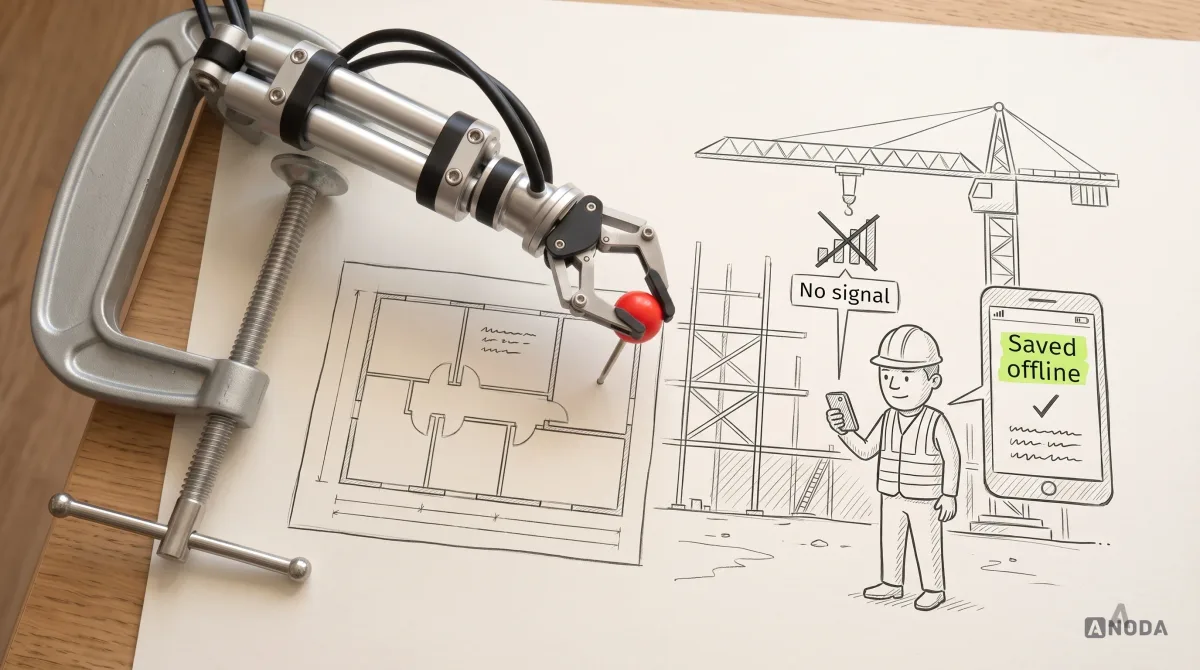
A device-specific task can make an app a strong candidate. Offline work on a site with no signal. GPS that places a report on the map. A camera that scans a serial plate instead of making someone type it. Bluetooth that pairs with the device you sell. Real-time updates, several sessions running at once, deep integration with the operating system.
Consider a field-reporting task that needs location, photos and draft recovery when connectivity is unavailable. This is an illustrative requirement, not a claim about a named client delivery. Test the relevant capabilities in both candidate implementations on the actual supported devices before deciding that an app is necessary.
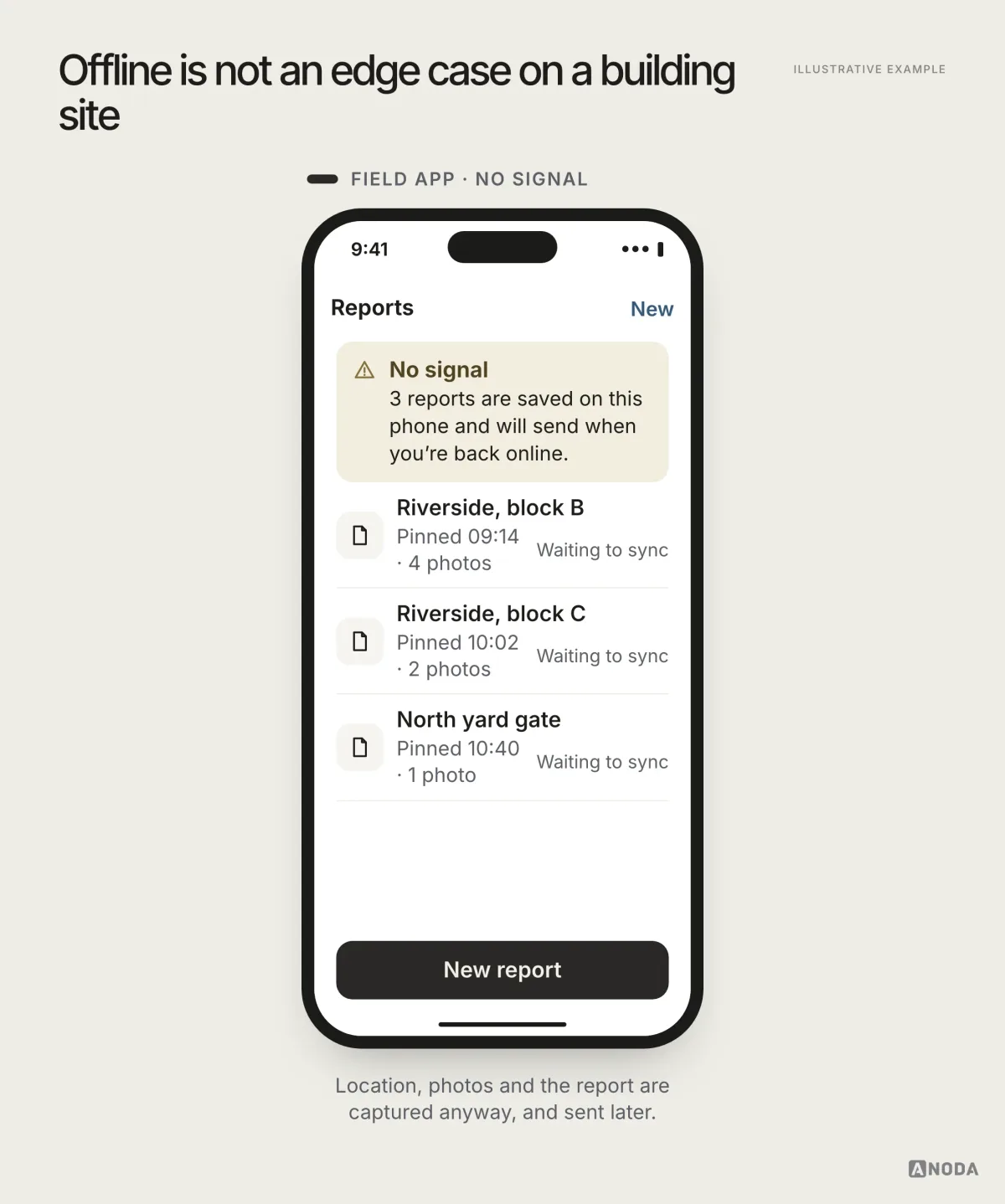
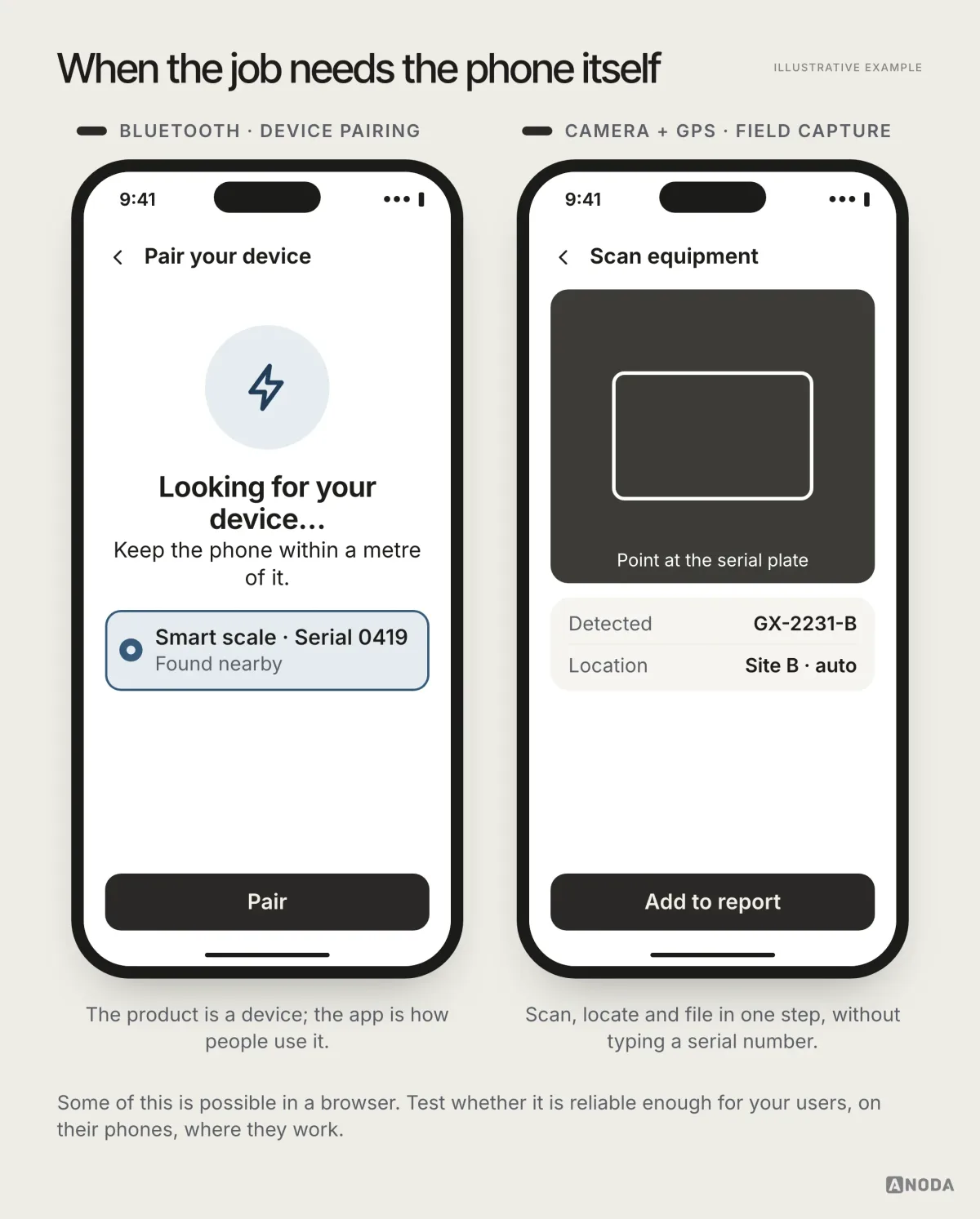
Be honest about this list. Some of it works in a browser today, and the gap changes every year. The question is not “is it possible in a browser” but “is it reliable enough for our users, on their phones, where they actually work”. Test that before you decide. Plenty of apps still ship without offline mode where it is critical, which is the worst of both worlds: the full cost of an app and the failure mode of a web page.
Hike: the phone captures what an order needs
Hike’s employee app takes a person from an HR invitation through a plain-language form, pain questions, a guided LiDAR foot scan and an orthotics order. The scan journey includes checks and retries for the moments when permissions, positioning or capture go wrong. The employer’s roster belongs in the separate HR admin.
This is a different business case from a daily-use app: the phone earns its place through a specific capture task, even when the employee does not need to open it every day. We designed the brand, iOS app and HR admin; the app, scanning technology and insoles were built by others.
Installing isn’t using, and push isn’t a right
Map the path to the first useful task. For an app, that may include discovery, installation, opening, access and permissions. A website may also require sign-in and permissions, while an app may allow a useful task without an account. Identify where people stop in your actual flow before forecasting adoption.
| Step to test | Relevant question |
|---|---|
| Discovery | Can the intended audience find and understand the product? |
| Installation, where required | Is the task worth the download, storage and setup? |
| Access | Are sign-in and recovery required, and can people complete them? |
| Permissions | Is each request understandable at the moment it is needed? |
| First useful task | Can a person complete it with appropriate confirmation and recovery? |
A web product may also require discovery, access and permissions. Compare the actual paths; an app does not always need an account.
Remember who you are competing with for that home-screen spot. Not your direct competitor, but every app the user already opens daily. Yours has to be useful enough to be opened among them, not just downloaded and forgotten on page four.
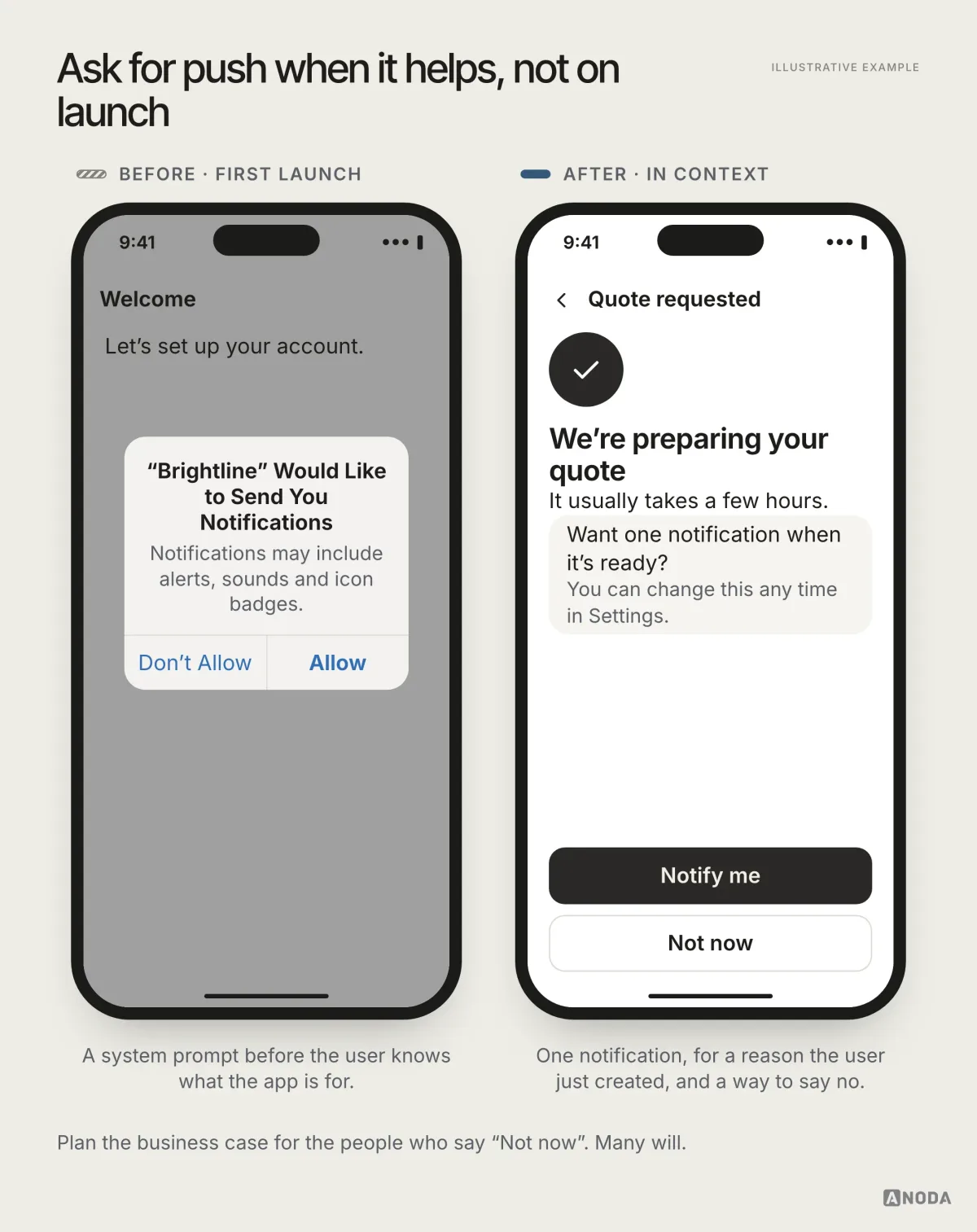
Then there is the notification fantasy. “Once they install it, we can push to them.” You can ask. People are tired, they have been shouted at by every app on their phone, and many of them will say no. Build the business case so it still works for the people who tap “Don’t Allow”, because there will be a lot of them.
When you do ask, ask at a moment the user understands: after they requested something the notification will tell them about, with one clear promise and an easy “Not now”.
Put only the phone-shaped jobs on the phone
Copying a dense desktop interface onto a smaller screen can make an important task harder. Identify the records, actions and context a person needs on each device. Bulk editing, configuration and analysis may require a different composition or a larger surface; assess the task instead of ruling out phones or tablets categorically.
| Work to support | Scope question |
|---|---|
| Meeting or approval | Which record, context and next action must be visible together? |
| Photos, scans or location | What permissions, capture checks and recovery are needed? |
| Bulk editing or configuration | Can the intended device support selection, error prevention and review? |
| Analysis and long reports | Which detail, comparison and navigation must remain accessible? |
Choose the surface around the job and make the next action clear. Your customer should not have to fight a miniature desktop to finish it.
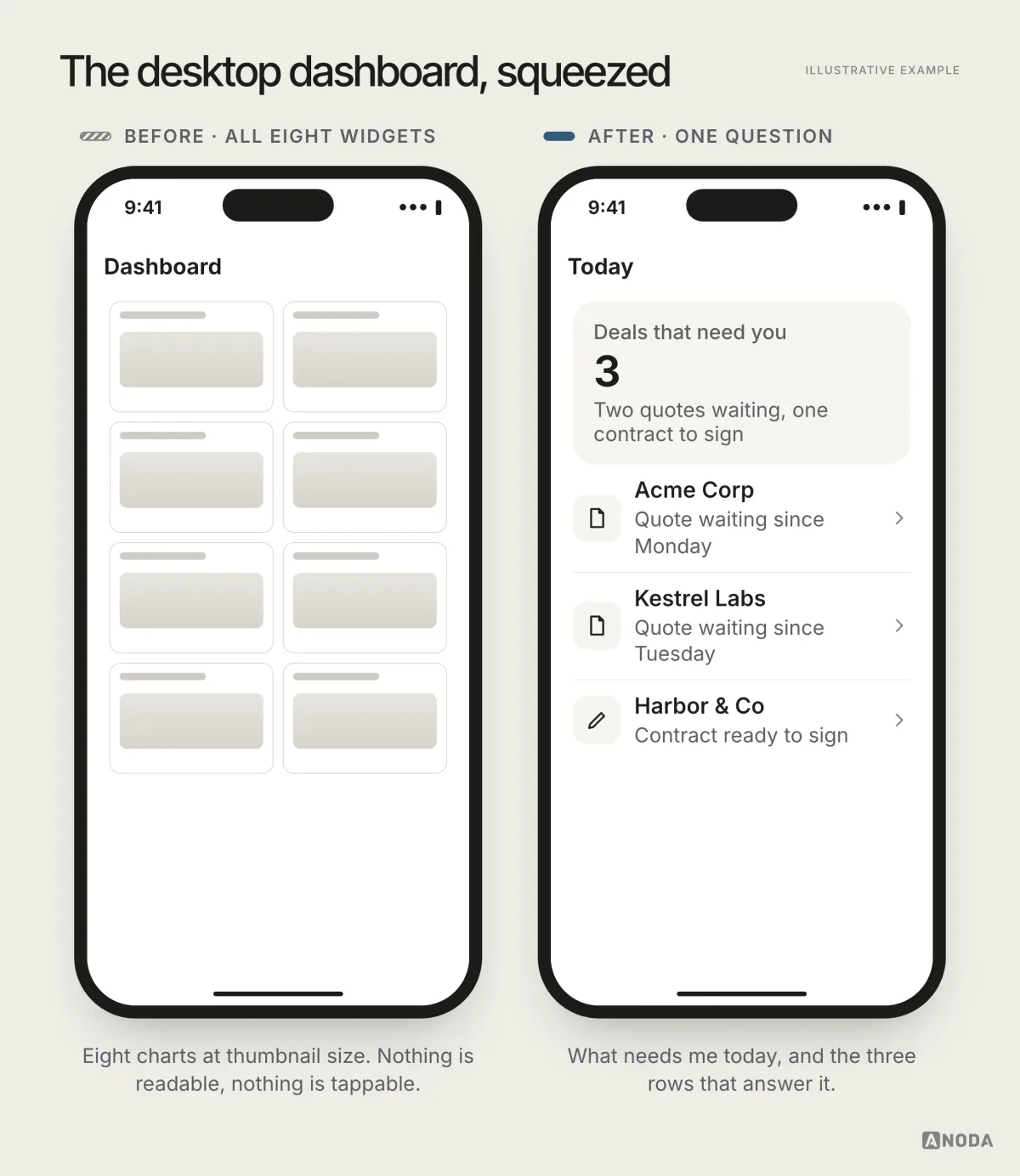
A bad mobile experience does not stay in the app. It damages trust in the whole brand, and in B2B the reaction is harsher than ever: a clumsy app invites the “I could build this over a weekend” crowd. Pick the jobs that belong on the phone and do those properly. Leave the rest where it works.
Qarma: capture on the floor, review at headquarters
In Qarma’s quality-inspection product, inspectors use the mobile app for checklists, defects and photos at the factory. Quality teams use the web product for planning, reports, approvals and corrective actions. The design connects the captured defect to the later decision rather than asking people to retype the same information.
That split gives a business a practical way to scope mobile app design: put capture and the next inspection step on the phone, while keeping the dense management work in the web platform. ANODA designed both product surfaces and their shared UI system; development was outside our scope.
The bill that arrives after launch
An app is a dog, not a sofa. You don’t buy it and put it in a corner; you feed it, walk it and take it to the vet, every year, whether you feel like it or not.
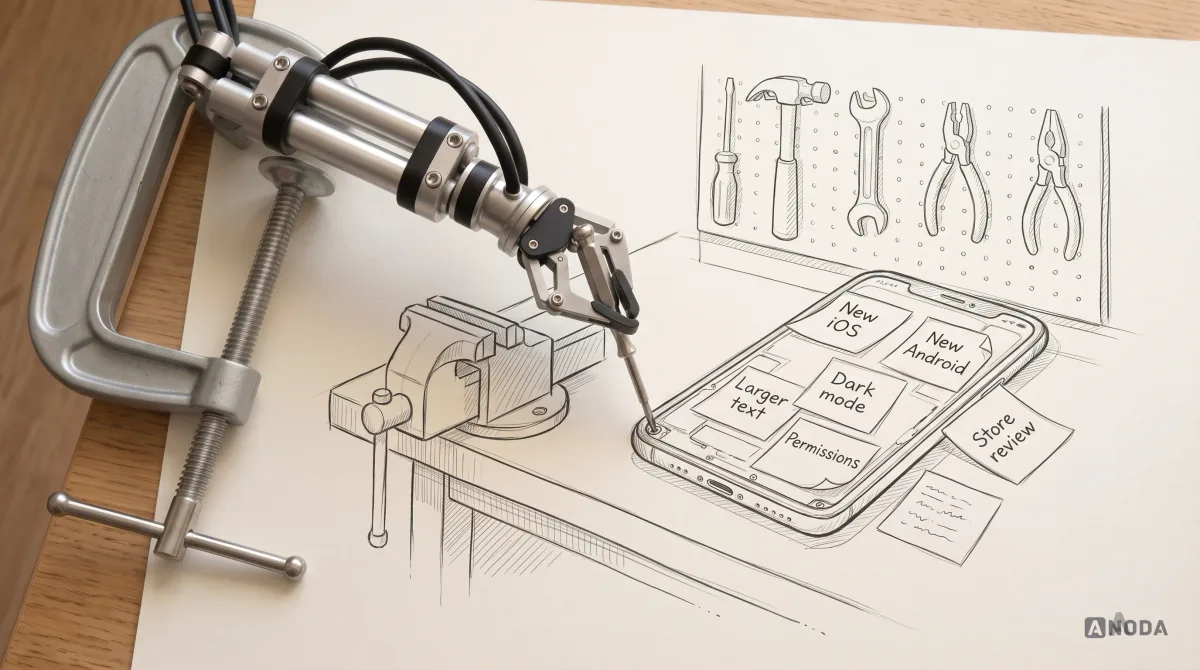
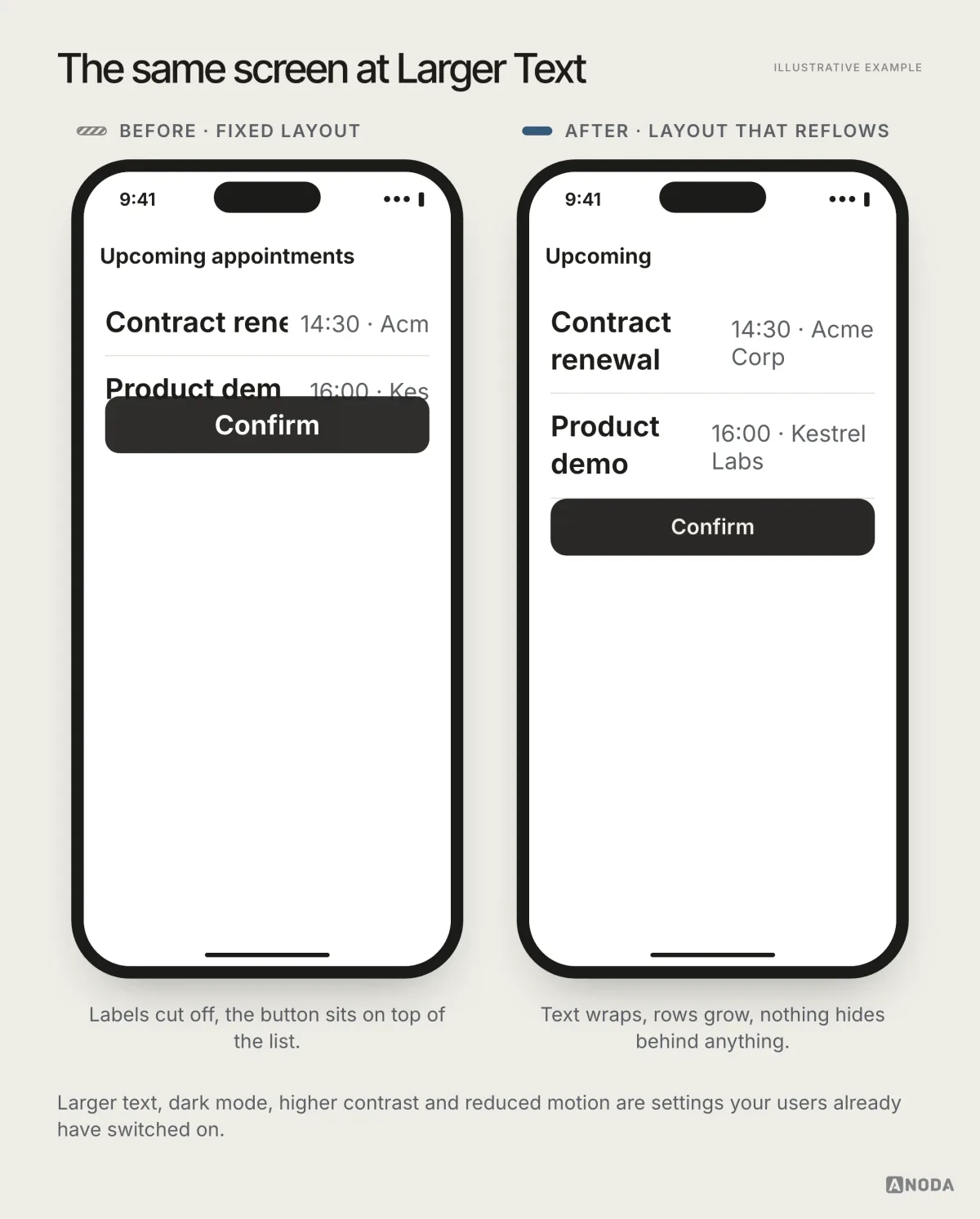
Plan compatibility checks when supported platforms change and budget for the release process of each distribution channel. New App Store versions are submitted for review; server-side content changes can follow a separate path. A new public place appears where customers can praise you or bury you, and someone has to answer those reviews. Permissions change how they are asked and granted. And your users already have settings switched on that your screens must survive: dark mode, larger text, higher contrast, reduced motion.
| Responsibility | What to plan |
|---|---|
| Platform compatibility | Supported devices and versions, with regression checks when they change. |
| Distribution | Review and release requirements for the chosen channels. |
| Permissions and privacy | Requests, denied access, recovery and changes in requirements. |
| Accessibility | Relevant text, contrast, motion and input settings; supported theme behaviour. |
| Reliability and support | Monitoring, incident handling and a person who responds. |
| Operating budget | Maintenance and support costs across the expected product lifetime. |
Google and Apple also ask for different things, sometimes contradictory ones, so “one app for both” still means two sets of rules to follow. If nobody on your side owns all of this, kicking the can down the road is not a plan. It is how an app quietly rots until the reviews say so in public.
Audit check
List who will own releases, store reviews, platform updates, support and accessibility after launch, with a budget line for each.
Failure evidence
The plan ends at “launch”. Nobody’s job description includes the app store. Updates happen only when something breaks.
Correction pattern
Budget the second year before approving the first. If the ownership isn’t there yet, start with the web and a smaller scope.
Test the smallest app before you build the big one
You don’t need a full app to find out whether people want one. Take one recurring or device-specific task, design a complete path through it, and test it with the people who would use it. Observe completion and the relevant outcome; study return use when the task recurs. Add accounts or supporting features only where the core task needs them. Chat, loyalty points and dashboards can wait unless they are part of the job you are testing.
| Part of the test | What must work |
|---|---|
| Need | The person can describe or select the relevant task. |
| Useful response | The product provides an understandable next step based on valid information. |
| Completion | The person can finish the task and see whether it succeeded. |
| Supporting behaviour | Include access, permissions and recovery wherever that task requires them. |
| Evaluation | Use task completion and the relevant outcome; measure repeat use for recurring tasks. |
Use UX research to observe the task in its real setting before forecasting adoption. A focused MVP design should let you test a coherent task and its relevant outcome: repeat use for a recurring job, or successful capture and completion for a device-specific job. Throwing spaghetti at the wall is expensive when every strand is a native app release.
When the case is proven and it is time to build, our mobile app development team takes the design from there.
The decision on one page
| Decision question | Evidence to bring |
|---|---|
| What business outcome matters? | The expected benefit, baseline and measurement owner. |
| What task makes the phone useful? | Observed context, frequency or device-specific need. |
| Can the web meet that task? | A test on the supported browsers and devices. |
| What must survive interruption? | Permission, local data, sync and recovery acceptance checks. |
| Who will operate the product? | Release, support and maintenance owners with a budget. |
| What is the smallest useful test? | A complete task and a decision rule for continuing or stopping. |
An app is a product you operate, not a deliverable you receive. Build it when it makes an important recurring or device-specific task meaningfully easier, and the expected business benefit justifies its operating cost. Scope only the flows that belong on a phone, budget for every year after launch, and assume neither the install nor the notification. If the only argument left is that an app would look impressive, you know where the Ferrari dealership is.

Mobile app design
An app that earns its place on the home screen.
We start from the money and the job, cut the product to what belongs on a phone, and design the flows, states and system behaviour your team can build and run.
Frequently asked questions
Does every business need a mobile app?
No. Consider an app when a recurring or device-specific task becomes meaningfully easier on the phone, the business benefit can be evaluated, and the team can operate it. Infrequent use can still justify an app when a necessary capture task or device integration requires it. Compare a responsive website or PWA against the actual task.
When is a responsive website better than an app?
A responsive website is a strong candidate for occasional visits, search discovery and link-based access when its supported device capabilities meet the task. Web products can maintain sessions, save drafts and support offline work when designed to do so. Compare implementation and operating costs rather than assuming every website is cheaper.
Which native capabilities justify an app?
A required capability, such as a device integration or a capture workflow, may justify a platform app when the browser implementation cannot reliably meet the task on supported devices. Camera, location and offline behaviour are not exclusive to native apps. Validate support, permissions, storage and recovery in the intended setting.
How can a business estimate whether users will install it?
Watch the job before you forecast the download. Interview and observe the people who would use it, test a clickable prototype or a web version of the core task, and measure how often they come back to it. If the web test attracts no return use, investigate whether the task lacks value or whether the test misses the device capability and setting that make it useful.
Which ongoing responsibilities does an app create?
Budget for supported platform versions, the chosen distribution and review process, permission and privacy changes, accessibility, crash monitoring and support. New App Store versions require submission for review; server content and other distribution paths may have different release requirements.
What should a business-app MVP include?
A coherent task from start to finish, with the supporting account, permission, recovery and confirmation behaviour it needs. Test task completion and the relevant business outcome; repeat use matters for recurring jobs, while a one-time capture task needs different acceptance evidence.
Written by